Tree select
v0.0.10
mix mishka.ui.gen.mob tree_select
The Mishka Chelekom Mob Tree Select shows the current selection in a trigger and opens a tree in a panel beneath it, on iOS and Android. It is the native port of the headless Tree Select and runs on Mob.
Overview of the Mob Tree Select component for iOS and Android
Tree Select is a thin shell, as on the web. It owns the trigger and the panel. Whatever you put inside the tag is the panel's content, normally a Mob Tree. The trigger shows the label, or the placeholder in muted text when the label is nil or an empty string. A ▾ at the end of the row turns into ▴ while the panel is open.
The screen owns the state. You keep open and the label in assigns. The trigger sends on_toggle. Wire the tree's on_select to the screen, then let the screen set label and close the panel. A tree reports the value of the node you tap, and the trigger shows a label, so the screen maps one to the other.
The panel renders in flow beneath the trigger and does not float. A tree is as tall as its data, and a floating tree would cover the trigger it belongs to. The panel has no dismissal of its own, and tapping the trigger again closes it. For a tree too large to sit in the page, hand the same tree to a bottom Drawer, which brings a scrim and a dismissal of its own.
Give the component an id, and give the tree inside its own id too. The tree defaults its tag prefix to "tree", so two tree selects on one page would hand every row the same tag.
Generate the tree select component
Run this from your Mob app's root to add the component to lib/<app>/components/:
mix mishka.ui.gen.mob tree_selectThe generator registers the tag, so you can use it in ~MOB markup. It also generates the Tree component, which it uses for the panel. The examples on this page use the mishka_ prefix of the showcase app (--module-prefix mishka_), so the tag is <MishkaTreeSelect>. Without a prefix, the tag is <TreeSelect>.
Tree select trigger and panel
Tap the trigger to open the tree, then tap a file to choose it. Expanding a branch is not a choice, so the panel stays open until you pick something. The screen holds which branches are open, and updates that list from the tree's on_expand and on_collapse events.
Tree select trigger and panel
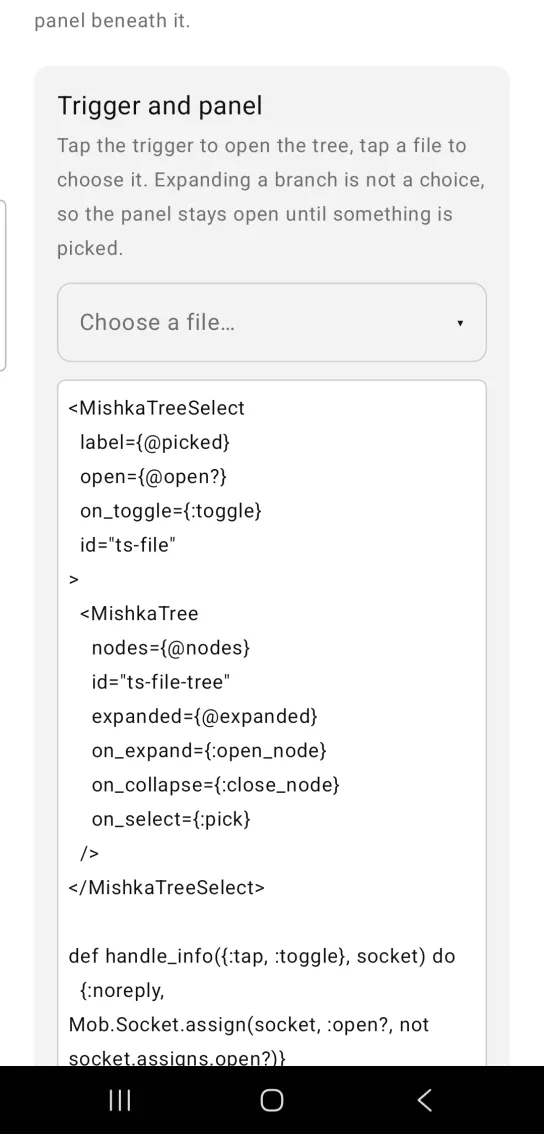
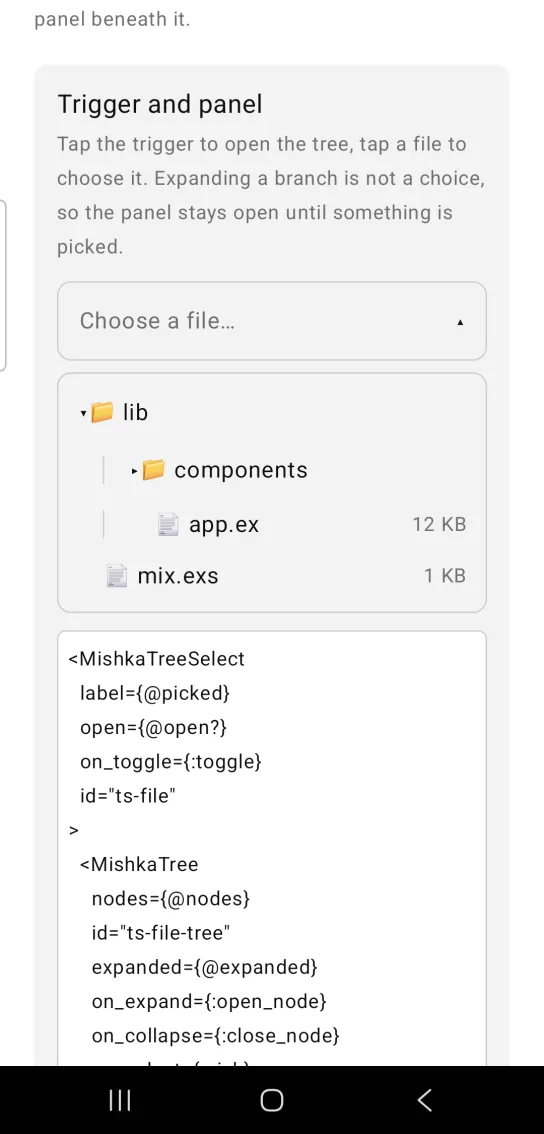
Left: the example as it loads. Right: after a tap. Tap the trigger to open the tree and a file to choose it.
<MishkaTreeSelect
  label={@picked}
  open={@open?}
  on_toggle={:toggle}
  id="ts-file"
>
  <MishkaTree
    nodes={@nodes}
    id="ts-file-tree"
    expanded={@expanded}
    on_expand={:open_node}
    on_collapse={:close_node}
    on_select={:pick}
  />
</MishkaTreeSelect>

def handle_info({:tap, :toggle}, socket) do
  {:noreply, Mob.Socket.assign(socket, :open?, not socket.assigns.open?)}
end

# The tree owns the selection; the screen shows it and closes the panel,
# which is the whole point of a select.
def handle_info({:tap, {:pick, value}}, socket) do
  {:noreply,
   socket
   |> Mob.Socket.assign(:picked, value)
   |> Mob.Socket.assign(:open?, false)}
endTree select placeholder
With nothing selected, the trigger shows the placeholder in muted text. Picking a node replaces it with the label, and the trigger's test tag changes from ts-team-placeholder to ts-team-value.
Tree select placeholder
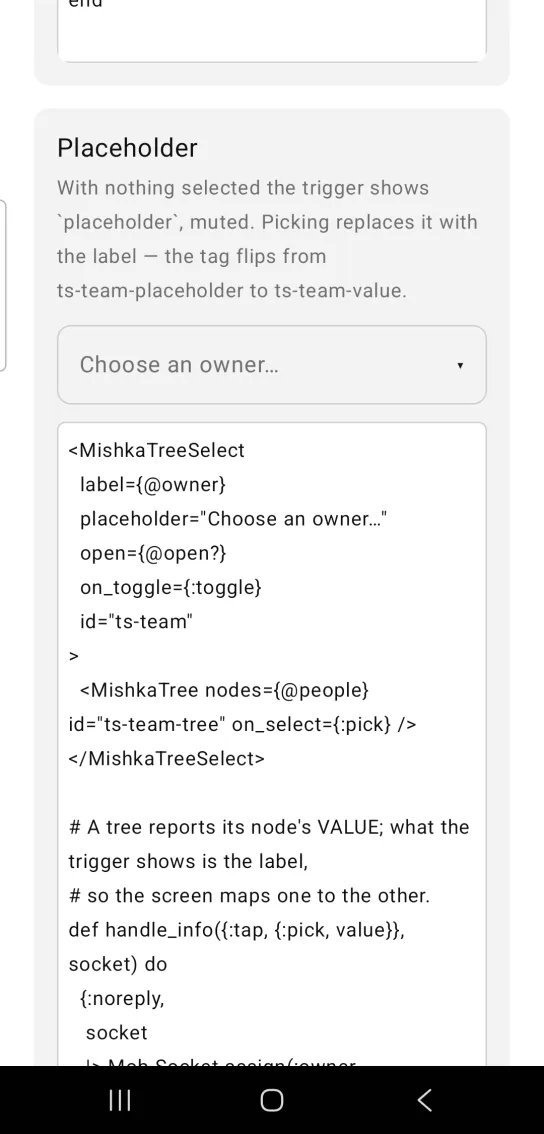
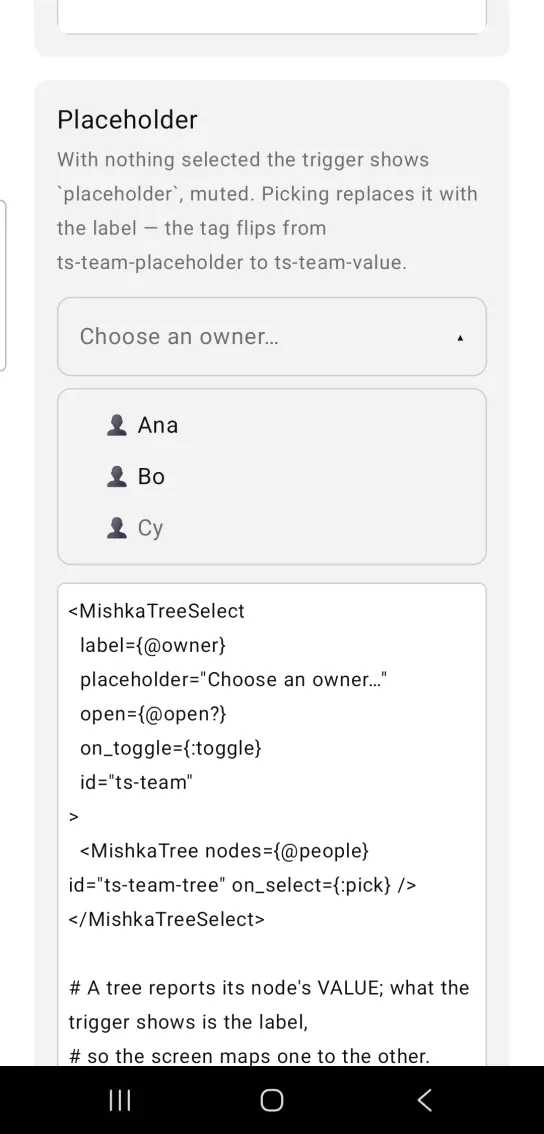
Left: the example as it loads. Right: after a tap. The panel lists the choices, and disabled ones stay greyed.
<MishkaTreeSelect
  label={@owner}
  placeholder="Choose an owner…"
  open={@open?}
  on_toggle={:toggle}
  id="ts-team"
>
  <MishkaTree nodes={@people} id="ts-team-tree" on_select={:pick} />
</MishkaTreeSelect>

# A tree reports its node's VALUE; what the trigger shows is the label,
# so the screen maps one to the other.
def handle_info({:tap, {:pick, value}}, socket) do
  {:noreply,
   socket
   |> Mob.Socket.assign(:owner, name_of(value))
   |> Mob.Socket.assign(:open?, false)}
endTree select open from the start
open is a plain prop, so you can render the panel expanded. This one has no on_toggle, which is what an inline picker looks like: it never closes.
Tree select open from the start
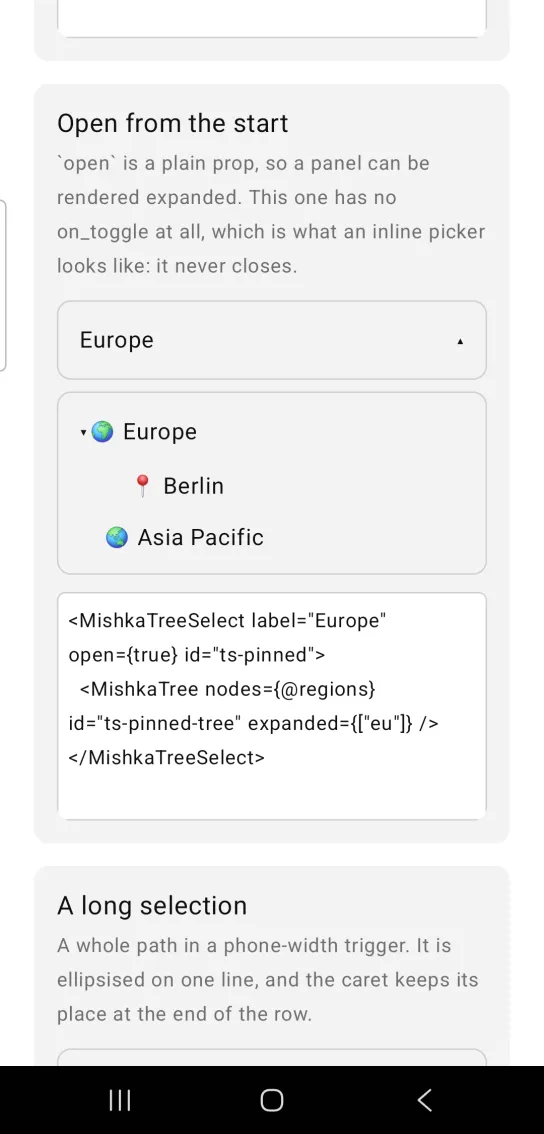
<MishkaTreeSelect label="Europe" open={true} id="ts-pinned">
  <MishkaTree nodes={@regions} id="ts-pinned-tree" expanded={["eu"]} />
</MishkaTreeSelect>
Tree select with a long selection
A whole path in a phone-width trigger is cut off with an ellipsis on one line, and the caret keeps its place at the end of the row. No prop controls this. The value sits in a weighted box limited to one line, because a text squeezed narrower than its content wraps one character at a time.
Tree select with a long selection
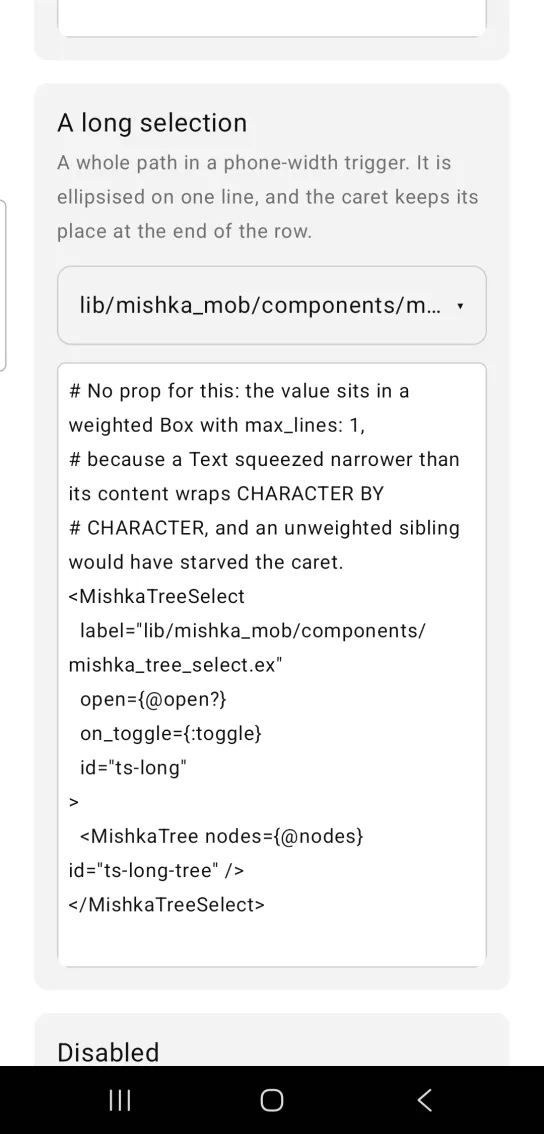
# No prop for this: the value sits in a weighted Box with max_lines: 1,
# because a Text squeezed narrower than its content wraps CHARACTER BY
# CHARACTER, and an unweighted sibling would have starved the caret.
<MishkaTreeSelect
  label="lib/mishka_mob/components/mishka_tree_select.ex"
  open={@open?}
  on_toggle={:toggle}
  id="ts-long"
>
  <MishkaTree nodes={@nodes} id="ts-long-tree" />
</MishkaTreeSelect>
Disabled tree select
A disabled tree select is muted and its trigger is unwired, so tapping it cannot open the panel.
Disabled tree select
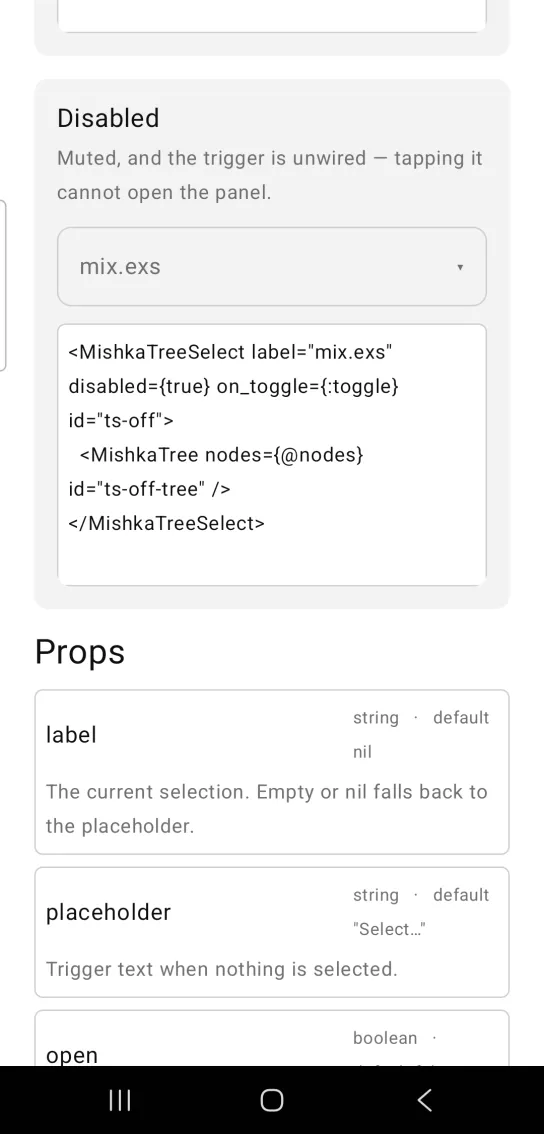
<MishkaTreeSelect label="mix.exs" disabled={true} on_toggle={:toggle} id="ts-off">
  <MishkaTree nodes={@nodes} id="ts-off-tree" />
</MishkaTreeSelect>Helper functions
The generated MishkaTreeSelect module exports this function.
| Function | Description |
|---|---|
display(label, placeholder) | Returns the trigger text: the label, or the placeholder when the label is nil or an empty string. |
Props
The children of <MishkaTreeSelect> are the panel's content.
| Prop | Type | Default | Description |
|---|---|---|---|
label | string | nil | The current selection. It falls back to the placeholder. |
placeholder | string | "Select…" | Shown when nothing is selected. |
open | boolean | false | Whether the panel is shown. The screen owns it. |
disabled | boolean | false | Mutes the trigger and unwires it. |
on_toggle | event tag (atom) | None | Sends {:tap, tag} from the trigger. |
id | string | nil | Test tags for the root, the trigger, the value, the caret and the panel. See Test tags. |
Events
Tree Select itself sends one event: on_toggle sends {:tap, tag} when you tap the trigger. A disabled trigger drops it. The tree inside sends its own events, on_select, on_expand and on_collapse, each as {:tap, {tag, value}}.
With on_toggle={:toggle} and the tree's on_select={:pick}, the screen handles them in handle_info/2 like this:
def handle_info({:tap, :toggle}, socket) do
  {:noreply, Mob.Socket.assign(socket, :open?, not socket.assigns.open?)}
end

def handle_info({:tap, {:pick, value}}, socket) do
  {:noreply,
   socket
   |> Mob.Socket.assign(:picked, value)
   |> Mob.Socket.assign(:open?, false)}
end
Differences from the web component
- The web anchors the panel to the trigger. Here the panel renders in flow beneath it.
- Dismissal on Escape or a click outside is not ported, because a panel in flow has nothing to click away from. Tapping the trigger again closes it.
- The
*_classattributes are not ported. Mob draws native views, so there is no CSS.
Attributes
| Name | Type | Default | Values | Required | Description |
|---|---|---|---|---|---|
label
|
string
| — | — | No | The current selection. Falls back to `placeholder`. |
placeholder
|
string
|
"Select…"
| — | No | Shown when nothing is selected. |
open
|
boolean
|
false
| — | No | Whether the panel is shown. |
disabled
|
boolean
|
false
| — | No | Mutes and unwires the trigger. |
on_toggle
|
event tag (atom)
| — | — | No | `{:tap, tag}` on the trigger. |
id
|
string
| — | — | No | Test tags for the trigger, the value, the caret and the panel. |
Options
Each option takes one or more of its values, separated by commas.
| Option | Values |
|---|---|
--type
|
tree_select
|
--module
| A module name of your own |
What it generates
mix mishka.ui.gen.mob tree_select