Color swatch
v0.0.10
mix mishka.ui.gen.mob color_swatch
The Mob Color Swatch is the native iOS and Android version of the headless Color Swatch in Mishka Chelekom. It shows a block of one color that you can make selectable, and it draws a checkerboard behind translucent colors. Mob renders it with Jetpack Compose on Android and SwiftUI on iOS.
Overview of the Mob Color Swatch component for iOS and Android
A color swatch is a block of one color. The size prop sets its edge, 36 units by default, and a thin border outlines it. The shape prop picks :rounded, :circle or :square. color takes an ARGB integer such as 0xFF7C3AED or a color token. A swatch without a color paints none.
A swatch carries no value, so its tag identifies it. Put the color's id in the tag, such as {:pick, :violet}, and one handle_info/2 clause serves a whole palette. Set selected to draw a thicker border and a ✓. Children overlay the swatch, and a selected swatch that has children shows them instead of the ✓.
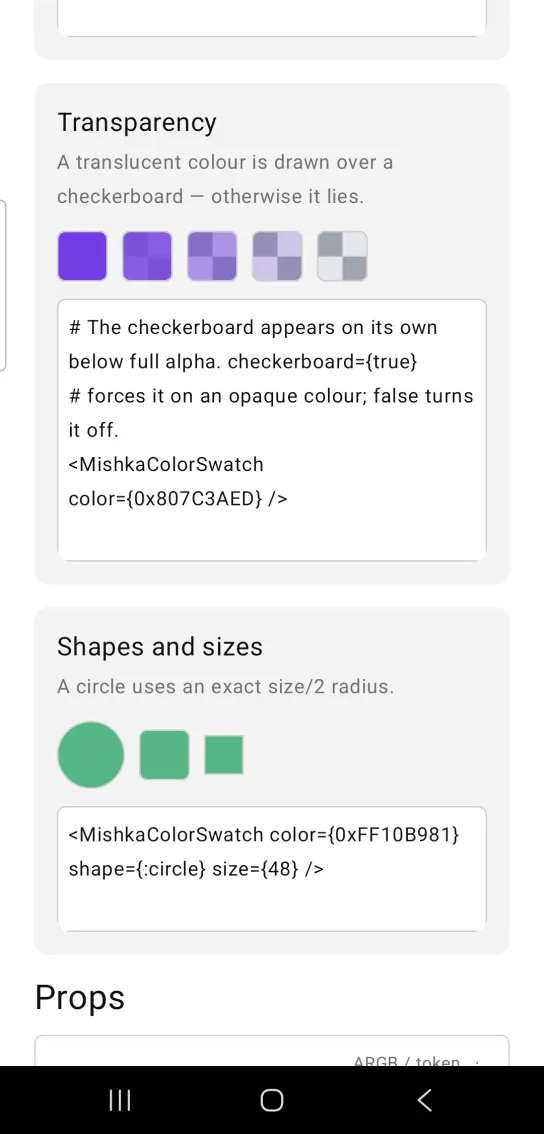
A color with an alpha below 0xFF draws over a checkerboard. Without it, the same translucent color looks different on a light and a dark surface, and the checkerboard makes the transparency itself visible. Opaque colors skip the checkerboard, because the extra nodes would be waste. The checkerboard prop forces it on or off.
Generate the color swatch component
Run this from your Mob app's root to add the component to lib/<app>/components/:
mix mishka.ui.gen.mob color_swatchThe generator registers the component's tag, so you can use it in ~MOB markup. It also adds the shared Event module it uses. The examples on this page use the mishka_ prefix of the showcase app (--module-prefix mishka_), so the tag is <MishkaColorSwatch>. Without a prefix the tag is <ColorSwatch>.
Color swatch palette
This palette has five swatches. A tap selects one: the selected swatch gets a thicker border and a ✓, and the screen shows the picked name below, so you can see the tap reach your code.
Color swatch palette
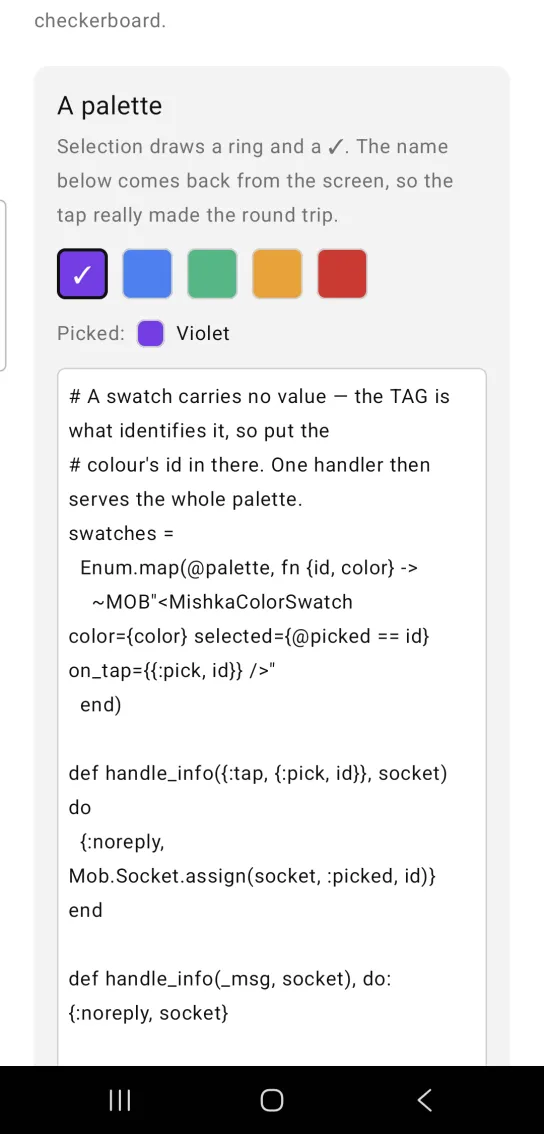
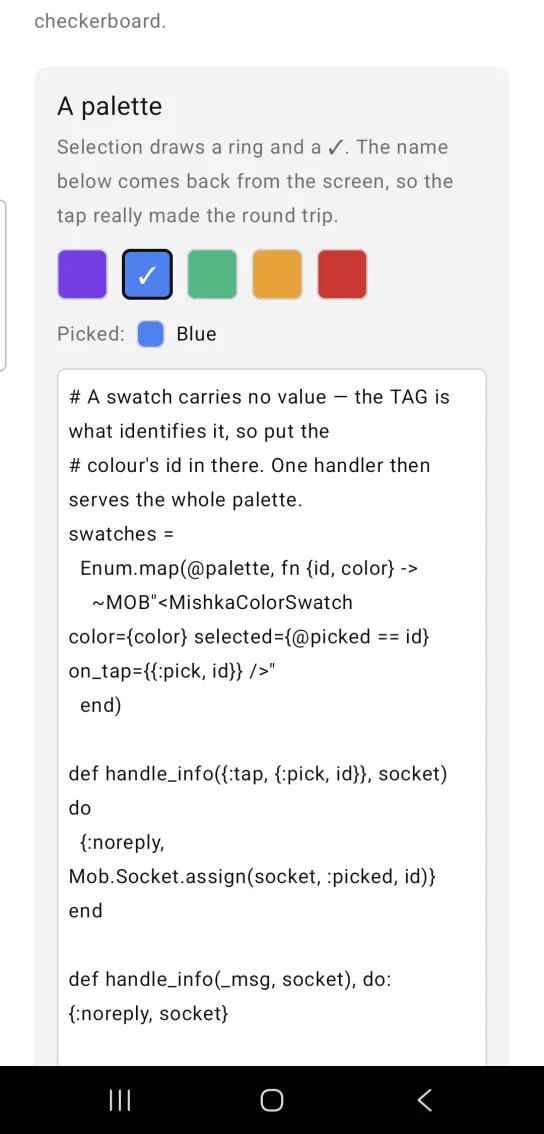
Left: the example as it loads. Right: after a tap. Selection draws a ring and a tick.
# A swatch carries no value — the TAG is what identifies it, so put the
# colour's id in there. One handler then serves the whole palette.
swatches =
  Enum.map(@palette, fn {id, color} ->
    ~MOB"<MishkaColorSwatch color={color} selected={@picked == id} on_tap={{:pick, id}} />"
  end)

def handle_info({:tap, {:pick, id}}, socket) do
  {:noreply, Mob.Socket.assign(socket, :picked, id)}
end

def handle_info(_msg, socket), do: {:noreply, socket}
Disabled color swatch
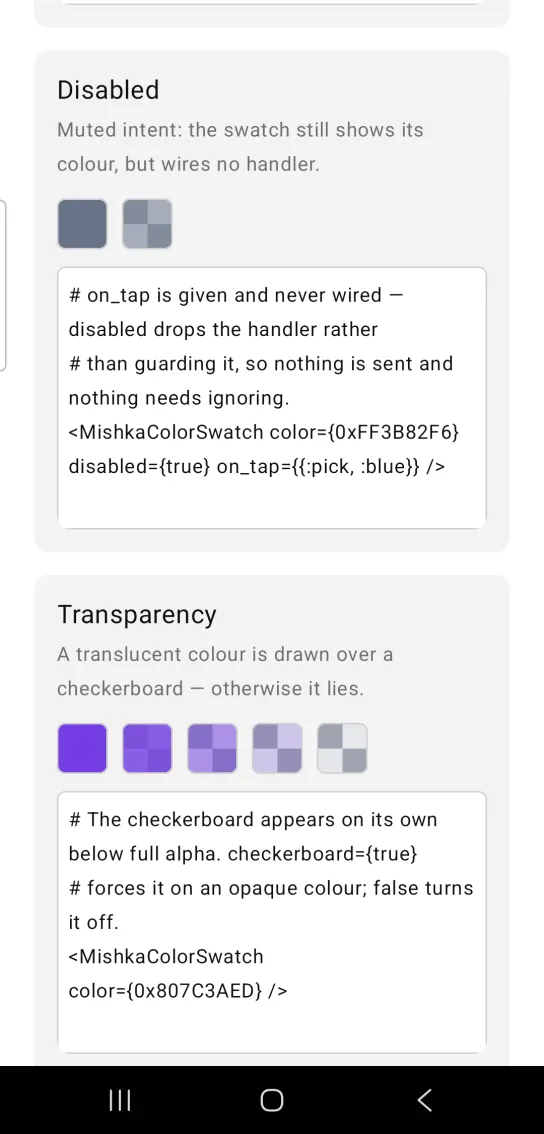
Set disabled to keep the color visible and drop the tap handler. The component never wires on_tap, so nothing is sent and your screen has nothing to ignore.
Disabled color swatch
# on_tap is given and never wired — disabled drops the handler rather
# than guarding it, so nothing is sent and nothing needs ignoring.
<MishkaColorSwatch color={0xFF3B82F6} disabled={true} on_tap={{:pick, :blue}} />
Color swatch transparency
A translucent color draws over a checkerboard, so you can see how transparent it is. The checkerboard appears on its own below full alpha. Set checkerboard={true} to show it under an opaque color, or checkerboard={false} to turn it off. The screenshot shows the same violet at five alpha values.
Color swatch transparency
# The checkerboard appears on its own below full alpha. checkerboard={true}
# forces it on an opaque colour; false turns it off.
<MishkaColorSwatch color={0x807C3AED} />
Color swatch shapes and sizes
Use shape and size to change how a swatch looks. A circle uses a radius of exactly half the size. The screenshot also shows the default rounded shape and a square.
Color swatch shapes and sizes
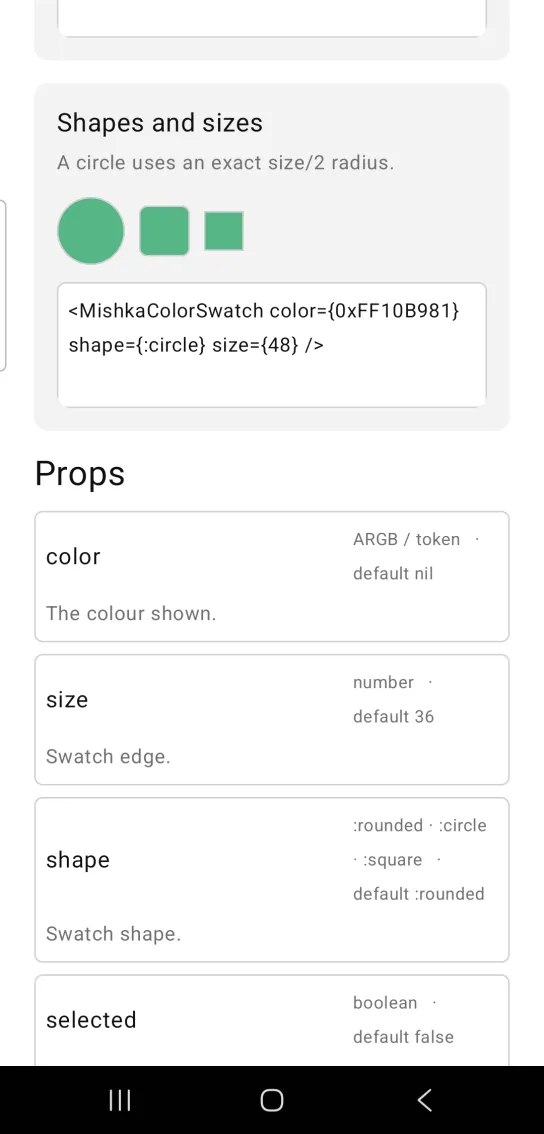
<MishkaColorSwatch color={0xFF10B981} shape={:circle} size={48} />Helper functions
The module exports two helpers.
| Function | Description |
|---|---|
translucent?(color) | Returns true when the color is an ARGB integer with an alpha below 0xFF. A color token returns false. |
radius(shape, size) | Returns the corner radius for a shape at a size: size / 2 for :circle, 0 for :square and the :radius_sm token for :rounded. |
Props
| Prop | Type | Default | Description |
|---|---|---|---|
color | ARGB integer or color token | nil | The color shown. |
size | number | 36 | The edge of the swatch in logical units. |
shape | :rounded, :circle or :square | :rounded | The shape of the swatch. |
selected | boolean | false | Draws a thicker border and a ✓. |
on_tap | event tag | None | Sends {:tap, tag} when the swatch is tapped. |
checkerboard | boolean | Automatic | Forces the transparency backdrop on or off. It turns on by itself below full alpha. |
disabled | boolean | false | Wires no handler. The color still shows. |
id | string | None | Becomes a native test tag. A swatch has no text that a test can find it by. |
Events
Your screen receives {:tap, tag} in handle_info/2 when the user taps a swatch. A disabled swatch sends nothing.
def handle_info({:tap, {:pick, id}}, socket) do
  {:noreply, Mob.Socket.assign(socket, :picked, id)}
end
Differences from the web component
The Mob version leaves these parts of the web swatch out:
label(thearia-label) is not ported.- The
*_classattributes are not ported. - The
idprop is ported as a native test tag, not as a DOM id.
Attributes
| Name | Type | Default | Values | Required | Description |
|---|---|---|---|---|---|
color
|
ARGB int / token
| — | — | No | The colour shown. |
size
|
number
|
36
| — | No | Swatch edge. |
shape
|
:rounded :circle :square
|
:rounded
| — | No | Swatch shape. |
selected
|
boolean
|
false
| — | No | Draws a ring and a ✓. |
on_tap
|
event tag (atom)
| — | — | No | Sent as `{:tap, tag}`. |
disabled
|
boolean
|
false
| — | No | Wires no handler. |
checkerboard
|
boolean
|
auto
| — | No | Force the transparency backdrop on or off. |
id
|
string
| — | — | No | Becomes a native testTag. A swatch has no text to find it by. |
Options
Each option takes one or more of its values, separated by commas.
| Option | Values |
|---|---|
--type
|
color_swatch
|
--module
| A module name of your own |
What it generates
mix mishka.ui.gen.mob color_swatch