Burger
v0.0.10
Mob Burger is the three-bar navigation button for iOS and Android. It folds into a ✕ when open. It comes from Mishka Chelekom and runs on Mob, which renders native Jetpack Compose and SwiftUI views from Elixir. It is the native port of the headless Burger.
Overview of the Mob Burger component for iOS and Android
The closed state is drawn from three boxes, so it does not depend on the font the way a ☰ glyph does. Mob exposes no rotation, and two horizontal bars would read as an equals sign, so the open state is a ✕ glyph.
Both states sit in the same fixed size by size box, so the tap target and the button metrics are identical either way. size defaults to 40, like Action Icon.
The screen owns whether the menu is open. Pass that state as opened, and flip it when {:tap, tag} arrives in handle_info/2. A disabled burger wires no handler and mutes the bars.
Generate the burger component
Run this from your Mob app's root to add the component to lib/<app>/components/:
mix mishka.ui.gen.mob burgerThe generator registers the component's tag, so you can use it in ~MOB markup. It also adds the shared Event module the component calls. The examples on this page use the mishka_ prefix of the showcase app (--module-prefix mishka_), so the tag is <MishkaBurger>. Without a prefix the tag is <Burger>.
Burger button
The button shows three bars when opened is false and a ✕ when it is true. The screen keeps a nav_open? flag and flips it on every tap.
Burger button
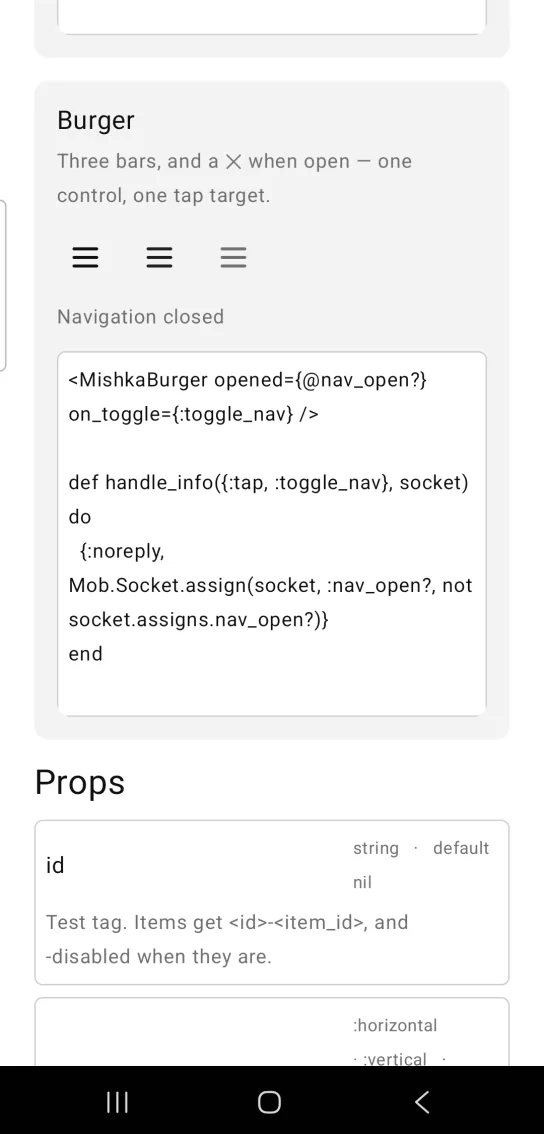
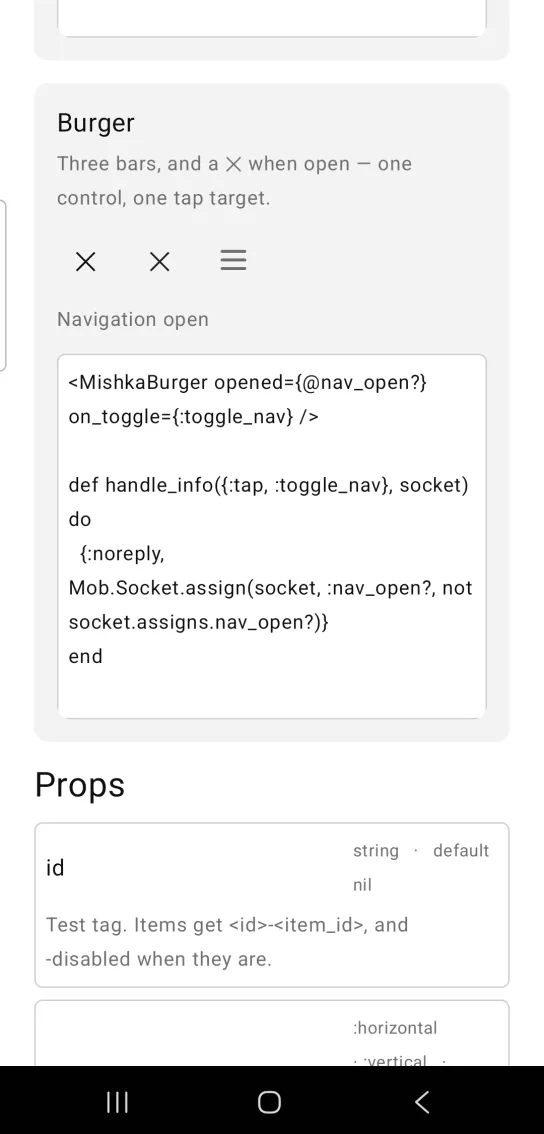
Left: the example as it loads. Right: after a tap. One control, one tap target, and a ✕ when open.
<MishkaBurger opened={@nav_open?} on_toggle={:toggle_nav} />

def handle_info({:tap, :toggle_nav}, socket) do
  {:noreply, Mob.Socket.assign(socket, :nav_open?, not socket.assigns.nav_open?)}
end
Props
| Prop | Type | Default | Description |
|---|---|---|---|
opened | boolean | false | Whether it shows the ✕ state. |
on_toggle | event tag | none | Sent as {:tap, tag}. |
disabled | boolean | false | Wires no handler and mutes the bars. |
size | number | 40 | Tap-target edge, like Action Icon. |
color | color token or ARGB integer | :on_surface | Bar color. |
Events
Your screen receives {:tap, tag} in handle_info/2 when the user taps the button. Flip the open state there:
def handle_info({:tap, :toggle_nav}, socket) do
  {:noreply, Mob.Socket.assign(socket, :nav_open?, not socket.assigns.nav_open?)}
end
Differences from the web component
labelandcontrolsare not ported. They becomearia-labelandaria-controlson the web, and Mob exposes no accessible name.idand the*_classattributes are not ported.- The web version animates between the bars and the ✕ with CSS transforms. Here there is no transition, only the destination.
Attributes
| Name | Type | Default | Values | Required | Description |
|---|---|---|---|---|---|
opened
|
boolean
|
false
| — | No | Whether it shows the ✕ state. |
on_toggle
|
event tag (atom)
| — | — | No | Sent as `{:tap, tag}`. |
disabled
|
boolean
|
false
| — | No | Wires no handler and mutes the bars. |
size
|
number
|
40
| — | No | Tap-target edge, like `ActionIcon`. |
color
|
color token / ARGB int
|
:on_surface
| — | No | Bar colour. |
Options
Each option takes one or more of its values, separated by commas.
| Option | Values |
|---|---|
--type
|
burger
|
--module
| A module name of your own |
What it generates
mix mishka.ui.gen.mob burger