Close button
v0.0.10
mix mishka.ui.gen.mob close_button
Mob Close Button is the ✕ that dismisses a dialog, drawer, toast or card on iOS and Android. It comes from Mishka Chelekom and runs on Mob, which renders native Jetpack Compose and SwiftUI views from Elixir. It is the native port of the headless Close Button.
Plain, filled and disabled close buttons
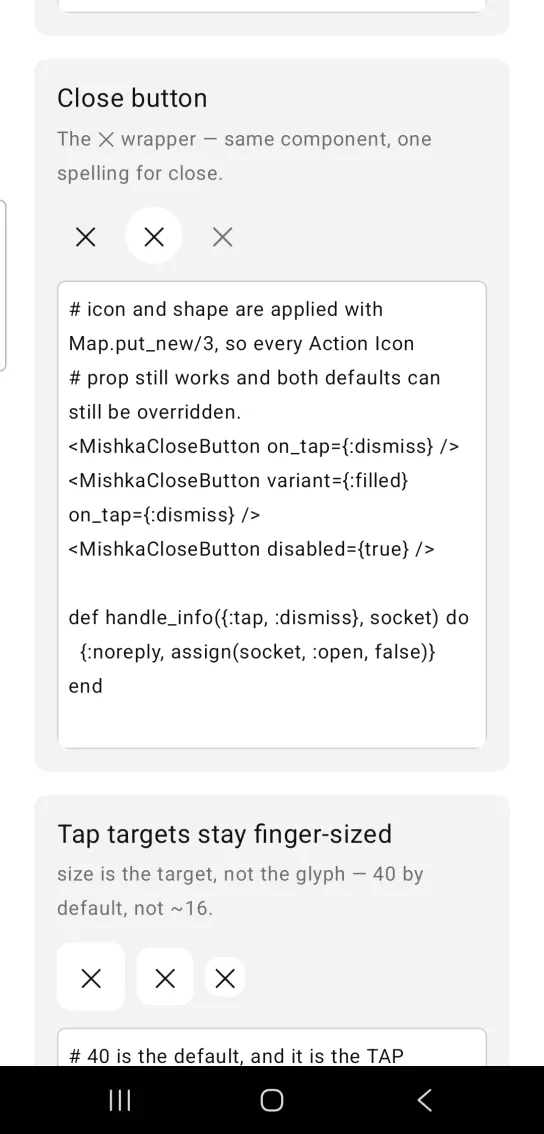
The first button is plain, the second sits on a raised surface with variant: :filled, and the third is disabled. All three keep the ✕ and the circular shape. The two live buttons share the :dismiss tag. The disabled button has no on_tap, so it sends nothing.
Plain, filled and disabled close buttons
# icon and shape are applied with Map.put_new/3, so every Action Icon
# prop still works and both defaults can still be overridden.
<MishkaCloseButton on_tap={:dismiss} />
<MishkaCloseButton variant={:filled} on_tap={:dismiss} />
<MishkaCloseButton disabled={true} />

def handle_info({:tap, :dismiss}, socket) do
  {:noreply, assign(socket, :open, false)}
end
Props
Close Button accepts every Action Icon prop. Two defaults differ: icon is "✕" and shape is :circle.
| Prop | Type | Default | Description |
|---|---|---|---|
icon | string | "✕" | The glyph. Children override it. |
on_tap | event tag | none | Sent as {:tap, tag}. |
disabled | boolean | false | Wires no handler, mutes the glyph and drops a :filled fill to :surface. |
size | number | 40 | Tap-target edge, not the glyph size. |
variant | :plain or :filled | :plain | Transparent, or on a raised surface. |
shape | :rounded or :circle | :circle | Action Icon defaults to :rounded. :circle uses an exact size / 2 radius. |
color | color token or ARGB integer | :on_surface | Glyph color. |
background | color token or ARGB integer | :surface_raised | Fill when variant is :filled. |
shadow | string | nil | Drop shadow on the tap target, as dx dy blur spread #AARRGGBB. |
border_color | color token or ARGB integer | nil | Hairline color. Nothing draws unless you set it. |
border_width | number (dp) | 1 | Read only when border_color is set. |
Events
Your screen receives {:tap, tag} in handle_info/2 when the user taps the button:
def handle_info({:tap, :dismiss}, socket) do
  {:noreply, assign(socket, :open, false)}
end
Differences from the web component
labelis not ported. On the web it becomes anaria-label, and Mob exposes no accessible name on a box.
Attributes
| Name | Type | Default | Values | Required | Description |
|---|---|---|---|---|---|
icon
|
string
| — | — | No | The glyph. Children override it. |
on_tap
|
event tag (atom)
| — | — | No | Sent as `{:tap, tag}`. |
disabled
|
boolean
|
false
| — | No | Wires no handler, mutes the glyph and drops a `:filled` fill to `:surface`. |
size
|
number
|
40
| — | No | Tap-target edge, not the glyph size. |
variant
|
:plain :filled
|
:plain
| — | No | Transparent, or on a raised surface. |
shape
|
:rounded :circle
|
:rounded
| — | No | `:circle` uses an exact `size / 2` radius. |
color
|
color token / ARGB int
|
:on_surface
| — | No | Glyph colour. |
background
|
color token / ARGB int
|
:surface_raised
| — | No | Fill when `variant: :filled`. |
shadow
|
string
| — | — | No | Drop shadow on the tap target. See below. |
border_color
|
color token / ARGB int
| — | — | No | Hairline colour. Nothing draws unless you set it. |
border_width
|
number (dp)
|
1
| — | No | Read only when `border_color` is set. |
Options
Each option takes one or more of its values, separated by commas.
| Option | Values |
|---|---|
--type
|
close_button
|
--module
| A module name of your own |
What it generates
mix mishka.ui.gen.mob close_button