Tooltip
v0.0.10
The Mob Tooltip component from Mishka Chelekom is a short hint about the control it wraps, revealed by pressing and holding that control on iOS and Android. It is the native port of the headless Tooltip for screens built with Mob, and your screen decides when the hint is open.
Overview of the Mob Tooltip component for iOS and Android
The web tooltip appears on pointer enter or focus, and a phone has neither. The touch equivalent is the gesture that platforms already use to reveal more: press and hold. The tooltip's children are its trigger, and holding one sends on_open_change with the state the tooltip wants next. Mob.Renderer registers on_long_press, so holding a control works on both platforms.
This inverts the web layout. On the web, the default slot is the content and <:trigger> is a named slot. Here the children are the trigger, and the hint is one short string in text.
Your screen owns the state. Keep the open tooltip in the screen's assigns and pass it as open. Your handle_info/2 clause stores the value that on_open_change sends, so one clause opens and closes the hint. Holding an open tooltip closes it again.
The hint floats over the page
The trigger is child 0 of an :anchored node and renders in the page flow. The bubble is child 1 and renders in its own window over everything. The bubble takes no space, so opening it does not push the controls beside it aside, it can sit above or to the left of the control, and no rounded box or scroll view can clip it. Without a trigger, the side prop has nothing to anchor to.
The position follows the web positionPopup(). side_offset is the gap from the chosen side, align_offset nudges along the alignment axis, and a positive value pushes inward on :end. The bubble flips to the opposite side when the requested side has no room and the opposite side does. It is then clamped into the window with 8 dp of edge padding plus the safe-area inset.
Leave the bubble room
The bubble takes no space in the page, so nothing in the layout makes way for it. An open bubble is drawn over whatever sits within reach of its trigger: the text above it, the next control below it or another tooltip's trigger. The bubble itself is placed correctly: it sits side_offset off its own trigger and is centered, started or ended by align. The page has to be spaced for it.
When several tooltips are open at once, leave about side_offset + 52 dp on the bubble's side of each trigger, or about side_offset + 96 dp for a short hint on the left or right. A tooltip that is open on its own needs only the room its text takes.
The arrow is drawn for the side you asked for. When the bubble flips because that side has no room, the node tree is already built, so the arrow does not turn with it and points away from the trigger. While arrow is on, keep a trigger that sits at a screen edge on the side that has room, and do not rely on the flip.
A hint, not a panel
A tooltip is dark, tight, borderless and one line of small text. It does not use the Popover's surface, which would make it read as a menu.
Taps and the trigger
The wrapped control's own tap goes in the tooltip's on_tap prop, as {:tap, tag}. A clickable child would take the hold before the tooltip saw it, because the innermost clickable wins the gesture on Android. One handler on the trigger carries both the tap and the hold.
A tap on the bubble dismisses it while close_on_tap is true. On Android, a tap outside the bubble also reports the tooltip closed.
With no children, the tooltip is the bare bubble, for a screen that places its own. offset_x and offset_y move it directly. A closed tooltip with no children contributes no node, so it takes no space.
With an id, the parts get these test tags: <id>-trigger, <id>-open and <id>-arrow-<side>.
Generate the tooltip component
Run this from your Mob app's root to add the component to lib/<app>/components/:
mix mishka.ui.gen.mob tooltipThe generator registers the tag, so you can use it in ~MOB markup. It also copies the shared Anchored and Event helpers. The examples on this page use the mishka_ prefix of the showcase app (--module-prefix mishka_), so the tag is <MishkaTooltip>. Without a prefix, the tag is <Tooltip>. The examples wrap <MishkaActionIcon> as the trigger, which you generate with mix mishka.ui.gen.mob action_icon.
Tooltip revealed by press and hold
A phone has no hover, so the tooltip uses the gesture that platforms already use to reveal more: press and hold. Hold again to put the hint away. on_open_change carries the state the tooltip wants next, so one clause opens and closes it. The control's own tap goes in on_tap on the tooltip, because a clickable child would take the hold before the tooltip saw it.
Tooltip revealed by press and hold
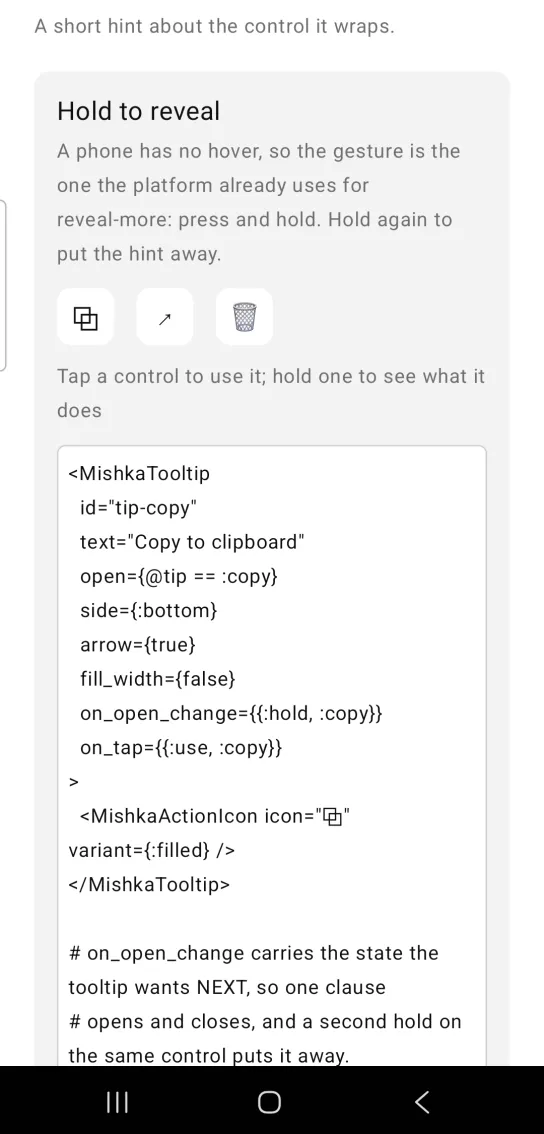
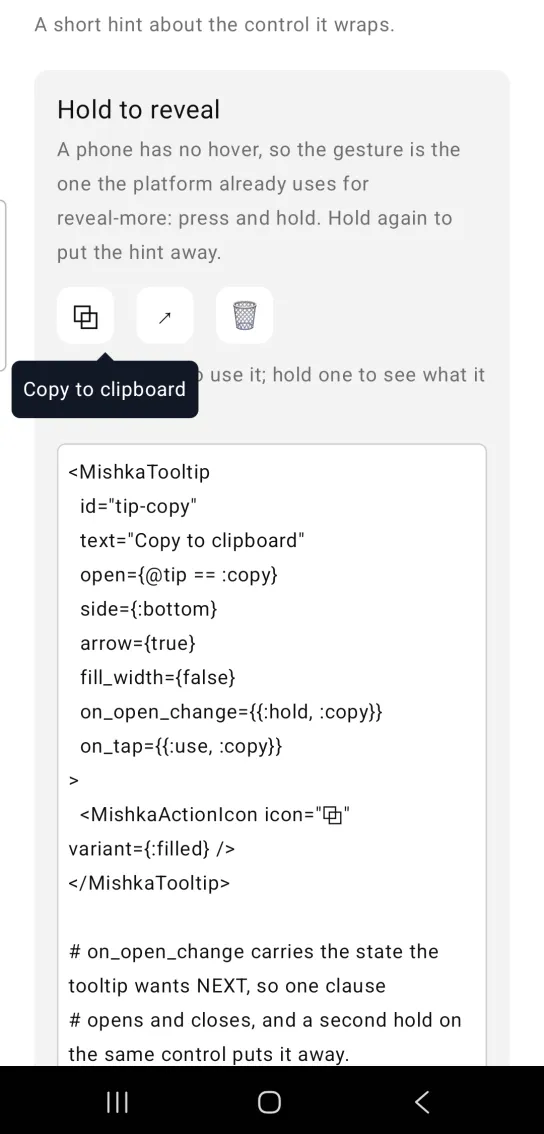
Left: the example as it loads. Right: after a long press. A long press reveals the hint on a touch screen.
<MishkaTooltip
  id="tip-copy"
  text="Copy to clipboard"
  open={@tip == :copy}
  side={:bottom}
  arrow={true}
  fill_width={false}
  on_open_change={{:hold, :copy}}
  on_tap={{:use, :copy}}
>
  <MishkaActionIcon icon="⧉" variant={:filled} />
</MishkaTooltip>

# on_open_change carries the state the tooltip wants NEXT, so one clause
# opens and closes, and a second hold on the same control puts it away.
def handle_info({:tap, {{:hold, which}, open?}}, socket) do
  {:noreply, Mob.Socket.assign(socket, :tip, if(open?, do: which, else: nil))}
end

# The control's own tap lives on the tooltip, not on the ActionIcon: a
# clickable child would swallow the hold before the tooltip ever saw it.
def handle_info({:tap, {:use, which}}, socket) do
  {:noreply, Mob.Socket.assign(socket, :used, which)}
endTooltip on every side with an arrow
side puts the bubble above, below or beside the trigger, and arrow={true} draws an arrow that turns to point back at the trigger. On Android the bubble floats over the page and takes no room, so it does not move the controls around it. Each trigger in this example is given space for its own bubble.
Tooltip on every side with an arrow
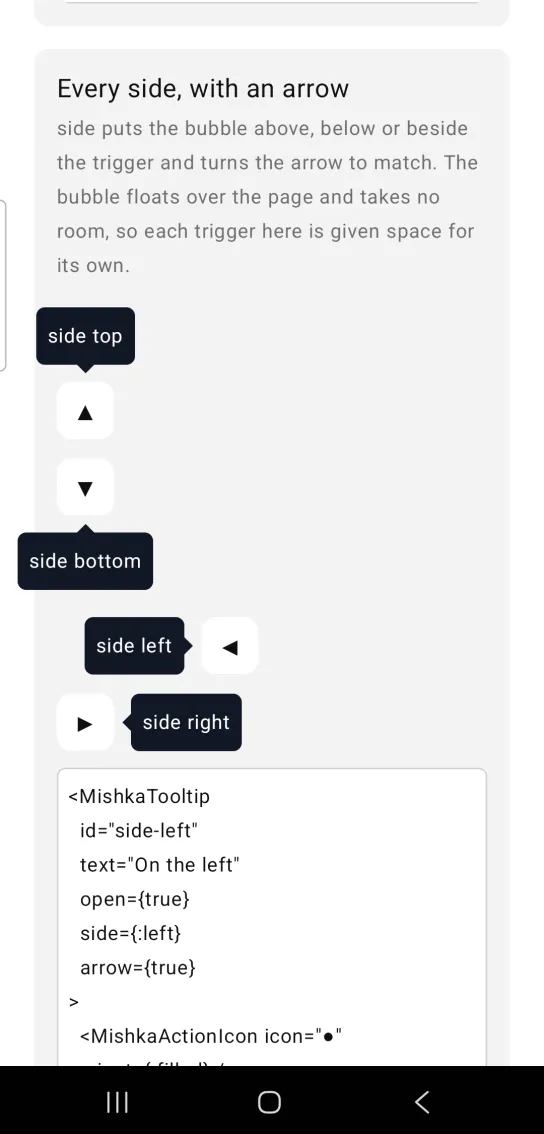
<MishkaTooltip
  id="side-left"
  text="On the left"
  open={true}
  side={:left}
  arrow={true}
>
  <MishkaActionIcon icon="●" variant={:filled} />
</MishkaTooltip>
Tooltip alignment and offsets
align places the bubble across the side: :start, :center or :end. side_offset is the gap to the trigger in dp, and align_offset nudges the bubble along the alignment axis. A positive align_offset pushes inward on :end. All three bubbles in this example are open at once, so each has room of its own above it.
Tooltip alignment and offsets
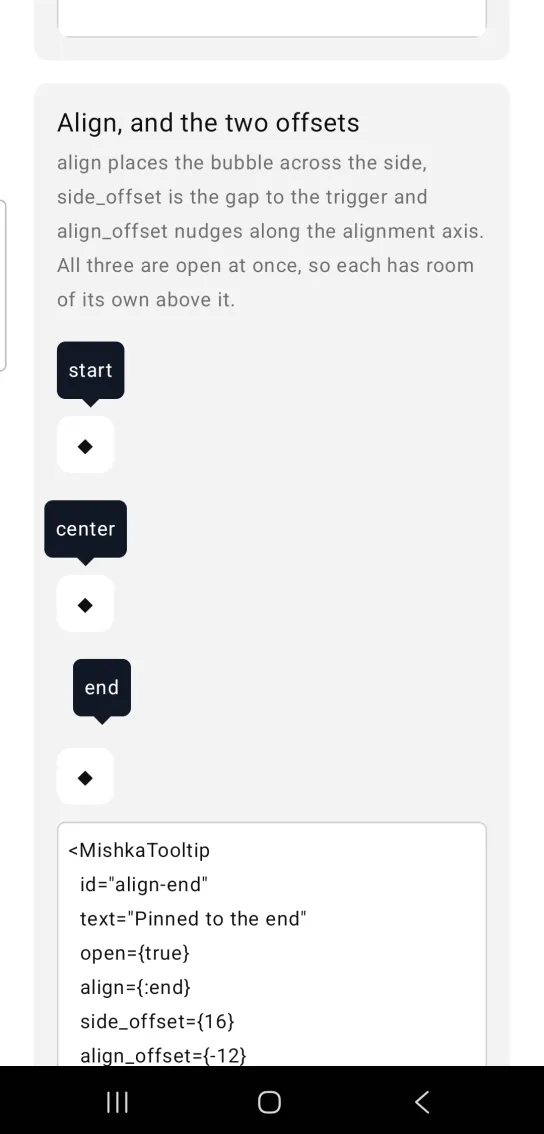
<MishkaTooltip
  id="align-end"
  text="Pinned to the end"
  open={true}
  align={:end}
  side_offset={16}
  align_offset={-12}
>
  <MishkaActionIcon icon="◆" variant={:filled} />
</MishkaTooltip>
Dismiss a tooltip by tapping the hint
The web closes a tooltip on blur, pointer leave or Escape. A phone has none of those, so tapping the bubble dismisses it. close_on_tap={false} keeps the bubble open when you tap it, and a second hold on the trigger closes it. The same clause serves both, because the bubble tap and the hold each report the state they want. The bubbles in this example open to the right with side={:right}, level with their triggers, so they do not cover the controls above or below.
Dismiss a tooltip by tapping the hint
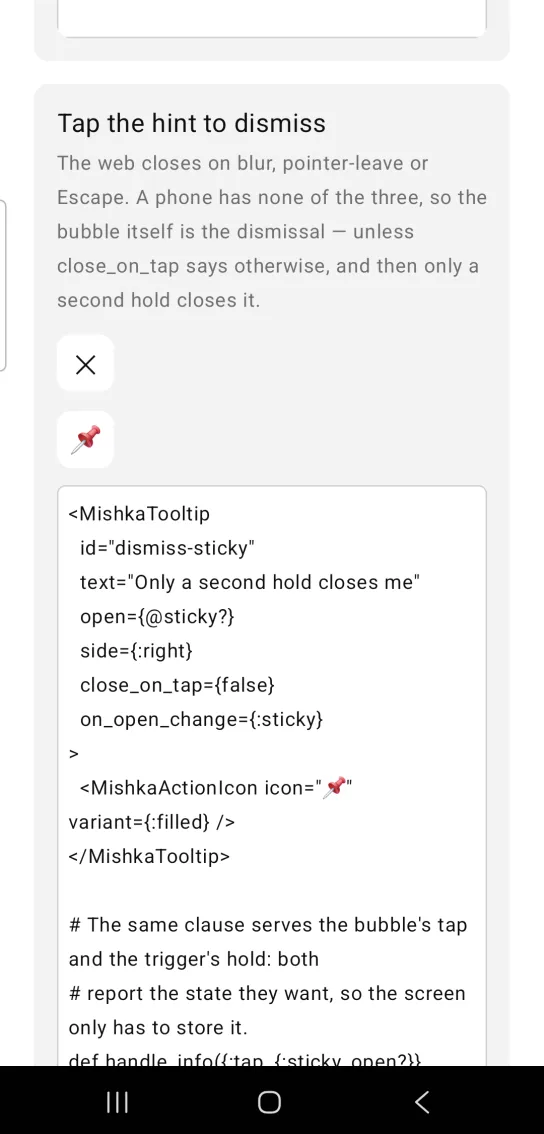
<MishkaTooltip
  id="dismiss-sticky"
  text="Only a second hold closes me"
  open={@sticky?}
  side={:right}
  close_on_tap={false}
  on_open_change={:sticky}
>
  <MishkaActionIcon icon="📌" variant={:filled} />
</MishkaTooltip>

# The same clause serves the bubble's tap and the trigger's hold: both
# report the state they want, so the screen only has to store it.
def handle_info({:tap, {:sticky, open?}}, socket) do
  {:noreply, Mob.Socket.assign(socket, :sticky?, open?)}
end
Disabled tooltip
disabled switches the hint off, and the control still works and reacts to taps. No hold handler is wired, and open cannot show the bubble.
Disabled tooltip
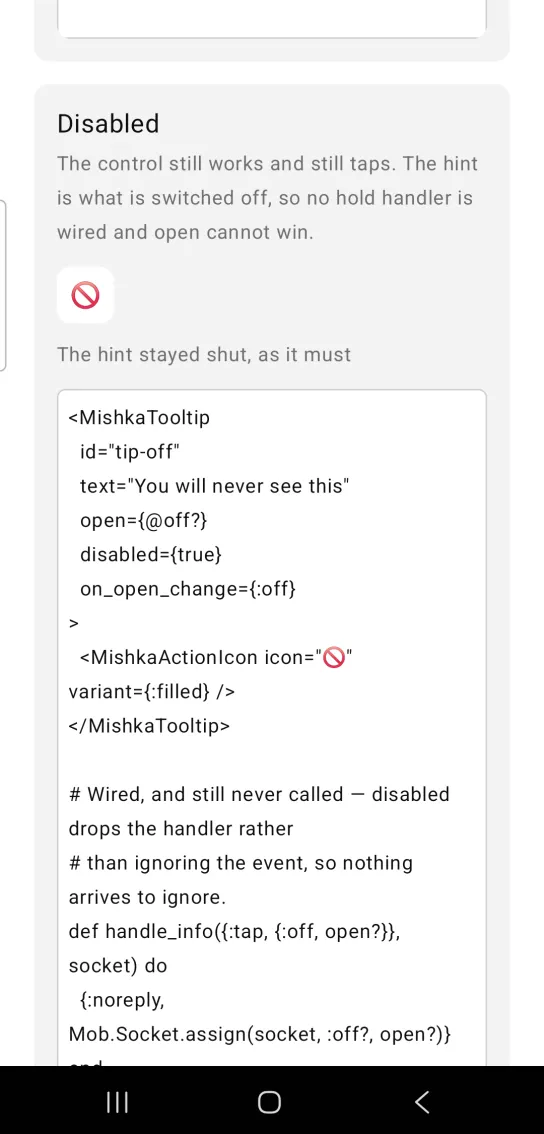
<MishkaTooltip
  id="tip-off"
  text="You will never see this"
  open={@off?}
  disabled={true}
  on_open_change={:off}
>
  <MishkaActionIcon icon="🚫" variant={:filled} />
</MishkaTooltip>

# Wired, and still never called — disabled drops the handler rather
# than ignoring the event, so nothing arrives to ignore.
def handle_info({:tap, {:off, open?}}, socket) do
  {:noreply, Mob.Socket.assign(socket, :off?, open?)}
end
Tooltip colors, size and offset
The bubble is dark by default so it reads over any surface. background and color take a theme token or an ARGB integer, and text_size takes a size token. offset_x and offset_y shift the bubble without moving anything else.
Tooltip colors, size and offset
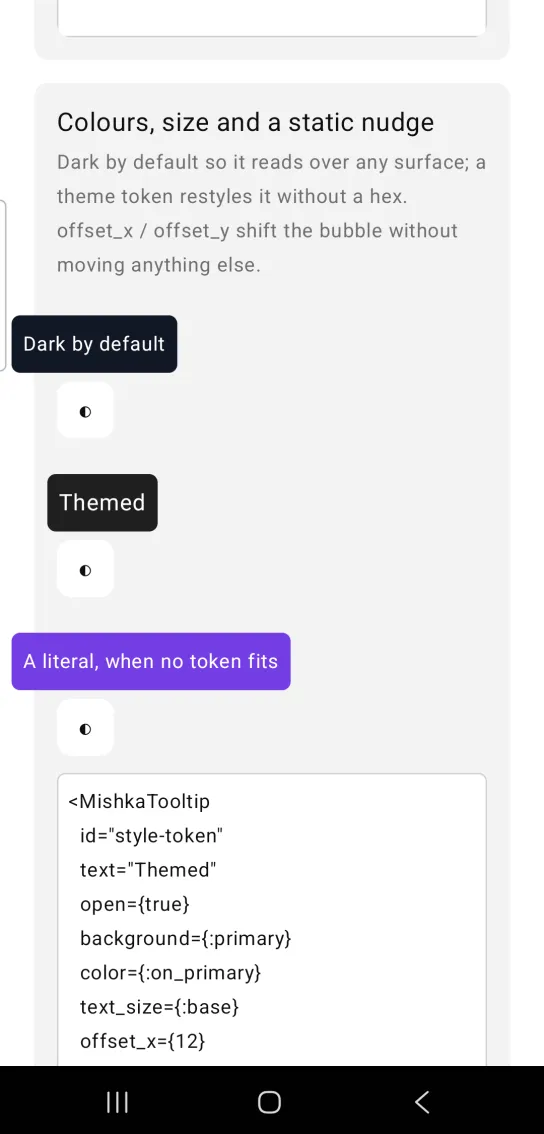
<MishkaTooltip
  id="style-token"
  text="Themed"
  open={true}
  background={:primary}
  color={:on_primary}
  text_size={:base}
  offset_x={12}
>
  <MishkaActionIcon icon="◐" variant={:filled} />
</MishkaTooltip>
Tooltip without a trigger
With no children you get the bare bubble, for a screen that places its own. When it is closed it contributes no node, so it takes no space in the layout.
Tooltip without a trigger
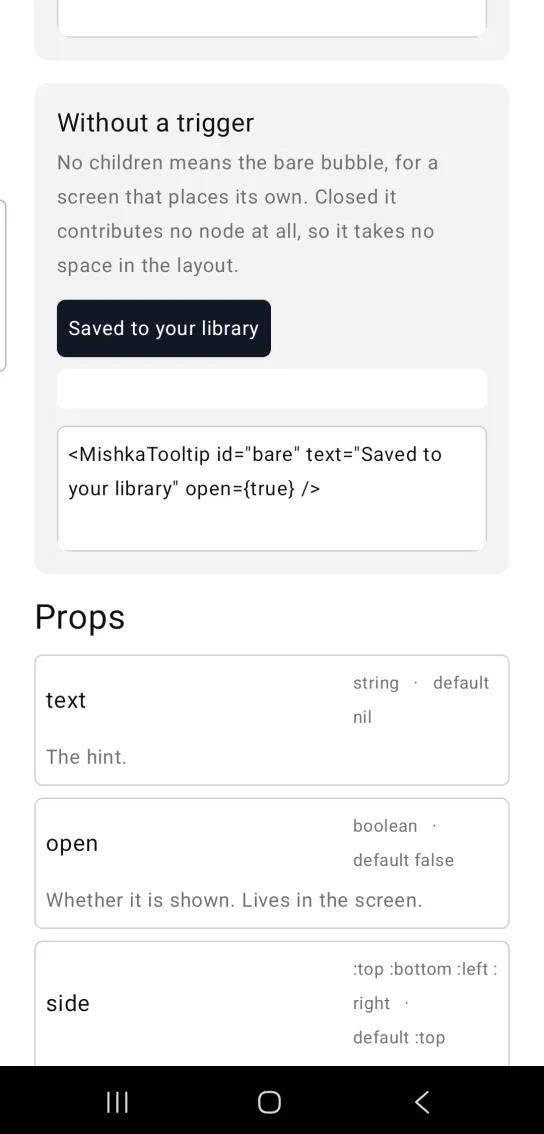
<MishkaTooltip id="bare" text="Saved to your library" open={true} />Props
| Prop | Type | Default | Description |
|---|---|---|---|
text | string | nil | The hint. |
open | boolean | false | Whether the hint is shown. The screen owns this value. |
side | :top, :bottom, :left or :right | :top | Which side of the trigger the bubble takes. It flips when that side has no room. |
align | :start, :center or :end | :center | Where the bubble sits along the cross axis. |
side_offset | number | 6 | Gap between the trigger and the bubble, in dp. |
align_offset | number | 0 | Nudge along the alignment axis. A positive value pushes inward on :end. |
arrow | boolean | false | Draw a triangle that points back at the trigger. |
disabled | boolean | false | The hint never opens, and no hold handler is wired. |
on_open_change | event tag | None | Sent as {:tap, {tag, next_open?}}. |
on_tap | event tag | None | The wrapped control's own tap, sent as {:tap, tag}. |
close_on_tap | boolean | true | Tapping the bubble dismisses it. |
background | color token or ARGB integer | 0xFF111827 | Bubble fill. It is dark by default so it reads over any surface. |
color | color token or ARGB integer | 0xFFFFFFFF | Hint color. |
text_size | size token | :sm | Hint size. |
offset_x, offset_y | number | nil | Raw nudge on the bubble, in dp, applied last. |
fill_width | boolean | None | Not read. The trigger always hugs the control it wraps, so passing it does nothing. |
id | string | None | Native test tags: <id>-trigger, <id>-open and <id>-arrow-<side>. |
Events
Your screen receives these messages in handle_info/2.
| Source | Message | When |
|---|---|---|
| Hold on the trigger | {:tap, {tag, next_open?}} | The user presses and holds the control. next_open? is the opposite of the current state, so a second hold closes the hint. Not sent when disabled is true. |
| Tap on the bubble | {:tap, {tag, false}} | The user taps the bubble while close_on_tap is not false. |
| Outside tap | {:tap, {tag, false}} | On Android, the user taps outside the bubble. |
on_tap | {:tap, tag} | The user taps the wrapped control. |
<MishkaTooltip
  text="Copy to clipboard"
  open={@tip == :copy}
  side={:bottom}
  arrow={true}
  on_open_change={{:tip, :copy}}
>
  <MishkaActionIcon icon="⧉" />
</MishkaTooltip>

def handle_info({:tap, {{:tip, which}, open?}}, socket) do
  {:noreply, Mob.Socket.assign(socket, :tip, if(open?, do: which, else: nil))}
end
Differences from the web component
- The children are the trigger and
textis the hint. The web component does the reverse. - A long press replaces hover and focus as the way to open the hint.
delay,close_delay,hoverableandtrack_cursor_axisare not ported. They describe a pointer that does not exist on a phone.groupis not ported. It shares a hover delay.trigger_labelis not ported. Mob exposes no accessible name on a node, only a test tag.close_on_escapebecomesclose_on_tap. A phone has no Escape key, and the one dismissal a finger can reach is the bubble itself.- The bubble floats on Android only. On iOS it stacks next to the trigger.
Attributes
| Name | Type | Default | Values | Required | Description |
|---|---|---|---|---|---|
text
|
string
| — | — | No | The hint. |
open
|
boolean
|
false
| — | No | Whether it is shown. Lives in the screen. |
side
|
:top :bottom :left :right
|
:top
| — | No | Which side of the trigger the bubble takes. Flips when that side has no room. |
align
|
:start :center :end
|
:center
| — | No | Where it sits along the cross axis. |
side_offset
|
number
|
6
| — | No | Gap between trigger and bubble, in dp. |
align_offset
|
number
|
0
| — | No | Nudge along the alignment axis. Positive pushes inward on `:end`. |
arrow
|
boolean
|
false
| — | No | Draw a triangle pointing back at the trigger. |
disabled
|
boolean
|
false
| — | No | Never opens, and wires no handler. |
on_open_change
|
event tag
| — | — | No | Sent as `{:tap, {tag, next_open?}}`. |
on_tap
|
event tag
| — | — | No | The wrapped control's own tap, sent as `{:tap, tag}`. |
close_on_tap
|
boolean
|
true
| — | No | Tapping the bubble dismisses it. |
background
|
color token / ARGB int
|
0xFF111827
| — | No | Bubble fill — dark by default so it reads over any surface. |
color
|
color token / ARGB int
|
0xFFFFFFFF
| — | No | Hint colour. |
text_size
|
size token
|
:sm
| — | No | Hint size. |
offset_x / offset_y
|
number
| — | — | No | Raw nudge on the bubble, in dp, applied last. |
fill_width
|
boolean
| — | — | No | No longer read. |
id
|
string
| — | — | No | Native testTags: `id-trigger`, `id-open`, `id-arrow-<side>`. |
Options
Each option takes one or more of its values, separated by commas.
| Option | Values |
|---|---|
--type
|
tooltip
|
--module
| A module name of your own |
What it generates
mix mishka.ui.gen.mob tooltip