Theme icon
v0.0.10
mix mishka.ui.gen.mob theme_icon
The Mishka Chelekom Mob Theme Icon wraps exactly one icon in a container that paints itself on iOS and Android, so you pick the variant, color, size and radius with props. It is the native port of the headless Theme Icon and runs on Mob.
Overview of the Mob Theme Icon component for iOS and Android
The web component is a <span> around whatever icon you hand it. It ships no styling and leaves size, color and shape to your stylesheet. A phone has no stylesheet, so you set them as the props variant, color, size, radius and gradient, and the container paints itself.
Pass the icon as children. Any node works, including a Mob.UI.canvas/1 drawing. When the icon is a character, such as an emoji or a font glyph, use the icon prop instead. The container then sizes and tints the glyph for you, and the glyph is 55% of the container size. The prop exists because text_color does not inherit in Mob the way CSS color does: a Text node you build yourself keeps the color you gave it.
Theme Icon keeps no state. Your screen owns whatever a tap changes, such as a counter or the selected theme, and the events arrive in handle_info/2. See the Mob documentation for how screens work.
An id tags the container for device tests and adds two nested markers that spell out state a test cannot read from a color:
<id>is the container, and the node that carrieson_tap.<id>-<variant>marks the variant, such asti-save-filledorti-save-gradient.<id>-labelledor<id>-decorativemarks whether the icon has alabel.
A tappable Box merges its children's semantics, so a test that looks for those markers needs useUnmergedTree = true.
Generate the theme icon component
Run this from your Mob app's root to add the component to lib/<app>/components/:
mix mishka.ui.gen.mob theme_iconThe generator registers the tag, so you can use it in ~MOB markup. It also copies the shared Event helper module that Theme Icon uses to wire its handlers. The examples on this page use the mishka_ prefix of the showcase app (--module-prefix mishka_), so the tag is <MishkaThemeIcon>. Without a prefix, the tag is <ThemeIcon>.
One icon wrapped in a theme icon
The container paints itself, because there is no stylesheet to do it. The icon sends {:tap, :star} on every tap, and the handler counts the taps.
One icon wrapped in a theme icon
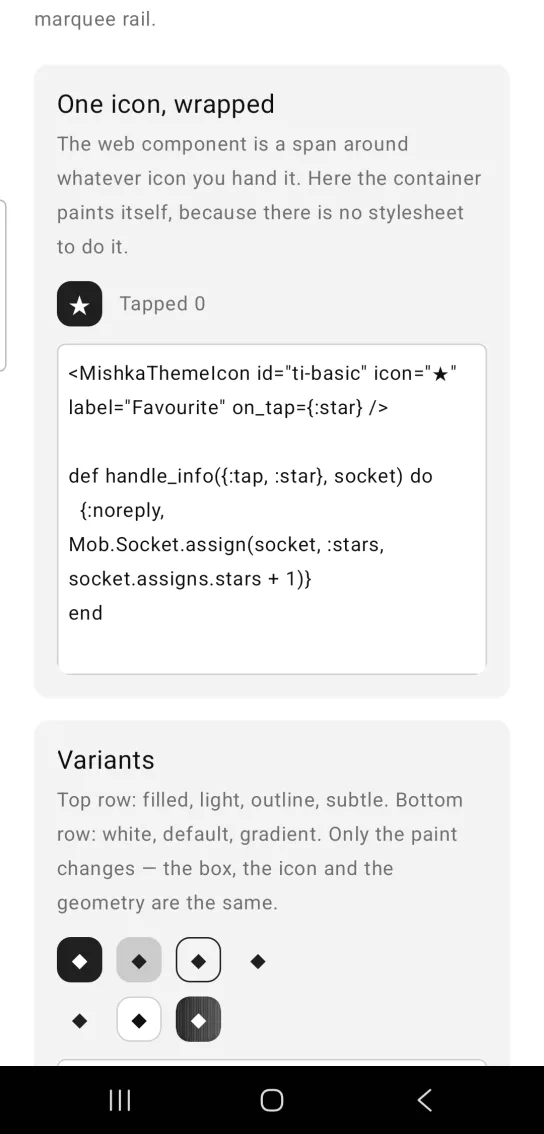
<MishkaThemeIcon id="ti-basic" icon="★" label="Favourite" on_tap={:star} />

def handle_info({:tap, :star}, socket) do
  {:noreply, Mob.Socket.assign(socket, :stars, socket.assigns.stars + 1)}
end
Theme icon variants
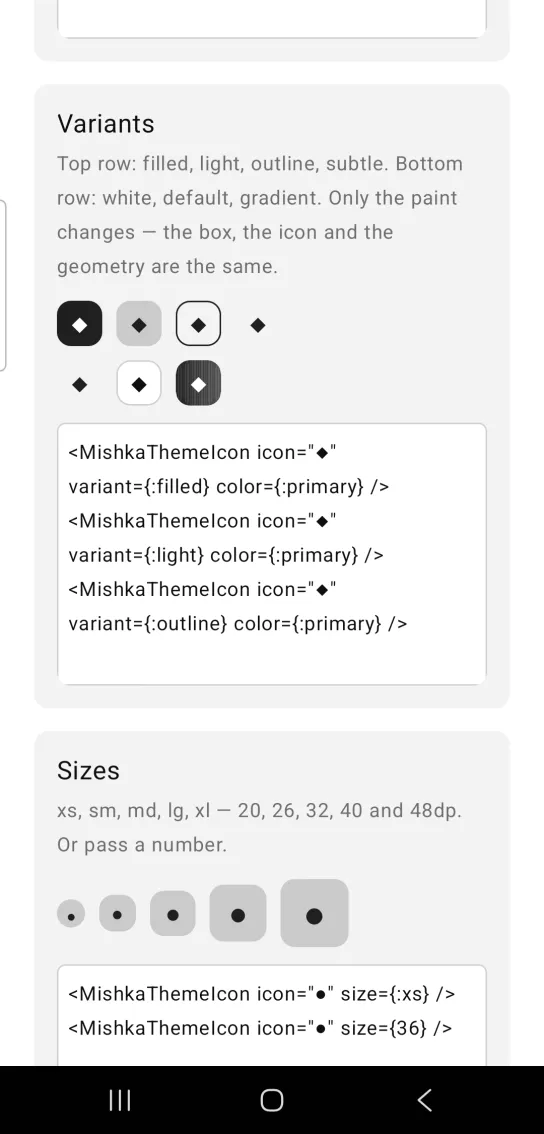
The first row shows the filled, light, outline and subtle variants. The second row shows white, default and gradient. Only the paint changes. The box, the icon and the geometry stay the same.
Theme icon variants
<MishkaThemeIcon icon="◆" variant={:filled} color={:primary} />
<MishkaThemeIcon icon="◆" variant={:light} color={:primary} />
<MishkaThemeIcon icon="◆" variant={:outline} color={:primary} />
The code shows three of the seven variants. The screenshot shows all of them, and each one paints the container and the glyph differently.
| Variant | Container | Glyph |
|---|---|---|
:filled (default) | Solid color | The matching on_* token |
:light | color at 19% alpha | color |
:outline | Nothing, with a 1 dp border in color | color |
:subtle | Nothing | color |
:white | :surface | color |
:default | :surface_raised with a 1 dp :border | :on_surface |
:gradient | A gradient from from to to | :on_primary |
:white is the theme's :surface token, not the color white. In a dark theme the white variant is the dark surface. The :light variant mixes color with transparency, so Theme Icon resolves the token through Mob.Theme.resolved_palette/0 when it builds the tree. The tree is rebuilt on every render, so it still follows a theme change.
Theme icon sizes
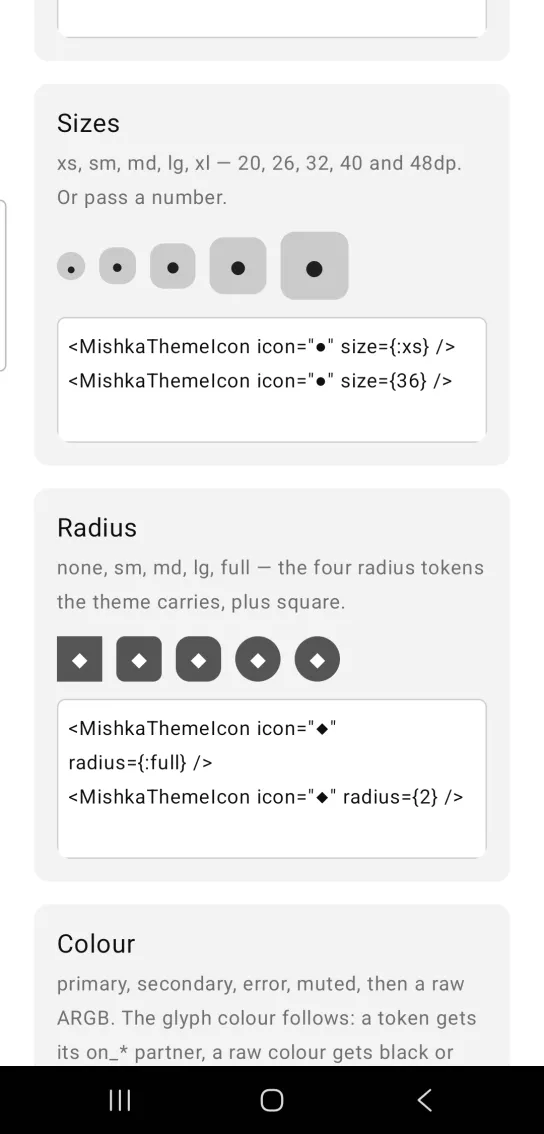
The named sizes :xs, :sm, :md, :lg and :xl are 20, 26, 32, 40 and 48 dp. Pass a number for any other size in dp. The glyph stays at 55% of the container.
Theme icon sizes
<MishkaThemeIcon icon="●" size={:xs} />
<MishkaThemeIcon icon="●" size={36} />
Theme icon radius
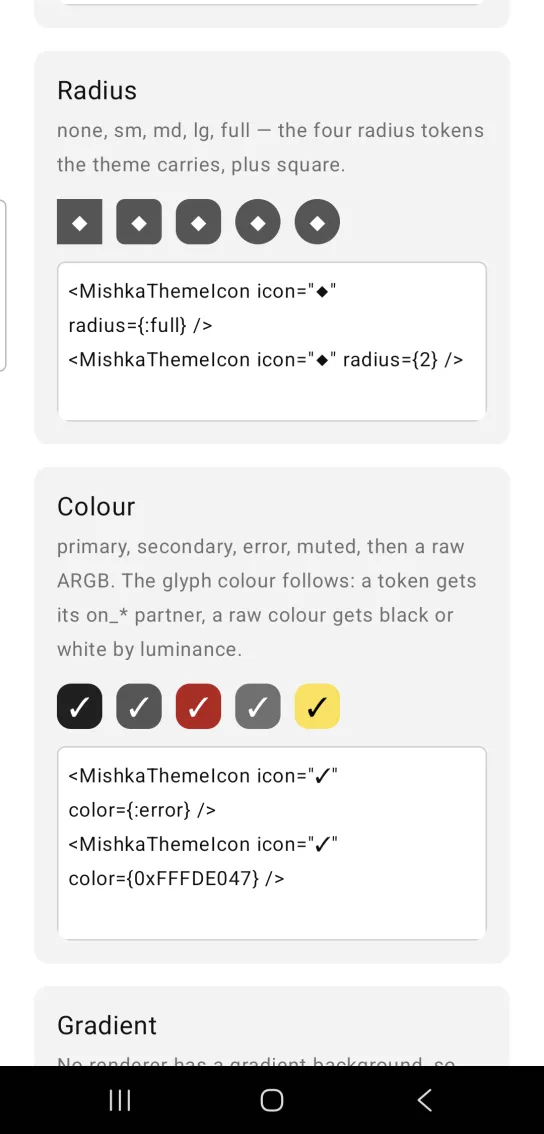
The radius tokens are :none, :sm, :md, :lg and :full. Four of them map to the radius tokens the theme carries (:radius_sm, :radius_md, :radius_lg and :radius_pill), and :none is square. Pass a number in dp for a value in between.
Theme icon radius
<MishkaThemeIcon icon="◆" radius={:full} />
<MishkaThemeIcon icon="◆" radius={2} />
Theme icon colors
The row shows the primary, secondary, error and muted tokens, then a raw ARGB color. The glyph color follows the container. A token gets its matching on_* token (a token without a partner falls back to :on_primary), and a raw color gets black or white by luminance.
Theme icon colors
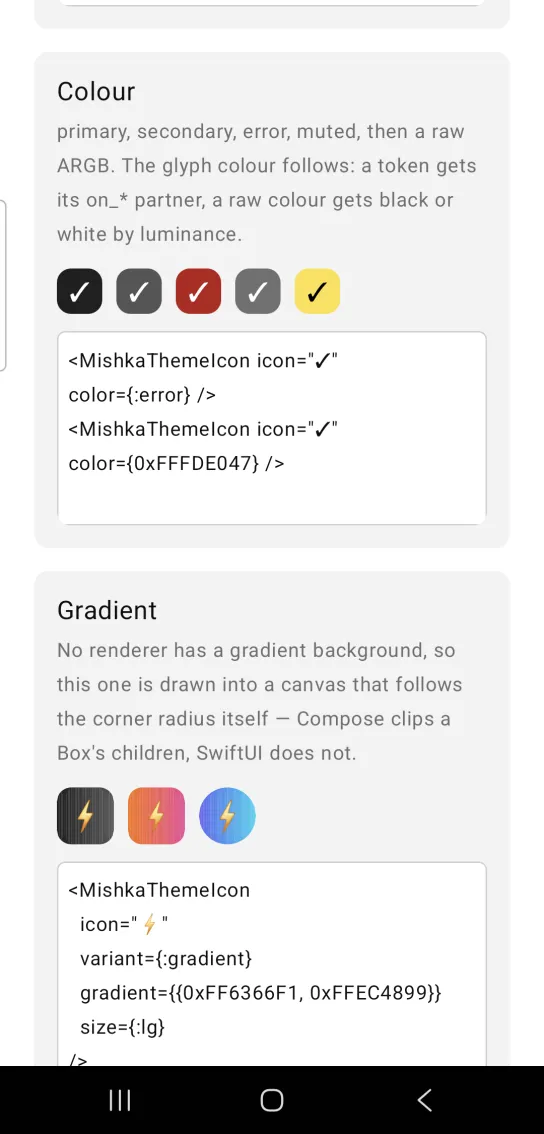
<MishkaThemeIcon icon="✓" color={:error} />
<MishkaThemeIcon icon="✓" color={0xFFFDE047} />
Gradient theme icon
No renderer has a gradient background, so variant: :gradient draws the gradient into a canvas that follows the corner radius itself. Compose clips the children of a Box to its corners and SwiftUI does not, so the shape rounds itself on both platforms.
Gradient theme icon
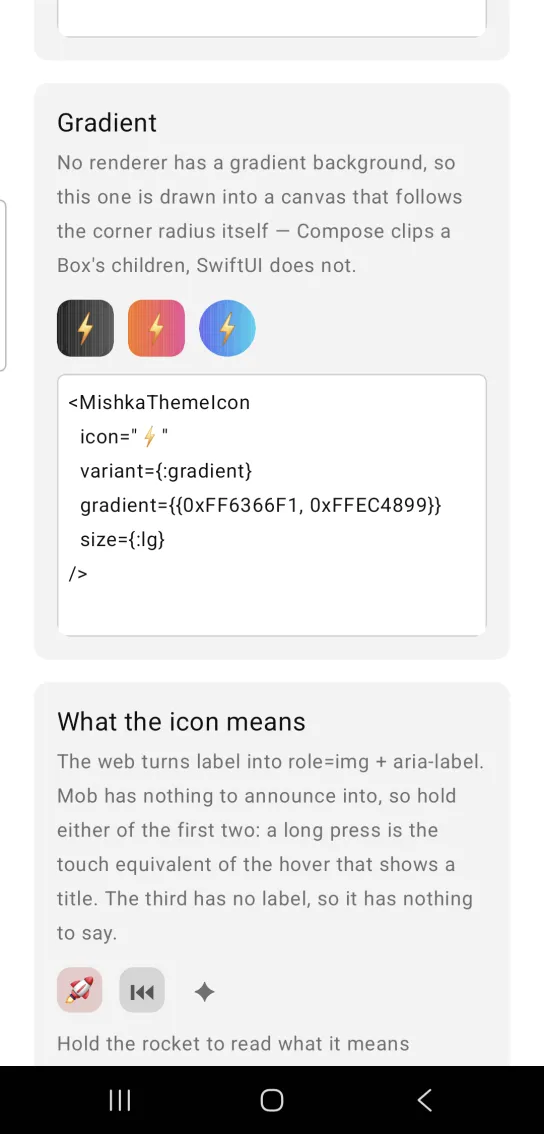
<MishkaThemeIcon
  icon="⚡"
  variant={:gradient}
  gradient={{0xFF6366F1, 0xFFEC4899}}
  size={:lg}
/>
gradient takes {from, to} or %{from:, to:}. The endpoints can be color tokens or ARGB ints, and Theme Icon interpolates them on the BEAM, so they resolve when the tree is built. The default is {:primary, :secondary}. The canvas draws the gradient as vertical bands whose top and bottom edges follow the rounded corners.
What the theme icon means
On the web, label turns into role="img" and an aria-label. Mob's Box has no accessibility label prop on either renderer, so the label rides the on_long_press payload instead. A long press is the touch equivalent of the hover that shows a title. Hold either of the first two icons to read what it means. The third has no label, so it has nothing to say.
What the theme icon means
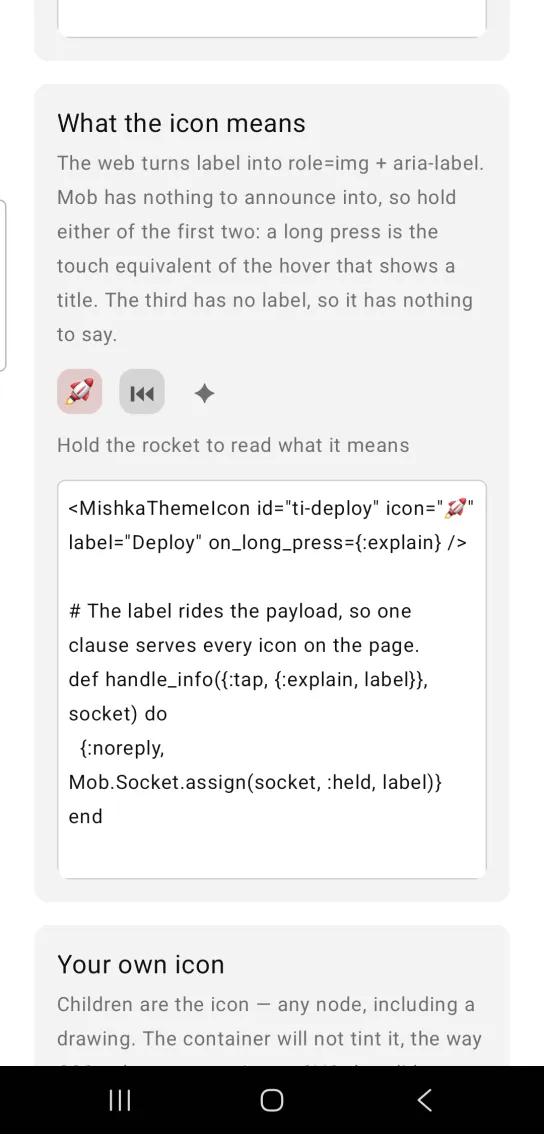
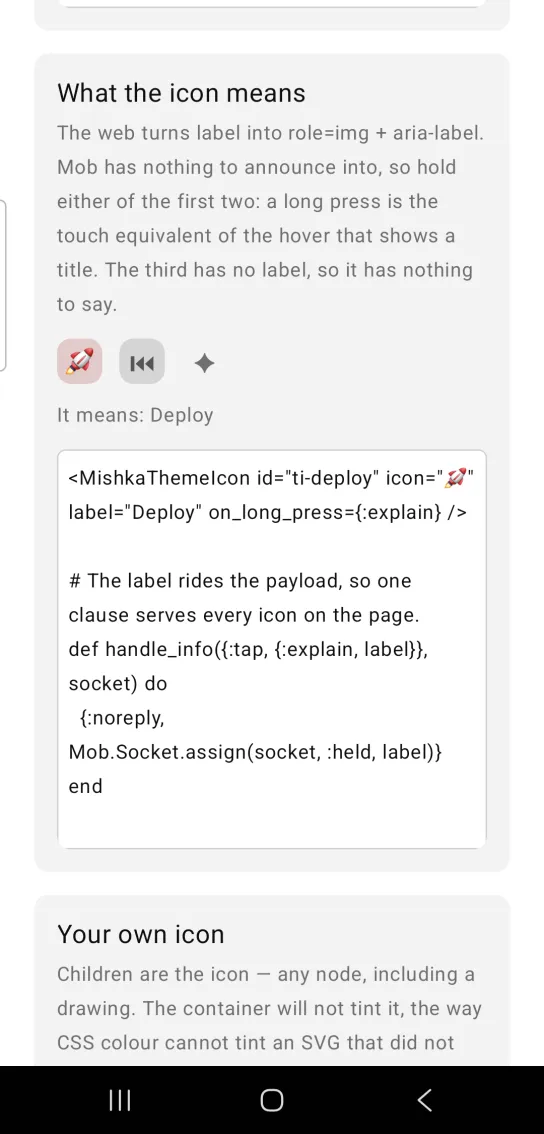
Left: the example as it loads. Right: after a long press. Hold an icon to read what it means.
<MishkaThemeIcon id="ti-deploy" icon="🚀" label="Deploy" on_long_press={:explain} />

# The label rides the payload, so one clause serves every icon on the page.
def handle_info({:tap, {:explain, label}}, socket) do
  {:noreply, Mob.Socket.assign(socket, :held, label)}
end
The label also tags the marker: with a label it is <id>-labelled, and without one it is <id>-decorative. The web distinguishes the two in the accessibility tree, and here a device test can tell them apart by tag.
Your own icon inside a theme icon
Children are the icon, and any node works, including a drawing. The container does not tint it, in the same way CSS color cannot tint an SVG that does not use currentColor.
Your own icon inside a theme icon
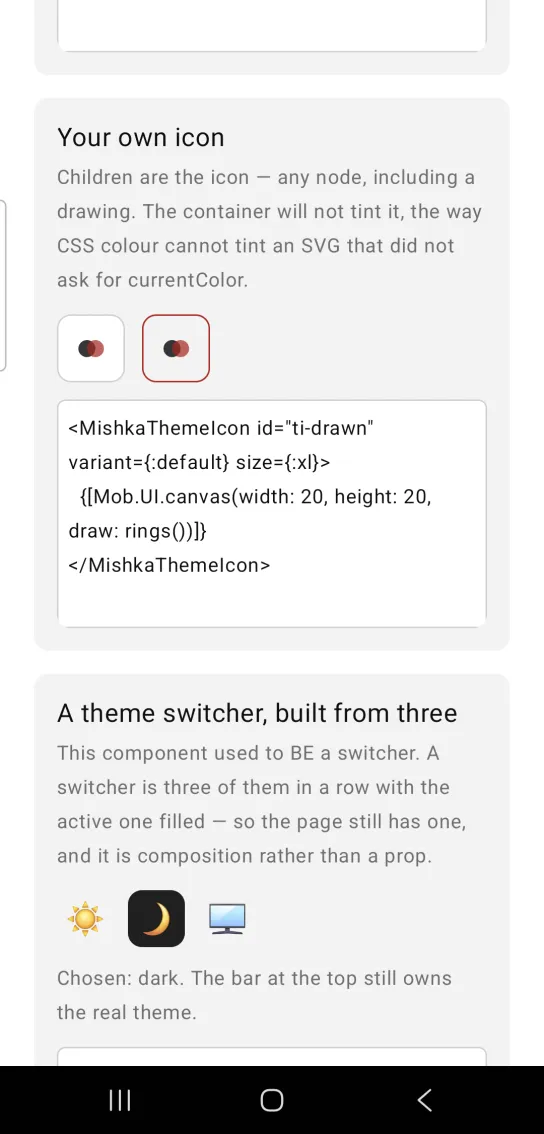
<MishkaThemeIcon id="ti-drawn" variant={:default} size={:xl}>
  {[Mob.UI.canvas(width: 20, height: 20, draw: rings())]}
</MishkaThemeIcon>
A theme switcher built from three theme icons
A theme switcher is three theme icons in a row with the active one filled, so you compose one from this component. The handler stores the chosen key in an assign.
A theme switcher built from three theme icons
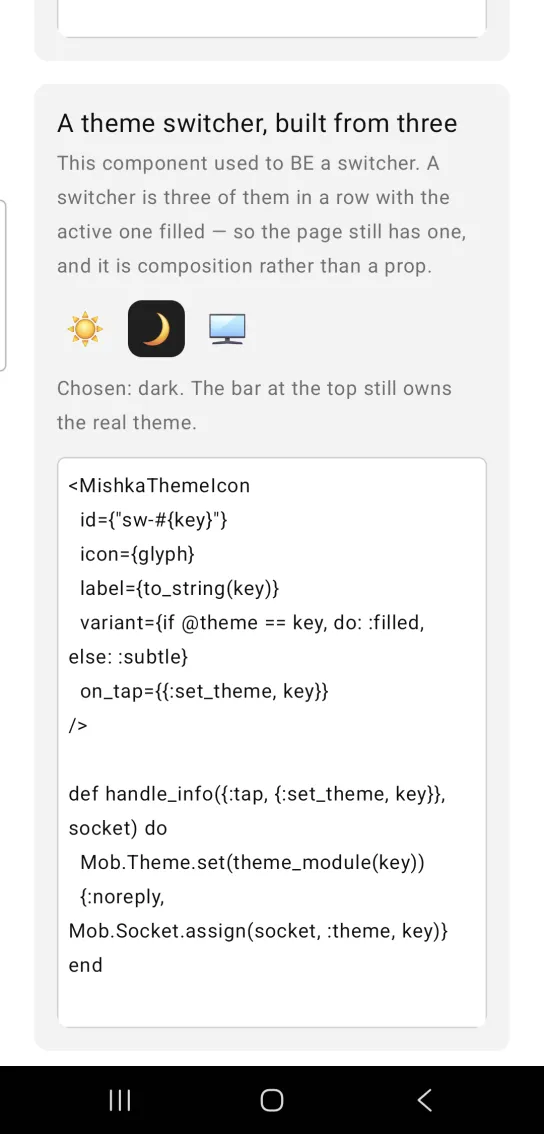
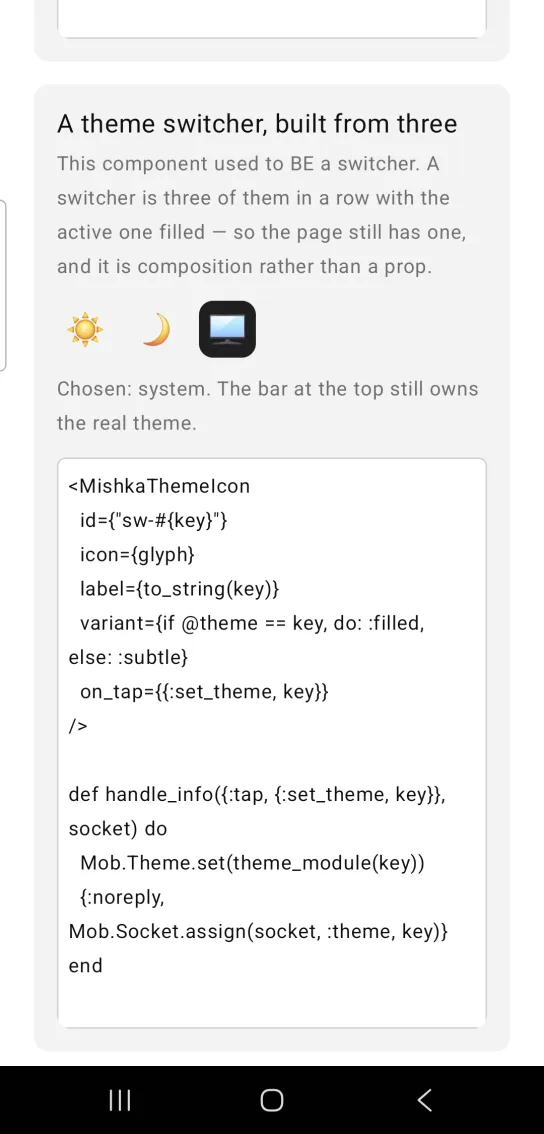
Left: the example as it loads. Right: after a tap. A switcher is three icons with the active one filled.
<MishkaThemeIcon
  id={"sw-#{key}"}
  icon={glyph}
  label={to_string(key)}
  variant={if @theme == key, do: :filled, else: :subtle}
  on_tap={{:set_theme, key}}
/>

def handle_info({:tap, {:set_theme, key}}, socket) do
  Mob.Theme.set(theme_module(key))
  {:noreply, Mob.Socket.assign(socket, :theme, key)}
end
Shadow and border overrides
The variants say how the container is painted. None of them says how far it floats, so shadow is a string handed to the container as it is. It uses CSS box-shadow order with units in dp: dx dy blur spread #AARRGGBB.
shadow: "0 1 2 0 #0D1A1917"Separate layers with a vertical bar, ambient light first and key light second.
theme_icon(%{
  icon: "★",
  radius: :full,
  shadow: "0 1 2 0 #0D1A1917 | 0 8 16 -12 #801A1917"
})
The shadow sits on the container, the node that carries the corner_radius, the fill and on_tap, so it follows the rounded shape and every variant can take one. Without shadow, the container has no shadow at all.
The :outline and :default variants draw a 1 dp border and the other five draw none. border_color replaces the variant's choice and gives a :filled or :light container a hairline it would not have otherwise. border_width thickens whichever color is in play. Setting border_width alone draws nothing, because the renderer draws a border only when the color is set and the width is not zero.
Props
| Prop | Type | Default | Description |
|---|---|---|---|
id | string | nil | Test tag base for the container and its markers. |
icon | string | nil | Glyph shorthand. Used when there are no children. |
label | string | nil | What the icon means. Rides the long press payload and tags the marker. |
variant | :filled, :light, :outline, :subtle, :white, :default, :gradient | :filled | How the container is painted. |
color | color token or ARGB int | :primary | The tint the variant is built from. |
size | :xs, :sm, :md, :lg, :xl or dp | :md | Container edge. The glyph is 55% of it. |
radius | :none, :sm, :md, :lg, :full or dp | :md | Corner radius. |
gradient | {from, to} or %{from:, to:} | {:primary, :secondary} | Endpoints for variant: :gradient. |
icon_color | color token or ARGB int | The variant's | Overrides the glyph color. |
border_color | color token or ARGB int | The variant's | Overrides the variant's border, or draws one where it has none. |
border_width | number (dp) | 1 | Read only when a border color is in play. |
shadow | string | nil | Drop shadow on the container. |
on_tap | event tag | None | Sends {:tap, tag}. |
on_long_press | event tag | None | Sends {:tap, {tag, label}}. |
Events
Your screen receives {:tap, tag} in handle_info/2 when someone taps the icon. A long press sends {:tap, {tag, label}}, so the label prop rides the payload and one clause can serve every icon on the page.
def handle_info({:tap, :star}, socket) do
  {:noreply, Mob.Socket.assign(socket, :stars, socket.assigns.stars + 1)}
end

def handle_info({:tap, {:explain, label}}, socket) do
  {:noreply, Mob.Socket.assign(socket, :held, label)}
end
Differences from the web component
classis not ported, because there is no CSS. The variant, color, size and radius props replace it.restis not ported, because there are no DOM attributes.roleandaria-*are not ported. Thelabelprop rides the long press payload and the marker tag instead.
Attributes
| Name | Type | Default | Values | Required | Description |
|---|---|---|---|---|---|
id
|
string
| — | — | No | testTag base for the container and its markers. |
icon
|
string
| — | — | No | Glyph shorthand, used when there are no children. |
label
|
string
| — | — | No | What the icon means. Rides the long press; tags the marker. |
variant
|
see table
|
:filled
| — | No | How the container is painted. |
color
|
color token / ARGB int
|
:primary
| — | No | The tint the variant is built from. |
size
|
:xs :sm :md :lg :xl or dp
|
:md
| — | No | Container edge; the glyph is 55% of it. |
radius
|
:none :sm :md :lg :full or dp
|
:md
| — | No | Corner radius. |
gradient
|
{from, to} / %{from:, to:}
|
{:primary, :secondary}
| — | No | Used by `variant: :gradient`. |
icon_color
|
color token / ARGB int
|
variant's
| — | No | Overrides the glyph colour. |
border_color
|
color token / ARGB int
|
variant's
| — | No | Overrides the variant's border, or draws one where it has none. |
border_width
|
number (dp)
|
1
| — | No | Read only when a border colour is in play. |
shadow
|
string
| — | — | No | Drop shadow on the container. See below. |
on_tap
|
event tag
| — | — | No | `{:tap, tag}`. |
on_long_press
|
event tag
| — | — | No | `{:tap, {tag, label}}`. |
Options
Each option takes one or more of its values, separated by commas.
| Option | Values |
|---|---|
--type
|
theme_icon
|
--module
| A module name of your own |
What it generates
mix mishka.ui.gen.mob theme_icon