Tabs
v0.0.10
The Mishka Chelekom Mob Tabs component shows a strip of tab labels above one visible panel on iOS and Android screens built with Mob. The strip scrolls sideways when the tabs do not fit. It is the native port of the headless Tabs.
Overview of the Mob Tabs component for iOS and Android
Each tab declares its own panel, and only the panel of the active tab renders. Your screen owns the active tab and passes it as active. A stale or missing id falls back to the first tab, so the panel is never empty. A tab without an id uses its index.
The active tab shows its label in the color prop, in a heavier weight, with a 2dp underline exactly as wide as the label. on_change is wired for you, so you pass a bare atom, and it sends the tab's own id, which lets one clause in handle_info/2 serve every tab.
Tabs as slot tags
Write the tabs as <MishkaTab> children. A tab and its panel are declared together, so you never match them up by position. The tabs component consumes each <MishkaTab> tag, so the tag never reaches the renderer. tab/4 builds the same node by hand, so use the tag when you write tabs out and the function when the tabs come from a list.
The underline and the backdrop
Mob has no way to ask for a rule as wide as the text above it. A Box that fills its parent gets zero width inside the horizontal Scroll, so no underline shows. Inside a plain Row it takes everything the Row has left, so the first tab swallows the strip.
The component draws the underline the other way round. It wraps the label in a Box of color with 2dp of bottom padding and paints the label itself opaque, so exactly 2dp of color shows beneath it. Every tab keeps the same height whether or not it is active, so choosing a tab never moves the strip.
The label has to be painted in the color behind the strip, or the active tab shows as a slightly different rectangle. backdrop is that color. It defaults to :surface, which is what a card or a sheet is made of. Set it to :background for tabs on the bare screen, or to the strip's own fill. Nothing else reads it, and it is never drawn when indicator is false.
A strip that scrolls
A Row cannot wrap, so a long set of tabs would run past the screen edge. The strip is a horizontal Scroll instead: drag it left and right with a finger. Set scrollable={false} for a fixed row when the tabs fit.
Tabs and Mob's TabBar
Mob ships a TabBar node, and it is a different component. On Android it is a Material NavigationBar pinned to the bottom of the screen, and on iOS it is a SwiftUI TabView. That is app-level navigation, and neither version is an inline strip or scrolls sideways. Use TabBar when you want bottom navigation, and this component for a strip above a panel inside a screen or card.
Generate the tabs component
Run this from your Mob app's root to add the component to lib/<app>/components/:
mix mishka.ui.gen.mob tabsThe generator registers the tag, so you can use it in ~MOB markup. It also copies the shared Event support module into the same folder. The examples on this page use the mishka_ prefix of the showcase app (--module-prefix mishka_), so the module is <App>.Components.MishkaTabs and the tag is <MishkaTabs>. Without a prefix, the tag is <Tabs>.
Tab strip with one panel per tab
Each tab declares its own panel, and only the active one renders. on_change sends the id of the tapped tab, so the single handle_info/2 clause below serves all three.
Tab strip with one panel per tab
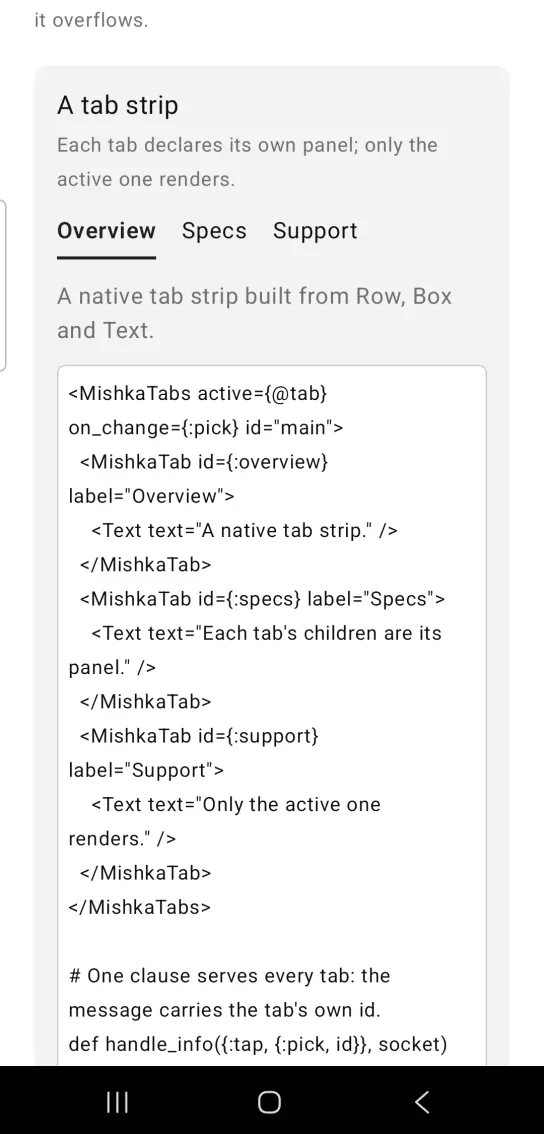
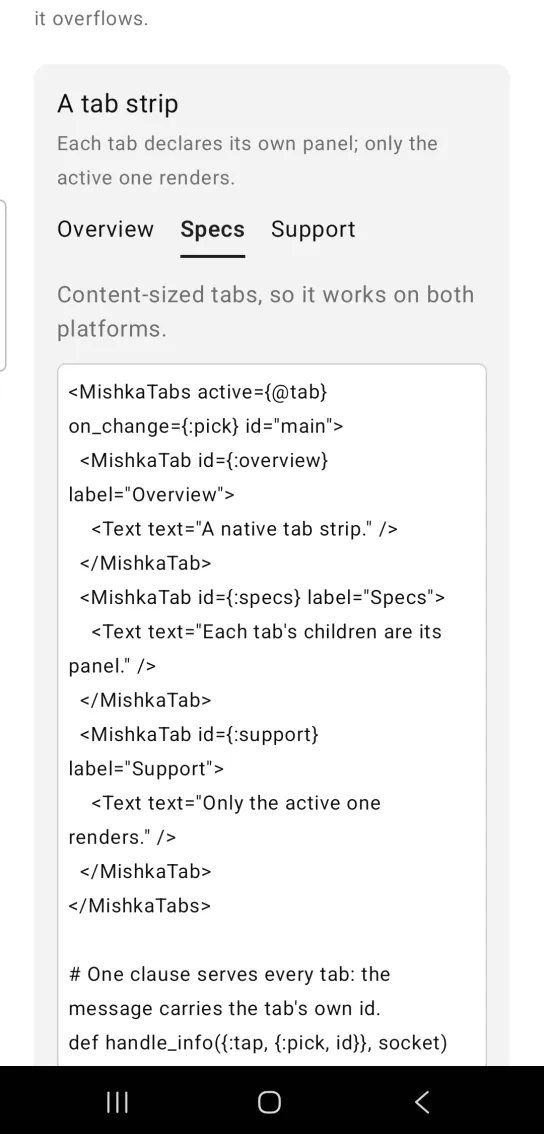
Left: the example as it loads. Right: after a tap. Only the active tab's panel renders.
<MishkaTabs active={@tab} on_change={:pick} id="main">
  <MishkaTab id={:overview} label="Overview">
    <Text text="A native tab strip." />
  </MishkaTab>
  <MishkaTab id={:specs} label="Specs">
    <Text text="Each tab's children are its panel." />
  </MishkaTab>
  <MishkaTab id={:support} label="Support">
    <Text text="Only the active one renders." />
  </MishkaTab>
</MishkaTabs>

# One clause serves every tab: the message carries the tab's own id.
def handle_info({:tap, {:pick, id}}, socket) do
  {:noreply, assign(socket, :tab, id)}
end
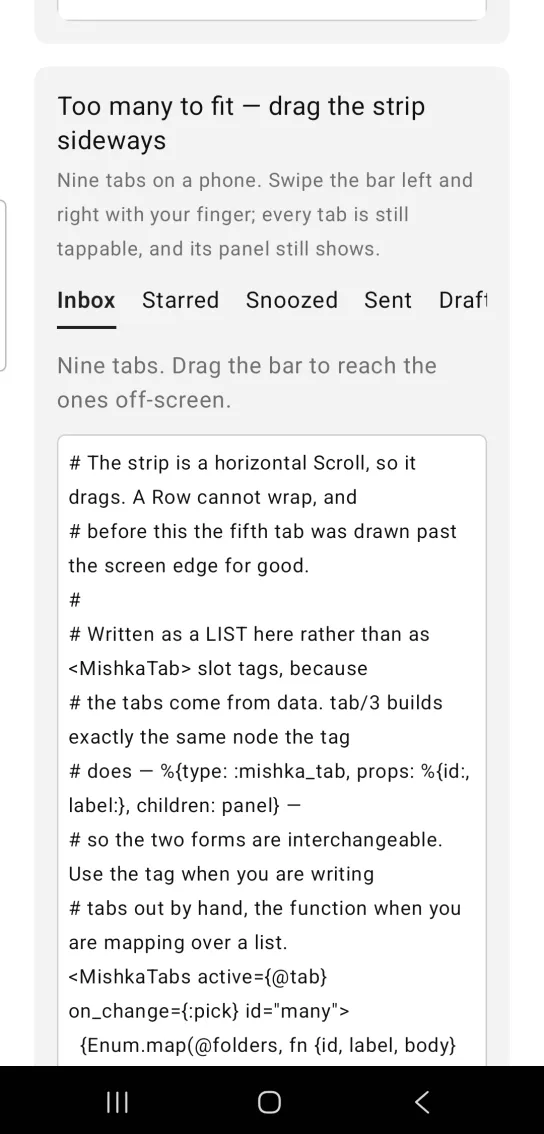
Scrollable strip with nine tabs
Nine tabs do not fit on a phone. Drag the strip left and right with your finger: every tab stays tappable, and its panel still shows.
The tabs here come from data, so the code calls the function form, tab/4, with three arguments instead of writing <MishkaTab> tags. Both forms build the same node, %{type: :mishka_tab, props: %{id:, label:}, children: panel}. Import the function from the generated module with import <App>.Components.MishkaTabs, only: [tab: 3].
Scrollable strip with nine tabs
# The strip is a horizontal Scroll, so it drags. A Row cannot wrap, and
# before this the fifth tab was drawn past the screen edge for good.
#
# Written as a LIST here rather than as <MishkaTab> slot tags, because
# the tabs come from data. tab/3 builds exactly the same node the tag
# does — %{type: :mishka_tab, props: %{id:, label:}, children: panel} —
# so the two forms are interchangeable. Use the tag when you are writing
# tabs out by hand, the function when you are mapping over a list.
<MishkaTabs active={@tab} on_change={:pick} id="many">
  {Enum.map(@folders, fn {id, label, body} -> tab(id, label, body) end)}
</MishkaTabs>
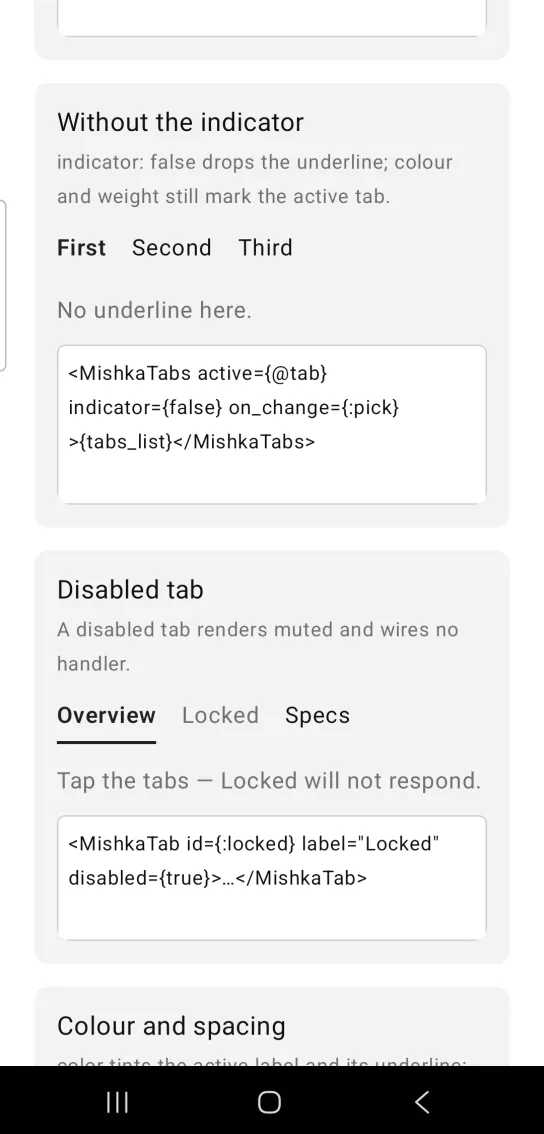
Tabs without the indicator
indicator={false} removes the underline. The color and weight of the active label still mark the active tab.
Tabs without the indicator
<MishkaTabs active={@tab} indicator={false} on_change={:pick}>{tabs_list}</MishkaTabs>Disabled tab
A disabled tab renders muted and has no handler, so tapping it does nothing and on_change never fires for it. Set disabled on the <MishkaTab>.
Disabled tab
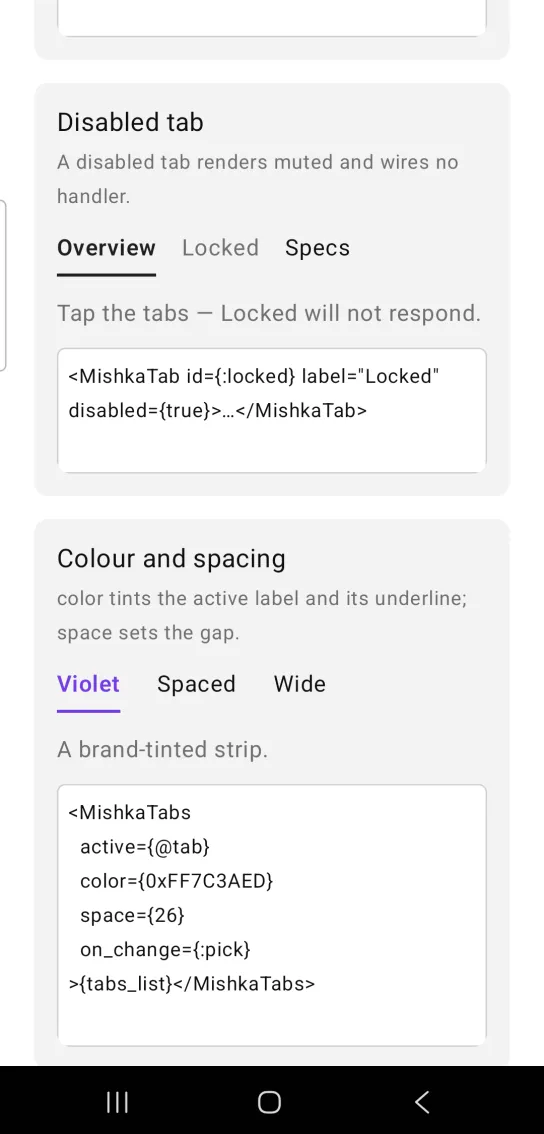
<MishkaTab id={:locked} label="Locked" disabled={true}>…</MishkaTab>Tab color and spacing
color tints the active label and its underline, and space sets the gap between tabs. This strip uses a violet ARGB value and a gap of 26.
Tab color and spacing
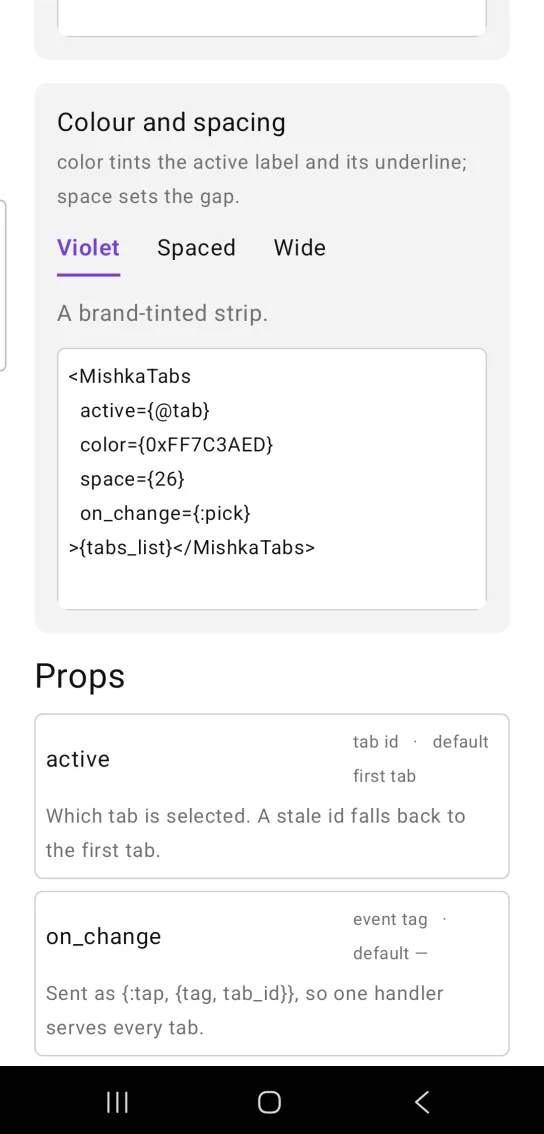
<MishkaTabs
  active={@tab}
  color={0xFF7C3AED}
  space={26}
  on_change={:pick}
>{tabs_list}</MishkaTabs>Helper functions
| Function | Returns |
|---|---|
tab(id, label, panel \\ [], opts \\ []) | A tab node, the function form of <MishkaTab>. opts takes disabled. |
active(props, items) | The active prop when it names a real tab, otherwise the first tab's id. |
strip_id(id) | The strip tag, for example "plans-strip". |
tab_id(id, tab, state) | A trigger tag, for example "plans-tab-pro-active". |
panel_id(id) | The panel tag, for example "plans-panel". |
Props
| Prop | Type | Default | Description |
|---|---|---|---|
active | tab id | the first tab | Which tab is selected. A stale id falls back to the first tab. The value lives in your screen. |
on_change | event tag (atom) | None | Sends {:tap, {tag, tab_id}}, so one handler serves every tab. |
indicator | boolean | true | Underlines the active tab. |
color | color token or ARGB integer | :primary | Color of the active label and the indicator. |
backdrop | color token or ARGB integer | :surface | The color behind the strip. The underline is drawn against it. See The underline and the backdrop. |
space | number | 18 | Gap between tabs. |
scrollable | boolean | true | The strip drags sideways when the tabs overflow. A Row cannot wrap. |
id | string | nil | Base of the test tags. Without an id there are no tags. |
Tab props
Each <MishkaTab> takes these props. Its children are that tab's panel.
| Prop | Type | Default | Description |
|---|---|---|---|
id | term | the tab's index | Identifies the tab in active and in the on_change message. |
label | string | None | The text in the strip. |
disabled | boolean | false | Mutes the tab and removes its handler. |
Events
When you tap a tab that is not disabled, on_change sends {:tap, {tag, tab_id}}, and your screen receives it in handle_info/2. Store the id and pass it back as active.
def handle_info({:tap, {:pick, id}}, socket) do
  {:noreply, assign(socket, :tab, id)}
end
Differences from the web component
The Mob Tabs component does not port these parts of the headless component:
orientation: "vertical".activate_on_focus. There is no focus ring to follow.default_value. Your screen holds the state, so an uncontrolled tab strip has no meaning.- The
*_classattributes.
Attributes
| Name | Type | Default | Values | Required | Description |
|---|---|---|---|---|---|
active
|
tab id
|
first tab
| — | No | Which tab is selected. Lives in the screen. |
on_change
|
event tag (atom)
| — | — | No | Sent as `{:tap, {tag, tab_id}}`. |
indicator
|
boolean
|
true
| — | No | Underline the active tab. |
color
|
color token / ARGB int
|
:primary
| — | No | Active label and indicator. |
backdrop
|
color token / ARGB int
|
:surface
| — | No | The colour behind the strip. See "The underline". |
space
|
number
|
18
| — | No | Gap between tabs. |
scrollable
|
boolean
|
true
| — | No | The strip drags sideways when the tabs overflow. |
id
|
string
| — | — | No | Test tags — see below. |
Options
Each option takes one or more of its values, separated by commas.
| Option | Values |
|---|---|
--type
|
tabs
|
--module
| A module name of your own |
What it generates
mix mishka.ui.gen.mob tabs