Checkbox
v0.0.10
The Mob Checkbox is a labeled box with checked, unchecked and indeterminate states for iOS and Android apps built with Mob. It is part of Mishka Chelekom and is the native port of the headless Checkbox for Phoenix LiveView.
Overview of the Mob Checkbox component for iOS and Android
Mob has no checkbox widget, because its Toggle is a switch. MishkaCheckbox builds the indicator itself: a small rounded Box that holds a drawn mark, beside the label, in one tappable row.
A checkbox has three states. An empty box is unchecked, a tick is checked and a dash is indeterminate. While indeterminate is set, it wins over checked, the way aria-checked="mixed" overrides the checked flag on the web. The states differ by shape as well as color, so people who cannot tell the colors apart can still read them.
The screen owns the state. A tap sends {:tap, tag} to handle_info/2, and the screen decides the next checked and indeterminate values. toggle/1 returns the next {checked?, indeterminate?} for a tap. A mixed checkbox resolves to checked, so tapping a select all parent selects everything.
The mark is drawn with canvas lines instead of a text glyph. A glyph sits on its text baseline and rides high in a small box. Drawn lines have no text metrics, so the mark stays centered at any size on both platforms.
Generate the checkbox component
Run this from your Mob app's root to add the component to lib/<app>/components/:
mix mishka.ui.gen.mob checkboxThe generator registers the component's tag, so you can use it in ~MOB markup. It also copies the shared Event module. The examples on this page use the mishka_ prefix of the showcase app (--module-prefix mishka_), so the tag is <MishkaCheckbox>. Without a prefix the tag is <Checkbox>. To generate the prefixed version, run:
mix mishka.ui.gen.mob checkbox --module-prefix mishka_Checked and unchecked checkbox
A checkbox is one tappable row made of the box and its label. Tapping anywhere on the row sends {:tap, tag} to the screen with the on_toggle tag, and the screen flips checked.
Checked and unchecked checkbox
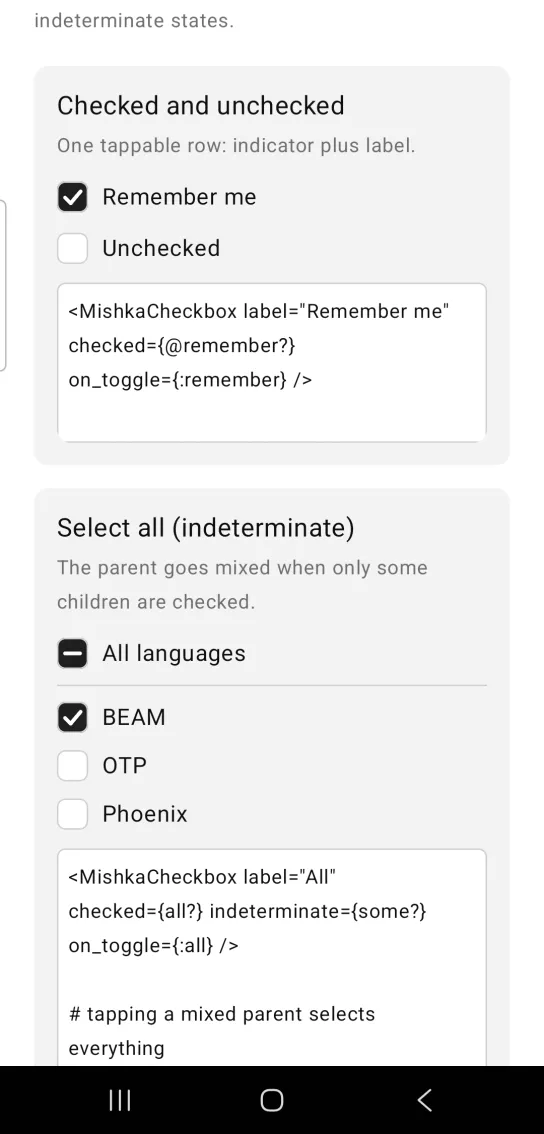
<MishkaCheckbox label="Remember me" checked={@remember?} on_toggle={:remember} />Select all checkbox with an indeterminate state
A parent checkbox goes indeterminate when only some of its children are checked. Set indeterminate on the parent and it draws a dash. Call toggle/1 to get the next state. A tap on a mixed parent resolves to checked, so it selects everything.
Select all checkbox with an indeterminate state
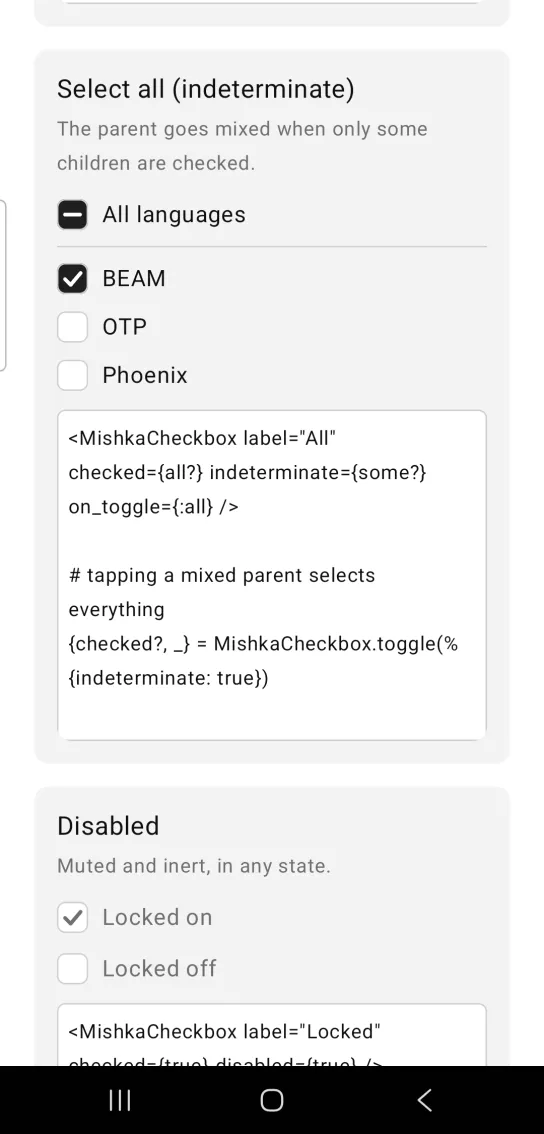
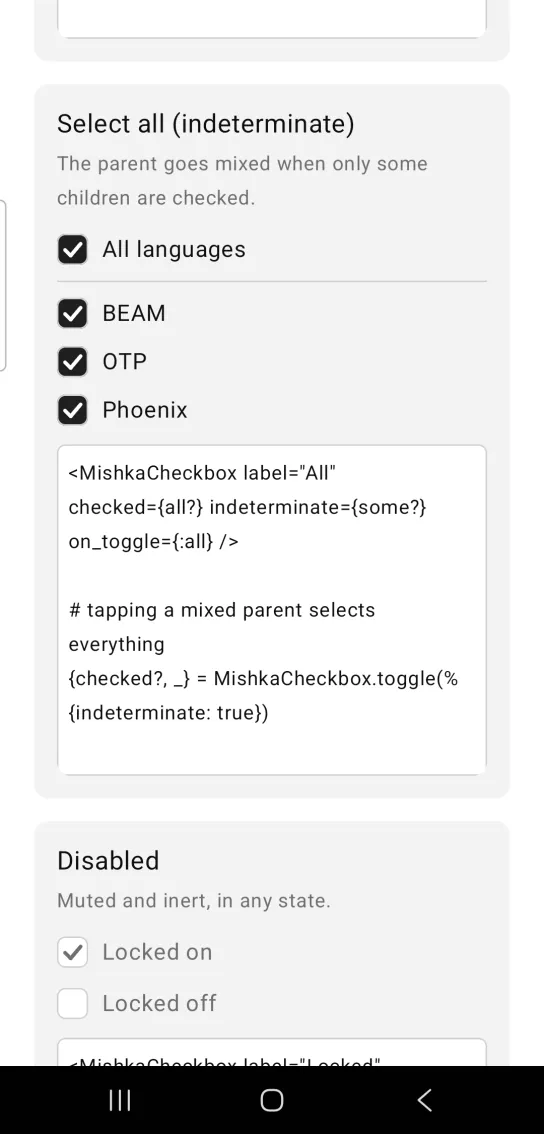
Left: the example as it loads. Right: after a tap. The parent goes mixed when only some children are ticked.
<MishkaCheckbox label="All" checked={all?} indeterminate={some?} on_toggle={:all} />

# tapping a mixed parent selects everything
{checked?, _} = MishkaCheckbox.toggle(%{indeterminate: true})
Disabled checkbox
disabled wires no handler and mutes the row, in any state. A disabled checkbox can stay checked or unchecked, and a tap on it does nothing.
Disabled checkbox
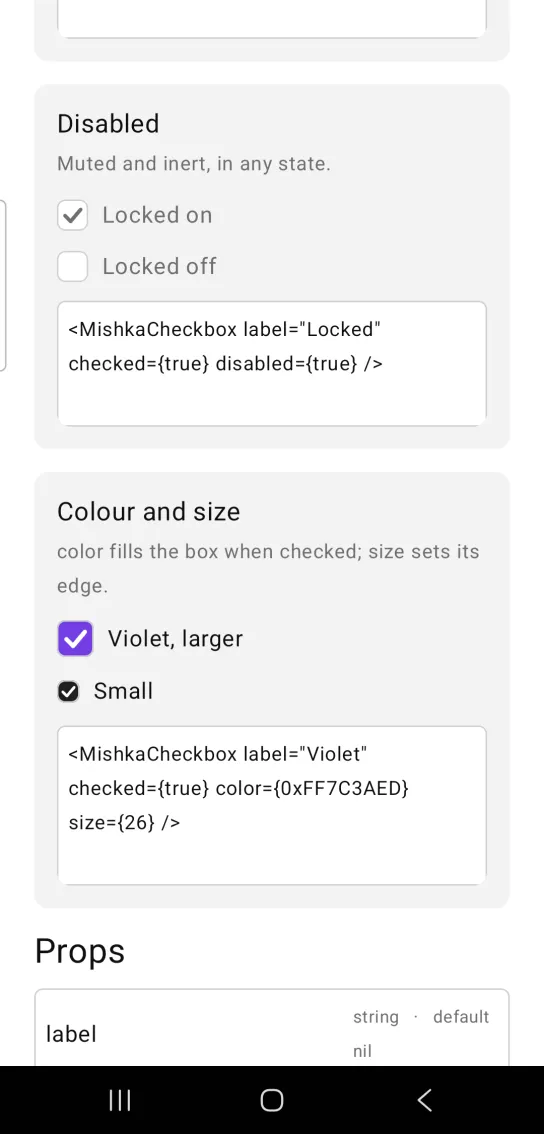
<MishkaCheckbox label="Locked" checked={true} disabled={true} />Checkbox color and size
color fills the box when it is checked or mixed, and size sets the edge length of the box. The mark scales with the box.
Checkbox color and size
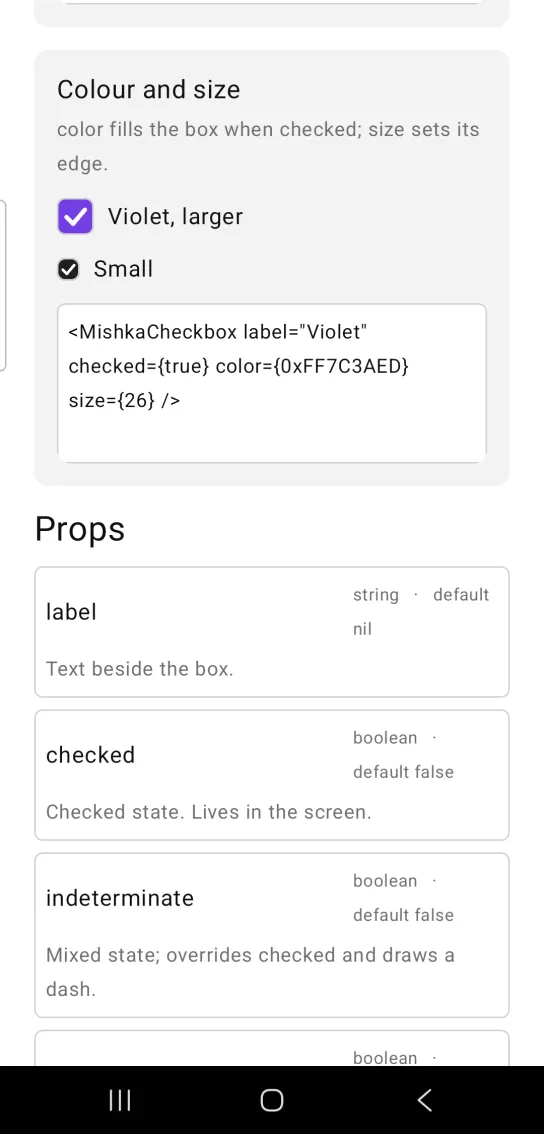
<MishkaCheckbox label="Violet" checked={true} color={0xFF7C3AED} size={26} />Props
| Prop | Type | Default | Description |
|---|---|---|---|
label | string | nil | Text beside the box. |
checked | boolean | false | Checked state. The screen owns it. |
indeterminate | boolean | false | Mixed state. It overrides checked and draws a dash. |
disabled | boolean | false | Wires no handler and mutes the row. |
on_toggle | event tag | None | Sent as {:tap, tag}. |
color | color / ARGB | :primary | Fill when checked or mixed. |
size | number | 22 | Edge length of the indicator. |
id | string | None | Native test tag. The component adds the state to it: id-checked, id-mixed or id-empty. |
toggle/1 | helper | None | Returns the next {checked?, indeterminate?} that a tap should produce. |
Events
Your screen receives {:tap, tag} in handle_info/2. The message has no value, so the screen computes the next state. Use toggle/1 from the generated MishkaCheckbox module to get it:
def handle_info({:tap, :remember}, socket) do
  {checked?, _indeterminate?} = MishkaCheckbox.toggle(%{checked: socket.assigns.remember?})
  {:noreply, Mob.Socket.assign(socket, :remember?, checked?)}
end
toggle/1 returns {true, false} for an unchecked box, {false, false} for a checked box and {true, false} for an indeterminate box.
Differences from the web component
name,valueandrequiredare not ported. They are HTML form plumbing.- The web
idand the*_classattributes are not ported. The Mobidprop sets a native test tag instead. parentis not ported. The select all behavior is a reducer in the screen over its children, andtoggle/1is the part worth sharing. The Checkbox group ships the full set of reducers.readonlyanddisabledbecome one prop. Both omit the handler.
Attributes
| Name | Type | Default | Values | Required | Description |
|---|---|---|---|---|---|
label
|
string
| — | — | No | Text beside the box. |
checked
|
boolean
|
false
| — | No | Checked state. Lives in the screen. |
indeterminate
|
boolean
|
false
| — | No | Mixed state; overrides `checked` visually. |
disabled
|
boolean
|
false
| — | No | Wires no handler and mutes the row. |
on_toggle
|
event tag (atom)
| — | — | No | Sent as `{:tap, tag}`. |
color
|
color token / ARGB int
|
:primary
| — | No | Fill when checked or mixed. |
size
|
number
|
22
| — | No | Indicator edge length. |
id
|
string
| — | — | No | A native testTag, suffixed with the state: `id-checked`, `id-mixed`, `id-empty`. |
Options
Each option takes one or more of its values, separated by commas.
| Option | Values |
|---|---|
--type
|
checkbox
|
--module
| A module name of your own |
What it generates
mix mishka.ui.gen.mob checkbox