Scroller
v0.0.10
The Mob Scroller in Mishka Chelekom is a horizontal rail with previous and next arrows for iOS and Android screens built with Mob. It is the native port of the headless Scroller.
Overview of the Mob Scroller component for iOS and Android
The rail is the Mob Scroll Area, Mob's native scroll view, which already has momentum and a scrollbar. Scroller adds a pair of arrow buttons under it, aligned to the right. Put the rail's items in a Row and pass them as children.
The arrows need a screen to work. Moving a live widget is a side effect that the screen performs, and a render function cannot express it. So Scroller renders the rail and the arrows, and sends on_prev and on_next to the screen. The handlers call nudge/3, which reads the rail's current offset and drives the native scroll view to a new one.
The offset lives in the native widget, so there is nothing to assign and nothing re-renders. Give Scroller an id so nudge/3 can find the rail. An arrow without a handler renders disabled.
Generate the scroller component
Run this from your Mob app's root to add the component to lib/<app>/components/:
mix mishka.ui.gen.mob scrollerThe generator registers the <Scroller> tag so you can use it in ~MOB markup. It also generates the Action Icon and Scroll Area components that Scroller uses. The examples on this page use the mishka_ prefix of the showcase app (--module-prefix mishka_), so the tag is <MishkaScroller>. Without a prefix the tag is <Scroller>.
Scroller with previous and next arrows
The arrows move the rail, so a user can press one instead of swiping. height sets the rail height.
Scrolling is a side effect on a live widget, so the handlers assign nothing and nudge/3 does the work. It scrolls by 80 percent of the visible width by default, which leaves a sliver of the previous tile on screen.
Scroller with previous and next arrows
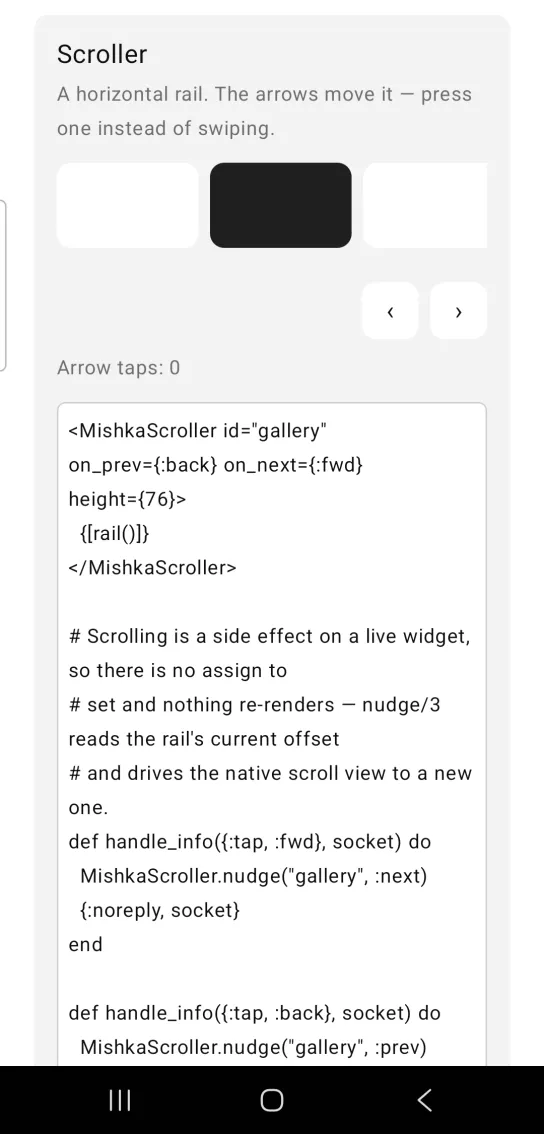
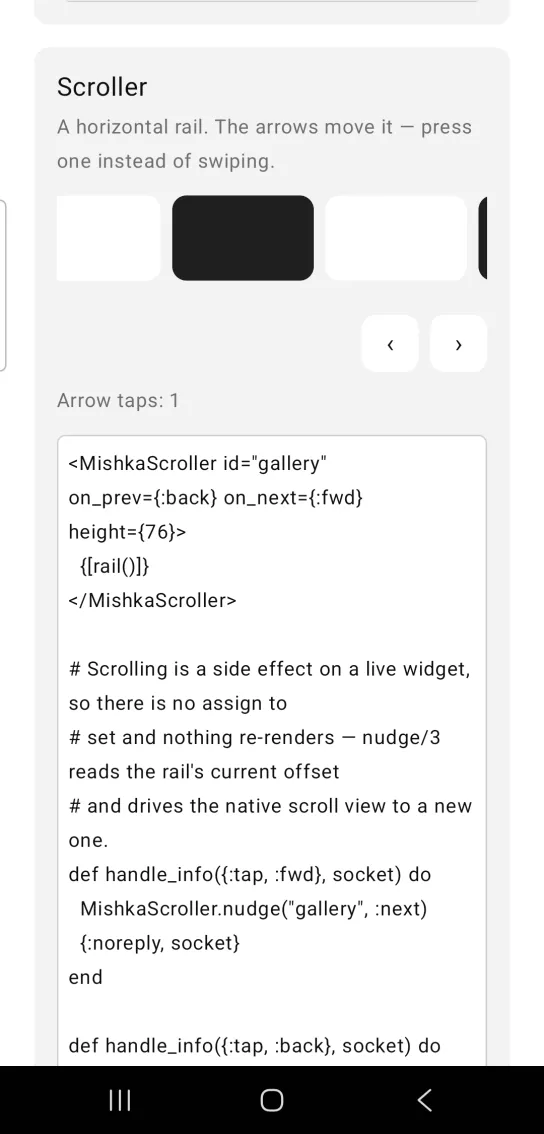
Left: the example as it loads. Right: after a tap. The arrows move the rail, so you do not have to swipe.
<MishkaScroller id="gallery" on_prev={:back} on_next={:fwd} height={76}>
  {[rail()]}
</MishkaScroller>

# Scrolling is a side effect on a live widget, so there is no assign to
# set and nothing re-renders — nudge/3 reads the rail's current offset
# and drives the native scroll view to a new one.
def handle_info({:tap, :fwd}, socket) do
  MishkaScroller.nudge("gallery", :next)
  {:noreply, socket}
end

def handle_info({:tap, :back}, socket) do
  MishkaScroller.nudge("gallery", :prev)
  {:noreply, socket}
end
Props
| Prop | Type | Default | Description |
|---|---|---|---|
id | string | nil | Registers the scroller so it can be addressed. The arrows get the test tags <id>-prev and <id>-next. |
on_prev, on_next | event tag | None | Sent as {:tap, tag} from the arrows. |
controls | boolean | true | Whether to show the arrows. Only false hides them. |
height | number | nil | Rail height. |
space | number | 8 | Gap between the rail and the arrows. |
nudge/3
nudge(id, direction, opts) scrolls the rail with that id one step. direction is :prev or :next. The :step option sets the distance and defaults to 80 percent of the visible width. It returns :ok, :unsupported when the platform has no scroll function, or {:error, reason} when no rail is registered under id.
Events
Your screen receives {:tap, tag} in handle_info/2 from each arrow, with the tag you set in on_prev or on_next.
def handle_info({:tap, :fwd}, socket) do
  MishkaScroller.nudge("gallery", :next)
  {:noreply, socket}
end

def handle_info({:tap, :back}, socket) do
  MishkaScroller.nudge("gallery", :prev)
  {:noreply, socket}
end
Differences from the web component
These parts of the headless Scroller are not ported:
scroll_by. Use the:stepoption ofnudge/3instead, because the pixel step belongs to the screen's scroll call.prev_labelandnext_label, the aria labels of the arrows.- The
*_classattributes.
Attributes
| Name | Type | Default | Values | Required | Description |
|---|---|---|---|---|---|
id
|
string
| — | — | No | Registers the scroller so it can be addressed. |
on_prev / on_next
|
event tag (atom)
| — | — | No | Sent as `{:tap, tag}` from the arrows. |
controls
|
boolean
|
true
| — | No | Show the arrows at all. |
height
|
number
| — | — | No | Rail height. |
space
|
number
|
8
| — | No | Gap between the rail and the controls. |
Options
Each option takes one or more of its values, separated by commas.
| Option | Values |
|---|---|
--type
|
scroller
|
--module
| A module name of your own |
What it generates
mix mishka.ui.gen.mob scroller