Field
v0.0.10
The Mishka Chelekom Mob Field is a wrapper that puts a label, a hint and validation errors around any control on iOS and Android. It is the native port of the headless Field and runs on Mob.
Overview of the Mob Field component for iOS and Android
Field draws three parts in a column: the label, your control and a footer. The label is the label text, followed by a * in the error color when required is on. The control is the tag's child. It can be a TextField, a switch or any other node. The footer shows the description hint, or the errors when there are any.
Errors replace the hint. When errors holds at least one message, Field hides the description and lists each message after a ✕, so color is not the only signal that something is wrong. Blank messages (nil and empty strings) are ignored. The error color defaults to :error, a theme token, so it follows light, dark and custom themes.
The screen owns the state. Field keeps none, and it has no event props of its own. Your screen holds the control's value and the errors list, and the control sends its events to the screen. A text field with on_change={:email} sends {:change, :email, text} to handle_info/2.
On the web, Field wires ids and aria-describedby so a screen reader announces the label, the hint and the error together. A phone has no ids to wire, so the port keeps what the user sees: the label above, the hint and errors below, and the visual state that marks a field as invalid.
Generate the field component
Run this from your Mob app's root to add the component to lib/<app>/components/:
mix mishka.ui.gen.mob fieldThe generator registers the tag, so you can use it in ~MOB markup. The examples on this page use the mishka_ prefix of the showcase app (--module-prefix mishka_), so the tag is <MishkaField>. Without a prefix, the tag is <Field>.
Field with a label, hint and required mark
Set label to show text above the control, description to show a hint below it and required={true} to add a * after the label. The control is the tag's child. Here it is a text field that sends its text to the screen as {:change, :email, text}. In the snippet, text_input(...) stands for the function that builds your TextField node.
Field with a label, hint and required mark
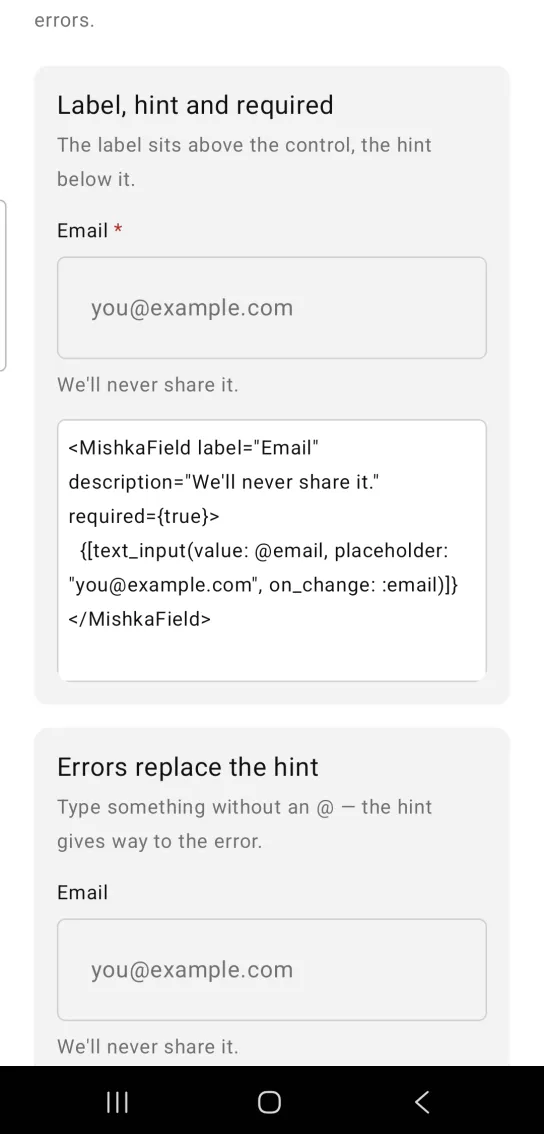
<MishkaField label="Email" description="We'll never share it." required={true}>
  {[text_input(value: @email, placeholder: "[email protected]", on_change: :email)]}
</MishkaField>
Errors replace the hint
Pass errors as a list of strings. While the list holds a message, the field hides the hint and shows each message after a ✕ in the error color. In the showcase, type a value without an @ and the hint gives way to the error. The control tints its own border to match. MishkaField.invalid?/1 takes a props map and returns true when errors holds a non-blank message, so you can choose the border color from the same list. In the snippet, input() and the … description stand for your own control and text.
Errors replace the hint
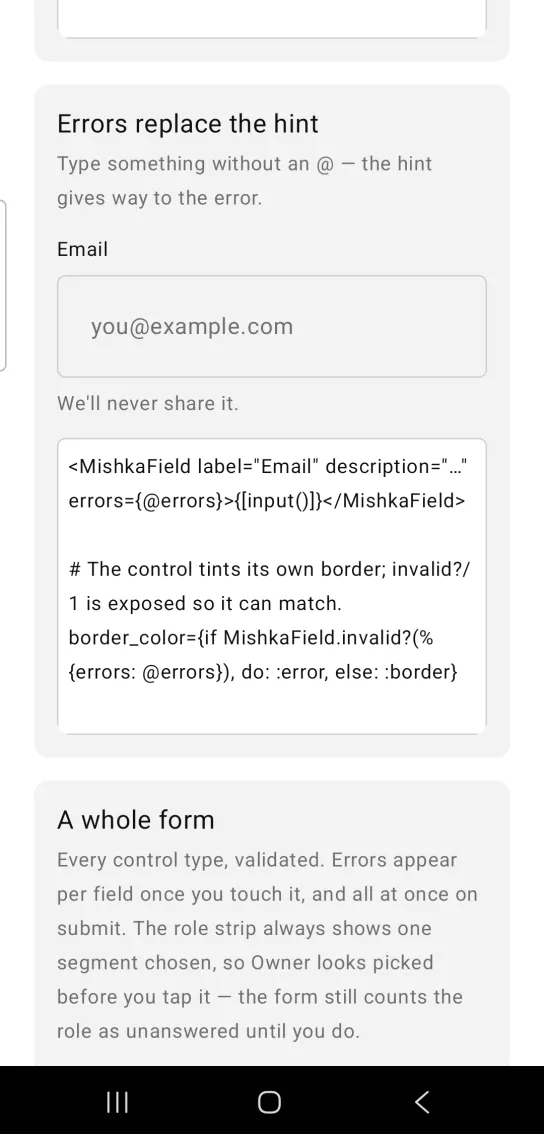
<MishkaField label="Email" description="…" errors={@errors}>{[input()]}</MishkaField>

# The control tints its own border; invalid?/1 is exposed so it can match.
border_color={if MishkaField.invalid?(%{errors: @errors}), do: :error, else: :border}
A whole form with validation
Errors on a field the user has not reached yet are noise, so this form shows a field's errors only after the field has changed. The Create account button shows every error at once. The form has a name, an email address, an optional age, a role chosen with a segmented control, a short bio and a disabled plan field. The role strip always shows one segment chosen, so Owner looks picked before you tap it. The form still counts the role as unanswered until you do. The snippet shows the state handling: a touched set, a submitted? flag and a shown/3 helper that decides whether a field's errors are visible. The showcase app receives {:change, tag, value} events in a handle_change/3 callback. In your own screen, handle the same event in handle_info/2.
A whole form with validation
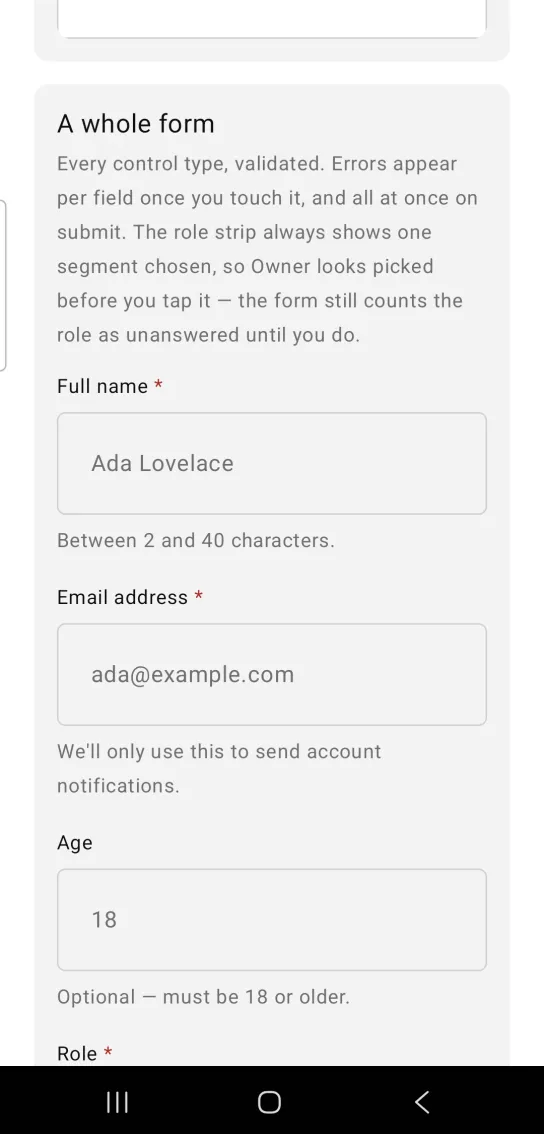
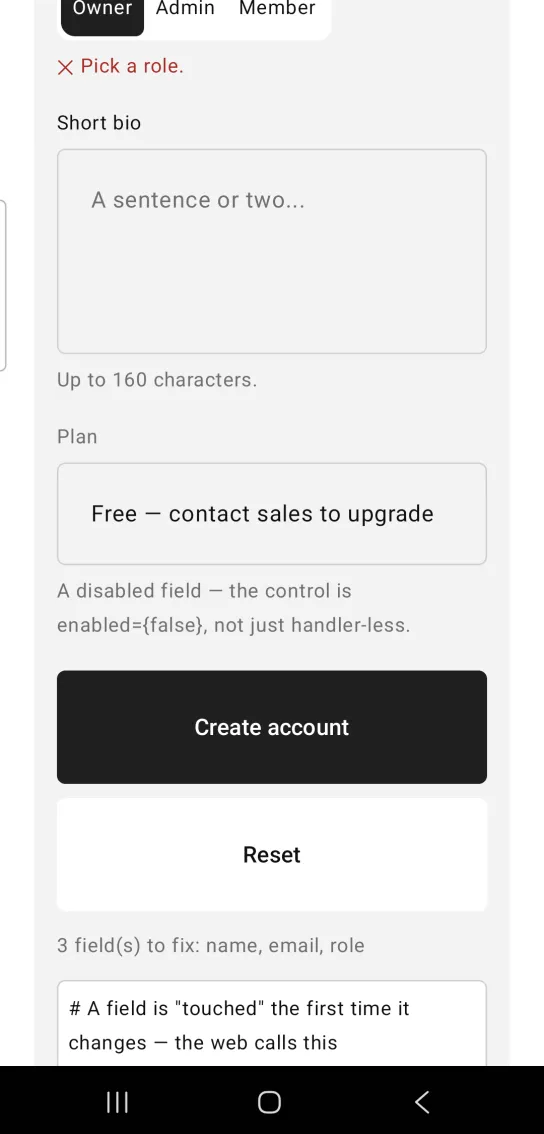
Left: the example as it loads. Right: after a tap. Submitting touches every field, so all the errors appear at once.
# A field is "touched" the first time it changes — the web calls this
# used_input?. Submitting touches everything, so nothing stays hidden.
def handle_change({:form, key}, value, socket) do
  form = Map.put(socket.assigns.form, key, value)
  touched = MapSet.put(socket.assigns.touched, key)

  {:noreply,
   socket |> assign(:form, form) |> assign(:touched, touched)}
end

def handle_info({:tap, :submit}, socket) do
  {:noreply, Mob.Socket.assign(socket, :submitted?, true)}
end

# shown/3 decides whether a field's errors are visible yet.
defp shown(errors, key, socket) do
  if socket.assigns.submitted? or key in socket.assigns.touched,
    do: errors,
    else: []
endDisabled field
Set disabled={true} to mute the field's label.
Disabled field
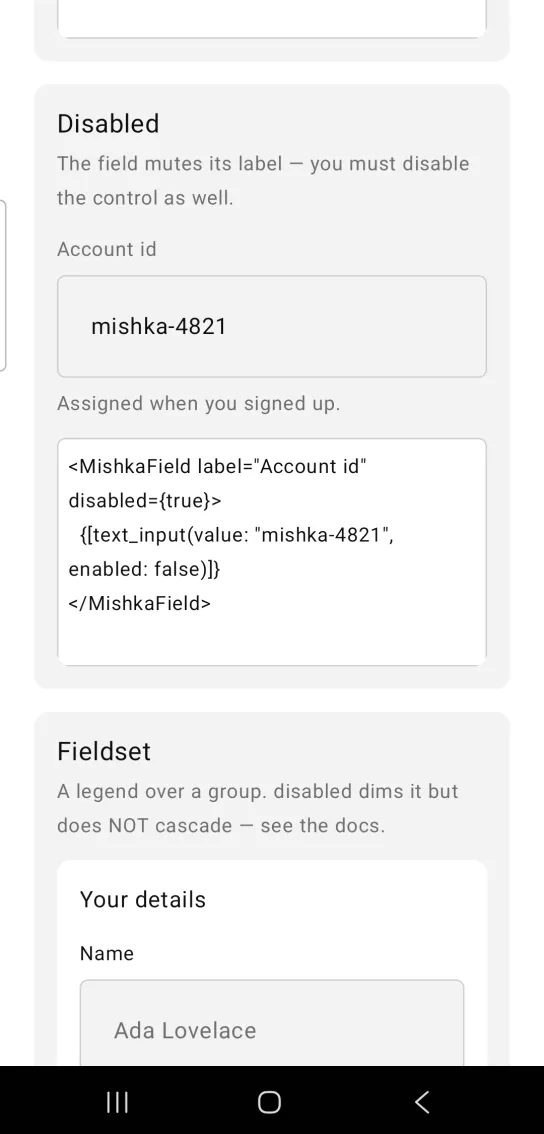
<MishkaField label="Account id" disabled={true}>
  {[text_input(value: "mishka-4821", enabled: false)]}
</MishkaField>
Props
Props of the <MishkaField> tag. The children are the control.
| Prop | Type | Default | Description |
|---|---|---|---|
label | string | nil | Text above the control. |
description | string | nil | Hint below the control. Hidden while there are errors. |
errors | list of strings | [] | Validation messages. Each one starts with a ✕, so color is not the only signal. |
required | boolean | false | Adds a * after the label. |
disabled | boolean | false | Mutes the label. It does not reach the control. |
space | number | 6 | Gap between the parts. |
label_color / description_color | color token or ARGB integer | :on_surface / :muted | Color of the label and of the hint. |
error_color | color token or ARGB integer | :error | Color of the errors, the ✕ and the required *. A theme token, so it follows the theme. |
text_size | text token | :sm | Size of the label, the hint and the errors. |
invalid?/1 | helper | None | Takes a props map and returns true when it holds at least one non-blank error, so a control can match its border. |
Differences from the web component
id,forandnameare not ported. On the web they link the label and the hint to the control for assistive technology.- The
*_classattributes are not ported. Color, size and spacing are props.
Attributes
| Name | Type | Default | Values | Required | Description |
|---|---|---|---|---|---|
label
|
string
| — | — | No | Label above the control. |
description
|
string
| — | — | No | Hint below it. Hidden while there are errors. |
errors
|
list of strings
|
[]
| — | No | Validation messages. |
required
|
boolean
|
false
| — | No | Appends a `*` to the label. |
disabled
|
boolean
|
false
| — | No | Mutes the label. See the warning below. |
space
|
number
|
6
| — | No | Gap between the parts. |
label_color
|
color token / ARGB int
|
:on_surface
| — | No | The label. |
description_color
|
color token / ARGB int
|
:muted
| — | No | The hint. |
error_color
|
color token / ARGB int
|
:error
| — | No | Errors, the `*` and the ✕. |
text_size
|
text token
|
:sm
| — | No | Label, hint and errors. |
Options
Each option takes one or more of its values, separated by commas.
| Option | Values |
|---|---|
--type
|
field
|
--module
| A module name of your own |
What it generates
mix mishka.ui.gen.mob field