Floating window
v0.0.10
mix mishka.ui.gen.mob floating_window
The Mob Floating Window in Mishka Chelekom is a titled panel that floats over a stage on iOS and Android screens built with Mob. A user drags it by its title bar or taps arrows to move it a step at a time. It is the native port of the headless Floating Window.
Overview of the Mob Floating Window component for iOS and Android
The drag is a real finger drag. The drag surface is one canvas the size of the whole stage, and it never moves. A canvas that rode on the window would slide under the finger, and the window would follow only a fraction of the gesture. So x and y are positions in stage coordinates, and bounds matters: it sizes the canvas and clamps the position. Without bounds there is no drag surface.
A drag starts only when the touch begins on the title bar. A touch anywhere else on the stage engages nothing.
The root is a box that stacks three layers, in this order:
- The panel: background, border, title strip and label. It has no handlers.
- The canvas: transparent, as large as the stage, and it carries the drag handler.
- The controls: the body, the ✕ and the nudge arrows, each at its own offset.
Anything a finger must tap sits above the canvas, because the canvas consumes the touch that starts on it. Anything the drag must reach sits below it. That is why the title strip and its label take no taps, and why the ✕ is the only control in the title bar that does not begin a drag.
The window is a fixed rectangle, width by height, with a 48dp title bar and a 48dp row of nudge arrows. The layers are placed by arithmetic, not by layout, so drag/3 can decide whether a touch landed on the title bar without measuring anything.
The screen owns the position. drag/3 and nudge/2 fold a drag payload or an arrow tap into a new {x, y} that you assign back. drag/3 reads only x and y from the payload and ignores dx and dy, because those are cumulative on iOS and per sample on Android.
Size the window to its body
The body is what the chrome leaves: height - chrome_height/1. Its own :space_md padding (16dp at the default scale) comes out of the top and the bottom of that. Content taller than what remains is clipped at the edge of the body and is not scrolled. A 140dp window with the arrow row has 44dp of body and 12dp of room for content, which cuts a line of text in half.
Budget the height before you pick it: chrome_height/1, plus two paddings, plus the content. On Material a line of body text is 24dp even at a small text_size, unless the Text sets line_height, and a line that wraps counts again. Nothing here can measure the content, so a window that is too short stays too short.
Generate the floating window component
Run this from your Mob app's root to add the component to lib/<app>/components/:
mix mishka.ui.gen.mob floating_windowThe generator registers the tag, so you can use it in ~MOB markup. It also copies the shared Color and Event helper modules. The examples on this page use the mishka_ prefix of the showcase app (--module-prefix mishka_), so the tag is <MishkaFloatingWindow>. Without a prefix, the tag is <FloatingWindow>.
The Floating indicator appears on the same showcase page but has its own generator: mix mishka.ui.gen.mob floating_indicator.
Drag a floating window by its title bar
A real finger drag moves the window. The drag surface is one static canvas the size of the stage, which is what bounds is for, and it engages only when the touch starts on the title bar.
drag/3 anchors on the :began phase. Keep that anchor in an assign and hand it back with the next payload. It comes back nil when the finger lifts.
Drag a floating window by its title bar
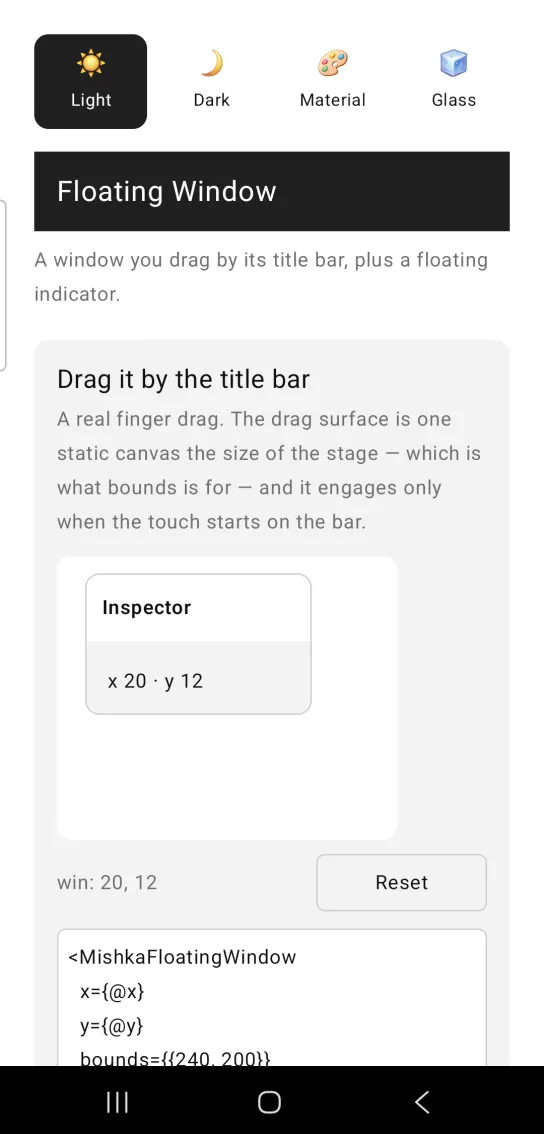
<MishkaFloatingWindow
  x={@x}
  y={@y}
  bounds={{240, 200}}
  width={160}
  height={100}
  label="Inspector"
  dragging={@grab != nil}
  show_nudges={false}
  on_move={:move}
  id="win"
>
  <Text text={"x #{round(@x)} · y #{round(@y)}"} text_size={:sm} />
</MishkaFloatingWindow>

# The canvas never moves, so x/y are POSITIONS in stage coordinates.
# drag/3 anchors on the :began phase — keep that anchor in an assign and
# hand it back; it comes back nil when the finger lifts.
def handle_info({:drag, :move, payload}, socket) do
  {position, grab} =
    MishkaFloatingWindow.drag(payload, socket.assigns.grab,
      x: elem(socket.assigns.drag_pos, 0),
      y: elem(socket.assigns.drag_pos, 1),
      width: 160,
      height: 100,
      bounds: {240, 200}
    )

  {:noreply, socket |> assign(:drag_pos, position) |> assign(:grab, grab)}
endNudge a floating window with arrows
The arrows are the alternative to dragging that WCAG 2.5.7 asks for, at 48dp each. They read step and bounds from the same props the window drew with. The clamp is the stage minus the window, so a tap past the edge stops the window instead of walking it out of view.
One tap moves one step. nudge/2 takes the window's own props, so it clamps against the geometry that was drawn.
The window is 160dp tall. The title bar and the arrow row take 96dp, the padding around the body takes 32dp, and the line of text needs 24dp, which leaves a little room for the device's font.
Nudge a floating window with arrows
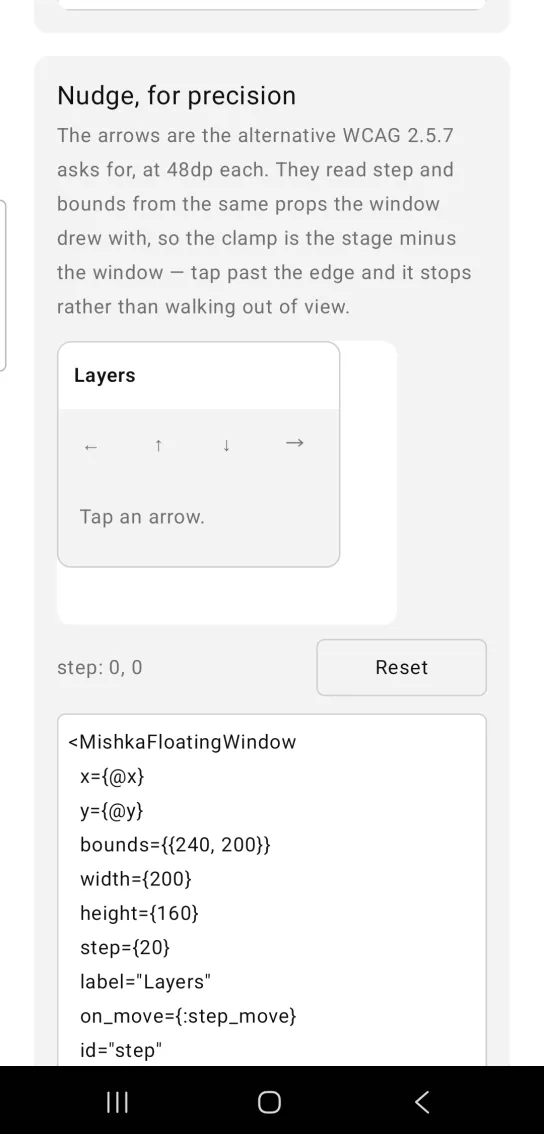
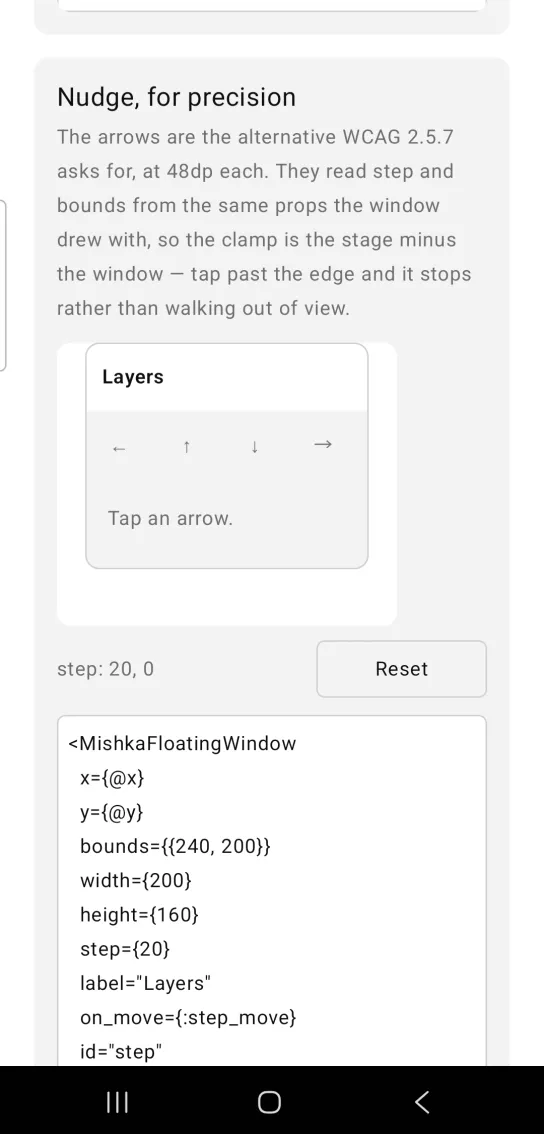
Left: the example as it loads. Right: after a tap. Arrow buttons move the window a step at a time.
<MishkaFloatingWindow
  x={@x}
  y={@y}
  bounds={{240, 200}}
  width={200}
  height={160}
  step={20}
  label="Layers"
  on_move={:step_move}
  id="step"
>
  <Text text="Tap an arrow." text_size={:sm} />
</MishkaFloatingWindow>

# One tap, one step. nudge/2 takes the window's own props, so it clamps
# against the geometry that was actually drawn.
def handle_info({:tap, {:step_move, direction}}, socket) do
  moved = MishkaFloatingWindow.nudge(window(socket.assigns), direction)

  {:noreply, assign(socket, :step_pos, moved)}
endFloating window with a close button
Set on_close and a ✕ appears in the title bar. It is the one control in the bar that does not begin a drag.
Without on_move the window has no drag surface and no arrow row. The body sits above the drag surface, so the Ping button takes taps either way.
Floating window with a close button
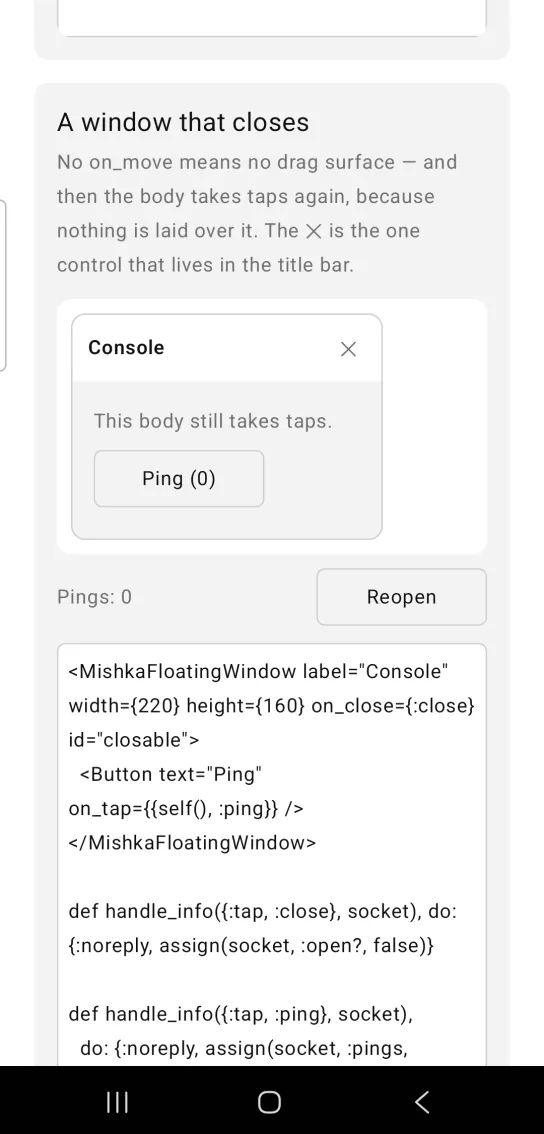
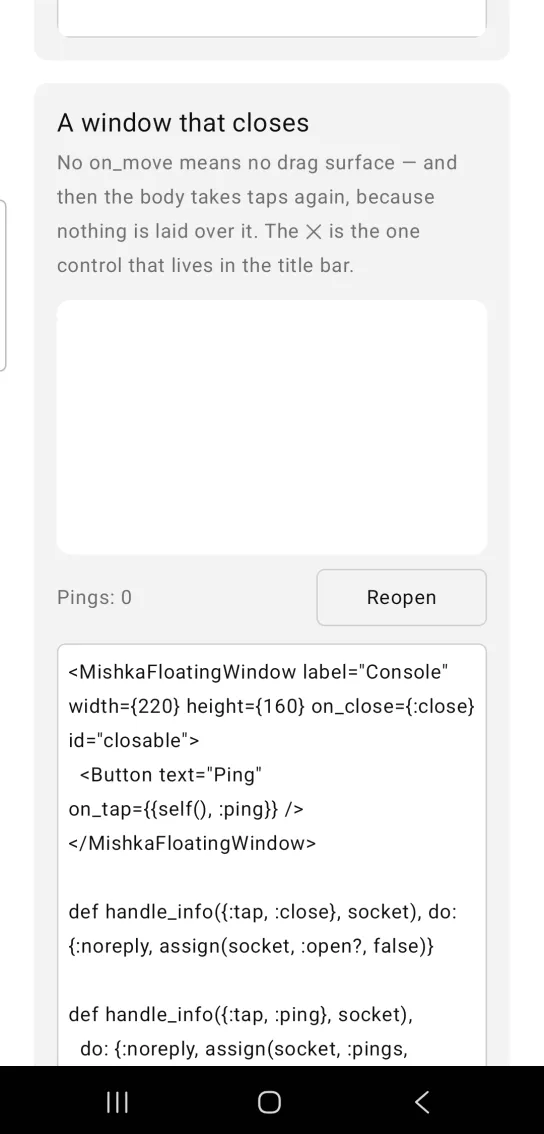
Left: the example as it loads. Right: after a tap. The close mark removes the window.
<MishkaFloatingWindow label="Console" width={220} height={160} on_close={:close} id="closable">
  <Button text="Ping" on_tap={{self(), :ping}} />
</MishkaFloatingWindow>

def handle_info({:tap, :close}, socket), do: {:noreply, assign(socket, :open?, false)}

def handle_info({:tap, :ping}, socket),
  do: {:noreply, assign(socket, :pings, socket.assigns.pings + 1)}
Floating window with its own title bar
The <MishkaFloatingWindowHandle> slot replaces the label with a node of your own. It is decoration: it sits under the drag surface, so the whole bar stays draggable and the handle itself takes no taps.
The handle/1 function builds the same node when the bar comes from data, and the handle: prop takes one directly. A slot wins over the prop.
Floating window with its own title bar
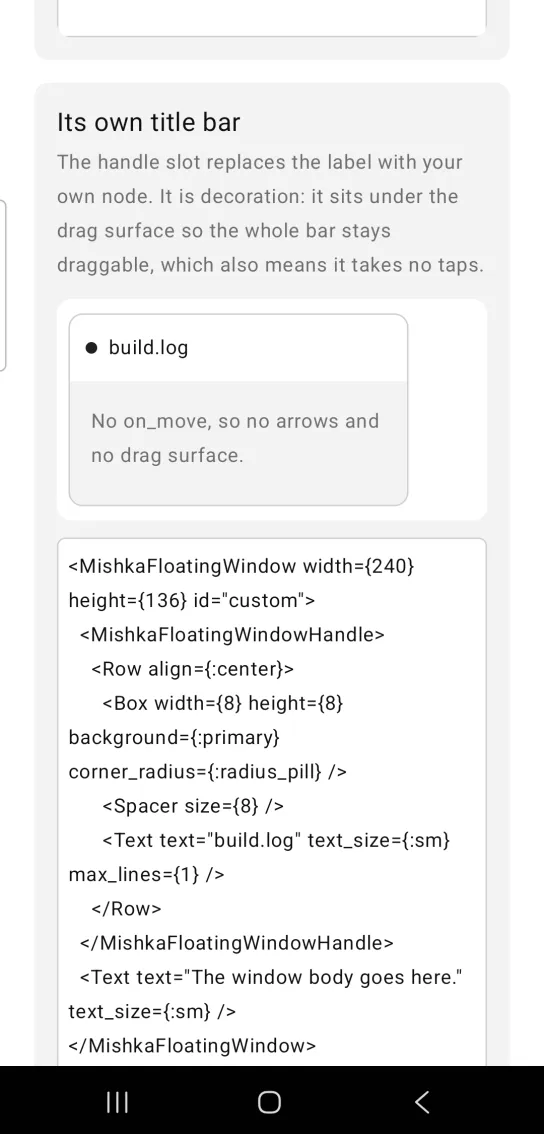
<MishkaFloatingWindow width={240} height={136} id="custom">
  <MishkaFloatingWindowHandle>
    <Row align={:center}>
      <Box width={8} height={8} background={:primary} corner_radius={:radius_pill} />
      <Spacer size={8} />
      <Text text="build.log" text_size={:sm} max_lines={1} />
    </Row>
  </MishkaFloatingWindowHandle>
  <Text text="The window body goes here." text_size={:sm} />
</MishkaFloatingWindow>
Props
| Prop | Type | Default | Description |
|---|---|---|---|
x, y | number | 0 | Position inside the stage, applied as offset_x and offset_y. |
width, height | number | 260, 180 | The window is a fixed rectangle, so drag/3 can work out where the title bar is by arithmetic. |
bounds | {w, h} | nil | The stage in dp. It sizes the canvas and clamps the position. No bounds, no drag. |
step | number | 20 | How far one nudge moves, in dp. |
label | string | nil | Title shown in the title bar. |
handle | node or list of nodes | nil | Title bar content instead of label. It is decoration and takes no taps. The slot wins over this prop. |
dragging | boolean | false | Set it while a drag is in progress. It tints the title strip and adds -dragging to the strip's test tag. |
show_nudges | boolean | true | The arrow row. It shows only when on_move is set, because an unwired arrow does nothing. |
on_move | event tag | none | Receives {:drag, tag, payload} from the title bar and {:tap, {tag, direction}} from an arrow. |
on_close | event tag | none | Receives {:tap, tag} from the ✕, the one control in the bar that is not a drag. |
id | string | nil | Root of the test tags: <id>-window, <id>-handle (<id>-handle-dragging while dragging), <id>-drag, <id>-body, <id>-close and <id>-nudge-<direction>. |
Functions
drag(payload, grab, props)folds a drag payload into{position, grab}.grabisnilbetween drags and for a touch that began anywhere but the title bar.nudge(props, direction)returns the position after one step, clamped inside the stage.directionis:up,:down,:leftor:right, and:upsubtracts fromy.handle(content)builds the same node as the<MishkaFloatingWindowHandle>tag.chrome_height(props)returns the height of everything above the body: 48dp for the title bar, and 96dp when the window also has the arrow row.
Events
on_move carries both ways to move the window. The title bar sends {:drag, tag, payload}, and the payload holds phase (:began, :dragging or :ended), x and y. An arrow sends {:tap, {tag, direction}}, where direction is :left, :up, :down or :right. on_close sends {:tap, tag}. Your screen receives all of them in handle_info/2.
def handle_info({:drag, :move, payload}, socket) do
  {position, grab} = MishkaFloatingWindow.drag(payload, socket.assigns.grab, window(socket))
  {:noreply, socket |> assign(:pos, position) |> assign(:grab, grab)}
end

def handle_info({:tap, {:move, direction}}, socket) do
  {:noreply, assign(socket, :pos, MishkaFloatingWindow.nudge(window(socket), direction))}
end
Here window/1 is a helper in your screen that returns the props the window renders with. Both folds read the same props, so step and bounds stay live.
Differences from the web component
The Mob Floating Window does not port these parts of the headless Floating Window:
handle_label. Mob exposes no accessibility semantics to hang a role or a label on.class,handle_classandbody_class. Mob has no CSS.- The 1px step of Shift plus an arrow key. A touch screen has no modifier keys, so
stepis the one increment.
Attributes
| Name | Type | Default | Values | Required | Description |
|---|---|---|---|---|---|
x / y
|
number
|
0
| — | No | Position inside the stage. |
width / height
|
number
|
260 / 180
| — | No | The window is a fixed rectangle. |
bounds
|
{w, h}
| — | — | No | The stage in dp. Sizes the drag canvas; clamps the position. |
step
|
number
|
20
| — | No | How far one nudge moves. |
label
|
string
| — | — | No | Title shown in the strip. |
handle
|
node(s)
| — | — | No | Title-bar content instead of `label`. Decoration — it takes no taps. |
dragging
|
boolean
|
false
| — | No | The web's `data-dragging`: tints the strip and lands in its test tag. |
show_nudges
|
boolean
|
true
| — | No | The arrow row, when `on_move` is set. |
on_move
|
event tag (atom)
| — | — | No | Drag payloads *and* `{:tap, {tag, :up}}`. |
on_close
|
event tag (atom)
| — | — | No | `{:tap, tag}` on the ✕. |
id
|
string
| — | — | No | Test tags — see `part_id/2` and `handle_id/2`. |
Options
Each option takes one or more of its values, separated by commas.
| Option | Values |
|---|---|
--type
|
floating_window
|
--module
| A module name of your own |
What it generates
mix mishka.ui.gen.mob floating_window