Action icon
v0.0.10
mix mishka.ui.gen.mob action_icon
Mob Action Icon is a compact, icon-only button for iOS and Android. It comes from Mishka Chelekom and runs on Mob, which renders native Jetpack Compose and SwiftUI views from Elixir. It is the native port of the headless Action Icon.
Overview of the Mob Action Icon component for iOS and Android
Action Icon draws a square tap target around one glyph, such as the ⋯ on a row, the ← in a header or the ★ on a card. Pass the glyph as the icon string. Child nodes replace the glyph when you need something other than text.
The screen owns all state. When the user taps the button, Action Icon sends {:tap, tag} to the screen, and the screen handles it in handle_info/2. An icon button carries no value, so the tag is the whole message. Give each button its own tag.
size is the edge of the tap target and defaults to 40. It does not change the glyph size. A button drawn to fit its glyph would be about 16 dp wide, well under the 44 dp that both platform guidelines ask for, so shrink the target only when a design needs it.
Two props change the look. variant is :plain for a transparent button or :filled for one on a raised surface. shape is :rounded or :circle, and a circle uses an exact size / 2 radius so it stays round at any size. Close Button is this component with a ✕ and a circular shape as its defaults.
Shadow and border
A filled button looks flat until you give it a shadow. Pass shadow as a string in CSS box-shadow order with dp units: dx dy blur spread #AARRGGBB. Separate layers with a vertical bar, the ambient layer first.
shadow: "0 1 2 0 #0D1A1917 | 0 8 16 -12 #801A1917"A hairline needs both border_color and border_width. border_width alone draws nothing, and no border draws by default.
Generate the action icon component
Run this from your Mob app's root to add the component to lib/<app>/components/:
mix mishka.ui.gen.mob action_iconThe generator registers the component's tag, so you can use it in ~MOB markup. It also adds the shared Event module the component calls. The examples on this page use the mishka_ prefix of the showcase app (--module-prefix mishka_), so the tag is <MishkaActionIcon>. Without a prefix the tag is <ActionIcon>.
Icon buttons
The first button is plain. The second and third sit on a raised surface with variant: :filled, and the third is also a circle. The fourth takes the primary color. Each button has its own tag, so handle_info/2 can tell them apart. In a list, put the row identity in the tag, as in {:delete, item.id}.
Icon buttons
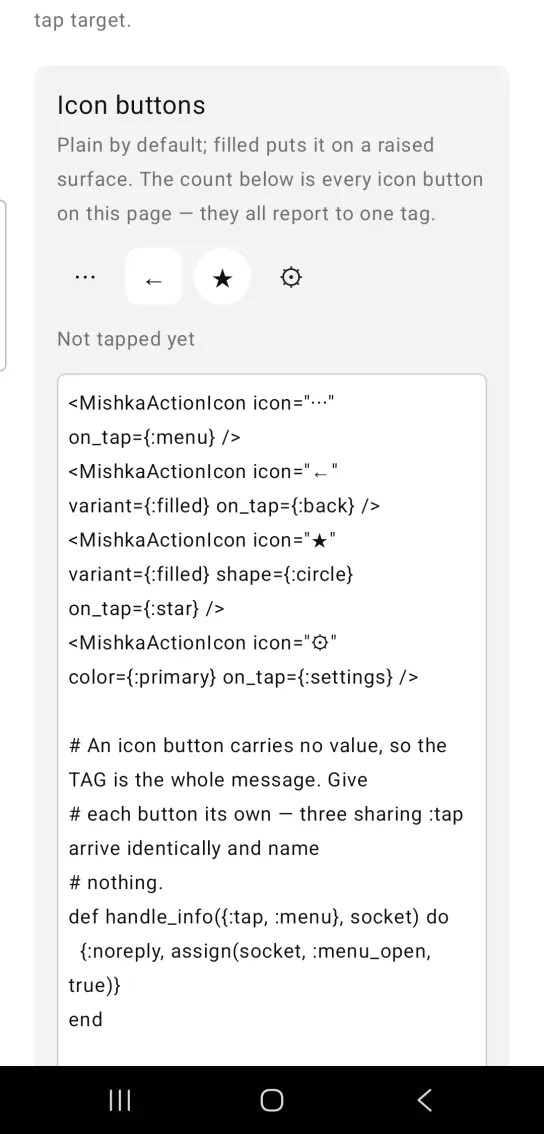
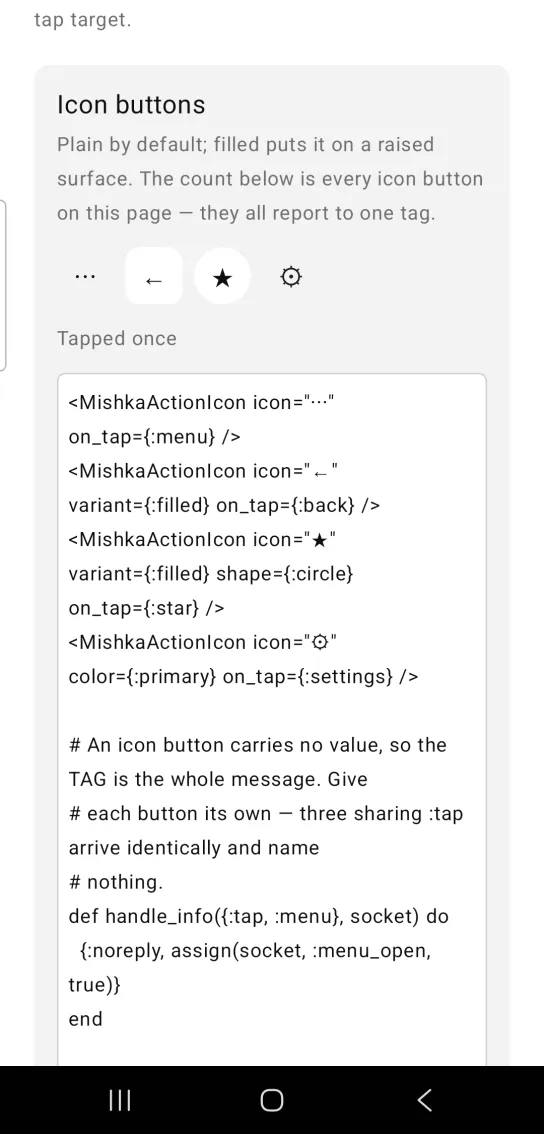
Left: the example as it loads. Right: after a tap. An icon button reports a tap to the screen.
<MishkaActionIcon icon="⋯" on_tap={:menu} />
<MishkaActionIcon icon="←" variant={:filled} on_tap={:back} />
<MishkaActionIcon icon="★" variant={:filled} shape={:circle} on_tap={:star} />
<MishkaActionIcon icon="⚙" color={:primary} on_tap={:settings} />

# An icon button carries no value, so the TAG is the whole message. Give
# each button its own — three sharing :tap arrive identically and name
# nothing.
def handle_info({:tap, :menu}, socket) do
  {:noreply, assign(socket, :menu_open, true)}
end

def handle_info({:tap, :back}, socket), do: {:noreply, Mob.Socket.pop_screen(socket)}

# In a list, put the row's identity in the tag: on_tap={{:delete, item.id}}
# arrives as {:tap, {:delete, 7}}.
def handle_info({:tap, {:delete, id}}, socket) do
  {:noreply, assign(socket, :rows, List.delete(socket.assigns.rows, id))}
endTap targets stay finger-sized
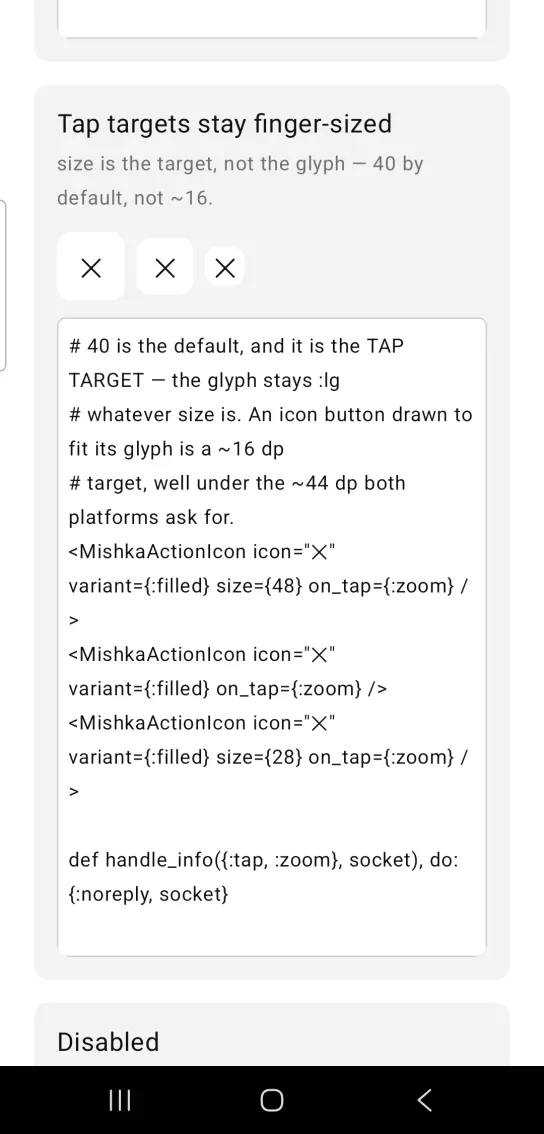
size sets the tap target and leaves the glyph at the :lg text size. The default is 40. The three buttons use 48, the default and 28. The 28 button is below the platform guideline, so use a size like that only when a design needs it.
Tap targets stay finger-sized
# 40 is the default, and it is the TAP TARGET — the glyph stays :lg
# whatever size is. An icon button drawn to fit its glyph is a ~16 dp
# target, well under the ~44 dp both platforms ask for.
<MishkaActionIcon icon="✕" variant={:filled} size={48} on_tap={:zoom} />
<MishkaActionIcon icon="✕" variant={:filled} on_tap={:zoom} />
<MishkaActionIcon icon="✕" variant={:filled} size={28} on_tap={:zoom} />

def handle_info({:tap, :zoom}, socket), do: {:noreply, socket}
Disabled action icon
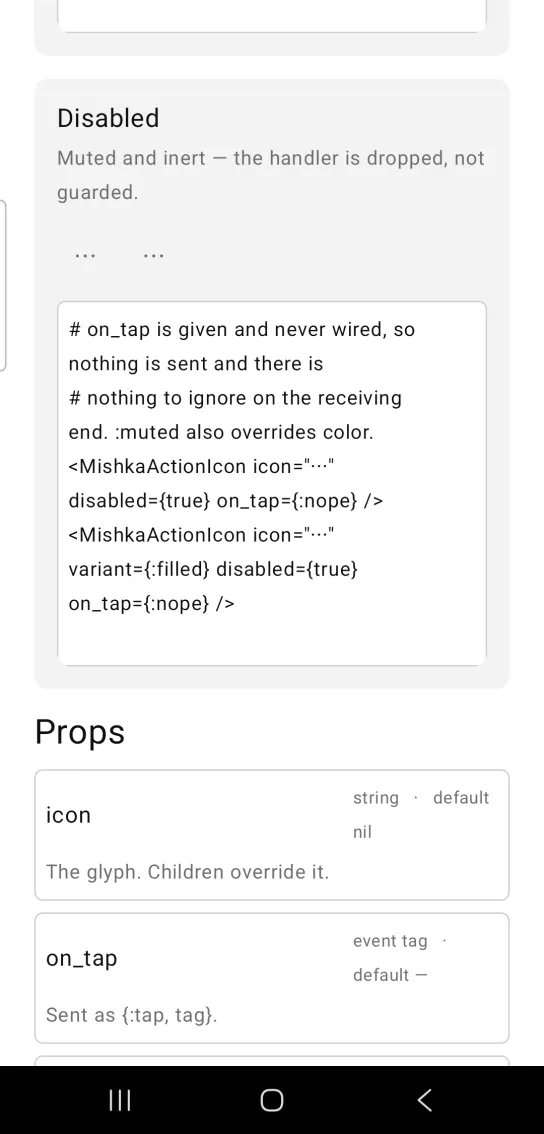
A disabled action icon wires no handler, so the on_tap you pass is never sent and the screen has nothing to ignore. The glyph is muted, and a filled button drops to the :surface fill. :muted also overrides color.
Disabled action icon
# on_tap is given and never wired, so nothing is sent and there is
# nothing to ignore on the receiving end. :muted also overrides color.
<MishkaActionIcon icon="⋯" disabled={true} on_tap={:nope} />
<MishkaActionIcon icon="⋯" variant={:filled} disabled={true} on_tap={:nope} />
Props
| Prop | Type | Default | Description |
|---|---|---|---|
icon | string | nil | The glyph. Children override it. |
on_tap | event tag | none | Sent as {:tap, tag}. |
disabled | boolean | false | Wires no handler, mutes the glyph and drops a :filled fill to :surface. Child nodes are not dimmed. |
size | number | 40 | Tap-target edge, not the glyph size. Keeps the target finger-sized. |
variant | :plain or :filled | :plain | Transparent, or on a raised surface. |
shape | :rounded or :circle | :rounded | :circle uses an exact size / 2 radius. |
color | color token or ARGB integer | :on_surface | Glyph color. |
background | color token or ARGB integer | :surface_raised | Fill when variant is :filled. Ignored for :plain. |
shadow | string | nil | Drop shadow on the tap target, as dx dy blur spread #AARRGGBB. Separate layers with a vertical bar. |
border_color | color token or ARGB integer | nil | Hairline color. Nothing draws unless you set it. |
border_width | number (dp) | 1 | Read only when border_color is set. |
Events
Your screen receives {:tap, tag} in handle_info/2 when the user taps the button. The tag can be any term, so a tuple such as {:delete, 7} carries the identity of a list row. Handle each tag in its own clause:
def handle_info({:tap, :back}, socket), do: {:noreply, Mob.Socket.pop_screen(socket)}

def handle_info({:tap, {:delete, id}}, socket) do
  {:noreply, assign(socket, :rows, List.delete(socket.assigns.rows, id))}
end
Differences from the web component
labelis not ported. On the web it becomes anaria-label, and Mob exposes no accessible name on a box.type(submitorreset) is not ported, because it is form plumbing.
Attributes
| Name | Type | Default | Values | Required | Description |
|---|---|---|---|---|---|
icon
|
string
| — | — | No | The glyph. Children override it. |
on_tap
|
event tag (atom)
| — | — | No | Sent as `{:tap, tag}`. |
disabled
|
boolean
|
false
| — | No | Wires no handler, mutes the glyph and drops a `:filled` fill to `:surface`. |
size
|
number
|
40
| — | No | Tap-target edge, not the glyph size. |
variant
|
:plain :filled
|
:plain
| — | No | Transparent, or on a raised surface. |
shape
|
:rounded :circle
|
:rounded
| — | No | `:circle` uses an exact `size / 2` radius. |
color
|
color token / ARGB int
|
:on_surface
| — | No | Glyph colour. |
background
|
color token / ARGB int
|
:surface_raised
| — | No | Fill when `variant: :filled`. |
shadow
|
string
| — | — | No | Drop shadow on the tap target. See below. |
border_color
|
color token / ARGB int
| — | — | No | Hairline colour. Nothing draws unless you set it. |
border_width
|
number (dp)
|
1
| — | No | Read only when `border_color` is set. |
Options
Each option takes one or more of its values, separated by commas.
| Option | Values |
|---|---|
--type
|
action_icon
|
--module
| A module name of your own |
What it generates
mix mishka.ui.gen.mob action_icon