Mark
v0.0.10
The Mishka Chelekom Mob Mark component highlights a piece of text on iOS and Android. It is the native equivalent of the HTML <mark> element and the native port of the headless Mark. It runs on Mob.
Overview of the Mob Mark component for iOS and Android
A Text node cannot carry a background of its own, so a mark is a Text inside a tinted Box. You write it as a <MishkaMark> tag with the text to highlight. Mob Highlight builds on it, and keeping it in one module gives the whole app one highlight color.
The Box sets fill_width={false}, so the mark is as wide as its text. A Box given neither width nor fill_width fills its parent, and the mark would become a full-width bar instead of a highlighted word.
The default colors are explicit ARGB values, not theme tokens: an amber fill, 0xFFFDE68A, with dark ink, 0xFF111827. A highlight has to stay readable against itself, and a light fill with dark text does that in a light or a dark theme. A :surface and :on_surface pair flips with the theme and can end up light on light. The module exposes default_fill/0 and default_ink/0 so other components can match these colors.
Mark has no state and sends no events.
Generate the mark component
Run this from your Mob app's root to add the component to lib/<app>/components/:
mix mishka.ui.gen.mob markThe generator registers the tag, so you can use it in ~MOB markup. The examples on this page use the mishka_ prefix of the showcase app (--module-prefix mishka_), so the tag is <MishkaMark>. Without a prefix, the tag is <Mark>.
Highlighted text
The mark is as wide as its text, so it hugs the word instead of filling the line.
Highlighted text
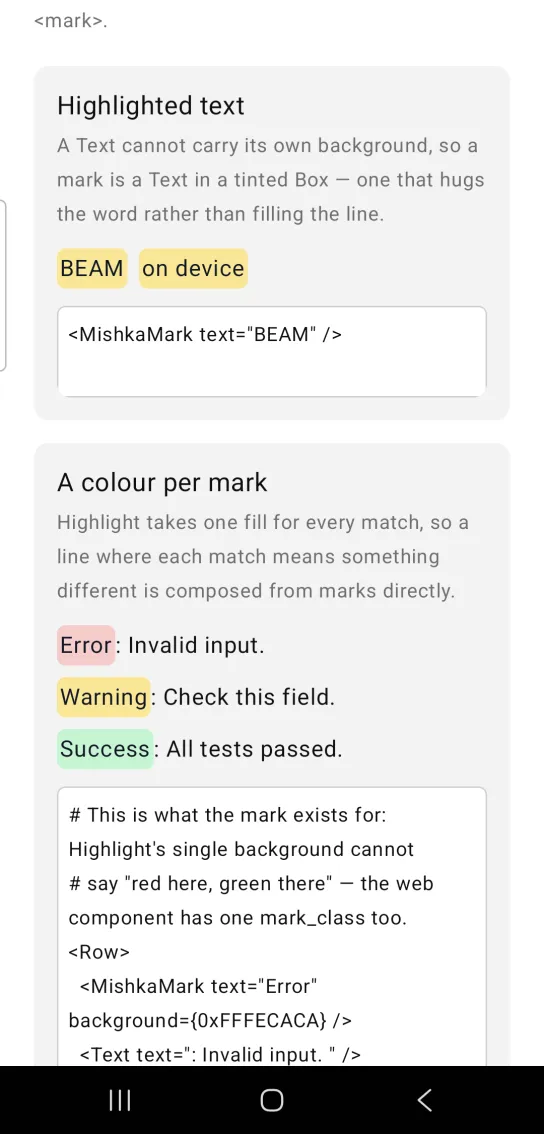
<MishkaMark text="BEAM" />A color per mark
Highlight applies one fill to every match. When each match means something different, build the line from marks and Text nodes directly.
A color per mark
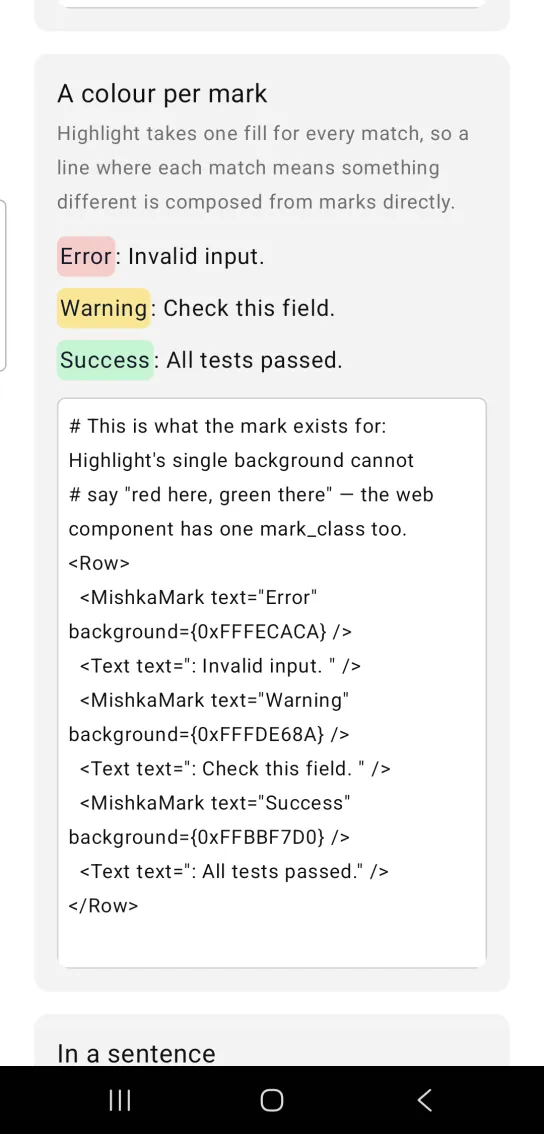
# This is what the mark exists for: Highlight's single background cannot
# say "red here, green there" — the web component has one mark_class too.
<Row>
  <MishkaMark text="Error" background={0xFFFECACA} />
  <Text text=": Invalid input. " />
  <MishkaMark text="Warning" background={0xFFFDE68A} />
  <Text text=": Check this field. " />
  <MishkaMark text="Success" background={0xFFBBF7D0} />
  <Text text=": All tests passed." />
</Row>
Mark in a sentence
A mark sits inline beside ordinary text.
Mark in a sentence
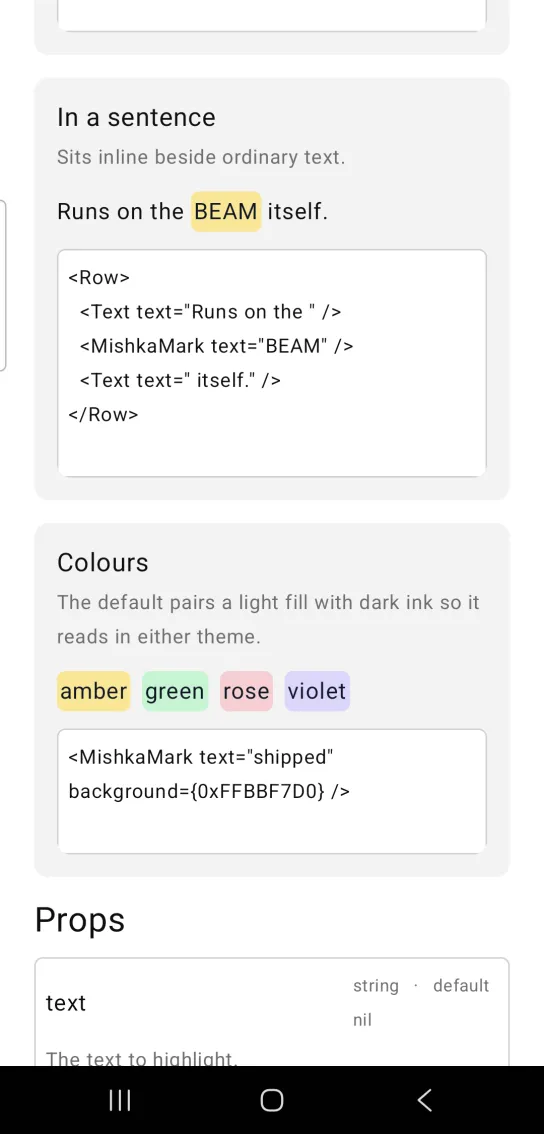
<Row>
  <Text text="Runs on the " />
  <MishkaMark text="BEAM" />
  <Text text=" itself." />
</Row>
Mark colors
The default pairs a light fill with dark ink, so it reads in either theme. Set background to change the fill.
Mark colors
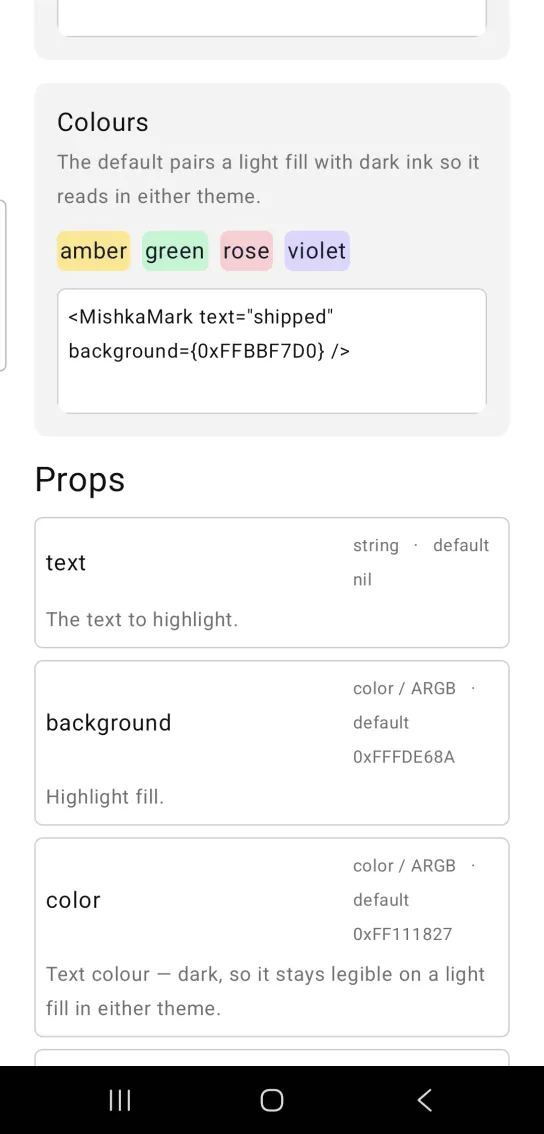
<MishkaMark text="shipped" background={0xFFBBF7D0} />Props
Props of the <MishkaMark> tag.
| Prop | Type | Default | Description |
|---|---|---|---|
text | string | nil | The text to highlight. |
background | color / ARGB | 0xFFFDE68A (amber) | Highlight fill. |
color | color / ARGB | 0xFF111827 | Text color. It is dark, so it stays readable on a light fill in either theme. |
text_size | size token | :base | Text size. |
Attributes
| Name | Type | Default | Values | Required | Description |
|---|---|---|---|---|---|
text
|
string
| — | — | No | The text to highlight. |
background
|
color token / ARGB int
|
0xFFFDE68A (amber)
| — | No | Highlight fill. |
color
|
color token / ARGB int
|
0xFF111827
| — | No | Text colour — dark, so it stays legible on a light highlight in either theme. |
text_size
|
size token
|
:base
| — | No | Text size. |
Options
Each option takes one or more of its values, separated by commas.
| Option | Values |
|---|---|
--type
|
mark
|
--module
| A module name of your own |
What it generates
mix mishka.ui.gen.mob mark