Pill
v0.0.10
The Mishka Chelekom Mob Pill is a compact label for iOS and Android with an optional remove button, such as a tag, a token or a filter the user can dismiss. It is the native port of the headless Pill, built for Mob, which drives Jetpack Compose and SwiftUI from Elixir.
Overview of the Mob Pill component for iOS and Android
MishkaPill renders a label inside a rounded box. Set with_remove and it adds a ✕ after the label. The ✕ is its own tap target with its own handler, so a tap on the label and a tap on the ✕ are different events. The pill body can stay inert while only the ✕ responds, which is the usual behavior for a token in an input.
A pill is removed and a chip is selected. If you give a pill a checked state, use the Mob Chip instead.
The pill holds no state. The screen keeps the list of tokens, renders one pill for each, and removes an item in handle_info/2 when the ✕ is tapped. Children replace label and are laid out in a row.
Generate the pill component
Run this from your Mob app's root to add the component to lib/<app>/components/:
mix mishka.ui.gen.mob pillThe generator registers the <Pill> tag so you can use it in ~MOB markup. It also copies the shared Event support module that the component uses. The examples on this page use the mishka_ prefix of the showcase app (--module-prefix mishka_), so the tag is <MishkaPill>. Without a prefix the tag is <Pill>.
Pills inside inputs
A Row does not wrap, and Mob reports no geometry back to your screen, so nothing can ask how many pills fit. The screen chunks the tokens into rows of a declared size, here three, and stacks the rows in a Column. Each ✕ carries its own id in the tag, so one handle_info/2 clause covers every token. A bare {:drop} on all ten would arrive the same way for each and name none of them. Three pills have to fit the narrowest phone, so these tokens are compact: text_size={:sm} and remove_gap={6}. At the default size three pills would need about 274dp, which is more than a 360dp phone leaves inside the box. The compact pills are about 77dp each, so the row is about 247dp. See A row of pills needs a budget below. The card in the screenshot adds a bordered box around the tokens and a button that brings them back.
Pills inside inputs
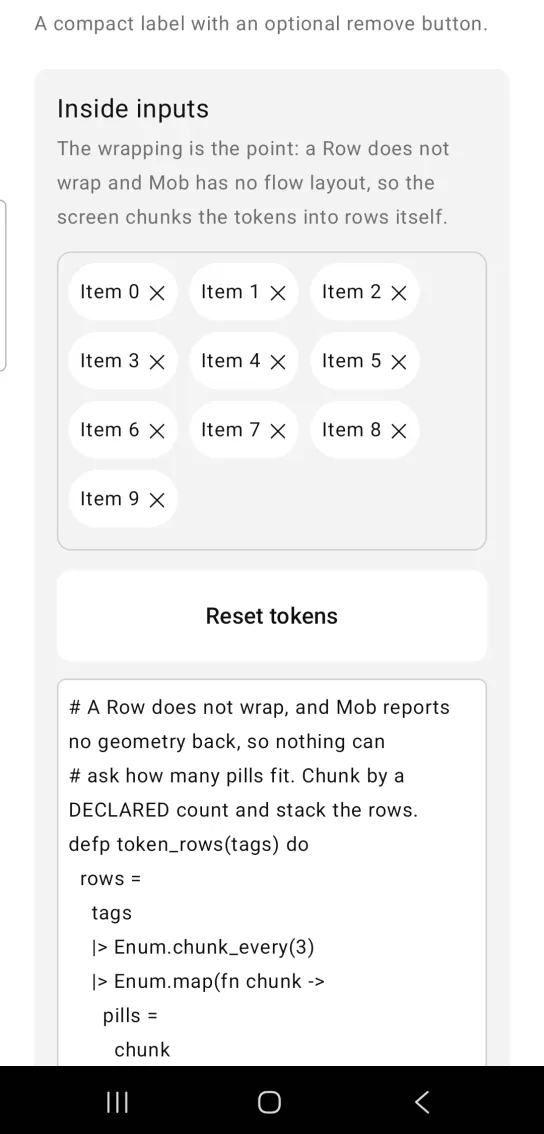
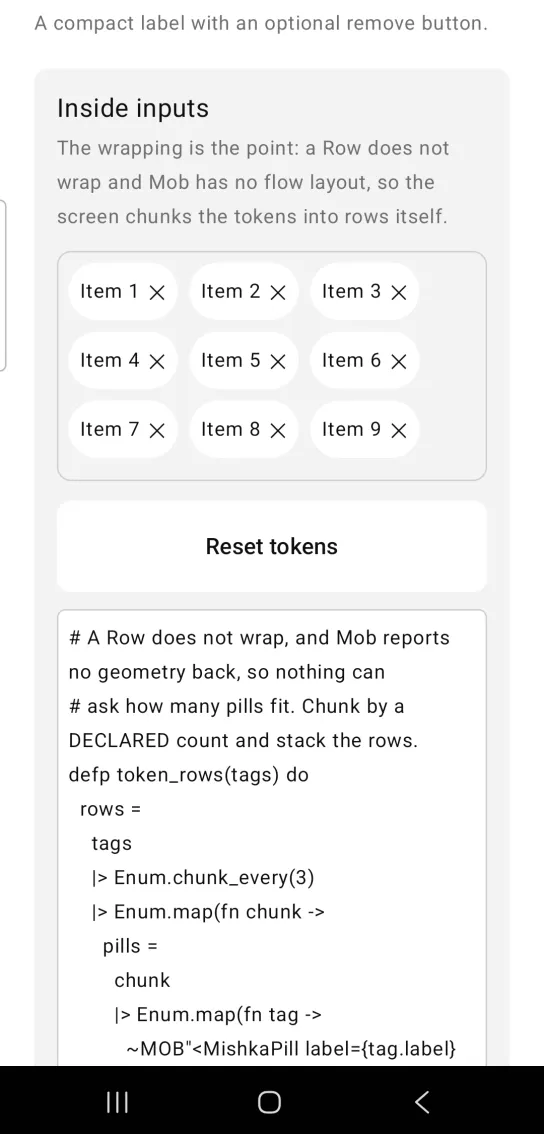
Left: the example as it loads. Right: after a tap. Each token's close mark removes it.
# A Row does not wrap, and Mob reports no geometry back, so nothing can
# ask how many pills fit. Chunk by a DECLARED count and stack the rows.
defp token_rows(tags) do
  rows =
    tags
    |> Enum.chunk_every(3)
    |> Enum.map(fn chunk ->
      pills =
        chunk
        |> Enum.map(fn tag ->
          ~MOB"<MishkaPill label={tag.label} text_size={:sm} remove_gap={6} with_remove={true} on_remove={{:drop, tag.id}} />"
        end)
        |> Enum.intersperse(~MOB(<Spacer size={8} />))

      ~MOB"<Column fill_width={true}><Row>{pills}</Row><Spacer size={8} /></Column>"
    end)

  ~MOB"<Column fill_width={true}>{rows}</Column>"
end

# Each ✕ carries its own id, so one handler covers every token — a bare
# {:drop} on all ten would arrive identically and name nothing.
def handle_info({:tap, {:drop, id}}, socket) do
  {:noreply, assign(socket, :tags, List.delete(socket.assigns.tags, id))}
endTappable pill
on_tap makes the pill body a target of its own. The screen stores the pick and draws the chosen pill with a :primary background, so the color change shows that the tap reached the screen. Add on_remove as well and the body and the ✕ arrive as separate events from separate targets, so one pill can select and dismiss.
Tappable pill
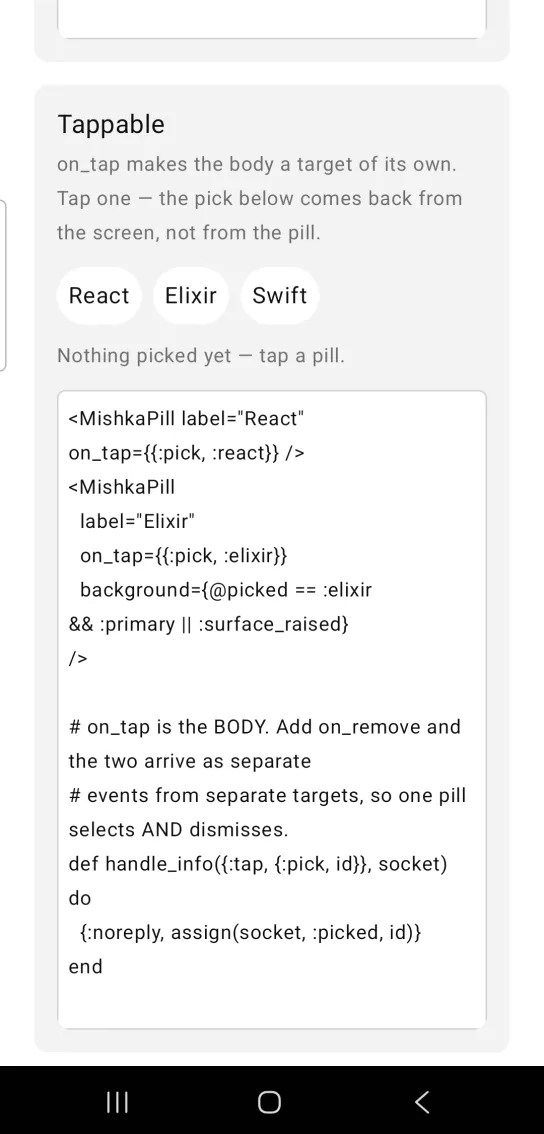
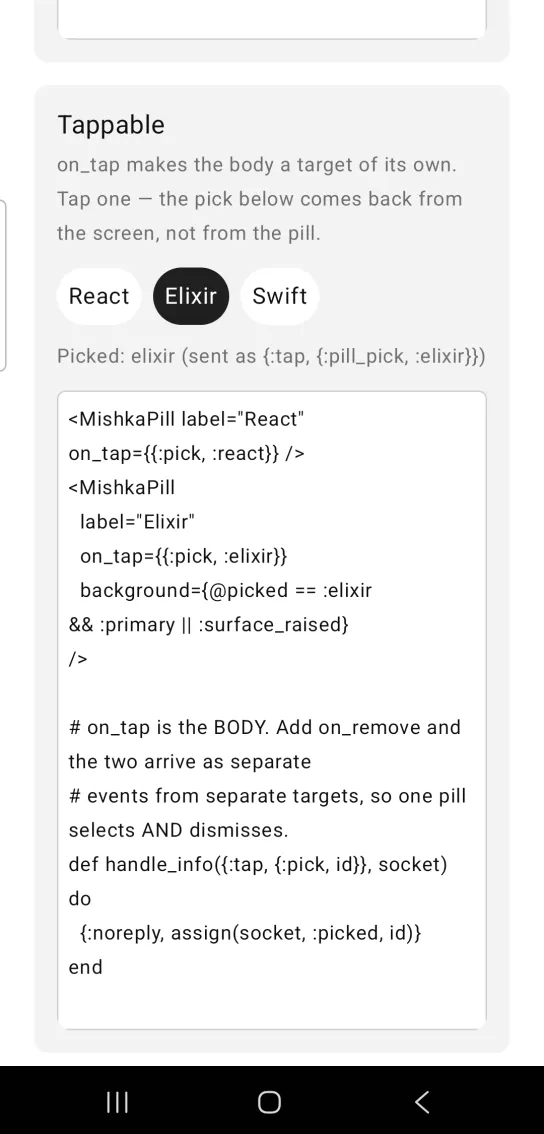
Left: the example as it loads. Right: after a tap. A tap on the pill body is a separate event from the remove mark.
<MishkaPill label="React" on_tap={{:pick, :react}} />
<MishkaPill
  label="Elixir"
  on_tap={{:pick, :elixir}}
  background={@picked == :elixir && :primary || :surface_raised}
/>

# on_tap is the BODY. Add on_remove and the two arrive as separate
# events from separate targets, so one pill selects AND dismisses.
def handle_info({:tap, {:pick, id}}, socket) do
  {:noreply, assign(socket, :picked, id)}
end
Plain pill
Without with_remove, a pill is a label as wide as its text plus padding. The card in the screenshot also shows a third pill labeled beta.
Plain pill
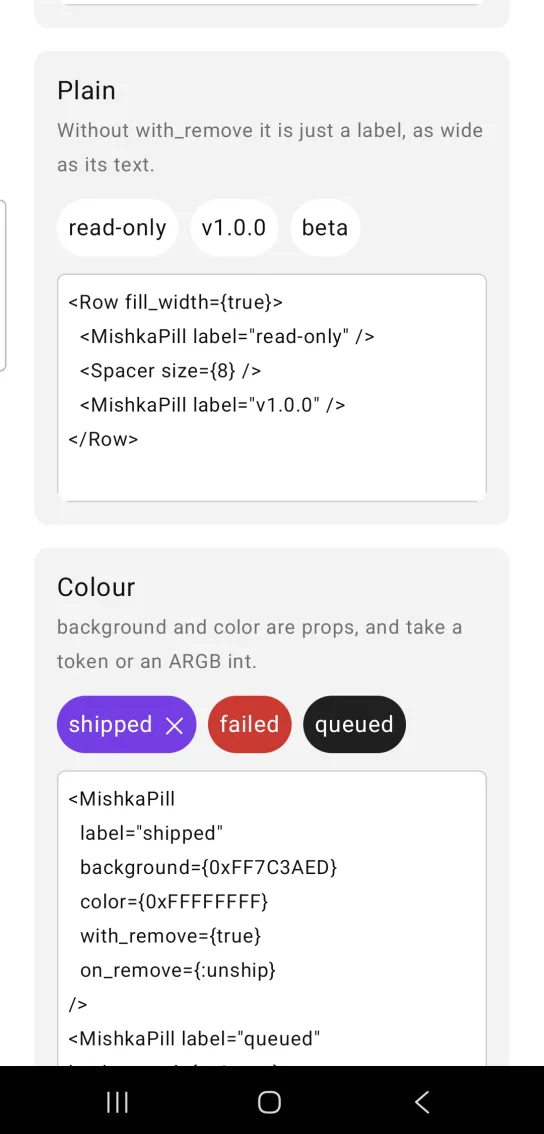
<Row fill_width={true}>
  <MishkaPill label="read-only" />
  <Spacer size={8} />
  <MishkaPill label="v1.0.0" />
</Row>
Pill color
background and color are props. Each takes a theme token or an ARGB integer. The card in the screenshot also shows a red pill.
Pill color
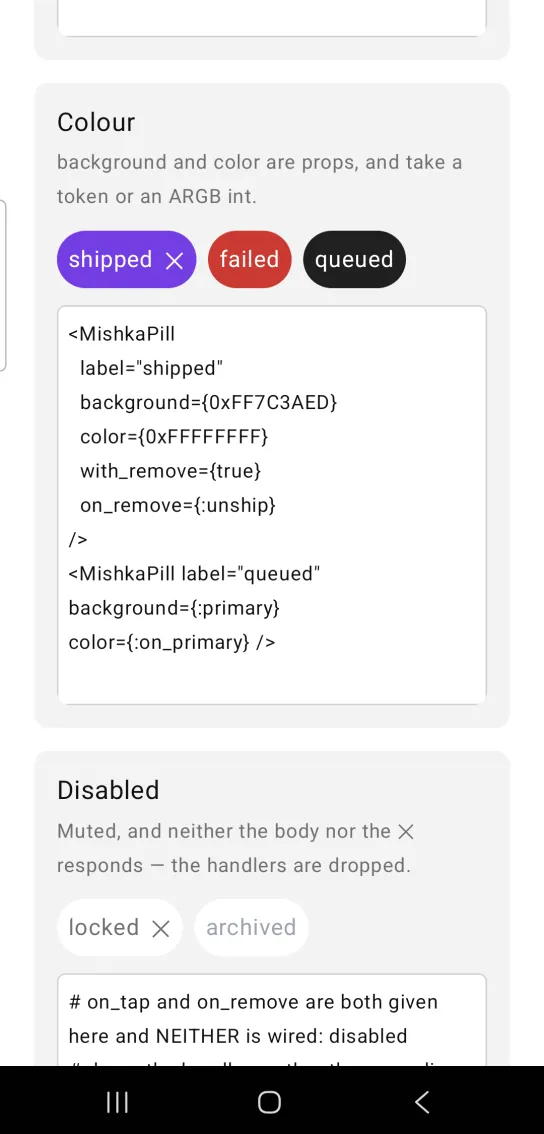
<MishkaPill
  label="shipped"
  background={0xFF7C3AED}
  color={0xFFFFFFFF}
  with_remove={true}
  on_remove={:unship}
/>
<MishkaPill label="queued" background={:primary} color={:on_primary} />
Disabled pill
disabled mutes the pill, and neither the body nor the ✕ responds. The handlers are dropped, so no event is sent at all. The card in the screenshot also shows a second disabled pill with its own disabled_color.
Disabled pill
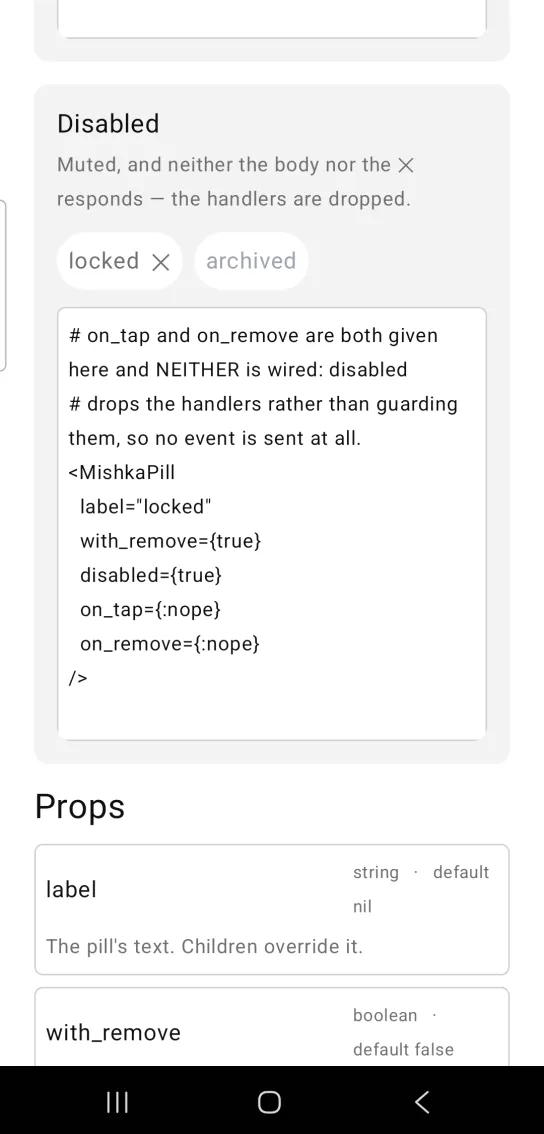
# on_tap and on_remove are both given here and NEITHER is wired: disabled
# drops the handlers rather than guarding them, so no event is sent at all.
<MishkaPill
  label="locked"
  with_remove={true}
  disabled={true}
  on_tap={:nope}
  on_remove={:nope}
/>
Sizing, wrapping and outline pills
Size and padding
A pill hugs its label. Its root box passes fill_width={false}, so the pill is as wide as its text plus padding, which lets several pills sit in one row. Pass fill_width={true} for a pill that spans its container.
The bridge applies padding before width and height, so they measure the box inside the padding. height: 30, padding: 8 is 46 tall on screen. To pin the outer size, pair the two, as in height: 14, padding: 8, or drop the padding on the axis you pin. width and height need numbers. A token such as :space_md reaches the bridge unresolved and is ignored.
text_size and remove_size accept a token such as :sm or a number in sp. Only the token form is multiplied by the theme's type_scale, so a number stays put when the user scales their type.
A row of pills needs a budget
Because a pill hugs its label, it is as wide as its content and cannot be narrower. A Row measures its children in order, each against what the previous ones left. When the pills in a row add up to more than the row, the last pill gets less than it needs, and inside it the last thing measured is the ✕. The label has already taken its width, so the glyph is squeezed and clipped sideways while the first pills in the row look fine.
Nothing in a Row wraps and Mob reports no geometry back, so the pill cannot notice and you have to budget. A pill is twice its padding, plus the label, plus remove_gap, plus the ✕ wide. At the default 16sp, "Item 0" with a ✕ is about 86dp. Declare the number of pills per row from the narrowest phone you support (360dp, less the page and card padding around the row). Shrink text_size, remove_gap or padding before you add a pill to a row that is already tight.
Label lines
The label is capped at one line. A Compose text squeezed narrower than its content wraps character by character, so a pill that does not quite fit its row would render as a vertical stack of letters. Raise max_lines for a pill that holds a note, or pass :none to lift the cap. A wrapping label needs room to wrap in, so pair it with fill_width={true} or a width.
pill(%{label: note, max_lines: 3, line_height: 1.4, fill_width: true})Outline pill
background: :none leaves the fill off the box, so the border is the whole pill:
<MishkaPill label="Draft" background={:none} border_color={:border} border_width={1} />Use :none, because :transparent is still a background and a theme with glass: true would fill the pill with a glass material. A nil background gives the default fill.
Leading content
leading puts content before the label. It takes a string, a node or a list of nodes. A string is drawn in the pill's color and text_size and follows font_weight, so a leading glyph matches its label. leading_gap sets the space between the two. Without leading, nothing is added to the pill.
pill(label: "Live", leading: dot_node, leading_gap: 6)Notes with an icon
The content row centers its children on the cross axis. For a pill that holds a paragraph, set content_align={:top} to keep an icon on the first line. Set content_fill_width={true} so the row spans the pill and a child's weight has room to share out. It only makes sense on a pill that is full width, so pass fill_width={true} with it.
pill(%{fill_width: true, content_align: :top, content_fill_width: true},
     [icon_node, paragraph_node])
Shadows
shadow rides on the root box for the bridge to read, in CSS box-shadow order: "dx dy blur spread #AARRGGBB", with further layers after a pipe. A bridge without shadow support ignores the prop.
Props
| Prop | Type | Default | Description |
|---|---|---|---|
label | string | nil | The pill's text. Children replace it. |
with_remove | boolean | false | Renders the trailing ✕. |
on_remove | event tag | None | Sent as {:tap, tag} when the ✕ is tapped. |
on_tap | event tag | None | Makes the pill body tappable, separately from the ✕. |
disabled | boolean | false | Mutes the pill and wires no handlers, including the ✕. |
background | color token or ARGB integer or :none | :surface_raised | Pill fill. :none paints no fill. See Outline pill. |
color | color token or ARGB integer | :on_surface | Label color. |
disabled_color | color token or ARGB integer | :muted | Label color while disabled. |
corner_radius | radius token or number | :radius_pill | Corner rounding. |
padding | spacing token or number | :space_sm | Padding on all four sides. |
padding_top, padding_right, padding_bottom and padding_left | spacing token or number | Not set | One edge. Overrides padding on that side only. |
width | number | Not set | Exact width. Unset, the pill hugs its label. |
height | number | Not set | Exact height. Unset, the pill hugs its label. |
fill_width | boolean | false | Spans the parent instead of hugging the label. |
align | :center, :leading, :trailing and other alignments | Not set, top leading | Where the content sits when width or height leaves it room. |
border_color | color token or ARGB integer | Not set | Outline color. It draws only together with border_width. |
border_width | number | Not set, no outline | Outline width. |
shadow | shadow spec string | Not set | Passed to the root box. See Shadows. |
text_size | text size token or number | :base | Label size. |
font_weight | :regular, :medium, :semibold, :bold, :light or :thin | Not set, regular | Label weight. The ✕ follows it. |
letter_spacing | number (sp) | Not set | Tracking on the label. |
line_height | number | Not set | Multiplier of text_size. Ignored without a text_size. |
max_lines | integer or :none | 1 | Lines the label may take. :none lifts the cap. |
remove_gap | number | 8 | Space between the label and the ✕. |
remove_size | text size token or number | The value of text_size | The ✕ size, when it should differ from the label. |
leading | string, node or list of nodes | Not set | Content before the label, such as a dot, an icon or a count. |
leading_gap | number | 8 | Space between leading and the label. It reaches the tree only when leading does. |
leading_size | text size token or number | The value of text_size | Size of a string leading, when it should differ from the label. A node ignores it. |
content_align | :top, :center or :bottom | :center | Cross axis alignment inside the content row. |
content_fill_width | boolean | false | Makes the content row span the pill instead of hugging. |
Props marked "Not set" are left off the node entirely and are not passed as nil.
Events
Your screen receives {:tap, tag} in handle_info/2 from both on_remove and on_tap. They come from different targets: on_remove from the ✕ and on_tap from the pill body. A disabled pill wires neither. Give each pill a tuple tag that holds its id, so one clause covers every token:
def handle_info({:tap, {:drop, id}}, socket) do
  {:noreply, assign(socket, :tags, List.delete(socket.assigns.tags, id))}
end

def handle_info({:tap, {:pick, id}}, socket) do
  {:noreply, assign(socket, :picked, id)}
end
Differences from the web component
These attributes of the web component are not ported:
remove_label. It is thearia-labelof the ✕, and Mob exposes no accessible name on a text node.idand the*_classattributes.
Attributes
| Name | Type | Default | Values | Required | Description |
|---|---|---|---|---|---|
label
|
string
| — | — | No | The pill's text. Children override it. |
with_remove
|
boolean
|
false
| — | No | Render the trailing ✕. |
on_remove
|
event tag (atom)
| — | — | No | Sent as `{:tap, tag}` when the ✕ is tapped. |
on_tap
|
event tag (atom)
| — | — | No | Makes the pill body itself tappable. |
disabled
|
boolean
|
false
| — | No | Mutes it and wires no handlers, including the ✕. |
background
|
color token / ARGB int / :none
|
:surface_raised
| — | No | Pill fill. `:none` paints none — see "An outline-only pill". |
color
|
color token / ARGB int
|
:on_surface
| — | No | Label colour. |
disabled_color
|
color token / ARGB int
|
:muted
| — | No | Label colour while disabled. |
corner_radius
|
radius token / number
|
:radius_pill
| — | No | Corner rounding. |
padding
|
spacing token / number
|
:space_sm
| — | No | Inside the pill, all four sides. |
padding_top / padding_right / padding_bottom / padding_left
|
spacing token / number
|
unset
| — | No | One edge, overriding `padding` on that side only. |
width
|
number
|
unset
| — | No | Exact width. Unset, the pill hugs its label. |
height
|
number
|
unset
| — | No | Exact height. Unset, the pill hugs its label. |
fill_width
|
boolean
|
false
| — | No | Span the parent instead of hugging. |
align
|
:center, :leading, :trailing, …
|
unset (top-leading)
| — | No | Where the content sits when `width` / `height` leave it room. |
border_color
|
color token / ARGB int
|
unset
| — | No | Outline colour. Draws only alongside `border_width`. |
border_width
|
number
|
unset (no outline)
| — | No | Outline width. |
shadow
|
shadow spec string
|
unset
| — | No | Passed straight through to the root Box — see "Shadows" below. |
text_size
|
text token / number
|
:base
| — | No | Label size. |
font_weight
|
:regular, :medium, :semibold, :bold, :light, :thin
|
unset (regular)
| — | No | Label weight — and the ✕'s. |
letter_spacing
|
number (sp)
|
unset
| — | No | Tracking on the label. |
line_height
|
number
|
unset
| — | No | Multiplier of `text_size`; ignored without one. |
max_lines
|
integer / :none
|
1
| — | No | Lines the `label` may take. `:none` lifts the cap — see "`max_lines`, and why it defaults to 1". |
remove_gap
|
number
|
8
| — | No | Space between the label and the ✕. |
remove_size
|
text token / number
|
whatever text_size is
| — | No | The ✕'s size, when it should differ from the label's. |
leading
|
string, node, or list of nodes
|
unset (nothing)
| — | No | Content *before* the label — a dot, an icon, a count. See "The leading slot". |
leading_gap
|
number
|
8
| — | No | Space between `leading` and the label. Only reaches the tree when `leading` does. |
leading_size
|
text token / number
|
whatever text_size is
| — | No | A **string** `leading`'s size, when it should differ from the label's. Ignored by a node. |
content_align
|
:top, :center, :bottom
|
:center
| — | No | Cross-axis alignment inside the pill's content row. See "The content row centres". |
content_fill_width
|
boolean
|
false
| — | No | The content row spans the pill instead of hugging. See "A `weight` is read by the row above it". |
Options
Each option takes one or more of its values, separated by commas.
| Option | Values |
|---|---|
--type
|
pill
|
--module
| A module name of your own |
What it generates
mix mishka.ui.gen.mob pill