Overflow list
v0.0.10
mix mishka.ui.gen.mob overflow_list
The Mishka Chelekom Mob Overflow List lays items out on one row on iOS and Android and folds the ones that do not fit into a +N counter. It is the native port of the headless Overflow List, built for Mob, which drives Jetpack Compose and SwiftUI from Elixir.
Overview of the Mob Overflow List component for iOS and Android
The web version watches its container with a ResizeObserver and hides items until they fit. Mob reports no geometry back to render/1, so nothing in your screen can measure a rendered node. MishkaOverflowList therefore takes visible, the number of items to show, and the screen declares it. The children are the items in priority order, so the last ones fold into the counter first.
This costs little in practice, because the useful cases are the ones where you already know the number, such as three tags and a +N, or the last four avatars. split/2 holds the whole policy as a pure function, so a measured count could plug into it unchanged. A screen that sets its own width can also ask fit/3 how many labels that width holds.
The counter is the next badge after the last item shown, the way the web version draws it. It sits in the same row as the items, so there is no gap between them, and it keeps its natural width. Its label carries max_lines: 1, because a text squeezed narrower than its content wraps character by character.
The examples build their items with tag_pills(), a helper that returns one MishkaPill for each tag. The tap-to-reveal example uses rail_pills() instead, which does the same for the short labels Elixir, Beam, OTP, Mob, CLI, Web and API. Run mix mishka.ui.gen.mob pill as well to get the same pills. See the Mob Pill page for its props.
The item at the edge is clipped, not squeezed
visible is a declared count, so it can be more than the row holds. fit/3 is an estimate, so even an honest count can be a few dp optimistic. A plain Row hands the item that straddles the edge whatever width is left, and an item narrower than its content does not clip. A pill's label is cut with an ellipsis, as in "Li…", and its ✕ is squeezed sideways.
The items and the counter therefore sit in a horizontal Scroll, which measures them at their natural width and cuts them at its own edge. The last item you can see is whole up to that edge, and because it is a scroll, you can swipe it and the counter after it into view.
Clipping is a safety net. A half item is still a half item, and a counter past the edge has to be swiped in before it can be tapped. Declare a visible the row can hold, or ask fit/3 for one, which leaves room for the counter.
Generate the overflow list component
Run this from your Mob app's root to add the component to lib/<app>/components/:
mix mishka.ui.gen.mob overflow_listThe generator registers the <OverflowList> tag so you can use it in ~MOB markup. It also copies the shared Event support module that the component uses. The examples on this page use the mishka_ prefix of the showcase app (--module-prefix mishka_), so the tag is <MishkaOverflowList>. Without a prefix the tag is <OverflowList>.
Resizable overflow list
Drag the gray handle at the right edge of the box. A wider box fits more pills, and a narrower one folds them into the +N counter. The component cannot measure, but a screen that set its own width already knows it, and fit/3 turns that width into a count. The handle is a canvas drawn over the box, because only a canvas carries on_drag. It spans the whole width range instead of riding on the edge, so its coordinates stay fixed while the box resizes. A touch that starts inside the box lands on a pill and is ignored.
Resizable overflow list
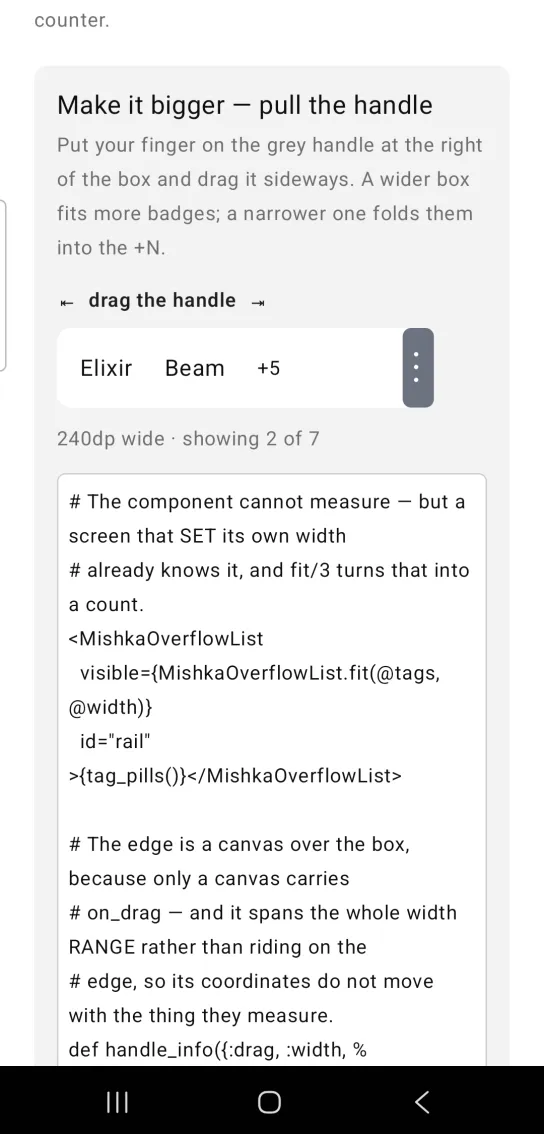
# The component cannot measure — but a screen that SET its own width
# already knows it, and fit/3 turns that into a count.
<MishkaOverflowList
  visible={MishkaOverflowList.fit(@tags, @width)}
  id="rail"
>{tag_pills()}</MishkaOverflowList>

# The edge is a canvas over the box, because only a canvas carries
# on_drag — and it spans the whole width RANGE rather than riding on the
# edge, so its coordinates do not move with the thing they measure.
def handle_info({:drag, :width, %{phase: :began, x: x}}, socket) do
  # At or right of the edge grabs the handle; a touch inside the box is
  # a touch on a badge, and is ignored.
  offset = x - socket.assigns.width
  {:noreply, assign(socket, :grab, if(offset >= -16.0, do: offset))}
end

def handle_info({:drag, :width, %{x: x}}, socket) when socket.assigns.grab != nil do
  {:noreply, assign(socket, :width, clamp(x - socket.assigns.grab))}
end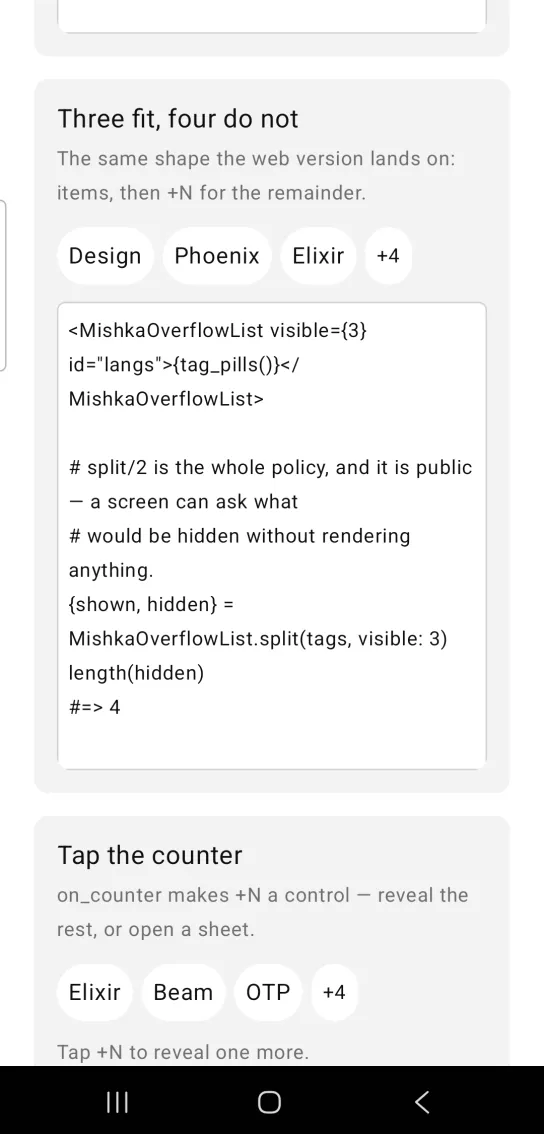
Tap the overflow counter
on_counter turns the +N into a control. Here each tap raises visible by one and reveals another item. Nothing can measure the row, and every tap adds an item, so the labels are the short ones from rail_pills(). With a long label such as LiveView as the fourth item, one tap would reveal an item that does not fit the row. You could also use the counter to open a sheet with the rest. Without on_counter the counter does nothing.
Tap the overflow counter
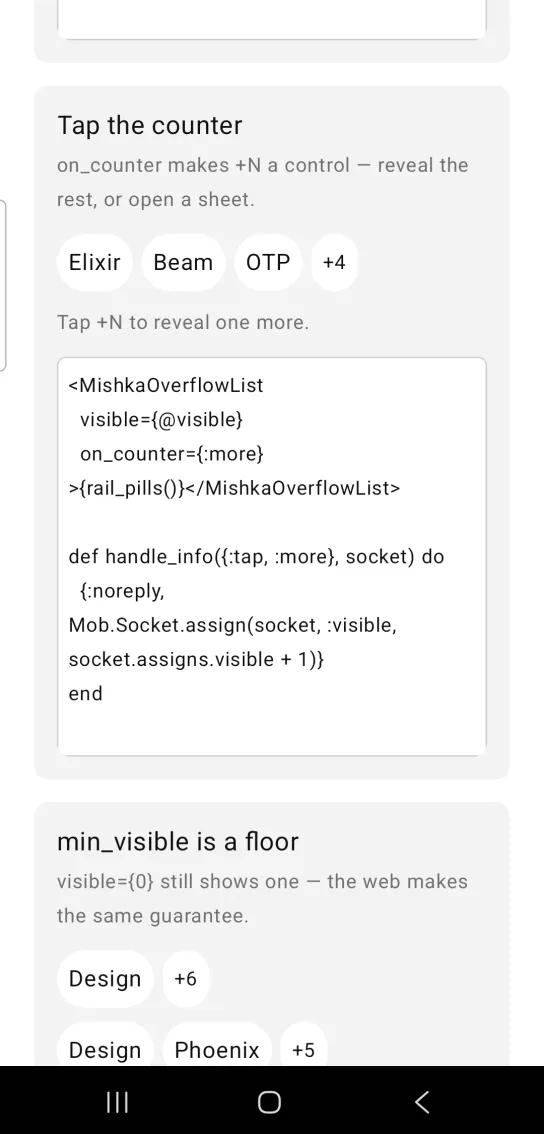
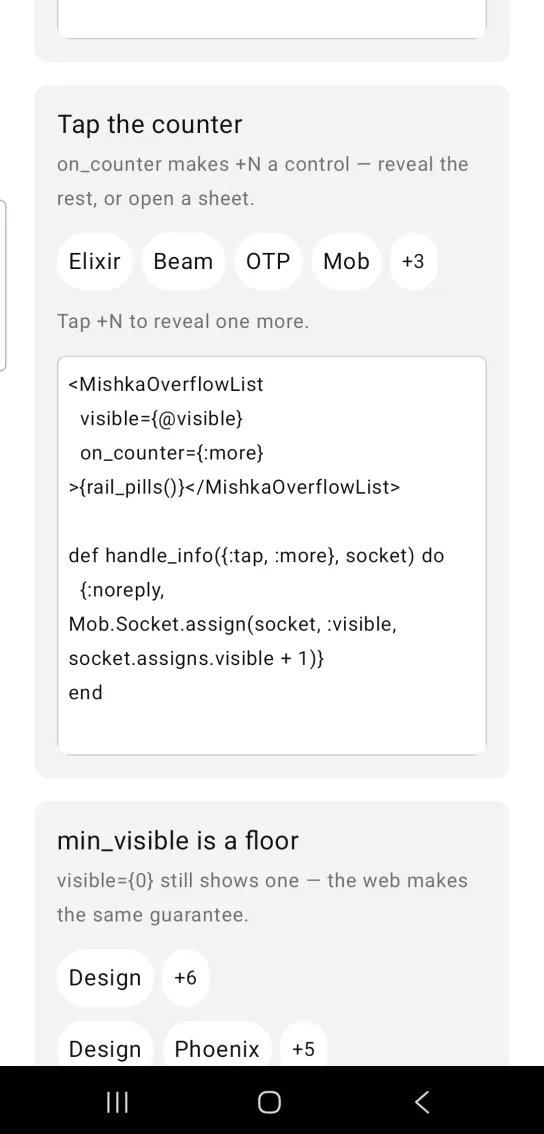
Left: the example as it loads. Right: after a tap. Tapping the counter reveals one more item.
<MishkaOverflowList
  visible={@visible}
  on_counter={:more}
>{rail_pills()}</MishkaOverflowList>

def handle_info({:tap, :more}, socket) do
  {:noreply, Mob.Socket.assign(socket, :visible, socket.assigns.visible + 1)}
end
Minimum visible items
min_visible is a floor. visible={0} still shows one item, because min_visible defaults to 1, and the web version makes the same guarantee. Raise min_visible to keep more items on screen. The card in the screenshot shows both lists, the default floor first and min_visible={2} second.
Minimum visible items
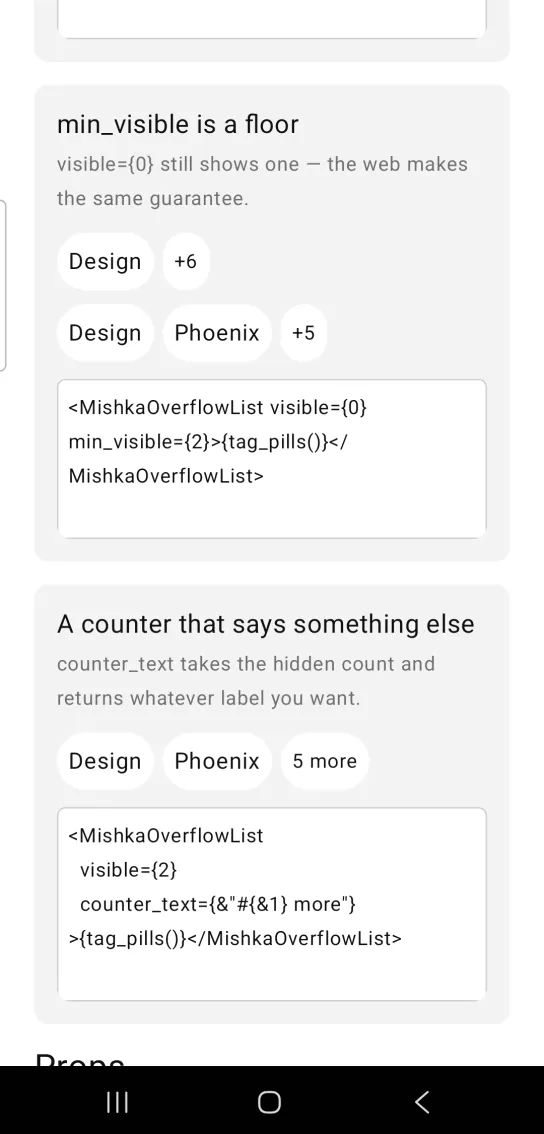
<MishkaOverflowList visible={0} min_visible={2}>{tag_pills()}</MishkaOverflowList>Custom overflow counter text
counter_text takes the hidden count and returns the label you want. A function such as &"#{&1} more" turns the +N into 5 more.
Custom overflow counter text
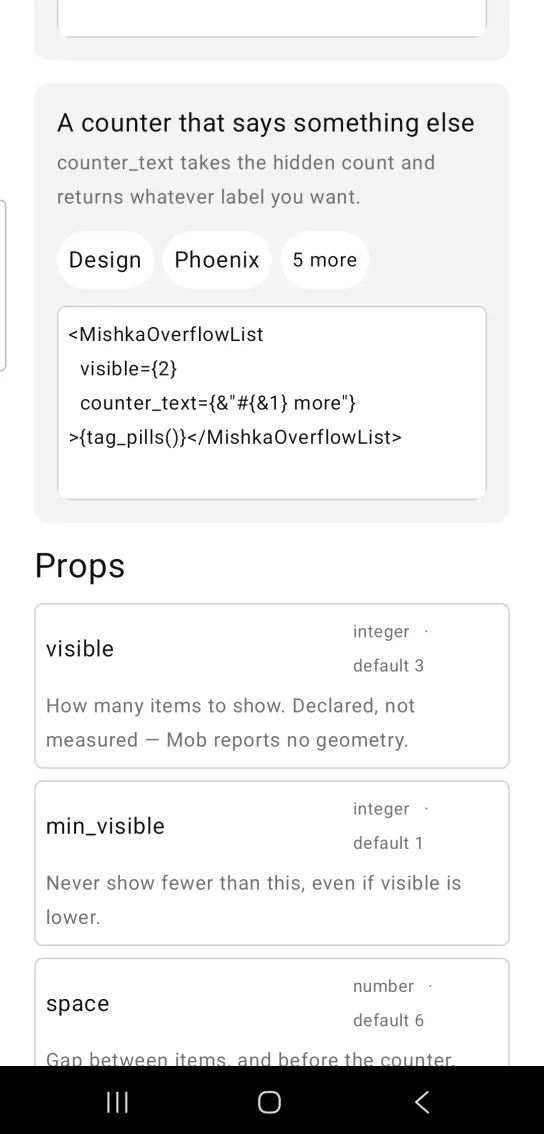
<MishkaOverflowList
  visible={2}
  counter_text={&"#{&1} more"}
>{tag_pills()}</MishkaOverflowList>
Props
| Prop | Type | Default | Description |
|---|---|---|---|
visible | integer | 3 | How many items to show. You declare it, because Mob reports no geometry. |
min_visible | integer | 1 | Never show fewer items than this, even if visible is lower. |
space | number | 6 | Gap between items, and before the counter. |
counter_text | function or string | +N | The counter's label. A function of arity 1 receives the hidden count and returns the label. |
on_counter | event tag | None | Sent as {:tap, tag} when the counter is tapped. Without it the counter is inert. |
id | string | nil | A test tag. The items get <id>-item-<n> and the counter gets <id>-counter. |
The children are the items, in priority order.
Helper functions
| Function | Description |
|---|---|
fit(labels, width, opts) | Returns how many of labels fit across width dp, leaving room for the counter. It is the stand-in for a ResizeObserver when the screen knows its own width. The estimate is about 7.6 dp for each character, plus 24 dp of padding for each pill and the gap between items. The options are :space (default 6) and :counter_width (default 46). It never returns less than 1. |
split(items, props) | Returns {shown, hidden}. min_visible wins over visible, so the whole list cannot collapse. split([1, 2, 3, 4, 5], %{visible: 2}) returns {[1, 2], [3, 4, 5]}. |
item_id(id, n) | The test tag on the nth shown item, counting from 1. item_id("langs", 2) returns "langs-item-2". |
counter_id(id) | The test tag on the counter. counter_id("langs") returns "langs-counter". |
Events
When the user taps the counter, your screen receives {:tap, tag} in handle_info/2, with the tag you set in on_counter:
def handle_info({:tap, :more}, socket) do
  {:noreply, Mob.Socket.assign(socket, :visible, socket.assigns.visible + 1)}
end
The first example also receives {:drag, :width, payload} messages. They come from the canvas that draws the handle, and the overflow list does not send them.
Differences from the web component
These attributes of the web component are not ported:
on_change. The web version pushes the hidden count to the server on every resize. There is no resize here to push, andsplit/2already hands the hidden list to your screen.- The
*_classattributes.
Attributes
| Name | Type | Default | Values | Required | Description |
|---|---|---|---|---|---|
visible
|
integer
|
3
| — | No | How many items to show. |
min_visible
|
integer
|
1
| — | No | Never show fewer than this, even if `visible` is lower. |
space
|
number
|
6
| — | No | Gap between items. |
counter_text
|
function
|
&"+\#{&1}"
| — | No | Renders the counter's label from the hidden count. |
on_counter
|
event tag (atom)
| — | — | No | `{:tap, tag}` on the counter — open a sheet with the rest. |
id
|
string
| — | — | No | Test tag; items get `<id>-item-<n>`, the counter `<id>-counter`. |
Options
Each option takes one or more of its values, separated by commas.
| Option | Values |
|---|---|
--type
|
overflow_list
|
--module
| A module name of your own |
What it generates
mix mishka.ui.gen.mob overflow_list