Accordion
v0.0.10
The Mishka Chelekom Mob Accordion is a stack of disclosure items for iOS and Android. Tapping an item header opens or closes its panel. It is the native port of the headless Accordion and runs on Mob, which draws it with Jetpack Compose on Android and SwiftUI on iOS.
Overview of the Mob Accordion component for iOS and Android
Accordion is a pure Elixir Mob composite. You write it as a <MishkaAccordion> tag, and at render time it expands into Mob's built-in Box, Row, Column and Text widgets. It ships no Swift or Kotlin code.
The items are the tag's children. Each one is a <MishkaAccordionItem> with an id and a title, and its own children are the panel body. An item without an id uses its 0-based position.
The screen owns the state. A composite is a pure function of its props, so you keep the open set in your assigns and pass it back in as open. When someone taps a header, a message arrives in handle_info/2. Call MishkaAccordion.toggle/3 to get the next open set. It applies the multiple and collapsible rules, so every screen behaves the same way.
Each header shows the title on the leading edge and a chevron on the trailing edge: ▸ when the item is closed and ▾ when it is open. The header is a tappable Box instead of a Button, because a Material Button on Android centers its label.
Generate the accordion component
Run this from your Mob app's root to add the component to lib/<app>/components/:
mix mishka.ui.gen.mob accordionThe generator registers the component's tag, so you can use it in ~MOB markup. The examples on this page use the mishka_ prefix of the showcase app (--module-prefix mishka_), so the tag is <MishkaAccordion>. Without a prefix the tag is <Accordion>.
Open one panel at a time
By default, opening a panel closes the others. The screen keeps the open set in its assigns, and toggle/3 returns the next set after each tap.
Open one panel at a time
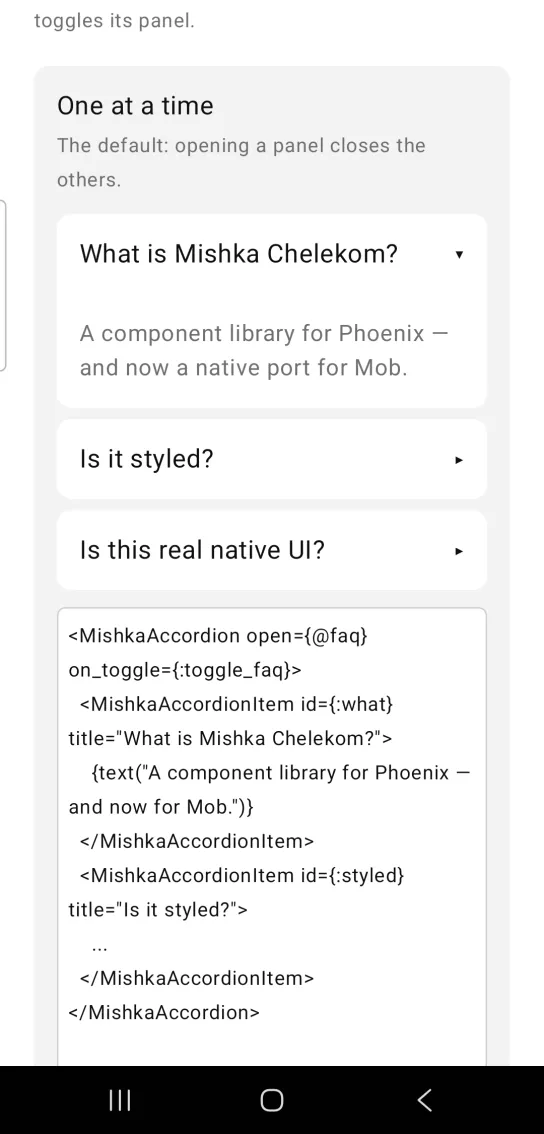
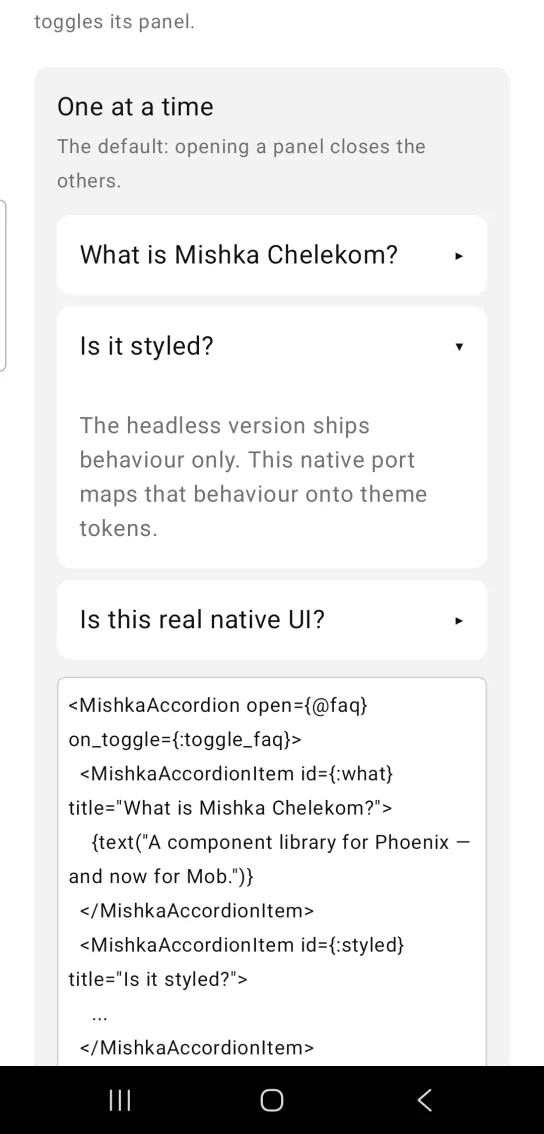
Left: the example as it loads. Right: after a tap. Opening one panel closes the one that was open.
<MishkaAccordion open={@faq} on_toggle={:toggle_faq}>
  <MishkaAccordionItem id={:what} title="What is Mishka Chelekom?">
    {text("A component library for Phoenix — and now for Mob.")}
  </MishkaAccordionItem>
  <MishkaAccordionItem id={:styled} title="Is it styled?">
    ...
  </MishkaAccordionItem>
</MishkaAccordion>

# the screen owns the open set; toggle/3 applies the semantics
def handle_info({:tap, {:toggle_faq, id}}, socket) do
  {:noreply, assign(socket, :faq, MishkaAccordion.toggle(socket.assigns.faq, id))}
end
Open several panels at once
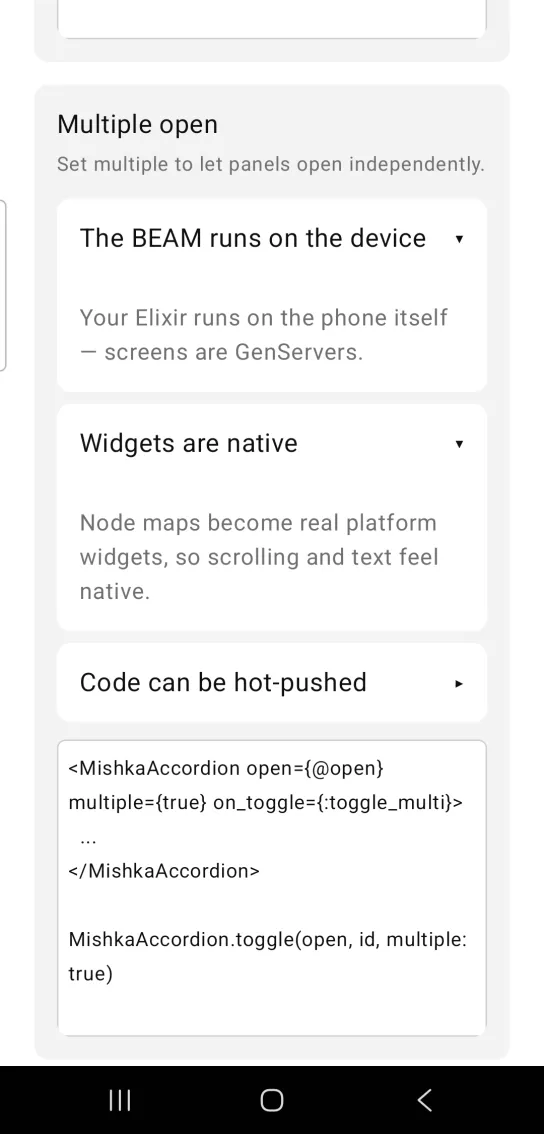
Set multiple={true} to let panels open independently. Pass multiple: true to toggle/3 so the open set follows the same rule.
Open several panels at once
<MishkaAccordion open={@open} multiple={true} on_toggle={:toggle_multi}>
  ...
</MishkaAccordion>

MishkaAccordion.toggle(open, id, multiple: true)
Always keep one panel open
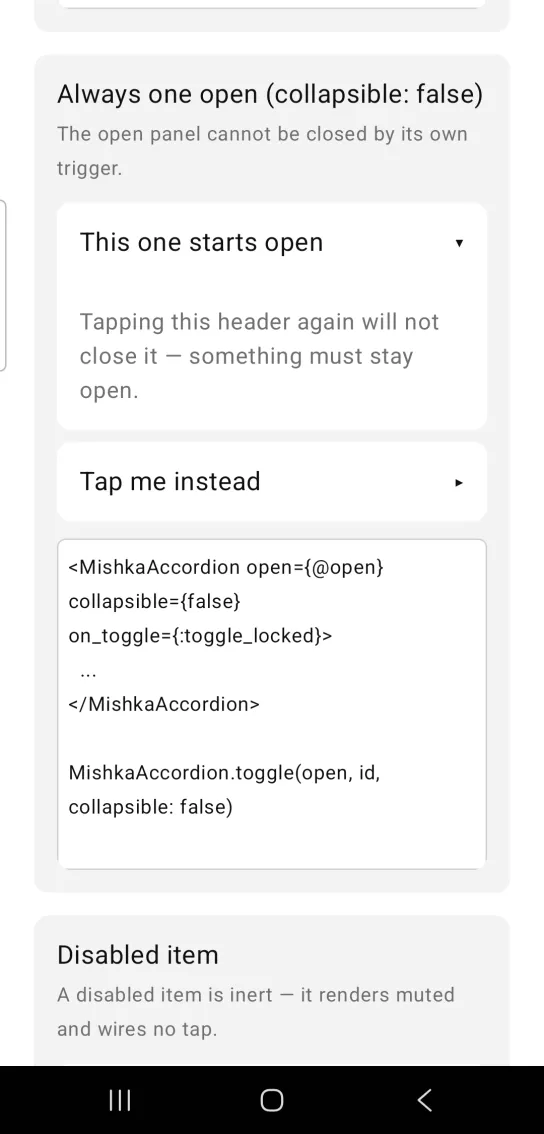
Set collapsible={false} and the open panel cannot be closed by its own header. Opening another item moves the selection, because multiple is still false. Pass collapsible: false to toggle/3 as well.
Always keep one panel open
<MishkaAccordion open={@open} collapsible={false} on_toggle={:toggle_locked}>
  ...
</MishkaAccordion>

MishkaAccordion.toggle(open, id, collapsible: false)
Disabled accordion item
An item with disabled={true} renders muted and has no tap handler, so it cannot open. Set disabled on the accordion itself to disable every header.
Disabled accordion item
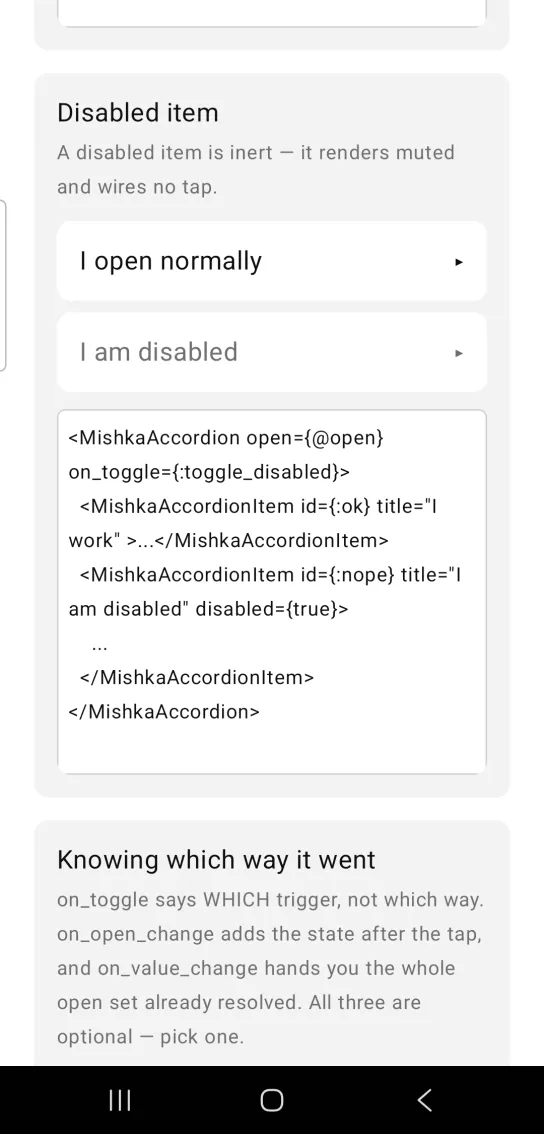
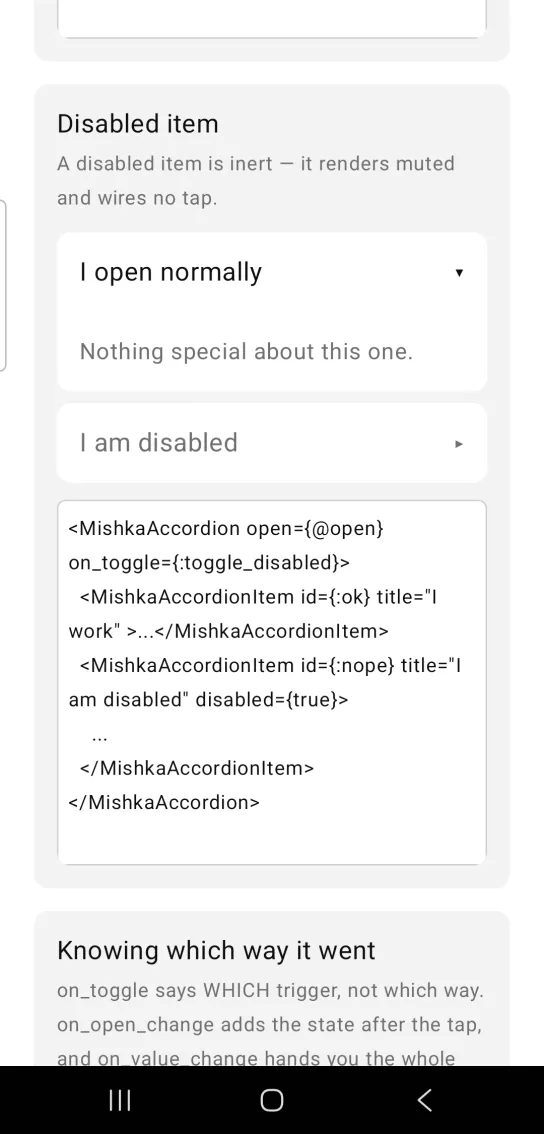
Left: the example as it loads. Right: after a tap. A normal item opens while the disabled one stays inert.
<MishkaAccordion open={@open} on_toggle={:toggle_disabled}>
  <MishkaAccordionItem id={:ok} title="I work" >...</MishkaAccordionItem>
  <MishkaAccordionItem id={:nope} title="I am disabled" disabled={true}>
    ...
  </MishkaAccordionItem>
</MishkaAccordion>
Know which way the accordion moved
on_toggle tells you which header was tapped. on_open_change adds the state after the tap, and on_value_change hands you the whole open set, already resolved. A header sends one message, so pick one of the three. If you set more than one, on_value_change wins over on_open_change, which wins over on_toggle.
Know which way the accordion moved
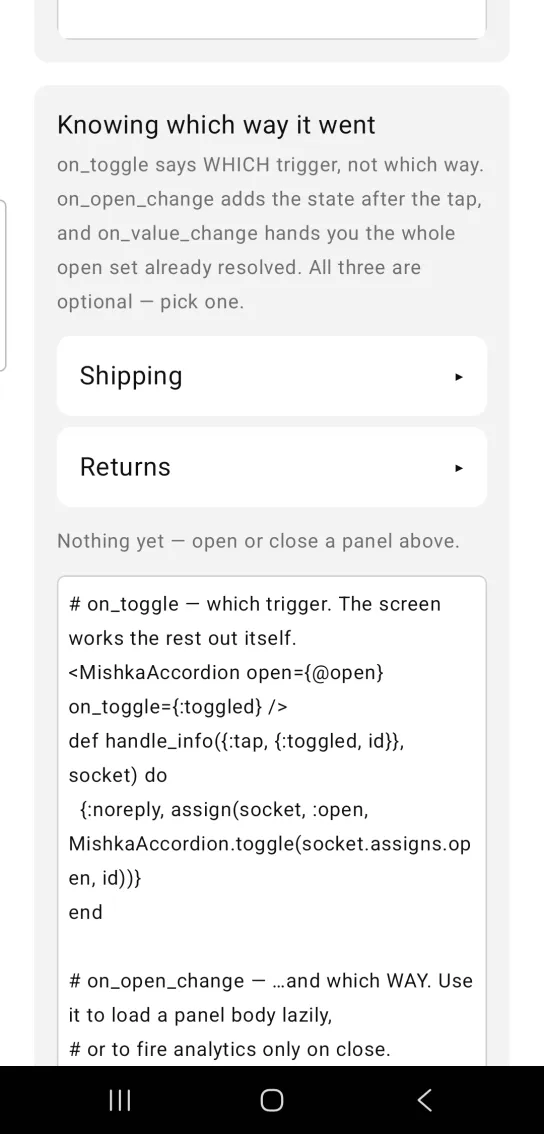
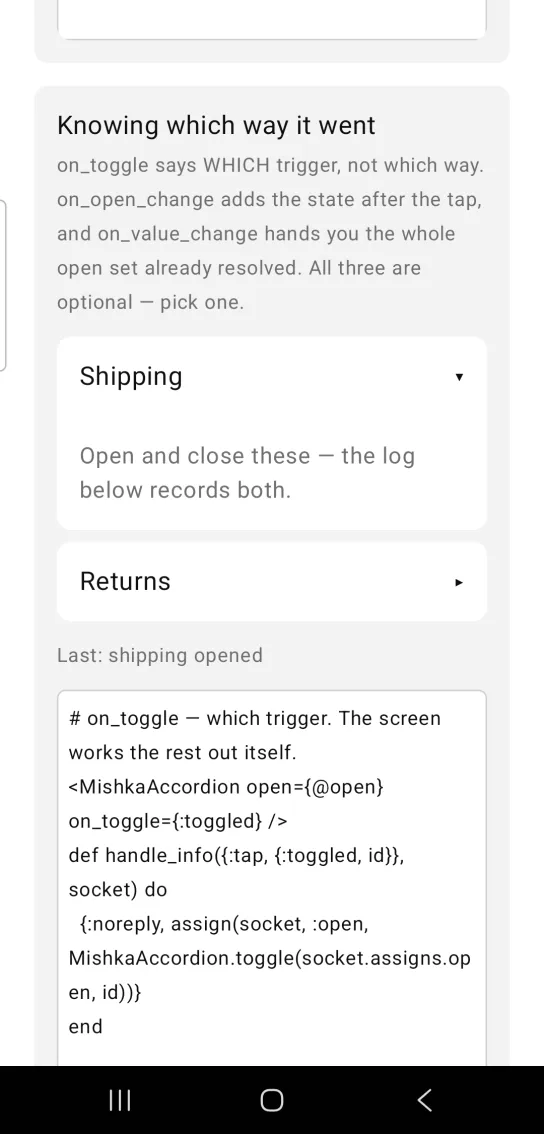
Left: the example as it loads. Right: after a tap. The callback reports which way the item went.
# on_toggle — which trigger. The screen works the rest out itself.
<MishkaAccordion open={@open} on_toggle={:toggled} />
def handle_info({:tap, {:toggled, id}}, socket) do
  {:noreply, assign(socket, :open, MishkaAccordion.toggle(socket.assigns.open, id))}
end

# on_open_change — …and which WAY. Use it to load a panel body lazily,
# or to fire analytics only on close.
<MishkaAccordion open={@open} on_open_change={:changed} />
def handle_info({:tap, {:changed, id, true}}, socket), do: {:noreply, load(socket, id)}
def handle_info({:tap, {:changed, _id, false}}, socket), do: {:noreply, socket}

# on_value_change — the least work. The payload IS the next open set,
# computed with the same toggle/3, so the handler is a bare assign and
# cannot drift from the component's multiple / collapsible semantics.
<MishkaAccordion open={@open} multiple={true} on_value_change={:opened} />
def handle_info({:tap, {:opened, next}}, socket) do
  {:noreply, assign(socket, :open, next)}
endProps
Props of the <MishkaAccordion> tag.
| Prop | Type | Default | Description |
|---|---|---|---|
open | list of item ids | [] | The open set. It lives in the screen, because composites are stateless. |
multiple | boolean | false | Lets several panels be open at once. When false, opening one closes the rest. |
collapsible | boolean | true | Lets the open item be closed by its own header. |
disabled | boolean | false | Disables every header. It cascades to all items. |
on_toggle | event tag | None | Sent as {:tap, {tag, item_id}}, so one handler serves every item. |
chevron | boolean | true | Shows the ▸ or ▾ state indicator on each header. |
background | color / ARGB | :surface_raised | Item background. |
corner_radius | radius / number | :radius_md | Rounds each item. |
padding | spacing / number | :space_md | Padding inside the header and the panel. |
space | number | 8 | Gap between items. Use 0 to join them into one block. |
color | color / ARGB | :on_surface | Color of the item title and chevron. Set it whenever you set background. |
on_open_change | event tag | None | Sent as {:tap, {tag, item_id, open?}}, where open? is the state after the tap. |
on_value_change | event tag | None | Sent as {:tap, {tag, next_open_set}}, already resolved. Only one of the three event props fires. |
Item props
Props of each <MishkaAccordionItem> child.
| Prop | Type | Default | Description |
|---|---|---|---|
id | term | Position in the list (0-based) | Identifies the item in the open set and in event messages. |
title | string | None | The header label. |
disabled | boolean | false | Makes this item inert. It renders muted and wires no tap. |
Events
A tap carries no payload, so the event tag is the payload and a header can send only one message. The three event props are alternatives. Your screen receives each one as {:tap, message} in handle_info/2.
| Prop | Message | Use it to |
|---|---|---|
on_toggle | {:tap, {tag, item_id}} | Learn which header was tapped. |
on_open_change | {:tap, {tag, item_id, open?}} | Learn which header and which way. Load a panel body lazily, or send analytics only on close. |
on_value_change | {:tap, {tag, next_open_set}} | Receive the next open set, computed by the same toggle/3, so the handler is a bare assign. |
A handler for on_toggle that keeps the open set in the screen:
def handle_info({:tap, {:toggle_faq, id}}, socket) do
  open = MishkaAccordion.toggle(socket.assigns.faq_open, id, multiple: false)
  {:noreply, Mob.Socket.assign(socket, :faq_open, open)}
end
Differences from the web component
The web engine emits two events for each click: on_open_change on the item and on_value_change on the root. A phone tap sends one message, so the Mob props are alternatives. A phone also has no DOM, no CSS cascade and no roving tab focus, so these web features are not ported:
orientationandloop, which move focus with the arrow keys.heading_level, which sets<h1>to<h6>semantics.hidden_until_found, which lets a browser's find-in-page open a panel.- Every
*_classattribute.
Attributes
| Name | Type | Default | Values | Required | Description |
|---|---|---|---|---|---|
open
|
list of item ids
|
[]
| — | No | The open set. Lives in the screen (see above). |
multiple
|
boolean
|
false
| — | No | Allow several panels open at once; when `false` opening one closes the rest. |
collapsible
|
boolean
|
true
| — | No | Allow the open item to be closed by its own trigger. `false` keeps one panel always open. |
disabled
|
boolean
|
false
| — | No | Disable every trigger (cascades to items). |
on_toggle
|
event tag (atom)
| — | — | No | Sent as `{:tap, {tag, item_id}}` — which trigger, not which way. |
on_open_change
|
event tag (atom)
| — | — | No | Sent as `{:tap, {tag, item_id, open?}}`, where `open?` is the state **after** the tap. |
on_value_change
|
event tag (atom)
| — | — | No | Sent as `{:tap, {tag, new_open_set}}` — the whole set after the tap, already resolved. |
chevron
|
boolean
|
true
| — | No | Show the ▸/▾ state indicator. |
background
|
color token / ARGB int
|
:surface_raised
| — | No | Item background. |
color
|
color token / ARGB int
|
:on_surface
| — | No | Title and chevron. Set it whenever you set `background`. |
corner_radius
|
radius token / number
|
:radius_md
| — | No | Rounds each item. |
padding
|
spacing token / number
|
:space_md
| — | No | Padding inside the trigger and the panel. |
space
|
number
|
8
| — | No | Gap between items. `0` joins them into one block. |
Options
Each option takes one or more of its values, separated by commas.
| Option | Values |
|---|---|
--type
|
accordion
|
--module
| A module name of your own |
What it generates
mix mishka.ui.gen.mob accordion