Combobox
v0.0.10
The Mishka Chelekom Mob Combobox is a text field that filters a list of options as you type and lets you pick one or several, on iOS and Android. It is the native port of the headless Combobox and runs on Mob.
Overview of the Mob Combobox component for iOS and Android
Combobox draws one bordered control, as the web does. It holds the chosen options as removable chips (in multiple mode), the query field, and two optional buttons: a ✕ that clears the query (clear) and a ▾ that opens and closes the list (trigger). The query field shares the last chip row when there is room. While open is true, the list appears in flow below the control.
The component filters the options by query itself. The default mode is :contains, and :starts_with is the other. Matching ignores case and accents, so typing cafe finds Café. This matters more on a phone, where accents are hard to type. Groups that lose all their options disappear with their heading. MishkaCombobox.filter/3 and fold/1 are public, so a handler can use the same matching.
Choosing from the filtered list works like Select. Combobox reads the same <MishkaSelectOption> children and builds options with the same option/3. Your handler can use MishkaSelect.toggle/3 to compute the next value.
The screen owns query, value and open, and the events arrive in handle_info/2. Three events open the list. Tapping the field sends on_press on every tap, so use it to open the list. Typing sends on_query, and the ▾ sends on_toggle. Do not use on_focus to reopen the list. It fires only when the field gains focus, and closing the list does not take the caret away, so a second tap reports nothing.
The list renders in flow, so nothing covers the page to catch a tap outside the control. To close the list on an outside tap, put an on_tap on the container around the combobox. A child's handler consumes its own tap, so the control and its options keep working and only the surrounding space closes the list.
Mob cannot measure text, so chips wrap by an estimate of 34 characters per row. Set wrap_chars to change it.
Generate the combobox component
Run this from your Mob app's root to add the component to lib/<app>/components/:
mix mishka.ui.gen.mob comboboxThe generator registers the component's tag, so you can use it in ~MOB markup. It also generates the Menu, Pill, Select and Tags Input components, which it builds on. The examples on this page use the mishka_ prefix of the showcase app (--module-prefix mishka_), so the tag is <MishkaCombobox>. Without a prefix the tag is <Combobox>.
Filter and choose in a combobox
Type to narrow the list. Matching ignores case and accents. The ✕ clears the query, and the ▾ opens and closes the list. In the showcase, tapping the field opens the list and tapping outside the control closes it. The snippet passes open={true}, so the list shows.
Filter and choose in a combobox
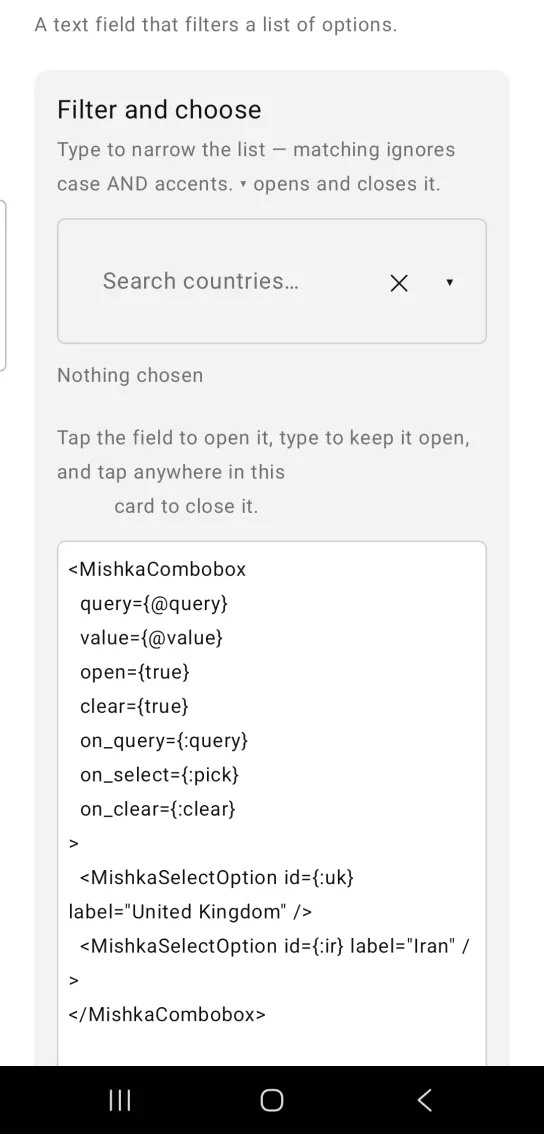
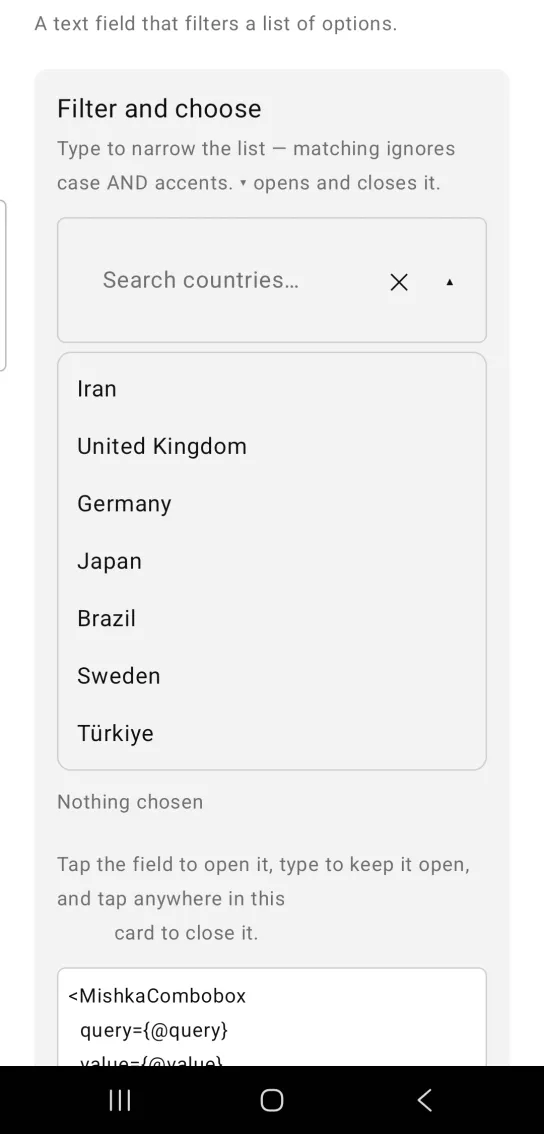
Left: the example as it loads. Right: after a tap. The caret opens and closes the list.
<MishkaCombobox
  query={@query}
  value={@value}
  open={true}
  clear={true}
  on_query={:query}
  on_select={:pick}
  on_clear={:clear}
>
  <MishkaSelectOption id={:uk} label="United Kingdom" />
  <MishkaSelectOption id={:ir} label="Iran" />
</MishkaCombobox>

MishkaCombobox.filter(pairs, query)   # "cafe" finds "Café"
Multiple combobox
Chosen options appear as removable chips inside the control, as on the web. The ▾ opens the list, and picking an option keeps the list open so you can choose another.
Multiple combobox
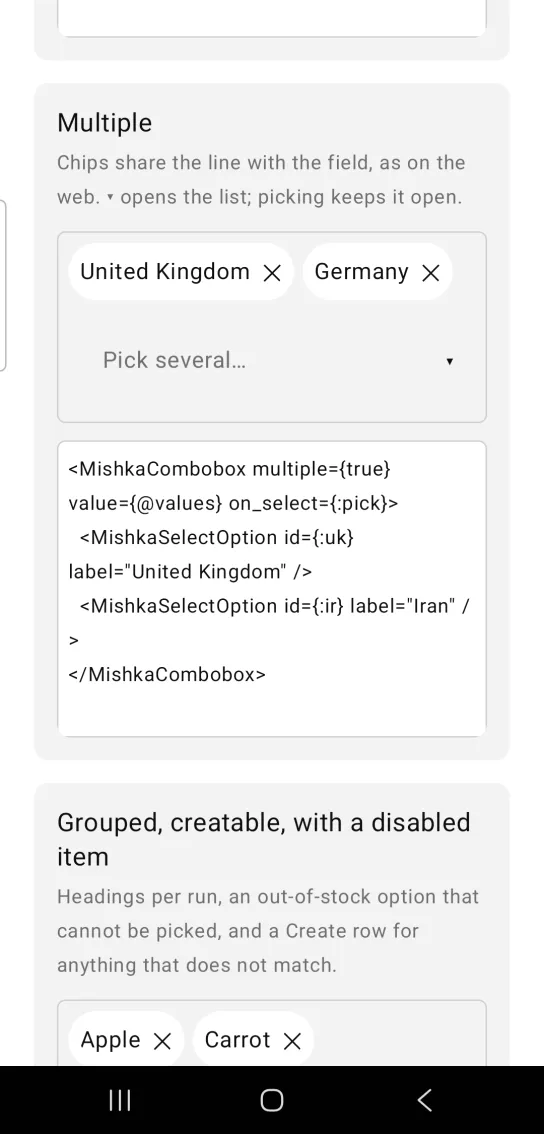
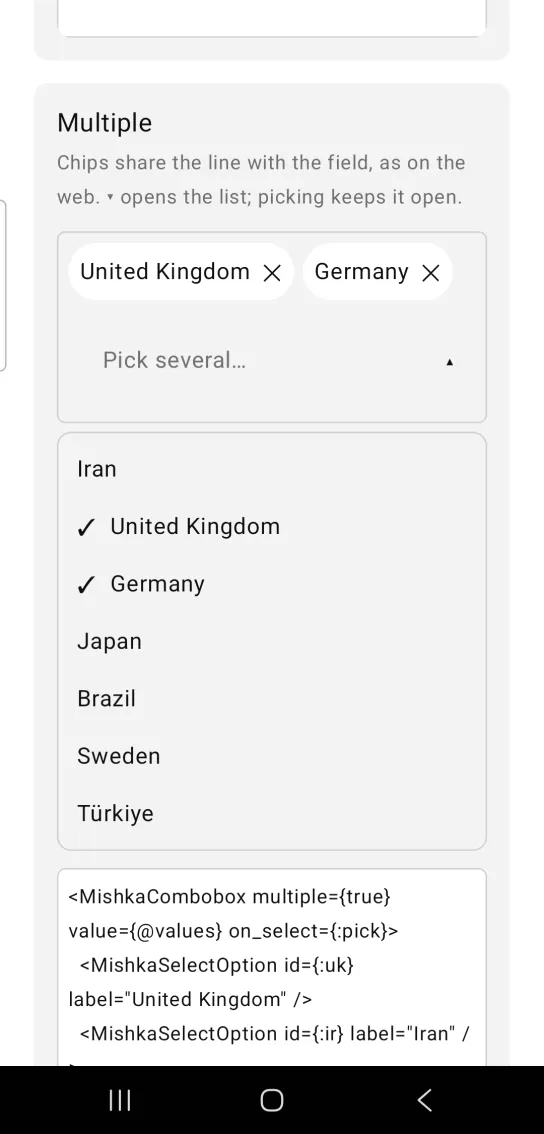
Left: the example as it loads. Right: after a tap. Chips share the line with the field.
<MishkaCombobox multiple={true} value={@values} on_select={:pick}>
  <MishkaSelectOption id={:uk} label="United Kingdom" />
  <MishkaSelectOption id={:ir} label="Iran" />
</MishkaCombobox>
Grouped, creatable combobox with a disabled option
Headings split the options into runs. Durian is out of stock, so it has disabled={true} and cannot be picked. With creatable on, the list ends with a create row, for example Create "Pomelo", when the query matches no option exactly. The component only offers that row. Adding the new option to your list is the screen's job, and the screen already holds the query.
The row arrives through on_select with the id :__create__. The handler below matches {:tap, {:pick, :__create__}}, so the combobox needs on_select={:pick}.
Grouped, creatable combobox with a disabled option
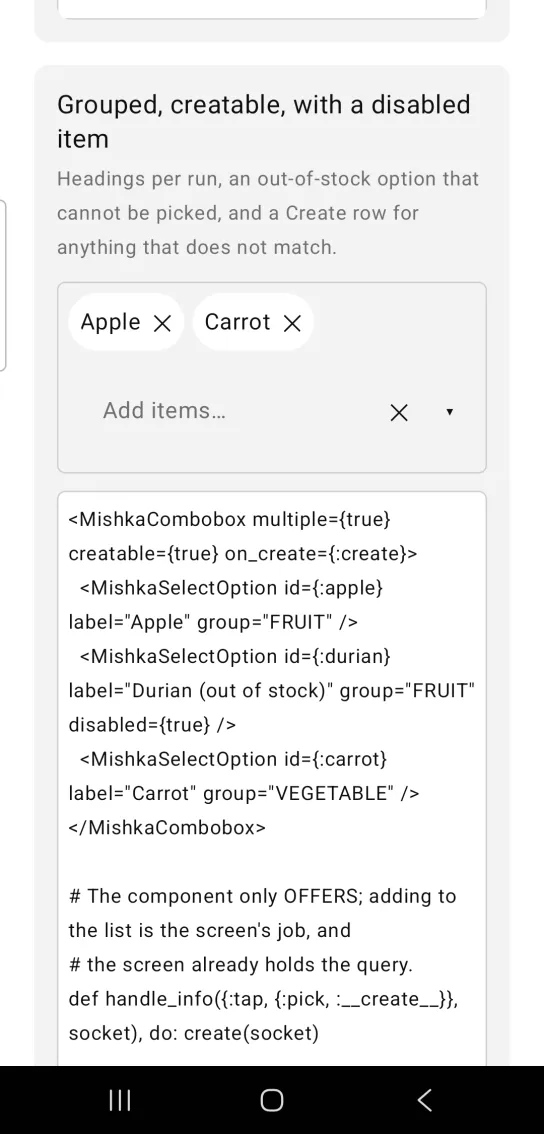
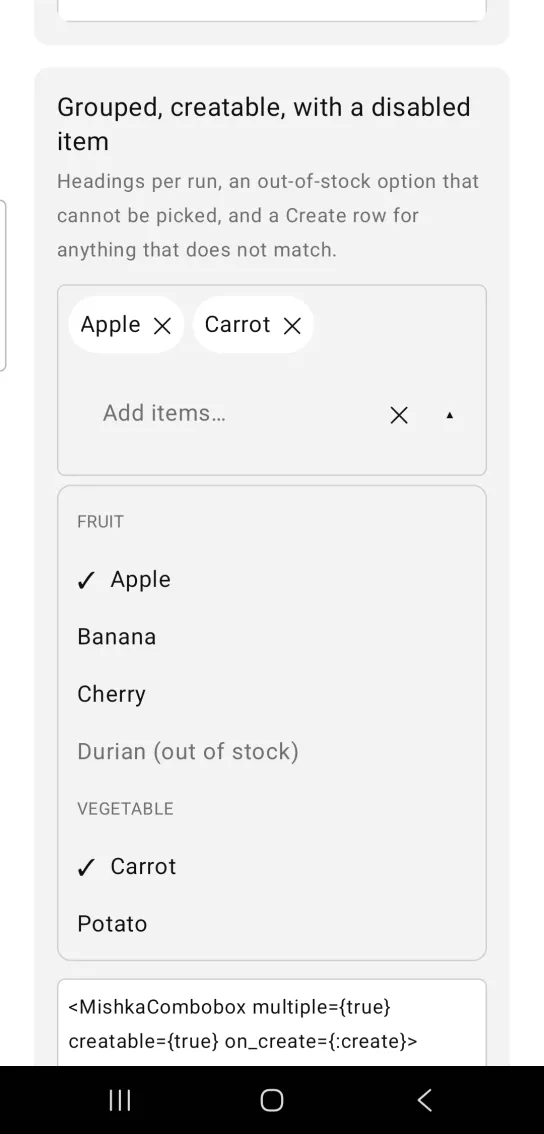
Left: the example as it loads. Right: after a tap. Headings per run, and a disabled item.
<MishkaCombobox multiple={true} creatable={true} on_create={:create}>
  <MishkaSelectOption id={:apple} label="Apple" group="FRUIT" />
  <MishkaSelectOption id={:durian} label="Durian (out of stock)" group="FRUIT" disabled={true} />
  <MishkaSelectOption id={:carrot} label="Carrot" group="VEGETABLE" />
</MishkaCombobox>

# The component only OFFERS; adding to the list is the screen's job, and
# the screen already holds the query.
def handle_info({:tap, {:pick, :__create__}}, socket), do: create(socket)
Combobox with no matches
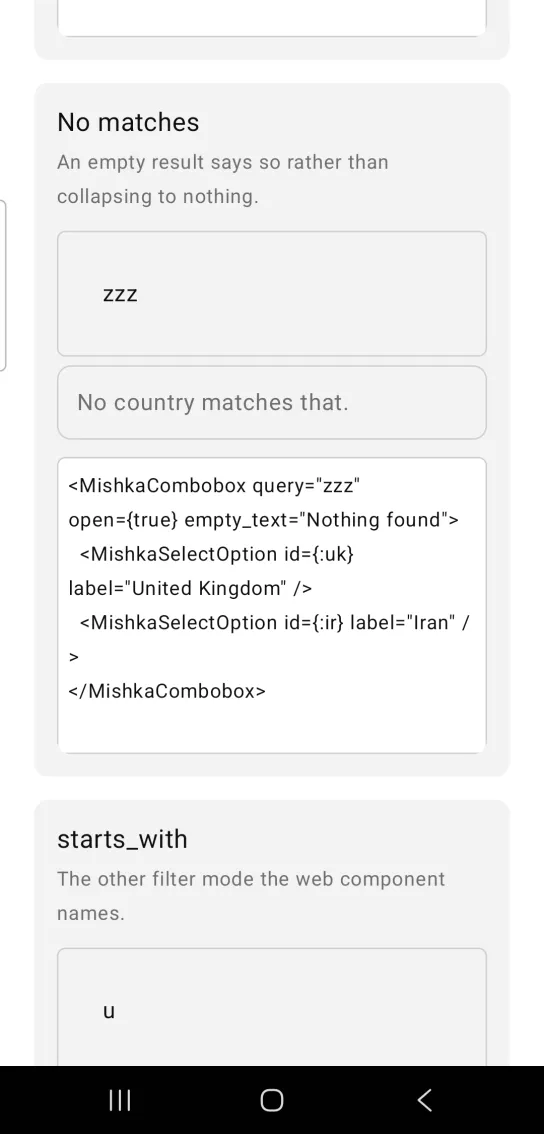
An empty result says so. Instead of collapsing to nothing, the list shows one muted row with the empty_text.
Combobox with no matches
<MishkaCombobox query="zzz" open={true} empty_text="Nothing found">
  <MishkaSelectOption id={:uk} label="United Kingdom" />
  <MishkaSelectOption id={:ir} label="Iran" />
</MishkaCombobox>
Combobox with prefix matching
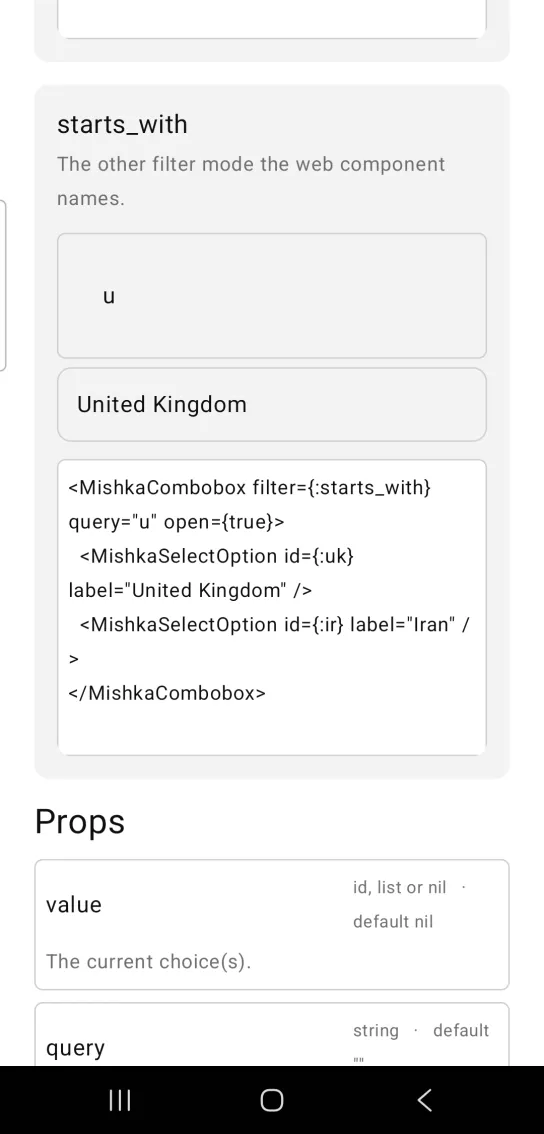
filter={:starts_with} keeps only the options whose label begins with the query. Typing u keeps United Kingdom and drops the rest. The default, :contains, matches anywhere in the label.
Combobox with prefix matching
<MishkaCombobox filter={:starts_with} query="u" open={true}>
  <MishkaSelectOption id={:uk} label="United Kingdom" />
  <MishkaSelectOption id={:ir} label="Iran" />
</MishkaCombobox>
Helper functions
| Function | Description |
|---|---|
filter(options, query, opts) | Filters {id, label} pairs by the query. Pass mode: :starts_with for prefix matching. An empty query matches everything. |
fold(text) | Lowercases text and strips accents, so Café and cafe compare equal. |
option(id, label, opts) | Builds one option node. It is MishkaSelect.option/3. |
Props
| Prop | Type | Default | Description |
|---|---|---|---|
value | option id, list or nil | nil | The current choice. A list in multiple mode. |
query | string | "" | The text field's contents. |
open | boolean | false | Whether the list is shown. The screen owns it. |
multiple | boolean | false | Allow several choices. Chosen options show as removable chips. |
filter | :contains or :starts_with | :contains | Match mode. |
placeholder | string | "Search…" | Field placeholder. |
clear | boolean | false | Shows a ✕ button that clears the query. |
empty_text | string | "No matches" | Shown when nothing matches. |
disabled | boolean | false | Mutes the control and unwires it. |
on_query | event tag (atom) | None | Sends {:change, tag, text} as you type. |
on_select | event tag (atom) | None | Sends {:tap, {tag, option_id}} for a picked option. |
on_clear | event tag (atom) | None | Sends {:tap, tag} from the ✕. |
trigger | boolean | false | Shows a ▾ button that opens and closes the list. |
on_toggle | event tag (atom) | None | Sends {:tap, tag} from the ▾. |
creatable | boolean | false | Offers a Create row for a query that matches no option exactly. |
on_remove | event tag (atom) | None | Sends {:tap, {tag, id}} from a chip's ✕. |
on_press | event tag (atom) | None | Sends {:tap, tag} on every tap of the field. |
on_focus | event tag (atom) | None | Sends {:focus, tag} when the field gains focus. |
on_blur | event tag (atom) | None | Sends {:blur, tag} when the field loses focus. |
trigger_icon | string or {closed, open} | "▾" and "▴" | The glyph of the trigger button. |
clear_icon | string | "✕" | The glyph of the clear button. |
create_label | string | "Create" | Prefix on the create row. |
wrap_chars | number | 34 | Characters per chip row. Chips wrap by this estimate. |
id | string | nil | Test tags for the input, chips, options and buttons. |
Options
Combobox uses the same <MishkaSelectOption> tag and option/3 function as Select. An option takes id, label, disabled and group.
Events
Your screen receives these messages in handle_info/2:
on_querysends{:change, tag, text}as you type.on_selectsends{:tap, {tag, option_id}}. The create row reports the id:__create__.on_clear,on_toggleandon_presssend{:tap, tag}.on_removesends{:tap, {tag, id}}from a chip's ✕.on_focussends{:focus, tag}andon_blursends{:blur, tag}.
With on_query={:query}, on_select={:pick} and on_clear={:clear}, the screen handles the common events like this. Typing also opens the list, so someone who types before the list appears does not have to tap again.
def handle_info({:change, :query, text}, socket) do
  {:noreply, socket |> Mob.Socket.assign(:query, text) |> Mob.Socket.assign(:open?, true)}
end

def handle_info({:tap, {:pick, id}}, socket) do
  {value, _close?} = MishkaSelect.toggle(socket.assigns.value, id, false)
  {:noreply, Mob.Socket.assign(socket, :value, value)}
end

def handle_info({:tap, :clear}, socket) do
  {:noreply, Mob.Socket.assign(socket, :query, "")}
end
To close the list when the user taps outside the control, wrap it in a container with an on_tap and handle that tag.
<Column fill_width={true} on_tap={{self(), :close}}>
  <MishkaCombobox query={@query} open={@open?} on_press={:open} on_select={:pick}>
    ...
  </MishkaCombobox>
</Column>def handle_info({:tap, :open}, socket), do: {:noreply, Mob.Socket.assign(socket, :open?, true)}
def handle_info({:tap, :close}, socket), do: {:noreply, Mob.Socket.assign(socket, :open?, false)}Differences from the web component
- The list renders in flow below the control. The component does not close it on an outside click, so the screen does it with an
on_tapon a container. nameandformare not ported, because they are form plumbing.auto_highlightis not ported, because there is no focus ring to highlight.- The
*_classattributes are not ported. Mob draws native views, so there is no CSS.
Attributes
| Name | Type | Default | Values | Required | Description |
|---|---|---|---|---|---|
value
|
option id, list, or nil
| — | — | No | The current choice(s). |
query
|
string
|
""
| — | No | The text field's contents. |
open
|
boolean
|
false
| — | No | Whether the list is shown. |
multiple
|
boolean
|
false
| — | No | Allow several choices. |
placeholder
|
string
|
"Search…"
| — | No | Field placeholder. |
clear
|
boolean
|
false
| — | No | Render a ✕ that clears the query. |
empty_text
|
string
|
"No matches"
| — | No | Shown when nothing matches. |
disabled
|
boolean
|
false
| — | No | Mutes and unwires. |
on_query
|
event tag (atom)
| — | — | No | `{:change, tag, text}` as you type. |
on_select
|
event tag (atom)
| — | — | No | `{:tap, {tag, option_id}}`. |
on_clear
|
event tag (atom)
| — | — | No | `{:tap, tag}` from the ✕. |
trigger
|
boolean
|
false
| — | No | Render a ▾ that opens and closes the list. |
on_toggle
|
event tag (atom)
| — | — | No | `{:tap, tag}` from the ▾. |
creatable
|
boolean
|
false
| — | No | Offer "Create …" for a query that matches nothing. |
on_create
|
event tag (atom)
| — | — | No | `{:tap, tag}` from that row. |
on_remove
|
event tag (atom)
| — | — | No | `{:tap, {tag, id}}` from a chip's ✕. |
on_press
|
event tag (atom)
| — | — | No | `{:tap, tag}` on EVERY tap of the field. |
on_focus
|
event tag (atom)
| — | — | No | `{:focus, tag}` when the field GAINS focus. |
on_blur
|
event tag (atom)
| — | — | No | `{:blur, tag}` when it loses focus. |
trigger_icon
|
string or {closed, open}
|
"▾" / "▴"
| — | No | The ▾'s glyph. |
clear_icon
|
string
|
"✕"
| — | No | The ✕'s glyph. |
create_label
|
string
|
"Create"
| — | No | Prefix on the create row. |
wrap_chars
|
number
|
34
| — | No | Characters per chip row. See the tags input. |
id
|
string
| — | — | No | Test tags for the input, chips, options and buttons. |
Options
Each option takes one or more of its values, separated by commas.
| Option | Values |
|---|---|
--type
|
combobox
|
--module
| A module name of your own |
What it generates
mix mishka.ui.gen.mob combobox