Toggle group
v0.0.10
mix mishka.ui.gen.mob toggle_group
Mob Toggle Group is a row of toggle buttons that share one selection, in single or multiple mode, for iOS and Android. It comes from Mishka Chelekom and runs on Mob, which renders native Jetpack Compose and SwiftUI views from Elixir. It is the native port of the headless Toggle Group.
Overview of the Mob Toggle Group component for iOS and Android
Toggle Group builds on Toggle, so a lone toggle and a grouped one are the same button. The group adds the selection rule. The screen owns the value, and the group sends {:tap, {tag, item_id}} when an item is pressed.
Single and multiple mode share one reducer
press/3 takes the current value, the pressed id and whether the group is multiple, and returns the next value. It is the whole behavior, so you do not reimplement it per screen.
- In multiple mode the value is a set. Pressing an item adds it, and pressing it again removes it.
- In single mode the value is one id. Pressing the pressed item clears it back to
nil. A radio group cannot be cleared, and a segmented control always keeps a selection.
value is a list in multiple mode and a bare id in single mode, matching the web component's value attribute. pressed?/2 tells you whether an id is pressed in either mode.
Items are slot children
Write each item as a <MishkaToggleGroupItem> tag, the way the Phoenix component writes it. An item takes id, label and an optional disabled. id is what on_change reports and the stem of the item's test tag. item/3 builds the identical node, so tags and function calls mix freely in one group. Use the function when the items come from data.
<MishkaToggleGroup value={@align} on_change={:align} id="align">
  <MishkaToggleGroupItem id={:left} label="Left" />
  <MishkaToggleGroupItem id={:center} label="Center" />
  <MishkaToggleGroupItem id={:right} label="Right" disabled={true} />
</MishkaToggleGroup>
Styling and orientation
The group has no look of its own. Every styling prop that Toggle takes, such as color, text_color, background, label_color, padding, corner_radius, border_color, border_width and text_size, passes straight through to each item. You style the group by styling its buttons. space={0} joins the items into one bar.
Orientation decides whether an item hugs its label. Horizontally each item hugs, because an item that filled the row would push its siblings off the screen. A vertical group fills each item instead, so the buttons share one width and do not form a ragged staircase.
Generate the toggle group component
Run this from your Mob app's root to add the component to lib/<app>/components/:
mix mishka.ui.gen.mob toggle_groupThe generator registers the tag, so you can use it in ~MOB markup. Toggle Group calls Toggle, so the generator creates the toggle module too, without asking. The examples on this page use the mishka_ prefix of the showcase app (--module-prefix mishka_), so the tag is <MishkaToggleGroup>. Without a prefix, the tag is <ToggleGroup>.
Single selection toggle group
In single mode, pressing the pressed button clears the group. A radio group cannot do that. press/3 is the reducer, so call it with false in handle_info/2. Alias the generated module first, because press/3 lives there.
Single selection toggle group
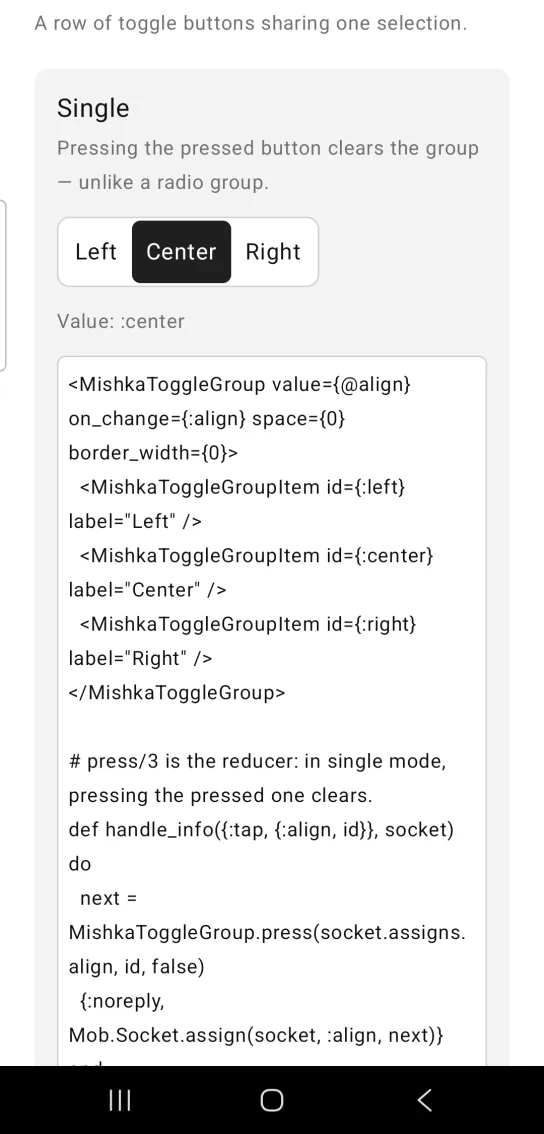
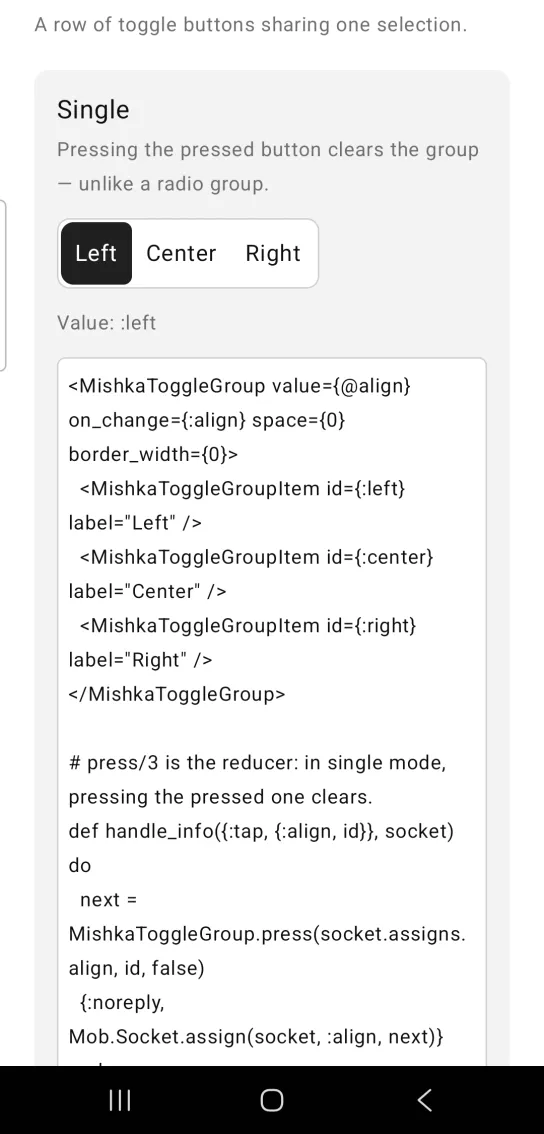
Left: the example as it loads. Right: after a tap. A single group keeps one pressed button.
<MishkaToggleGroup value={@align} on_change={:align} space={0} border_width={0}>
  <MishkaToggleGroupItem id={:left} label="Left" />
  <MishkaToggleGroupItem id={:center} label="Center" />
  <MishkaToggleGroupItem id={:right} label="Right" />
</MishkaToggleGroup>

# press/3 is the reducer: in single mode, pressing the pressed one clears.
def handle_info({:tap, {:align, id}}, socket) do
  next = MishkaToggleGroup.press(socket.assigns.align, id, false)
  {:noreply, Mob.Socket.assign(socket, :align, next)}
end

def handle_info(_msg, socket), do: {:noreply, socket}
Multiple selection toggle group
multiple: true makes the value a set, so several items can be pressed at once. Pass true as the last argument of press/3.
Multiple selection toggle group
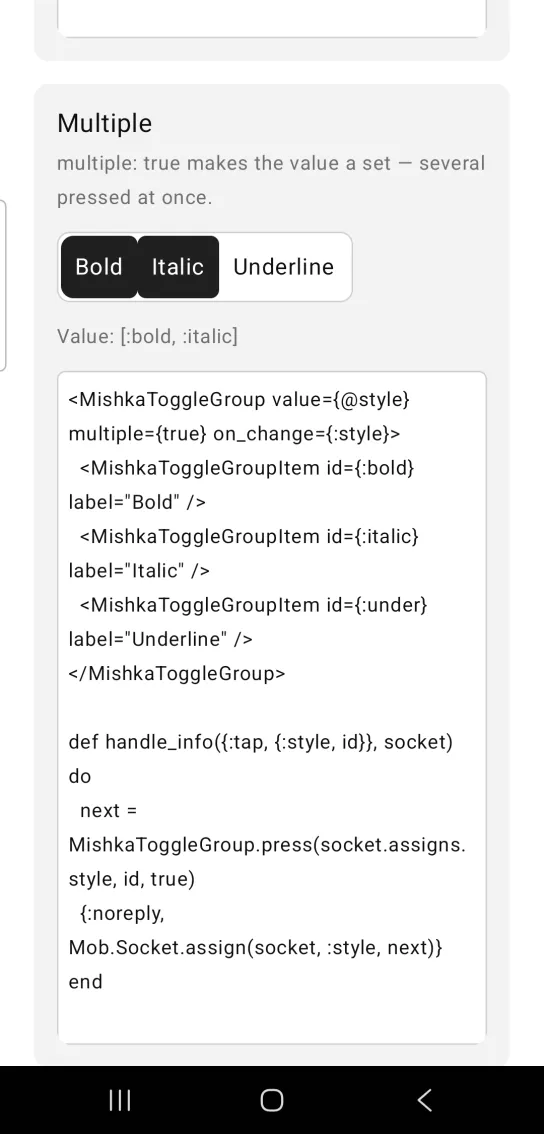
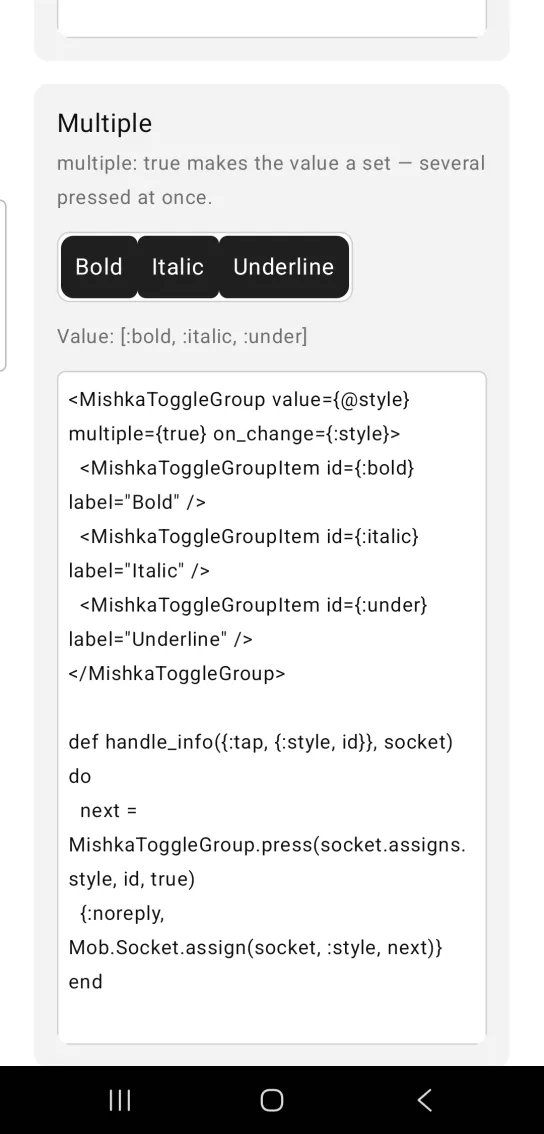
Left: the example as it loads. Right: after a tap. A multiple group holds a set of pressed buttons.
<MishkaToggleGroup value={@style} multiple={true} on_change={:style}>
  <MishkaToggleGroupItem id={:bold} label="Bold" />
  <MishkaToggleGroupItem id={:italic} label="Italic" />
  <MishkaToggleGroupItem id={:under} label="Underline" />
</MishkaToggleGroup>

def handle_info({:tap, {:style, id}}, socket) do
  next = MishkaToggleGroup.press(socket.assigns.style, id, true)
  {:noreply, Mob.Socket.assign(socket, :style, next)}
end
Vertical toggle group
orientation={:vertical} stacks the items in a column, and stacked items share one width.
Vertical toggle group
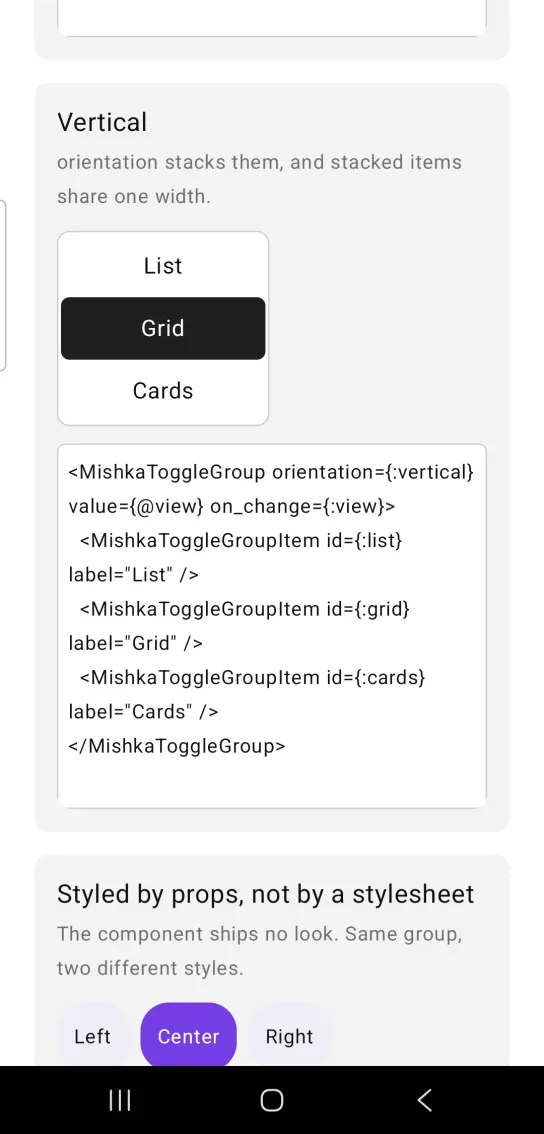
<MishkaToggleGroup orientation={:vertical} value={@view} on_change={:view}>
  <MishkaToggleGroupItem id={:list} label="List" />
  <MishkaToggleGroupItem id={:grid} label="Grid" />
  <MishkaToggleGroupItem id={:cards} label="Cards" />
</MishkaToggleGroup>
Style a toggle group with props
The group has no look of its own. These two groups differ only in props: spaced pills in violet, and joined square buttons with a border. The code leaves out the items. Put the <MishkaToggleGroupItem> tags inside each group, as in the previous examples.
Style a toggle group with props
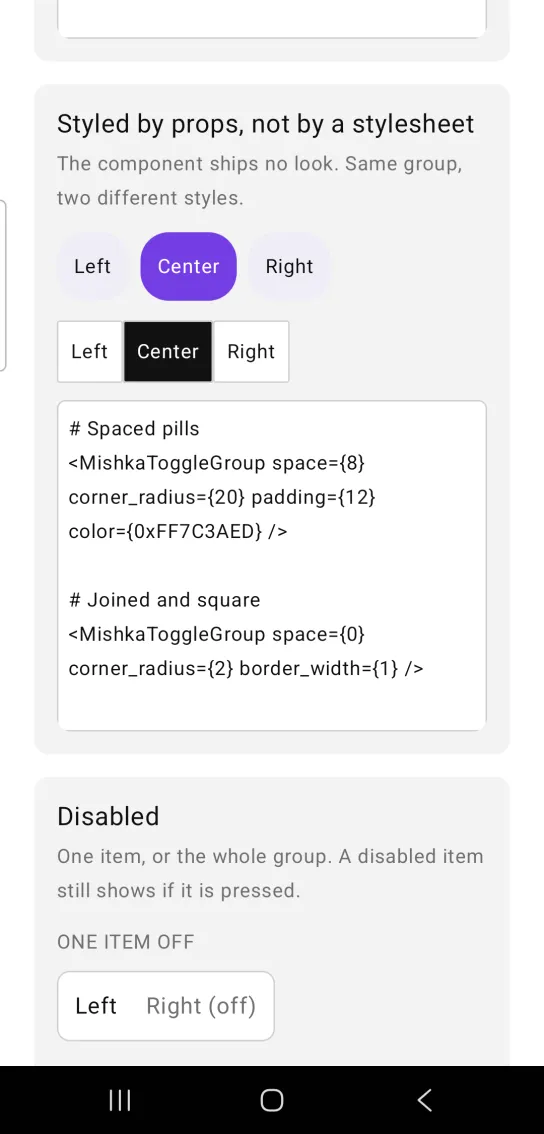
# Spaced pills
<MishkaToggleGroup space={8} corner_radius={20} padding={12} color={0xFF7C3AED} />

# Joined and square
<MishkaToggleGroup space={0} corner_radius={2} border_width={1} />
Disabled toggle group
Disable one item, or the whole group. The group's disabled cascades to every item. A disabled item still shows whether it is pressed.
Disabled toggle group
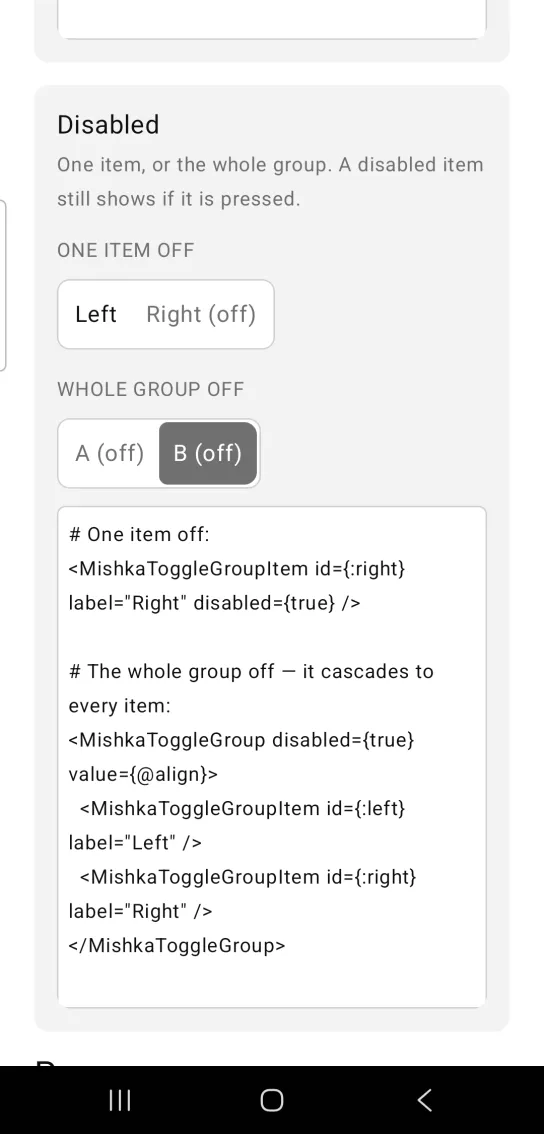
# One item off:
<MishkaToggleGroupItem id={:right} label="Right" disabled={true} />

# The whole group off — it cascades to every item:
<MishkaToggleGroup disabled={true} value={@align}>
  <MishkaToggleGroupItem id={:left} label="Left" />
  <MishkaToggleGroupItem id={:right} label="Right" />
</MishkaToggleGroup>
Helper functions
The generated MishkaToggleGroup module exports these functions.
| Function | Description |
|---|---|
press/3 | Returns the next value after pressing an id, for both modes. |
pressed?/2 | Whether an id is pressed for a given value, in either mode. |
item/3 | Builds the same node as <MishkaToggleGroupItem>, for items that come from data. |
Props
| Prop | Type | Default | Description |
|---|---|---|---|
value | id, list of ids or nil | nil | The pressed item or items. A list in multiple mode. |
multiple | boolean | false | Allows several items to be pressed at once. |
disabled | boolean | false | Disables every item. |
on_change | event tag | None | Sent as {:tap, {tag, item_id}}. |
orientation | :horizontal or :vertical | :horizontal | Layout axis. |
space | number | 8 | Gap between items. 0 joins them into a bar. |
color, text_color, background, label_color | see Toggle | unset | Forwarded to every item. The pressed pair, then the idle pair. |
padding, corner_radius | see Toggle | unset | Also forwarded to every item. |
border_color, border_width, text_size | see Toggle | unset | Also forwarded. border_width: 0 gives a segmented bar's inner buttons. |
fill_width | boolean | true | The container's width, not the items'. false lets it hug, for a segmented bar. |
id | string | nil | Prefix for each item's test tag, as <id>-<item>-pressed. |
Item props
| Prop | Type | Default | Description |
|---|---|---|---|
id | any term | None | What on_change reports, and the stem of the item's test tag. |
label | string | None | The button text. |
disabled | boolean | false | Disables this item. |
Events
on_change sends {:tap, {tag, item_id}} to your screen, which receives it in handle_info/2. Pass the pressed id to press/3 to get the next value:
def handle_info({:tap, {:align, id}}, socket) do
  next = MishkaToggleGroup.press(socket.assigns.align, id, false)
  {:noreply, Mob.Socket.assign(socket, :align, next)}
end
Differences from the web component
nameandformare not ported, because they are form plumbing.loopis not ported. It moves focus with the arrow keys, and a phone has no focus ring to move.- The
*_classattributes are not ported. Every visual is a prop instead.
Attributes
| Name | Type | Default | Values | Required | Description |
|---|---|---|---|---|---|
value
|
id, list of ids, or nil
| — | — | No | The pressed item(s). |
multiple
|
boolean
|
false
| — | No | Allow several pressed at once. |
disabled
|
boolean
|
false
| — | No | Disables every item. |
on_change
|
event tag (atom)
| — | — | No | Sent as `{:tap, {tag, item_id}}`. |
orientation
|
:horizontal :vertical
|
:horizontal
| — | No | Layout axis. |
space
|
number
|
8
| — | No | Gap between items. `0` joins them into a bar. |
fill_width
|
boolean
|
true
| — | No | The container's width, not the items'. |
id
|
string
| — | — | No | Prefix for each item's test tag. |
Options
Each option takes one or more of its values, separated by commas.
| Option | Values |
|---|---|
--type
|
toggle_group
|
--module
| A module name of your own |
What it generates
mix mishka.ui.gen.mob toggle_group