Mask input
v0.0.10
mix mishka.ui.gen.mob mask_input
The Mishka Chelekom Mob Mask Input is a text field that formats itself to a pattern as the user types, such as a phone number or a date, on iOS and Android. It is the native port of the headless Mask Input and runs on Mob.
Overview of the Mob Mask Input component for iOS and Android
A mask is a pattern string. The token 9 matches a digit, a matches a letter and * matches a letter or a digit. Every other character is a literal that the mask inserts on its own, as in (999) 999-9999, 99/99/9999 and aaa-9999.
The formatting is a pure function. The web version reformats on every keystroke inside a JavaScript hook. Here the field sends the raw text to your screen, and the screen calls MishkaMaskInput.apply_mask/2 where the value settles, in the handler. The component renders the value you give it.
apply_mask/2 works from the significant characters of the input only, which are its letters and digits. It discards literals and lays them out again from the mask, so formatting is idempotent. A user who deletes back through a literal does not have it re-inserted ahead of them, and pasting an already formatted value does not double its punctuation. MishkaMaskInput.strip/1 returns that payload without the literals.
The field gets the mask's length as max_length, so the keystroke past the end is refused where it happens. apply_mask/2 truncates as well, and the two work together. The placeholder defaults to the mask. The keyboard is "number" when the mask holds only 9 tokens and "text" otherwise. Pass keyboard to choose another.
Generate the mask input component
Run this from your Mob app's root to add the component to lib/<app>/components/:
mix mishka.ui.gen.mob mask_inputThe generator registers the tag, so you can use it in ~MOB markup. It also copies the shared Event helper module, unless you pass --no-kit. The examples on this page use the mishka_ prefix of the showcase app (--module-prefix mishka_), so the tag is <MishkaMaskInput>. Without a prefix, the tag is <MaskInput>.
Phone number mask
Set mask to a pattern. As the user types digits, the literals of (999) 999-9999 appear on their own. The field sends the raw text as {:change, :phone, text}, and the handler applies the mask. Masking a value that is already masked changes nothing. The showcase also prints MishkaMaskInput.strip/1 under the field, which returns the unformatted digits.
Phone number mask
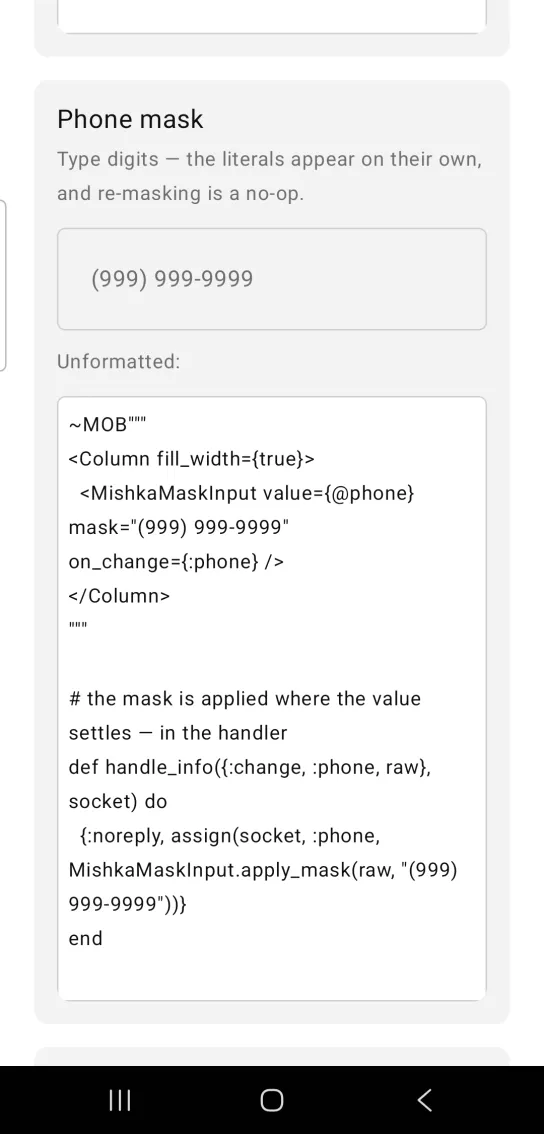
~MOB"""
<Column fill_width={true}>
  <MishkaMaskInput value={@phone} mask="(999) 999-9999" on_change={:phone} />
</Column>
"""

# the mask is applied where the value settles — in the handler
def handle_info({:change, :phone, raw}, socket) do
  {:noreply, assign(socket, :phone, MishkaMaskInput.apply_mask(raw, "(999) 999-9999"))}
end
Date mask
A mask can be any pattern. 9 is a digit, a a letter, * a letter or a digit, and everything else is a literal. placeholder replaces the default, which is the mask itself.
Date mask
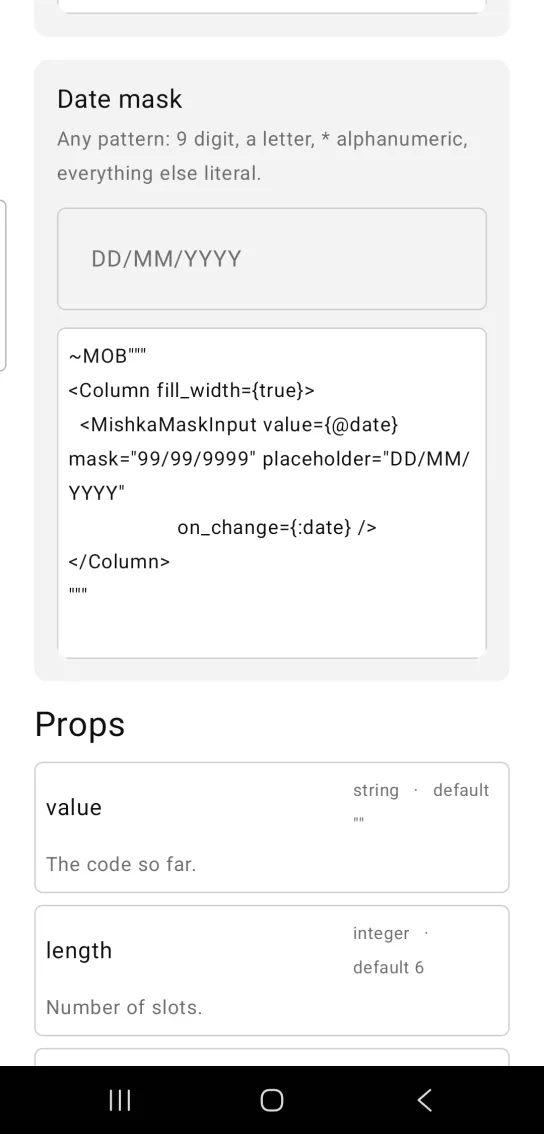
~MOB"""
<Column fill_width={true}>
  <MishkaMaskInput value={@date} mask="99/99/9999" placeholder="DD/MM/YYYY"
                   on_change={:date} />
</Column>
"""
Props
Props of the <MishkaMaskInput> tag.
| Prop | Type | Default | Description |
|---|---|---|---|
value | string | "" | The masked value. |
mask | string | nil | The pattern. 9 digit, a letter, * letter or digit, anything else literal. Without a mask the field is a plain text field. |
placeholder | string | The mask | Shown while the field is empty. |
keyboard | string | Derived | "number" when the mask holds only 9 tokens, otherwise "text". |
disabled | boolean | false | Mutes the field and unwires it. |
on_change | event tag | None | Sends {:change, tag, text} with the raw text. Mask it in the handler. |
apply_mask/2 and strip/1 | helpers | None | Idempotent formatting, and the unformatted payload. |
max_length/1 | helper | None | How many characters a fully formatted value holds, literals included. |
Events
Your screen receives {:change, tag, text} in handle_info/2 with the raw text from on_change. The handler applies the mask before it assigns the value.
def handle_info({:change, :phone, raw}, socket) do
  {:noreply, Mob.Socket.assign(socket, :phone, MishkaMaskInput.apply_mask(raw, "(999) 999-9999"))}
end
Differences from the web component
- The web reformats inside a JavaScript hook. Mob formats in your handler with
apply_mask/2. nameis not ported, because it is form plumbing.inputmodeis not ported. Mob derives the keyboard from the mask.idandclassare not ported.
Attributes
| Name | Type | Default | Values | Required | Description |
|---|---|---|---|---|---|
value
|
string
|
""
| — | No | The masked value. |
mask
|
string
| — | — | No | The pattern. Without one it is a plain field. |
placeholder
|
string
|
the mask
| — | No | Shown while empty. |
keyboard
|
string
|
derived
| — | No | `"number"` when the mask is all digits. |
disabled
|
boolean
|
false
| — | No | Mutes and unwires. |
on_change
|
event tag (atom)
| — | — | No | `{:change, tag, text}` with the RAW text — mask it in the handler. |
Options
Each option takes one or more of its values, separated by commas.
| Option | Values |
|---|---|
--type
|
mask_input
|
--module
| A module name of your own |
What it generates
mix mishka.ui.gen.mob mask_input