OTP field
v0.0.10
The Mishka Chelekom Mob OTP Field is a segmented one-time-code input for iOS and Android. It is the native port of the headless OTP Field and runs on Mob.
Overview of the Mob OTP Field component for iOS and Android
The component draws the slots as boxes and stacks one invisible TextField over them. The field's background, text and border are transparent, so tapping the boxes opens the keyboard and typing fills the slots from left to right. One field serves all the slots, so paste and backspace behave as they do in any text field.
Mob has no focus control, so the active slot comes from the length of the value. That is the slot that focus would pick on the web. A caret needs focus, though. The field reports on_focus and on_blur, so keep a focused flag on the screen and pass it back. Without it no caret is drawn, and a tapped field looks the same as an untapped one.
The screen owns the value. The invisible field has no max_length, so a pasted 123-456 arrives whole. MishkaOtpField.sanitize/2 drops the characters that validation_type does not allow and truncates the rest to length, which turns that paste into 123456. MishkaOtpField.complete?/2 returns true when the code fills every slot, so the screen can decide when to submit.
validation_type also picks the keyboard. :numeric, the default, opens the number keyboard. :alpha, :alphanumeric and :none open the text keyboard.
Generate the OTP field component
Run this from your Mob app's root to add the component to lib/<app>/components/:
mix mishka.ui.gen.mob otp_fieldThe generator registers the <OtpField> tag so you can use it in ~MOB markup. It also copies the shared Event support module, unless you pass --no-kit. The examples on this page use the mishka_ prefix of the showcase app (--module-prefix mishka_), so the tag is <MishkaOtpField>. Without a prefix the tag is <OtpField>.
Six-digit OTP field
Render <MishkaOtpField> with a value, a length and an on_change tag. The default is six numeric slots. In handle_info/2, pass the raw text through MishkaOtpField.sanitize/2 and assign the result. The generator registers the tag with Mob.Composite.register/2, as the first comment in the snippet shows. The last comment shows the function form, otp_field/1, which gives the same output.
Six-digit OTP field
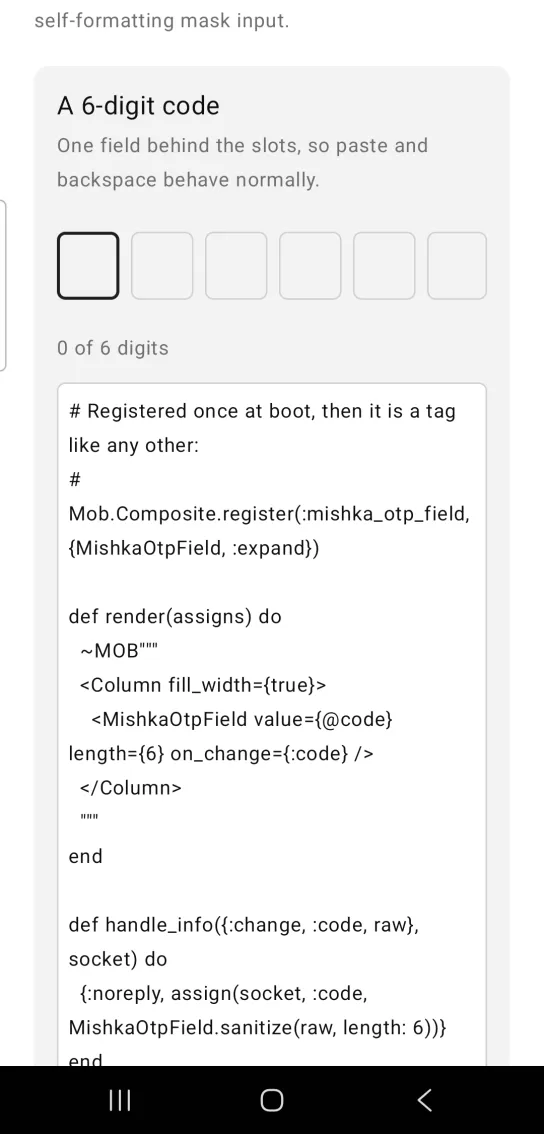
# Registered once at boot, then it is a tag like any other:
#   Mob.Composite.register(:mishka_otp_field, {MishkaOtpField, :expand})

def render(assigns) do
  ~MOB"""
  <Column fill_width={true}>
    <MishkaOtpField value={@code} length={6} on_change={:code} />
  </Column>
  """
end

def handle_info({:change, :code, raw}, socket) do
  {:noreply, assign(socket, :code, MishkaOtpField.sanitize(raw, length: 6))}
end

# The function form is still there and gives identical output, for
# anything a tag cannot express:
#
#   import MishkaMob.Components.MishkaOtpField, only: [otp_field: 1]
# {otp_field(value: @code, length: 6, on_change: :code)}Masked OTP field with fewer slots
Set mask={true} to draw • in a filled slot instead of the character, and length to change the number of slots. This example uses four.
Masked OTP field with fewer slots
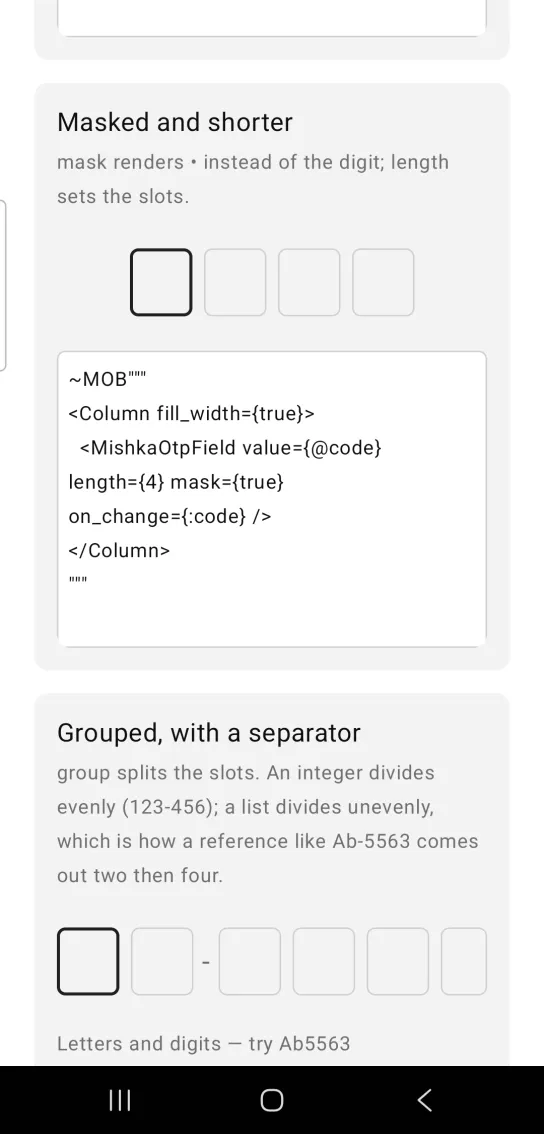
~MOB"""
<Column fill_width={true}>
  <MishkaOtpField value={@code} length={4} mask={true} on_change={:code} />
</Column>
"""
Grouped OTP field with a separator
group splits the slots and separator draws a string between the groups. An integer divides evenly: group={3} over six slots reads as 123-456. A list divides unevenly, so group={[2, 4]} gives a reference such as Ab-5563, two slots and then four. Set both props, because one without the other does nothing. The last slot never gets a separator. This example also sets validation_type={:alphanumeric} to allow letters.
Grouped OTP field with a separator
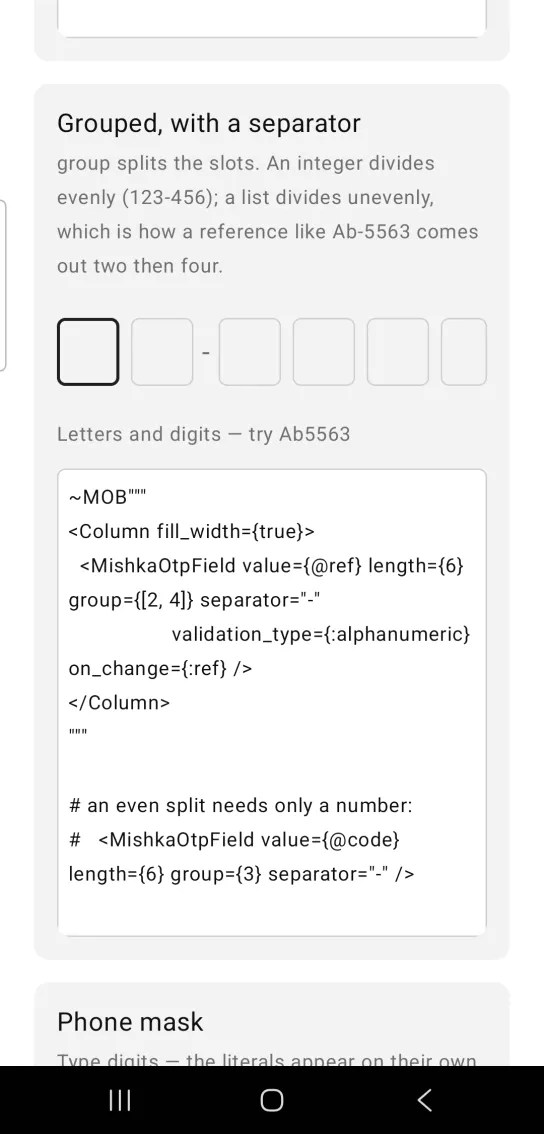
~MOB"""
<Column fill_width={true}>
  <MishkaOtpField value={@ref} length={6} group={[2, 4]} separator="-"
                  validation_type={:alphanumeric} on_change={:ref} />
</Column>
"""

# an even split needs only a number:
#   <MishkaOtpField value={@code} length={6} group={3} separator="-" />
Props
Props of the <MishkaOtpField> tag.
| Prop | Type | Default | Description |
|---|---|---|---|
value | string | "" | The code so far. |
length | integer | 6 | Number of slots. |
validation_type | :numeric, :alpha, :alphanumeric or :none | :numeric | What sanitize/2 keeps, and which keyboard opens. |
mask | boolean | false | Draws • instead of the character. |
group | integer or list | nil | 3 splits evenly (123-456). [2, 4] splits unevenly (Ab-5563). |
separator | string | nil | Drawn between groups. It needs group, and group needs it. |
focused | boolean | false | Draws the caret in the active slot. Track it with on_focus and on_blur. |
on_change | event tag | None | Sends {:change, tag, text} on every keystroke. Sanitize the text in the handler. |
on_focus / on_blur | event tags | None | Send {:focus, tag} and {:blur, tag}, not taps. |
disabled | boolean | false | Mutes the slots, disables the native field and unwires its events. |
color | color token or ARGB integer | :primary | Border of the filled and active slots, and the caret. |
slot_width | number | 44 | Width of one slot. |
id | string | nil | Sets a native test tag on the input, for end-to-end tests. |
sanitize/2, complete?/2 and boundaries/1 | helpers | None | Filter and truncate, check that the code is full, and find where the separators land. |
Events
Your screen receives these messages in handle_info/2:
on_changesends{:change, tag, text}with the raw text.on_focusandon_blursend{:focus, tag}and{:blur, tag}. These are not taps.
To draw the caret, keep a focused? flag on the screen and update it from the focus and blur messages.
<MishkaOtpField
  value={@code}
  focused={@focused?}
  on_change={:code}
  on_focus={:code_focus}
  on_blur={:code_blur}
/>

def handle_info({:change, :code, raw}, socket) do
  code = MishkaOtpField.sanitize(raw, length: 6)
  {:noreply, assign(socket, :code, code)}
end

def handle_info({:focus, :code_focus}, socket), do: {:noreply, assign(socket, :focused?, true)}
def handle_info({:blur, :code_blur}, socket), do: {:noreply, assign(socket, :focused?, false)}
Differences from the web component
- The web renders one
<input>per slot and moves focus between them. Mob draws the slots and puts one invisible field over them. groupaccepts a list as well as an integer. The web divides evenly only.- Not ported:
name(form plumbing),auto_completeandinput_mode(browser hints),transformand the*_classattributes. auto_submitis not ported. The screen decides, usingcomplete?/2.idis kept as a native test tag, which is how an end-to-end test finds the invisible input.
Attributes
| Name | Type | Default | Values | Required | Description |
|---|---|---|---|---|---|
value
|
string
|
""
| — | No | The code so far. |
length
|
integer
|
6
| — | No | Number of slots. |
validation_type
|
:numeric :alpha :alphanumeric :none
|
:numeric
| — | No | What is allowed. |
mask
|
boolean
|
false
| — | No | Render `•` instead of the character. |
disabled
|
boolean
|
false
| — | No | Mutes and unwires. |
on_change
|
event tag (atom)
| — | — | No | `{:change, tag, text}`. |
color
|
color token / ARGB int
|
:primary
| — | No | Border of filled and active slots. |
slot_width
|
number
|
44
| — | No | Width of one slot. |
group
|
integer or list
| — | — | No | `3` splits evenly (`123-456`); `[3, 4]` splits unevenly (`Abs-5563`). |
separator
|
string
| — | — | No | What to draw between groups. Both props are required. |
id
|
string
| — | — | No | Sets a native testTag on the input, for end-to-end tests. |
focused
|
boolean
|
false
| — | No | Draws a caret in the active slot. Track it with `on_focus`/`on_blur`. |
on_focus / on_blur
|
event tags
| — | — | No | `{:focus, tag}` / `{:blur, tag}`. NOT taps. |
Options
Each option takes one or more of its values, separated by commas.
| Option | Values |
|---|---|
--type
|
otp_field
|
--module
| A module name of your own |
What it generates
mix mishka.ui.gen.mob otp_field