Switch
v0.0.10
The Mob Switch is an on/off control for iOS and Android apps built with Mob. It is part of Mishka Chelekom and draws the platform's own switch, a Jetpack Compose Switch on Android and a SwiftUI Toggle on iOS. It is the native port of the headless Switch for Phoenix LiveView.
Overview of the Mob Switch component for iOS and Android
MishkaSwitch maps the Chelekom switch API onto Mob's native Toggle widget. The switch animates, reports its state to accessibility services and uses the platform's own switch size.
The screen owns the state. On Android the Toggle renders whatever checked says and reports a change through on_change, so nothing moves until your screen writes the new value back. The value arrives in handle_info/2 as {:change, tag, boolean}.
When you set label, the component builds a row with the label first and the switch at the trailing edge. The component builds this row itself, so the label shows on both platforms.
Generate the switch component
Run this from your Mob app's root to add the component to lib/<app>/components/:
mix mishka.ui.gen.mob switchThe generator registers the tag, so you can use it in ~MOB markup. It also copies the shared Event module. The examples on this page use the mishka_ prefix of the showcase app (--module-prefix mishka_), so the tag is <MishkaSwitch>. Without a prefix, the tag is <Switch>. To generate with the prefix, run:
mix mishka.ui.gen.mob switch --module-prefix mishka_Switch with a label
Set label to put text before the switch. The switch sits at the trailing edge of the row. When the user taps it, the screen receives {:change, tag, boolean} and assigns the value. In the showcase app, two switches share one card and a line under them reports both states.
Switch with a label
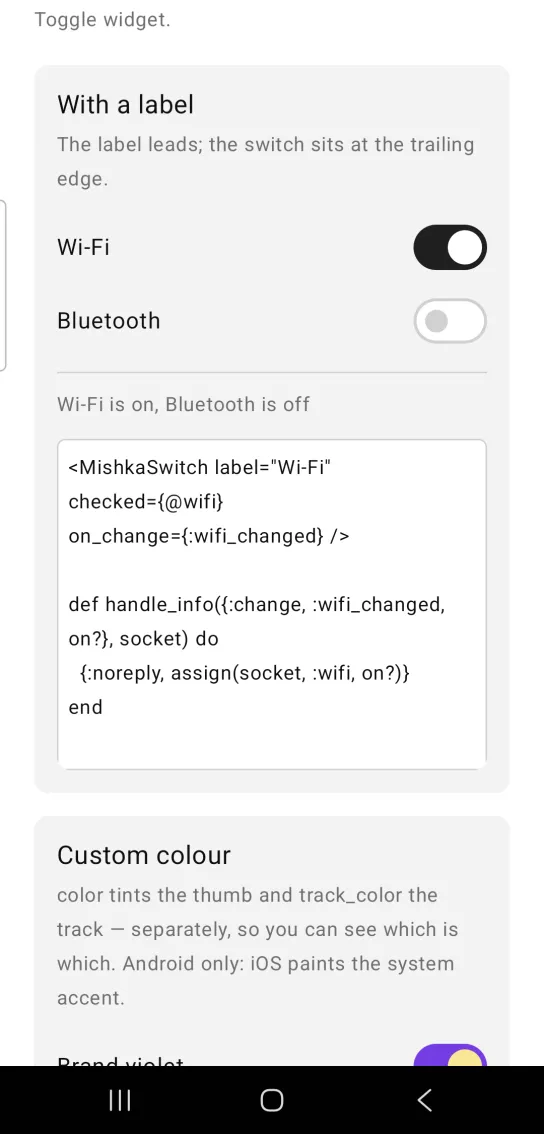
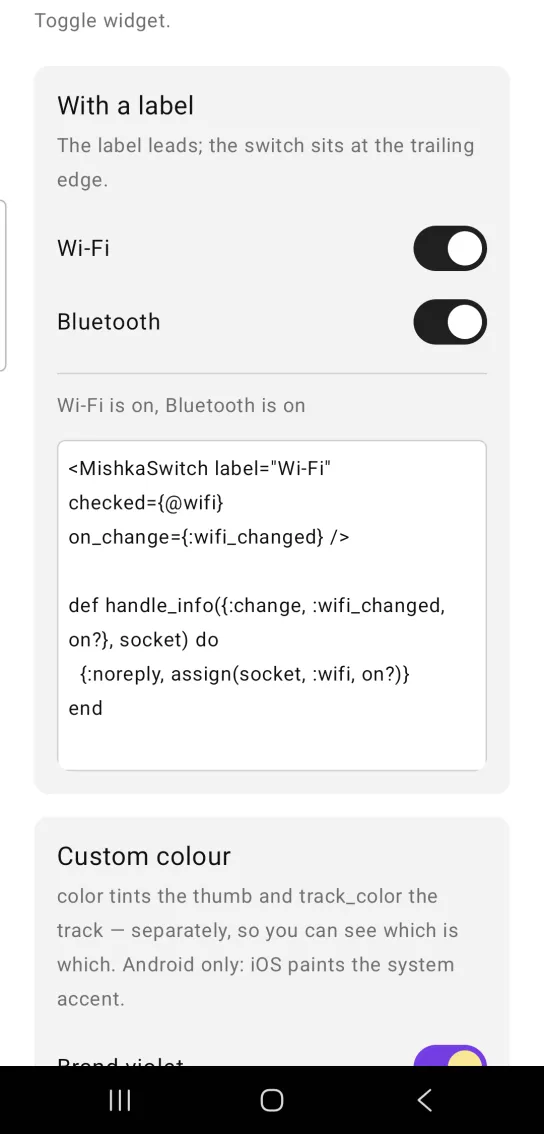
Left: the example as it loads. Right: after a tap. Flip a switch and the screen state follows.
<MishkaSwitch label="Wi-Fi" checked={@wifi} on_change={:wifi_changed} />

def handle_info({:change, :wifi_changed, on?}, socket) do
  {:noreply, assign(socket, :wifi, on?)}
end
Switch with custom colors
color tints the thumb and track_color tints the track, so you set the two separately. Pass track_color as an ARGB integer. Both props apply on Android only, because iOS paints the system accent.
Switch with custom colors
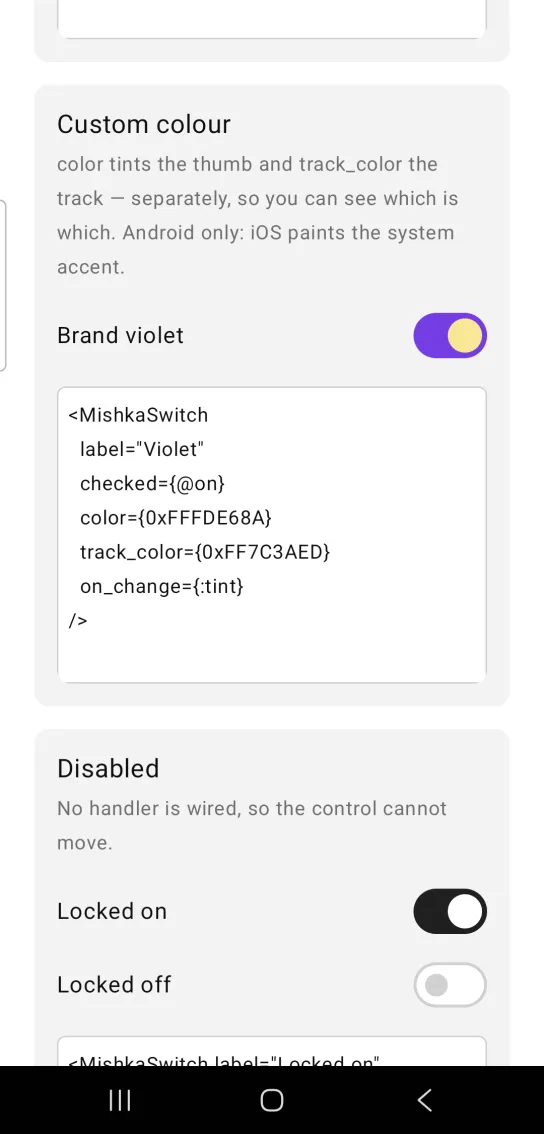
<MishkaSwitch
  label="Violet"
  checked={@on}
  color={0xFFFDE68A}
  track_color={0xFF7C3AED}
  on_change={:tint}
/>
Disabled switch
disabled leaves the handler off, so the switch cannot report a change. The switch still looks enabled, because Mob's Toggle does not pass the disabled state to the platform widget. On Android it cannot move. On iOS the native switch still moves when touched and reports nothing. Add a muted label if the difference needs to show.
Disabled switch
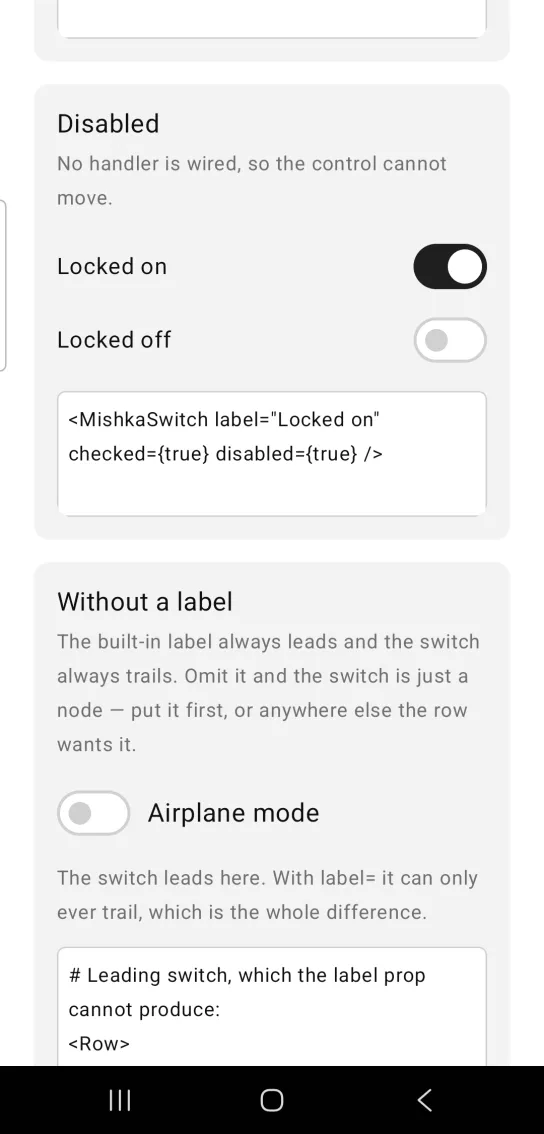
<MishkaSwitch label="Locked on" checked={true} disabled={true} />Switch without a label
The built-in label always comes first and the switch always comes last. To put the switch first, leave label out and place the switch in a Row beside a Text.
This example routes the change through handle_change/3, the callback the showcase app uses. In your own screen, handle {:change, :airplane, on?} in handle_info/2, as in the first example.
Switch without a label
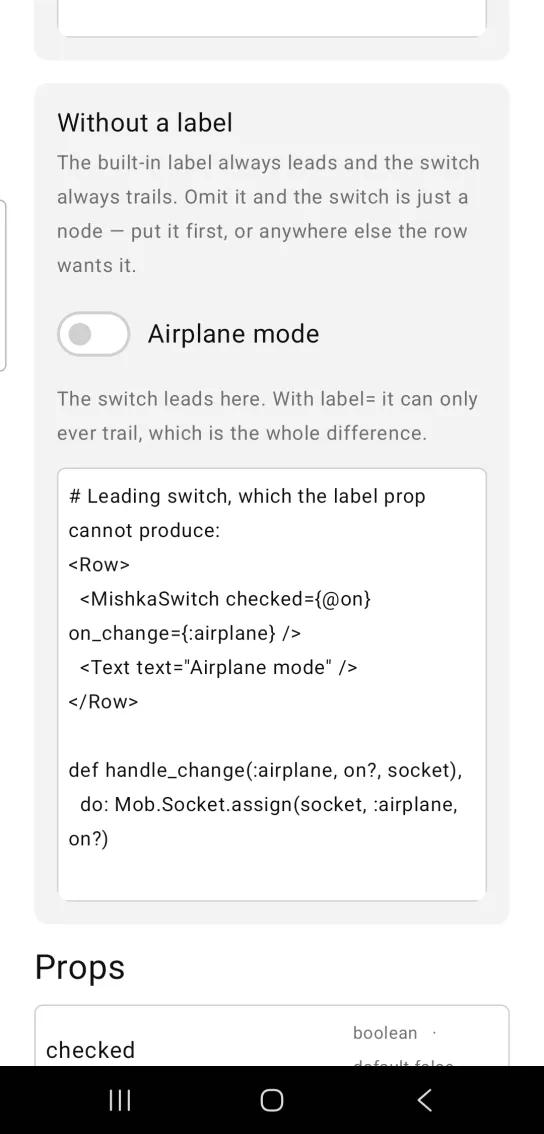
# Leading switch, which the label prop cannot produce:
<Row>
  <MishkaSwitch checked={@on} on_change={:airplane} />
  <Text text="Airplane mode" />
</Row>

def handle_change(:airplane, on?, socket),
  do: Mob.Socket.assign(socket, :airplane, on?)
Draw the switch with render box
The native Toggle has fixed metrics. Material's Compose Switch is 52 dp wide and 32 dp tall, with a 24 dp thumb when on, and no prop at any layer of the stack changes that. When a design specifies its own track and thumb sizes, set render={:box}. The component then draws the switch from a track Box that holds a thumb Box.
<MishkaSwitch
  render={:box}
  checked={@wifi?}
  on_toggle={:wifi_tapped}
  track_width={46}
  track_height={28}
  track_radius={14}
  thumb_size={22}
/>
A drawn switch reports a tap through on_toggle, with no value, so your screen flips checked itself. on_change is not read in this mode. disabled still removes the handler, and a drawn switch without a handler is inert on both platforms. color and track_color become backgrounds, so they work on iOS too.
The native switch stays the default, so existing switches look the same. Choose the drawn mode only when you need exact geometry, because it gives up some things the native switch has:
- No ripple or press state. The track paints the same before and after a touch.
- No thumb animation. The thumb snaps between its two positions instead of sliding.
- No platform accessibility semantics. A drawn switch is announced as an unlabeled tappable region, so set
label(the label row is real text) and prefer the native switch where accessibility matters more than geometry. - One thumb size. The native thumb grows from 16 dp to 24 dp when on, while the drawn thumb is
thumb_sizein both states.
Props
| Prop | Type | Default | Description |
|---|---|---|---|
checked | boolean | false | The on state. The screen owns it and passes it back on every render. |
label | string | nil | Leading label. The switch sits at the trailing edge. |
on_change | event tag | None | Sent as {:change, tag, boolean}. Leave it out for a read-only switch. The native rendering reads it. |
color | color / ARGB | platform default | Thumb color when on. Android only, because iOS paints the system accent. |
track_color | ARGB integer | platform default | Track color when on. Android only. Color tokens are ignored here, so pass an ARGB integer. |
disabled | boolean | false | Wires no handler. The switch cannot move on Android. On iOS it moves but reports nothing. |
render | :toggle or :box | :toggle | :toggle draws the native Toggle. :box draws a track Box that holds a thumb Box. |
Props for render box
The drawn rendering reads these props. The native rendering ignores them.
| Prop | Type | Default | Description |
|---|---|---|---|
track_width | number | 52 | Track width in dp or pt. |
track_height | number | 32 | Track height in dp or pt. |
track_radius | radius token or number | track_height / 2 | Track rounding. The default is a pill. |
thumb_size | number | 24 | Thumb edge, the same in both states. |
thumb_radius | radius token or number | thumb_size / 2 | Thumb rounding. The default is a circle. |
thumb_inset | number | (track_height - thumb_size) / 2 | Gap between the thumb and the leading or trailing edge of the track. The default is a symmetric capsule. |
track_on_color | color token or ARGB integer | track_color, else :primary | Track color when on. |
track_off_color | color token or ARGB integer | :border | Track color when off. |
thumb_on_color | color token or ARGB integer | color, else :on_primary | Thumb color when on. |
thumb_off_color | color token or ARGB integer | :on_primary | Thumb color when off. :on_primary is white in the default theme. |
disabled_track_color | color token or ARGB integer | the enabled track color | Track color while disabled. The default keeps a disabled switch looking live, so set it to gray the switch. |
disabled_thumb_color | color token or ARGB integer | the enabled thumb color | Thumb color while disabled. Set it to gray the thumb. |
thumb_shadow | shadow string | nil | A string in the form dx dy blur spread #AARRGGBB. It brings back the elevation of Material's handle. |
on_toggle | event tag | None | Sent as {:tap, tag}. |
Events
The native switch sends {:change, tag, boolean} to the screen through on_change. Handle it in handle_info/2 and assign the value:
def handle_info({:change, :wifi_changed, on?}, socket) do
  {:noreply, Mob.Socket.assign(socket, :wifi?, on?)}
end
A drawn switch (render={:box}) sends {:tap, tag} through on_toggle. The message has no value, so the screen flips the state:
def handle_info({:tap, :wifi_tapped}, socket) do
  {:noreply, Mob.Socket.assign(socket, :wifi?, !socket.assigns.wifi?)}
end
Differences from the web component
name,value,unchecked_value,formandrequiredare not ported. They exist to submit an<input>inside an HTML form, and a phone has no form post.idis not ported. On the web it anchorsaria-*relationships in the DOM.readonlyanddisabledbecome one prop. Both omit the handler.
Attributes
| Name | Type | Default | Values | Required | Description |
|---|---|---|---|---|---|
checked
|
boolean
|
false
| — | No | The on state. |
label
|
string
| — | — | No | Leading label; the switch sits at the trailing edge. |
on_change
|
event tag (atom)
| — | — | No | Sent as `{:change, tag, boolean}`. Omit for a read-only switch. Native rendering only. |
color
|
color token / ARGB int
|
platform default
| — | No | Thumb colour when on. |
track_color
|
**ARGB int**
|
platform default
| — | No | Track colour when on. |
disabled
|
boolean
|
false
| — | No | Wires no handler, so the control cannot move. |
render
|
:toggle :box
|
:toggle
| — | No | Which primitive draws the control — the native `Toggle`, or a `Box` track carrying a `Box` thumb. See "Two renderings". |
Options
Each option takes one or more of its values, separated by commas.
| Option | Values |
|---|---|
--type
|
switch
|
--module
| A module name of your own |
What it generates
mix mishka.ui.gen.mob switch