Skeleton
v0.0.10
Skeleton is a Mishka Chelekom component for Mob that draws gray placeholder shapes on an iOS or Android screen while content loads: bars for text, circles for avatars and blocks for everything else.
Overview of the Mob Skeleton component for iOS and Android
<MishkaSkeleton> stands in for content that has not arrived. Its shape is :block (the default), :text or :circle. The skeleton is static and does not shimmer.
Your screen owns the state. Render the skeleton while the data is missing and the real content once it arrives. A skeleton only works when it has the same shape as what replaces it. If the sizes differ, the content jumps when it lands, so build both sides of the branch at the same sizes.
A :text skeleton draws lines bars. Every bar but the last is full width, and the last takes last_line of the width. A block fills its parent unless you give it a width, and a circle always keeps its size.
Generate the skeleton component
Run this from your Mob app's root to add the component to lib/<app>/components/:
mix mishka.ui.gen.mob skeletonThe generator registers the tag, so you can use it in ~MOB markup. The examples on this page use the mishka_ prefix of the showcase app (--module-prefix mishka_), so the tag is <MishkaSkeleton>. Without a prefix, the tag is <Skeleton>.
Skeleton standing in for a real row
Tap Load to swap the placeholder for the real row. Both branches use the same sizes, so nothing moves when the data lands.
Skeleton standing in for a real row
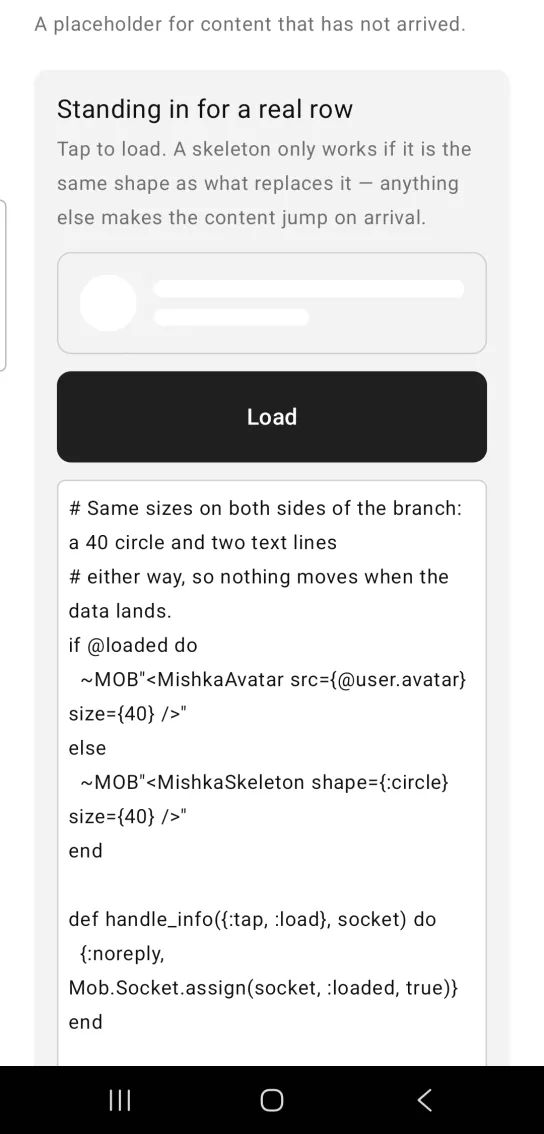
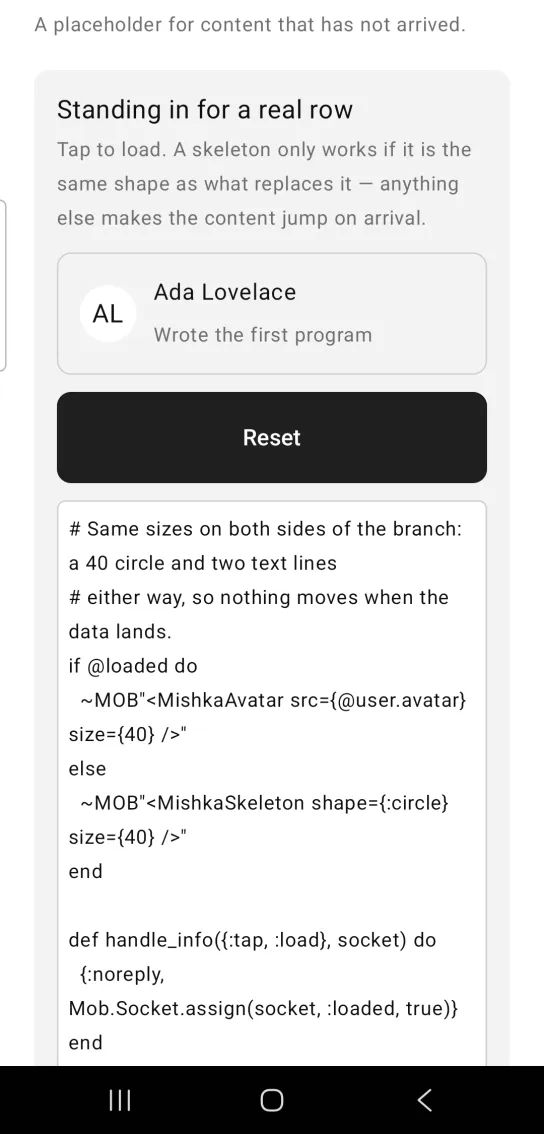
Left: the example as it loads. Right: after a tap. The skeleton is replaced by the content that has the same shape.
# Same sizes on both sides of the branch: a 40 circle and two text lines
# either way, so nothing moves when the data lands.
if @loaded do
  ~MOB"<MishkaAvatar src={@user.avatar} size={40} />"
else
  ~MOB"<MishkaSkeleton shape={:circle} size={40} />"
end

def handle_info({:tap, :load}, socket) do
  {:noreply, Mob.Socket.assign(socket, :loaded, true)}
end
Text skeleton
shape={:text} draws lines bars, three by default. The last bar is short, because a real paragraph does not end flush with the margin. last_line sets that bar's share of the width, from 0.0 to 1.0, and values outside the range are clamped. The share is a Row weight. No geometry is reported back to render/1, so the component cannot measure its parent.
Text skeleton
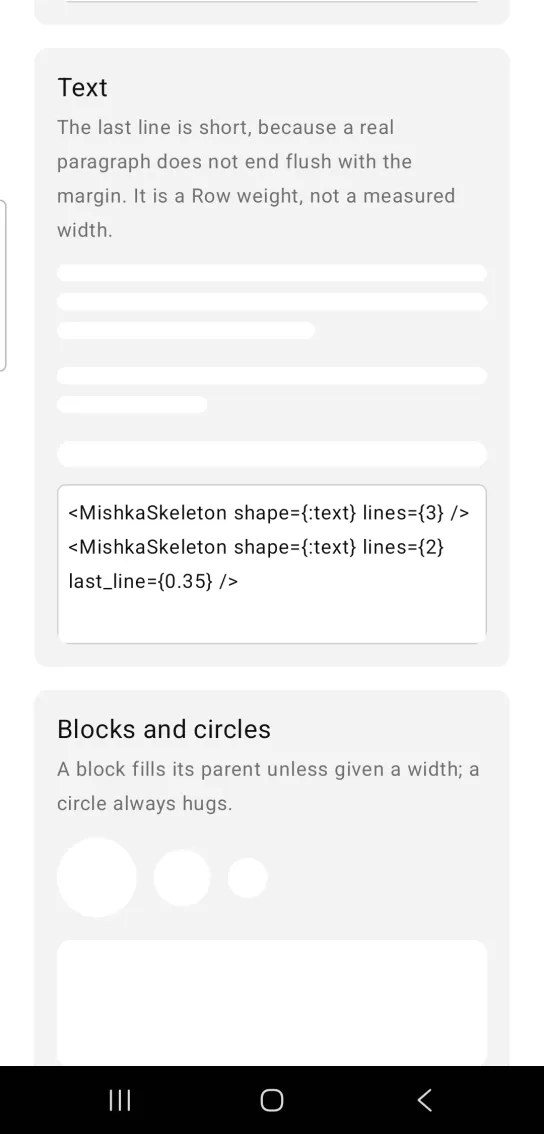
<MishkaSkeleton shape={:text} lines={3} />
<MishkaSkeleton shape={:text} lines={2} last_line={0.35} />
Block and circle skeletons
A block fills its parent unless you give it a width. A circle always uses size for both its width and its height. Set corner_radius to override the shape's default radius: a pill for text, half the size for a circle and :radius_md for a block.
Block and circle skeletons
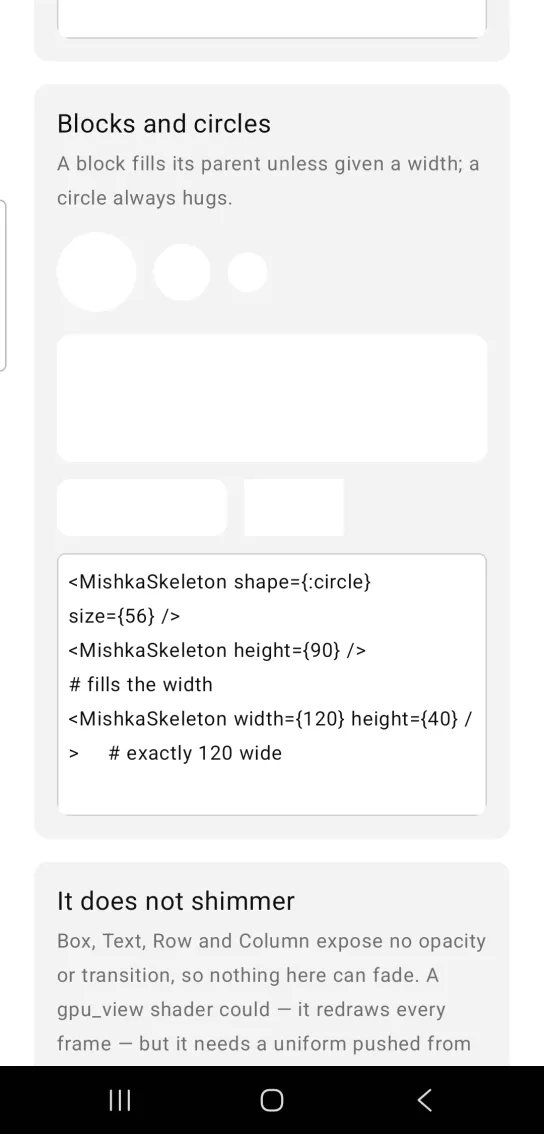
<MishkaSkeleton shape={:circle} size={56} />
<MishkaSkeleton height={90} />                 # fills the width
<MishkaSkeleton width={120} height={40} />     # exactly 120 wide
Skeleton does not shimmer
Box, Text, Row and Column expose no opacity or transition, so nothing in the skeleton can fade. A Mob.UI.gpu_view/1 shader could animate it, but a shader redraws on every frame. The screen would push a new uniform from Elixir at 60 Hz for each placeholder, and each placeholder would need its own GL surface. That is a lot of work to fade a gray box, so the skeleton stays static.
When you want motion that says work is happening, use <MishkaProgress /> or <MishkaLoadingOverlay>. Both animate on their own.
Skeleton does not shimmer
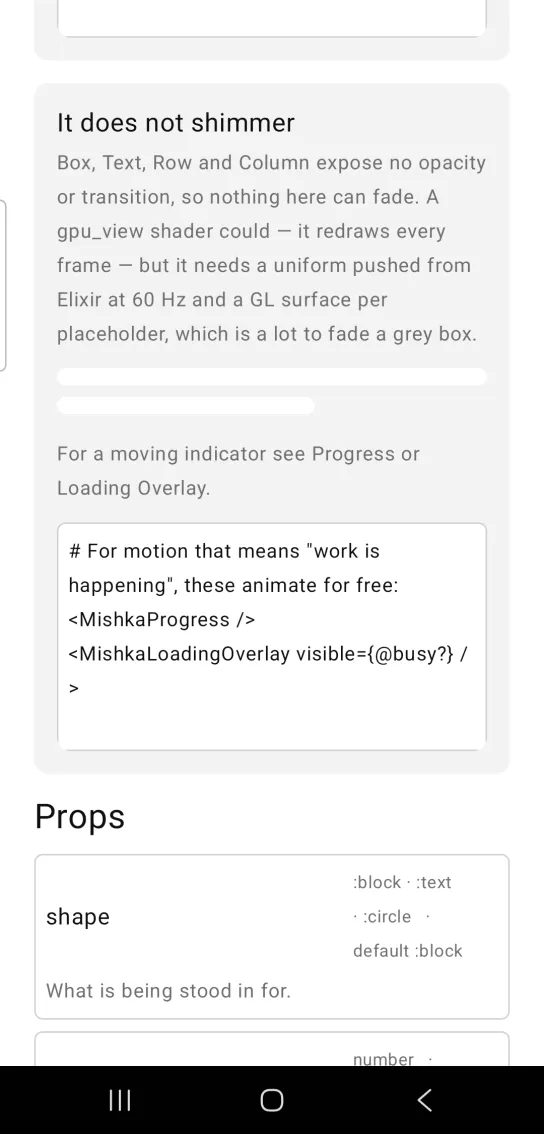
# For motion that means "work is happening", these animate for free:
<MishkaProgress />
<MishkaLoadingOverlay visible={@busy?} />
Props
| Prop | Type | Default | Description |
|---|---|---|---|
shape | :block, :text or :circle | :block | What the skeleton stands in for. |
width | number | fills the parent | Exact width. Leave it out and a block fills its parent. |
height | number | 12 for text, 80 for a block | Bar or block height. A circle uses size instead. |
size | number | 40 | Circle diameter, applied to both axes. |
lines | integer | 3 | Text only: how many bars. |
last_line | 0.0 to 1.0 | 0.6 | Text only: the last bar's share of the width, clamped. Android only. |
gap | number | 8 | Text only: space between bars. |
color | color or ARGB integer | :surface_raised | Placeholder fill. |
corner_radius | radius token or number | set by the shape | A pill for text, half of size for a circle, :radius_md for a block. |
id | string | None | A native test tag. A :text skeleton numbers its bars id-0, id-1 and so on. |
Differences from the web component
- The web component pulses. This one is static, for the reasons given in the shimmer section above.
last_linetakes effect on Android only. On iOS the last bar of a text skeleton is about half the width.
Attributes
| Name | Type | Default | Values | Required | Description |
|---|---|---|---|---|---|
shape
|
:block :text :circle
|
:block
| — | No | What is being stood in for. |
width
|
number
|
fills
| — | No | Exact width. Omit to fill the parent. |
height
|
number
|
per shape
| — | No | Bar/block height. Ignored by `:circle`. |
size
|
number
|
40
| — | No | `:circle` diameter — sets both axes. |
lines
|
integer
|
3
| — | No | `:text` only: how many bars. |
last_line
|
0.0–1.0
|
0.6
| — | No | `:text` only: the last bar's share of the width. |
gap
|
number
|
8
| — | No | `:text` only: space between bars. |
color
|
color token / ARGB int
|
:surface_raised
| — | No | Placeholder fill. |
corner_radius
|
radius token / number
|
per shape
| — | No | Override the shape's radius. |
id
|
string
| — | — | No | A native testTag. `:text` numbers its bars `id-0`, `id-1`, … |
Options
Each option takes one or more of its values, separated by commas.
| Option | Values |
|---|---|
--type
|
skeleton
|
--module
| A module name of your own |
What it generates
mix mishka.ui.gen.mob skeleton