Number field
v0.0.10
mix mishka.ui.gen.mob number_field
The Mishka Chelekom Mob Number Field is a numeric input with decrement and increment buttons for iOS and Android. It is the native port of the headless Number Field and runs on Mob.
Overview of the Mob Number Field component for iOS and Android
Number Field renders one bordered strip: a minus stepper, a hairline, the centered value, a hairline and a plus stepper. The value is Mob's native TextField with a numeric keyboard, so the platform brings the right keypad. A whole-number step opens the number pad, and a fractional step opens the decimal pad. The steppers are tappable boxes. The inner field draws no box of its own, so the strip's border is the only outline.
The screen owns the value. The steppers send on_step taps and the field sends on_change text, and your handler turns both into the next value. Two pure functions do that work:
MishkaNumberField.parse/2turns typed text into a number, or intonilwhile the text is not a number yet. A lone"-", a trailing"."and an empty string are partial input, not errors.MishkaNumberField.step/3moves a value by one step, clamps it into[min, max]and rounds it to the step's own precision. Stepping0.1up from0.3gives0.4, not0.4000000000000001.
A stepper goes inert at its bound, as well as when the field is disabled, so a plus button that cannot go up does not look pressable. MishkaNumberField.at_bound?/3 tells you whether a step would do nothing.
The value slot stays one line
The platform field draws its placeholder in a text of its own, and that text wraps when the slot is too narrow. Nothing in the component can tell it to stop. So the component sizes the slot for the placeholder as well as the value, whether or not the field is empty. That also keeps the strip from changing width when the first digit goes in. An empty field with placeholder="How many?" in a 96dp slot would wrap over three lines, and the strip would grow to twice the height of one that holds a value.
The slot takes its height from the field. Pin your own value_width too narrow for the placeholder and the placeholder wraps again.
Generate the number field component
Run this from your Mob app's root to add the component to lib/<app>/components/:
mix mishka.ui.gen.mob number_fieldThe generator registers the <NumberField> tag so you can use it in ~MOB markup. It also copies the shared Event support module, unless you pass --no-kit. The examples on this page use the mishka_ prefix of the showcase app (--module-prefix mishka_), so the tag is <MishkaNumberField>. Without a prefix the tag is <NumberField>.
Whole number field with a range
Set min and max to bound the value and on_step to receive taps on the steppers. The default step is 1, so the number pad opens. When a stepper is tapped, the handler asks MishkaNumberField.step/3 for the next value, and the result is clamped into the range.
Whole number field with a range
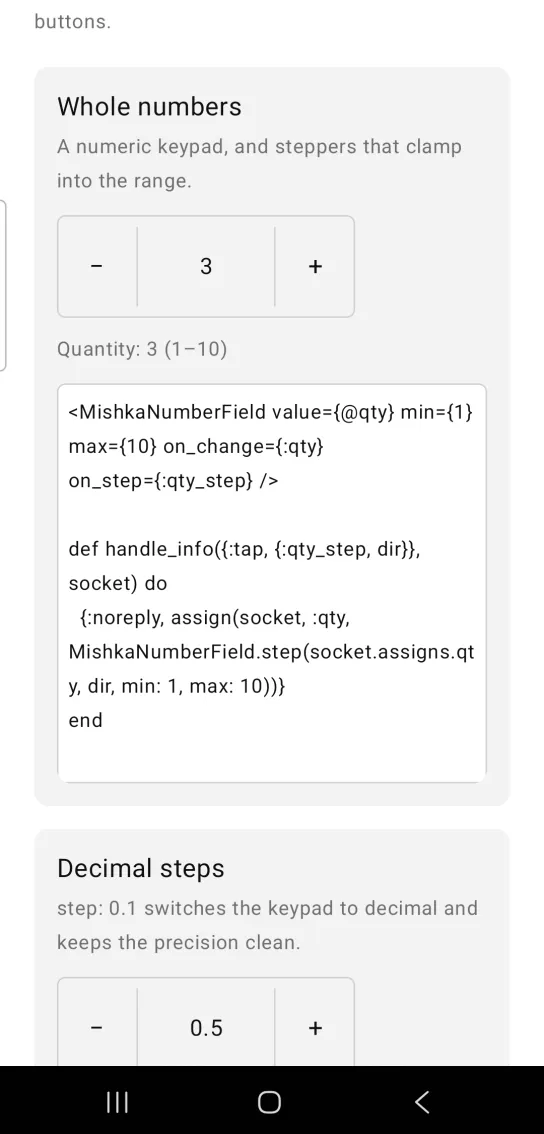
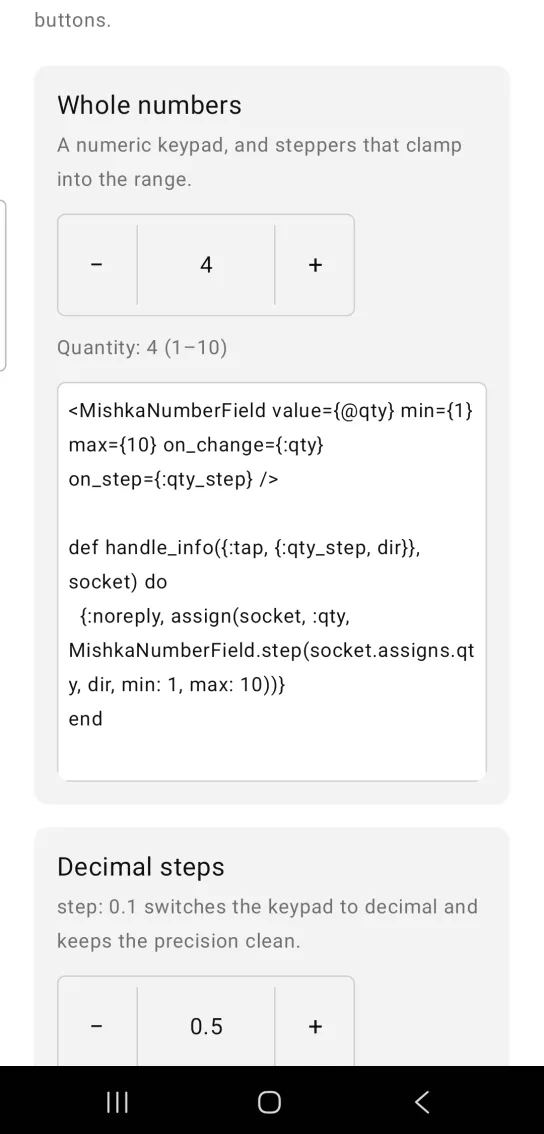
Left: the example as it loads. Right: after a tap. Steppers clamp into the range.
<MishkaNumberField value={@qty} min={1} max={10} on_change={:qty} on_step={:qty_step} />

def handle_info({:tap, {:qty_step, dir}}, socket) do
  {:noreply, assign(socket, :qty, MishkaNumberField.step(socket.assigns.qty, dir, min: 1, max: 10))}
end
Decimal steps
A fractional step such as 0.1 switches the keypad to the decimal pad. The value shows one decimal, the number of decimals the step implies. Set decimals to choose a different display precision.
Decimal steps
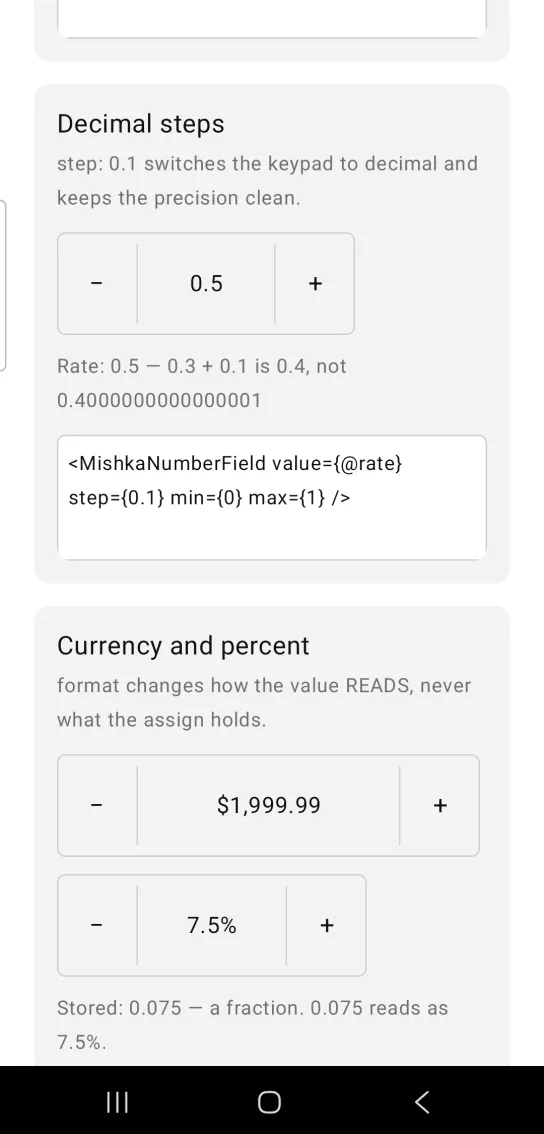
<MishkaNumberField value={@rate} step={0.1} min={0} max={1} />Currency and percent formats
format changes how the value reads. The assign keeps the plain number. :currency shows a dollar sign and comma thousands separators, so 1999.99 reads as $1,999.99. :percent shows a fraction as a percentage, so the stored 0.075 reads as 7.5%. The default is :plain.
Currency and percent formats
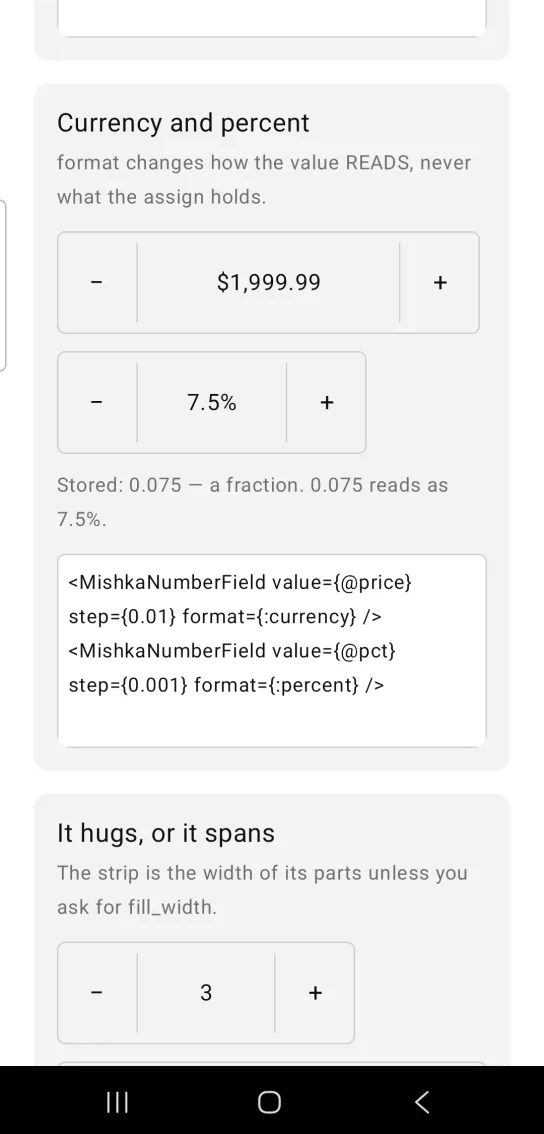
<MishkaNumberField value={@price} step={0.01} format={:currency} />
<MishkaNumberField value={@pct} step={0.001} format={:percent} />
Number field width
The strip is as wide as its parts: two steppers, two hairlines and the value slot. The slot has a fixed width that the component estimates from the rendered text and the placeholder. Pass value_width to set it yourself, or fill_width={true} to span the parent.
Number field width
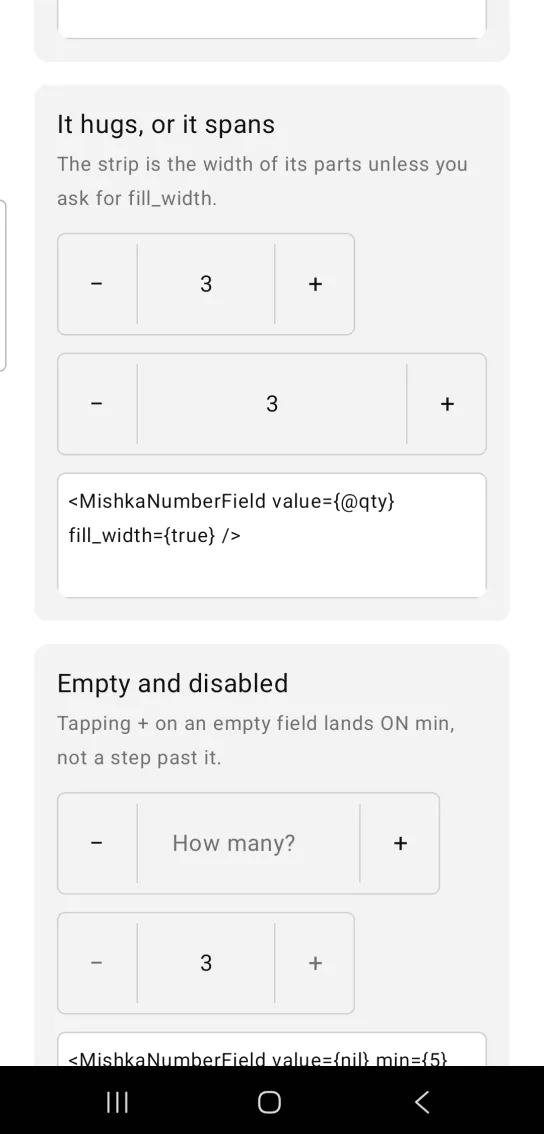
<MishkaNumberField value={@qty} fill_width={true} />Empty and disabled number field
A field with value={nil} shows its placeholder. The slot is wide enough for the placeholder, so it stays on one line. MishkaNumberField.step/3 treats an empty value as a starting point, so the first tap on the plus button gives min. With min={5} that is 5. disabled={true} mutes the field and unwires everything.
Empty and disabled number field
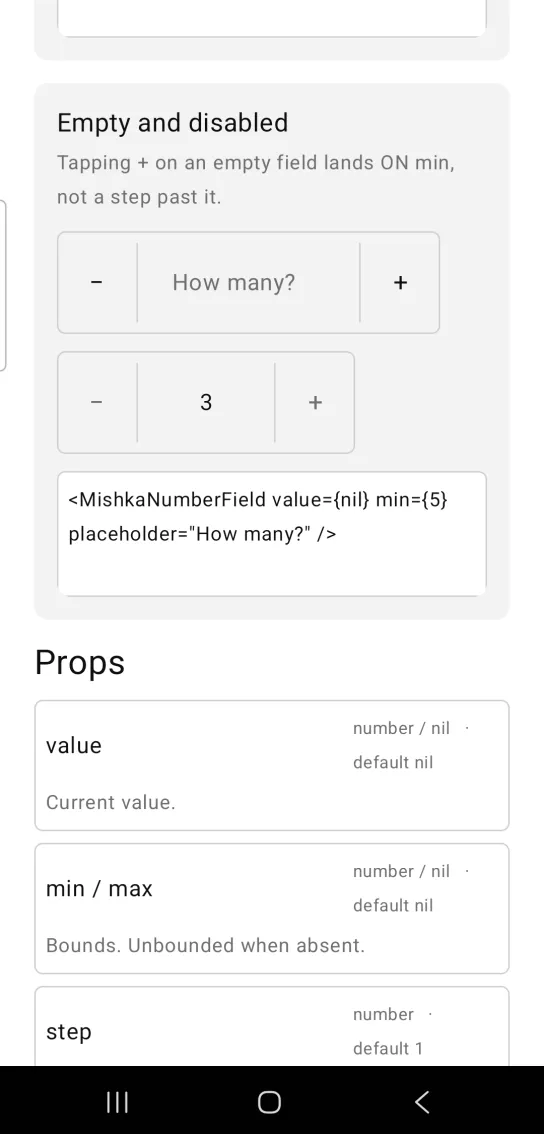
<MishkaNumberField value={nil} min={5} placeholder="How many?" />Props
Props of the <MishkaNumberField> tag.
| Prop | Type | Default | Description |
|---|---|---|---|
value | number or nil | nil | The current value. |
min / max | number or nil | nil | Bounds. The value is unbounded when absent. |
step | number | 1 | Amount the buttons move. It also picks the keypad. |
decimals | integer | Derived from step | Display precision. |
placeholder | string | nil | Shown while the field is empty. It also sets the width of the value slot, so it stays on one line. |
disabled | boolean | false | Mutes the field and unwires everything. |
on_change / on_step | event tags | None | Events from the value field and from the steppers. See Events below. |
format | :plain, :currency or :percent | :plain | How the value reads. :percent shows a fraction as a percentage. |
size | number | 56 | Edge of a stepper, and the height of the strip. |
fill_width | boolean | false | Spans the parent instead of hugging its parts. |
value_width | number | Estimated from the text and the placeholder | Width of the value slot. Set it to replace the estimate. |
background / corner_radius | color / radius | :surface / :radius_sm | Fill and rounding of the strip. |
border_color / border_width | color / number | :border / 1 | Outline of the strip. |
id | string | nil | Test tag on the value field, and <id>-down and <id>-up on the steppers. |
at_bound?/3 and format/3 | helpers | None | Whether a stepper is inert, and the display formatting. |
parse/2, step/3 and to_text/2 | helpers | None | Partial input, clamping and step precision. |
Events
Your screen receives these messages in handle_info/2:
on_changesends{:change, tag, text}as the user types in the value field. The text is raw, so pass it toMishkaNumberField.parse/2.on_stepsends{:tap, {tag, :up}}or{:tap, {tag, :down}}when the user taps the plus or minus button. Pass the direction toMishkaNumberField.step/3.
A stepper at its bound sends nothing, and neither does a disabled field.
def handle_info({:change, :qty, text}, socket) do
  {:noreply, assign(socket, :qty, MishkaNumberField.parse(text, min: 1, max: 10))}
end

def handle_info({:tap, {:qty_step, dir}}, socket) do
  {:noreply, assign(socket, :qty, MishkaNumberField.step(socket.assigns.qty, dir, min: 1, max: 10))}
end
Differences from the web component
These parts of the web component are not ported:
name, which is form plumbing.small_stepandlarge_step, which are modifier-key gestures. A phone has no Shift or Alt key.snap_on_stepandallow_out_of_range. The port always clamps into the range.- Press and hold to repeat. Android's bridge has no long-press event, while iOS has
onLongPress. - Scrub to change, a pointer drag on the label.
- The
*_classattributes.
Attributes
| Name | Type | Default | Values | Required | Description |
|---|---|---|---|---|---|
value
|
number or nil
| — | — | No | Current value. |
min / max
|
number or nil
| — | — | No | Bounds. Unbounded when absent. |
step
|
number
|
1
| — | No | Amount the buttons move. |
placeholder
|
string
| — | — | No | Shown while empty. |
disabled
|
boolean
|
false
| — | No | Mutes and unwires everything. |
on_change
|
event tag (atom)
| — | — | No | `{:change, tag, text}` from the field. |
on_step
|
event tag (atom)
| — | — | No | `{:tap, {tag, :up | :down}}` from the buttons. |
decimals
|
integer
|
derived from step
| — | No | Display precision. |
format
|
:plain :currency :percent
|
:plain
| — | No | How the value reads. |
size
|
number
|
56
| — | No | Stepper edge, and the strip's height. |
value_width
|
number
|
estimated from the text and the placeholder
| — | No | The value slot, when not spanning. |
fill_width
|
boolean
|
false
| — | No | Span the parent instead of hugging. |
background / border_color / border_width / corner_radius
| — | — | — | No | The strip. |
Options
Each option takes one or more of its values, separated by commas.
| Option | Values |
|---|---|
--type
|
number_field
|
--module
| A module name of your own |
What it generates
mix mishka.ui.gen.mob number_field