Alert dialog
v0.0.10
mix mishka.ui.gen.mob alert_dialog
The Mob Alert Dialog component from Mishka Chelekom is a confirmation modal for iOS and Android that asks the user for an explicit choice. A tap on its backdrop never closes it. It is the native port of the headless Alert Dialog for screens built with Mob.
Overview of the Mob Alert Dialog component for iOS and Android
The alert dialog is a thin wrapper over the Mob Dialog. It uses the same overlay, anatomy and part tags. Two props are fixed: dismissible is always false, and modal is always true. Passing either one changes nothing.
The backdrop blocks the screen without dismissing the dialog. Taps on it go to a tag that your screen ignores, so they never reach the page underneath. Your screen needs a catch-all handle_info/2 clause for them.
Your screen owns the state. Keep an open? value in the screen's assigns and render the dialog at the screen root, as you do for a Dialog. Add a button that sets open? to true, such as the plain Button the showcase app uses. An <MishkaAlertDialogAction> tag builds each footer button, and you close the dialog from the screen when an action reports a tap.
By default an action has close: true. It fires the dialog's on_close unless it carries an on_tap of its own, in which case your handler wins and closing is up to the screen.
The title, description and footer tags are the Dialog's own tags, so one <MishkaDialogTitle> works in both components. With an id, every part has the same test tags as the Dialog: <id>-open, <id>-backdrop-modal, <id>-panel, <id>-title, <id>-description, <id>-content and <id>-footer.
When you use the title, description and actions props instead of slot tags, the component logs a warning if the dialog is open with no actions, because the user then has no way out. It also warns when the dialog has neither a title nor a description.
Generate the alert dialog component
Run this from your Mob app's root to add the component to lib/<app>/components/:
mix mishka.ui.gen.mob alert_dialogThe generator registers the component's tag, so you can use it in ~MOB markup. It also copies the shared Event helper and generates the Dialog component with the same prefixes, because the alert dialog builds on it. The examples on this page use the mishka_ prefix of the showcase app (--module-prefix mishka_), so the tag is <MishkaAlertDialog>. Without a prefix the tag is <AlertDialog>.
Alert dialog that confirms or cancels
Every part is a tag. Cancel has no handler of its own, so its close option, which defaults to true, fires the dialog's on_close. This is the port of the web data-close attribute. Discard brings its own on_tap, which wins.
Alert dialog that confirms or cancels
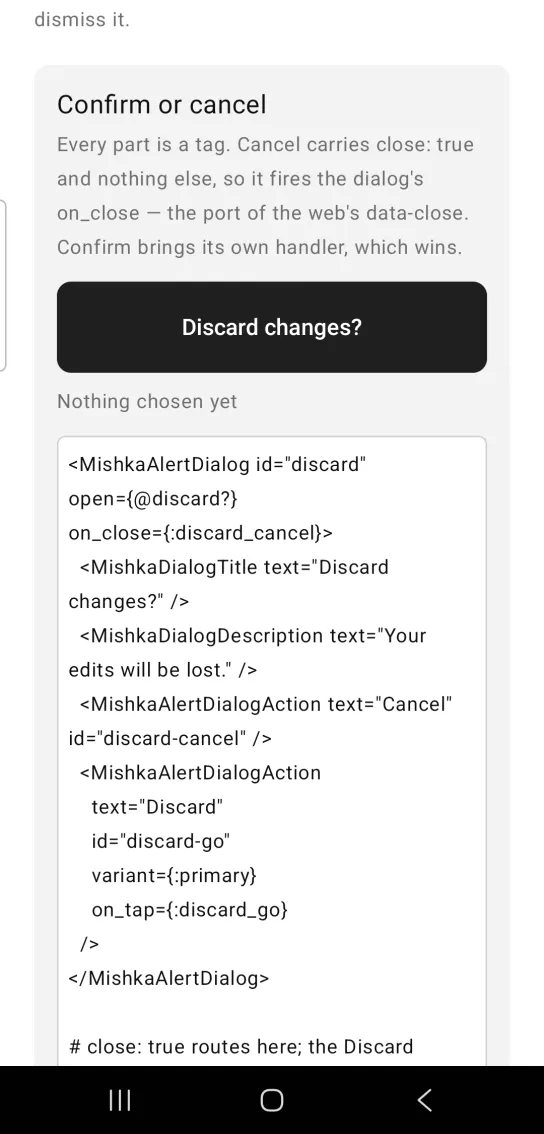
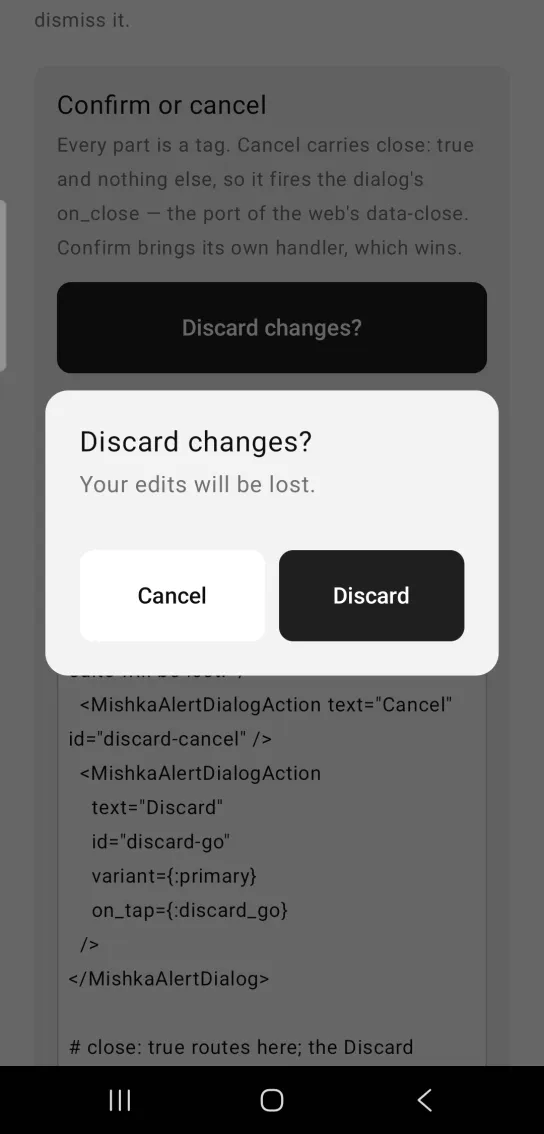
Left: the example as it loads. Right: after a tap. Every part is a tag, and the buttons report their own choice.
<MishkaAlertDialog id="discard" open={@discard?} on_close={:discard_cancel}>
  <MishkaDialogTitle text="Discard changes?" />
  <MishkaDialogDescription text="Your edits will be lost." />
  <MishkaAlertDialogAction text="Cancel" id="discard-cancel" />
  <MishkaAlertDialogAction
    text="Discard"
    id="discard-go"
    variant={:primary}
    on_tap={:discard_go}
  />
</MishkaAlertDialog>

# close: true routes here; the Discard button routes to its own tag.
def handle_info({:tap, :discard_cancel}, socket) do
  {:noreply, Mob.Socket.assign(socket, :discard?, false)}
end

def handle_info({:tap, :discard_go}, socket) do
  {:noreply, socket |> Mob.Socket.assign(:discard?, false) |> discard()}
end

# REQUIRED: the backdrop and the panel both route stray taps to tags
# nobody handles, so a catch-all has to swallow them.
def handle_info(_msg, socket), do: {:noreply, socket}Alert dialog ignores backdrop taps
The first block passes dismissible={true} and the dialog ignores it, so both blocks behave the same. The card under the button counts every tap that reaches it. While the dialog is open, that count does not change, because the backdrop absorbs each tap.
Alert dialog ignores backdrop taps
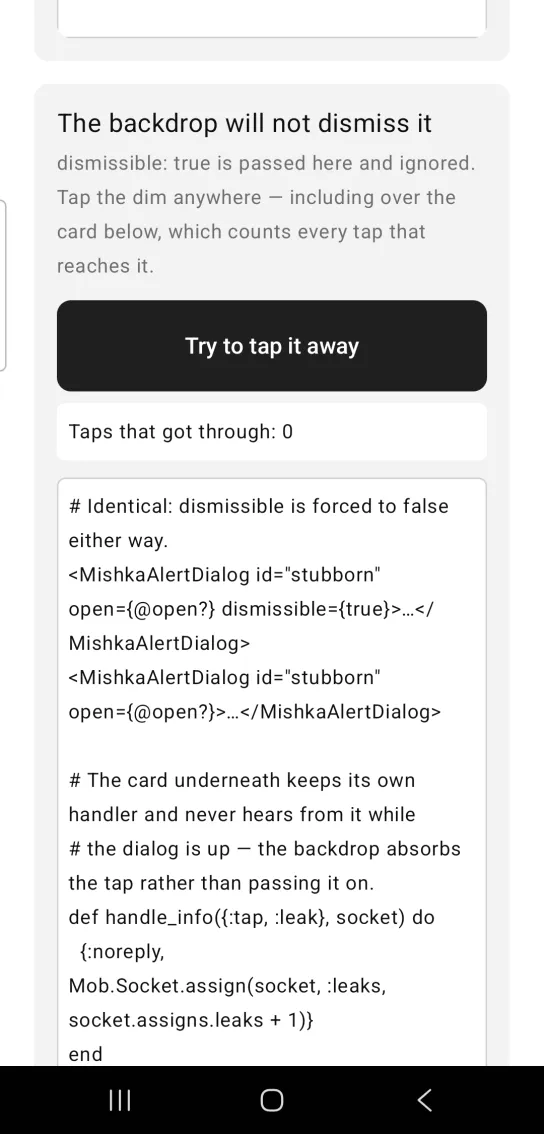
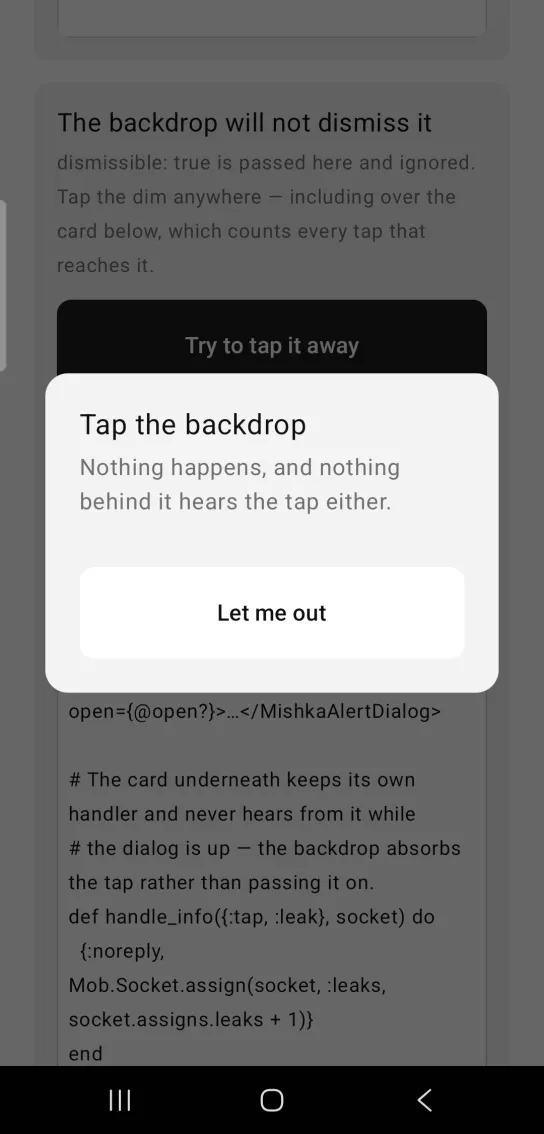
Left: the example as it loads. Right: after a tap. The backdrop cannot dismiss an alert dialog.
# Identical: dismissible is forced to false either way.
<MishkaAlertDialog id="stubborn" open={@open?} dismissible={true}>…</MishkaAlertDialog>
<MishkaAlertDialog id="stubborn" open={@open?}>…</MishkaAlertDialog>

# The card underneath keeps its own handler and never hears from it while
# the dialog is up — the backdrop absorbs the tap rather than passing it on.
def handle_info({:tap, :leak}, socket) do
  {:noreply, Mob.Socket.assign(socket, :leaks, socket.assigns.leaks + 1)}
end
Destructive alert dialog
variant={:danger} fills the button with the :error color token and adds danger to its test tag, such as delete-go-danger. This example builds its footer from a list with action/2 and passes it in the actions prop. Both forms build the identical node, and action tags win over the prop when you use both.
Destructive alert dialog
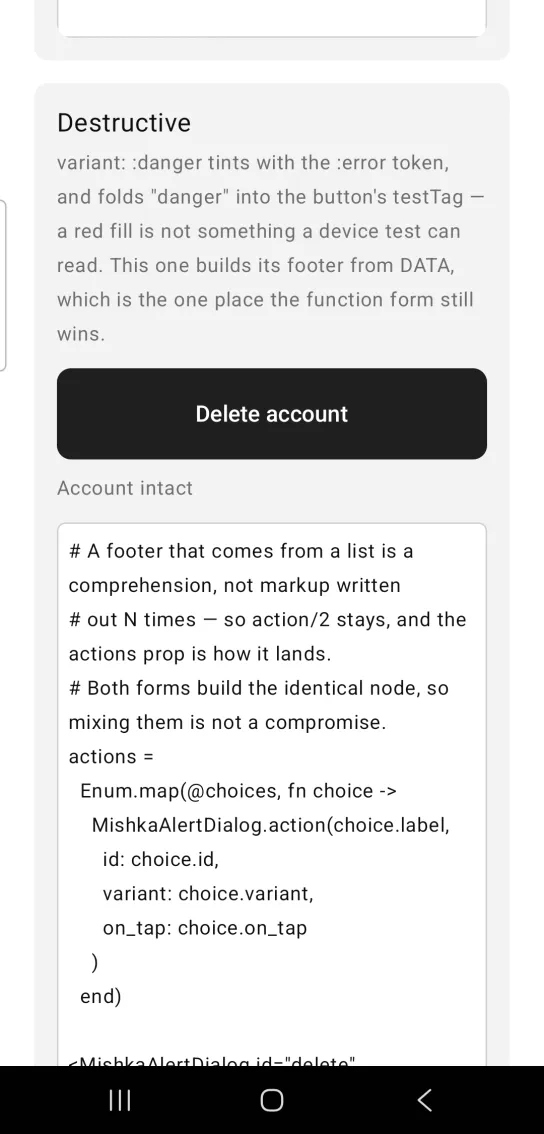
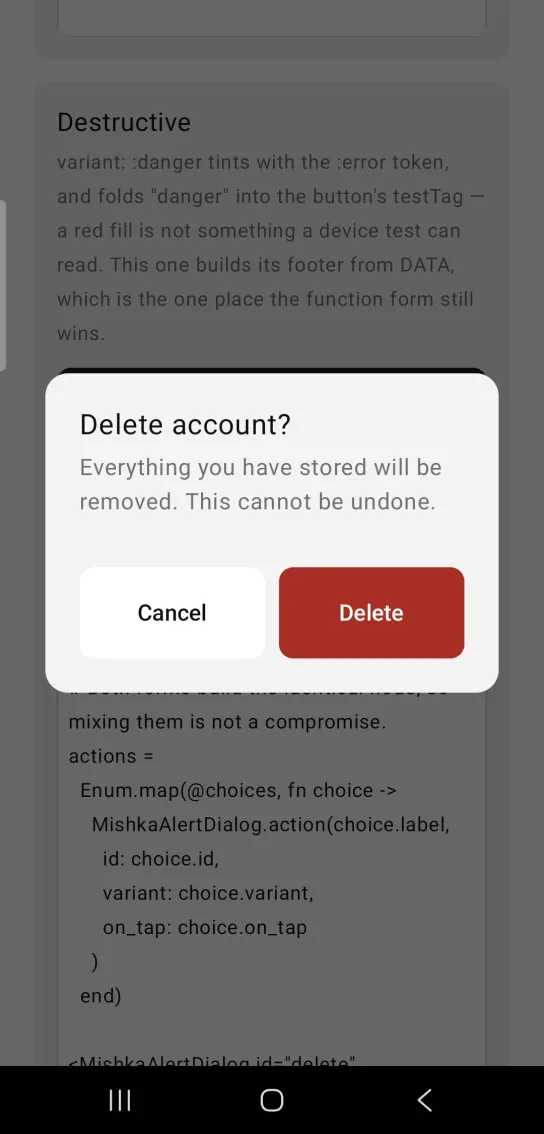
Left: the example as it loads. Right: after a tap. The danger variant tints the confirm action.
# A footer that comes from a list is a comprehension, not markup written
# out N times — so action/2 stays, and the actions prop is how it lands.
# Both forms build the identical node, so mixing them is not a compromise.
actions =
  Enum.map(@choices, fn choice ->
    MishkaAlertDialog.action(choice.label,
      id: choice.id,
      variant: choice.variant,
      on_tap: choice.on_tap
    )
  end)

<MishkaAlertDialog id="delete" open={@deleting?} on_close={:delete_cancel}
                   actions={actions}>
  <MishkaDialogTitle text="Delete account?" />
  <MishkaDialogDescription text="This cannot be undone." />
</MishkaAlertDialog>

# testTags: "delete-cancel-neutral" and "delete-go-danger".
def handle_info({:tap, :delete_go}, socket) do
  {:noreply, socket |> Mob.Socket.assign(:deleting?, false) |> delete_account()}
endAlert dialog with a custom title and description
A slot tag with children makes the whole subtree the part. Here the title is a row with a warning glyph and a line of text, and the description holds a usage bar. text= is the shorthand for a plain string. Wrap the footer in <MishkaDialogFooter> when it holds more than action buttons. The actions inside it still resolve.
Alert dialog with a custom title and description
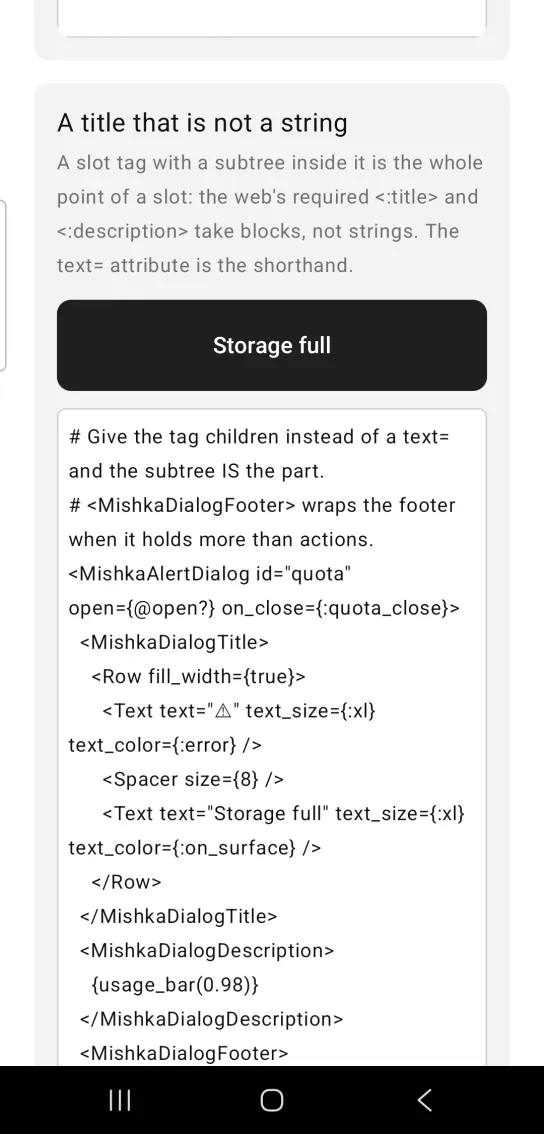
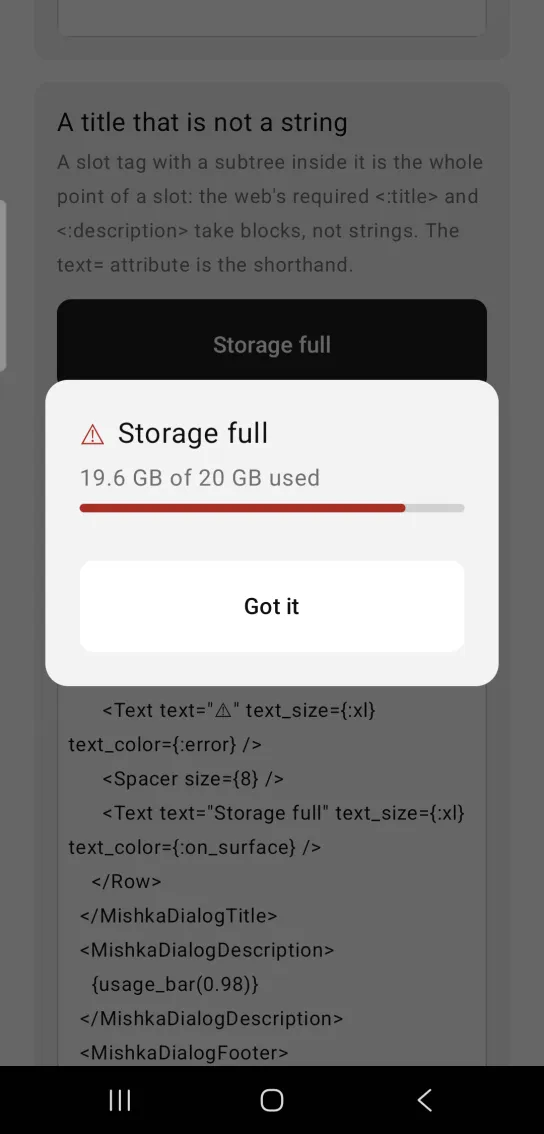
Left: the example as it loads. Right: after a tap. A title and description can hold whole subtrees.
# Give the tag children instead of a text= and the subtree IS the part.
# <MishkaDialogFooter> wraps the footer when it holds more than actions.
<MishkaAlertDialog id="quota" open={@open?} on_close={:quota_close}>
  <MishkaDialogTitle>
    <Row fill_width={true}>
      <Text text="⚠" text_size={:xl} text_color={:error} />
      <Spacer size={8} />
      <Text text="Storage full" text_size={:xl} text_color={:on_surface} />
    </Row>
  </MishkaDialogTitle>
  <MishkaDialogDescription>
    {usage_bar(0.98)}
  </MishkaDialogDescription>
  <MishkaDialogFooter>
    <MishkaAlertDialogAction text="Got it" id="quota-ok" />
  </MishkaDialogFooter>
</MishkaAlertDialog>

def handle_info({:tap, :quota_close}, socket) do
  {:noreply, Mob.Socket.assign(socket, :open?, false)}
endAlert dialog with custom size and colors
width, padding, corner_radius, background and scrim_color pass straight through to the Dialog. Anything that is not a slot tag is the body, which sits between the description and the actions.
Alert dialog with custom size and colors
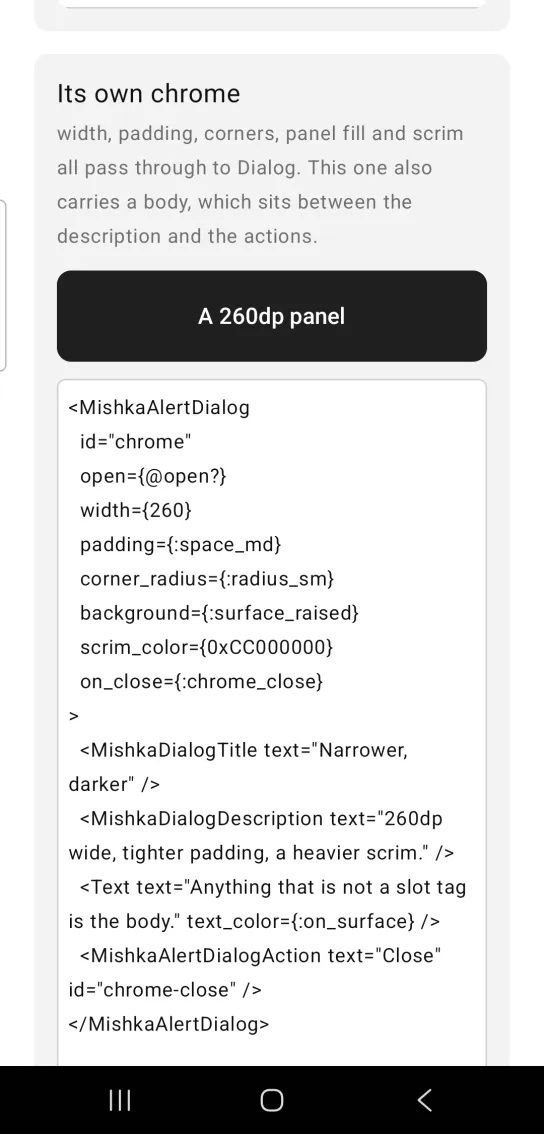
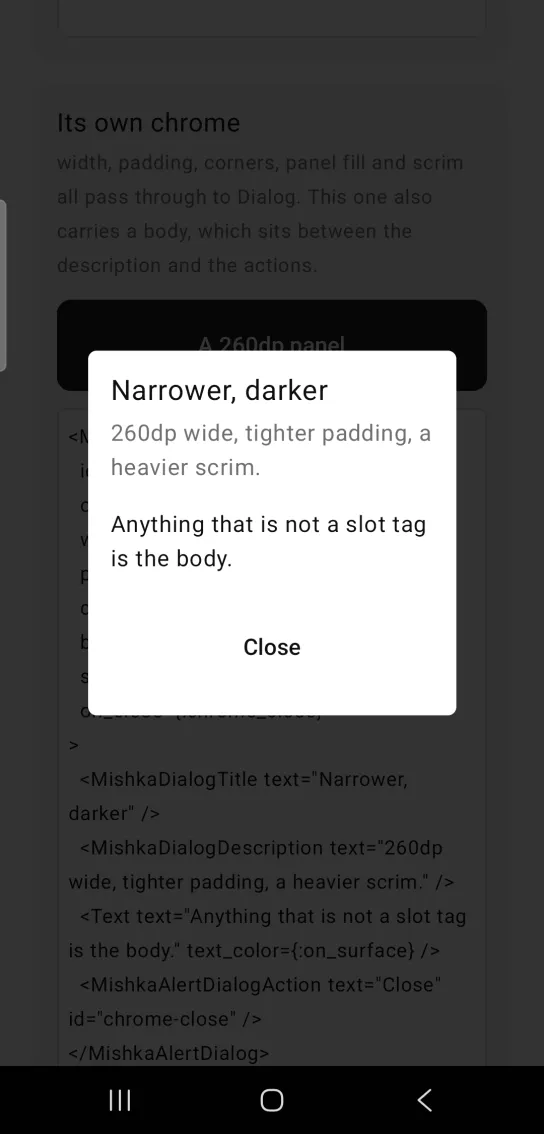
Left: the example as it loads. Right: after a tap. Width, padding, corners and scrim pass through to the dialog.
<MishkaAlertDialog
  id="chrome"
  open={@open?}
  width={260}
  padding={:space_md}
  corner_radius={:radius_sm}
  background={:surface_raised}
  scrim_color={0xCC000000}
  on_close={:chrome_close}
>
  <MishkaDialogTitle text="Narrower, darker" />
  <MishkaDialogDescription text="260dp wide, tighter padding, a heavier scrim." />
  <Text text="Anything that is not a slot tag is the body." text_color={:on_surface} />
  <MishkaAlertDialogAction text="Close" id="chrome-close" />
</MishkaAlertDialog>

def handle_info({:tap, :chrome_close}, socket) do
  {:noreply, Mob.Socket.assign(socket, :open?, false)}
endProps
The alert dialog accepts everything the Dialog accepts, except dismissible and modal, which are fixed.
| Prop | Type | Default | Description |
|---|---|---|---|
id | string | nil | Stem for the native test tags. They are the Dialog names, so a test does not need to know which of the two it is looking at. |
open | boolean | false | Whether the dialog is shown. The screen owns this value. |
title | string | nil | Heading. Shorthand for <MishkaDialogTitle>. |
description | string | nil | Supporting text under the heading. Shorthand for <MishkaDialogDescription>. |
actions | list of nodes | [] | The footer as a prop, for buttons you build from data with action/2. Action tags win over it. |
on_close | event tag (atom) | nil | Sent as {:tap, tag} by an action with close: true and no on_tap. It is not wired to the backdrop. |
dismissible | fixed | false | Always false. An alert dialog that closes on a backdrop tap is a Dialog. |
modal | fixed | true | Always true. The web alert dialog has no such attribute because it is never anything else. |
width | number | 320 | Panel width, as in the Dialog. |
background | color token or ARGB integer | :surface | Panel background, as in the Dialog. |
corner_radius | radius token or number | :radius_lg | Panel corners, as in the Dialog. |
padding | spacing token or number | :space_lg | Padding inside the panel, as in the Dialog. |
inset | spacing token or number | :space_lg | Gap between the panel and the screen edges, as in the Dialog. |
scrim_color | ARGB integer or color token | 0x99000000 | Backdrop fill, as in the Dialog. |
Slot tags and builders
| Tag | Takes | Builder |
|---|---|---|
<MishkaDialogTitle> | text, or a subtree as children | title/1 |
<MishkaDialogDescription> | text, or a subtree as children | description/1 |
<MishkaDialogFooter> | Children. Actions written inside it are still resolved. | actions/1 |
<MishkaAlertDialogAction> | text, id, variant, on_tap, close | action/2 |
Action options
Repeat <MishkaAlertDialogAction> once per choice. The action tags are the footer when you write any. Anything else among the children is the dialog body.
| Option | Values | Default | Description |
|---|---|---|---|
text | string | none | The button label. |
id | string | nil | Base of the button test tag. The variant is added to it, as in <id>-danger, because a destructive button differs from a safe one only by its fill. |
variant | :neutral, :primary or :danger | :neutral | The button colors. :neutral uses :surface_raised, :primary uses :primary and :danger uses :error. |
on_tap | event tag (atom) | nil | Sent as {:tap, tag} when the user taps the button. It wins over close. |
close | boolean | true | Whether the button fires the dialog's on_close when it has no on_tap. |
Events
Your screen receives {:tap, tag} in handle_info/2 when the user taps a footer action. A backdrop tap sends only an ignored message, which your catch-all clause swallows.
| Source | Message | When |
|---|---|---|
Action with close: true and no on_tap | {:tap, tag}, with the tag from the dialog's on_close | The user taps the action. |
Action with on_tap | {:tap, tag}, with the tag from the action | The user taps the action. |
<MishkaAlertDialog id="discard" open={@confirming?} on_close={:cancel}>
  <MishkaDialogTitle text="Discard changes?" />
  <MishkaDialogDescription text="Your edits will be lost." />
  <MishkaAlertDialogAction text="Cancel" id="discard-cancel" />
  <MishkaAlertDialogAction text="Discard" id="discard-go"
                           variant={:danger} on_tap={:really_discard} />
</MishkaAlertDialog>

def handle_info({:tap, :cancel}, socket) do
  {:noreply, Mob.Socket.assign(socket, :confirming?, false)}
end

# REQUIRED catch-all: the backdrop and the panel both route stray taps to
# tags nobody handles.
def handle_info(_msg, socket), do: {:noreply, socket}
Differences from the web component
on_open_changeis not ported. It fires on a backdrop dismissal, which cannot happen in an alert dialog.role="alertdialog"andaria-modalare not ported. Mob's renderers expose no accessibility semantics on either platform, so the modality is behavioral and is not announced.- Everything the Dialog does not port also applies here:
close_on_escape,initial_focus,final_focus,labelledby,describedbyand the*_classattributes.
Attributes
| Name | Type | Default | Values | Required | Description |
|---|---|---|---|---|---|
id
|
string
| — | — | No | Tag stem for every part. Give it one if a device test must find the dialog. |
open
|
boolean
|
false
| — | No | Whether the dialog is shown. Lives in the screen. |
modal
|
true false "trap-focus"
|
true
| — | No | Whether the backdrop dims. |
title
|
string
| — | — | No | Heading. Shorthand for `<DialogTitle>` / `title/1`. |
description
|
string
| — | — | No | Supporting line under the heading. Shorthand for `<DialogDescription>` / `description/1`. |
actions
|
list of nodes
|
[]
| — | No | Footer buttons. Shorthand for `<DialogFooter>` / `footer/1`. |
dismissible
|
boolean
|
true
| — | No | Whether a backdrop tap closes it. `false` forces an explicit choice (what Alert Dialog does). |
on_close
|
event tag (atom)
| — | — | No | Sent as `{:tap, tag}` on backdrop tap. |
on_open_change
|
event tag (atom)
| — | — | No | Sent as `{:tap, {tag, false}}` on backdrop tap, mirroring the web's `{open}` payload. `on_close` wins when both are given. |
width
|
number
|
320
| — | No | Panel width. |
background
|
color token / ARGB int
|
:surface
| — | No | Panel background. |
corner_radius
|
radius token / number
|
:radius_lg
| — | No | Panel corners. |
padding
|
spacing token / number
|
:space_lg
| — | No | Padding inside the panel. |
inset
|
spacing token / number
|
:space_lg
| — | No | The viewport gap between the panel and the screen edges. |
scrim_color
|
ARGB int / token
|
0x99000000 when modal, 0x00000000 otherwise
| — | No | Backdrop fill. |
Options
Each option takes one or more of its values, separated by commas.
| Option | Values |
|---|---|
--type
|
alert_dialog
|
--module
| A module name of your own |
What it generates
mix mishka.ui.gen.mob alert_dialog