Rolling number
v0.0.10
mix mishka.ui.gen.mob rolling_number
The Mishka Chelekom Mob Rolling Number shows an integer on iOS and Android with a thousands separator. Your screen counts it from one value to another by walking the eased steps that the component computes. It is the native port of the headless Rolling Number, built for Mob, which drives Jetpack Compose and SwiftUI from Elixir.
Overview of the Mob Rolling Number component for iOS and Android
On the web a rolling number runs a JavaScript hook that tweens from the old value to the new one. A Mob component is a pure function of its props and cannot animate itself, and a component that started a timer would start a new one on every render. So MishkaRollingNumber renders whatever integer it is given, formatted, and the screen does the rolling.
MishkaRollingNumber.steps/3 returns the eased sequence of values between two numbers. The screen walks the sequence with Process.send_after/3 and assigns each value in turn. The timer stays in your screen, and the easing is a pure function you can test.
def handle_info({:roll, [next | rest]}, socket) do
  if rest != [], do: Process.send_after(self(), {:roll, rest}, 16)
  {:noreply, Mob.Socket.assign(socket, :count, next)}
end
The number is one Text node, so it takes the same size and color tokens as any other text. separator groups the thousands.
Generate the rolling number component
Run this from your Mob app's root to add the component to lib/<app>/components/:
mix mishka.ui.gen.mob rolling_numberThe generator registers the <RollingNumber> tag so you can use it in ~MOB markup. The examples on this page use the mishka_ prefix of the showcase app (--module-prefix mishka_), so the tag is <MishkaRollingNumber>. Without a prefix the tag is <RollingNumber>.
Rolling number counting up
The component renders whatever number it is given. steps/3 produces the eased sequence, and the screen walks it. MishkaRollingNumber.steps(socket.assigns.count, 1_284, 18) returns 18 values from the current count to 1,284. The screen assigns the first value and sends the rest back to itself every 24 milliseconds. The timer message is {:tap, {:step, rest}}, so it reaches the same clauses as a button tap. The code below uses the showcase app's handle/2 callback. In your own screen, write the clauses as handle_info/2.
Rolling number counting up
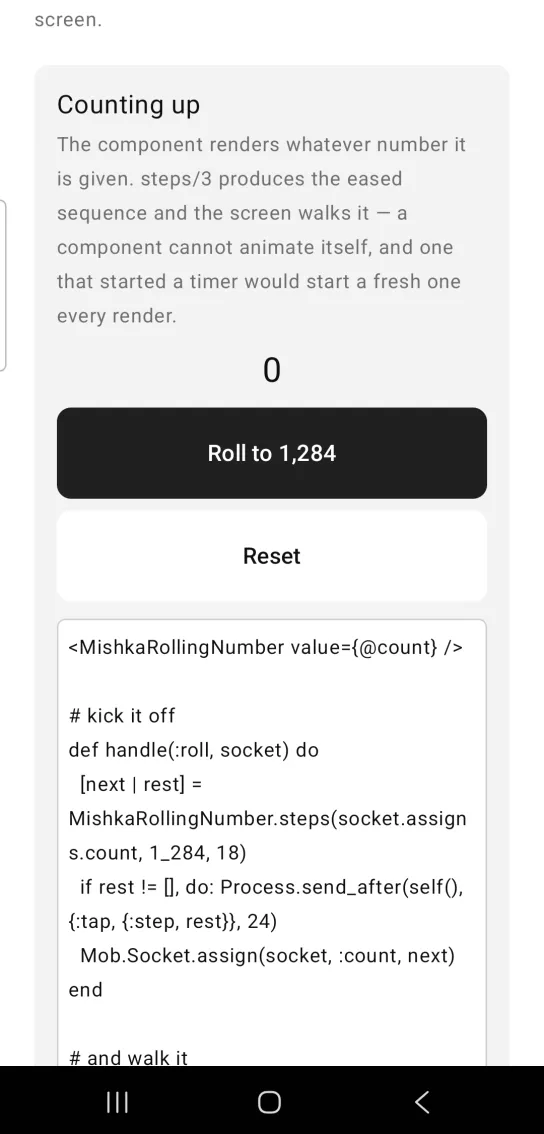
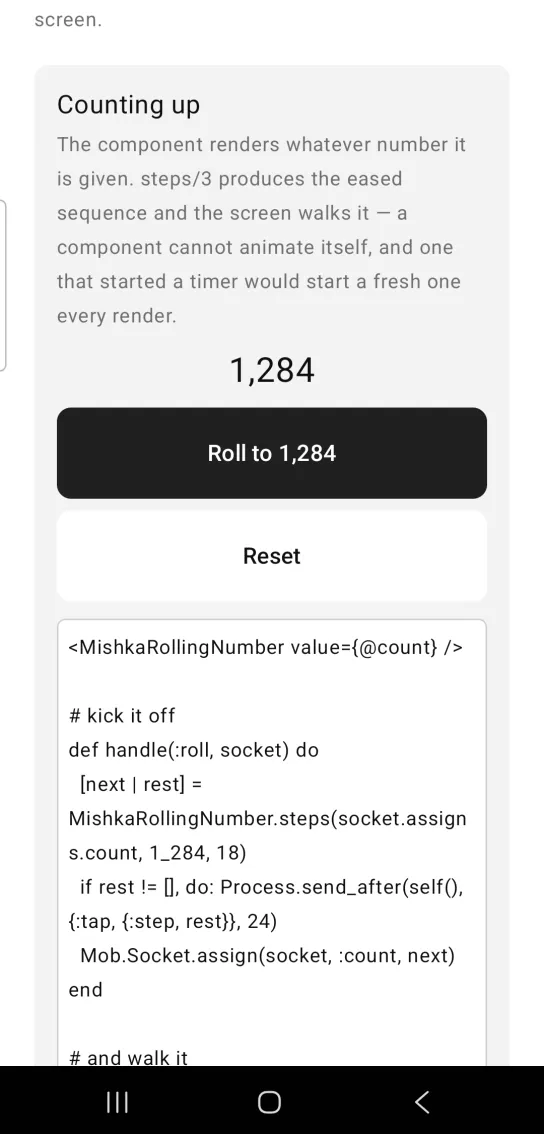
Left: the example as it loads. Right: after a tap. The number counts up to its target.
<MishkaRollingNumber value={@count} />

# kick it off
def handle(:roll, socket) do
  [next | rest] = MishkaRollingNumber.steps(socket.assigns.count, 1_284, 18)
  if rest != [], do: Process.send_after(self(), {:tap, {:step, rest}}, 24)
  Mob.Socket.assign(socket, :count, next)
end

# and walk it
def handle({:step, [next | rest]}, socket) do
  if rest != [], do: Process.send_after(self(), {:tap, {:step, rest}}, 24)
  Mob.Socket.assign(socket, :count, next)
end
Rolling number counting down
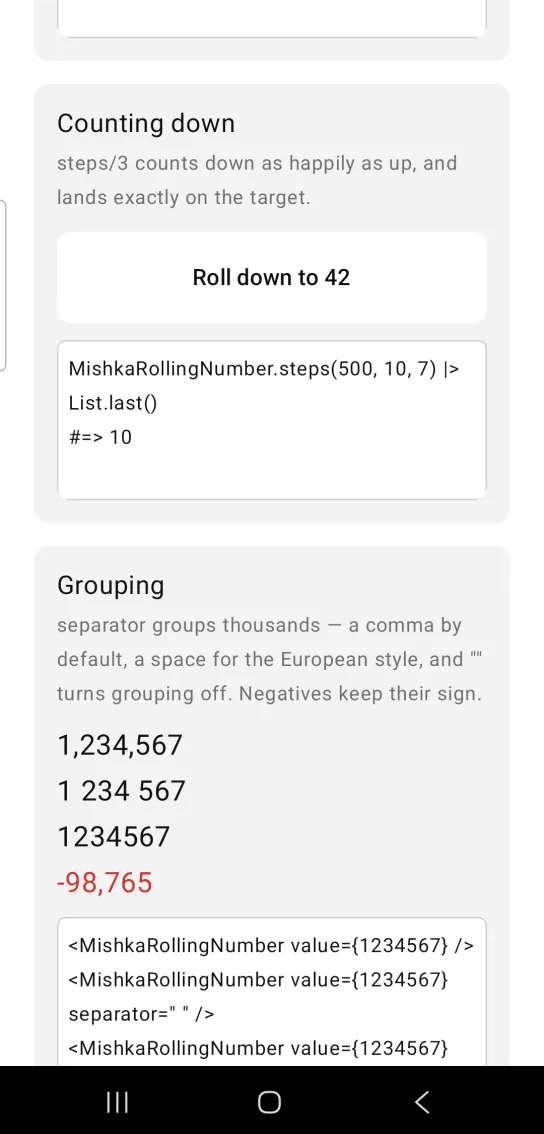
steps/3 counts down as well as up, and the last value lands exactly on the target. Here steps(500, 10, 7) ends on 10. The card in the screenshot has a button that rolls the number on the first card down to 42.
Rolling number counting down
MishkaRollingNumber.steps(500, 10, 7) |> List.last()
#=> 10
Grouping thousands
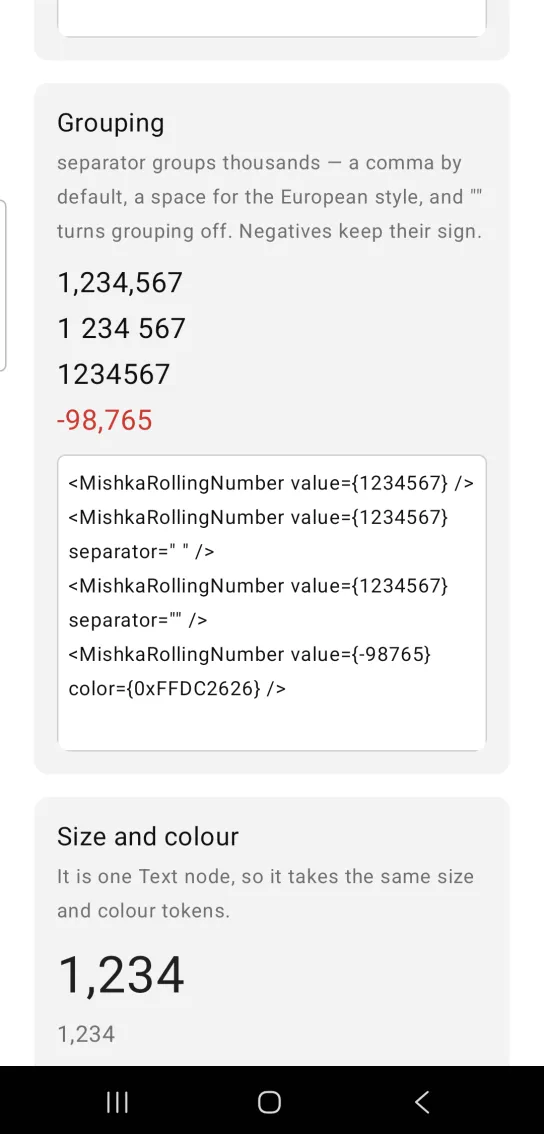
separator groups the thousands. The default is a comma, a space gives the European style, and an empty string turns grouping off. Negative numbers keep their sign.
Grouping thousands
<MishkaRollingNumber value={1234567} />
<MishkaRollingNumber value={1234567} separator=" " />
<MishkaRollingNumber value={1234567} separator="" />
<MishkaRollingNumber value={-98765} color={0xFFDC2626} />
Rolling number size and color
The number is one Text node, so text_size and color take the same tokens as any other text. The card in the screenshot also shows a smaller, muted 1,234 below the large one.
Rolling number size and color
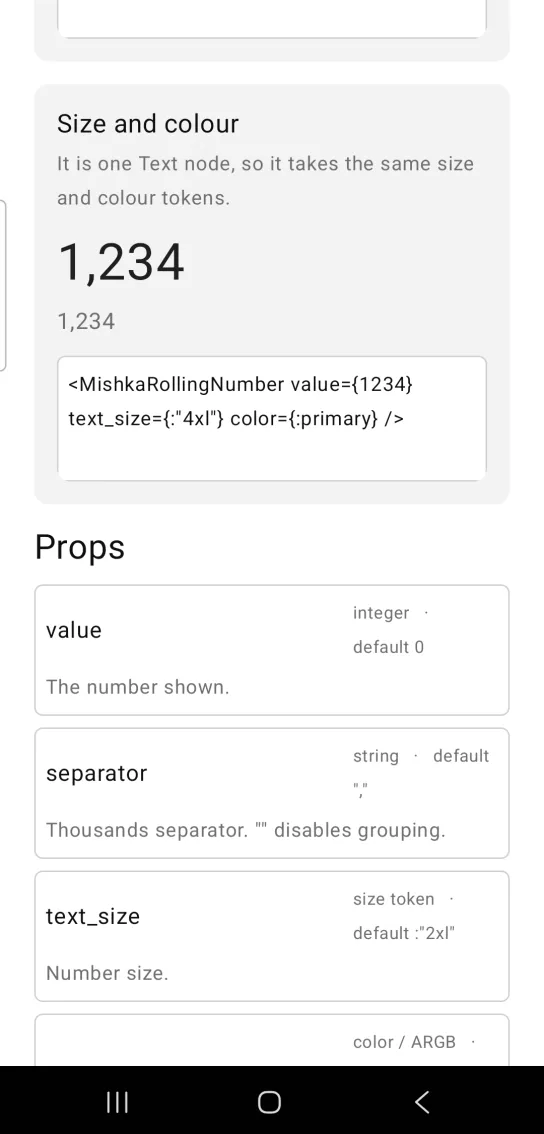
<MishkaRollingNumber value={1234} text_size={:"4xl"} color={:primary} />Props
| Prop | Type | Default | Description |
|---|---|---|---|
value | integer | 0 | The number shown. |
separator | string | "," | Thousands separator. An empty string turns grouping off. |
text_size | size token | :"2xl" | Number size. |
color | color token or ARGB integer | :on_surface | Number color. |
Helper functions
| Function | Description |
|---|---|
steps(from, to, count) | Returns count eased values from from toward to, for the screen to walk on a timer. The curve is an ease-out cubic, fast at first and settling on the target, and the last value is to. steps(0, 10, 5) returns [5, 8, 9, 10, 10]. A count of 0 or less returns [to]. |
format(value, separator) | Groups the thousands of an integer from the right. The separator defaults to a comma. format(1234567, ",") returns "1,234,567", and format(1234, "") returns "1234". |
Differences from the web component
These attributes of the web component are not ported:
duration, because the screen's timer sets the pace, as the overview shows.locale, because Elixir has noIntl.NumberFormatand guessing the separators of a locale would be worse than not trying. Pass the character you want inseparator.idand the*_classattributes.
Attributes
| Name | Type | Default | Values | Required | Description |
|---|---|---|---|---|---|
value
|
integer
|
0
| — | No | The number shown. |
separator
|
string
|
","
| — | No | Thousands separator. `""` disables grouping. |
text_size
|
size token
|
:"2xl"
| — | No | Number size. |
color
|
color token / ARGB int
|
:on_surface
| — | No | Number colour. |
Options
Each option takes one or more of its values, separated by commas.
| Option | Values |
|---|---|
--type
|
rolling_number
|
--module
| A module name of your own |
What it generates
mix mishka.ui.gen.mob rolling_number