Tree
v0.0.10
The Mishka Chelekom Mob Tree shows hierarchical data on iOS and Android screens built with Mob as rows that expand, select and check. It is the native port of the headless Tree.
Overview of the Mob Tree component for iOS and Android
A tree takes a list of node maps and draws the rows that are on screen. A row can have a disclosure arrow, a checkbox, an icon, a label and a trailing note. The tree is controlled: your screen owns expanded, selected, checked and loading, and the component reports taps back to it.
Nodes
A node is a map with label and value. It can also have children, icon, meta (a trailing note, such as a size, a count or a date), disabled, selectable and has_children. Nesting is arbitrary.
[
  %{label: "lib", value: "lib", children: [
    %{label: "mishka_mob", value: "lib/mishka_mob", children: [
      %{label: "app.ex", value: "lib/mishka_mob/app.ex"}
    ]}
  ]},
  %{label: "mix.exs", value: "mix.exs"}
]
Three of those keys describe a kind of node:
disabled: truewires nothing: no tap, no hold and no checkbox.selectable: falsemakes a category header. It can never be selected, and tapping it toggles its branch, even withexpand_on_click: false. This lets a heading be a row that is not a destination.has_children: truewith nochildrenis a branch whose contents are not fetched yet. It draws a disclosure like any other parent, and the first tap reportson_load_childreninstead ofon_expand, so the screen knows to fetch them.
Nodes as markup
When the hierarchy is known in advance, write it as <MishkaTreeNode> children. The tag takes label and value, plus any of icon, meta, disabled, selectable, has_children and children. The tags inside it are its children.
<MishkaTree expanded={@open} on_expand={:open} on_select={:pick}>
  <MishkaTreeNode label="lib" value="lib" icon="📁">
    <MishkaTreeNode label="app.ex" value="lib/app.ex" icon="📄" meta="12 KB" />
  </MishkaTreeNode>
  <MishkaTreeNode label="mix.exs" value="mix.exs" icon="📄" disabled={true} />
</MishkaTree>
node/3 builds the same node map by hand, so the two forms mix. Written nodes come first, and the nodes prop follows. Use the nodes prop when the hierarchy is data, such as a directory listing or a category table. toggle_check/4 and select_range/4 take the node list too, so a tree with checkboxes or ranges needs it in the screen anyway.
A tap does one thing
On the web, a click can expand and select. A Mob node has a single on_tap, so a row picks one. A branch that may expand expands (expand_on_click, and always for a selectable: false header), and anything else selects (select_on_click). The disclosure arrow keeps its own handler either way, so a tree with expand_on_click: false is still fully navigable.
select_on_click defaults to true here, where the web defaults to false. A pointer has a second button and a modifier key to spare, and a finger has neither. A row that reports nothing when tapped would feel broken on a phone.
Long press selects a range
Range selection is Shift and click on the web. A touch screen has no Shift key, so a long press reports on_range_select. select_range/4 turns the anchor and the held row into the values between them. The range follows the rows you can see, and rows that cannot be selected, such as disabled rows and selectable: false headers, drop out of the middle.
Checkbox state
With with_checkboxes, a parent reflects its descendants. It is checked when they all are and indeterminate when only some are. check_state/4 computes the state, and toggle_check/4 applies a tap the way the web engine does, cascading to descendants unless check_strictly is set.
A flat layout
The web component nests lists inside list items. Nested columns would add a layout node for every level whether or not it is expanded, so the Mob tree does not use them. visible/2 flattens the hierarchy into exactly the rows on screen, each with its depth, and the component draws one flat Column of indented rows. A collapsed subtree costs nothing, and the row list is easy to assert on.
Generate the tree component
Run this from your Mob app's root to add the component to lib/<app>/components/:
mix mishka.ui.gen.mob treeThe generator registers the tag, so you can use it in ~MOB markup. The tree draws checkboxes, so the generator also creates the Checkbox component (MishkaCheckbox) with the same prefix, and copies the shared Event support module. The examples on this page use the mishka_ prefix of the showcase app (--module-prefix mishka_), so the module is <App>.Components.MishkaTree and the tag is <MishkaTree>. Without a prefix, the tag is <Tree>.
Expand and select tree nodes
Tapping a folder opens it, and tapping a file selects it. One tap does one thing, and the branch wins where there is one. with_lines draws guide lines at each level.
Expand and select tree nodes
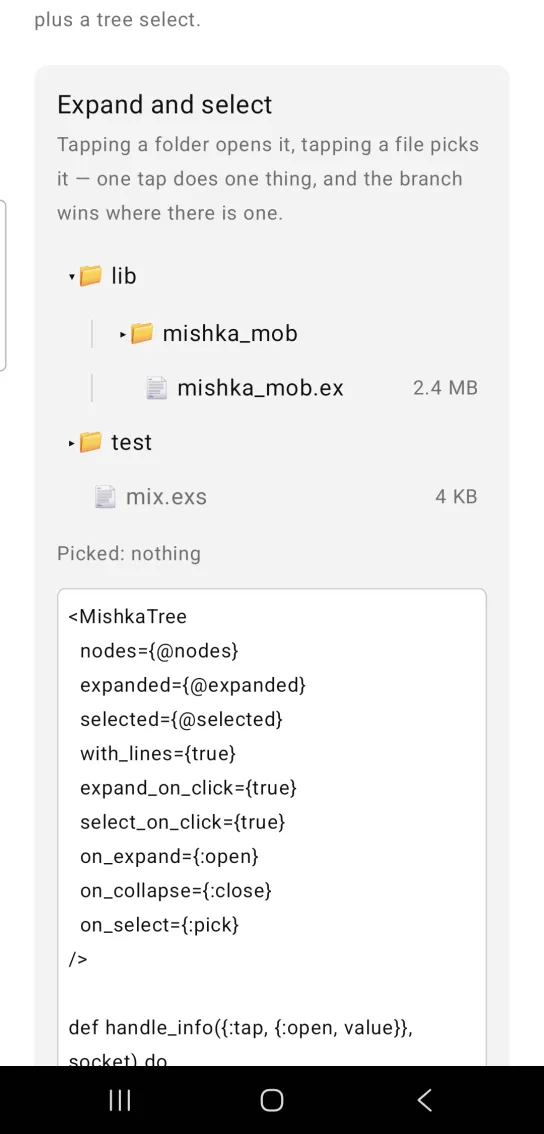
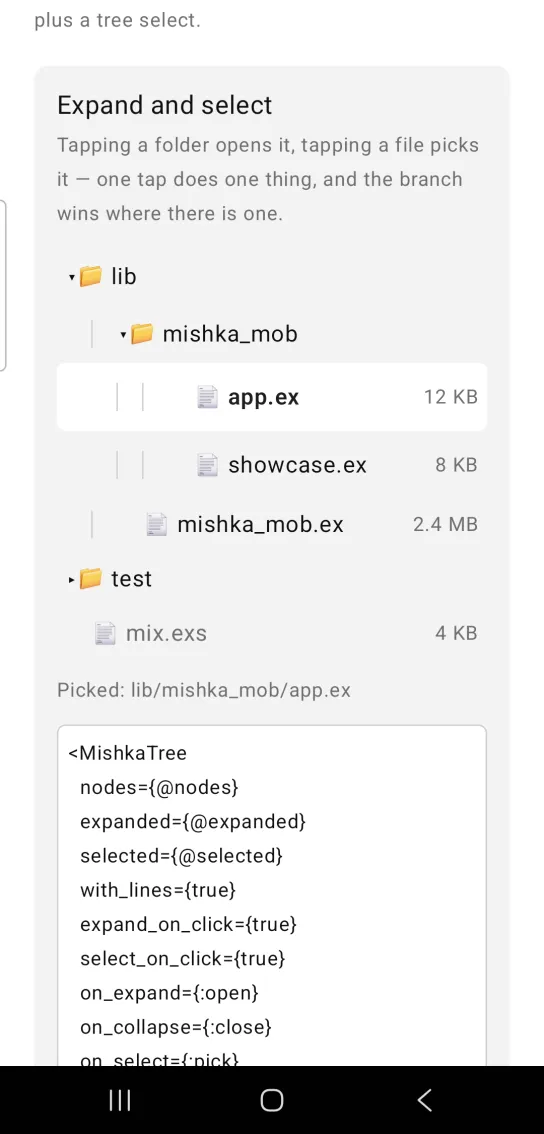
Left: the example as it loads. Right: after a tap. Tap a folder to open it and a file to pick it.
<MishkaTree
  nodes={@nodes}
  expanded={@expanded}
  selected={@selected}
  with_lines={true}
  expand_on_click={true}
  select_on_click={true}
  on_expand={:open}
  on_collapse={:close}
  on_select={:pick}
/>

def handle_info({:tap, {:open, value}}, socket) do
  {:noreply,
   Mob.Socket.assign(
     socket,
     :expanded,
     MishkaTree.toggle_expand(value, socket.assigns.expanded)
   )}
end

def handle_info({:tap, {:pick, value}}, socket) do
  {:noreply, Mob.Socket.assign(socket, :selected, MishkaTree.toggle_select(value, socket.assigns.selected))}
endTree with cascading checkboxes
With with_checkboxes, every row gets a checkbox. Checking a directory checks what is inside it, as the web component does, and a parent is indeterminate when only some of its descendants are checked.
select_on_click={false} turns off row selection in this tree.
Tree with cascading checkboxes
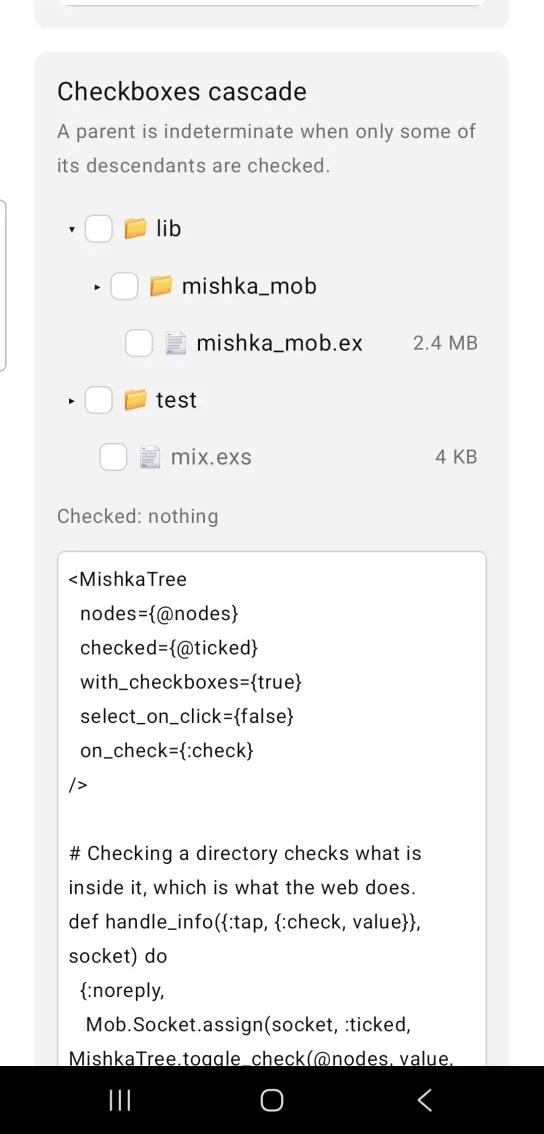
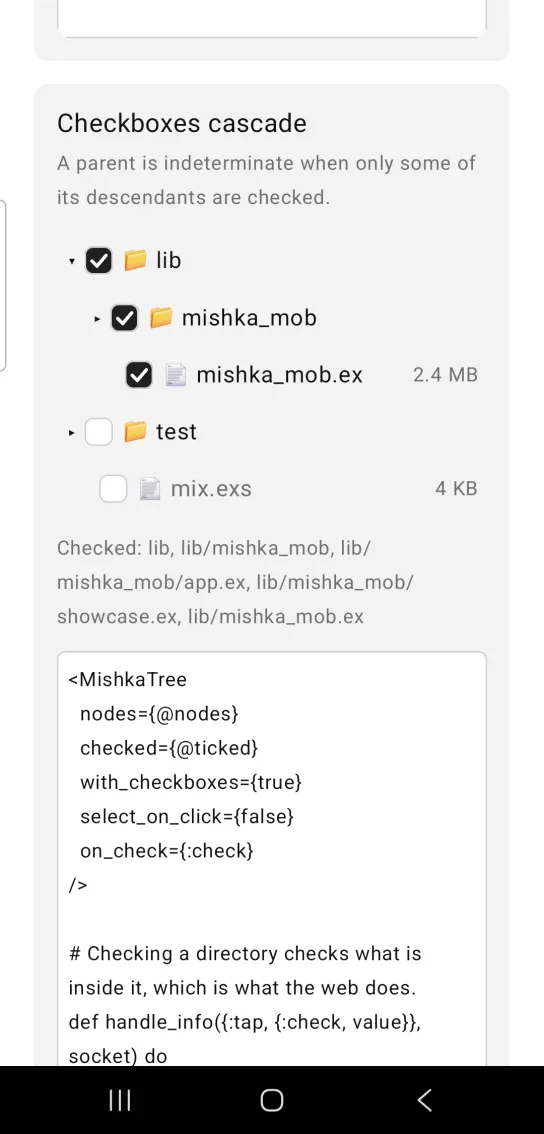
Left: the example as it loads. Right: after a tap. Checking a parent cascades to its children.
<MishkaTree
  nodes={@nodes}
  checked={@ticked}
  with_checkboxes={true}
  select_on_click={false}
  on_check={:check}
/>

# Checking a directory checks what is inside it, which is what the web does.
def handle_info({:tap, {:check, value}}, socket) do
  {:noreply,
   Mob.Socket.assign(socket, :ticked, MishkaTree.toggle_check(@nodes, value, socket.assigns.ticked))}
end
Multiple selection and range selection
A touch screen has no Shift key, so a long press is the range. Tap one name, hold another, and everything selectable between them joins the selection. The headers and the disabled row drop out of the middle.
A tap also sets the anchor, so the next long press measures its range from the last tapped row. toggle_select/3 with multiple: true adds and removes values. Without it, a tap replaces the selection.
Multiple selection and range selection
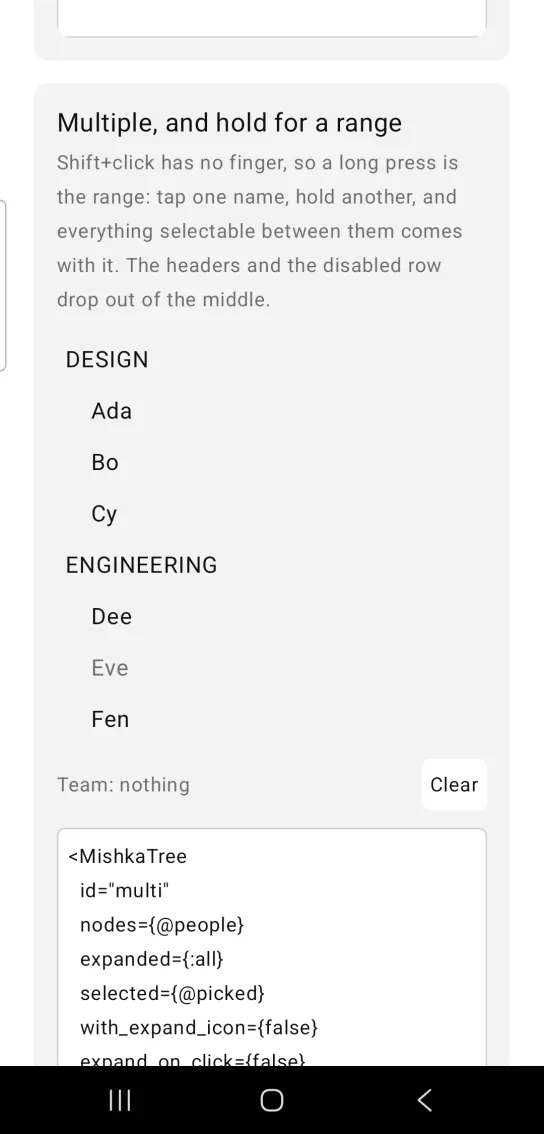
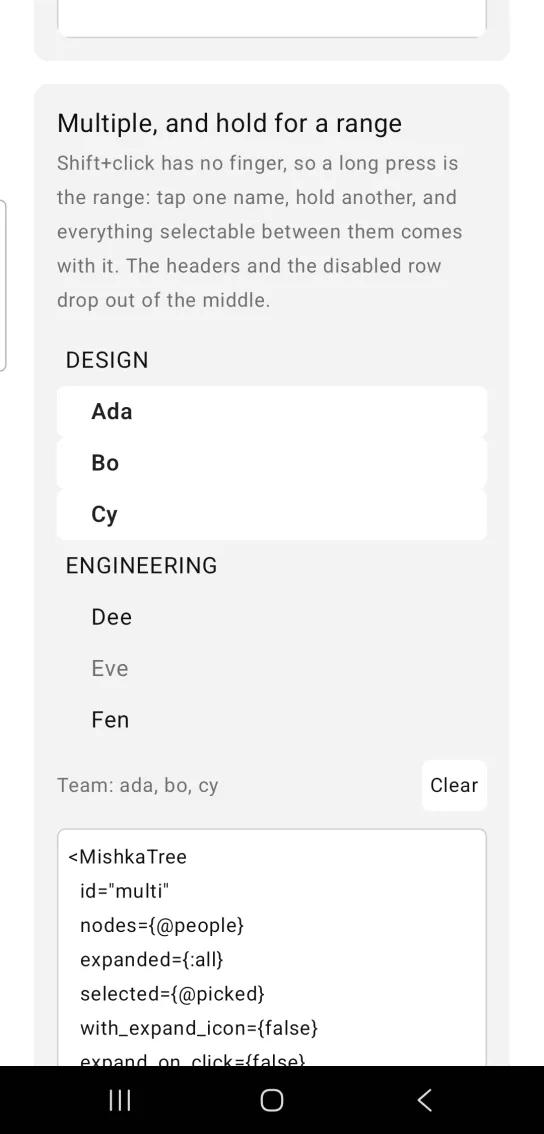
Left: the example as it loads. Right: after a long press. Tap one name and hold another to select the range between.
<MishkaTree
  id="multi"
  nodes={@people}
  expanded={:all}
  selected={@picked}
  with_expand_icon={false}
  expand_on_click={false}
  allow_range_selection={true}
  on_select={:pick}
  on_range_select={:range}
/>

# multiple: true adds and removes; without it a tap replaces.
def handle_info({:tap, {:pick, value}}, socket) do
  {:noreply,
   socket
   |> Mob.Socket.assign(:picked, MishkaTree.toggle_select(value, socket.assigns.picked, multiple: true))
   |> Mob.Socket.assign(:anchor, value)}
end

# The hold is Shift+click: the run goes from the last tap to here.
def handle_info({:tap, {:range, value}}, socket) do
  run = MishkaTree.select_range(@people, :all, socket.assigns.anchor, value)
  {:noreply, Mob.Socket.assign(socket, :picked, Enum.uniq(socket.assigns.picked ++ run))}
endHeaders and children loaded on demand
PROJECT has selectable: false, so it is a header that opens its branch instead of pretending to be a destination. The assets node has has_children: true and no children, so its first tap reports on_load_children, and its row shows the loader until the children arrive.
Pass the value of the row that is fetching in loading, and set loader_icon to change the glyph the row draws while it waits.
Headers and children loaded on demand
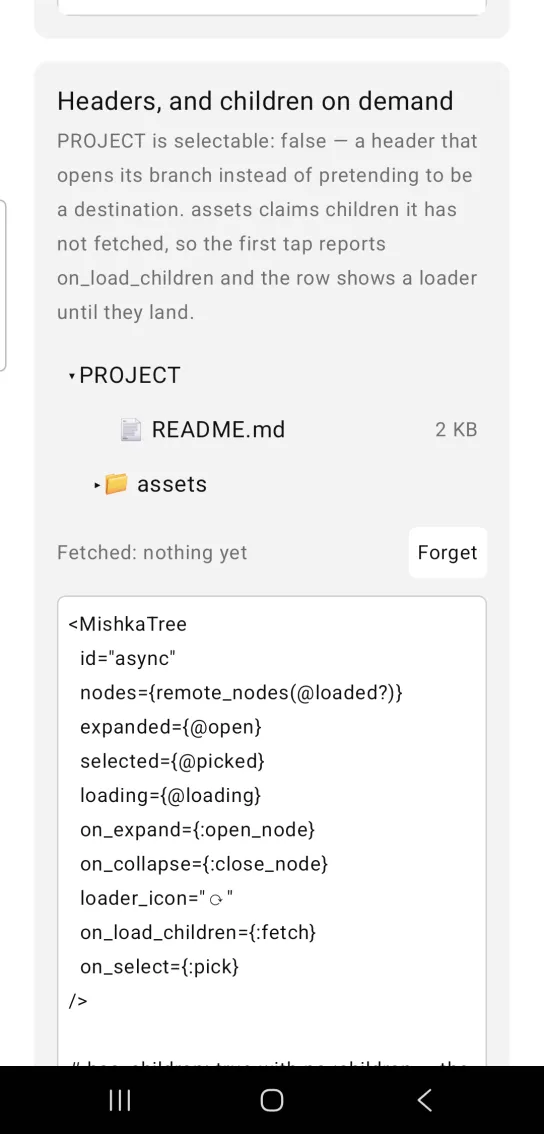
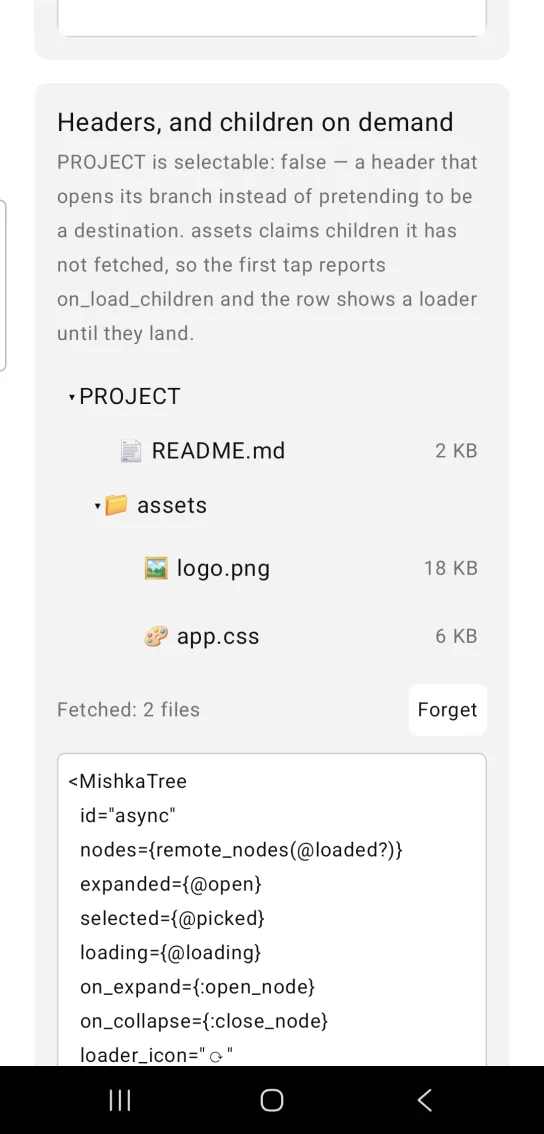
Left: the example as it loads. Right: after a tap. Children are fetched the first time a branch opens.
<MishkaTree
  id="async"
  nodes={remote_nodes(@loaded?)}
  expanded={@open}
  selected={@picked}
  loading={@loading}
  on_expand={:open_node}
  on_collapse={:close_node}
  loader_icon="⟳"
  on_load_children={:fetch}
  on_select={:pick}
/>

# has_children: true with no :children — the first tap is a request, not
# a state change, so it arrives as its own event.
def handle_info({:tap, {:fetch, value}}, socket) do
  Process.send_after(self(), {:tap, {:arrived, value}}, 1_000)
  {:noreply, Mob.Socket.assign(socket, :loading, [value])}
end

def handle_info({:tap, {:arrived, value}}, socket) do
  {:noreply,
   socket
   |> Mob.Socket.assign(:loaded?, true)
   |> Mob.Socket.assign(:loading, [])
   |> Mob.Socket.assign(:open, [value | socket.assigns.open])}
endStrict checks with every branch open
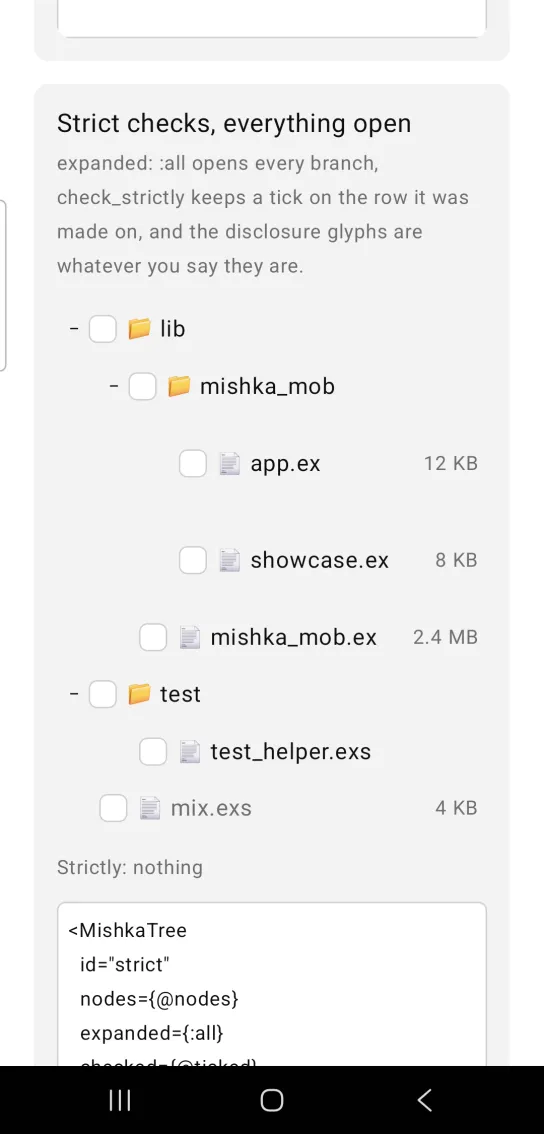
expanded={:all} opens every branch. check_strictly keeps a tick on the row it was made on, so a parent no longer cascades to its children. expand_icon and collapse_icon set the disclosure glyphs, and level_offset sets the indent per level.
:all is a shorthand for rendering, not a state. Pass the nodes to toggle_expand/3 so it can turn the shorthand into a list before it closes a branch.
Strict checks with every branch open
<MishkaTree
  id="strict"
  nodes={@nodes}
  expanded={:all}
  checked={@ticked}
  with_checkboxes={true}
  check_strictly={true}
  expand_icon="+"
  collapse_icon="−"
  level_offset={28}
  on_expand={:open}
  on_collapse={:close}
  on_check={:tick}
/>

# strictly: true — the tick stays on the row it was made on.
def handle_info({:tap, {:tick, value}}, socket) do
  next = MishkaTree.toggle_check(@nodes, value, socket.assigns.ticked, strictly: true)
  {:noreply, Mob.Socket.assign(socket, :ticked, next)}
end

# :all is a shorthand, not a state — pass the nodes so it can be
# materialised before the branch is closed.
def handle_info({:tap, {:close, value}}, socket) do
  next = MishkaTree.toggle_expand(value, socket.assigns.open, @nodes)
  {:noreply, Mob.Socket.assign(socket, :open, next)}
endTree select
A tree select is a trigger that shows the current selection, with the tree in a panel beneath it. Picking a value closes the panel, which is the point of a select. The tree select component has its own page.
Tree select
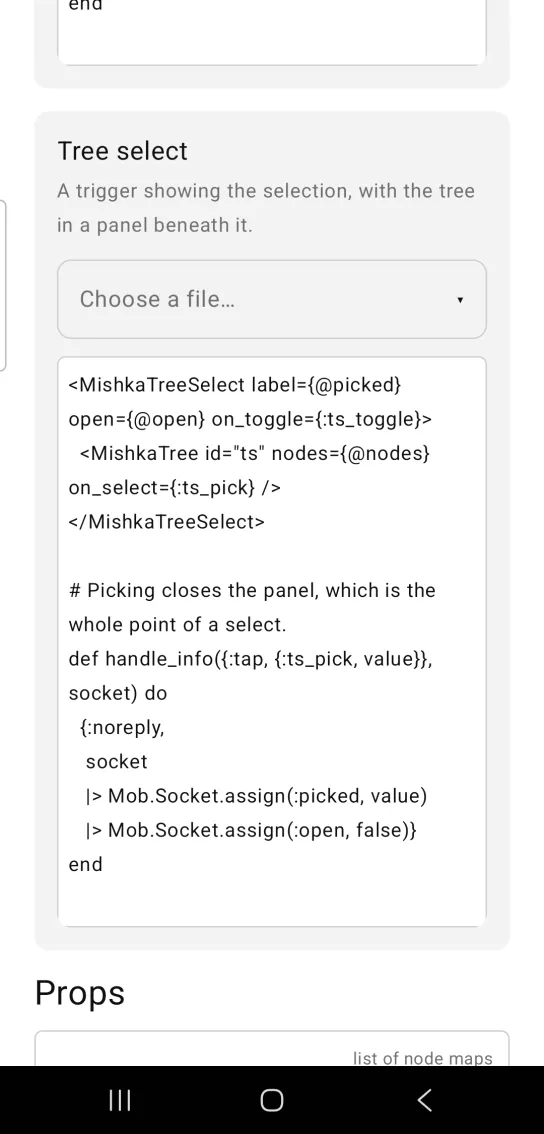
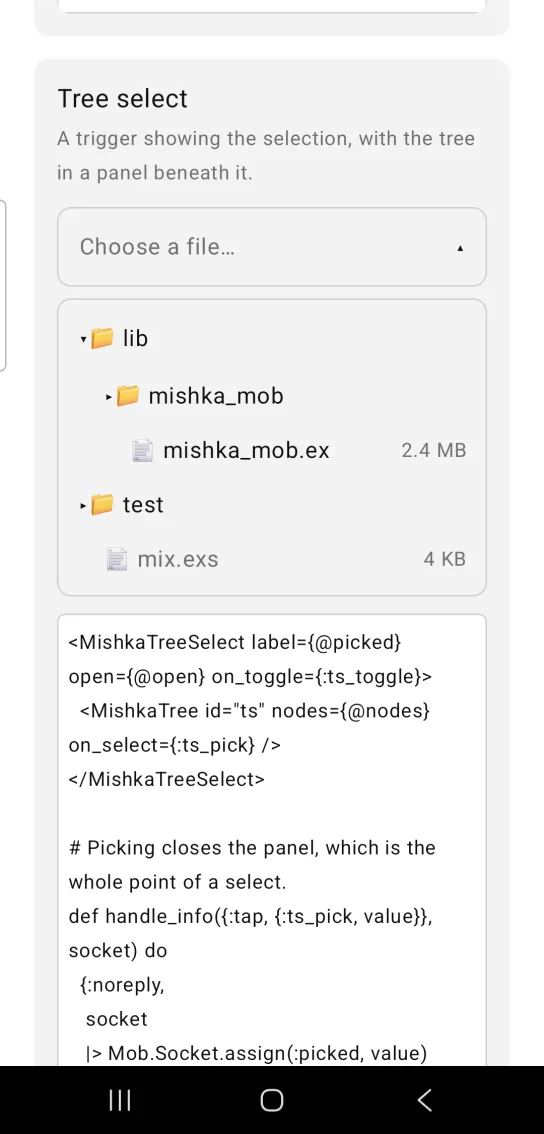
Left: the example as it loads. Right: after a tap. A tree in a panel under a select style trigger.
<MishkaTreeSelect label={@picked} open={@open} on_toggle={:ts_toggle}>
  <MishkaTree id="ts" nodes={@nodes} on_select={:ts_pick} />
</MishkaTreeSelect>

# Picking closes the panel, which is the whole point of a select.
def handle_info({:tap, {:ts_pick, value}}, socket) do
  {:noreply,
   socket
   |> Mob.Socket.assign(:picked, value)
   |> Mob.Socket.assign(:open, false)}
end
Helper functions
| Function | What it does |
|---|---|
visible(nodes, expanded) | Returns the rows on screen as {node, depth, expandable?, expanded?}. |
toggle_expand(value, expanded, nodes \\ []) | Opens or closes value in an expanded list. Pass the nodes when expanded is :all. |
toggle_select(value, selected, opts \\ []) | Applies a selection tap. Single selection replaces, and multiple: true adds and removes. |
select_range(nodes, expanded, anchor, value) | Returns the selectable values between anchor and value on screen. |
check_state(nodes, value, checked, opts \\ []) | Returns :checked, :unchecked or :indeterminate. strictly: true reads only the node's own membership. |
toggle_check(nodes, value, checked, opts \\ []) | Applies a checkbox tap, cascading to descendants unless strictly: true. |
expanded_values(nodes) | Returns every branch value, which is what :all stands for. |
subtree_values(nodes, value) | Returns value and every value under it. |
node(label, value, opts \\ []) | Builds a node map, the function form of <MishkaTreeNode>. |
row_tag/2, toggle_tag/2, check_tag/2, state_tag/3 | Build the test tags, so a device suite never hardcodes their shape. |
Props
| Prop | Type | Default | Description |
|---|---|---|---|
nodes | list of node maps | [] | The hierarchy. A node has label, value, children, icon, meta, disabled, selectable and has_children. |
id | string | "tree" | Prefix for every test tag: row, toggle, check and the state tags. |
expanded | list of values, or :all | [] | Which nodes are open. :all opens every branch, and expanded_values/1 turns it into a list. |
selected | list of values | [] | Which nodes are selected. The screen owns the state. |
checked | list of values | [] | Which nodes are checked. |
loading | list of values | [] | Which nodes are fetching their children. |
with_checkboxes | boolean | false | Draws a checkbox on each node, with indeterminate parents. |
check_strictly | boolean | false | Does not cascade a check to descendants. |
with_expand_icon | boolean | true | Draws the disclosure. |
expand_icon | string | "▸" | Disclosure glyph for a closed branch. |
collapse_icon | string | "▾" | Disclosure glyph for an open branch. |
loader_icon | string | "…" | Drawn on a row that is in loading. It replaces the loader slot of the web component. |
with_lines | boolean | false | Draws guide lines at each level. |
level_offset | number | 18 | Indent per depth. |
expand_on_click | boolean | true | A tap on a branch toggles it. The branch wins where there is one. |
select_on_click | boolean | true | A tap on anything else selects it. |
allow_range_selection | boolean | true | A long press reports on_range_select, the touch equivalent of Shift and click. |
on_expand, on_collapse | event tag (atom) | None | Sends {:tap, {tag, value}}. |
on_select, on_check | event tag (atom) | None | Sends {:tap, {tag, value}}. |
on_load_children | event tag (atom) | None | The first tap on a has_children branch. |
on_range_select | event tag (atom) | None | A long press on a row, when range selection is on. |
The tree has no multiple prop, because your screen owns selected. Pass multiple: true to toggle_select/3 instead.
Events
Every on_* prop sends {:tap, {tag, value}} to your screen's handle_info/2, where value is the value of the node. A disabled node sends nothing. The helper functions above compute the next state, so each clause is a single call.
def handle_info({:tap, {:open, value}}, socket) do
  {:noreply,
   Mob.Socket.assign(
     socket,
     :expanded,
     MishkaTree.toggle_expand(value, socket.assigns.expanded)
   )}
end

def handle_info({:tap, {:pick, value}}, socket) do
  {:noreply, Mob.Socket.assign(socket, :selected, MishkaTree.toggle_select(value, socket.assigns.selected))}
end
Differences from the web component
The Mob tree does not port these parts of the headless component:
draggable,with_drag_handle,allow_drop,on_drag_dropand the<:drag_icon>slot. Mob's only drag gesture belongs to a static:canvas.expand_on_space,check_on_spaceand the rest of the keyboard key map.keep_mounted. A collapsed branch is never built, so there is nothing to keep.clear_selection_on_outside_click. There is no outside on a phone.aria_labelanddrag_handle_label. Mob exposes no accessibility labels.nameandon_target, which are form and LiveView plumbing.- The
*_classattributes. - The
<:node>slot, which renders a custom label. A node'siconandmetakeys are the parts of a custom label that a row has room for. - The
<:expand_icon>and<:loader>slots. They became the glyph propsexpand_icon,collapse_iconandloader_icon, because a native row can only vary the character.
Attributes
| Name | Type | Default | Values | Required | Description |
|---|---|---|---|---|---|
nodes
|
list of node maps
|
[]
| — | No | The hierarchy — `label`, `value`, `children`, `icon`, `meta`, `disabled`, `selectable`, `has_children`. |
id
|
string
|
"tree"
| — | No | Prefix for every test tag. |
expanded
|
list of values, or :all
|
[]
| — | No | Which nodes are open. |
selected
|
list of values
|
[]
| — | No | Which are selected. |
checked
|
list of values
|
[]
| — | No | Which are checked. |
loading
|
list of values
|
[]
| — | No | Which are fetching their children. |
with_checkboxes
|
boolean
|
false
| — | No | Render a checkbox per node. |
check_strictly
|
boolean
|
false
| — | No | Do not cascade a check to children. |
with_expand_icon
|
boolean
|
true
| — | No | Render the disclosure. |
expand_icon / collapse_icon
|
string
|
"▸" / "▾"
| — | No | The disclosure glyphs. |
loader_icon
|
string
|
"…"
| — | No | Shown on a row while it is `loading`. |
with_lines
|
boolean
|
false
| — | No | Draw guide lines at each level. |
level_offset
|
number
|
18
| — | No | Indent per depth. |
expand_on_click
|
boolean
|
true
| — | No | Tapping a branch toggles it. |
select_on_click
|
boolean
|
true
| — | No | Tapping anything else selects it. |
allow_range_selection
|
boolean
|
true
| — | No | Hold a row to report a range. |
on_expand / on_collapse
|
event tags
| — | — | No | `{:tap, {tag, value}}`. |
on_select / on_check
|
event tags
| — | — | No | `{:tap, {tag, value}}`. |
on_load_children
|
event tag
| — | — | No | First tap on a `has_children` branch. |
on_range_select
|
event tag
| — | — | No | Long press, when range selection is on. |
Options
Each option takes one or more of its values, separated by commas.
| Option | Values |
|---|---|
--type
|
tree
|
--module
| A module name of your own |
What it generates
mix mishka.ui.gen.mob tree