Drawer
v0.0.10
The Mob Drawer component from Mishka Chelekom is a panel pinned to a screen edge over a dimmed backdrop, with a drag handle, swipe to dismiss, snap points and an edge area you can swipe in from. It is the native port of the headless Drawer for iOS and Android screens built with Mob.
Overview of the Mob Drawer component for iOS and Android
The drawer is a pure-Elixir composite, so it ships no native Swift or Kotlin. It expands into Mob's built-in Box, Row, Column and Canvas widgets when the screen renders.
Mob has no z-index and no modal slot. Its one stacking primitive is the :box, whose children draw on top of each other with the last child on top. An open drawer is a box that holds the backdrop and the panel, stacked over your screen. A closed drawer draws its trigger slot if you wrote one. Otherwise it draws the edge swipe area when swipe_area is on, and an empty column when it is not.
Your screen owns the state, because a composite is stateless. Keep an open? value in the screen's assigns and pass it as open. The drawer sends on_close as {:tap, tag} when the user taps the backdrop or the ✕ button. The ✕ button appears only when you pass on_close. Without it, only your open value can close the drawer, and Mob logs a warning.
Render the drawer at the screen root
Make the screen's root a :box that stacks your content and the drawer, and drive open from an assign.
def render(assigns) do
  %{type: :box, props: %{fill_width: true, fill_height: true}, children: [
    my_content(assigns),
    %{type: :mishka_drawer,
      props: %{id: "menu", open: assigns.drawer_open?, side: :right,
               title: "Menu", on_close: :close_drawer},
      children: [ menu_item("Profile", :profile) ]}
  ]}
end
The open drawer is a fill node, so it needs a place that can hand it the whole screen: the root Box, or a root Column that does not scroll. When the button that opens the drawer sits deep in a scrolling page, keep the two apart. MishkaDrawer.trigger/2 builds exactly the node that <MishkaDrawerTrigger> builds. Place it where it belongs, and use id to tie it to the drawer. This also lets you open one drawer from several places.
Gestures
Only a :canvas carries on_drag, so the drag handle is a canvas that draws its own pill. Drag it toward the drawer's edge to dismiss, or along the axis to move between snap_points. While the drawer is closed, swipe_area puts a canvas on the screen edge, and a drag inward opens the drawer.
Pass on_swipe and hand every payload to MishkaDrawer.swipe/3 in your screen. It returns the next state as {%{open?: boolean, snap: number | nil}, grab}. Keep grab in an assign and pass it back with the next payload. It is nil between gestures.
The panel does not follow your finger. It settles when you lift your finger. A canvas reports canvas-local coordinates, so redrawing the panel on every sample would move the handle under your finger and shrink the gesture to a fraction of its travel. Mob has no animation either, so there is nothing to interpolate.
Platform status
The drawer is verified on Android, on a Samsung A55 running Android 15: all four sides anchor correctly, side panels fill the height, top and bottom sheets fit their content, backdrop taps dismiss, and panel taps are absorbed. It is also checked against the iOS renderer source. The overlay sits inside the top safe-area inset, so the panel starts just below the status bar.
Generate the drawer component
Run this from your Mob app's root to add the component to lib/<app>/components/:
mix mishka.ui.gen.mob drawerThe generator registers the tag, so you can use it in ~MOB markup. It also copies the shared Anchored and Event helper modules. The examples on this page use the mishka_ prefix of the showcase app (--module-prefix mishka_), so the tag is <MishkaDrawer>. Without a prefix, the tag is <Drawer>.
Drawer trigger and any side
<MishkaDrawerTrigger> is the port of the web <:trigger> slot. A closed drawer draws only its trigger, so the trigger stands in the drawer's own place until the overlay opens. The first block shows the tag. The showcase card cannot use it, because its buttons sit in a scrolling card while every panel stacks at the screen root, and one node cannot be in both places. It calls MishkaDrawer.trigger/2 instead, with id tying each button to its drawer, and opens one drawer from four buttons.
A string label becomes a tappable Box that holds a Text, drawn like a primary button. It is not a :button node. Android's button adds Material's own content padding (24dp a side) to the node's, so a trigger that shares a Row with others, as the five openers in the panel width example do, has no room left for its label. A Box applies its padding once, so the label gets everything the cell has left. The Text carries max_lines: 1, so a label that still does not fit is cut with an ellipsis and does not wrap one letter per line.
Drawer trigger and any side
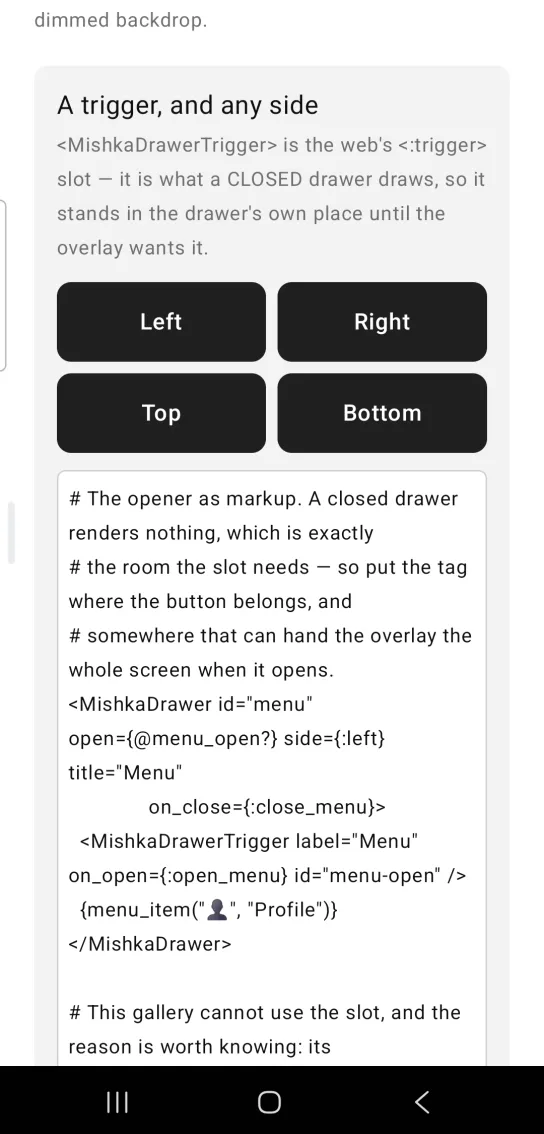
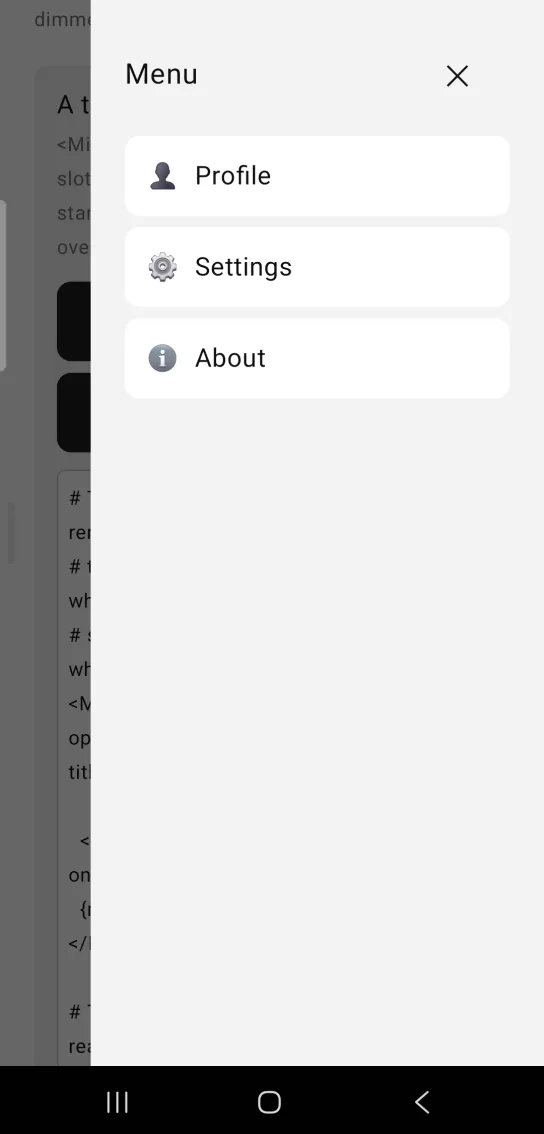
Left: the example as it loads. Right: after a tap. Each button opens the drawer from its own edge.
# The opener as markup. A closed drawer renders nothing, which is exactly
# the room the slot needs — so put the tag where the button belongs, and
# somewhere that can hand the overlay the whole screen when it opens.
<MishkaDrawer id="menu" open={@menu_open?} side={:left} title="Menu"
              on_close={:close_menu}>
  <MishkaDrawerTrigger label="Menu" on_open={:open_menu} id="menu-open" />
  {menu_item("👤", "Profile")}
</MishkaDrawer>

# This gallery cannot use the slot, and the reason is worth knowing: its
# triggers sit in a scrolling card while every panel is stacked at the
# screen root, and one node cannot be in both places. trigger/2 builds
# EXACTLY the node the tag builds — place it yourself, and `id` ties the
# two together. It is also the only way to open one drawer from four
# buttons, as this example does.
{MishkaDrawer.trigger("Right", on_open: {:open_side, :right}, weight: 1)}

<MishkaDrawer id="side" open={@side_open?} side={@side}
              title="Menu" on_close={{:close, :side}}>
  {menu_item("👤", "Profile")}
</MishkaDrawer>

def handle_info({:tap, {:open_side, side}}, socket) do
  {:noreply, socket |> assign(:side, side) |> assign(:side_open?, true)}
end

def handle_info({:tap, {:close, :side}}, socket) do
  {:noreply, assign(socket, :side_open?, false)}
endDrawer panel width
size sets the width of left and right drawers, from :xs to :xl (240 to 384 dp). Top and bottom sheets ignore it. The five openers come from one list, so the example uses the function form: a comprehension can build MishkaDrawer.trigger/2 nodes, which tags written out by hand cannot.
Drawer panel width
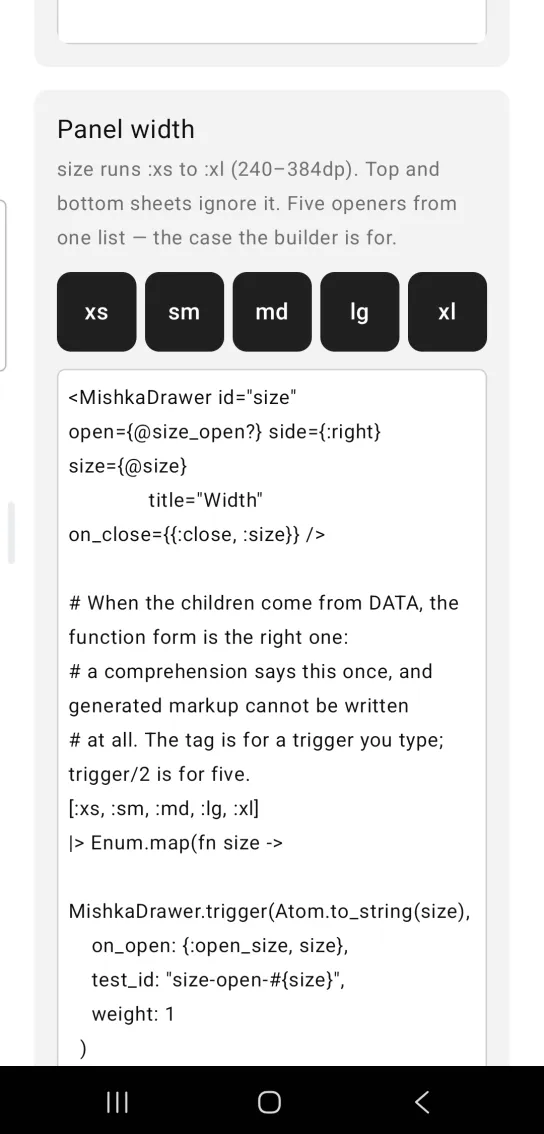
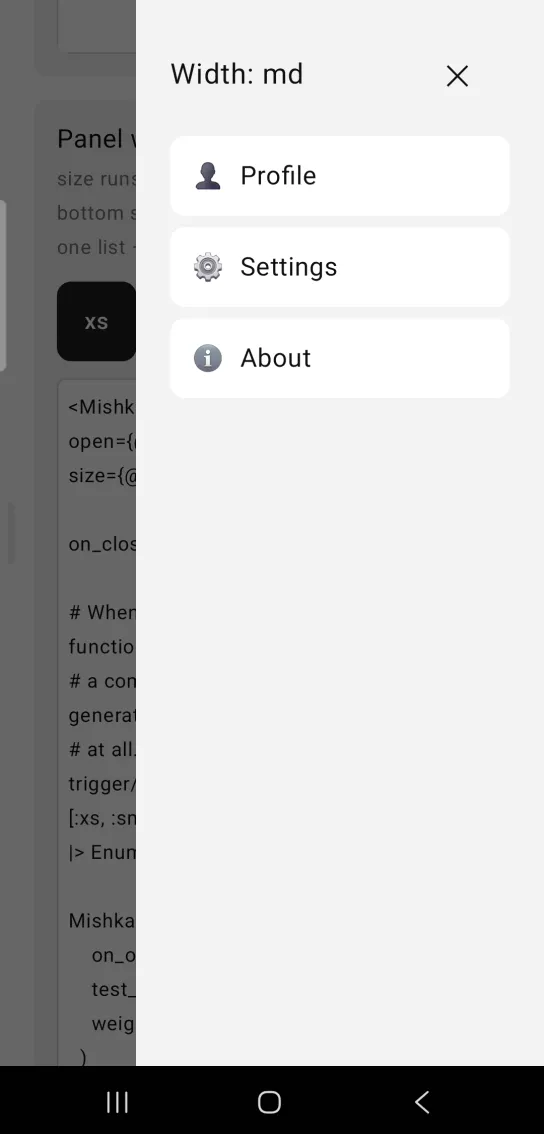
Left: the example as it loads. Right: after a tap. The size prop sets how wide the panel is.
<MishkaDrawer id="size" open={@size_open?} side={:right} size={@size}
              title="Width" on_close={{:close, :size}} />

# When the children come from DATA, the function form is the right one:
# a comprehension says this once, and generated markup cannot be written
# at all. The tag is for a trigger you type; trigger/2 is for five.
[:xs, :sm, :md, :lg, :xl]
|> Enum.map(fn size ->
  MishkaDrawer.trigger(Atom.to_string(size),
    on_open: {:open_size, size},
    test_id: "size-open-#{size}",
    weight: 1
  )
end)
|> Enum.intersperse(gap(6))
|> row()
Bottom sheet with handle, snap points and swipe to dismiss
Drag the pill to move the sheet one snap point per flick. It dismisses from the smallest snap point. The sheet settles when your finger lifts, not while it moves. The snap points are fractions, and extent says what they are a fraction of, because a composite cannot measure the viewport. Here 0.36, 0.6 and 0.88 of 500 give 180, 300 and 440 dp. The screen folds each drag payload with MishkaDrawer.swipe/3.
Bottom sheet with handle, snap points and swipe to dismiss
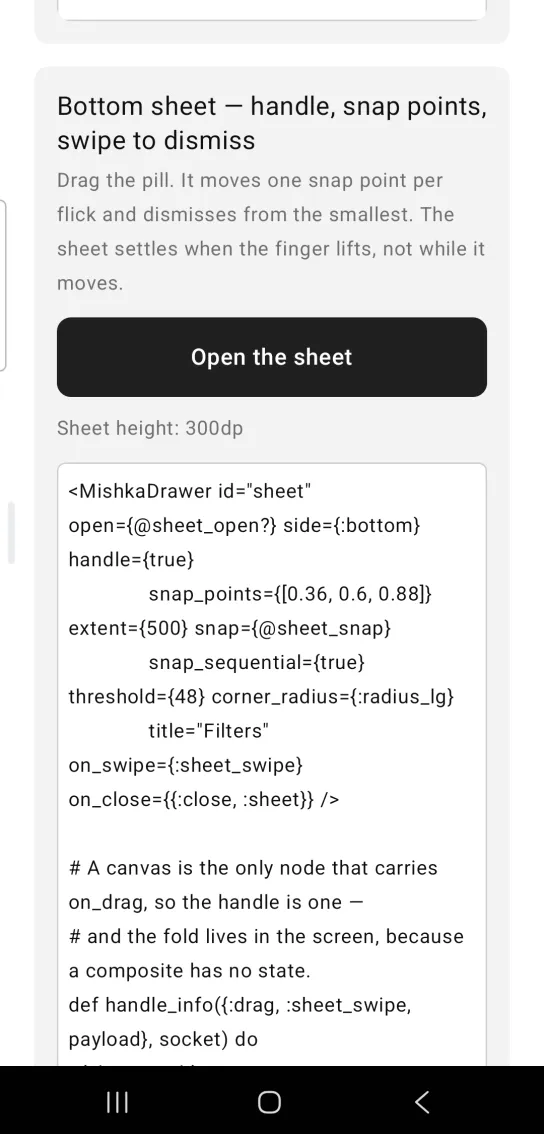
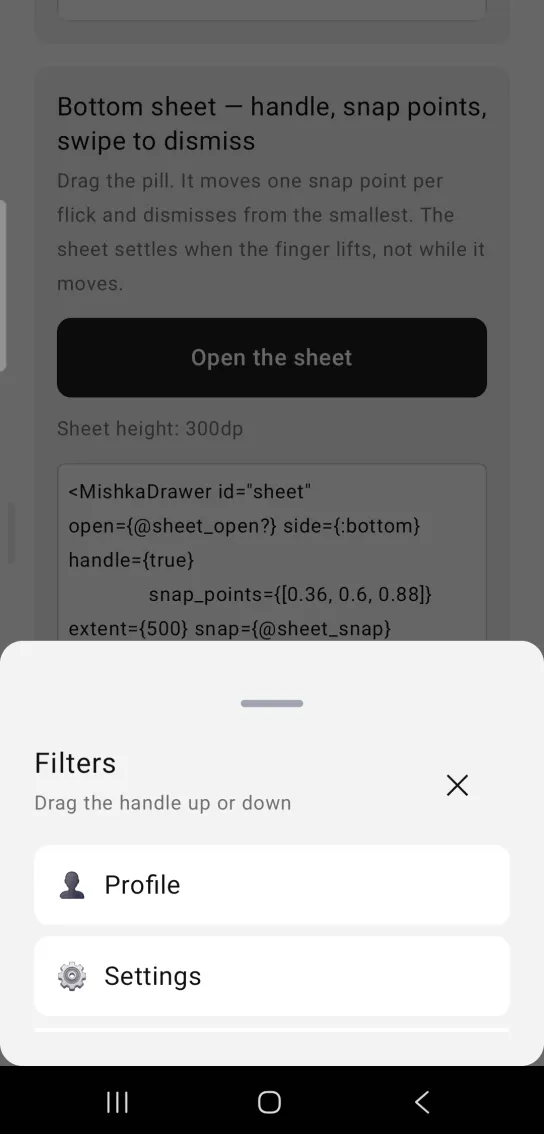
Left: the example as it loads. Right: after a tap. A bottom sheet with a drag handle and snap points.
<MishkaDrawer id="sheet" open={@sheet_open?} side={:bottom} handle={true}
              snap_points={[0.36, 0.6, 0.88]} extent={500} snap={@sheet_snap}
              snap_sequential={true} threshold={48} corner_radius={:radius_lg}
              title="Filters" on_swipe={:sheet_swipe} on_close={{:close, :sheet}} />

# A canvas is the only node that carries on_drag, so the handle is one —
# and the fold lives in the screen, because a composite has no state.
def handle_info({:drag, :sheet_swipe, payload}, socket) do
  {sheet, grab} =
    MishkaDrawer.swipe(payload, socket.assigns.sheet_grab,
      side: :bottom,
      snap_points: [0.36, 0.6, 0.88],
      extent: 500,
      snap_sequential: true,
      threshold: 48,
      open: socket.assigns.sheet_open?,
      snap: socket.assigns.sheet_snap
    )

  {:noreply,
   socket
   |> assign(:sheet_open?, sheet.open?)
   |> assign(:sheet_snap, sheet.snap)
   |> assign(:sheet_grab, grab)}
endDrawer title, description and close button
The built-in header shows title and description, with a ✕ button on the trailing side. The ✕ button appears only when you wire on_close to it.
Drawer title, description and close button
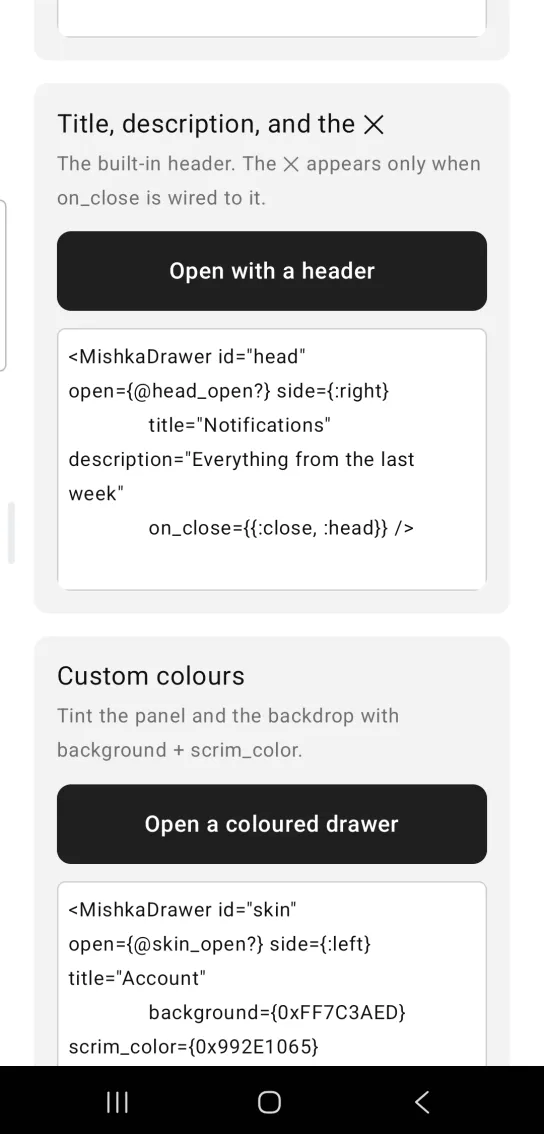
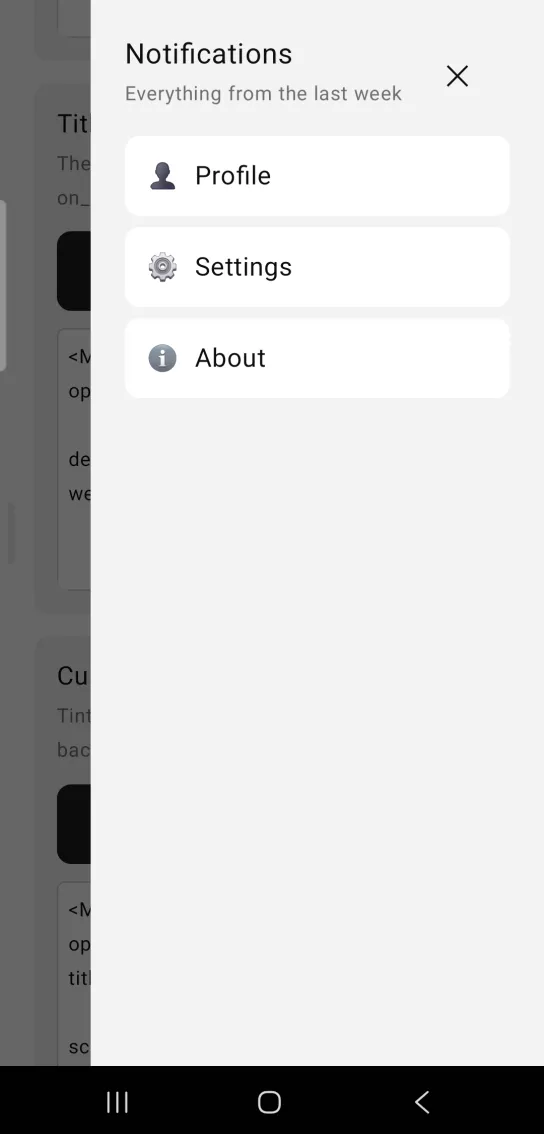
Left: the example as it loads. Right: after a tap. The built in header holds a title, a description and a close button.
<MishkaDrawer id="head" open={@head_open?} side={:right}
              title="Notifications" description="Everything from the last week"
              on_close={{:close, :head}} />
Custom drawer colors
background tints the panel and scrim_color tints the backdrop. Both take a color token or an ARGB integer written alpha first, as 0xAARRGGBB. padding and corner_radius shape the panel.
Custom drawer colors
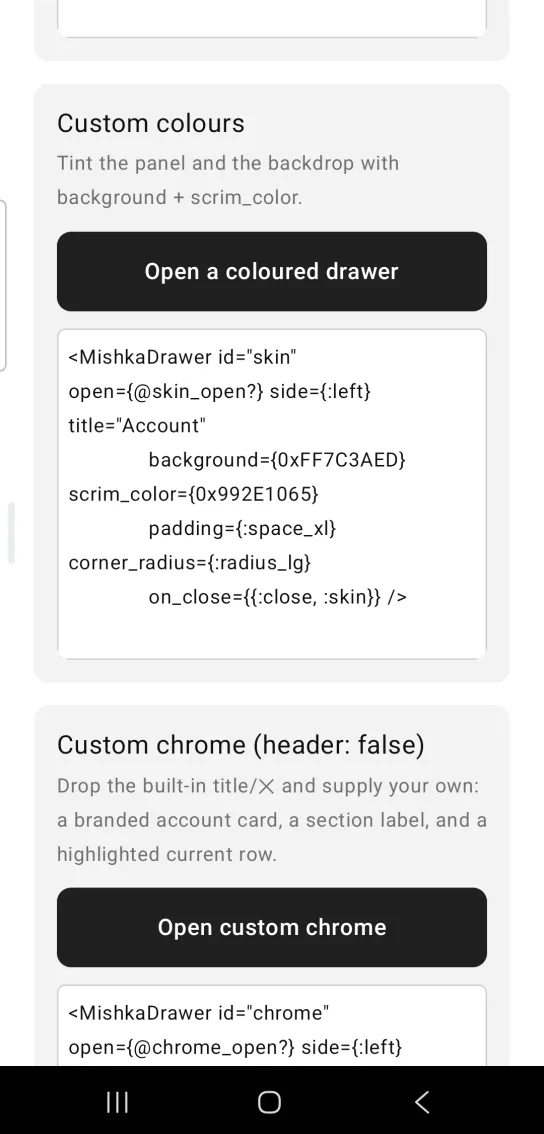
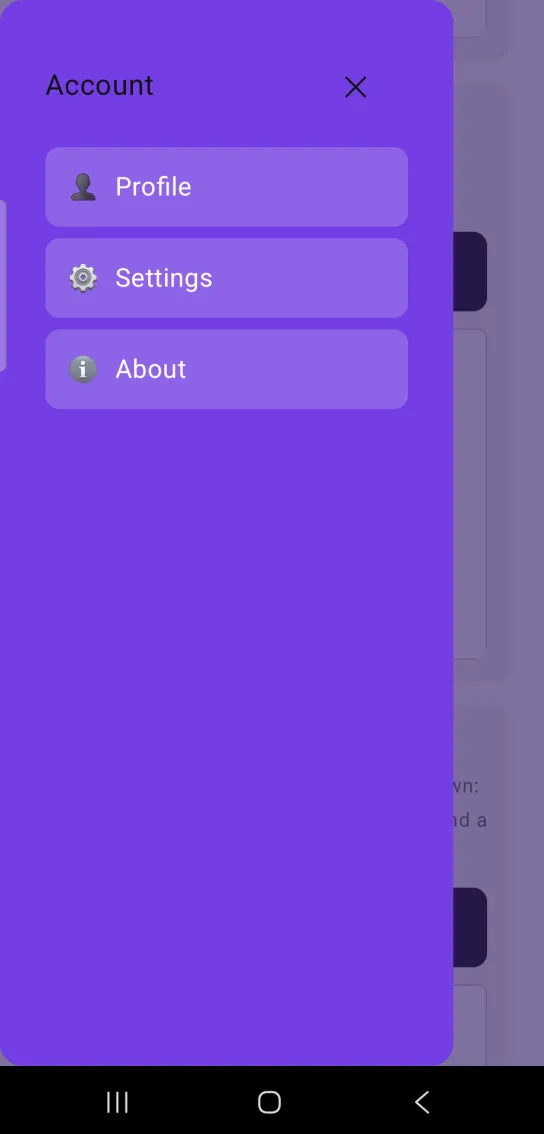
Left: the example as it loads. Right: after a tap. Tint the panel and the backdrop with background and scrim_color.
<MishkaDrawer id="skin" open={@skin_open?} side={:left} title="Account"
              background={0xFF7C3AED} scrim_color={0x992E1065}
              padding={:space_xl} corner_radius={:radius_lg}
              on_close={{:close, :skin}} />
Custom drawer chrome without the built-in header
header={false} drops the built-in title and ✕ button so you can supply your own. This drawer holds a branded account card, a section label and a highlighted current row. corner_radius and scrim_color still style the panel and the backdrop.
Custom drawer chrome without the built-in header
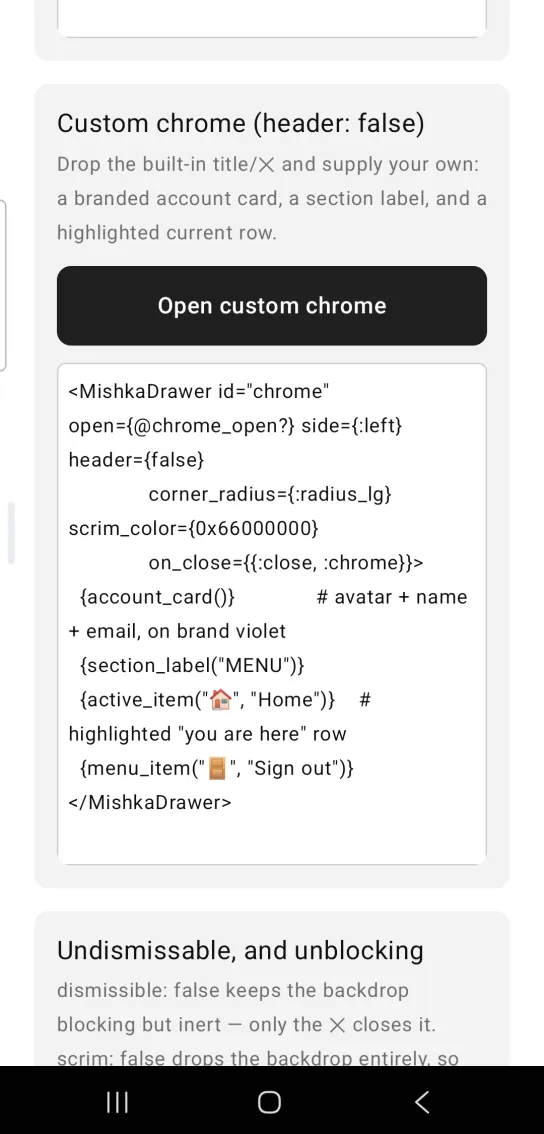
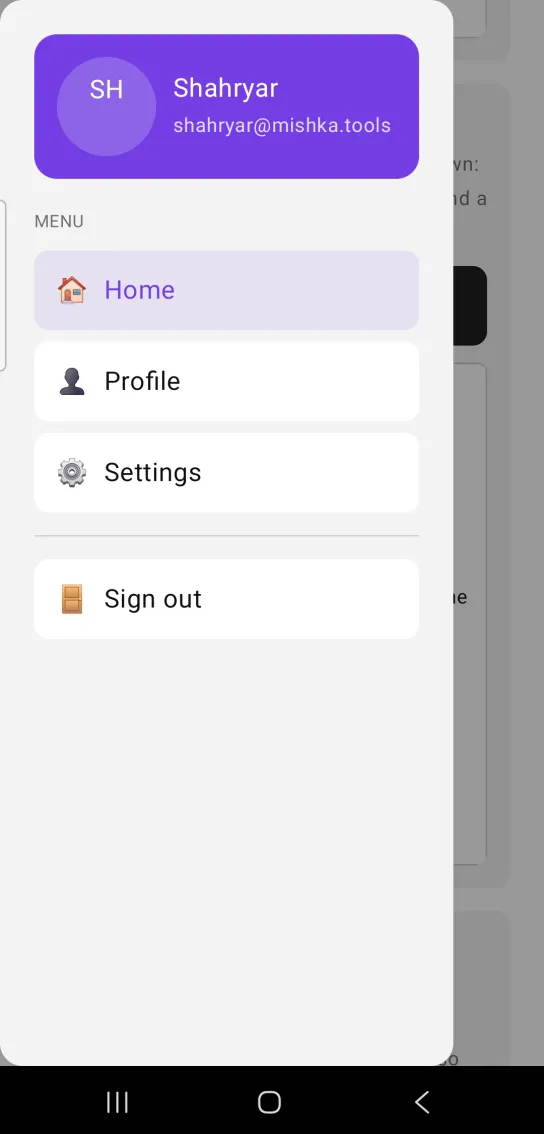
Left: the example as it loads. Right: after a tap. Drop the built in header and supply your own chrome.
<MishkaDrawer id="chrome" open={@chrome_open?} side={:left} header={false}
              corner_radius={:radius_lg} scrim_color={0x66000000}
              on_close={{:close, :chrome}}>
  {account_card()}              # avatar + name + email, on brand violet
  {section_label("MENU")}
  {active_item("🏠", "Home")}    # highlighted "you are here" row
  {menu_item("🚪", "Sign out")}
</MishkaDrawer>
Undismissable drawer and drawer without a scrim
dismissible={false} keeps the backdrop in place but inert, so a tap on it does nothing and only the ✕ button closes the drawer. scrim={false} removes the backdrop, which is the web modal={false}, so the page behind stays live.
The way out of the locked sheet is a <MishkaDrawerFooter>. The footer is the panel's bottom block with its own <id>-footer tag. A side drawer, or a sheet on a snap point, has a set height, so a spacer pushes the footer to the floor. A sheet that hugs its content has no floor, so the footer follows the body. MishkaDrawer.footer/1 builds the same node when the footer comes from data.
Undismissable drawer and drawer without a scrim
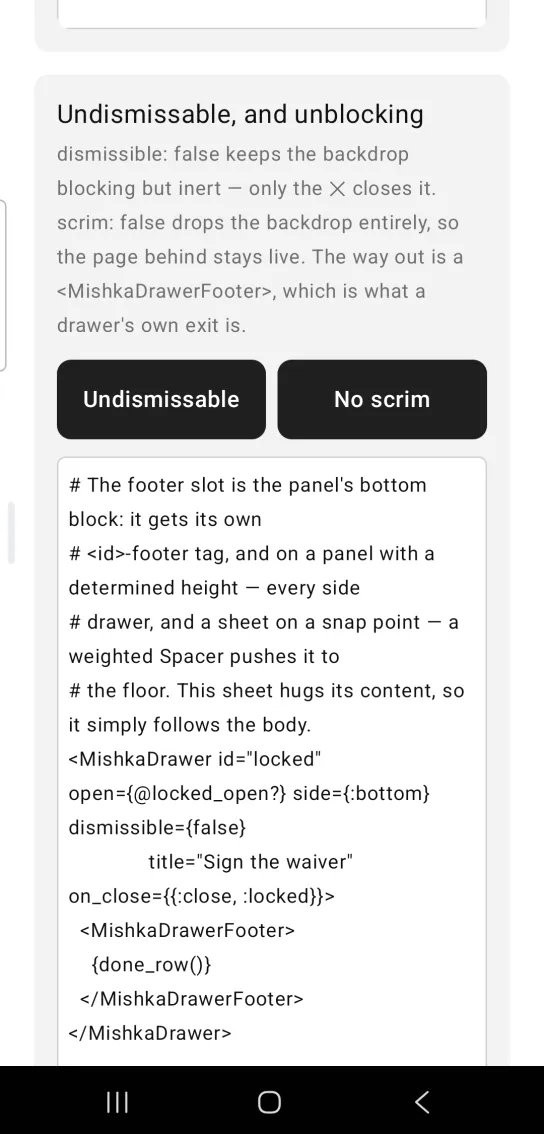
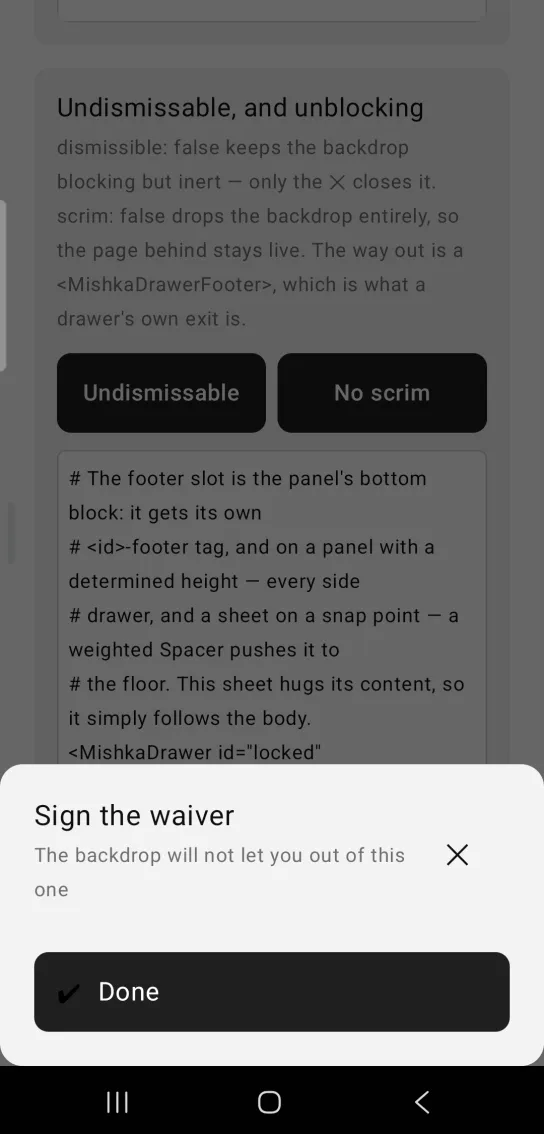
Left: the example as it loads. Right: after a tap. A drawer that only its own footer can close.
# The footer slot is the panel's bottom block: it gets its own
# <id>-footer tag, and on a panel with a determined height — every side
# drawer, and a sheet on a snap point — a weighted Spacer pushes it to
# the floor. This sheet hugs its content, so it simply follows the body.
<MishkaDrawer id="locked" open={@locked_open?} side={:bottom} dismissible={false}
              title="Sign the waiver" on_close={{:close, :locked}}>
  <MishkaDrawerFooter>
    {done_row()}
  </MishkaDrawerFooter>
</MishkaDrawer>

# MishkaDrawer.footer/1 builds the same marker node, for a footer
# assembled from data rather than typed:
#   MishkaDrawer.footer(Enum.map(@actions, &action_row/1))

<MishkaDrawer id="bare" open={@bare_open?} side={:right} scrim={false}
size={:sm} title="Inspector" on_close={{:close, :bare}} />Swipe in from the screen edge
swipe_area puts a drag patch on the screen edge while the drawer is closed. Pull it inward to open the drawer, and pull the handle back to close it. One MishkaDrawer.swipe/3 fold serves both gestures, because while the drawer is closed the payload comes from the edge patch. A closed drawer that has both swipe_area and a trigger slot draws the trigger.
Swipe in from the screen edge
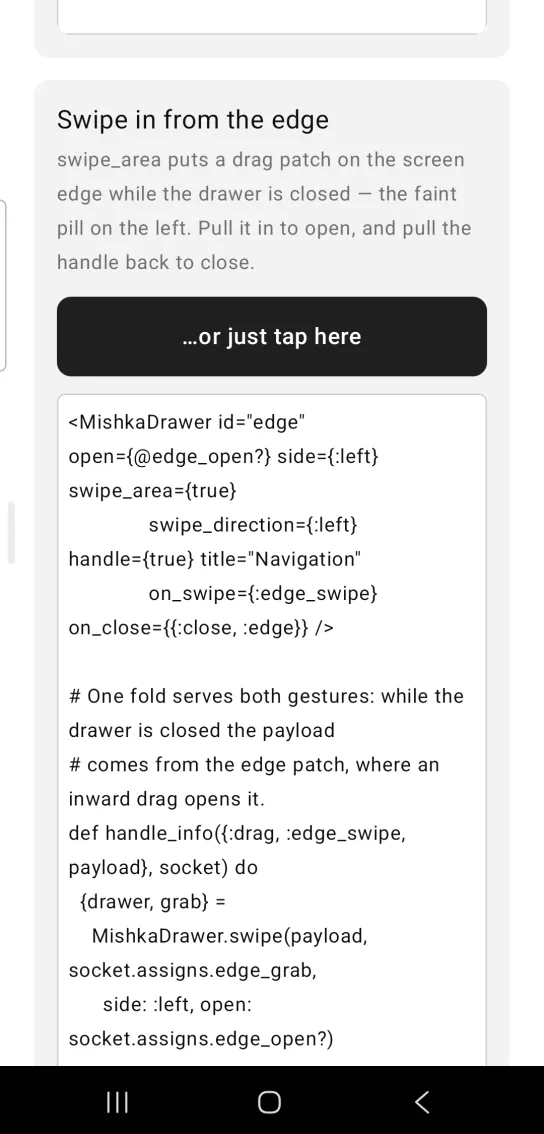
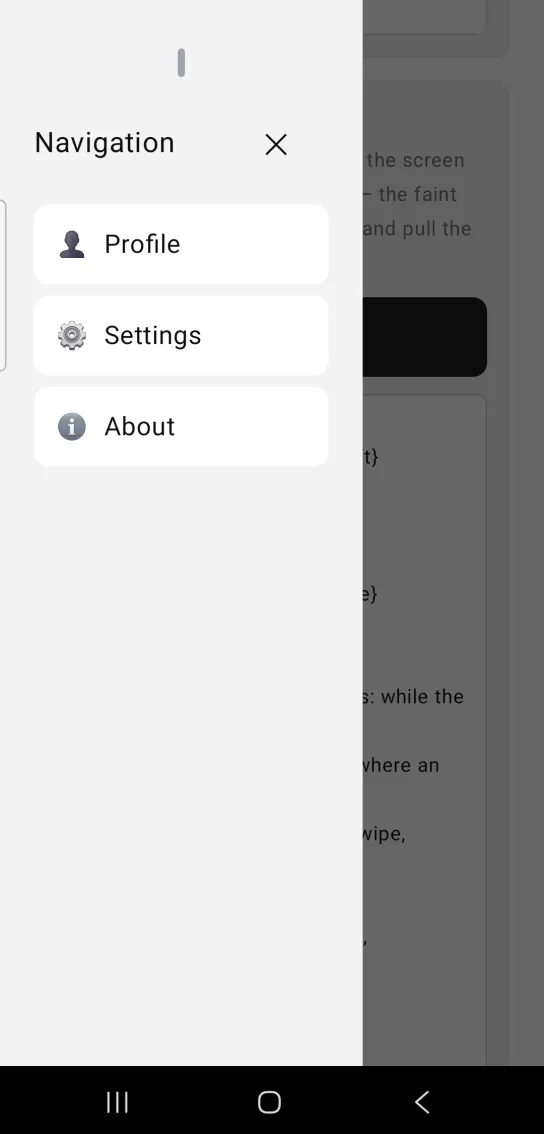
Left: the example as it loads. Right: after a tap. Open it with a tap, or pull it in from the screen edge.
<MishkaDrawer id="edge" open={@edge_open?} side={:left} swipe_area={true}
              swipe_direction={:left} handle={true} title="Navigation"
              on_swipe={:edge_swipe} on_close={{:close, :edge}} />

# One fold serves both gestures: while the drawer is closed the payload
# comes from the edge patch, where an inward drag opens it.
def handle_info({:drag, :edge_swipe, payload}, socket) do
  {drawer, grab} =
    MishkaDrawer.swipe(payload, socket.assigns.edge_grab,
      side: :left, open: socket.assigns.edge_open?)

  {:noreply,
   socket
   |> assign(:edge_open?, drawer.open?)
   |> assign(:edge_grab, grab)}
end
Props
| Prop | Type | Default | Description |
|---|---|---|---|
open | boolean | false | Whether the drawer is shown. The screen owns this value, because composites are stateless. |
id | string | nil | Test tag. Every part gets one: <id> (the overlay, present only while open), <id>-scrim, <id>-panel, <id>-title, <id>-description, <id>-close, <id>-footer, <id>-handle, <id>-swipe-area and <id>-snap-<n>, the 1-based index of the active snap point. |
side | :left, :right, :top or :bottom | :right | The edge the panel is pinned to. |
size | :xs, :sm, :md, :lg or :xl | :lg | Panel width for :left and :right: 240, 256, 288, 320 and 384. Top and bottom sheets ignore it. |
title | string | nil | Header title. It shows only when header is on. |
description | string | nil | A muted line under the title. |
header | boolean | true | Renders the built-in title, description and ✕ button. Set false to supply your own header. |
handle | boolean | false | Renders the drag-handle pill. It is the swipe surface, so without it there is nothing to drag. |
handle_color | ARGB integer | gray | The color of the pill. It takes an integer and not a token, because canvas operations take integers. |
scrim | boolean | true | Dims the background. false gives a non-blocking panel with no backdrop, like the web modal={false}. |
scrim_color | color token or ARGB integer | 0x99000000 | Backdrop fill. The default is 60% black. |
dismissible | boolean | true | Whether a backdrop tap dismisses the drawer. false keeps the backdrop blocking but inert, and the ✕ button still closes. |
background | color token or ARGB integer | :surface | Panel background. |
padding | spacing token or number | :space_lg | Padding inside the panel, around your content. |
corner_radius | radius token or number | none | Rounds the panel corners, for example :radius_lg for a rounded bottom sheet. |
snap_points | list | [] | Sheet heights in dp, or fractions of extent. They apply to vertical sides only. |
snap | number | the smallest snap point | The active snap point, which is the panel height. |
extent | number | nil | What a fractional snap point is a fraction of. A fraction with no extent cannot be resolved, so Mob drops it and logs a message. |
snap_sequential | boolean | false | Moves one snap point per flick and does not dismiss until the smallest. |
threshold | number | 64 | How far a swipe must travel, in dp, to dismiss or open. |
swipe_direction | :up, :down, :left or :right | from side | Which way a dismissing swipe goes. |
swipe_area | boolean | false | While the drawer is closed, puts a drag patch on the screen edge that opens it. |
on_close | event tag (atom) | none | Sent as {:tap, tag} on a backdrop or ✕ tap. Without it the ✕ button is omitted. |
on_swipe | event tag (atom) | none | Sent as {:drag, tag, payload} from the handle or the edge area. Fold it with swipe/3. |
Slot tags and helpers
| Name | What it does |
|---|---|
<MishkaDrawerTrigger> | The opener, and what a closed drawer draws. Takes label (or children), on_open, id, weight and fill_width. It is the web <:trigger> slot. |
MishkaDrawer.trigger/2 | Builds the same node as the tag. The first argument is a label or a list of nodes. A label becomes a tappable Box holding a Text, drawn like a primary button, and a list of nodes becomes a tappable Box wrapped around them. The options are on_open, test_id, weight and fill_width (true by default). |
<MishkaDrawerFooter> | The panel's bottom block, tagged <id>-footer. Takes children or a bare string. It is the web <:footer> slot. |
MishkaDrawer.footer/1 | Builds the same node as the footer tag, for a footer assembled from data. |
MishkaDrawer.swipe/3 | Folds one drag payload, the previous grab and the drawer props into the next state, {%{open?: boolean, snap: number | nil}, grab}. |
Children of the tag that are not slots become the drawer body, below the header. Build interactive children with an explicit {self(), tag} as their on_tap. The drawer wires only the on_* props of its own tag, not those of its children or of a slot tag.
Events
| Prop | Message | When |
|---|---|---|
on_close | {:tap, tag} | The user taps the backdrop or the ✕ button. |
Trigger on_open | {:tap, tag} | The user taps the trigger. |
on_swipe | {:drag, tag, payload} | The user drags the handle, or the edge area while the drawer is closed. The payload has a :began, :dragging or :ended phase. |
The composite wires the tag you pass to your screen, so a bare atom is enough. Your screen receives these messages in handle_info/2. Here is a pair of tap handlers with the catch-all clause:
def handle_info({:tap, :open_menu},    s), do: {:noreply, Mob.Socket.assign(s, :drawer_open?, true)}
def handle_info({:tap, :close_drawer}, s), do: {:noreply, Mob.Socket.assign(s, :drawer_open?, false)}
# REQUIRED catch-all
def handle_info(_msg, s), do: {:noreply, s}
Differences from the web component
close_on_escapehas no equivalent. A phone's Escape is the system back gesture, andMob.Screenintercepts{:mob, :back}before any screen'shandle_info/2to pop the navigation stack. Back closes the whole screen, drawer and all.- Focus trapping and
modal="trap-focus"are not ported, because there is no focus ring to trap. - The iOS-style page indent behind an open drawer is not ported. It would mean wrapping the host's whole content tree.
aria-*wiring and the*_classattributes are not ported.- The panel settles on release and does not track the drag. The web sheet follows the finger.
Attributes
| Name | Type | Default | Values | Required | Description |
|---|---|---|---|---|---|
open
|
boolean
|
false
| — | No | Whether the drawer is shown. Lives in the screen (composites are stateless). |
id
|
string
| — | — | No | Test tag. Every part gets one — see "Test tags" below. |
side
|
:left :right :top :bottom
|
:right
| — | No | Edge the panel is pinned to. |
size
|
:xs :sm :md :lg :xl
|
:lg
| — | No | Panel **width** for `:left`/`:right` (240–384 pt/dp). Ignored for `:top`/`:bottom`. |
title
|
string
| — | — | No | Header title (only when `header` is on). |
description
|
string
| — | — | No | A muted line under the title. |
header
|
boolean
|
true
| — | No | Render the built-in title + description + ✕. Set `false` to supply your own chrome. |
handle
|
boolean
|
false
| — | No | Render the drag-handle pill. It is the swipe surface — without it there is nothing to drag. |
handle_color
|
ARGB int
|
grey
| — | No | The pill. An **int**, not a token: canvas ops take ints. |
scrim
|
boolean
|
true
| — | No | Dim the background. `false` = a non-blocking panel with no backdrop (the web's `modal={false}`). |
scrim_color
|
color token / ARGB int
|
0x99000000
| — | No | Backdrop fill (60% black by default). |
dismissible
|
boolean
|
true
| — | No | Whether a backdrop tap dismisses. `false` keeps the backdrop blocking but inert; the ✕ still closes. |
background
|
color token / ARGB int
|
:surface
| — | No | Panel background. |
padding
|
spacing token / number
|
:space_lg
| — | No | Padding inside the panel around your content. |
corner_radius
|
radius token / number
|
none
| — | No | Rounds the panel corners (e.g. `:radius_lg` for a rounded bottom sheet). |
snap_points
|
list
|
[]
| — | No | Sheet heights in dp, or fractions of `extent`. Vertical sides only. |
snap
|
number
|
first point
| — | No | The active snap point — the panel's height. |
extent
|
number
| — | — | No | What a fractional snap point is a fraction OF. |
snap_sequential
|
boolean
|
false
| — | No | One snap point per flick, and no dismissal until the smallest. |
threshold
|
number
|
64
| — | No | How far a swipe must travel (dp) to dismiss or open. |
swipe_direction
|
:up :down :left :right
|
from side
| — | No | Which way a dismissing swipe goes. |
swipe_area
|
boolean
|
false
| — | No | While CLOSED, put a drag patch on the screen edge that opens the drawer. |
on_close
|
event tag (atom)
| — | — | No | `{:tap, tag}` on backdrop / ✕ tap. Without it the ✕ is omitted and only `open` can close the drawer (a warning is logged). |
on_swipe
|
event tag (atom)
| — | — | No | `{:drag, tag, payload}` from the handle or the swipe area. Fold it with `swipe/3`. |
Options
Each option takes one or more of its values, separated by commas.
| Option | Values |
|---|---|
--type
|
drawer
|
--module
| A module name of your own |
What it generates
mix mishka.ui.gen.mob drawer