Menubar
v0.0.10
The Mishka Chelekom Mob Menubar is a bar of menus for iOS and Android screens built with Mob, where at most one menu is open at a time. Tapping a trigger opens its panel under the bar. It is the native port of the headless Menubar.
Menubar with one open menu at a time
Opening a menu closes the one before it. on_open reports the tapped trigger, and MishkaMenubar.open_menu/2 turns that value into the next open value: the same value closes the menu, and a different one switches to it.
In the snippet, handle/2 is the showcase app's own callback. In your own screen, handle the same tap in handle_info/2, as the Events section shows.
Menubar with one open menu at a time
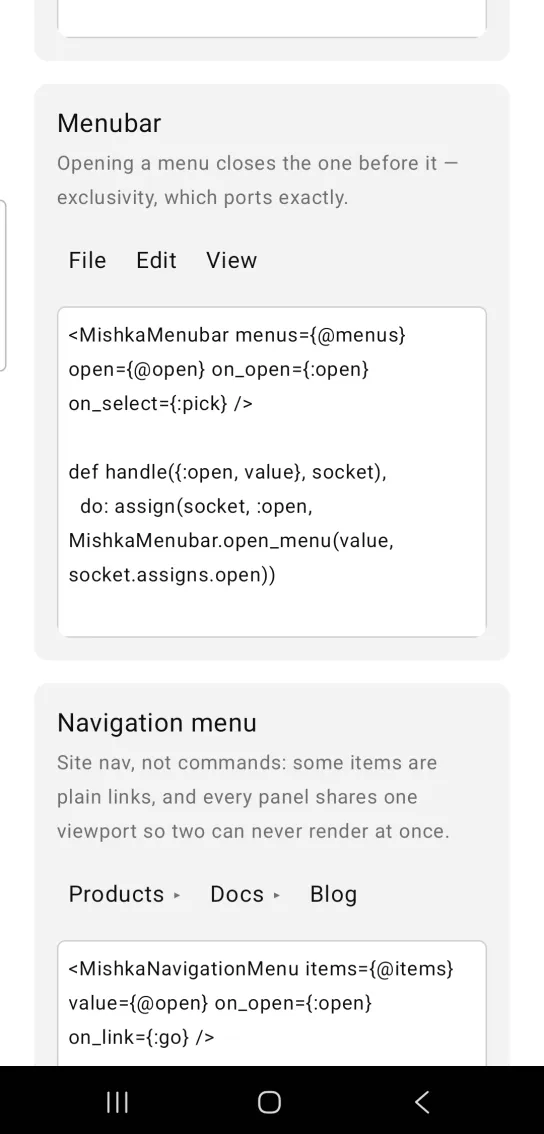
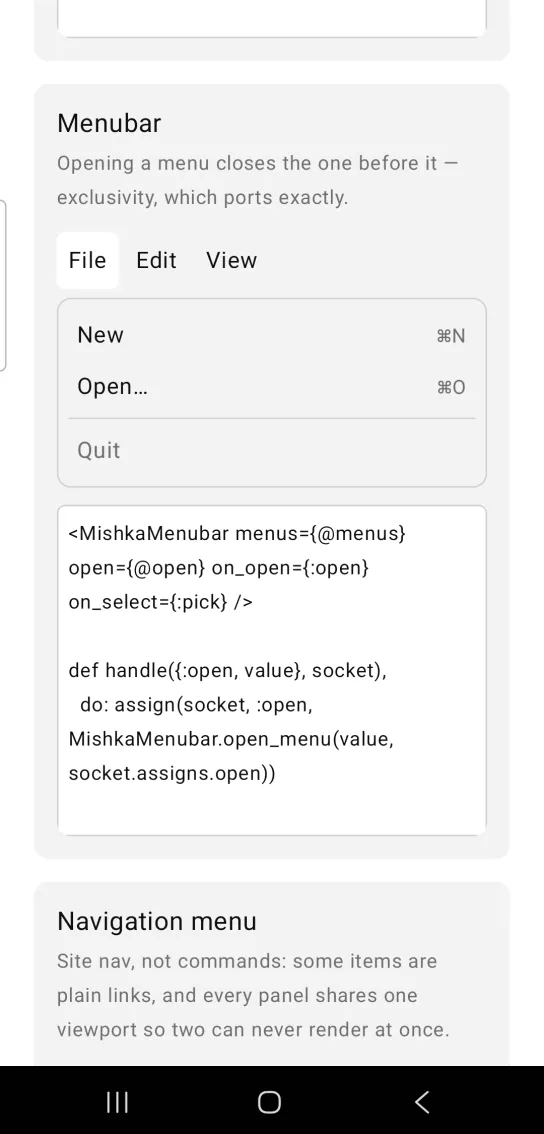
Left: the example as it loads. Right: after a tap. Opening a menu closes the one before it.
<MishkaMenubar menus={@menus} open={@open} on_open={:open} on_select={:pick} />

def handle({:open, value}, socket),
  do: assign(socket, :open, MishkaMenubar.open_menu(value, socket.assigns.open))
Helper functions
open_menu(value, current) returns the value that should be open after a tap on value. Tapping the open menu closes it, and tapping any other menu switches straight to it.
MishkaMenubar.open_menu(:file, nil)    #=> :file
MishkaMenubar.open_menu(:file, :file)  #=> nil
MishkaMenubar.open_menu(:edit, :file)  #=> :edit
Props
| Prop | Type | Default | Description |
|---|---|---|---|
menus | list of menu maps | [] | The bar. |
open | value | nil | Which menu is open. |
disabled | boolean | false | Disables the whole bar. |
on_open | event tag (atom) | none | Sends {:tap, {tag, menu_value}} when a trigger is tapped. |
on_select | event tag (atom) | none | Sends {:tap, {tag, item_value}} when an item is tapped. |
Events
A tap on a trigger sends {:tap, {tag, menu_value}} for on_open. A tap on an item sends {:tap, {tag, item_value}} for on_select. A disabled menu or item sends nothing. Your screen receives both messages in handle_info/2.
def handle_info({:tap, {:open, value}}, socket) do
  open = MishkaMenubar.open_menu(value, socket.assigns.open)
  {:noreply, Mob.Socket.assign(socket, :open, open)}
end

def handle_info({:tap, {:pick, value}}, socket) do
  socket =
    socket
    |> Mob.Socket.assign(:last, to_string(value))
    |> Mob.Socket.assign(:open, nil)

  {:noreply, socket}
end
Differences from the web component
The Mob Menubar does not port these parts of the headless component:
- Roving tabindex and the arrow key, Home and End navigation.
loopandmodal.orientation: vertical. A vertical menubar is a Menu.- Hover switching. Every menu opens on tap.
Attributes
| Name | Type | Default | Values | Required | Description |
|---|---|---|---|---|---|
menus
|
list of menu maps
|
[]
| — | No | The bar. |
open
|
value
| — | — | No | Which menu is open. |
disabled
|
boolean
|
false
| — | No | Disables the whole bar. |
on_open
|
event tag (atom)
| — | — | No | `{:tap, {tag, menu_value}}` on a trigger. |
on_select
|
event tag (atom)
| — | — | No | `{:tap, {tag, item_value}}` on an item. |
Options
Each option takes one or more of its values, separated by commas.
| Option | Values |
|---|---|
--type
|
menubar
|
--module
| A module name of your own |
What it generates
mix mishka.ui.gen.mob menubar