Navigation menu
v0.0.10
mix mishka.ui.gen.mob navigation_menu
The Mishka Chelekom Mob Navigation Menu is a site navigation bar for iOS and Android screens built with Mob, where expandable items share one content area. It is the native port of the headless Navigation Menu.
Navigation menu with a shared viewport
Some items are plain links and some are triggers, and every panel shares one viewport, so two panels can never render at once. on_open reports a tap on a trigger and on_link reports a tap on a plain link.
Navigation menu with a shared viewport
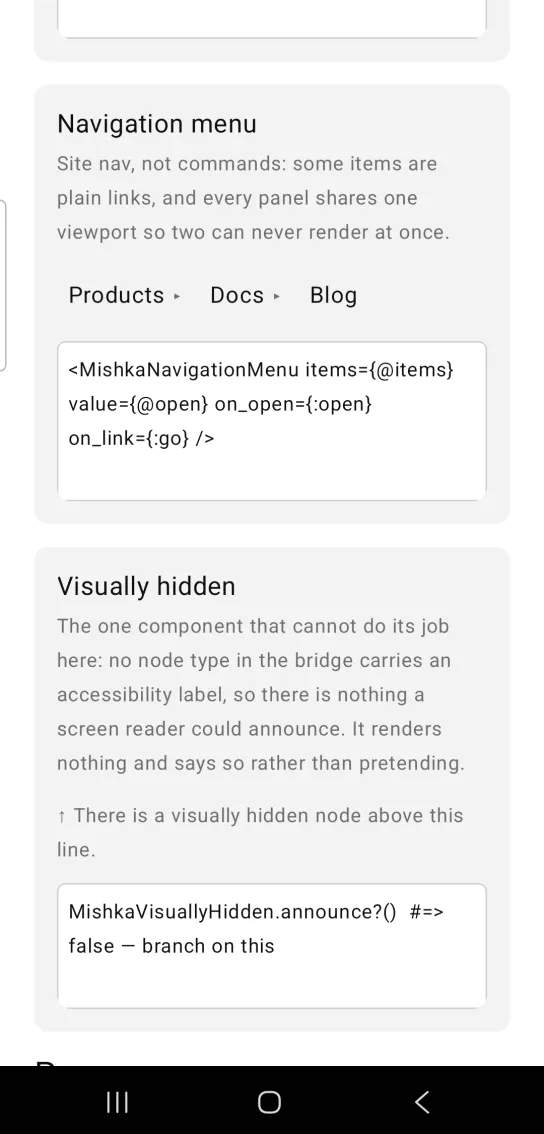
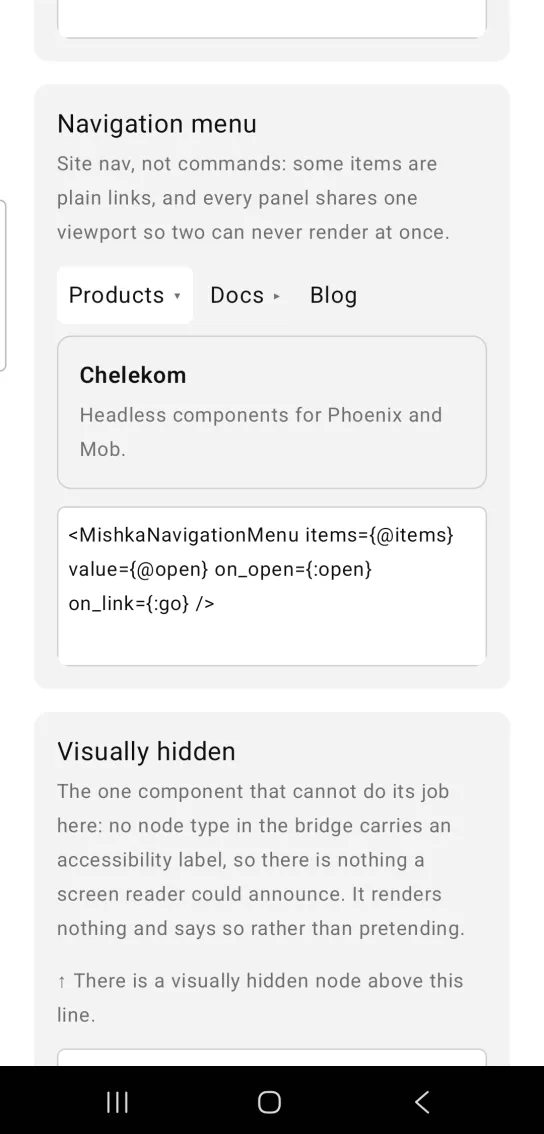
Left: the example as it loads. Right: after a tap. Every panel shares one viewport, so two can never show at once.
<MishkaNavigationMenu items={@items} value={@open} on_open={:open} on_link={:go} />Helper functions
The generated MishkaNavigationMenu module exposes these functions:
| Function | Returns |
|---|---|
trigger?(item) | true when the item has content and opens a panel, false for a plain link. |
toggle(value, current) | nil when value is already open, otherwise value. |
MishkaNavigationMenu.trigger?(%{label: "Docs", value: :docs})  #=> false
MishkaNavigationMenu.toggle(:docs, :docs)                      #=> nil
MishkaNavigationMenu.toggle(:docs, :blog)                      #=> :docs
Props
| Prop | Type | Default | Description |
|---|---|---|---|
items | list of item maps | [] | The menu items. |
value | value | nil | Which item is open. |
orientation | :horizontal or :vertical | :horizontal | A row of items that hug their labels, or a stack of items that fill the width. |
disabled | boolean | false | Disables the whole nav. |
on_open | event tag (atom) | None | Sends {:tap, {tag, value}} when a trigger is tapped. |
on_link | event tag (atom) | None | Sends {:tap, {tag, value}} when a plain link is tapped. |
Events
Your screen receives {:tap, {tag, value}} in handle_info/2 from both on_open and on_link. The value is the item's own value. A disabled item sends nothing. Use toggle/2 to compute the next open item.
def handle_info({:tap, {:open, value}}, socket) do
  open = MishkaNavigationMenu.toggle(value, socket.assigns.open)
  {:noreply, Mob.Socket.assign(socket, :open, open)}
end
Differences from the web component
These parts of the headless component are not ported:
delayandclose_delay, because hover has no touch equivalent.side,alignandarrow, because the viewport is one shared area in the layout flow, with no side to take and nothing to point an arrow at.- The morph animation, because Mob has no animation primitive.
Attributes
| Name | Type | Default | Values | Required | Description |
|---|---|---|---|---|---|
items
|
list of item maps
|
[]
| — | No | The nav. |
value
|
value
| — | — | No | Which item is open. |
orientation
|
:horizontal · :vertical
|
:horizontal
| — | No | Row of triggers, or a stack. |
disabled
|
boolean
|
false
| — | No | Disables the whole nav. |
on_open
|
event tag (atom)
| — | — | No | `{:tap, {tag, value}}` on a trigger. |
on_link
|
event tag (atom)
| — | — | No | `{:tap, {tag, value}}` on a plain link. |
Options
Each option takes one or more of its values, separated by commas.
| Option | Values |
|---|---|
--type
|
navigation_menu
|
--module
| A module name of your own |
What it generates
mix mishka.ui.gen.mob navigation_menu