Alpha slider
v0.0.10
mix mishka.ui.gen.mob alpha_slider
The Mob Alpha Slider is the native iOS and Android version of the headless Alpha Slider in Mishka Chelekom. It draws an opacity track over a checkerboard and turns a touch or drag on it into an opacity from 0 to 100. Mob renders it with Jetpack Compose on Android and SwiftUI on iOS.
Overview of the Mob Alpha Slider component for iOS and Android
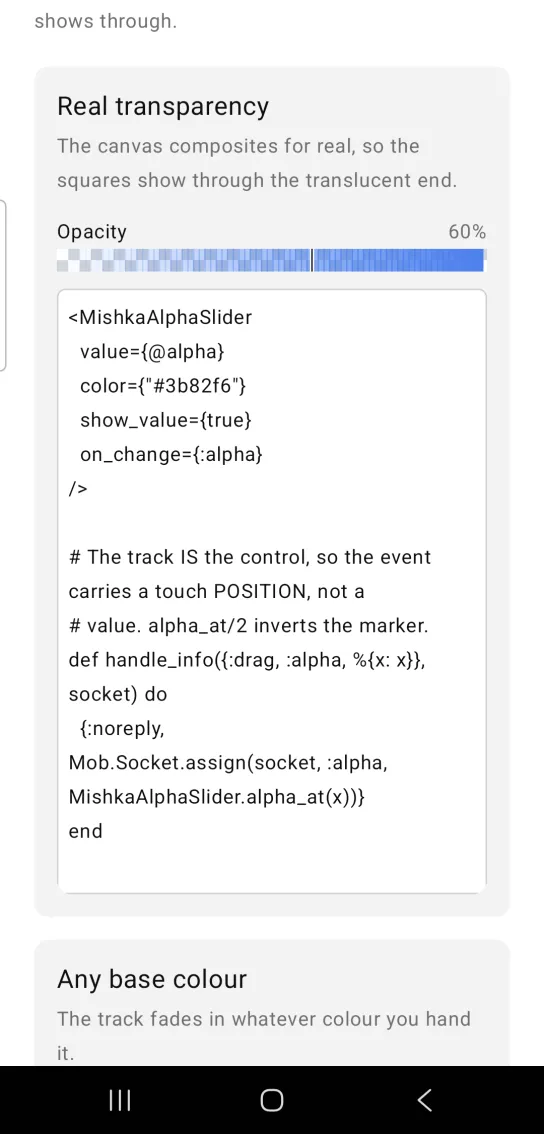
The alpha slider draws two layers on one canvas. A checkerboard of squares sits at the back, and your base color is drawn over it as bands whose opacity climbs from left to right. The canvas composites the layers, so the squares show through the translucent end of the track. A marker shows the current opacity.
The track is the control, and no native slider sits under it. A touch sends your screen a {:drag, tag, payload} message with the touch position, and alpha_at/2 converts that position to an opacity from 0 to 100. Without on_change, the track only displays the opacity.
The screen owns the state. The slider draws the value you pass (clamped to 0 to 100), so you assign the new opacity in handle_info/2. The color prop takes a hex string such as #3b82f6 or #f00. Text that does not parse as a color falls back to black. Set label and show_value for a caption and a readout such as 60%.
Generate the alpha slider component
Run this from your Mob app's root to add the component to lib/<app>/components/:
mix mishka.ui.gen.mob alpha_sliderThe generator registers the component's tag, so you can use it in ~MOB markup. It also adds the shared Color and Event modules it uses. The examples on this page use the mishka_ prefix of the showcase app (--module-prefix mishka_), so the tag is <MishkaAlphaSlider>. Without a prefix the tag is <AlphaSlider>.
Alpha slider with real transparency
The canvas draws the checkerboard and the color together, so the squares show through the translucent end of the track. This example sets show_value and converts the touch position with alpha_at/2.
Alpha slider with real transparency
<MishkaAlphaSlider
  value={@alpha}
  color={"#3b82f6"}
  show_value={true}
  on_change={:alpha}
/>

# The track IS the control, so the event carries a touch POSITION, not a
# value. alpha_at/2 inverts the marker.
def handle_info({:drag, :alpha, %{x: x}}, socket) do
  {:noreply, Mob.Socket.assign(socket, :alpha, MishkaAlphaSlider.alpha_at(x))}
end
Alpha slider with any base color
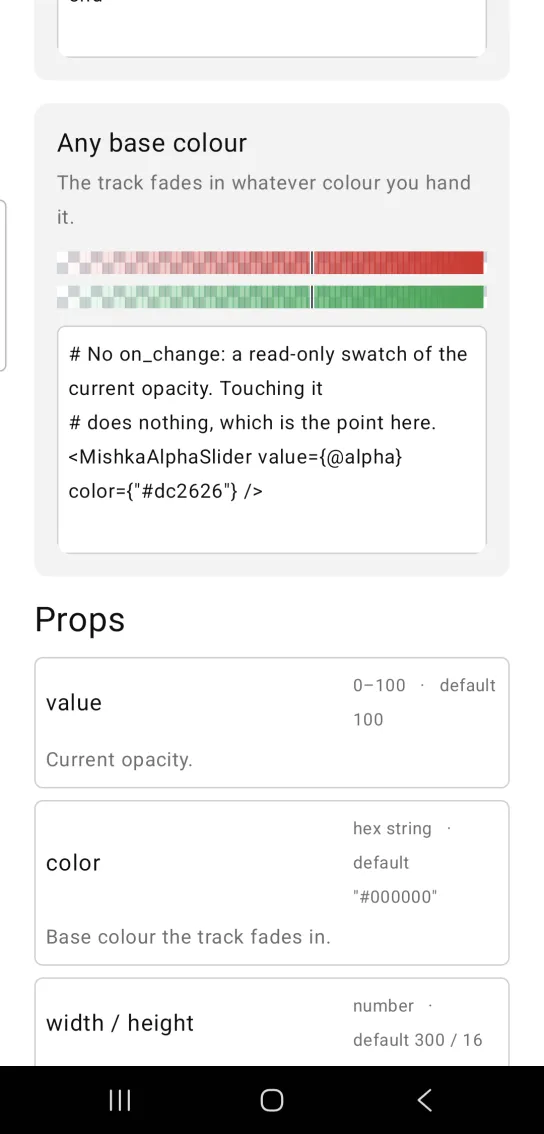
The track fades in whichever base color you pass, such as #dc2626. When you leave out on_change, as in the code below, the track only displays the current opacity and touching it does nothing.
Alpha slider with any base color
# No on_change: a read-only swatch of the current opacity. Touching it
# does nothing, which is the point here.
<MishkaAlphaSlider value={@alpha} color={"#dc2626"} />
Helper functions
The module exports two helpers. Call them from your screen.
| Function | Description |
|---|---|
alpha_at(x, width \\ 300) | Converts a touch x position, in canvas units from the left edge of the track, to an opacity from 0 to 100. It is the inverse of the marker, so the finger and the marker agree. |
track(width, height, rgb, alpha) | Returns the draw ops for the track: the checkerboard, then the color fading in over it, then the marker. |
Props
| Prop | Type | Default | Description |
|---|---|---|---|
value | number, 0 to 100 | 100 | The current opacity. Values outside the range are clamped. |
color | hex string | "#000000" | The base color that the track fades in. |
width | number | 300 | Track width in logical units. |
height | number | 16 | Track height in logical units. |
show_value | boolean | false | Shows a readout such as 60%. |
label | string | nil | Caption above the track. |
on_change | event tag | None | Sends {:drag, tag, payload} with a touch position. Convert it with alpha_at/2. |
id | string | None | A native test tag for the track. A canvas has no text that a test can find it by. |
Events
Your screen receives {:drag, tag, %{x:, y:, dx:, dy:, phase:}} in handle_info/2 when the user touches or drags the track. The payload holds a touch position, so use alpha_at/2 to get an opacity. The phase field reports began on touch-down, dragging while the finger moves and ended on release. The dx and dy fields in the payload differ between iOS and Android, so build on x and y only.
def handle_info({:drag, :alpha, %{x: x}}, socket) do
  {:noreply, Mob.Socket.assign(socket, :alpha, MishkaAlphaSlider.alpha_at(x))}
end

def handle_info(_msg, socket), do: {:noreply, socket}
Differences from the web component
The Mob version leaves these parts of the web slider out or changes them:
- The track is a canvas that composites a checkerboard and color bands, where the web version lays a
transparentto color gradient over a checkerboard background image. on_commitis not ported, because the Mob bridge has no release event.stepandlarge_step(keyboard nudging) are not ported.nameandformare not ported. Theidprop is a native test tag, not a DOM id.
Attributes
| Name | Type | Default | Values | Required | Description |
|---|---|---|---|---|---|
value
|
number
|
100
| — | No | Current opacity, 0–100. |
color
|
hex string
|
"#000000"
| — | No | The base colour the track fades in. |
width / height
|
number
|
300 / 16
| — | No | Track size in logical units. |
show_value
|
boolean
|
false
| — | No | Render a `60%` readout. |
label
|
string
| — | — | No | Caption above the track. |
on_change
|
event tag (atom)
| — | — | No | `{:drag, tag, %{x:, y:, dx:, dy:, phase:}}` — a touch POSITION, not a value. Convert with `alpha_at/2`. |
id
|
string
| — | — | No | A native testTag. A canvas has no text to find it by. |
Options
Each option takes one or more of its values, separated by commas.
| Option | Values |
|---|---|
--type
|
alpha_slider
|
--module
| A module name of your own |
What it generates
mix mishka.ui.gen.mob alpha_slider