Autocomplete
v0.0.10
mix mishka.ui.gen.mob autocomplete
The Mishka Chelekom Mob Autocomplete is a text field that suggests completions as you type, on iOS and Android. It is the native port of the headless Autocomplete and runs on Mob.
Overview of the Mob Autocomplete component for iOS and Android
Autocomplete and Combobox use the same machinery. They differ in what the value is. A combobox picks from a fixed list, so its value is one of the options. An autocomplete accepts free text and only suggests. The query is the value, and choosing a suggestion fills it in.
Autocomplete renders through Combobox, so filtering and the list surface are the same. You pass suggestions as a list of strings. Each suggestion is its own id, so on_select hands back the suggestion's text and you do not have to look anything up.
The default filter is :starts_with, so suggestions are prefix matches. Set it to :contains to match anywhere in a suggestion. When the query names a suggestion exactly, the component drops that suggestion, because there is nothing left to suggest about it. It drops only that one: with Iran typed, the list still offers Iranian Rial. If dropping it leaves nothing, the panel is not drawn, because a No suggestions row would be wrong when the real reason is that you already typed the answer.
The screen owns query and open, and the events arrive in handle_info/2. Tapping the field sends on_press on every tap, typing sends on_query, and an optional ▾ (trigger) sends on_toggle. The panel renders in flow, so to close it on an outside tap, put an on_tap on the container around the field. Do not close it on on_blur, because choosing a suggestion blurs the field too.
For a field that collects several values as pills, see the Pills Input page. It shows an autocomplete-style picker built from a pills input and a suggestion list.
Generate the autocomplete component
Run this from your Mob app's root to add the component to lib/<app>/components/:
mix mishka.ui.gen.mob autocompleteThe generator registers the component's tag, so you can use it in ~MOB markup. It also generates the Combobox component, which does the filtering and draws the list. The examples on this page use the mishka_ prefix of the showcase app (--module-prefix mishka_), so the tag is <MishkaAutocomplete>. Without a prefix the tag is <Autocomplete>.
Autocomplete suggestions as you type
Matching uses the start of each suggestion by default, and a suggestion vanishes once the text matches it exactly. The text in the field is the value. Typing opens the list, and choosing a suggestion fills the field and closes the list. Use on_press, not on_focus, to reopen it. A field that already has the caret reports no new focus when you tap it, and closing the list does not take the caret away, so on_focus would never reopen the list.
Autocomplete suggestions as you type
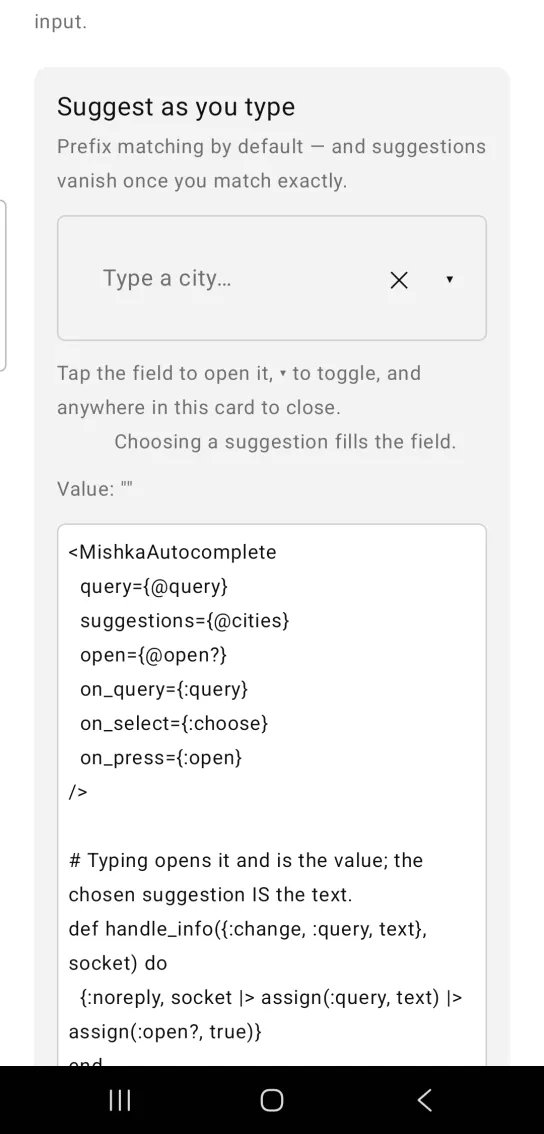
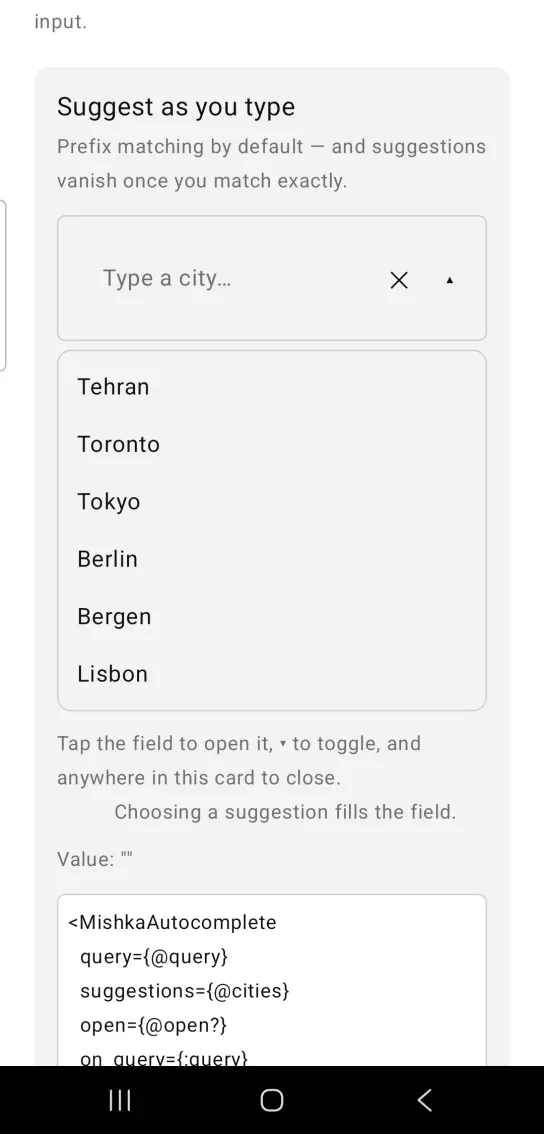
Left: the example as it loads. Right: after a tap. The caret opens the list of suggestions.
<MishkaAutocomplete
  query={@query}
  suggestions={@cities}
  open={@open?}
  on_query={:query}
  on_select={:choose}
  on_press={:open}
/>

# Typing opens it and is the value; the chosen suggestion IS the text.
def handle_info({:change, :query, text}, socket) do
  {:noreply, socket |> assign(:query, text) |> assign(:open?, true)}
end

def handle_info({:tap, {:choose, text}}, socket) do
  {:noreply, socket |> assign(:query, text) |> assign(:open?, false)}
end

# on_press, NOT on_focus: focus is an edge, so a field that already has
# the caret reports nothing when you tap it again — and closing the list
# does not take the caret away, so the obvious way to reopen it did
# nothing at all.
def handle_info({:tap, :open}, socket), do: {:noreply, assign(socket, :open?, true)}
def handle_info({:tap, :close}, socket), do: {:noreply, assign(socket, :open?, false)}Autocomplete with contains matching
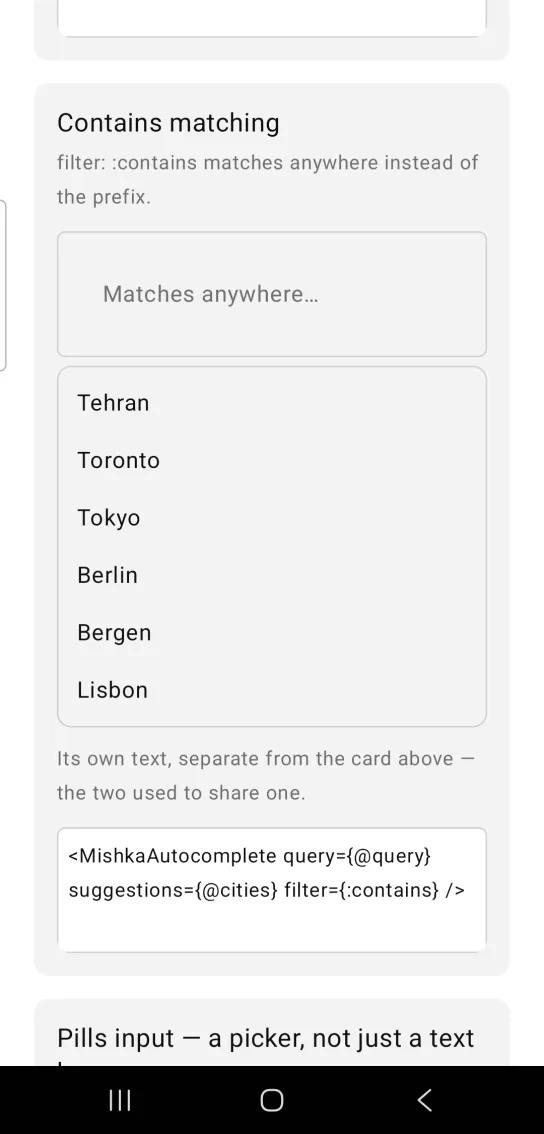
filter={:contains} matches anywhere in a suggestion instead of at the start. With the showcase cities, typing bon finds Lisbon, which a prefix match would miss.
Autocomplete with contains matching
<MishkaAutocomplete query={@query} suggestions={@cities} filter={:contains} />Helper functions
| Function | Description |
|---|---|
suggest(suggestions, query, opts) | Returns the suggestions to show for a query. It returns an empty list once the query already names one exactly. Pass mode: :contains to match anywhere. |
exact?(suggestions, query) | Returns true when the query already names one of the suggestions exactly. |
exact_match?(suggestion, query) | Returns true when one suggestion is exactly what the query says. |
Props
| Prop | Type | Default | Description |
|---|---|---|---|
query | string | "" | The field's text. It is the value. |
open | boolean | false | Whether the suggestions are shown. The screen owns it. |
suggestions | list of strings | [] | What to offer. |
filter | :starts_with or :contains | :starts_with | Match mode. Prefix by default. |
placeholder | string | "Type to search…" | Field placeholder. |
clear | boolean | false | Shows a ✕ button that clears the text. |
empty_text | string | "No suggestions" | Shown when nothing matches. |
disabled | boolean | false | Mutes the field and unwires it. |
on_query | event tag (atom) | None | Sends {:change, tag, text} as you type. |
on_select | event tag (atom) | None | Sends {:tap, {tag, text}} with the suggestion's text, not an id. |
on_clear | event tag (atom) | None | Sends {:tap, tag} from the ✕. |
on_press | event tag (atom) | None | Sends {:tap, tag} on every tap of the field. |
on_focus | event tag (atom) | None | Sends {:focus, tag} when the field gains focus. |
on_blur | event tag (atom) | None | Sends {:blur, tag} when the field loses focus. |
trigger | boolean | false | Shows a ▾ button that opens and closes the panel. |
on_toggle | event tag (atom) | None | Sends {:tap, tag} from the ▾. |
trigger_icon | string or {closed, open} | "▾" and "▴" | The glyph of the trigger button, for callers who want their own. |
clear_icon | string | "✕" | The glyph of the clear button. |
id | string | nil | Test tags for the field, the buttons and every suggestion. |
Autocomplete drops only suggestions and hands every other prop to Combobox, so the Combobox props apply here as well.
Events
Your screen receives these messages in handle_info/2:
on_querysends{:change, tag, text}as you type.on_selectsends{:tap, {tag, text}}with the suggestion's text.on_clear,on_toggleandon_presssend{:tap, tag}.on_focussends{:focus, tag}andon_blursends{:blur, tag}.
The first example handles typing, choosing, opening and closing. With on_clear={:clear} and on_toggle={:toggle}, the clear button and the ▾ need two more clauses.
def handle_info({:tap, :clear}, socket), do: {:noreply, Mob.Socket.assign(socket, :query, "")}

def handle_info({:tap, :toggle}, socket) do
  {:noreply, Mob.Socket.assign(socket, :open?, not socket.assigns.open?)}
end
Differences from the web component
name,requiredandreadonlyare not ported, because they are form plumbing.auto_highlightis not ported, because there is no focus ring to highlight.inlineis not ported. Typing the completion into the field ahead of the caret fights every mobile input method.- The
*_classattributes are not ported. Mob draws native views, so there is no CSS. idis ported as a test handle.
Attributes
| Name | Type | Default | Values | Required | Description |
|---|---|---|---|---|---|
query
|
string
|
""
| — | No | The field's text — this is the value. |
open
|
boolean
|
false
| — | No | Whether suggestions are shown. |
suggestions
|
list of strings
|
[]
| — | No | What to offer. |
filter
|
:contains :starts_with
|
:starts_with
| — | No | Match mode — prefix by default, which is what "autocomplete" means. |
placeholder
|
string
|
"Type to search…"
| — | No | Field placeholder. |
clear
|
boolean
|
false
| — | No | Render a ✕ that clears the text. |
empty_text
|
string
|
"No suggestions"
| — | No | Shown when nothing matches. |
disabled
|
boolean
|
false
| — | No | Mutes and unwires. |
on_query / on_select / on_clear
|
event tags
| — | — | No | Typing, choosing, clearing. |
on_focus / on_blur
|
event tags
| — | — | No | The field gained or lost focus. |
trigger / on_toggle
|
boolean / event tag
| — | — | No | An optional ▾ that opens and closes. |
id
|
string
| — | — | No | Test tags for the field, the buttons and every suggestion. |
Options
Each option takes one or more of its values, separated by commas.
| Option | Values |
|---|---|
--type
|
autocomplete
|
--module
| A module name of your own |
What it generates
mix mishka.ui.gen.mob autocomplete