Color picker
v0.0.10
mix mishka.ui.gen.mob color_picker
The Mob Color Picker is the native iOS and Android version of the headless Color Picker in Mishka Chelekom. It shows a saturation and value field above a hue strip, and a touch or drag on either one sets the color. Mob renders it with Jetpack Compose on Android and SwiftUI on iOS.
Overview of the Mob Color Picker component for iOS and Android
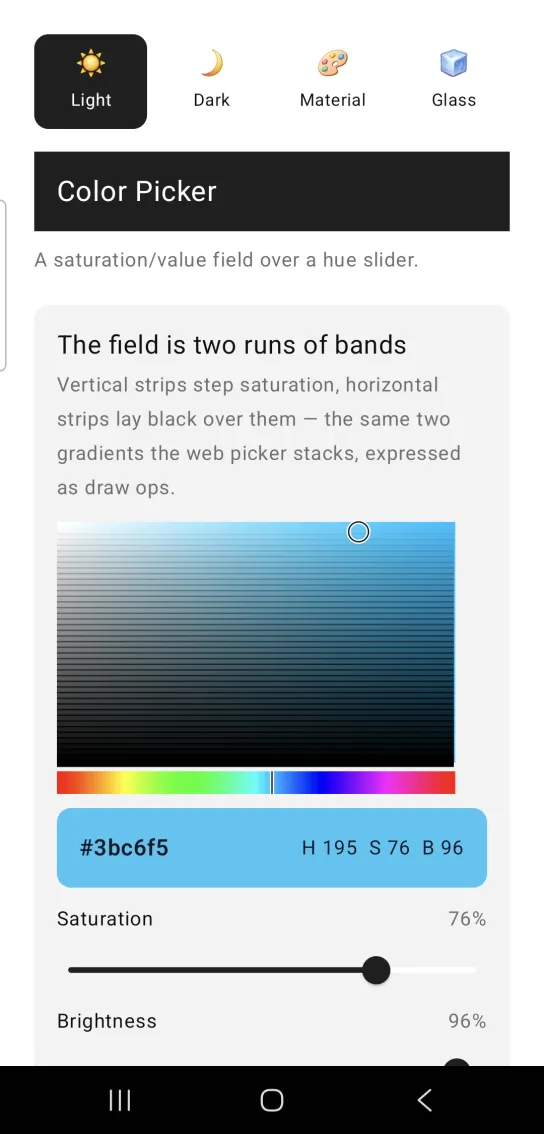
The picker stacks two parts in a column: a saturation and value field, and a hue strip under it. The field is drawn on a canvas as two runs of translucent bands. Vertical strips step the saturation from white on the left to the full hue on the right, and horizontal strips lay black over them, from transparent at the top to opaque at the bottom. These are the same two gradients that the web picker stacks, so the field is a real saturation and value field. A ring crosshair marks the current saturation and value. The strip is the Mob Hue Slider, drawn at the same width. The field is 280 units wide and 170 units high by default.
Both parts are canvas drawings, so a touch arrives as a position. The screen receives {:drag, tag, payload} messages in handle_info/2. One drag on the field carries both axes in a single on_area event, and sv_at/4 converts it to saturation and value. The strip sends on_hue events, and hue_at/2 converts those.
The picker is controlled and stateless. It draws the hue, saturation and value you pass and reports touches, and your screen keeps the numbers. hsv/1 and hex/1 turn the assigns into the two forms you usually store. Hue wraps into range, and saturation and value are clamped to 0 to 100.
Generate the color picker component
Run this from your Mob app's root to add the component to lib/<app>/components/:
mix mishka.ui.gen.mob color_pickerThe generator registers the component's tag, so you can use it in ~MOB markup. It also adds the shared Color and Event modules it uses, and generates hue_slider, which the picker draws its strip with. The examples on this page use the mishka_ prefix of the showcase app (--module-prefix mishka_), so the tag is <MishkaColorPicker>. Without a prefix the tag is <ColorPicker>.
Color picker field and hue strip
Both controls are drawings, so the screen receives touch positions. A drag on the square sets saturation and brightness together, which is why on_area sends one event for both axes. The preview box and the two sliders in the screenshot belong to the showcase page. They are not part of the picker.
Color picker field and hue strip
<MishkaColorPicker
  hue={@hue}
  saturation={@sat}
  value={@val}
  on_hue={:hue}
  on_area={:area}
/>

# Both controls ARE the drawing, so what arrives is a touch POSITION.
# Matching on {:change, …} compiles, renders perfectly and never fires.
# One gesture on the square carries BOTH axes, which is why on_area
# replaced the old on_saturation / on_value pair.
def handle_info({:drag, :area, %{x: x, y: y}}, socket) do
  {sat, val} = MishkaColorPicker.sv_at(x, y)
  {:noreply, socket |> assign(:sat, sat) |> assign(:val, val)}
end

# Pass the SAME width the strip was drawn at, or the finger and the
# marker drift apart.
def handle_info({:drag, :hue, %{x: x}}, socket) do
  {:noreply, assign(socket, :hue, MishkaHueSlider.hue_at(x, 280))}
end

def handle_info(_msg, socket), do: {:noreply, socket}Read the color back from the picker
hex/1 returns the picker's color as a hex string, and hsv/1 returns it as an {h, s, v} tuple. Use them to store the color in whichever form your screen needs.
Read the color back from the picker
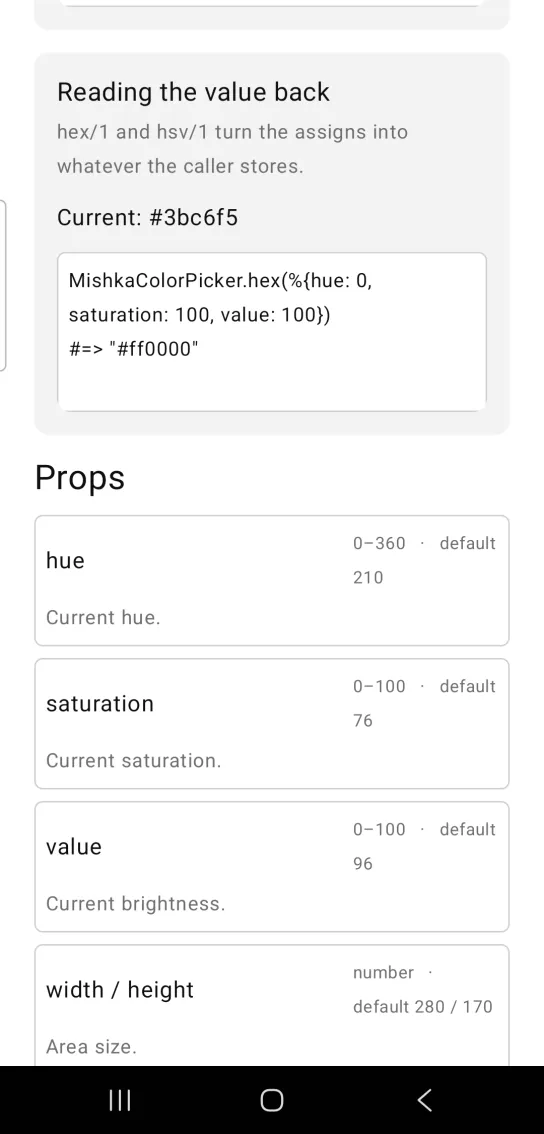
MishkaColorPicker.hex(%{hue: 0, saturation: 100, value: 100})
#=> "#ff0000"
Helper functions
The module exports five helpers. Call them from your screen. hue_at/2 lives in MishkaHueSlider.
| Function | Description |
|---|---|
sv_at(x, y, w \\ 280, h \\ 170) | Converts a touch position on the field to {saturation, value}. Saturation runs left to right and brightness runs top to bottom, the inverse of what the field paints. |
MishkaHueSlider.hue_at(x, width) | Converts a touch x position on the strip to a hue. |
hsv(props) | Returns the {h, s, v} that a props map describes, with defaults applied and values clamped. |
hex(props) | Returns the hex string the picker currently shows, such as "#ff0000". |
area(width, height, h, s, v) | Returns the draw ops for the field at hue h, with the crosshair at saturation s and value v. |
Props
| Prop | Type | Default | Description |
|---|---|---|---|
hue | number, 0 to 360 | 210 | The current hue. |
saturation | number, 0 to 100 | 76 | The current saturation. |
value | number, 0 to 100 | 96 | The current brightness. |
width | number | 280 | Width of the field and the strip in logical units. |
height | number | 170 | Height of the field in logical units. |
on_area | event tag | None | Sends {:drag, tag, %{x:, y:}} from the field. One event covers both axes. Convert it with sv_at/4. |
on_hue | event tag | None | Sends {:drag, tag, %{x:}} from the strip. Convert it with hue_at/2. |
id | string | None | Sets native test tags: <id>-area on the field and <id>-hue on the strip. |
Events
Your screen receives two kinds of {:drag, tag, payload} messages in handle_info/2. on_area carries %{x:, y:} from the field, and on_hue carries %{x:} from the strip.
def handle_info({:drag, :area, %{x: x, y: y}}, socket) do
  {sat, val} = MishkaColorPicker.sv_at(x, y)
  {:noreply, socket |> assign(:sat, sat) |> assign(:val, val)}
end

def handle_info({:drag, :hue, %{x: x}}, socket) do
  {:noreply, assign(socket, :hue, MishkaHueSlider.hue_at(x, 280))}
end

def handle_info(_msg, socket), do: {:noreply, socket}Attributes
| Name | Type | Default | Values | Required | Description |
|---|---|---|---|---|---|
hue
|
0–360
|
210
| — | No | Current hue. |
saturation
|
0–100
|
76
| — | No | Current saturation. |
value
|
0–100
|
96
| — | No | Current value/brightness. |
width / height
|
number
|
280 / 170
| — | No | Area size in logical units. |
on_area
|
event tag
| — | — | No | `{:drag, tag, %{x:, y:}}` from the square — ONE event for both axes. Convert with `sv_at/4`. |
on_hue
|
event tag
| — | — | No | `{:drag, tag, %{x:}}` from the strip. Convert with `HueSlider.hue_at/2`. |
id
|
string
| — | — | No | Native testTags: `<id>-area` on the square, `<id>-hue` on the strip. |
Options
Each option takes one or more of its values, separated by commas.
| Option | Values |
|---|---|
--type
|
color_picker
|
--module
| A module name of your own |
What it generates
mix mishka.ui.gen.mob color_picker