Toggle
v0.0.10
Mob Toggle is a button that stays pressed, like bold or italic in a formatting toolbar, for iOS and Android. It comes from Mishka Chelekom and runs on Mob, which renders native Jetpack Compose and SwiftUI views from Elixir. It is the native port of the headless Toggle.
Overview of the Mob Toggle component for iOS and Android
Mob has three controls that mean on or off, and the port keeps them apart on purpose. Switch is a setting that wraps the platform's switch widget, and it belongs beside a label in a settings list. Chip is a filter, one of a set you pick from, and it is pill-shaped. Toggle is a pressed button, usually one of several in a toolbar, that holds a binary state about the thing you are editing and not about the app.
They look different so users can tell them apart. A switch slides, a chip is a pill, and a toggle is a square-cornered button that looks pushed in.
The screen owns the state. Pass pressed from the screen, and flip it when {:tap, tag} arrives. A lone toggle owns one boolean, so its tag needs no id.
Toggle is a box around a text label, so every dimension it draws is a prop. If a design wants a 46 by 28 pressed button, you set that size and get it. Switch cannot be resized this way, because it wraps a native widget with a fixed size.
Styling
As with the headless component, Toggle ships no look. There is no stylesheet on a phone, so every visual decision is a prop. The defaults only keep an unstyled toggle legible. A pressed toggle uses color and text_color, and an idle one uses background and label_color.
fill_width defaults to false, so a toggle is as wide as its label and a row of toggles is possible. Set it to true for a toggle that should span its container.
Size and padding
Padding is applied before width and height, so those measure the box inside the padding. height: 28, padding: 8 is 44 tall on screen. Pin the outer size by pairing the two, or drop the padding on the axis you pin. width and height take plain numbers, not tokens. Never compute a negative padding, because it throws on the native side.
toggle(label: "W", width: 46, height: 28, padding: 0, border_width: 0,
       corner_radius: 8, text_size: 11.5, font_weight: :semibold)
text_size also takes a raw number in sp. Only the token form is multiplied by the theme's type scale, so a number stays put when the user scales their type.
Shadows
shadow is a string in CSS box-shadow order, dx dy blur spread #AARRGGBB, with further layers after a vertical bar. There is one prop and not a pressed and idle pair, because the screen already knows which state it asked for and can pass the matching shadow. A bridge without shadow support ignores it.
Generate the toggle component
Run this from your Mob app's root to add the component to lib/<app>/components/:
mix mishka.ui.gen.mob toggleThe generator registers the tag, so you can use it in ~MOB markup. It also copies the shared Event module that the component calls. The examples on this page use the mishka_ prefix of the showcase app (--module-prefix mishka_), so the tag is <MishkaToggle>. Without a prefix, the tag is <Toggle>.
Toggles in a formatting toolbar
Each button holds its own pressed state, and the screen keeps one boolean per toggle. The code shows one toggle and the handler that flips it. The app draws Bold, Italic and Underline side by side.
Toggles in a formatting toolbar
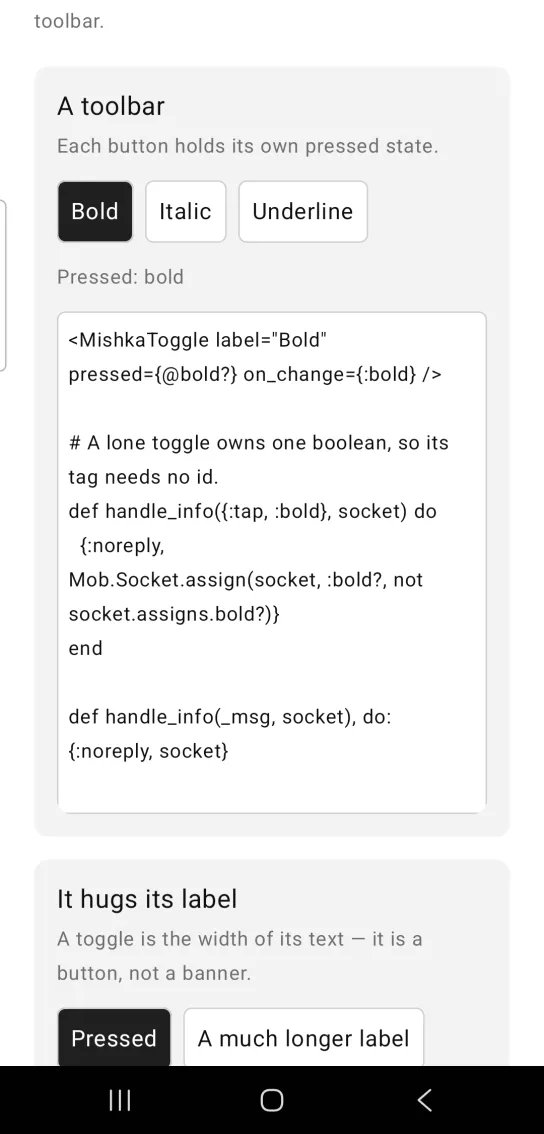
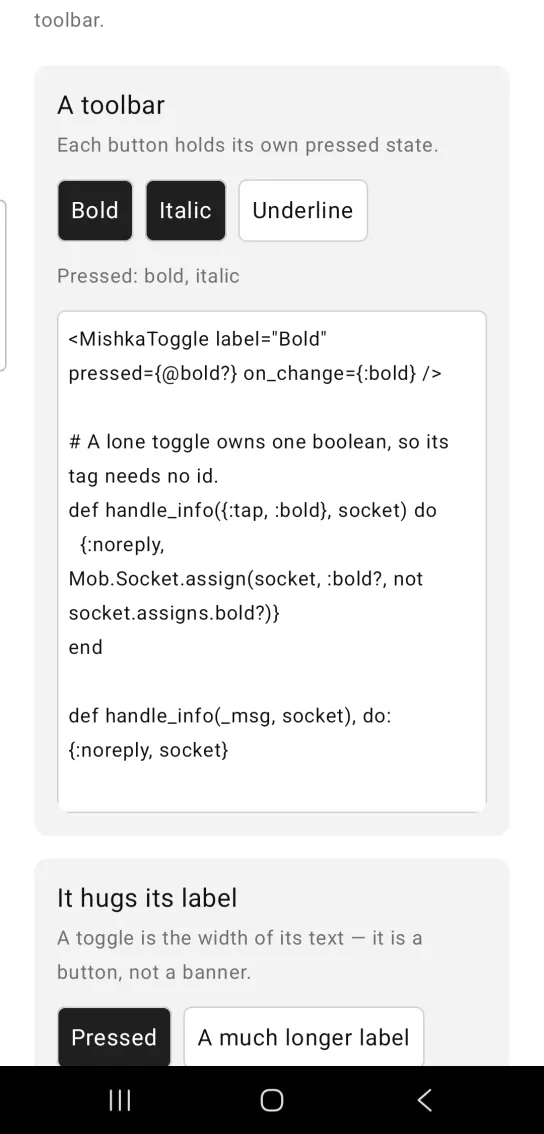
Left: the example as it loads. Right: after a tap. Each toggle holds its own pressed state.
<MishkaToggle label="Bold" pressed={@bold?} on_change={:bold} />

# A lone toggle owns one boolean, so its tag needs no id.
def handle_info({:tap, :bold}, socket) do
  {:noreply, Mob.Socket.assign(socket, :bold?, not socket.assigns.bold?)}
end

def handle_info(_msg, socket), do: {:noreply, socket}
A toggle hugs its label
A toggle is as wide as its text, because it is a button and not a banner. Add fill_width={true} when you want one to span the parent.
A toggle hugs its label
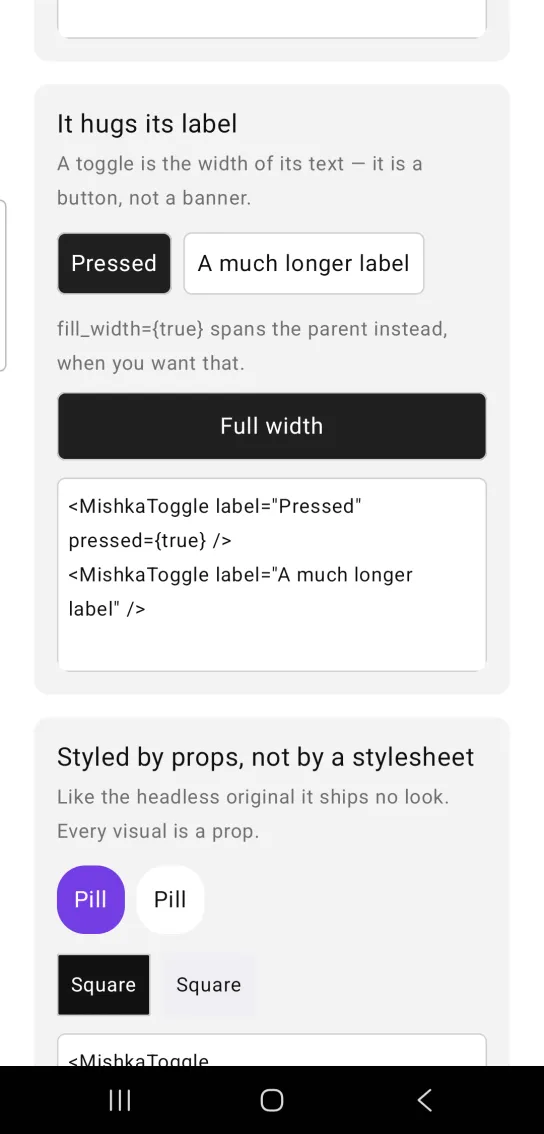
<MishkaToggle label="Pressed" pressed={true} />
<MishkaToggle label="A much longer label" />
Style a toggle with props
The toggle ships no look, so every visual is a prop. This one is pressed in violet, with a corner radius of 20, padding of 12 and no border.
Style a toggle with props
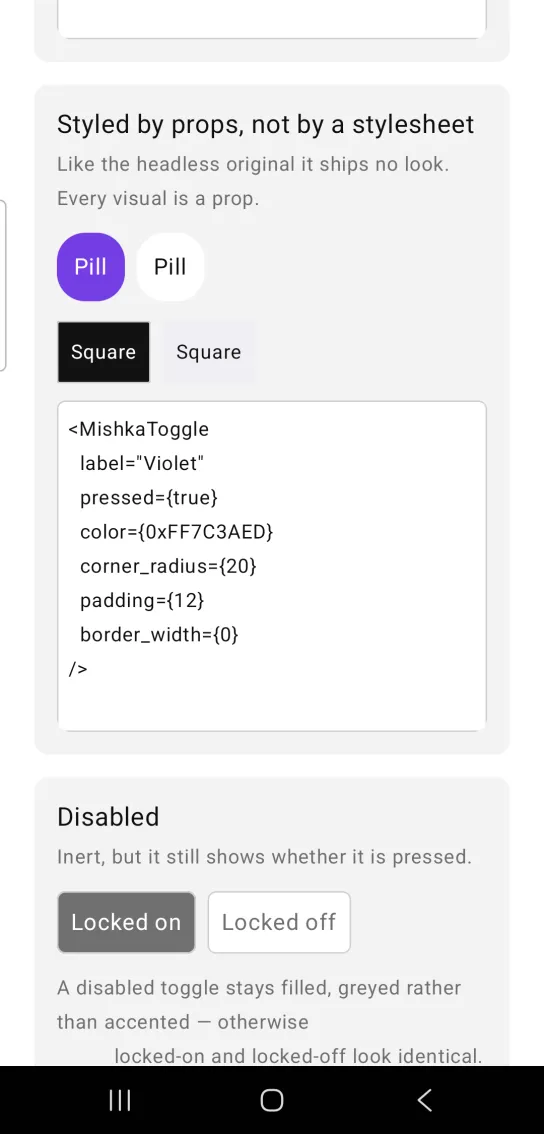
<MishkaToggle
  label="Violet"
  pressed={true}
  color={0xFF7C3AED}
  corner_radius={20}
  padding={12}
  border_width={0}
/>
Disabled toggle
A disabled toggle is inert, but it still shows whether it is pressed. A pressed one stays filled and turns gray, so locked on and locked off do not look the same.
Disabled toggle
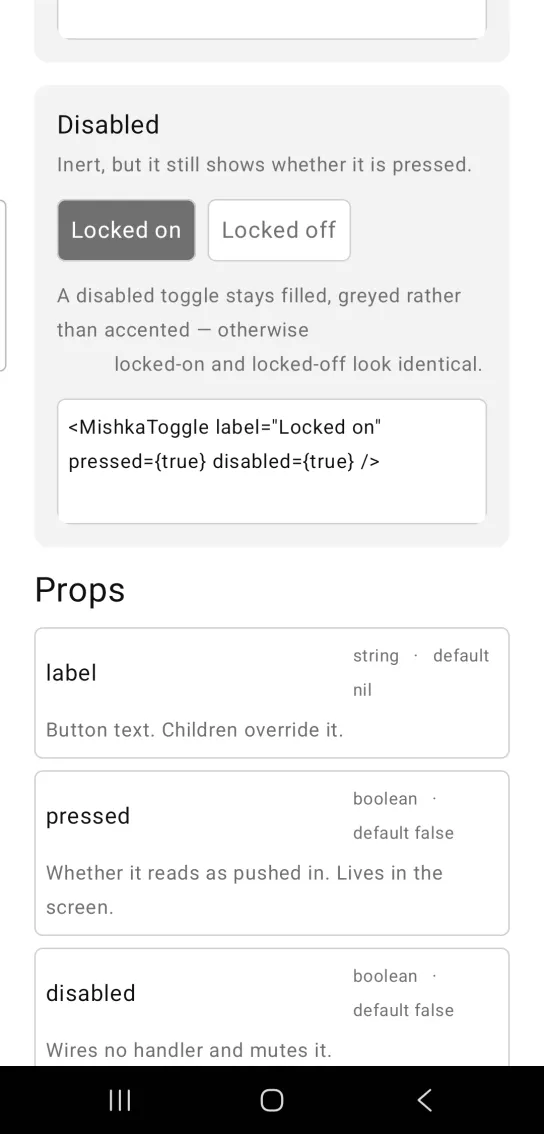
<MishkaToggle label="Locked on" pressed={true} disabled={true} />Props
| Prop | Type | Default | Description |
|---|---|---|---|
label | string | nil | Button text. Children override it. |
pressed | boolean | false | Whether it reads as pushed in. The screen owns it. |
disabled | boolean | false | Wires no handler and mutes the toggle. |
on_change | event tag | None | Sent as {:tap, tag}. |
color | color token or ARGB integer | :primary | Fill when pressed. |
text_color | color token or ARGB integer | :on_primary | Label color when pressed. |
background | color token or ARGB integer | :surface_raised | Fill when idle. |
label_color | color token or ARGB integer | :on_surface | Label color when idle. |
padding | spacing token or number | :space_sm | Space inside the button. |
padding_top, padding_right, padding_bottom, padding_left | spacing token or number | unset | One edge, overriding padding on that side only. |
corner_radius | radius token or number | :radius_md | Corner rounding. |
border_color | color token or ARGB integer | :border | Border color. |
border_width | number | 1 | 0 removes the border. |
text_size | text token or number | :base | Label size. A number is in sp. |
font_weight | :regular, :medium, :semibold, :bold, :light or :thin | unset (regular) | Label weight. |
letter_spacing | number (sp) | unset | Tracking on the label. |
line_height | number | unset | A multiplier of text_size. Ignored without one. |
max_lines | number | unset (unlimited) | Caps the label and ellipsizes the rest. |
width | number | unset | Exact width. Unset, the toggle hugs its label. |
height | number | unset | Exact height. Unset, the toggle hugs its label. |
fill_width | boolean | false | Span the parent instead of hugging the label. |
align | :center, :leading, :trailing and others | :center | Where the label sits inside the button. |
shadow | shadow string | unset | Passed to the root box, as dx dy blur spread #AARRGGBB. |
id | string | nil | Test tag, suffixed -pressed or -idle. |
A pressed toggle differs from an idle one by its fill color alone, and color is not in the accessibility tree. The id suffix is how a device test reads the state.
Events
on_change sends {:tap, tag} to the screen. Flip the boolean in handle_info/2:
def handle_info({:tap, :bold}, socket) do
  {:noreply, Mob.Socket.assign(socket, :bold?, not socket.assigns.bold?)}
end
Differences from the web component
name,value,unchecked_valueandformare not ported, because they are HTML form plumbing.- The
*_classattributes are not ported. Every visual is a prop instead.
Attributes
| Name | Type | Default | Values | Required | Description |
|---|---|---|---|---|---|
label
|
string
| — | — | No | Button text. Children override it. |
pressed
|
boolean
|
false
| — | No | Whether it reads as pushed in. |
disabled
|
boolean
|
false
| — | No | Wires no handler and mutes it. |
on_change
|
event tag (atom)
| — | — | No | Sent as `{:tap, tag}`. |
color
|
color token / ARGB int
|
:primary
| — | No | Fill **when pressed**. |
text_color
|
color token / ARGB int
|
:on_primary
| — | No | Label **when pressed**. |
background
|
color token / ARGB int
|
:surface_raised
| — | No | Fill when idle. |
label_color
|
color token / ARGB int
|
:on_surface
| — | No | Label when idle. |
padding
|
spacing token / number
|
:space_sm
| — | No | Inside the button. |
padding_top / padding_right / padding_bottom / padding_left
|
spacing token / number
|
unset
| — | No | One edge, overriding `padding` on that side only. |
corner_radius
|
radius token / number
|
:radius_md
| — | No | Corner rounding. |
border_color
|
color token / ARGB int
|
:border
| — | No | Border. |
border_width
|
number
|
1
| — | No | `0` removes the border. |
text_size
|
text token / number
|
:base
| — | No | Label size. |
font_weight
|
:regular, :medium, :semibold, :bold, :light, :thin
|
unset (regular)
| — | No | Label weight. |
letter_spacing
|
number (sp)
|
unset
| — | No | Tracking on the label. |
line_height
|
number
|
unset
| — | No | Multiplier of `text_size`; ignored without one. |
max_lines
|
number
|
unset (unlimited)
| — | No | Caps the label and ellipsises the rest. |
width
|
number
|
unset
| — | No | Exact width. Unset, the toggle hugs its label. |
height
|
number
|
unset
| — | No | Exact height. Unset, the toggle hugs its label. |
fill_width
|
boolean
|
false
| — | No | Span the parent instead of hugging. |
align
|
:center, :leading, :trailing, …
|
:center
| — | No | Where the label sits inside the button. |
shadow
|
shadow spec string
|
unset
| — | No | Passed straight through to the root Box — see "Shadows" below. |
id
|
string
| — | — | No | Test tag, suffixed `-pressed` / `-idle`. |
Options
Each option takes one or more of its values, separated by commas.
| Option | Values |
|---|---|
--type
|
toggle
|
--module
| A module name of your own |
What it generates
mix mishka.ui.gen.mob toggle