Radio
v0.0.10
The Mishka Chelekom Mob Radio is one option in a mutually exclusive set, for iOS and Android apps built with Mob. It is the native port of the headless Radio.
Overview of the Mob Radio component for iOS and Android
MishkaRadio has the same row shape as the Mob Checkbox, with one visual change that carries the meaning: a circle with a center dot instead of a square with a tick. The shape tells people whether they pick one or pick any, so the component draws it and does not leave it to color.
On the web, a shared name makes the browser allow a single selection. Mob has no form and no browser, so exclusivity is one line in your handler: assign the tapped id. A radio only needs to be told whether it is checked. That is why name is not a prop.
The row spans its parent by default, so the label is part of the tap target. Set fill_width={false} for options that sit side by side. To manage a whole set, use the Mob Radio Group, which builds on this component.
The ring is an exact circle at any size. The dot is a fraction of the ring, size / 2.4, with a minimum of 6, so it stays in proportion whether the radio is small or large.
A selected radio differs from an unselected one by a dot, and a dot is not text. Nothing in the accessibility tree says which option is chosen, so a device test cannot read the selection. Set id and the component adds -selected or -empty to the test tag on the ring.
Generate the radio component
Run this from your Mob app's root to add the component to lib/<app>/components/:
mix mishka.ui.gen.mob radioThe generator registers the <Radio> tag so you can use it in ~MOB markup. It also copies the shared Event support module. The examples on this page use the mishka_ prefix of the showcase app (--module-prefix mishka_), so the tag is <MishkaRadio>. Without a prefix the tag is <Radio>.
To generate it with that prefix, run:
mix mishka.ui.gen.mob radio --module-prefix mishka_Pick one radio option
Exclusivity is one line in the handler: assign the tapped id. The id rides in the tag, so one handle_info/2 clause serves every radio in the set. With a bare on_select={:plan}, the radio works but cannot say which option was tapped.
Pick one radio option
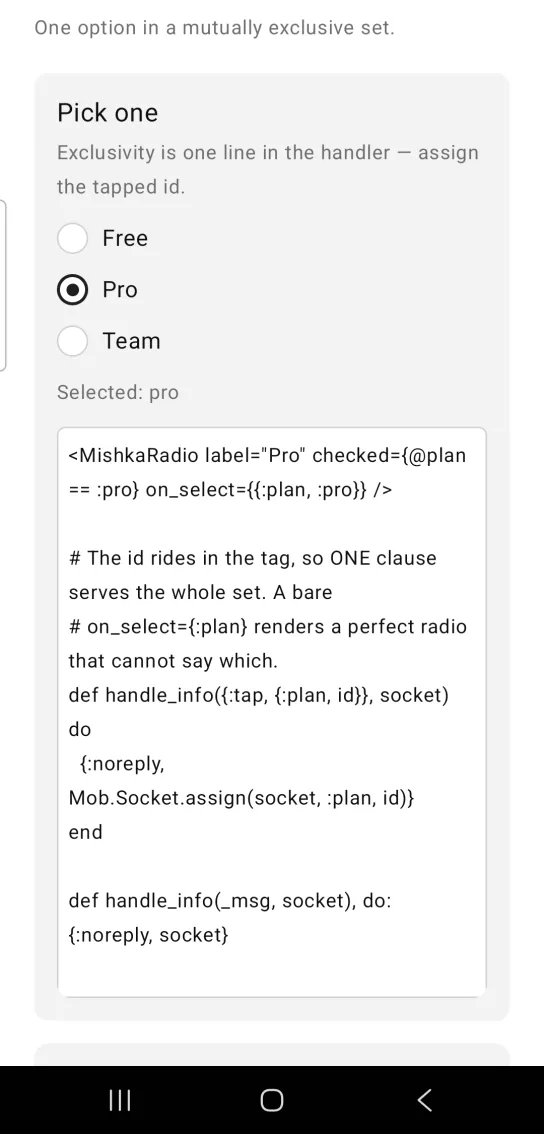
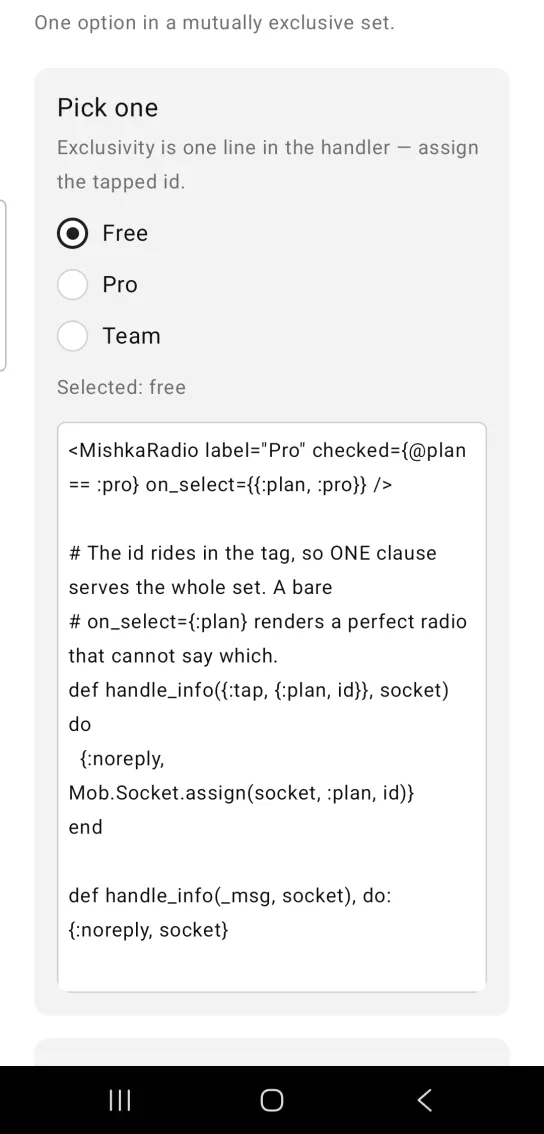
Left: the example as it loads. Right: after a tap. Selecting one option clears the others.
<MishkaRadio label="Pro" checked={@plan == :pro} on_select={{:plan, :pro}} />

# The id rides in the tag, so ONE clause serves the whole set. A bare
# on_select={:plan} renders a perfect radio that cannot say which.
def handle_info({:tap, {:plan, id}}, socket) do
  {:noreply, Mob.Socket.assign(socket, :plan, id)}
end

def handle_info(_msg, socket), do: {:noreply, socket}
Radio circle and dot
A selected radio shows a dot inside its ring, and an unselected radio shows an empty ring. A checkbox uses a square and a tick, so the shape tells people whether they pick one or pick any.
Radio circle and dot
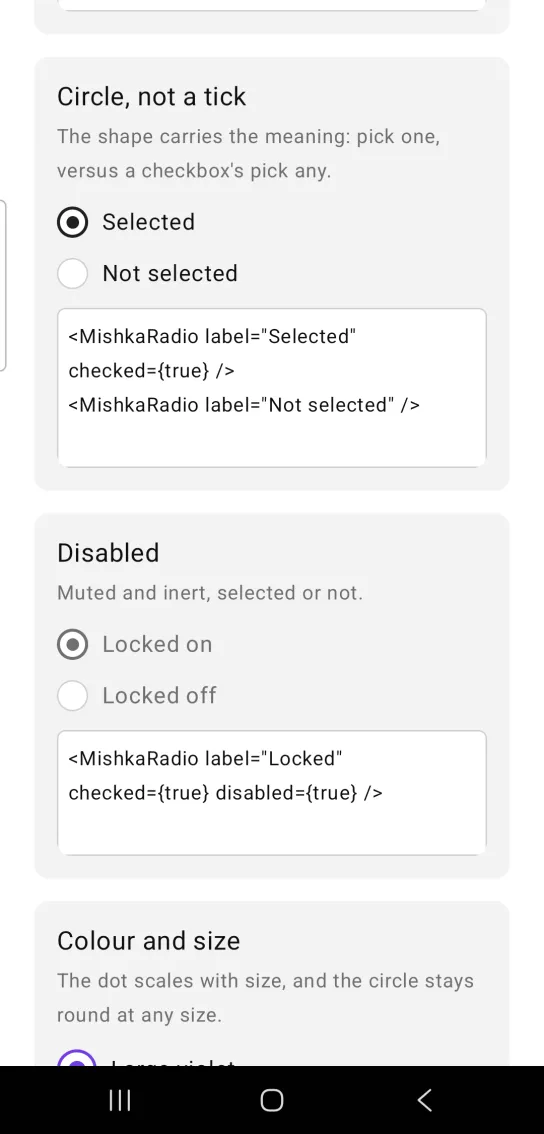
<MishkaRadio label="Selected" checked={true} />
<MishkaRadio label="Not selected" />
Disabled radio
disabled wires no handler and mutes the row, whether the radio is selected or not.
Disabled radio
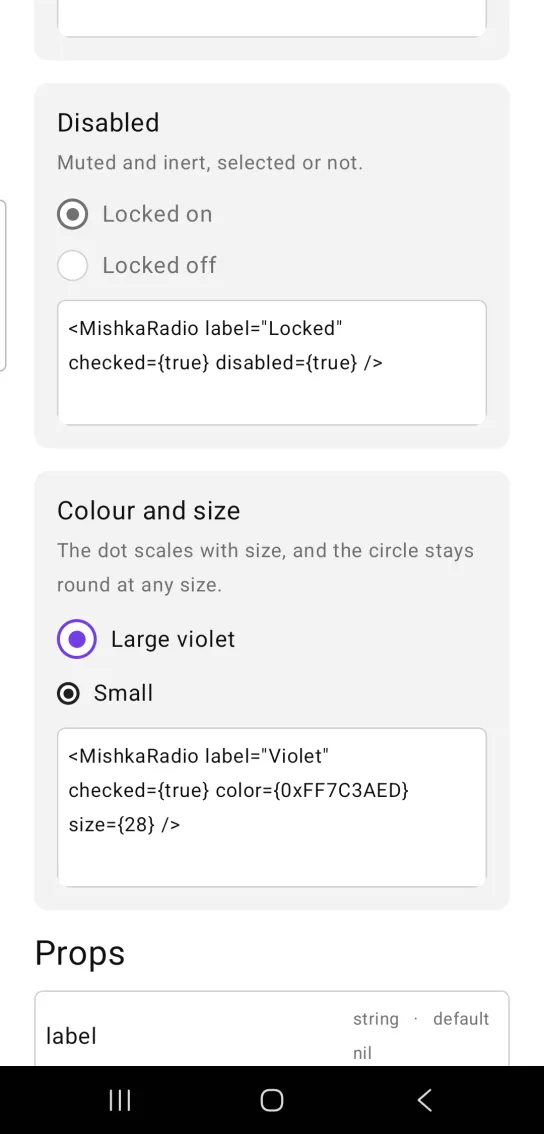
<MishkaRadio label="Locked" checked={true} disabled={true} />Radio color and size
color sets the ring and the dot when the radio is selected. The dot scales with size, and the circle stays round at any size.
Radio color and size
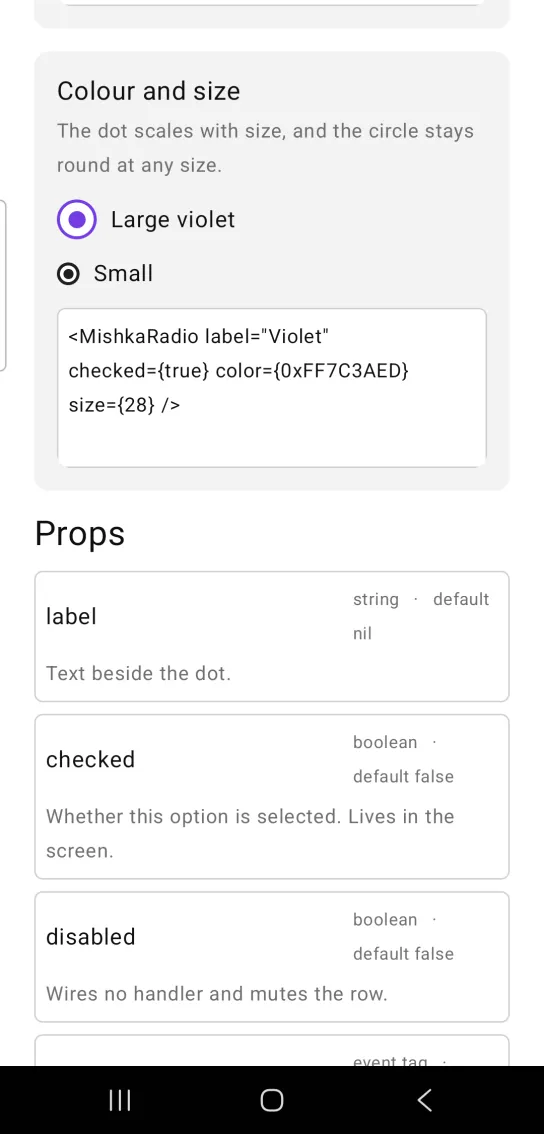
<MishkaRadio label="Violet" checked={true} color={0xFF7C3AED} size={28} />Props
| Prop | Type | Default | Description |
|---|---|---|---|
label | string | nil | Text beside the dot. |
checked | boolean | false | Whether this option is selected. The screen owns it. |
disabled | boolean | false | Wires no handler and mutes the row. |
on_select | event tag | None | Sent as {:tap, tag}. |
color | color token or ARGB integer | :primary | Ring and dot when selected. |
text_color | color token or ARGB integer | :on_surface | Color of the label. |
size | number | 22 | Diameter of the outer circle. |
fill_width | boolean | true | The row spans its parent, so the whole row is the tap target. Set false for a side-by-side set. |
id | string | nil | Native test tag on the ring. The component adds -selected or -empty to it. |
Events
Your screen receives {:tap, tag} in handle_info/2 from on_select. A set of radios has to know which one was tapped, so put the option id in the tag. on_select={{:plan, :pro}} arrives as {:tap, {:plan, :pro}}, and one clause serves the whole set:
def handle_info({:tap, {:plan, id}}, socket) do
  {:noreply, Mob.Socket.assign(socket, :plan, id)}
end

def handle_info(_msg, socket), do: {:noreply, socket}
Differences from the web component
name,valueandrequiredare not ported. They are HTML form plumbing, and exclusivity is the handler's job here.- The
*_classattributes are not ported. readonlyanddisabledbecome one prop,disabled. Both omit the handler.
Attributes
| Name | Type | Default | Values | Required | Description |
|---|---|---|---|---|---|
label
|
string
| — | — | No | Text beside the dot. |
checked
|
boolean
|
false
| — | No | Whether this option is selected. |
disabled
|
boolean
|
false
| — | No | Wires no handler and mutes the row. |
on_select
|
event tag (atom)
| — | — | No | Sent as `{:tap, tag}`. |
color
|
color token / ARGB int
|
:primary
| — | No | Ring and dot when selected. |
text_color
|
color token / ARGB int
|
:on_surface
| — | No | The label. |
size
|
number
|
22
| — | No | Outer circle diameter. |
fill_width
|
boolean
|
true
| — | No | Row spans its parent, so the label is tappable. |
id
|
string
| — | — | No | Test tag on the ring, suffixed with its state. |
Options
Each option takes one or more of its values, separated by commas.
| Option | Values |
|---|---|
--type
|
radio
|
--module
| A module name of your own |
What it generates
mix mishka.ui.gen.mob radio