Collapsible
v0.0.10
mix mishka.ui.gen.mob collapsible
The Mishka Chelekom Mob Collapsible is a trigger that shows and hides one region on iOS and Android, the WAI-ARIA disclosure pattern. It is the native port of the headless Collapsible and runs on Mob.
Overview of the Mob Collapsible component for iOS and Android
Collapsible is a pure Elixir Mob composite. You write it as a <MishkaCollapsible> tag, give it a title, and put the region you want to reveal in the tag's children. The children render only while open is true.
The screen owns the state. You keep a boolean in your assigns, pass it in as open, and flip it when the {:tap, tag} message arrives in handle_info/2.
The row looks the same as one Accordion item, with the title on the leading edge and a chevron on the trailing edge: ▸ when closed and ▾ when open. The events differ. An accordion widens its tag to {tag, item_id} so one handler can serve many rows. A collapsible has one region, so it sends a bare {:tap, tag}.
The trigger is a tappable Box instead of a Button, because a Material Button on Android centers its label. A disabled collapsible wires no handler at all, so it cannot fire, and its title renders muted.
Generate the collapsible component
Run this from your Mob app's root to add the component to lib/<app>/components/:
mix mishka.ui.gen.mob collapsibleThe generator registers the component's tag, so you can use it in ~MOB markup. It also copies the shared Event helper module that the component uses to wire its tap handler. The examples on this page use the mishka_ prefix of the showcase app (--module-prefix mishka_), so the tag is <MishkaCollapsible>. Without a prefix the tag is <Collapsible>.
A collapsible disclosure
One trigger, one region and one boolean in the screen. The header sends {:tap, :toggle}, and the handler flips the boolean.
A collapsible disclosure
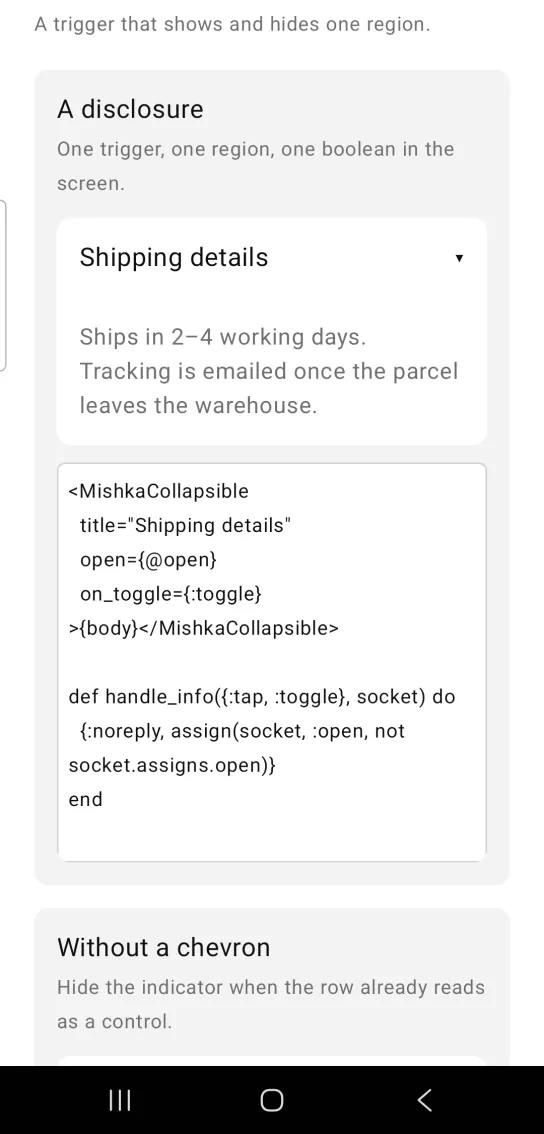
<MishkaCollapsible
  title="Shipping details"
  open={@open}
  on_toggle={:toggle}
>{body}</MishkaCollapsible>

def handle_info({:tap, :toggle}, socket) do
  {:noreply, assign(socket, :open, not socket.assigns.open)}
end
Collapsible without a chevron
Set chevron={false} to hide the indicator when the row already reads as a control.
Collapsible without a chevron
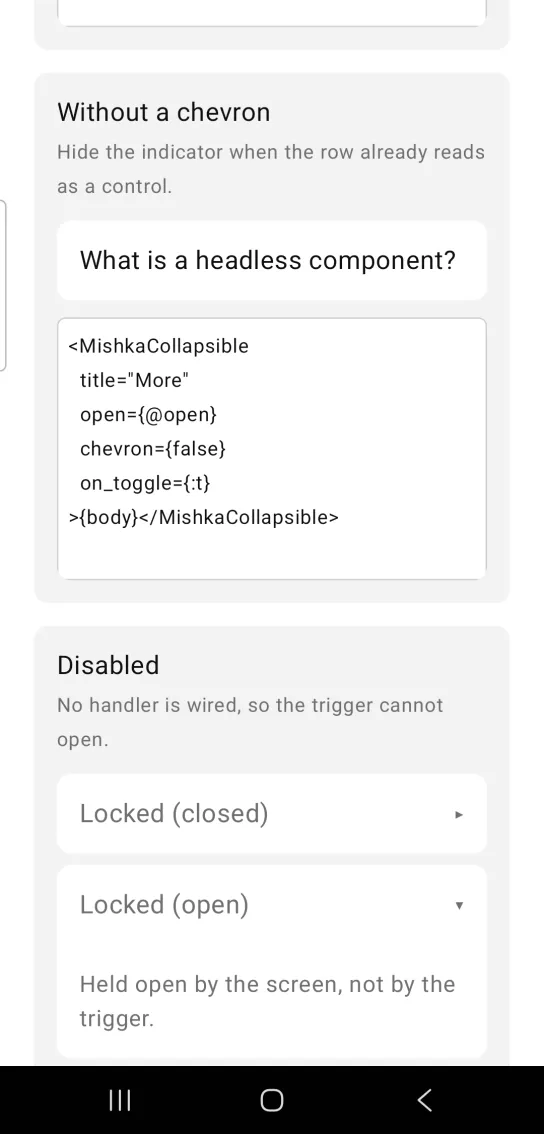
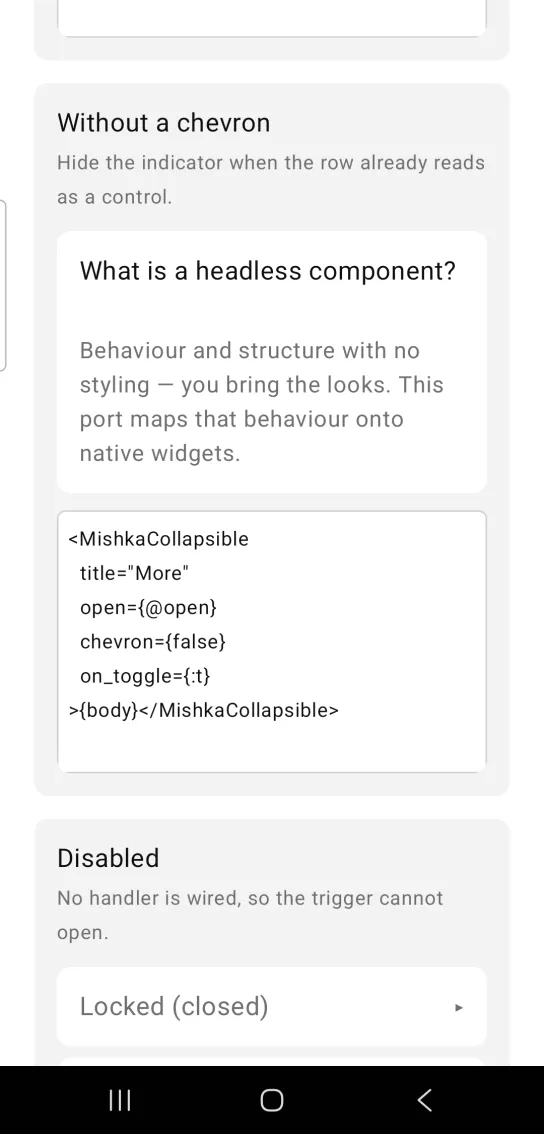
Left: the example as it loads. Right: after a tap. One trigger shows and hides one region.
<MishkaCollapsible
  title="More"
  open={@open}
  chevron={false}
  on_toggle={:t}
>{body}</MishkaCollapsible>
Disabled collapsible
A disabled collapsible wires no handler, so the header cannot open it. The screen can still hold it open, as the second row in the screenshot shows: it is open because the screen passes open={true}, not because someone tapped it.
Disabled collapsible
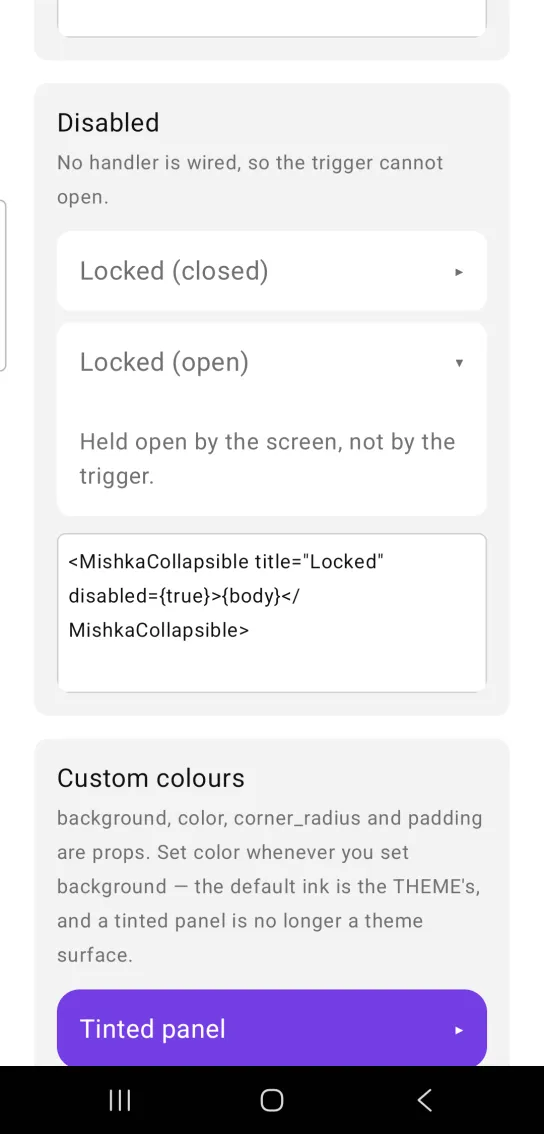
<MishkaCollapsible title="Locked" disabled={true}>{body}</MishkaCollapsible>Collapsible with custom colors
background, color, corner_radius and padding are props. Set color whenever you set background. The default text color belongs to the theme, so a tinted panel no longer matches it.
Collapsible with custom colors
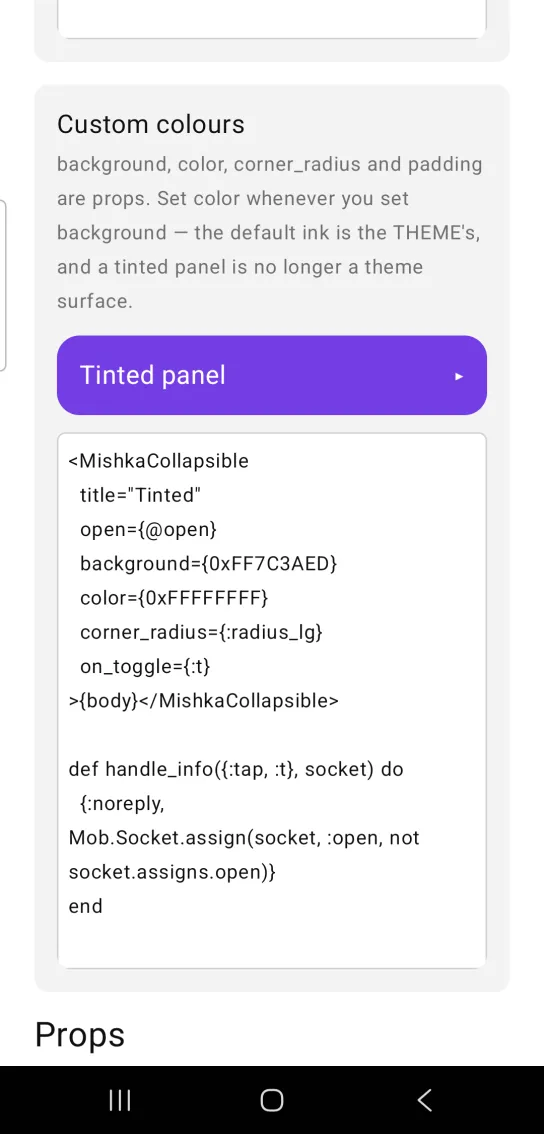
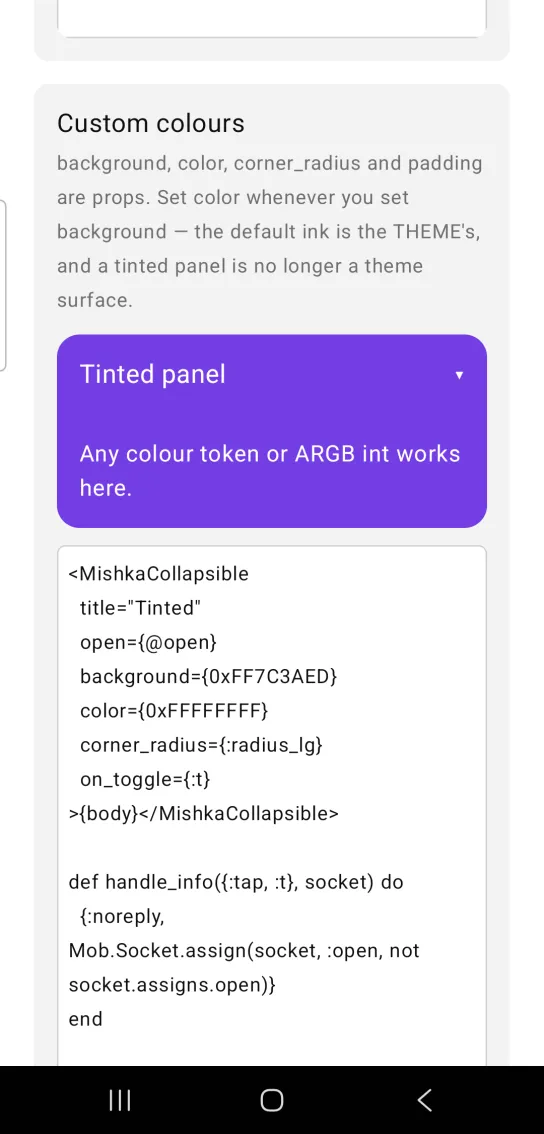
Left: the example as it loads. Right: after a tap. Color the trigger and the panel with props.
<MishkaCollapsible
  title="Tinted"
  open={@open}
  background={0xFF7C3AED}
  color={0xFFFFFFFF}
  corner_radius={:radius_lg}
  on_toggle={:t}
>{body}</MishkaCollapsible>

def handle_info({:tap, :t}, socket) do
  {:noreply, Mob.Socket.assign(socket, :open, not socket.assigns.open)}
end
Props
Props of the <MishkaCollapsible> tag.
| Prop | Type | Default | Description |
|---|---|---|---|
title | string | nil | The trigger label. |
open | boolean | false | Whether the region is shown. It lives in the screen. |
disabled | boolean | false | Wires no handler, so the trigger is inert. |
on_toggle | event tag | None | Sent as {:tap, tag}, a bare tag, unlike the Accordion's {:tap, {tag, item_id}}. |
chevron | boolean | true | Shows the ▸ or ▾ indicator. |
color | color / ARGB | :on_surface | Color of the title and chevron. Set it whenever you set background. |
background | color / ARGB | :surface_raised | Row background. |
corner_radius | radius / number | :radius_md | Rounds the row. |
padding | spacing / number | :space_md | Padding inside the trigger and the region. |
Events
on_toggle sends {:tap, tag} to the screen. The tag is the one you passed, with no item id added. Flip the boolean in handle_info/2:
def handle_info({:tap, :toggle}, socket) do
  {:noreply, Mob.Socket.assign(socket, :open, not socket.assigns.open)}
end
Differences from the web component
These web attributes are not ported, because they anchor or style the DOM, or depend on a browser feature:
idand the*_classattributes.hidden_until_found, which lets a browser's find-in-page reveal collapsed text. Native views have no find-in-page.
Attributes
| Name | Type | Default | Values | Required | Description |
|---|---|---|---|---|---|
title
|
string
| — | — | No | The trigger label. |
open
|
boolean
|
false
| — | No | Whether the region is shown. Lives in the screen. |
disabled
|
boolean
|
false
| — | No | Wires no handler, so the trigger is inert. |
on_toggle
|
event tag (atom)
| — | — | No | Sent as `{:tap, tag}`. |
chevron
|
boolean
|
true
| — | No | Show the ▸/▾ indicator. |
background
|
color token / ARGB int
|
:surface_raised
| — | No | Row background. |
color
|
color token / ARGB int
|
:on_surface
| — | No | Title and chevron. Set it whenever you set `background`. |
corner_radius
|
radius token / number
|
:radius_md
| — | No | Rounds the row. |
padding
|
spacing token / number
|
:space_md
| — | No | Padding inside trigger and region. |
Options
Each option takes one or more of its values, separated by commas.
| Option | Values |
|---|---|
--type
|
collapsible
|
--module
| A module name of your own |
What it generates
mix mishka.ui.gen.mob collapsible