Chip
v0.0.10
The Mishka Chelekom Mob Chip is a compact, selectable label for iOS and Android, such as a filter you switch on and off. It is the native port of the headless Chip, built for Mob, which drives Jetpack Compose and SwiftUI from Elixir.
Overview of the Mob Chip component for iOS and Android
On the web a chip wraps a hidden checkbox or radio input, and the browser handles selection and form submission. A Mob chip has no hidden input and no form post. It is a tappable pill whose checked state comes from your screen, like every other controlled Mob widget. The screen owns the state, and a tap arrives in handle_info/2 as {:tap, tag}.
That is also why type is not a prop. A set of checkbox chips and a set of radio chips differ only in what your handler does with the tapped id. Both are one line:
# checkbox chips: toggle membership
selected = if id in selected, do: List.delete(selected, id), else: [id | selected]

# radio chips: replace
selected = [id]
A disabled chip keeps its checked state. A locked-on chip is muted but still reads as selected, so a user can tell it apart from a locked-off chip.
The event handlers in the examples below are handle/2 clauses, the callback that the showcase pages use. In your own screen they are handle_info/2 clauses, as the Events section shows.
Generate the chip component
Run this from your Mob app's root to add the component to lib/<app>/components/:
mix mishka.ui.gen.mob chipThe generator registers the component's tag, so you can use it in ~MOB markup. It also copies the shared Event module that the component uses. The examples on this page use the mishka_ prefix of the showcase app (--module-prefix mishka_), so the tag is <MishkaChip>. Without a prefix the tag is <Chip>.
Multi-select chips
Checkbox chips let the user pick several values. Each chip checks whether its id is in the list of selected tags, and the handler adds the id when it is missing or removes it when it is there. The tag you give on_toggle carries the chip's id, so one clause handles every chip. Use a tuple such as {:tag, id}. A bare atom does not say which chip was tapped. The card in the screenshot also shows a line that lists the selected tags.
Multi-select chips
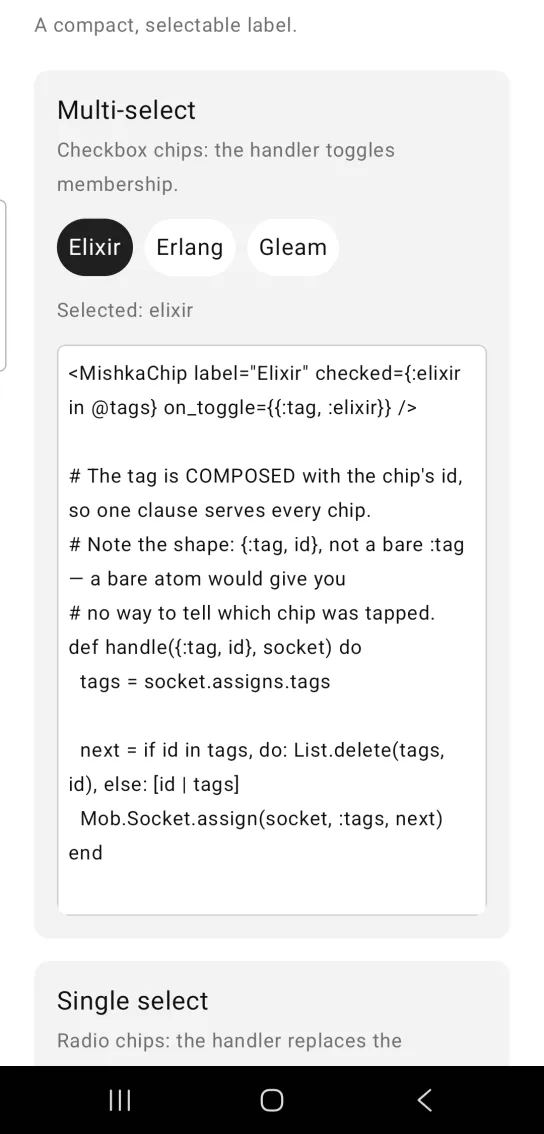
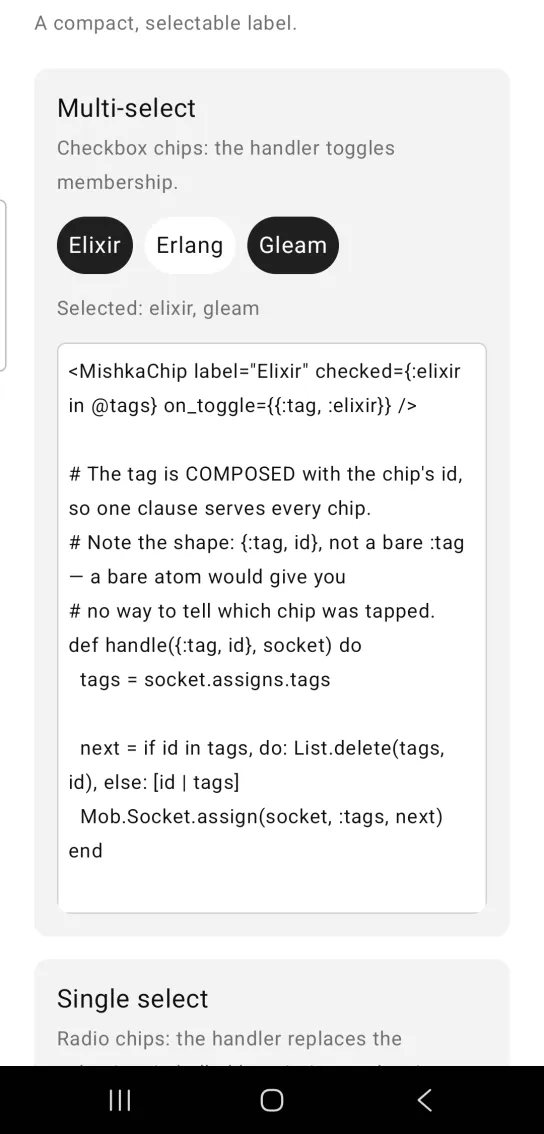
Left: the example as it loads. Right: after a tap. Checkbox chips toggle independently.
<MishkaChip label="Elixir" checked={:elixir in @tags} on_toggle={{:tag, :elixir}} />

# The tag is COMPOSED with the chip's id, so one clause serves every chip.
# Note the shape: {:tag, id}, not a bare :tag — a bare atom would give you
# no way to tell which chip was tapped.
def handle({:tag, id}, socket) do
  tags = socket.assigns.tags

  next = if id in tags, do: List.delete(tags, id), else: [id | tags]
  Mob.Socket.assign(socket, :tags, next)
end
Single-select chips
Radio chips let the user pick one value. The handler replaces the selection instead of toggling it, so there is no way to clear it. That is what makes the set behave as a radio group and not as a checkbox set. The code shows only the handler. The screen builds three chips and sets checked on the one that matches the selection.
Single-select chips
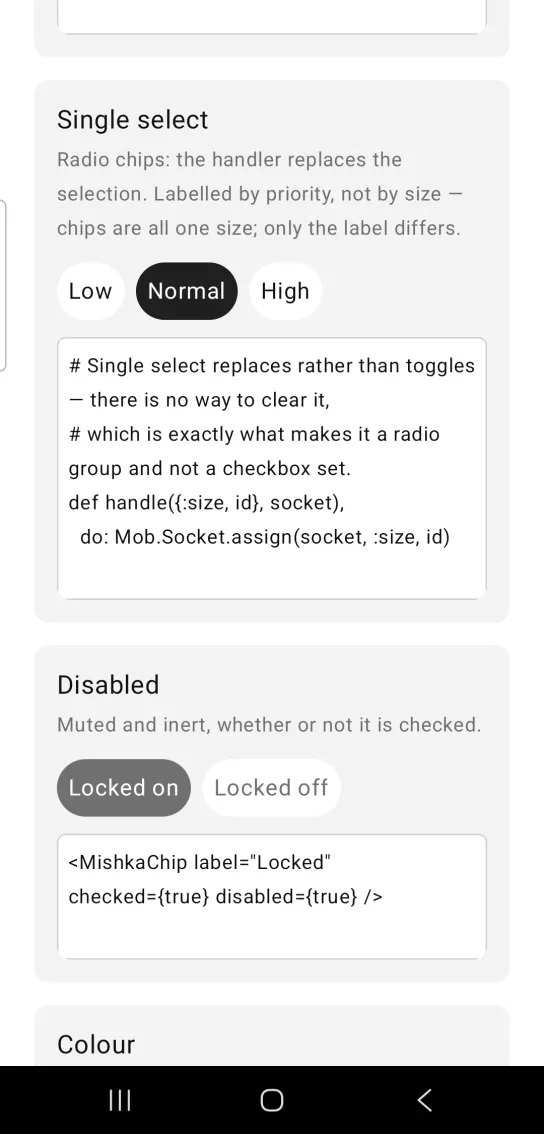
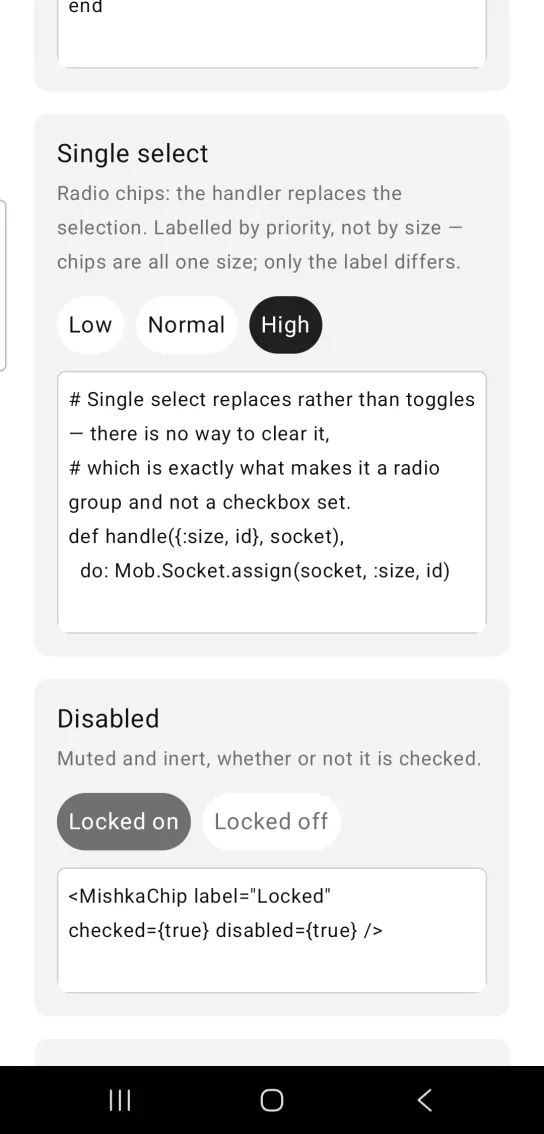
Left: the example as it loads. Right: after a tap. Radio chips replace the selection.
# Single select replaces rather than toggles — there is no way to clear it,
# which is exactly what makes it a radio group and not a checkbox set.
def handle({:size, id}, socket),
  do: Mob.Socket.assign(socket, :size, id)
Disabled chip
disabled mutes the chip and wires no handler, whether or not it is checked. The card in the screenshot shows a locked chip that is on next to one that is off.
Disabled chip
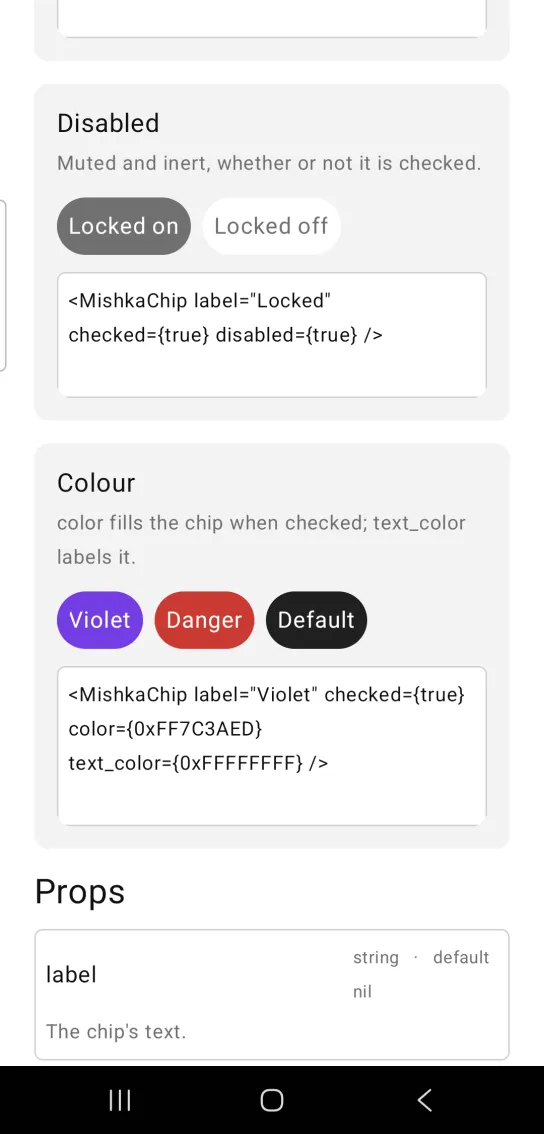
<MishkaChip label="Locked" checked={true} disabled={true} />Chip color
color fills the chip when it is checked, and text_color colors its label. Both take a theme token or an ARGB integer. The card in the screenshot also shows a red chip and a chip in the default colors.
Chip color
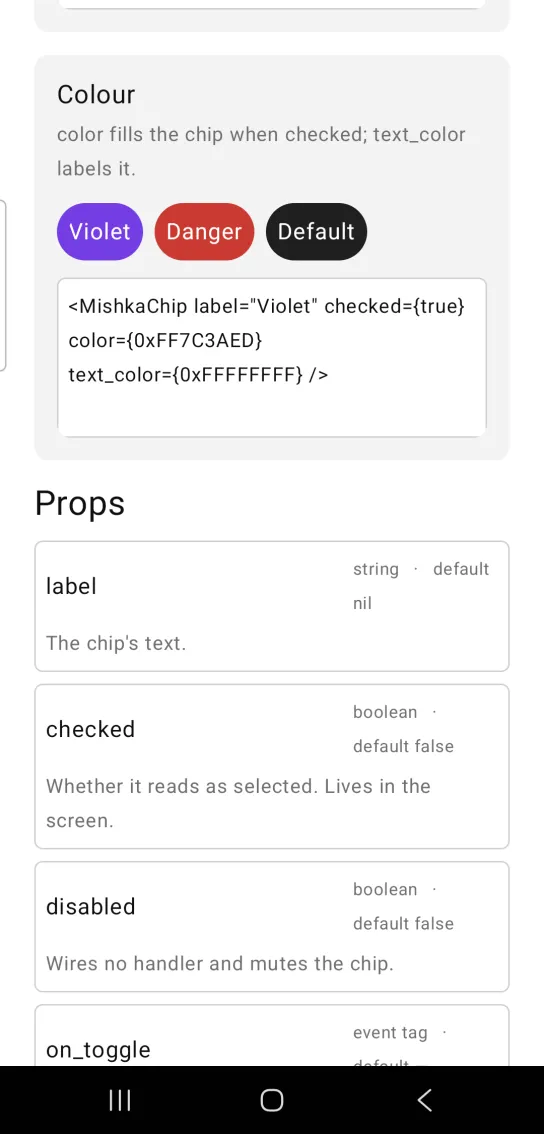
<MishkaChip label="Violet" checked={true} color={0xFF7C3AED} text_color={0xFFFFFFFF} />Size and trailing content of a chip
The props after text_color in the Props table size and style a chip to a design. Each is optional, and an unset prop leaves the chip as a box that holds one label. Props that take a size accept a theme token or a raw value, so padding_x={:space_md} and padding_x={15} are both valid.
The bridge applies padding before width and height, so a declared size is the size of the content box and not of the chip. With the default :space_sm padding, height={32} measures 48. To pin a design height, pin the padding on that axis too. The axis you leave alone stays on padding.
<MishkaChip label="Unread" trailing="12" trailing_gap={6} height={32} padding_y={0} />A chip with a width or a height centers its label unless you set align. A chip with neither sends no align.
trailing is a slot. A string becomes a text in the chip's own color and size, and a node or a list of nodes is placed as you give it. The slot sits in a row beside the label, which suits a count after a filter name. The composite tag ignores its children, so trailing is how extra content gets in.
Props
| Prop | Type | Default | Description |
|---|---|---|---|
label | string | nil | The chip's text. |
checked | boolean | false | Whether the chip reads as selected. The screen owns this state. |
disabled | boolean | false | Wires no handler and mutes the chip. |
on_toggle | event tag | None | Sent to the screen as {:tap, tag}. |
color | color token or ARGB integer | :primary | Fill when checked. |
text_color | color token or ARGB integer | :on_primary | Label color when checked. |
unchecked_color | color token or ARGB integer | :surface_raised | Fill when unchecked. |
unchecked_text_color | color token or ARGB integer | :on_surface | Label color when unchecked. |
disabled_color | color token or ARGB integer | :muted when checked, otherwise unchecked_color | Fill while disabled. Setting it gives both disabled states the same look. |
disabled_text_color | color token or ARGB integer | text_color when checked, otherwise :muted | Label color while disabled. |
width | number (dp) | Not set, the chip hugs its label | Declared width. |
height | number (dp) | Not set, intrinsic height | Declared height. |
padding | spacing token or number | :space_sm | Padding on all four sides. |
padding_x | spacing token or number | padding | Left and right padding. Overrides padding. |
padding_y | spacing token or number | padding | Top and bottom padding. Overrides padding. |
corner_radius | radius token or number | :radius_pill | Corner rounding. |
text_size | text size token or number | :base | Label size. |
font_weight | :medium, :semibold, :bold, :light or :thin | Not set, regular | Label weight. |
max_lines | integer | Not set, unbounded | Caps the label at this many lines. |
align | :center, :leading, :trailing and other alignments | Not set, :center when the chip has a width or height | Where the content sits in the box. |
trailing | string, node or list of nodes | nil | Content after the label, such as a count, a ✕ or an icon. |
trailing_gap | number (dp) | 0 | Space between the label and trailing. |
Events
Your screen receives {:tap, tag} in handle_info/2 when the user taps the chip. A disabled chip sends nothing. Give every chip a tuple tag that holds its id, so one clause handles all of them:
def handle_info({:tap, {:tag, id}}, socket) do
  tags = socket.assigns.tags

  next = if id in tags, do: List.delete(tags, id), else: [id | tags]
  {:noreply, Mob.Socket.assign(socket, :tags, next)}
end
For a single-select set, replace the selection in the same clause instead of toggling it.
Differences from the web component
These attributes of the web component are not ported:
type. Checkbox and radio behavior lives in your handler, as the overview shows.nameandvalue. They are HTML form plumbing, and a native chip posts no form.idand the*_classattributes.
Attributes
| Name | Type | Default | Values | Required | Description |
|---|---|---|---|---|---|
label
|
string
| — | — | No | The chip's text. |
checked
|
boolean
|
false
| — | No | Whether it reads as selected. |
disabled
|
boolean
|
false
| — | No | Wires no handler and mutes the chip. |
on_toggle
|
event tag (atom)
| — | — | No | Sent as `{:tap, tag}`. |
color
|
color token / ARGB int
|
:primary
| — | No | Fill when checked. |
text_color
|
color token / ARGB int
|
:on_primary
| — | No | Label colour when checked. |
unchecked_color
|
color token / ARGB int
|
:surface_raised
| — | No | Fill when unchecked. |
unchecked_text_color
|
color token / ARGB int
|
:on_surface
| — | No | Label colour when unchecked. |
disabled_color
|
color token / ARGB int
|
:muted checked, unchecked_color otherwise
| — | No | Fill while disabled. |
disabled_text_color
|
color token / ARGB int
|
text_color checked, :muted otherwise
| — | No | Label colour while disabled. |
width
|
number (dp)
|
nil — hugs its label
| — | No | Declared width. |
height
|
number (dp)
|
nil — intrinsic
| — | No | Declared height. |
padding
|
spacing token / number
|
:space_sm
| — | No | All four sides. |
padding_x
|
spacing token / number
|
padding
| — | No | Left and right, overriding `padding`. |
padding_y
|
spacing token / number
|
padding
| — | No | Top and bottom, overriding `padding`. |
corner_radius
|
radius token / number
|
:radius_pill
| — | No | Corner rounding. |
text_size
|
text-size token / number
|
:base
| — | No | Label size. |
font_weight
|
:medium :semibold :bold :light :thin
|
nil — regular
| — | No | Label weight. |
max_lines
|
integer
|
nil — unbounded
| — | No | Caps the label. |
align
|
:center :leading :trailing …
|
nil, :center when sized
| — | No | Where content sits in the box. |
trailing
|
string, node, or list
| — | — | No | Content after the label — a count, a ✕, an icon. |
trailing_gap
|
number (dp)
|
0
| — | No | Space between label and `trailing`. |
Options
Each option takes one or more of its values, separated by commas.
| Option | Values |
|---|---|
--type
|
chip
|
--module
| A module name of your own |
What it generates
mix mishka.ui.gen.mob chip