Popover
v0.0.10
The Mishka Chelekom Mob Popover is a trigger that toggles a panel of content beside it on iOS and Android screens built with Mob. It is the native port of the headless Popover, and your screen decides when the panel is open.
Overview of the Mob Popover component for iOS and Android
A popover draws its trigger, and while open is true it also draws a panel that floats over the page in a window of its own. The panel is positioned from the trigger. It takes no room in the layout, it can sit above or to the left of the trigger, and no parent box or scroll view can clip it.
The trigger is child 0 of an :anchored node and the panel is child 1, in that order for every side. Positioning follows the web positionPopup():
sidepicks the side of the trigger that the panel takes, andside_offsetis the gap in dp.alignplaces the panel across that side, against the trigger's own box, andalign_offsetnudges it along the same axis. A positivealign_offsetpushes inward on:end.- The side flips to the opposite one when the requested side has no room and the opposite side does.
- The panel is then clamped into the window, with 8 dp of edge padding plus the safe-area inset, so it cannot run off the screen or land under the status bar.
align defaults to :start, where the web default is center, because the leading edge is where a native dropdown opens. Both the trigger and the panel hug their content, so :center and :end move the panel against the trigger.
Open and closed belong to your screen
The panel's window never closes itself. Keep an open? value in the screen's assigns and pass it as open. The popover reports what it wants next through on_open_change, as {:tap, {tag, next_open?}}, and your screen stores that value. A tap on the trigger toggles the panel. The trigger looks pressed while the panel is open.
A long press is the touch version of hover. With open_on_hold, a long press on the trigger also opens the panel, and the ordinary tap still toggles it. delay and close_delay are hover timings, so Mob drops them.
On Android, a tap outside the panel also reports the panel closed. Set dismissible to false for a popover that the user must answer.
Slots
Every part the web declares as a slot is a tag here: <MishkaPopoverTrigger>, <MishkaPopoverTitle>, <MishkaPopoverDescription>, <MishkaPopoverClose> and <MishkaPopoverArrow>. Bare children are the panel body. Write text="..." and the component styles the part, exactly as the shorthand prop does. Write markup inside the tag and it is yours, wrapped in a column that carries the part's test tag. The order you write the tags in does not matter, because each part goes where the anatomy says. A slot wins over its shorthand prop.
With no trigger at all, the popover is the panel alone, and it renders in place because there is nothing to anchor to. The Menu and Preview card components build on the popover's panel.
With an id, each part gets a test tag: <id>-trigger-open or <id>-trigger-closed, <id>-panel, <id>-title, <id>-desc, <id>-close and <id>-arrow.
Generate the popover component
Run this from your Mob app's root to add the component to lib/<app>/components/:
mix mishka.ui.gen.mob popoverThe generator registers the <Popover> tag so you can use it in ~MOB markup. It also copies the shared Anchored and Event support modules. The examples on this page use the mishka_ prefix of the showcase app (--module-prefix mishka_), so the tag is <MishkaPopover>. Without a prefix the tag is <Popover>.
Popover opened by tapping its trigger
This popover uses every part: a trigger that looks pressed while the panel is open, a title, a description, a beak that points back at the trigger, a close action and a body. Each part is a slot tag, like Chelekom's <:trigger> and <:title>. The trigger sends the state it wants next, so one handle_info/2 clause serves the trigger, a long press and the close button.
Popover opened by tapping its trigger
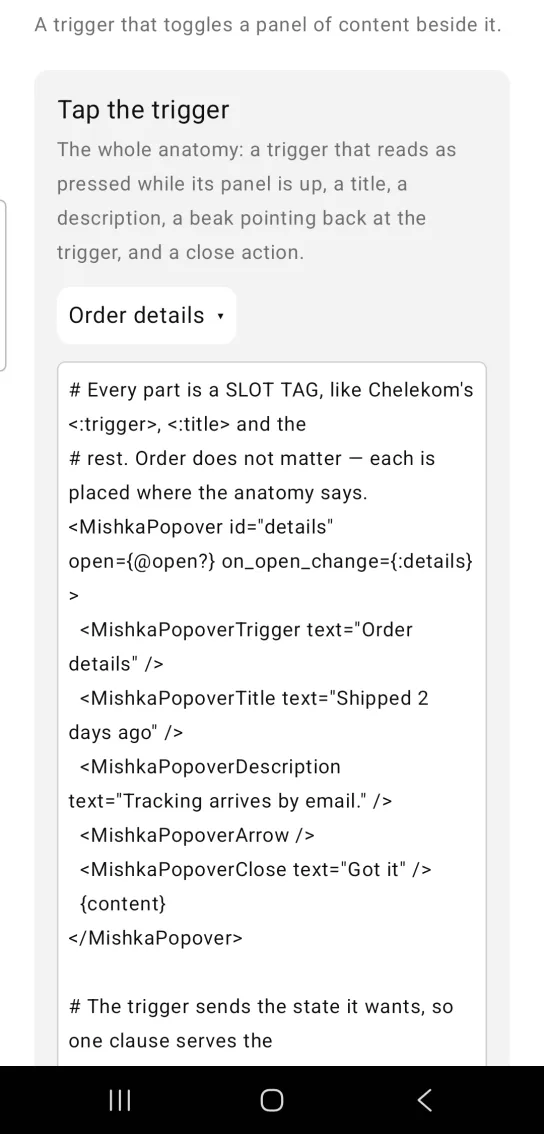
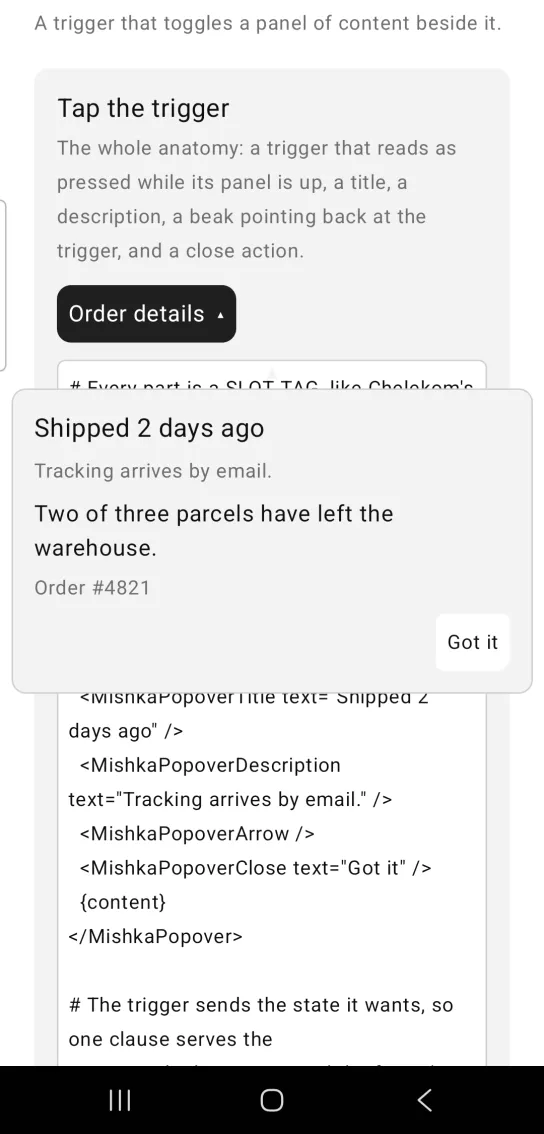
Left: the example as it loads. Right: after a tap. A trigger toggles a panel of content below it.
# Every part is a SLOT TAG, like Chelekom's <:trigger>, <:title> and the
# rest. Order does not matter — each is placed where the anatomy says.
<MishkaPopover id="details" open={@open?} on_open_change={:details}>
  <MishkaPopoverTrigger text="Order details" />
  <MishkaPopoverTitle text="Shipped 2 days ago" />
  <MishkaPopoverDescription text="Tracking arrives by email." />
  <MishkaPopoverArrow />
  <MishkaPopoverClose text="Got it" />
  {content}
</MishkaPopover>

# The trigger sends the state it wants, so one clause serves the
# trigger, the long press and the footer's close button alike.
def handle_info({:tap, {:details, open?}}, socket) do
  {:noreply, Mob.Socket.assign(socket, :open?, open?)}
end
Popover opened by press and hold
open_on_hold is the port of the web open_on_hover. A long press is what a touch screen has instead of a pointer resting on something. The tap still toggles the panel. A hold always sends true, and a tap sends the opposite of the current state.
Popover opened by press and hold
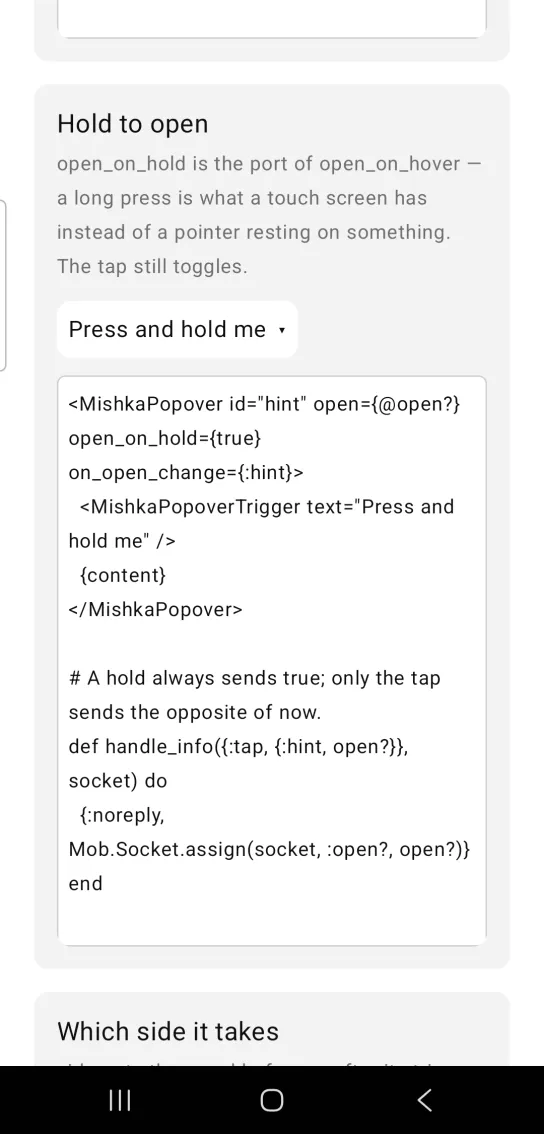
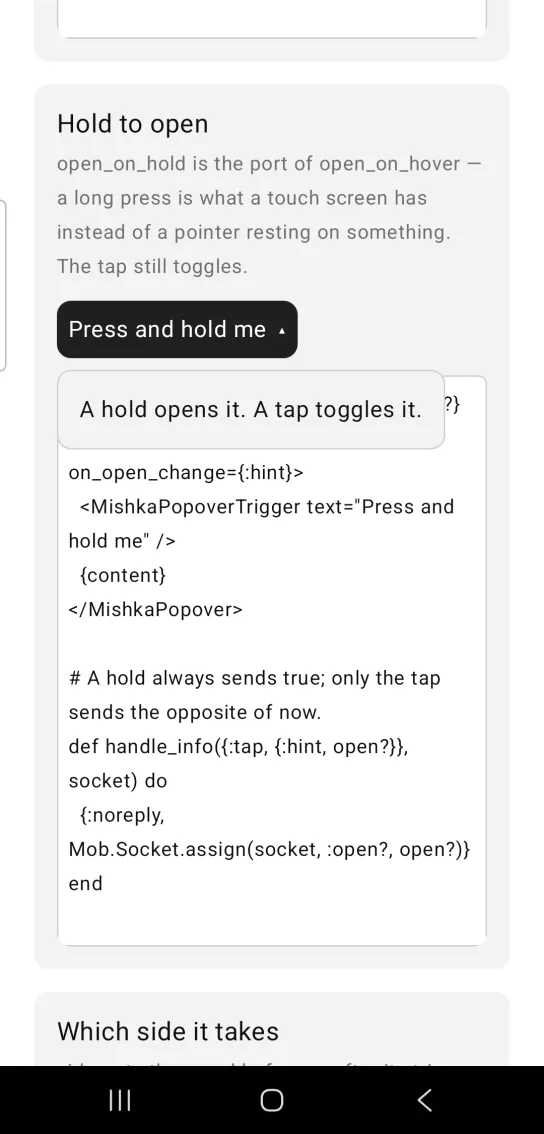
Left: the example as it loads. Right: after a long press. A long press opens it, and a tap still toggles.
<MishkaPopover id="hint" open={@open?} open_on_hold={true} on_open_change={:hint}>
  <MishkaPopoverTrigger text="Press and hold me" />
  {content}
</MishkaPopover>

# A hold always sends true; only the tap sends the opposite of now.
def handle_info({:tap, {:hint, open?}}, socket) do
  {:noreply, Mob.Socket.assign(socket, :open?, open?)}
end
Popover side and gap
side picks the side of the trigger that the panel takes: :top, :right, :bottom or :left. side_offset is the gap in dp. The panel flips to the opposite side when the requested side has no room.
Popover side and gap
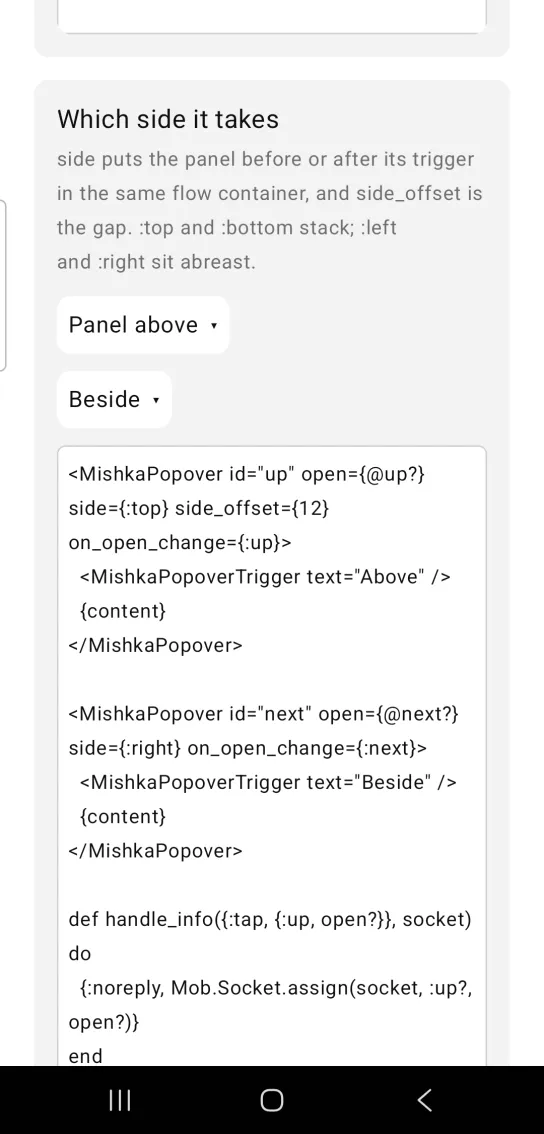
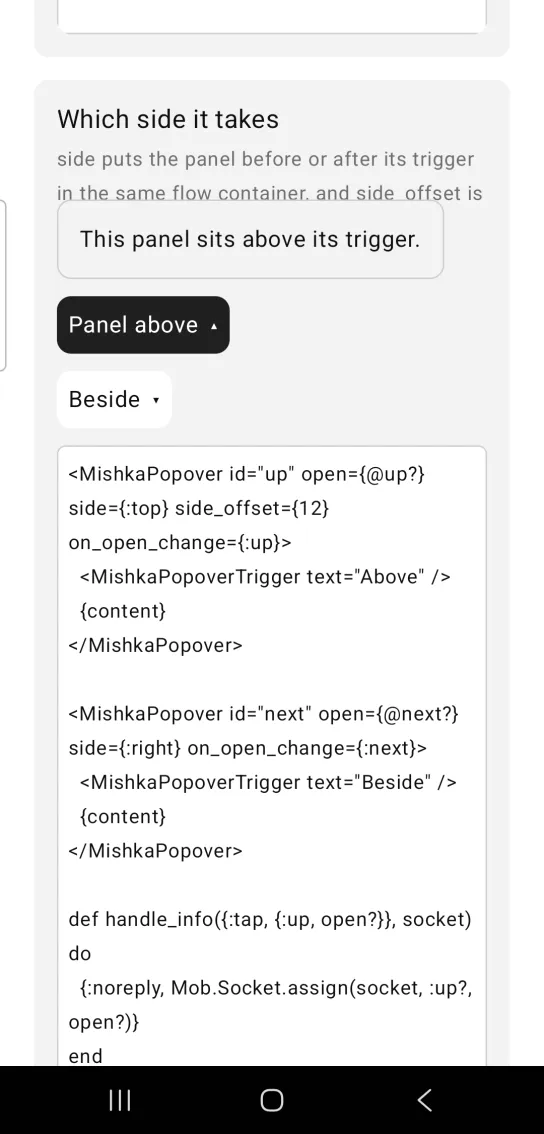
Left: the example as it loads. Right: after a tap. The side prop puts the panel before or after its trigger.
<MishkaPopover id="up" open={@up?} side={:top} side_offset={12} on_open_change={:up}>
  <MishkaPopoverTrigger text="Above" />
  {content}
</MishkaPopover>

<MishkaPopover id="next" open={@next?} side={:right} on_open_change={:next}>
  <MishkaPopoverTrigger text="Beside" />
  {content}
</MishkaPopover>

def handle_info({:tap, {:up, open?}}, socket) do
  {:noreply, Mob.Socket.assign(socket, :up?, open?)}
end
Popover width and alignment
width fixes the panel at 220 dp. align={:end} places the panel against the end of the trigger, and align_offset nudges it along the same axis. A positive align_offset pushes inward on :end.
Popover width and alignment
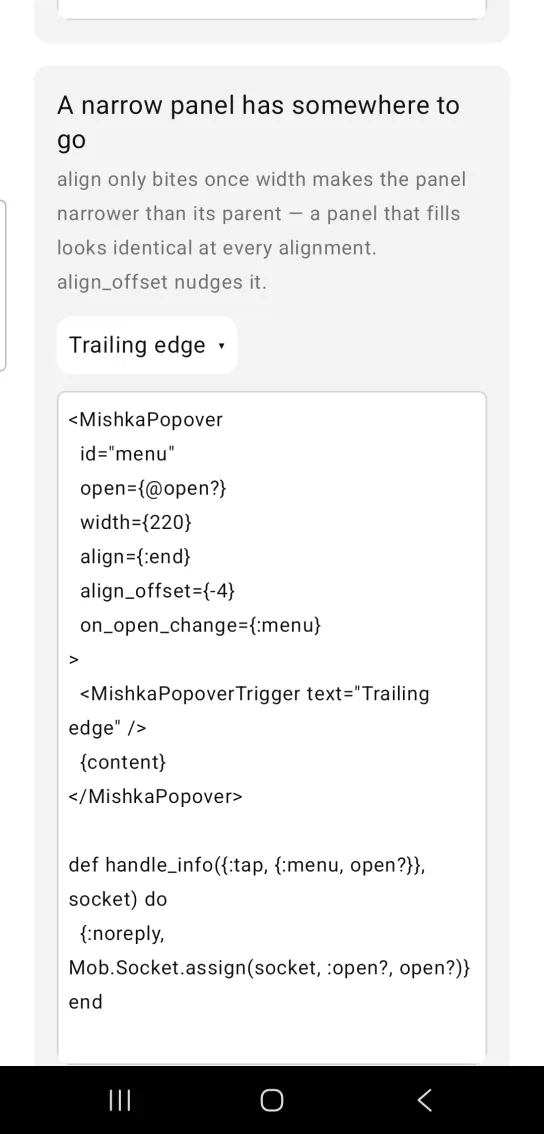
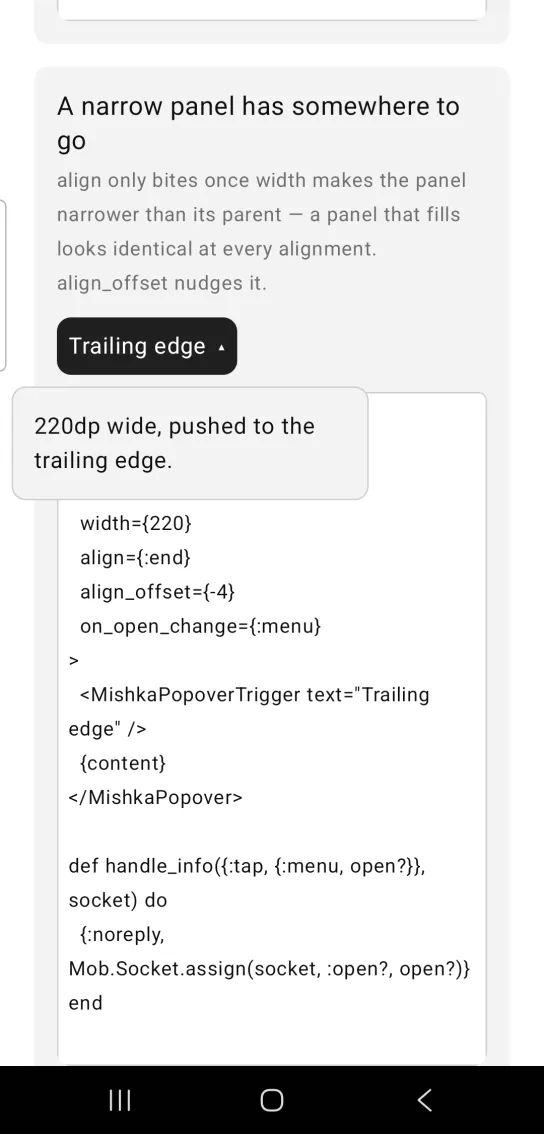
Left: the example as it loads. Right: after a tap. The align prop places a narrow panel along the trigger.
<MishkaPopover
  id="menu"
  open={@open?}
  width={220}
  align={:end}
  align_offset={-4}
  on_open_change={:menu}
>
  <MishkaPopoverTrigger text="Trailing edge" />
  {content}
</MishkaPopover>

def handle_info({:tap, {:menu, open?}}, socket) do
  {:noreply, Mob.Socket.assign(socket, :open?, open?)}
end
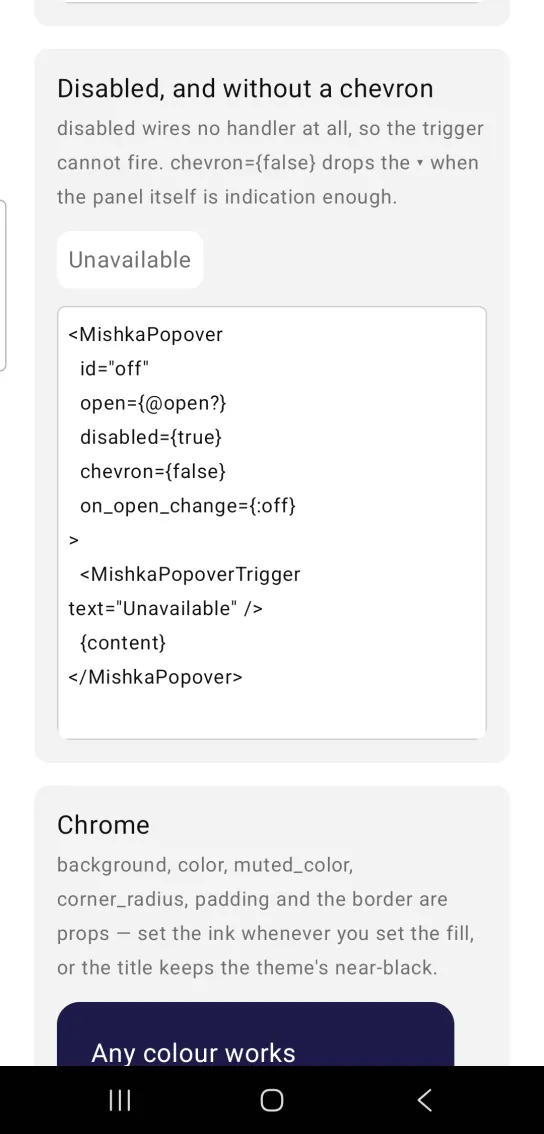
Disabled popover without a chevron
disabled wires no handler at all, so the trigger is inert. chevron={false} removes the ▾ indicator from the trigger.
Disabled popover without a chevron
<MishkaPopover
  id="off"
  open={@open?}
  disabled={true}
  chevron={false}
  on_open_change={:off}
>
  <MishkaPopoverTrigger text="Unavailable" />
  {content}
</MishkaPopover>
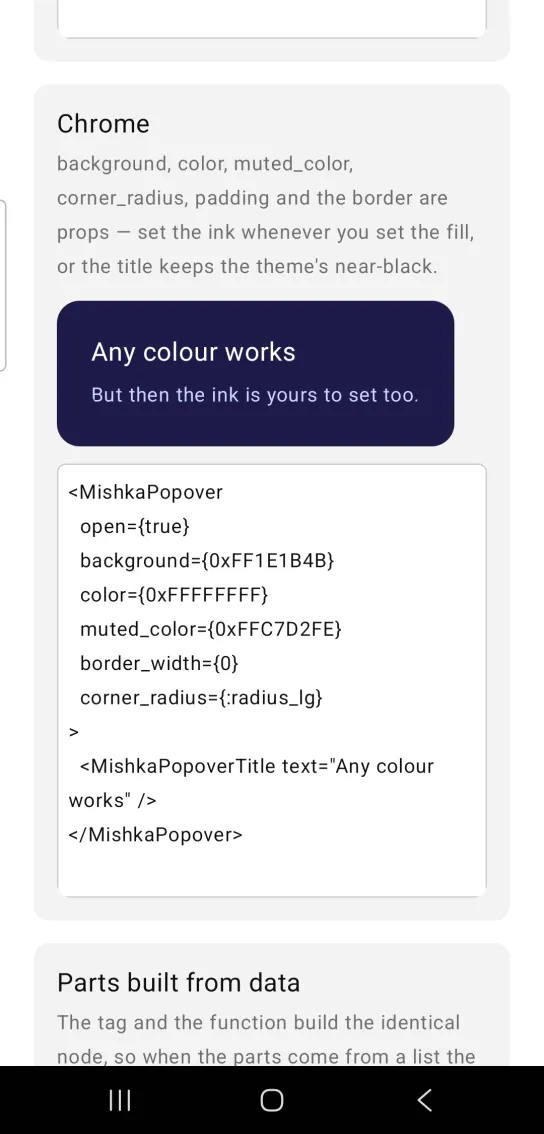
Custom popover colors, corners and border
background, color, muted_color, corner_radius, padding and the border props style the panel. Set the ink whenever you set the fill, or the title keeps the default :on_surface color. This popover has no trigger and open={true}, so the panel renders in place.
Custom popover colors, corners and border
<MishkaPopover
  open={true}
  background={0xFF1E1B4B}
  color={0xFFFFFFFF}
  muted_color={0xFFC7D2FE}
  border_width={0}
  corner_radius={:radius_lg}
>
  <MishkaPopoverTitle text="Any colour works" />
</MishkaPopover>
Popover parts built from data
A slot tag and its function build the identical node. When the parts come from a list, use the function: a comprehension can return trigger/1, and there is no way to produce a tag from one. Slot nodes are ordinary nodes, so they travel in the same list as the body and land where the tags would.
Popover parts built from data
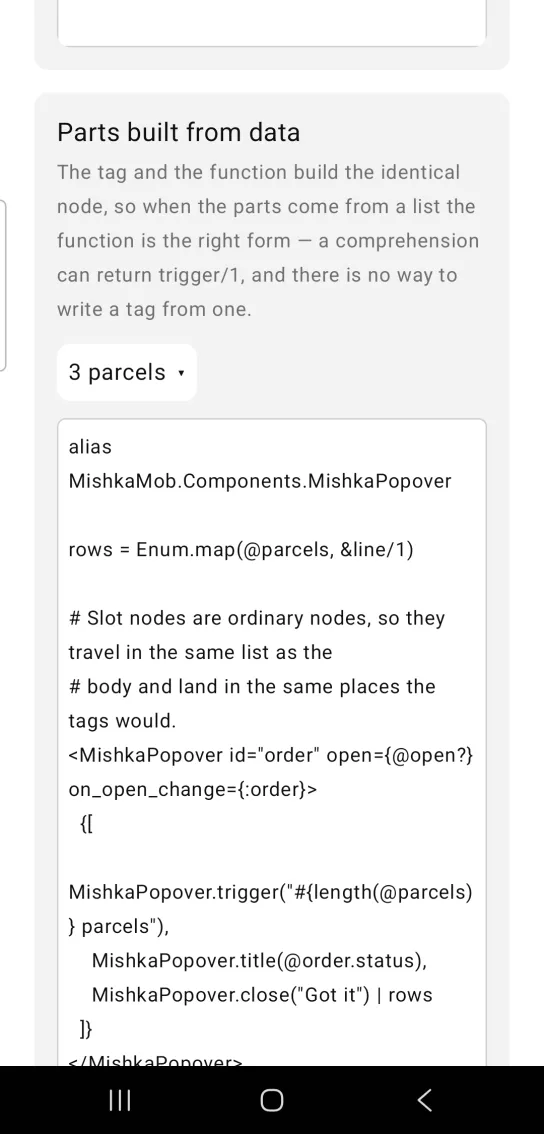
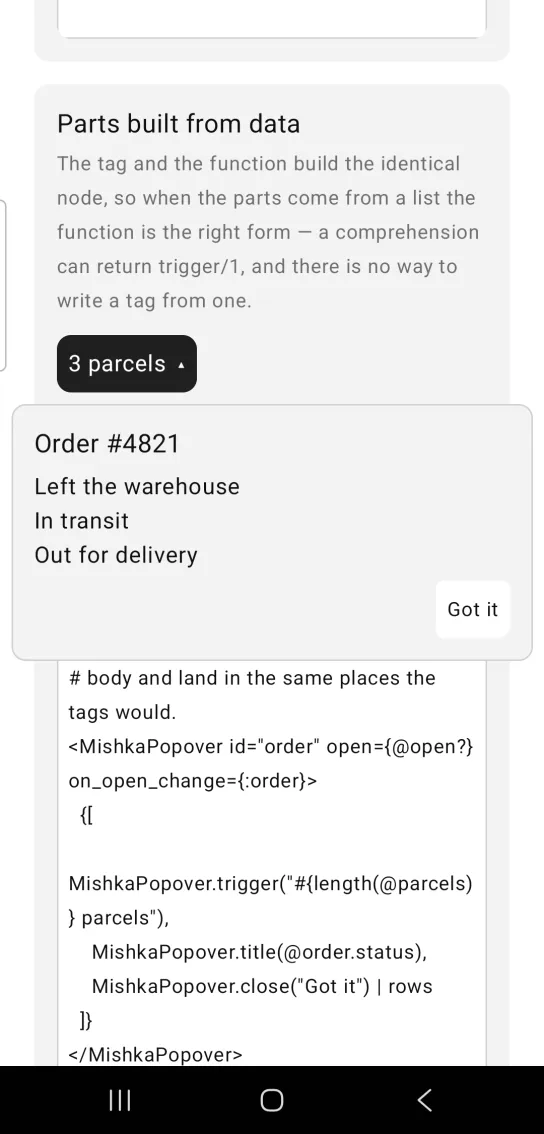
Left: the example as it loads. Right: after a tap. Triggers and panel parts can be built from a list.
alias MishkaMob.Components.MishkaPopover

rows = Enum.map(@parcels, &line/1)

# Slot nodes are ordinary nodes, so they travel in the same list as the
# body and land in the same places the tags would.
<MishkaPopover id="order" open={@open?} on_open_change={:order}>
  {[
    MishkaPopover.trigger("#{length(@parcels)} parcels"),
    MishkaPopover.title(@order.status),
    MishkaPopover.close("Got it") | rows
  ]}
</MishkaPopover>
Props
| Prop | Type | Default | Description |
|---|---|---|---|
id | string | nil | Root test tag. Each part derives its own tag from it. |
open | boolean | false | Whether the panel is shown. The screen owns this value. |
trigger | string, node or nodes | nil | Shorthand for <MishkaPopoverTrigger>. Omit both and you place your own trigger. |
on_open_change | event tag | None | Sent as {:tap, {tag, next_open?}} by the trigger, a long press and the close action. |
open_on_hold | boolean | false | A long press on the trigger also opens the panel. |
disabled | boolean | false | Wires no handler, so the trigger is inert. |
dismissible | boolean | true | Whether a tap outside the panel reports the panel closed through on_open_change. false turns that off. |
chevron | boolean | true | Shows the ▾ or ▴ indicator on the trigger. |
side | :top, :right, :bottom or :left | :bottom | Which side of the trigger the panel takes. |
align | :start, :center or :end | :start | Where the panel sits across that side, against the trigger's box. |
side_offset | number | 8 | Gap between the trigger and the panel, in dp. |
align_offset | number | nil | Nudge along the alignment axis, in dp. A positive value pushes inward on :end. |
flip | boolean | true | Turns to the opposite side when the requested side has no room and the opposite side does. |
clamp | boolean | true | Keeps the panel inside the window. |
edge_padding | number | 8 | Space kept clear of the window edges, on top of the safe-area inset. |
title | string | nil | Shorthand for <MishkaPopoverTitle>. |
description | string | nil | Shorthand for <MishkaPopoverDescription>. |
close | string | nil | Shorthand for <MishkaPopoverClose>, a footer action that reports the panel closed. |
arrow | boolean | false | Shorthand for <MishkaPopoverArrow>, a beak that points back at the trigger. |
width | number | nil | Panel width. Omit it and the panel hugs its content. |
background | color token or ARGB integer | :surface | Panel fill. |
color | color token or ARGB integer | :on_surface | Title ink. |
muted_color | color token or ARGB integer | :muted | Description ink. |
corner_radius | radius token or number | :radius_md | Panel corners. |
padding | spacing token or number | :space_md | Padding inside the panel. |
border_color | color token | :border | The edge that separates the panel from the content beneath. |
border_width | number | 1 | Border width. 0 removes the border. |
offset_x, offset_y | number | nil | Raw nudge in dp, applied last and added on top of side_offset and align_offset. |
Slot tags and builders
| Tag | Chelekom slot | Takes | Builder | Shorthand prop |
|---|---|---|---|---|
<MishkaPopoverTrigger> | <:trigger> | A label, or markup | trigger/1 | trigger |
<MishkaPopoverTitle> | <:title> | A line, or markup | title/1 | title |
<MishkaPopoverDescription> | <:description> | A line, or markup | description/1 | description |
<MishkaPopoverClose> | <:close> | A label, or your own controls | close/1 | close |
<MishkaPopoverArrow> | <:arrow> | Nothing, a glyph, or markup | arrow/0 | arrow |
| Bare children | <:inner_block> | The panel body | None | None |
A label in <MishkaPopoverClose> builds the button this module styles and wires, which reports the panel closed through on_open_change. Markup puts your own controls in the footer row, and their handlers stay yours. Written bare, <MishkaPopoverArrow> draws the glyph that the side calls for.
Events
Your screen receives one kind of message in handle_info/2. It carries the state the popover wants next.
| Source | Message | When |
|---|---|---|
| Trigger tap | {:tap, {tag, next_open?}} | The user taps the trigger. next_open? is the opposite of the current state. |
| Trigger long press | {:tap, {tag, true}} | open_on_hold is true and the user presses and holds the trigger. |
| Close action | {:tap, {tag, false}} | The user taps the button that <MishkaPopoverClose text="..."> builds. |
| Outside tap | {:tap, {tag, false}} | On Android, the user taps outside the panel and dismissible is not false. |
<MishkaPopover id="details" open={@open?} on_open_change={:details}>
  <MishkaPopoverTrigger text="Details" />
  <MishkaPopoverTitle text="Shipped" />
  {content}
</MishkaPopover>

def handle_info({:tap, {:details, open?}}, socket) do
  {:noreply, Mob.Socket.assign(socket, :open?, open?)}
end
Differences from the web component
modaland its backdrop are not ported. The panel's window is sized to the panel, so there is nothing to dim the page with. Use the Dialog or the Drawer when the page must be blocked.close_on_escapeis not ported, because a phone has no Escape key.initial_focusandfinal_focusare not ported, because Mob exposes no focus model for a panel.labelledbyanddescribedbyare not ported, because no node has accessibility semantics. The title and description are drawn instead of referenced.open_on_hover,delayandclose_delayare not ported. Useopen_on_hold, a long press on the trigger.- The
*_classattributes are not ported. The chrome props style the panel. aligndefaults to:startwhere the web default is center, andside_offsetis in dp where the web uses px.- The panel floats on Android only. On iOS it stacks next to the trigger.
Attributes
| Name | Type | Default | Values | Required | Description |
|---|---|---|---|---|---|
id
|
string
| — | — | No | Root testTag; every part derives its own from it. |
open
|
boolean
|
false
| — | No | Whether the panel is shown. Lives in the screen. |
trigger
|
string / node / nodes
| — | — | No | Shorthand for `<PopoverTrigger>`. Omit both and you place your own. |
on_open_change
|
event tag
| — | — | No | Sent as `{:tap, {tag, next_open?}}`. |
open_on_hold
|
boolean
|
false
| — | No | A long press on the trigger also opens it. |
disabled
|
boolean
|
false
| — | No | Wires no handler, so the trigger is inert. |
chevron
|
boolean
|
true
| — | No | Show the ▾/▴ indicator on the trigger. |
side
|
:top :right :bottom :left
|
:bottom
| — | No | Which side of the trigger the panel takes. |
align
|
:start :center :end
|
:start
| — | No | Where the panel sits across that side, against the trigger's box. |
side_offset
|
number
|
8
| — | No | Gap between trigger and panel, in dp. |
align_offset
|
number
| — | — | No | Nudge along the alignment axis, in dp. Positive pushes *inward* on `:end`. |
flip
|
boolean
|
true
| — | No | Turn to the opposite side when the requested one has no room and that one does. |
clamp
|
boolean
|
true
| — | No | Keep the panel inside the window. |
edge_padding
|
number
|
8
| — | No | Kept clear of the window edges, on top of the safe-area inset. |
title
|
string
| — | — | No | Shorthand for `<PopoverTitle>`. |
description
|
string
| — | — | No | Shorthand for `<PopoverDescription>`. |
close
|
string
| — | — | No | Shorthand for `<PopoverClose>`. |
arrow
|
boolean
|
false
| — | No | Shorthand for `<PopoverArrow>` — a beak pointing back at the trigger. |
width
|
number
| — | — | No | Panel width. Omit and the panel hugs its content. |
background
|
color token / ARGB int
|
:surface
| — | No | Panel fill. |
color / muted_color
|
color token / ARGB int
|
:on_surface / :muted
| — | No | Title ink, and the description's. |
corner_radius
|
radius token / number
|
:radius_md
| — | No | Panel corners. |
padding
|
spacing token / number
|
:space_md
| — | No | Padding inside the panel. |
border_color / border_width
|
color / number
|
:border / 1
| — | No | The edge that separates it from the content beneath. |
offset_x / offset_y
|
number
| — | — | No | Raw nudge in dp, applied last — on top of `side_offset` and `align_offset` rather than instead of either. |
Options
Each option takes one or more of its values, separated by commas.
| Option | Values |
|---|---|
--type
|
popover
|
--module
| A module name of your own |
What it generates
mix mishka.ui.gen.mob popover