Color input
v0.0.10
mix mishka.ui.gen.mob color_input
The Mob Color Input is the native iOS and Android version of the headless Color Input in Mishka Chelekom. It combines a hex text field, a swatch of the current color and a picker panel that opens beneath the field. Mob renders it with Jetpack Compose on Android and SwiftUI on iOS.
Overview of the Mob Color Input component for iOS and Android
The control row has a 30 by 30 swatch of the current color, a text field with the placeholder #rrggbb, and a ▾ trigger that shows ▴ while the panel is open. Tapping the swatch and tapping the trigger send the same on_toggle event, so a finger that goes for the colored square opens the panel too.
On the web, the picker opens in a popover anchored to the field. On a phone the panel opens in the layout, directly under the control row. A floating picker would cover the field you type the hex into on a 390 point wide screen. The panel holds the Mob Color Picker in a bordered box.
The field holds the text, and the picker holds hue, saturation and value. The component keeps both on purpose: converting the typed hex to HSV on every keystroke would rewrite what you are halfway through typing. Your screen keeps the draft text and receives the events in handle_info/2. commit/2 decides when the text becomes a color. It returns {:ok, {h, s, v}} once the text parses and :incomplete until then. A half-typed #3b82 is not committed. #3b8 is, because three digits are valid CSS shorthand and name a real color.
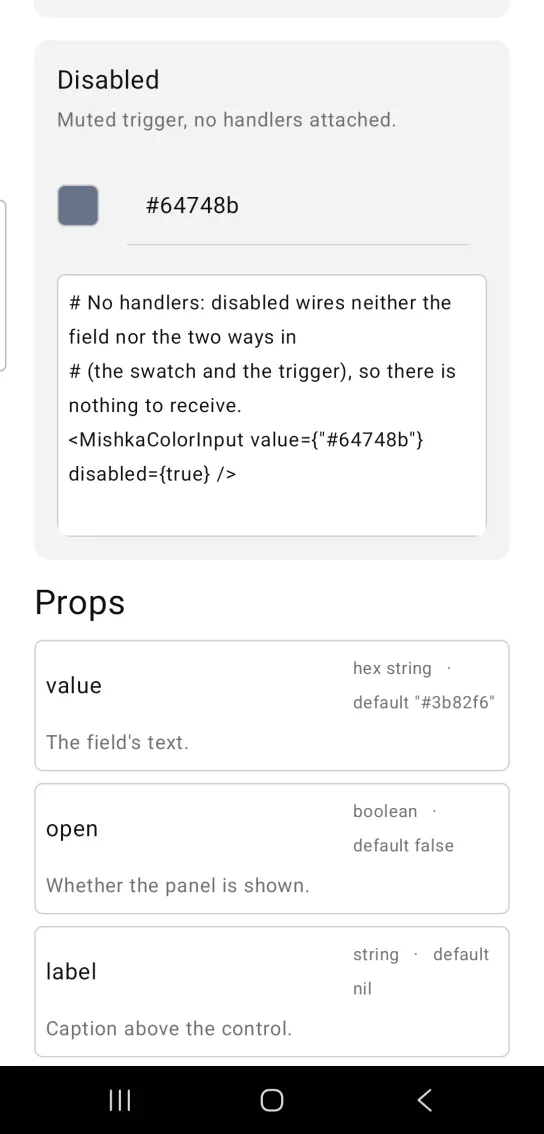
While the text does not parse, the swatch shows a neutral surface color instead of a misleading one. The panel follows the color of the field unless you pass hue, saturation or value_pct. The disabled prop mutes the control and wires no handlers on the field, the swatch and the trigger.
Generate the color input component
Run this from your Mob app's root to add the component to lib/<app>/components/:
mix mishka.ui.gen.mob color_inputThe generator registers the component's tag, so you can use it in ~MOB markup. It also adds the shared Anchored, Color and Event modules it uses, and generates color_picker, which the panel shows, and hue_slider, which the picker needs. The examples on this page use the mishka_ prefix of the showcase app (--module-prefix mishka_), so the tag is <MishkaColorInput>. Without a prefix the tag is <ColorInput>.
Type or pick a color
Type a hex value, or open the panel with the swatch or the ▾ trigger and drag. The screen accepts typed text as a color only once it parses, because every keystroke on the way to #3b82f6 would otherwise repaint the panel from a half-written color. The code calls assign_hsv/3 without defining it. Write that function in your screen, or use commit/2 as shown under Events. The two panel controls are dragged, so on_hue and on_area carry positions. Pass 280 to hue_at/2, the width of the picker in the panel.
Type or pick a color
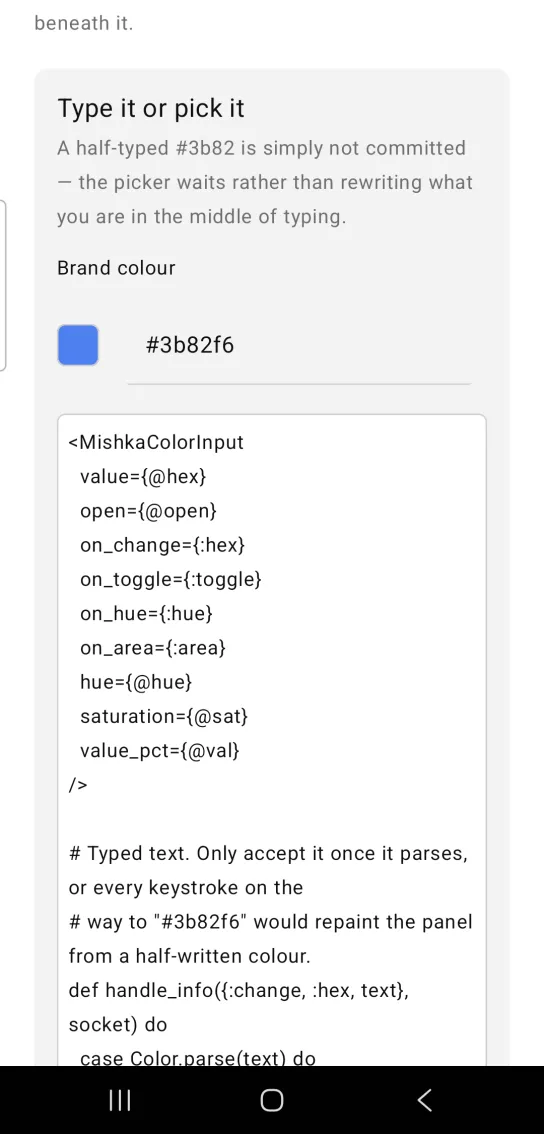
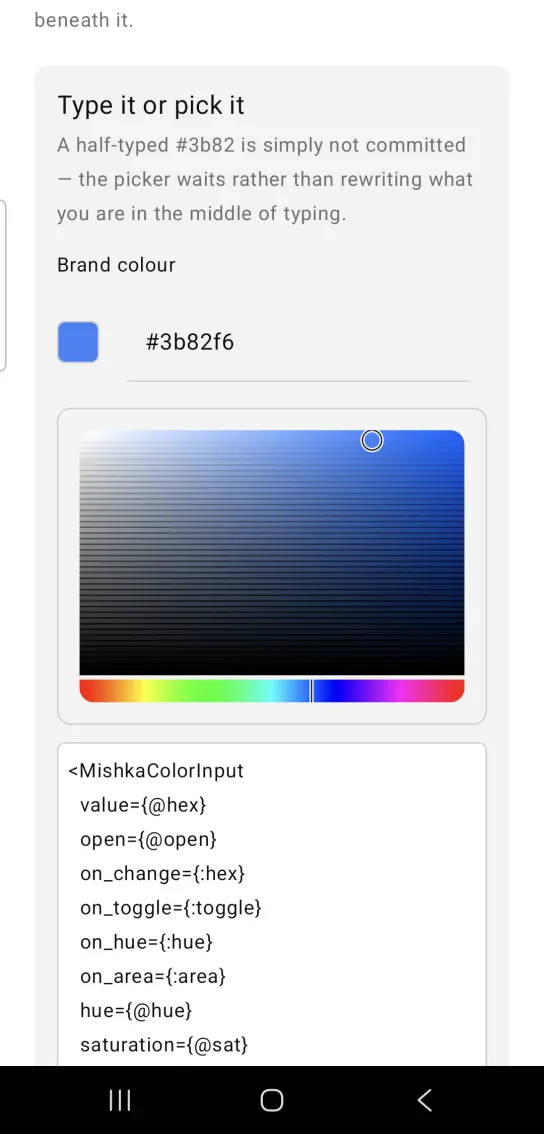
Left: the example as it loads. Right: after a tap. A picker opens beneath the hex field.
<MishkaColorInput
  value={@hex}
  open={@open}
  on_change={:hex}
  on_toggle={:toggle}
  on_hue={:hue}
  on_area={:area}
  hue={@hue}
  saturation={@sat}
  value_pct={@val}
/>

# Typed text. Only accept it once it parses, or every keystroke on the
# way to "#3b82f6" would repaint the panel from a half-written colour.
def handle_info({:change, :hex, text}, socket) do
  case Color.parse(text) do
    {:ok, rgb} -> {:noreply, assign_hsv(socket, text, rgb)}
    :error -> {:noreply, assign(socket, :hex, text)}
  end
end

# The swatch and the ▾ trigger both send this.
def handle_info({:tap, :toggle}, socket) do
  {:noreply, assign(socket, :open, not socket.assigns.open)}
end

# The panel's two canvases are dragged, so both carry a POSITION.
def handle_info({:drag, :hue, %{x: x}}, socket) do
  {:noreply, sync(socket, :hue, MishkaHueSlider.hue_at(x, 280))}
end

def handle_info({:drag, :area, %{x: x, y: y}}, socket) do
  {sat, val} = MishkaColorPicker.sv_at(x, y)
  {:noreply, socket |> assign(:sat, sat) |> sync(:val, val)}
end

# hue/saturation/value_pct and the hex field are one colour in two
# notations — write the hex back or the text and the panel disagree.
defp sync(socket, key, value) do
  socket = assign(socket, key, value)
  %{hue: h, sat: s, val: v} = socket.assigns
  assign(socket, :hex, Color.hsv_to_hex(h, s, v))
endDisabled color input
Set disabled to mute the control. The field, the swatch and the ▾ trigger get no handlers, so your screen receives nothing from them.
Disabled color input
# No handlers: disabled wires neither the field nor the two ways in
# (the swatch and the trigger), so there is nothing to receive.
<MishkaColorInput value={"#64748b"} disabled={true} />
Helper functions
The module exports one helper.
| Function | Description |
|---|---|
commit(text, assigns \\ %{}) | Returns {:ok, {h, s, v}} once the text parses as a color and :incomplete while it does not. |
Props
| Prop | Type | Default | Description |
|---|---|---|---|
value | hex string | "#3b82f6" | The text of the field. |
open | boolean | false | Shows the picker panel. |
label | string | nil | Caption above the control. |
hue | number | Derived from value | Hue of the picker. Falls back to the color of the field. |
saturation | number | Derived from value | Saturation of the picker. Falls back to the color of the field. |
value_pct | number | Derived from value | Brightness of the picker. Falls back to the color of the field. |
disabled | boolean | false | Mutes the control and wires no handlers on the field, the swatch and the trigger. |
on_change | event tag | None | Sends {:change, tag, text} as the hex is typed. |
on_toggle | event tag | None | Sends {:tap, tag} when the ▾ trigger or the swatch is tapped. |
on_hue | event tag | None | Forwarded to the hue strip of the panel. Sends {:drag, tag, %{x:}}. Convert it with MishkaHueSlider.hue_at/2. |
on_area | event tag | None | Forwarded to the field of the panel. Sends {:drag, tag, %{x:, y:}}. Convert it with MishkaColorPicker.sv_at/4. |
Events
Your screen receives four messages in handle_info/2: {:change, tag, text} for typing, {:tap, tag} for the trigger and the swatch, {:drag, tag, %{x:}} for the hue strip and {:drag, tag, %{x:, y:}} for the field. Use commit/2 in the typing handler to decide when the text becomes a color.
def handle_info({:change, :hex, text}, socket) do
  socket = Mob.Socket.assign(socket, :hex, text)

  case MishkaColorInput.commit(text) do
    {:ok, {h, s, v}} ->
      {:noreply,
       socket
       |> Mob.Socket.assign(:hue, h)
       |> Mob.Socket.assign(:sat, s)
       |> Mob.Socket.assign(:val, v)}

    :incomplete ->
      {:noreply, socket}
  end
end
Differences from the web component
The Mob version differs from the web input in these ways:
- The picker opens in the layout under the control row, where the web version shows a popover anchored to the field.
name,formandidare not ported.- Click-away and Escape dismissal are not ported, because a panel in the layout has nothing to click away from. Your screen closes the panel by changing
open.
Attributes
| Name | Type | Default | Values | Required | Description |
|---|---|---|---|---|---|
value
|
hex string
|
"#3b82f6"
| — | No | The field's text. |
open
|
boolean
|
false
| — | No | Whether the picker panel is shown. |
label
|
string
| — | — | No | Caption above the control. |
hue / saturation / value_pct
|
numbers
|
derived from value
| — | No | Picker position. |
disabled
|
boolean
|
false
| — | No | Mutes and unwires. |
on_change
|
event tag
| — | — | No | `{:change, tag, text}` as the hex is typed. |
on_toggle
|
event tag
| — | — | No | `{:tap, tag}` on the ▾ trigger **and on the swatch**. |
on_hue
|
event tag
| — | — | No | Forwarded to the panel's hue strip: `{:drag, tag, %{x:}}`. Convert with `HueSlider.hue_at/2`. |
on_area
|
event tag
| — | — | No | Forwarded to the panel's square: `{:drag, tag, %{x:, y:}}`. Convert with `ColorPicker.sv_at/4`. |
Options
Each option takes one or more of its values, separated by commas.
| Option | Values |
|---|---|
--type
|
color_input
|
--module
| A module name of your own |
What it generates
mix mishka.ui.gen.mob color_input