Splitter
v0.0.10
The Mishka Chelekom Mob Splitter divides a fixed extent between two panes and lets you resize them by dragging the divider, on iOS and Android. It is the native port of the headless Splitter and runs on Mob.
Overview of the Mob Splitter component for iOS and Android
Splitter sizes its panes and does not weight them. Compose has weight and SwiftUI does not, so a proportional split built from weighted boxes would work on Android and collapse on iOS. Instead Splitter takes an explicit extent, the total width or height in dp that it divides, and computes each pane in dp from the percentage. sizes/1 does that arithmetic and is public, so a screen that knows its own dimensions can ask for the numbers without rendering.
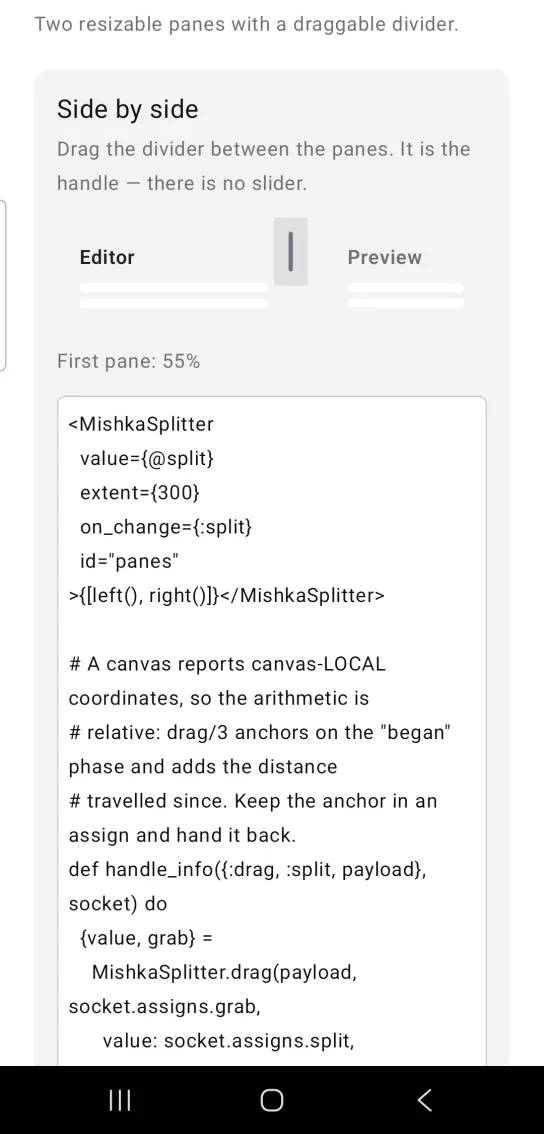
The divider is the handle. Grab the bar between the panes and slide it. Only a :canvas node carries on_drag, so the drag surface is one canvas laid over both panes, and the grip is a pill drawn on it at the split. The canvas covers the whole extent, so the position it reports maps straight to a percentage. A touch that misses the divider does nothing, so tapping inside a pane never moves the split.
The children are the two panes. Anything past the second is ignored, and a missing pane renders as an empty box.
The screen owns the split value and the drag anchor. It keeps both in assigns, folds each drag message into a new value with drag/3 and passes the value back in. See the Mob documentation for how screens work.
Generate the splitter component
Run this from your Mob app's root to add the component to lib/<app>/components/:
mix mishka.ui.gen.mob splitterThe generator registers the tag, so you can use it in ~MOB markup. It also copies the shared Color and Event helper modules that Splitter uses. The examples on this page use the mishka_ prefix of the showcase app (--module-prefix mishka_), so the tag is <MishkaSplitter>. Without a prefix, the tag is <Splitter>.
Side by side splitter
Drag the divider between the panes. The divider is the handle, and there is no separate slider. The screen keeps the drag anchor in an assign and hands it back to drag/3 with the next payload.
Side by side splitter
<MishkaSplitter
  value={@split}
  extent={300}
  on_change={:split}
  id="panes"
>{[left(), right()]}</MishkaSplitter>

# A canvas reports canvas-LOCAL coordinates, so the arithmetic is
# relative: drag/3 anchors on the "began" phase and adds the distance
# travelled since. Keep the anchor in an assign and hand it back.
def handle_info({:drag, :split, payload}, socket) do
  {value, grab} =
    MishkaSplitter.drag(payload, socket.assigns.grab,
      value: socket.assigns.split,
      extent: 300
    )

  {:noreply, socket |> assign(:split, value) |> assign(:grab, grab)}
endStacked splitter
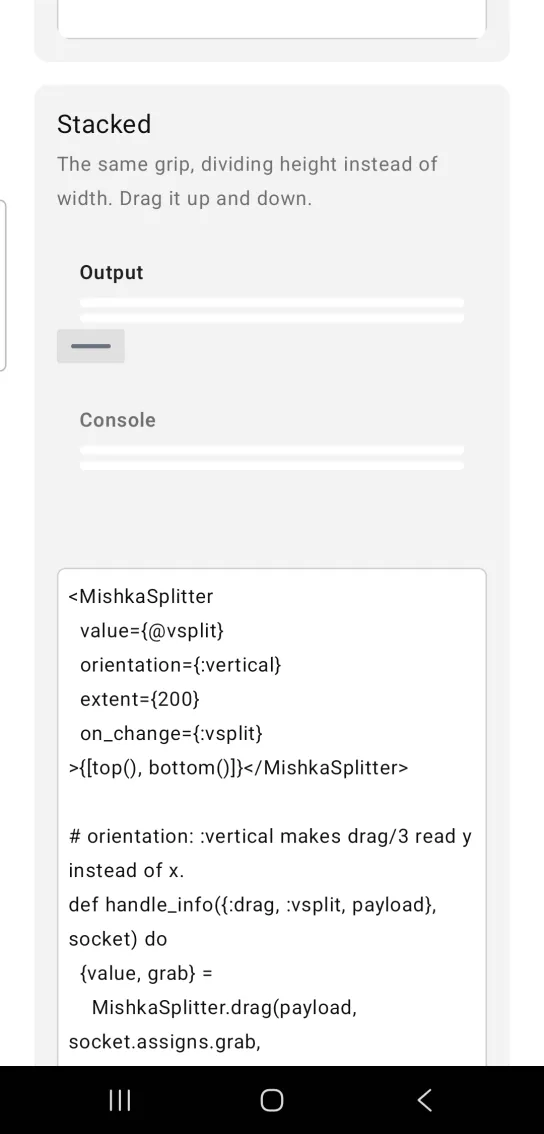
The same grip divides height instead of width. Drag it up and down. orientation: :vertical also makes drag/3 read y instead of x.
Stacked splitter
<MishkaSplitter
  value={@vsplit}
  orientation={:vertical}
  extent={200}
  on_change={:vsplit}
>{[top(), bottom()]}</MishkaSplitter>

# orientation: :vertical makes drag/3 read y instead of x.
def handle_info({:drag, :vsplit, payload}, socket) do
  {value, grab} =
    MishkaSplitter.drag(payload, socket.assigns.grab,
      value: socket.assigns.vsplit,
      extent: 200,
      orientation: :vertical
    )

  {:noreply, socket |> assign(:vsplit, value) |> assign(:grab, grab)}
endBounded and disabled splitter
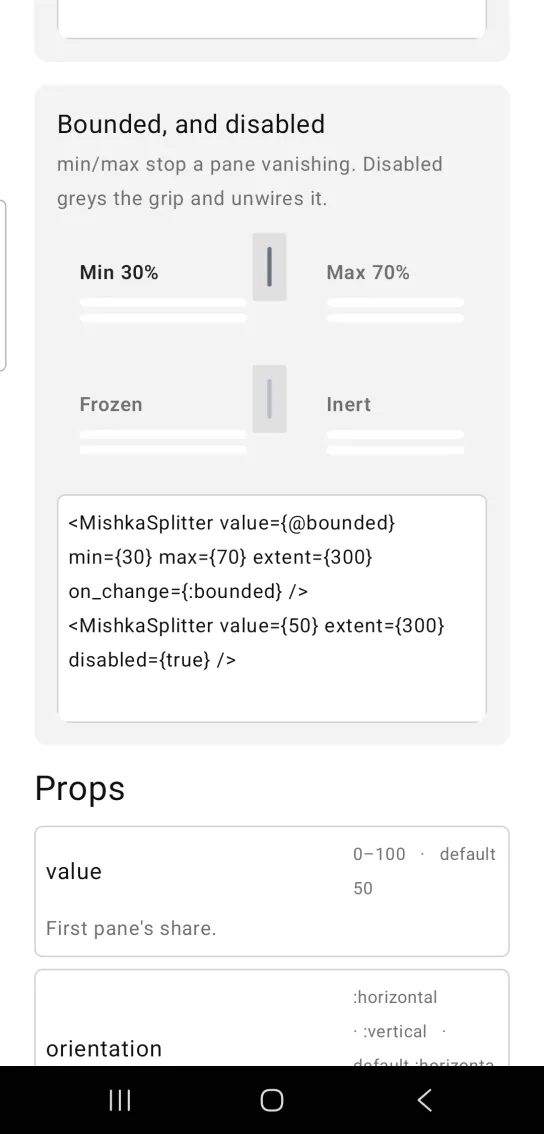
min and max stop a pane from vanishing, and a value outside them is pulled back inside. A disabled splitter grays the grip and removes the drag handler, and the panes keep their sizes.
Bounded and disabled splitter
<MishkaSplitter value={@bounded} min={30} max={70} extent={300} on_change={:bounded} />
<MishkaSplitter value={50} extent={300} disabled={true} />
Helper functions
Splitter exports helpers for the arithmetic, so a screen can use the numbers without rendering.
| Function | Returns | Example |
|---|---|---|
drag/3 | Folds a drag payload into {value, grab}. | See the examples above. |
sizes/1 | The two pane sizes in dp, clamped into min..max. | sizes(%{value: 50, extent: 300}) returns {150.0, 150.0}. |
split/1 | The split percentage after clamping. | split(%{value: 95, max: 90}) returns 90. |
pane_id/2 | The test tag of a pane, from the splitter id and the pane number. | pane_id("panes", 1) returns "panes-pane-1". |
grip_id/1 | The test tag of the grip, from the splitter id. | grip_id("panes") returns "panes-grip". |
Props
| Prop | Type | Default | Description |
|---|---|---|---|
value | number, 0 to 100 | 50 | The first pane's share, as a percentage. |
orientation | :horizontal or :vertical | :horizontal | Side by side, or stacked. |
extent | number | 320 | Total dp to divide. |
min | number, 0 to 100 | 10 | Lower bound of the split. |
max | number, 0 to 100 | 90 | Upper bound of the split. |
disabled | boolean | false | The grip grays and stops responding. The panes keep their sizes. |
grip | number | 24 | Thickness of the drag target across the divider, in dp. |
grip_color | ARGB int | Gray | The color of the pill. An int and not a token, because canvas draw ops take ints. |
on_change | event tag | None | Sends {:drag, tag, payload} as the divider moves. |
id | string | nil | Test tag. The panes get <id>-pane-1 and <id>-pane-2, and the grip gets <id>-grip. |
Events
on_change sends {:drag, tag, payload} to your screen's handle_info/2 while the divider moves. The payload has a phase of :began, :dragging or :ended, and the position as x and y. Fold it into a new percentage with drag/3. It returns {value, grab}. Keep grab in an assign and hand it back with the next payload. It is nil between drags, and also for a touch that missed the divider.
Pass drag/3 the same options you gave the component, including extent and, for a stacked splitter, orientation: :vertical. It reads only x and y. It never reads dx or dy, because those are cumulative translation on iOS and per sample deltas on Android, so anything built on them behaves differently on each platform.
def handle_info({:drag, :split, payload}, socket) do
  {value, grab} =
    MishkaSplitter.drag(payload, socket.assigns.grab,
      value: socket.assigns.split,
      extent: 300
    )

  {:noreply, socket |> assign(:split, value) |> assign(:grab, grab)}
end
Differences from the web component
- Keyboard resizing with the arrow,
HomeandEndkeys is not ported, because a Mob canvas has no focus ring to receive keys. - The
*_classattributes are not ported.
Attributes
| Name | Type | Default | Values | Required | Description |
|---|---|---|---|---|---|
value
|
0–100
|
50
| — | No | First pane's share, as a percentage. |
orientation
|
:horizontal · :vertical
|
:horizontal
| — | No | Side by side, or stacked. |
extent
|
number
|
320
| — | No | Total dp to divide. |
min / max
|
0–100
|
10 / 90
| — | No | Bounds the split. |
disabled
|
boolean
|
false
| — | No | The grip stops responding and greys. |
grip
|
number
|
24
| — | No | Thickness of the drag target across the divider. |
grip_color
|
ARGB int
|
grey
| — | No | The pill. An **int**, not a token — see `grip_ops/4`. |
on_change
|
event tag (atom)
| — | — | No | `{:drag, tag, payload}` as the divider moves. |
id
|
string
| — | — | No | Test tag; the grip gets `<id>-grip`. |
Options
Each option takes one or more of its values, separated by commas.
| Option | Values |
|---|---|
--type
|
splitter
|
--module
| A module name of your own |
What it generates
mix mishka.ui.gen.mob splitter