Progress
v0.0.10
The Mishka Chelekom Mob Progress is a progress bar for iOS and Android apps built with Mob. It fills from empty to full, or loops while the total is unknown, and it is the native port of the headless Progress.
Overview of the Mob Progress component for iOS and Android
Progress draws the platform's own bar: a Material 3 LinearProgressIndicator on Android and a SwiftUI ProgressView on iOS. The bar follows each platform's look, and the indeterminate state animates on its own.
You pass a value inside [min, max], which is 0 to 100 by default. The component converts it to a fraction between 0.0 and 1.0 and clamps it, so a value outside the range draws a full or empty bar instead of overshooting the track. When max equals min, the bar reads as empty. A numeric string such as "72" is read as the number 72.
Leave out value, or pass nil, to get the indeterminate bar. It loops by itself. The readout stays hidden even when show_value is set, because there is no percentage to show.
Add a label to put a caption above the bar. Add show_value to show a readout beside the label, or above the bar when there is no label. The readout is the rounded percentage unless you set value_text.
Progress has no events. The screen owns the value: change the assign that you pass as value and the bar follows. The buttons in the examples below belong to the screen.
Generate the progress component
Run this from your Mob app's root to add the component to lib/<app>/components/:
mix mishka.ui.gen.mob progressThe generator registers the <Progress> tag so you can use it in ~MOB markup. Mob also has a native <Progress> tag that this component draws with, so a prefix keeps the two names apart. The examples on this page use the mishka_ prefix of the showcase app (--module-prefix mishka_), so the tag is <MishkaProgress>. Without a prefix the tag is <Progress>.
Determinate progress bar
Pass a number as value and the bar fills to match, between min and max. The second bar adds a label and a readout with show_value. In the showcase app, the two buttons change the value that both bars read.
Determinate progress bar
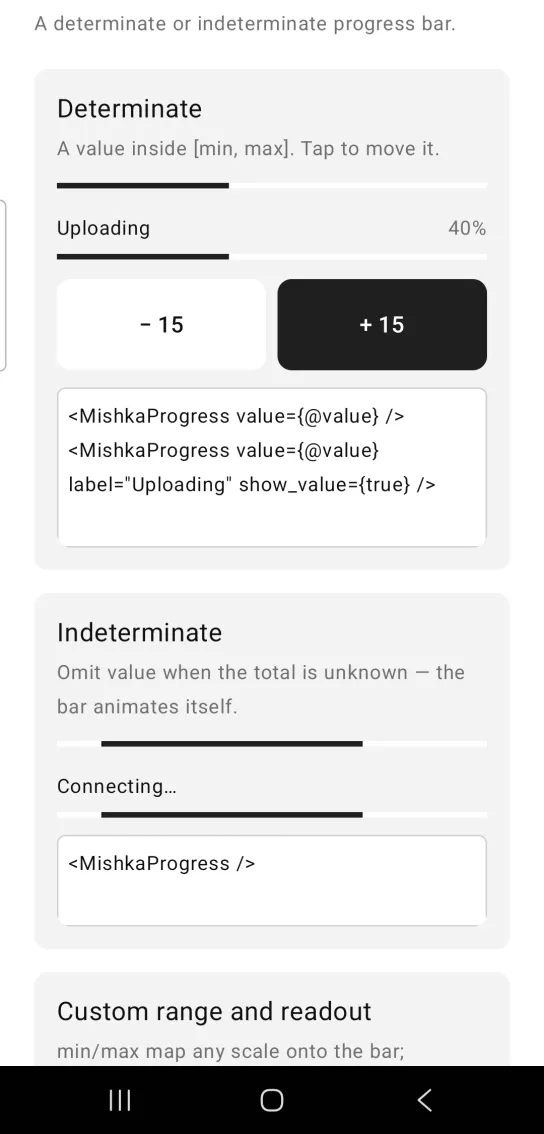
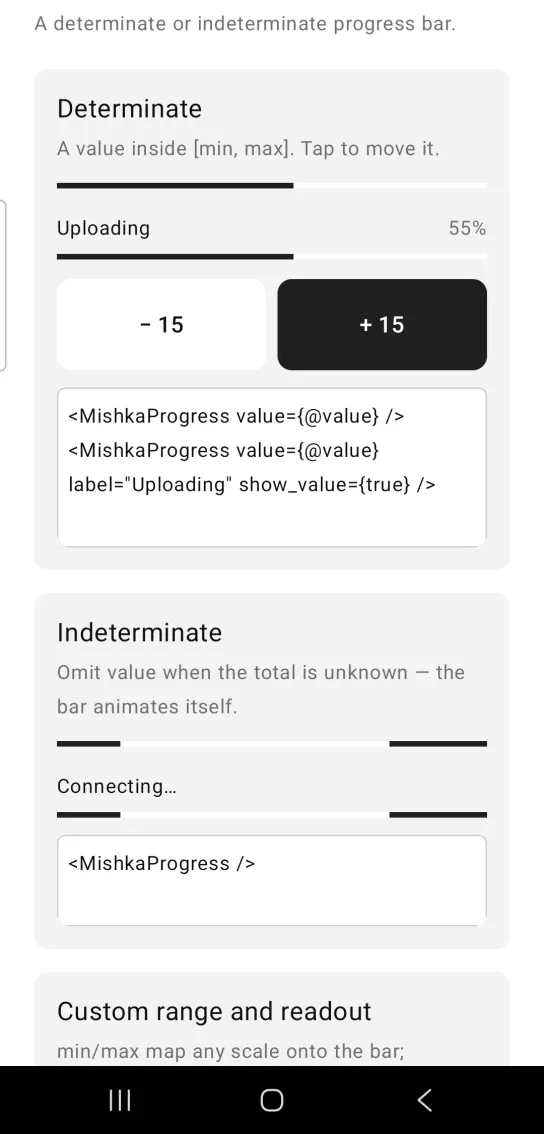
Left: the example as it loads. Right: after a tap. The bar follows the value the screen holds.
<MishkaProgress value={@value} />
<MishkaProgress value={@value} label="Uploading" show_value={true} />
Indeterminate progress bar
Leave out value when you do not know the total. The bar animates on its own. A label still appears above it, but there is no readout.
Indeterminate progress bar
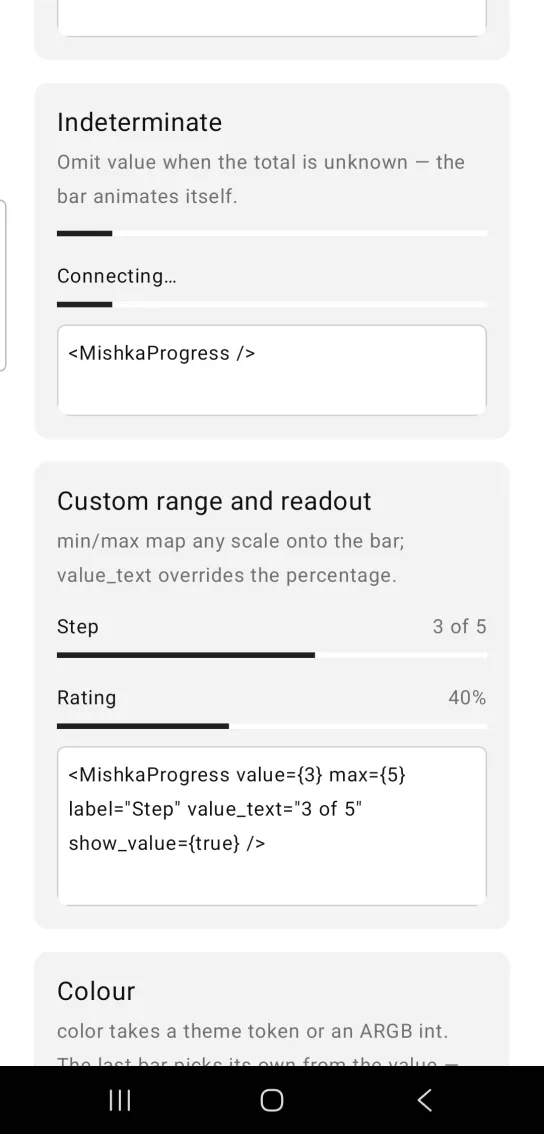
<MishkaProgress />Progress bar with a custom range and readout
min and max map any scale onto the bar, and value_text replaces the percentage, so a step counter can read 3 of 5. The screenshot also shows a rating bar with a range of 5 to 10.
Progress bar with a custom range and readout
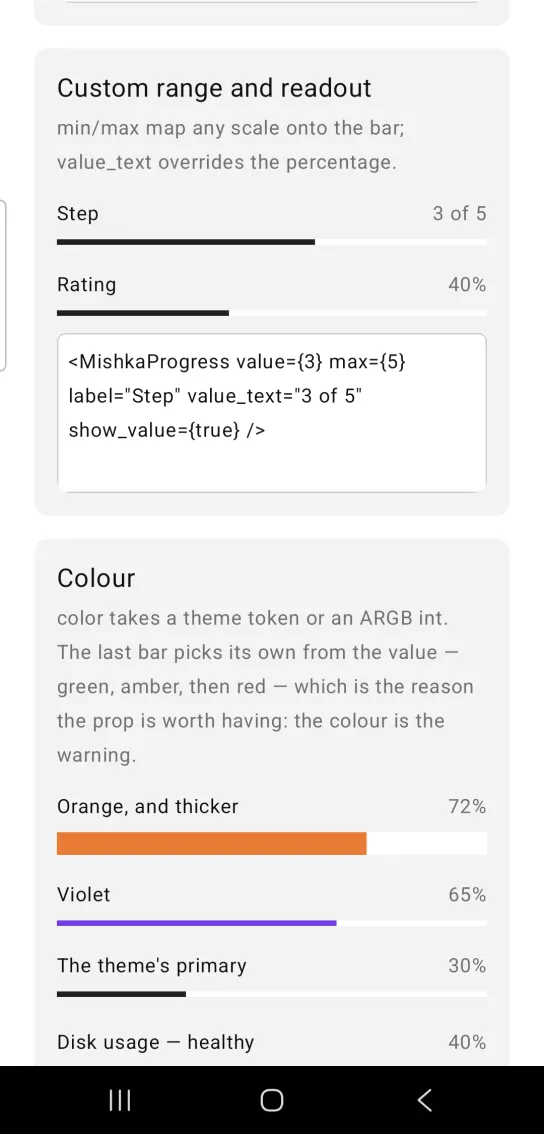
<MishkaProgress value={3} max={5} label="Step" value_text="3 of 5" show_value={true} />Progress bar color and height
color takes a theme token or an ARGB integer, and height sets the thickness of the bar. Without height, the bar uses the platform thickness of about 4 dp. The last bar in the screenshot picks its color from the value with the band/1 helper: green, then amber from 60, then red from 85. The color warns the reader before they read the number. On iOS the native bar ignores height. The next section covers the render prop.
Progress bar color and height
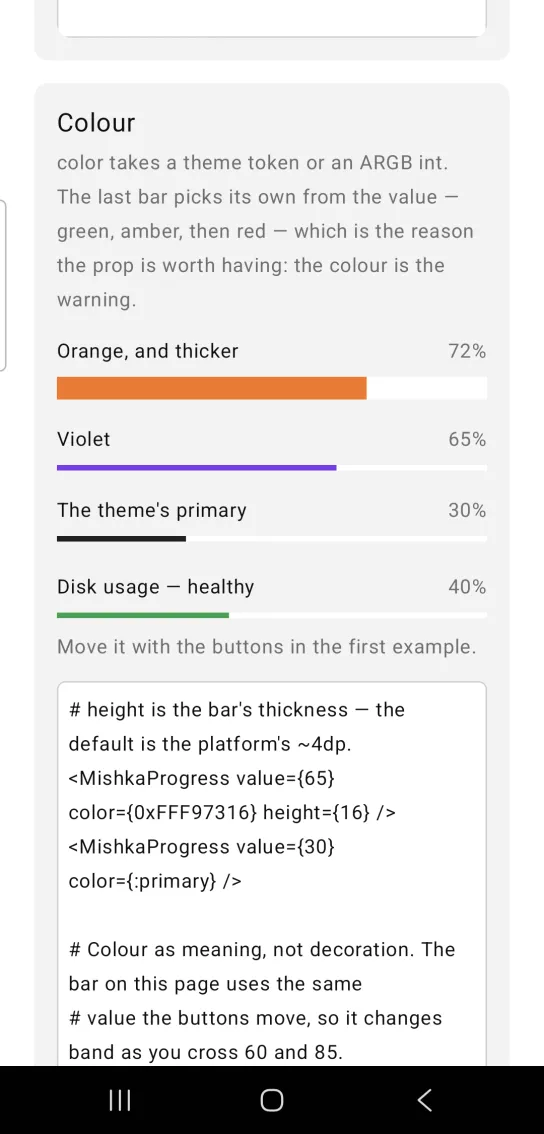
# height is the bar's thickness — the default is the platform's ~4dp.
<MishkaProgress value={65} color={0xFFF97316} height={16} />
<MishkaProgress value={30} color={:primary} />

# Colour as meaning, not decoration. The bar on this page uses the same
# value the buttons move, so it changes band as you cross 60 and 85.
defp band(value) when value >= 85, do: 0xFFDC2626
defp band(value) when value >= 60, do: 0xFFF59E0B
defp band(_value), do: 0xFF16A34A

<MishkaProgress value={@value} color={band(@value)} show_value={true} />
Draw the progress bar with render box
The native bar uses the platform's own track color, thickness and end caps, and color and height cannot change all of them. Set render={:box} to draw the bar from two Box nodes instead: a track, and a fill inside it. Then width, height, corner_radius, track_color and color describe the bar exactly.
<MishkaProgress value={40} render={:box} width={46} height={6} corner_radius={3} />- A drawn bar cannot animate. Keep the default
render={:progress}when the total is unknown, becauserender={:box}without avaluedraws an empty track. - A drawn bar at 0 percent has no fill node at all. At 100 percent the fill takes the whole track.
- A drawn bar inherits none of the platform bar's metrics, so it looks different from the native bar. The default stays
:progressandrender={:box}is opt-in. - Without
width, a drawn bar fills its parent. On iOS that form is not portable, because the fill has no width of its own there. Give the bar awidthon iOS.
Props
| Prop | Type | Default | Description |
|---|---|---|---|
value | number or nil | nil | Current value in [min, max]. nil draws the indeterminate bar. |
min | number | 0 | Lower bound. |
max | number | 100 | Upper bound. |
label | string | nil | Caption above the bar. |
show_value | boolean | false | Shows a readout beside the label. Ignored when the bar is indeterminate. |
value_text | string | nil | Replaces the readout. The default readout is a rounded percentage. |
color | color token or ARGB integer | Platform default (:primary) | Indicator color. With render={:box} it fills the bar. |
height | number | Platform default (about 4), or 4 with render={:box} | Bar thickness. On iOS only render={:box} applies it. |
render | :progress or :box | :progress | Which primitive draws the bar: the native indicator, or a track Box with a fill Box inside it. |
width | number | nil | Bar width in dp or pt. nil fills the parent. Android applies it in both modes. iOS applies it only with render={:box}. |
track_color | color token or ARGB integer | :surface_raised | The groove behind the fill. Applies only with render={:box}, because the native indicator draws its own track. :transparent gives a bar with no track. |
corner_radius | number or radius token | nil (square) | Rounds the track and the fill alike. Applies only with render={:box}. |
id | string | nil | Test tag. With render={:box} the fill is also tagged <id>-fill, so a device test can read both frames. |
Differences from the web component
- The
*_classattributes are not ported. They style DOM parts. idis ported as a test tag. On the web it is anaria-labelledbyanchor.
Attributes
| Name | Type | Default | Values | Required | Description |
|---|---|---|---|---|---|
value
|
number or nil
| — | — | No | Current value in `[min, max]`. `nil` = indeterminate. |
min
|
number
|
0
| — | No | Lower bound. |
max
|
number
|
100
| — | No | Upper bound. |
label
|
string
| — | — | No | Caption above the bar. |
show_value
|
boolean
|
false
| — | No | Render a readout beside the label. |
value_text
|
string
| — | — | No | Overrides the readout (default is a rounded percentage). |
color
|
color token / ARGB int
|
platform default (:primary)
| — | No | Indicator colour. In `render={:box}` it fills the bar. |
height
|
number
|
platform default (~4); 4 under render={:box}
| — | No | Bar thickness. |
render
|
:progress :box
|
:progress
| — | No | Which primitive draws the bar — Material's indicator, or a track `Box` with a fill `Box` in it. See "Material's bar is Material's bar" below. |
width
|
number
| — | — | No | Bar width in dp/pt. `nil` fills the parent, as before. Honoured in both modes on Android; on iOS only by `:box` (see "Platform note"). |
track_color
|
color token / ARGB int
|
:surface_raised
| — | No | The groove behind the fill. **`:box` only** — the native indicator draws its own track and exposes no prop for it. `:transparent` gives a trackless bar. |
corner_radius
|
number / radius token
|
nil (square)
| — | No | Rounds track and fill alike. **`:box` only.** |
id
|
string
| — | — | No | Test tag. `:box` additionally tags the fill `<id>-fill` — see "A drawn bar has nothing to assert on but its geometry". |
Options
Each option takes one or more of its values, separated by commas.
| Option | Values |
|---|---|
--type
|
progress
|
--module
| A module name of your own |
What it generates
mix mishka.ui.gen.mob progress