JSON input
v0.0.10
mix mishka.ui.gen.mob json_input
The Mishka Chelekom Mob JSON Input is a multiline text field for JSON that shows an error state when the text does not parse, on iOS and Android. It is the native port of the headless JSON Input and runs on Mob.
Overview of the Mob JSON Input component for iOS and Android
The field holds raw text. Your screen owns that text and receives it on every keystroke. On each render, JSON Input parses the text with Jason.decode/1 and styles the result. Valid and blank text look normal. Invalid text turns the border to the error color and prints the parser's message under the field.
The web component leaves parsing to the server and runs no JavaScript. This port keeps the same division of labor: your Elixir code parses the text with Jason, and the native field only draws the result. The component calls Jason.decode/1, so your app needs Jason.
The field never reformats the text as you type, because that would move the cursor out from under you. Formatting is a deliberate action, such as a button or a blur, and format/1 does it. With lines above 1 the return key inserts a newline and does not submit, as a textarea does.
The screen owns the state, and events arrive in handle_info/2. See the Mob documentation for how screens work.
Generate the JSON input component
Run this from your Mob app's root to add the component to lib/<app>/components/:
mix mishka.ui.gen.mob json_inputThe generator registers the tag, so you can use it in ~MOB markup. It also copies the shared Event helper module that JSON Input uses to wire on_change. The examples on this page use the mishka_ prefix of the showcase app (--module-prefix mishka_), so the tag is <MishkaJsonInput>. Without a prefix, the tag is <JsonInput>.
Valid JSON in a JSON input
Parsing is Jason's job, the same division of labor the web version keeps. The field reports each keystroke as {:change, :json, text}, the screen stores the raw text, and validate/1 returns {:ok, term} for valid JSON.
Valid JSON in a JSON input
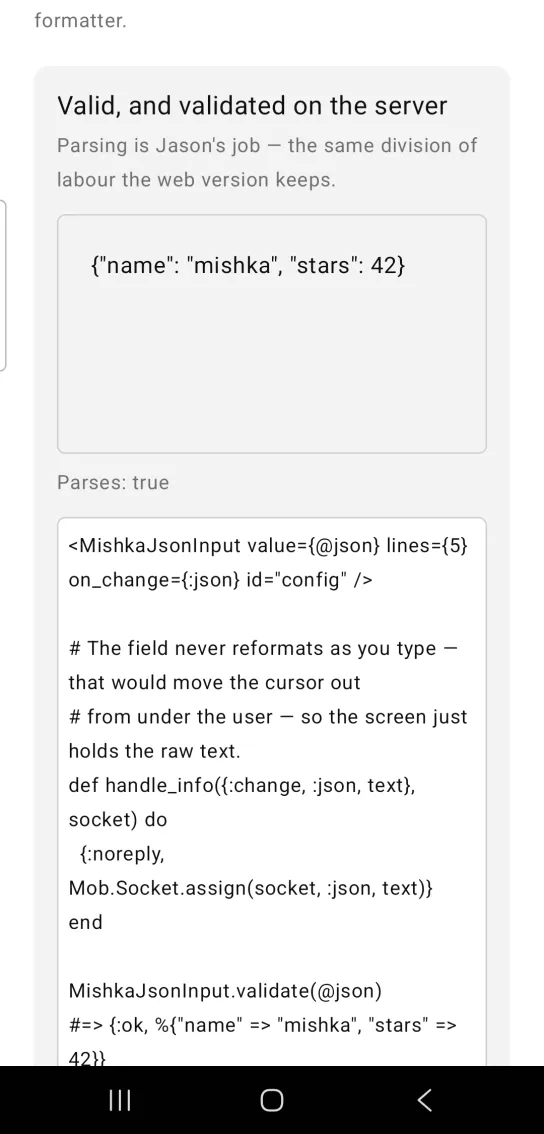
<MishkaJsonInput value={@json} lines={5} on_change={:json} id="config" />

# The field never reformats as you type — that would move the cursor out
# from under the user — so the screen just holds the raw text.
def handle_info({:change, :json, text}, socket) do
  {:noreply, Mob.Socket.assign(socket, :json, text)}
end

MishkaJsonInput.validate(@json)
#=> {:ok, %{"name" => "mishka", "stars" => 42}}
Invalid JSON shows the parser message
Invalid text turns the border and the message to the error color, and the parser's own message appears under the field. Both use the :error theme token, so they follow the light and dark themes. A blank field is not an error, because an untouched field is not a mistake.
Invalid JSON shows the parser message
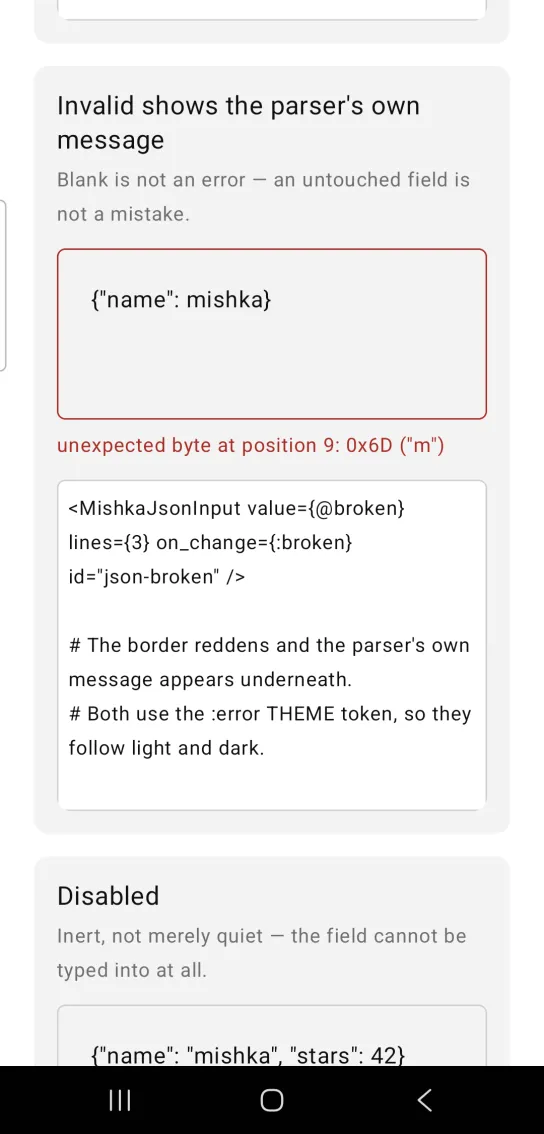
<MishkaJsonInput value={@broken} lines={3} on_change={:broken} id="json-broken" />

# The border reddens and the parser's own message appears underneath.
# Both use the :error THEME token, so they follow light and dark.
Disabled JSON input
A disabled field is inert, so you cannot type into it. JSON Input sets enabled={false} on the field and drops the on_change handler.
Disabled JSON input
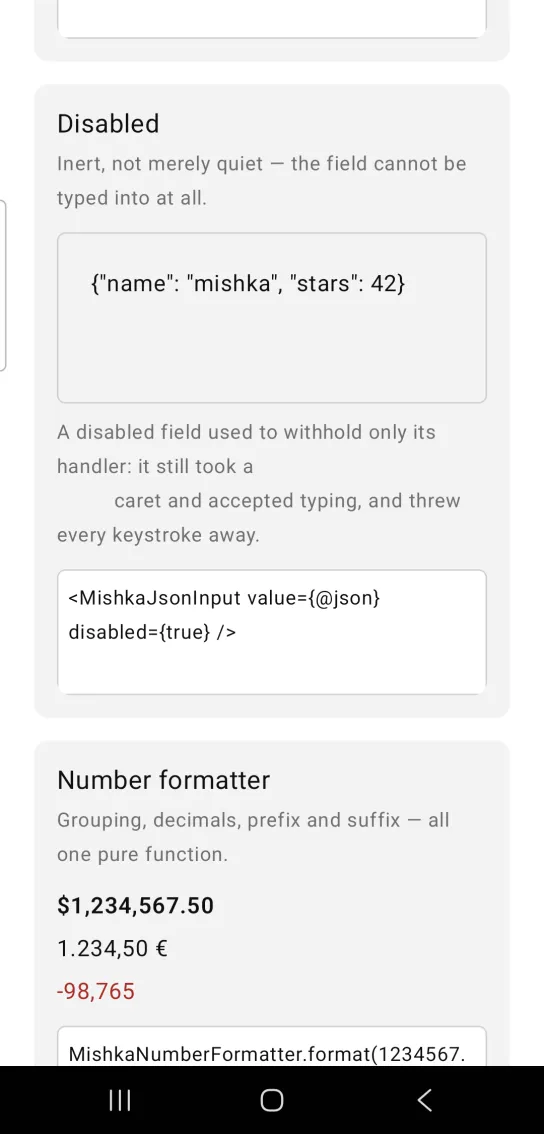
<MishkaJsonInput value={@json} disabled={true} />Validate and format JSON in your screen
validate/1 returns {:ok, term}, {:error, message} or :empty. Blank text is :empty and not an error. A bare scalar such as 42 is valid JSON and returns {:ok, 42}. format/1 pretty prints the text, or returns it untouched when it does not parse.
MishkaJsonInput.validate(~s({"a": 1}))
#=> {:ok, %{"a" => 1}}

MishkaJsonInput.validate("   ")
#=> :empty

MishkaJsonInput.validate("42")
#=> {:ok, 42}

MishkaJsonInput.format(~s({"a":1}))
#=> "{\n  \"a\": 1\n}"

MishkaJsonInput.format("{oops}")
#=> "{oops}"
invalid?/2 decides whether the field shows its error state. An explicit invalid prop wins, and otherwise the parse decides. invalid: true on text that parses means you know something the parser does not, such as a schema that rejected it. In that case the field only tints, unless you also pass an error_text to show.
A page can show several of these fields at once. Give the field an id and error_id(id) returns the test tag of its message.
MishkaJsonInput.error_id("config")
#=> "config-error"
Props
| Prop | Type | Default | Description |
|---|---|---|---|
value | string | "" | The raw text. Never reformatted as you type. |
lines | integer | 6 | Height of the field in rows. |
placeholder | string | "{ }" | Hint shown while the field is empty. |
invalid | boolean | Derived | Forces the error state. Otherwise validate/1 decides. |
error_text | string | The parser's message | What to show under the field. |
show_error | boolean | true | Whether to render the message at all. |
disabled | boolean | false | Mutes the field and removes its handler. |
on_change | event tag | None | Sends {:change, tag, text} on every keystroke. |
error_color | color token or ARGB int | :error | The invalid border and message. |
background | color | :surface | The field background. |
border_color | color | :border | The field border when it is valid. |
border_width | number | 1 | The field border width. |
padding | spacing | :space_sm | Padding inside the field. |
id | string | nil | Test tag on the field. The message gets <id>-error. |
Events
Your screen receives {:change, tag, text} in handle_info/2 on every keystroke. The field reports nothing without on_change, and a disabled field has no handler at all. Store the raw text and leave it alone.
def handle_info({:change, :json, text}, socket) do
  {:noreply, Mob.Socket.assign(socket, :json, text)}
end
Differences from the web component
nameandformare not ported, because they are form plumbing.idis ported as a test handle, and the error message gets<id>-error.- Multiline input works on Android only. See the warning in the overview for iOS.
Attributes
| Name | Type | Default | Values | Required | Description |
|---|---|---|---|---|---|
value
|
string
|
""
| — | No | The raw text. Never reformatted as you type. |
lines
|
integer
|
6
| — | No | Height of the field, in rows. |
placeholder
|
string
|
"{ }"
| — | No | Empty-state hint. |
invalid
|
boolean
|
derived
| — | No | Force the error state; otherwise `validate/1` decides. |
error_text
|
string
|
the parser's message
| — | No | What to show under the field. |
show_error
|
boolean
|
true
| — | No | Render the message at all. |
disabled
|
boolean
|
false
| — | No | Mutes and unwires. |
on_change
|
event tag (atom)
| — | — | No | `{:change, tag, text}` per keystroke. |
error_color
|
color token / ARGB int
|
:error
| — | No | The invalid border and message. |
background / border_color / border_width / padding
| — | — | — | No | The field. |
id
|
string
| — | — | No | Test tag on the field; the message gets `<id>-error`. |
Options
Each option takes one or more of its values, separated by commas.
| Option | Values |
|---|---|
--type
|
json_input
|
--module
| A module name of your own |
What it generates
mix mishka.ui.gen.mob json_input