Floating indicator
v0.0.10
mix mishka.ui.gen.mob floating_indicator
The Mob Floating Indicator in Mishka Chelekom marks one active target among several on iOS and Android screens built with Mob, in a horizontal row or a vertical stack. It is the native port of the headless Floating Indicator.
Overview of the Mob Floating Indicator component for iOS and Android
The web version measures the active target with a ResizeObserver and slides one absolutely positioned box over it. Mob reports no geometry back to render/1 and has no animation primitive, so neither half is available.
What the indicator is for is still available: exactly one target is highlighted, and it is the one that matches active. The Mob version draws that highlight as the active target's own background instead of a box flying over it. No measurement is needed, and there is still one highlight, never two. It does not slide.
Targets are maps with a label and a value. The active target gets the color background and a semibold label. Other targets are transparent with a muted, regular label. A target with disabled: true is muted and sends no event. The disabled prop does the same for the whole group.
The screen owns active. A tap on a target sends {:tap, {tag, value}}, and the screen assigns the new value. active?/2 is public so you can style anything else with the same rule: it returns true only when value equals a non-nil active.
Layout
In a row the targets split the group equally. Each one carries weight: 1, which is the row's own way to share its width. In a stack the targets keep their natural height and fill the width of the column, because a weight on a column's main axis would stretch them instead.
Generate the floating indicator component
Run this from your Mob app's root to add the component to lib/<app>/components/:
mix mishka.ui.gen.mob floating_indicatorThe generator registers the tag, so you can use it in ~MOB markup. It also copies the shared Event helper module. The examples on this page use the mishka_ prefix of the showcase app (--module-prefix mishka_), so the tag is <MishkaFloatingIndicator>. Without a prefix, the tag is <FloatingIndicator>.
Floating indicator with three targets
The active target draws its own highlight, so the group needs no measurement and exactly one target is highlighted.
A tap on a target sends {:tap, {:pick, value}}, and the handler assigns the new active value.
Floating indicator with three targets
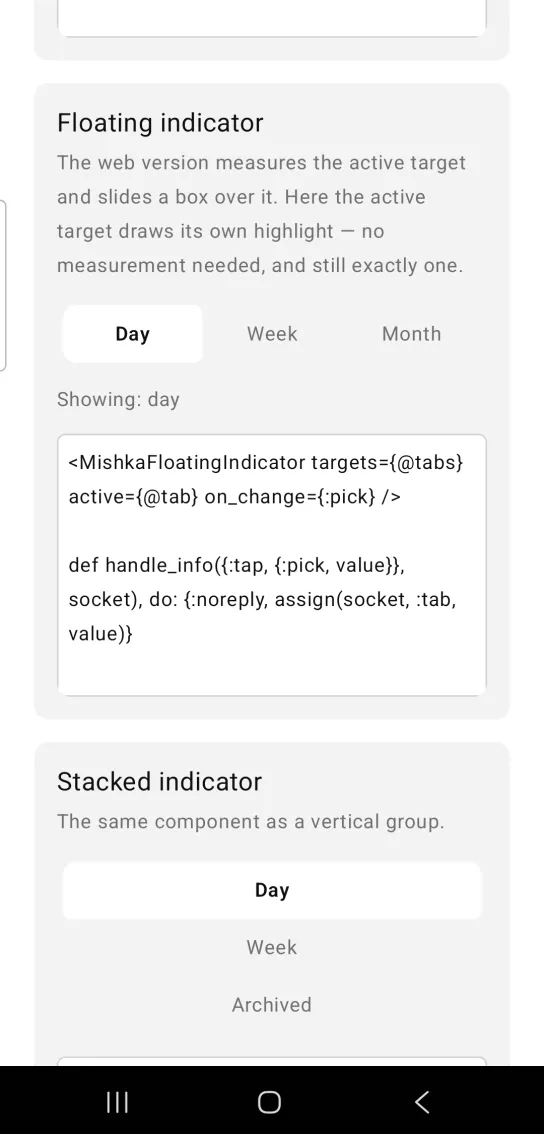
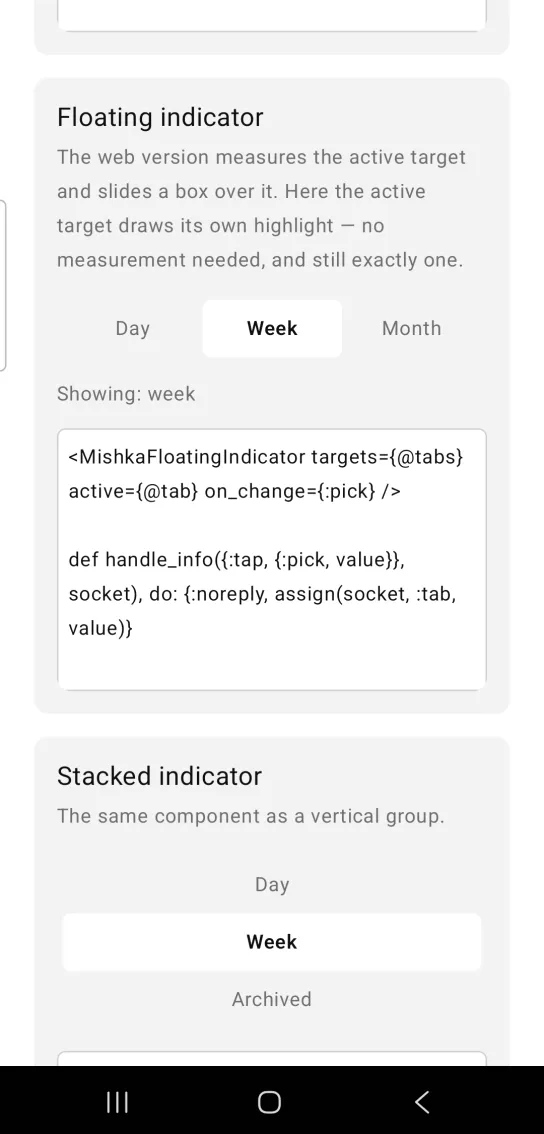
Left: the example as it loads. Right: after a tap. The active target draws its own highlight.
<MishkaFloatingIndicator targets={@tabs} active={@tab} on_change={:pick} />

def handle_info({:tap, {:pick, value}}, socket), do: {:noreply, assign(socket, :tab, value)}
Vertical floating indicator
Set orientation={:vertical} to stack the targets in a column instead of a row. A target with disabled: true stays muted and does not respond.
Vertical floating indicator
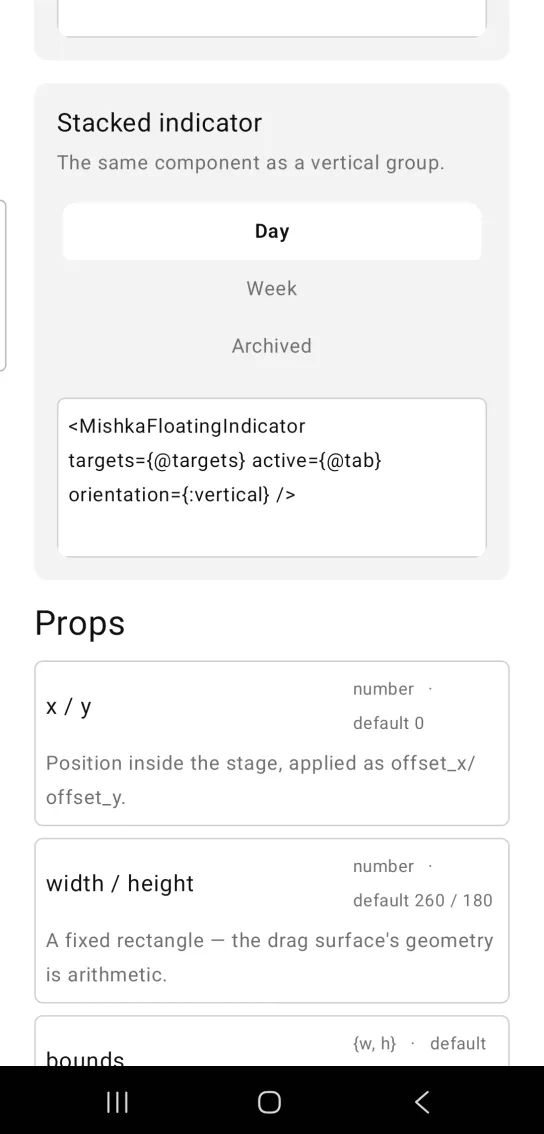
<MishkaFloatingIndicator targets={@targets} active={@tab} orientation={:vertical} />Props
| Prop | Type | Default | Description |
|---|---|---|---|
targets | list of maps with label and value | [] | The choices. A map may also set disabled: true. |
active | any value | nil | Which target is highlighted. Exactly one is. |
orientation | :horizontal or :vertical | :horizontal | Row or stack. In a row the targets share the width equally. |
color | color token or ARGB integer | :surface_raised | The highlight. |
disabled | boolean | false | Mutes every target and unwires them. |
on_change | event tag | none | Sent as {:tap, {tag, value}} when a user taps a target. |
active?/2
active?(value, active) returns true when value equals active and active is not nil. It is the component's whole semantics.
Events
Your screen receives {:tap, {tag, value}} in handle_info/2 when a user taps an enabled target. The tag is the one you set in on_change, and value is the target's own.
def handle_info({:tap, {:pick, value}}, socket) do
  {:noreply, Mob.Socket.assign(socket, :tab, value)}
end
Differences from the web component
The Mob Floating Indicator keeps the web component's rule of one highlight, with two changes:
- It does not measure the active target, because Mob reports no geometry back to
render/1. - It does not slide, because Mob has no animation primitive.
Attributes
| Name | Type | Default | Values | Required | Description |
|---|---|---|---|---|---|
targets
|
list of %{label:, value:}
|
[]
| — | No | The choices. |
active
|
value
| — | — | No | Which one is highlighted. |
orientation
|
:horizontal · :vertical
|
:horizontal
| — | No | Row or stack. |
color
|
color token / ARGB
|
:surface_raised
| — | No | The highlight. |
disabled
|
boolean
|
false
| — | No | Mutes and unwires. |
on_change
|
event tag (atom)
| — | — | No | `{:tap, {tag, value}}` on a target. |
Options
Each option takes one or more of its values, separated by commas.
| Option | Values |
|---|---|
--type
|
floating_indicator
|
--module
| A module name of your own |
What it generates
mix mishka.ui.gen.mob floating_indicator