Semi circle progress
v0.0.10
mix mishka.ui.gen.mob semi_circle_progress
The Mishka Chelekom Mob Semi Circle Progress is a half circle gauge for iOS and Android apps built with Mob. It draws a real arc on a canvas and reads out the value, and it is the native port of the headless Semi Circle Progress.
Overview of the Mob Semi Circle Progress component for iOS and Android
The gauge is a true half circle. The component draws two arcs on Mob.UI.canvas/1 with Mob.Canvas.arc/6, a track and an indicator, from 180° to 360°. Angles start at 0° on the right and sweep clockwise, so the arc bulges up and the flat side sits at the bottom.
The proportions come from the web component, which draws its arcs in a viewBox of 0 0 200 108. The height is 0.54 times size, the default thickness is 0.06 times size, and the radius is inset by one stroke width, which leaves half a stroke of clearance at the edge. The gauge keeps the same shape at any size.
The track has a flat butt cap and the indicator has a round cap, as on the web. At a zero sweep the component leaves the indicator out, because a round cap with nothing to stroke would paint a small dot.
The readout is a real Text stacked over the canvas. Text drawn inside a canvas is only a drawing, so the platform has nothing to announce and a device test has nothing to find. The readout is the rounded percentage unless you set value_text.
size is the width of the gauge in dp, 140 by default. A canvas has a fixed size, so the gauge is exactly size wide and centered. A label appears as a centered caption under the gauge.
The value goes through the same range math as Mob Progress, so it is clamped into [min, max]. Semi Circle Progress has no events. It is a display, so the screen owns the value and any buttons that change it.
Generate the semi circle progress component
Run this from your Mob app's root to add the component to lib/<app>/components/:
mix mishka.ui.gen.mob semi_circle_progressThe generator registers the <SemiCircleProgress> tag so you can use it in ~MOB markup. It also generates the Mob Progress component, because the gauge uses its range math. The examples on this page use the mishka_ prefix of the showcase app (--module-prefix mishka_), so the tag is <MishkaSemiCircleProgress>. Without a prefix the tag is <SemiCircleProgress>.
Semi circle progress gauge
Pass value and a label to draw the arc at the proportions of the web gauge. The gauge only displays the value, so the two buttons that change it by 15 belong to the screen. Clamp the value where you change it. The arc clamps what it draws, but an assign that keeps growing past 100 makes several taps do nothing before the arc moves again. The code below uses the showcase app's handle/2 callback. In your own screen, write those clauses as handle_info/2.
Semi circle progress gauge
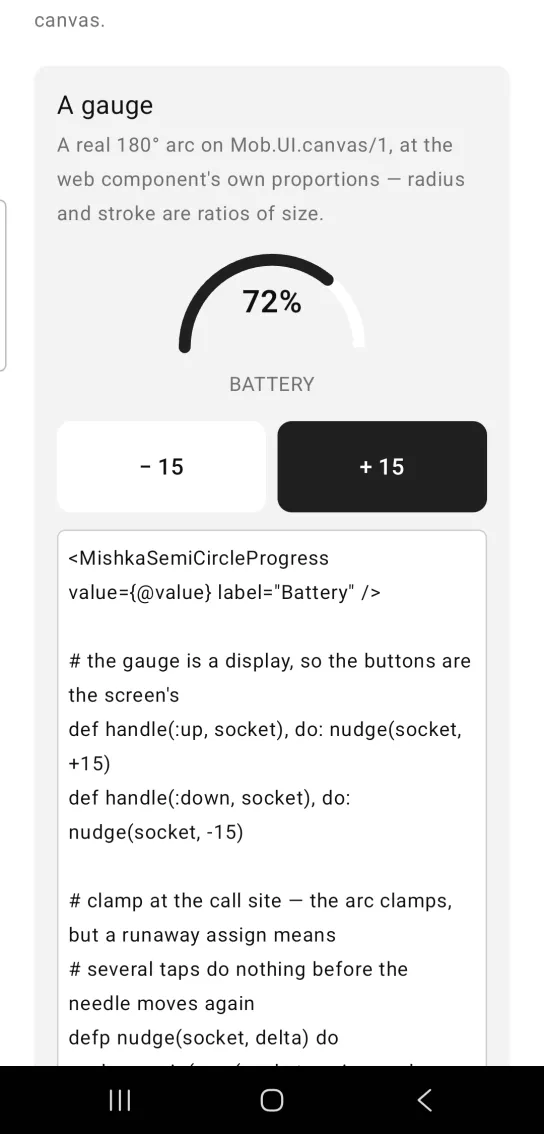
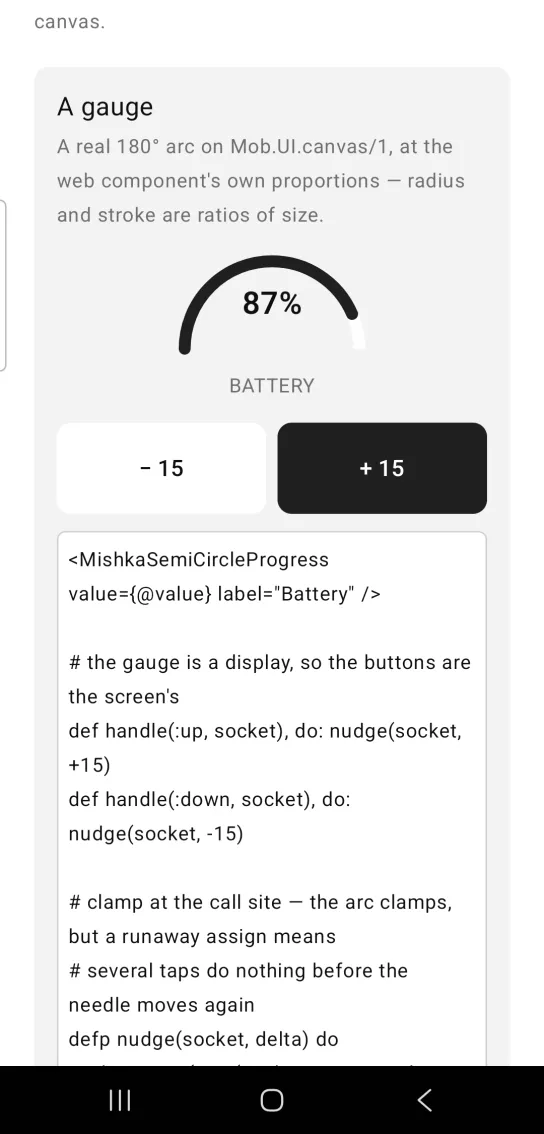
Left: the example as it loads. Right: after a tap. The arc follows the value the screen holds.
<MishkaSemiCircleProgress value={@value} label="Battery" />

# the gauge is a display, so the buttons are the screen's
def handle(:up, socket), do: nudge(socket, +15)
def handle(:down, socket), do: nudge(socket, -15)

# clamp at the call site — the arc clamps, but a runaway assign means
# several taps do nothing before the needle moves again
defp nudge(socket, delta) do
  value = min(max(socket.assigns.value + delta, 0), 100)
  Mob.Socket.assign(socket, :value, value)
end
Semi circle progress with a custom readout
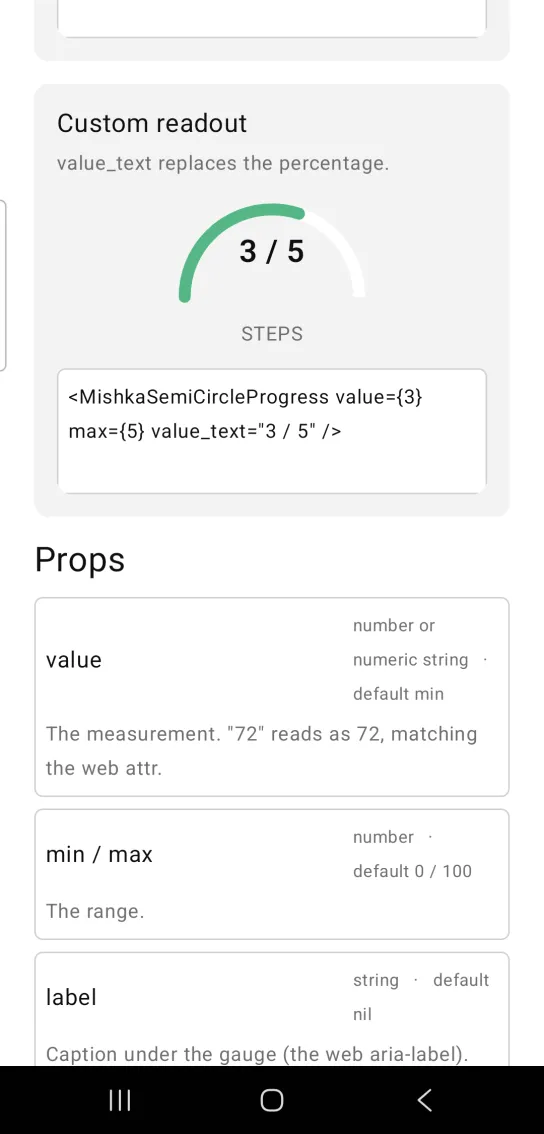
value_text replaces the percentage in the gauge. Here the range is 0 to 5, the value is 3 and the readout is 3 / 5. The screenshot also sets a STEPS caption and a green indicator with color.
Semi circle progress with a custom readout
<MishkaSemiCircleProgress value={3} max={5} value_text="3 / 5" />Props
| Prop | Type | Default | Description |
|---|---|---|---|
value | number or numeric string | min | The measurement. A numeric string such as "72" reads as 72, like the web attribute. |
min | number | 0 | Lower bound of the range. |
max | number | 100 | Upper bound of the range. |
label | string | nil | Caption under the gauge. It is the web component's aria-label, shown as visible text. |
value_text | string | nil | Replaces the readout. The default readout is a rounded percentage. |
color | color token or ARGB integer | :primary | Indicator color. |
size | number | 140 | Gauge width in dp. The height follows at 0.54 times the width, as the web viewBox does. |
thickness | number | 0.06 times size | Arc stroke width. It matches the web component's stroke-width of 12 in a w-48 box. |
Differences from the web component
- The
svg_class,track_class,indicator_class,label_classandidattributes are not ported. - The web
inner_blockslot, which holds an arbitrary centered readout, is a string here:value_text. labelis the web component'saria-label. Mob has no accessibility layer to announce it into, so the component renders it as a visible caption instead of dropping it.
Attributes
| Name | Type | Default | Values | Required | Description |
|---|---|---|---|---|---|
value
|
number or numeric string
|
min
| — | No | The measurement. |
min / max
|
number
|
0 / 100
| — | No | The range. |
label
|
string
| — | — | No | Caption under the gauge. |
value_text
|
string
| — | — | No | Overrides the readout (default is a rounded percentage). |
color
|
color token / ARGB int
|
:primary
| — | No | Indicator colour. |
size
|
number
|
140
| — | No | Gauge width in dp; height follows at `0.54 ×`. |
thickness
|
number
|
0.06 × size
| — | No | Arc stroke width. |
Options
Each option takes one or more of its values, separated by commas.
| Option | Values |
|---|---|
--type
|
semi_circle_progress
|
--module
| A module name of your own |
What it generates
mix mishka.ui.gen.mob semi_circle_progress