Separator
v0.0.10
The Mishka Chelekom Mob Separator is a rule for iOS and Android apps built with Mob. It divides groups of content with a horizontal or vertical line, optionally carrying a centered label, and it is the native port of the headless Separator.
Overview of the Mob Separator component for iOS and Android
A horizontal separator is a single line. With a label it becomes a line, the label and a second line, and the two lines share the leftover width so the label stays centered. A vertical separator sits between items in a Row. It needs a parent that gives it height, or an explicit length.
Style the rule with color, which takes a theme token or an ARGB integer and defaults to :border, and with thickness, which defaults to 1 dp or pt. On a labeled rule, space sets the gap between the label and the lines, and label_size, label_color and label_weight style the label.
By default a horizontal rule is Mob's <Divider> node. Set render={:box} to draw it as a filled Box instead. The two sections after the examples explain when to do that.
A separator draws a line and sends no events. It holds no text or state, so a device test has nothing to query. Give it an id to tag it. A labeled separator also tags its two lines <id>-line-start and <id>-line-end, which lets a test check that the label sits between two equal lines.
Generate the separator component
Run this from your Mob app's root to add the component to lib/<app>/components/:
mix mishka.ui.gen.mob separatorThe generator registers the <Separator> tag so you can use it in ~MOB markup. The examples on this page use the mishka_ prefix of the showcase app (--module-prefix mishka_), so the tag is <MishkaSeparator>. Without a prefix the tag is <Separator>.
Plain separator
A bare MishkaSeparator draws a horizontal rule. Here it divides two blocks of text.
Plain separator
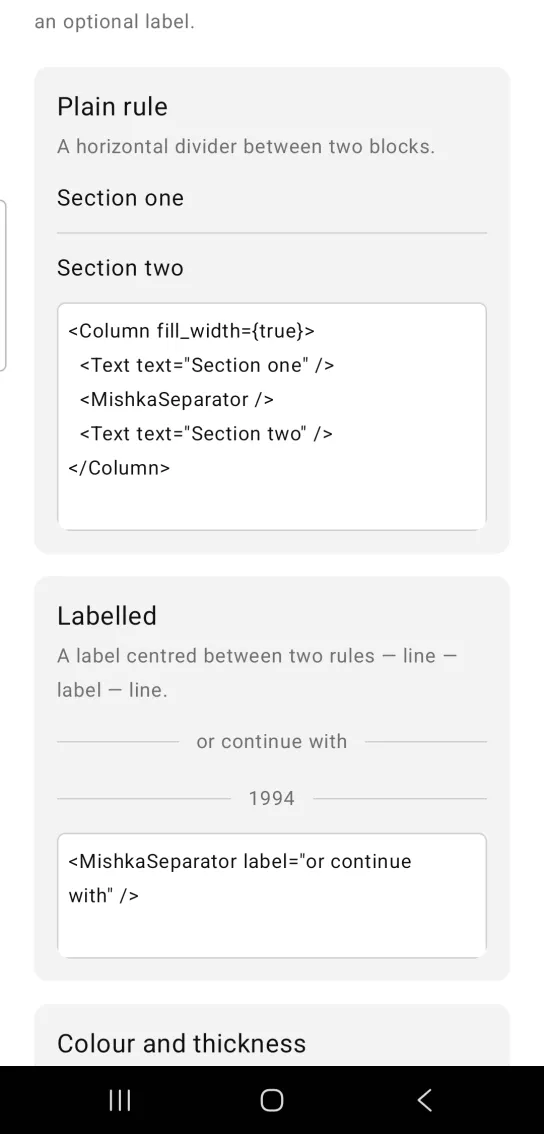
<Column fill_width={true}>
  <Text text="Section one" />
  <MishkaSeparator />
  <Text text="Section two" />
</Column>
Labeled separator
Set label to draw a line, the label and a second line, with the label centered between them. space sets the gap between the label and the lines, which is 12 by default. The screenshot also shows a separator labeled 1994. On iOS, this form needs render={:box}. The section on separators on iOS explains why.
Labeled separator
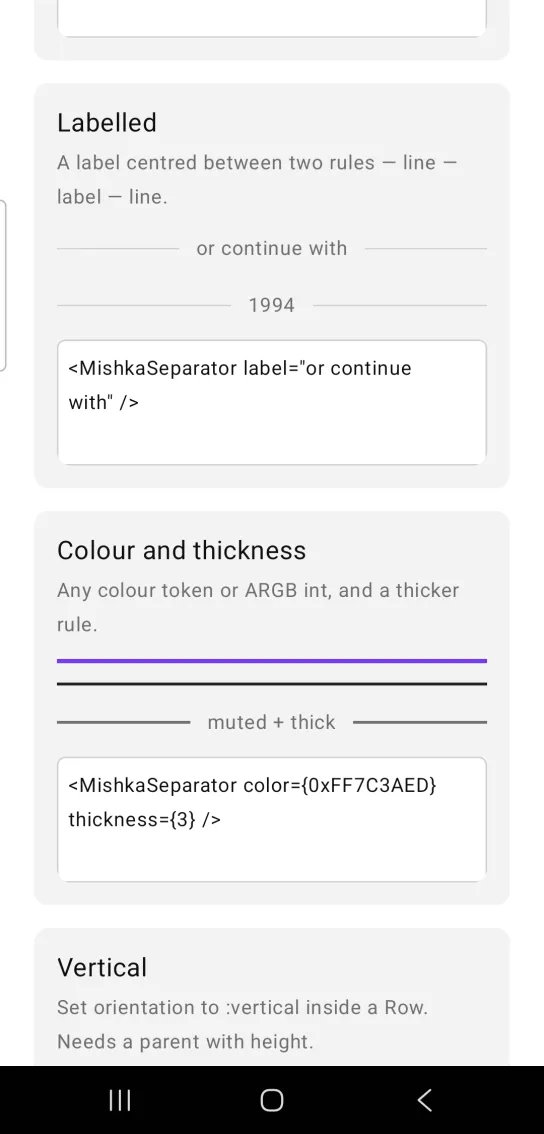
<MishkaSeparator label="or continue with" />Separator color and thickness
color takes a theme token or an ARGB integer, and thickness sets how thick the rule is, in dp or pt. This rule is violet with a thickness of 3. The screenshot also shows a rule in the primary color at thickness 2 and a muted labeled rule at thickness 2.
Separator color and thickness
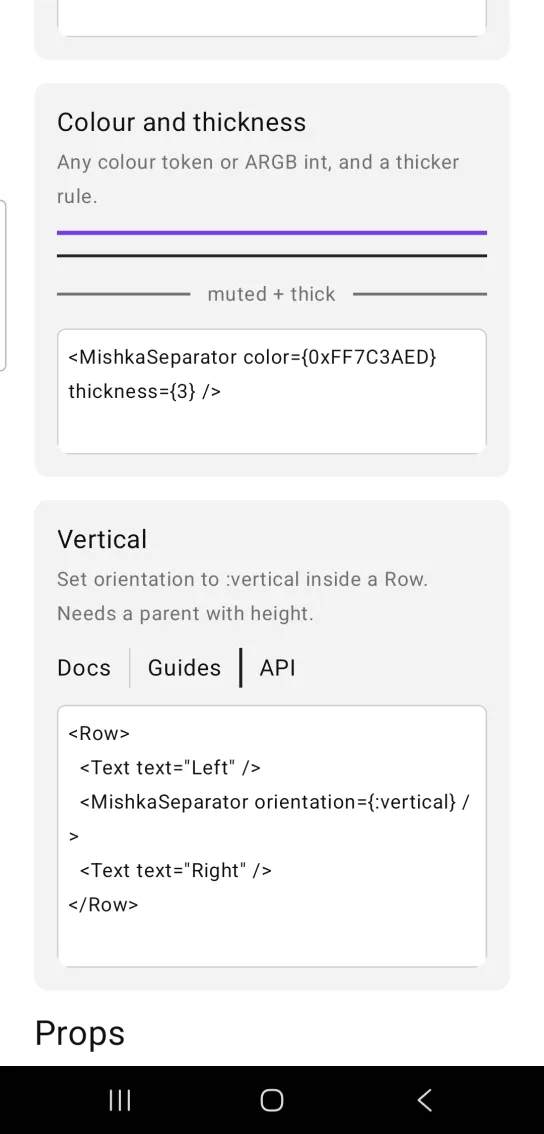
<MishkaSeparator color={0xFF7C3AED} thickness={3} />Vertical separator
Set orientation to :vertical to draw a rule between items in a Row. A vertical rule needs a parent that gives it height. The code here shows the Row alone, and the showcase screen puts it in a Box with a height of 28. Set length to give the rule its own height. On iOS, a vertical rule needs length. The section on separators on iOS explains why.
Vertical separator
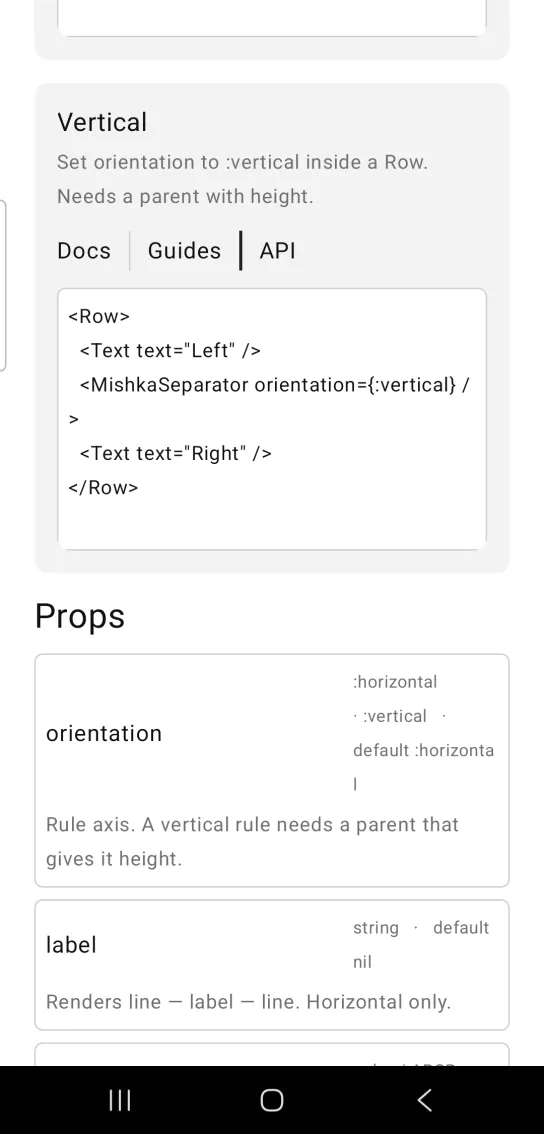
<Row>
  <Text text="Left" />
  <MishkaSeparator orientation={:vertical} />
  <Text text="Right" />
</Row>
Draw the separator with render box
On Android, <Divider> is Material 3's HorizontalDivider, which draws an antialiased stroke instead of a filled rectangle. At a screen density of 2.6875, a 1 dp rule gets a canvas 3 pixels tall and a stroke 2.6875 pixels wide. The bottom pixel row ends up about 69% covered, so it is slightly lighter than the two rows above it. No mix of color and thickness gives a crisp one-pixel line, because the softness comes from the primitive.
Set render={:box} to draw a background-filled Box, a rectangle with no antialiased edge, so every pixel row has the full color. It applies to the plain rule and to both lines of a labeled rule. A vertical rule is a Box either way and ignores render.
<MishkaSeparator render={:box} />
<MishkaSeparator render={:box} label="or continue with" />- A
:boxrule reads a shade heavier. At the samethicknessthe divider paints two full rows and one row at about 69%, and the box paints three full rows. - A horizontal divider and a vertical rule that share one
colorand onethicknessrender as two slightly different grays, because the vertical rule is already aBox.render={:box}makes them agree. - The default stays
:divider, because the plain rule works on iOS with it.
Use separators on iOS
- The plain horizontal rule works.
- The vertical rule renders 1 pt wide and 0 pt tall, so it is invisible. Set
length. A rule with alengthcarries both a width and a height, and iOS sizes it. - The two lines of a labeled rule come out as 1 pt by 1 pt ticks. SwiftUI's
Dividerdraws along the axis of its container, so inside theRowthat centers the label it becomes a vertical hairline.render={:box}fixes this, because aBoxhas no opinion about its container's axis. - The iOS renderer does not read
weight, so the two lines cannot share the leftover width that way.render={:box}avoids the problem. This comes from reading the renderer code and is not confirmed on a device.
<MishkaSeparator orientation={:vertical} length={24} />
<MishkaSeparator label="or continue with" render={:box} />
Props
| Prop | Type | Default | Description |
|---|---|---|---|
orientation | :horizontal or :vertical | :horizontal | Rule axis. A vertical rule needs a parent that gives it height, such as a Row, unless length is set. |
label | string | nil | Draws a line, the label and a second line. Horizontal only. |
color | color token or ARGB integer | :border | Rule color. |
thickness | number | 1 | Rule thickness in dp or pt. |
space | number | 12 | Gap between the label and the lines. |
render | :divider or :box | :divider | Which primitive draws a horizontal rule: a Material divider, which is a stroke, or a filled Box, which is a rectangle. A vertical rule ignores it. |
length | number | nil | Explicit length of a vertical rule in dp or pt. nil fills the height of the parent. |
label_size | text size token or number | :sm | Label text size. |
label_color | color token or ARGB integer | :muted | Label color. |
label_weight | :bold, :semibold, :medium, :light, :thin or :regular | nil | Label font weight. The component sends it as font_weight, never as weight, because a bare weight on a Text is a layout weight to the parent Row. nil omits the prop. |
id | string | nil | Test tag. A labeled rule also tags its lines <id>-line-start and <id>-line-end. |
Differences from the web component
decorativeis not ported. On the web it only changesrole="separator"torole="none"for screen readers, and Mob exposes no such role on a divider.- The headless
classandlabel_classattributes do not exist here. The propscolor,thickness,label_color,label_sizeandlabel_weightstyle the rule and its label.
Attributes
| Name | Type | Default | Values | Required | Description |
|---|---|---|---|---|---|
orientation
|
:horizontal :vertical
|
:horizontal
| — | No | Rule axis. A vertical rule needs a parent that gives it height (a `Row`) unless `length` is set. |
label
|
string
| — | — | No | Renders line — label — line. Horizontal only. |
color
|
color token / ARGB int
|
:border
| — | No | Rule colour. |
thickness
|
number
|
1
| — | No | Rule thickness in dp/pt. |
space
|
number
|
12
| — | No | Gap between the label and the lines. |
render
|
:divider :box
|
:divider
| — | No | Which primitive draws a **horizontal** rule — a Material divider (a stroke) or a filled `Box` (a rect). See "A stroke is not a hairline" below. Ignored by a vertical rule, which is a `Box` either way. |
length
|
number
| — | — | No | Explicit length of a **vertical** rule, in dp/pt. `nil` fills the parent's height, as before. |
label_size
|
text-size token / number
|
:sm
| — | No | Label text size. |
label_color
|
color token / ARGB int
|
:muted
| — | No | Label colour. |
label_weight
|
:bold :semibold :medium :light :thin :regular
| — | — | No | Label font weight. Emitted as `font_weight`, never as `weight` — a bare `weight` on a `Text` is read by the parent `Row` as a *layout* weight and would fight the two lines for the leftover width. `nil` omits the prop entirely. |
id
|
string
| — | — | No | Test tag. The labelled variant also tags each line. |
Options
Each option takes one or more of its values, separated by commas.
| Option | Values |
|---|---|
--type
|
separator
|
--module
| A module name of your own |
What it generates
mix mishka.ui.gen.mob separator