Toast
v0.0.10
Toast is a Mishka Chelekom component for Mob that stacks short messages against the top or bottom edge of an iOS or Android screen. It is the native port of the headless Toast, drawn with Jetpack Compose on Android and SwiftUI on iOS.
Overview of the Mob Toast component for iOS and Android
<MishkaToast> renders a viewport of the toasts you give it. Each toast is a card with a colored accent bar, an optional title and description, and a dismiss control. The variant key sets the bar color: :info (the default), :success, :warning or :danger.
Your screen owns the toast list. Keep it in the screen's assigns, pass it as toasts, and change it from handle_info/2. An empty list renders an empty Column.
The web component runs a queue in JavaScript that caps the visible count, collapses repeats and dismisses toasts after a delay. On a phone those jobs belong to the screen, so the generated file also defines a nested Queue module of pure functions over a list of toasts. push/3 adds a toast and applies limit and dedup_key, dismiss/2 removes one by id, and expire/3 drops every toast that has outlived its duration.
Timers belong to the screen too. A component that started its own timer would start one on every render, so you schedule the sweep yourself with Process.send_after/3.
The viewport stacks the cards in a Column pinned to the top or bottom of a box that fills its parent, so it draws over the page the way the drawer and the dialog do. Return it from the root Box of your screen.
Generate the toast component
Run this from your Mob app's root to add the component to lib/<app>/components/:
mix mishka.ui.gen.mob toastThe generator registers the tag, so you can use it in ~MOB markup. It defines the nested Toast.Queue module in the same file. The dismiss control is an Action Icon, so the generator creates that component too, along with the shared Event helpers. The examples on this page use the mishka_ prefix of the showcase app (--module-prefix mishka_), so the tag is <MishkaToast>. Without a prefix, the tag is <Toast>.
Stack a few toasts
The viewport renders whatever list the screen holds. Each button in this example pushes a toast with a different variant onto the list with Queue.push/3. The showcase draws the viewport from its overlay/1 callback, which puts it over the whole page.
The ✕ on a card sends {:tap, {tag, toast_id}}, so one :drop clause handles every card. The code on this page uses the showcase app's handle/2 callback. In your own screen, write these clauses as handle_info/2.
Stack a few toasts
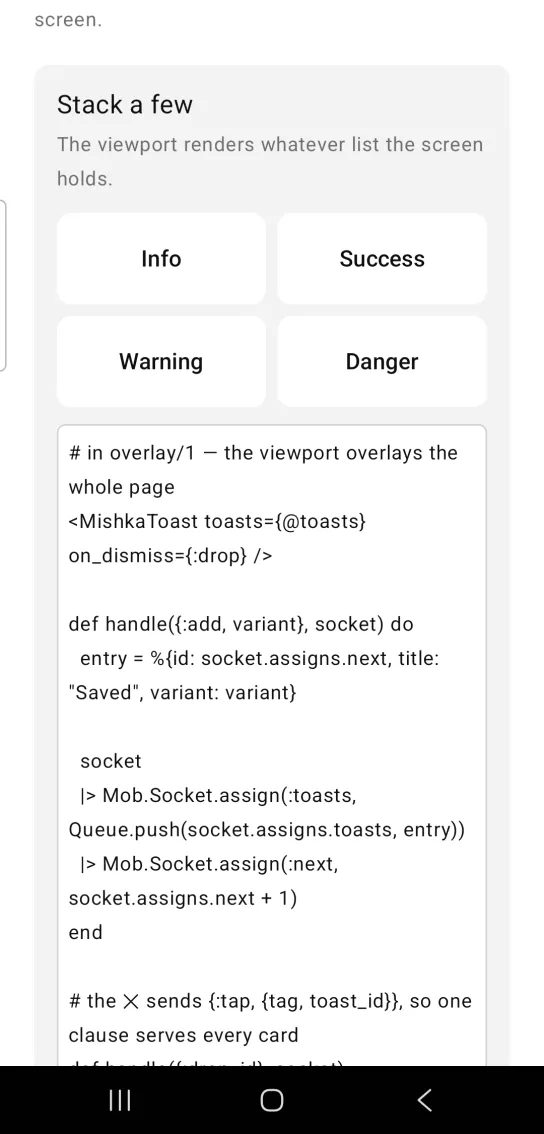
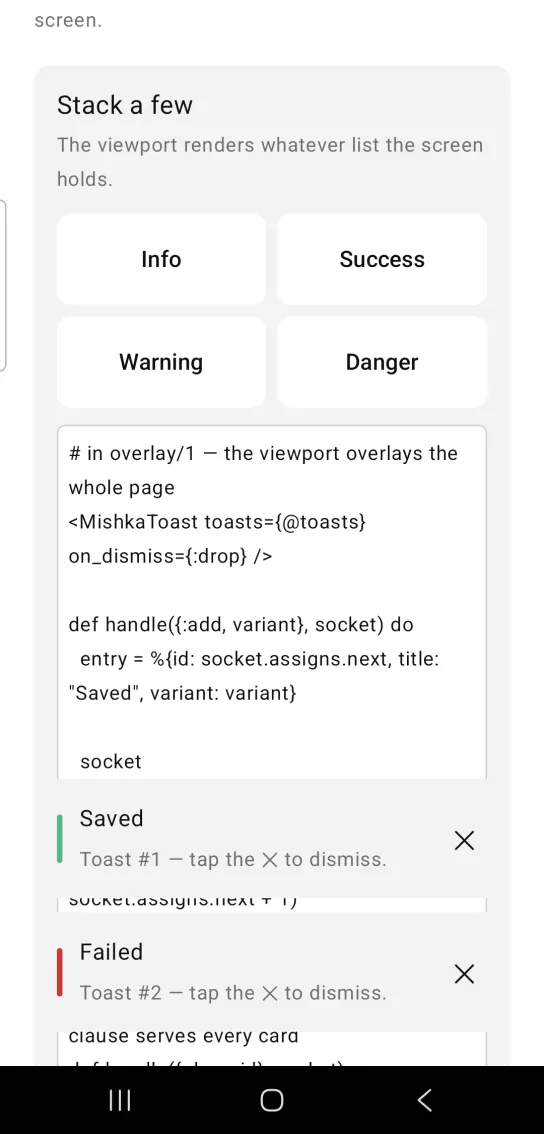
Left: the example as it loads. Right: after a tap. Toasts stack at an edge of the screen.
# in overlay/1 — the viewport overlays the whole page
<MishkaToast toasts={@toasts} on_dismiss={:drop} />

def handle({:add, variant}, socket) do
  entry = %{id: socket.assigns.next, title: "Saved", variant: variant}

  socket
  |> Mob.Socket.assign(:toasts, Queue.push(socket.assigns.toasts, entry))
  |> Mob.Socket.assign(:next, socket.assigns.next + 1)
end

# the ✕ sends {:tap, {tag, toast_id}}, so one clause serves every card
def handle({:drop, id}, socket),
  do: Mob.Socket.assign(socket, :toasts, Queue.dismiss(socket.assigns.toasts, id))
Capped and deduplicated toasts
Pass limit: 3 to Queue.push/3 to keep only the newest three toasts and drop the oldest. Pass dedup_key: :title and a new toast replaces an existing one with the same title instead of stacking a duplicate. A toast whose key is nil never matches another, so toasts without that key stack normally.
Capped and deduplicated toasts
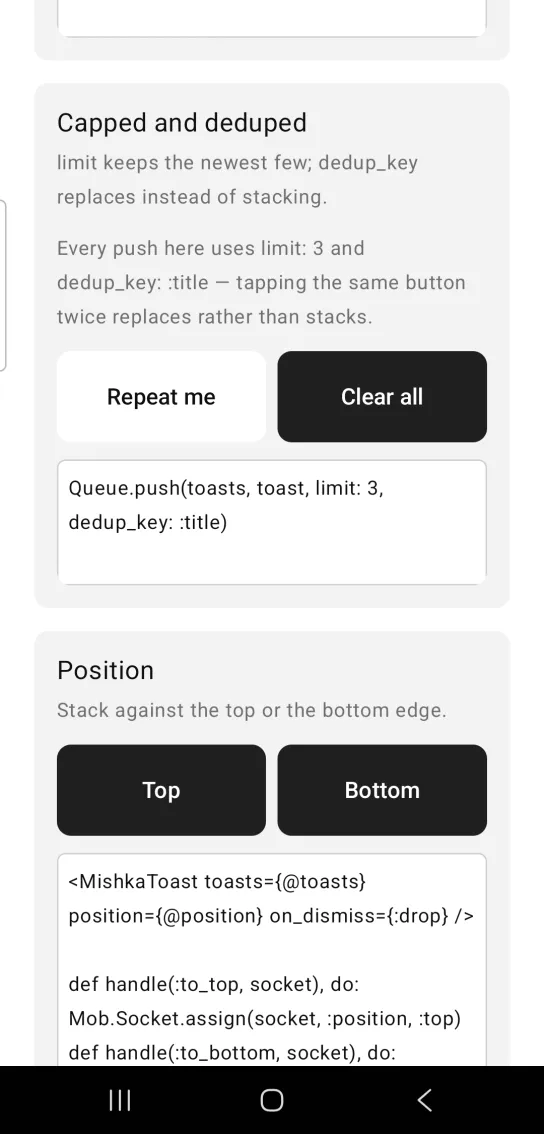
Queue.push(toasts, toast, limit: 3, dedup_key: :title)Toast position
Set position to :top or :bottom (the default) to choose the edge the stack sits against. Keep the position in an assign and change it from a handler.
Toast position
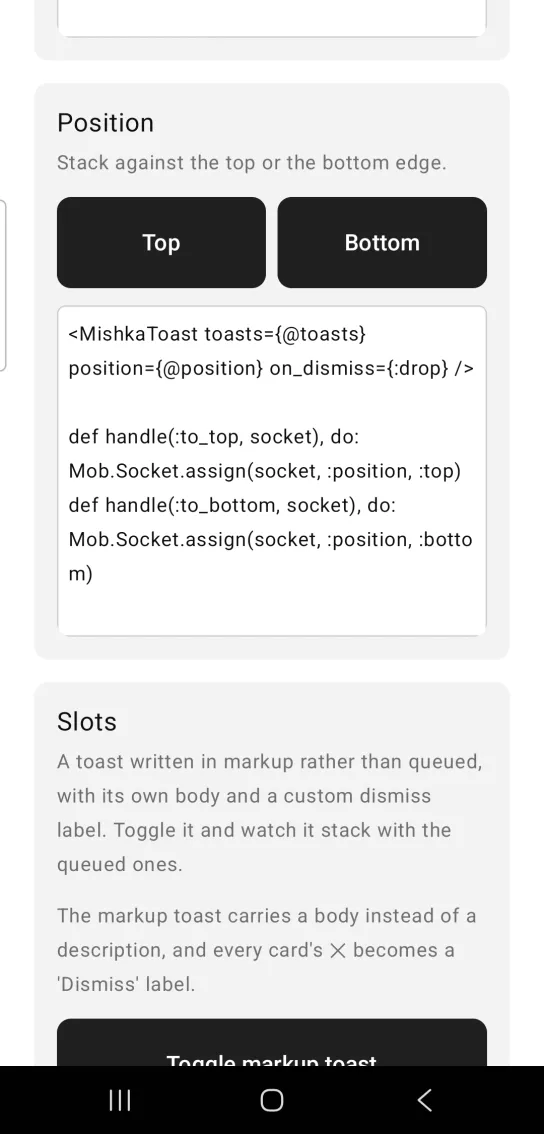
<MishkaToast toasts={@toasts} position={@position} on_dismiss={:drop} />

def handle(:to_top, socket), do: Mob.Socket.assign(socket, :position, :top)
def handle(:to_bottom, socket), do: Mob.Socket.assign(socket, :position, :bottom)
Toast slots
Two slot tags let you write markup instead of building maps. <MishkaToastItem> is one toast written in markup. It takes the same keys as a queued toast (id, title, description, variant and duration) and its children are the body. A title stays as a header above the body. With no title, the body is the whole card. Static items render before the queued ones.
<MishkaToastClose> replaces the ✕ on every card with content you write, here a Dismiss label.
Toast slots
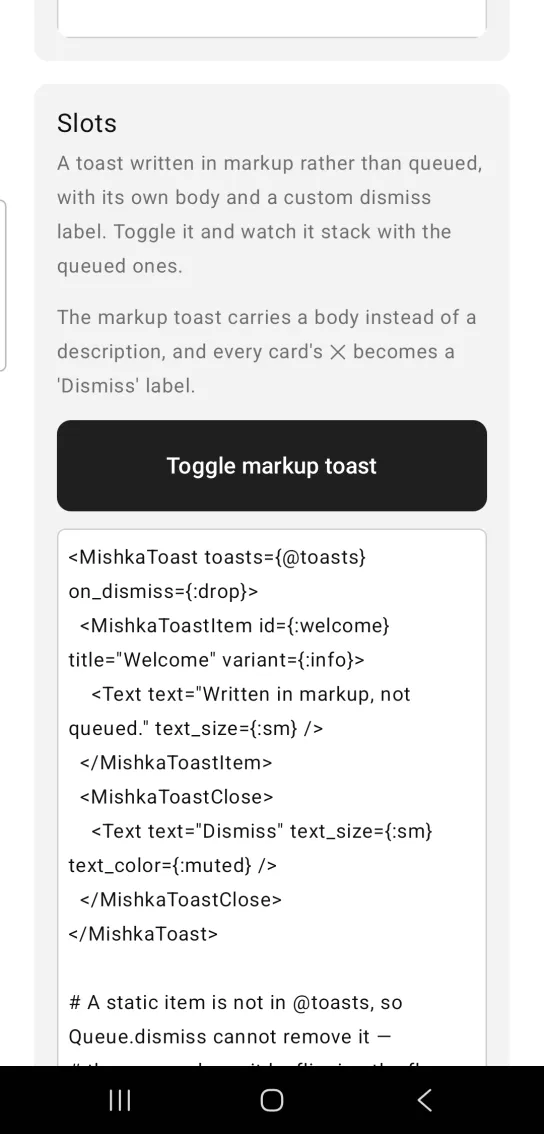
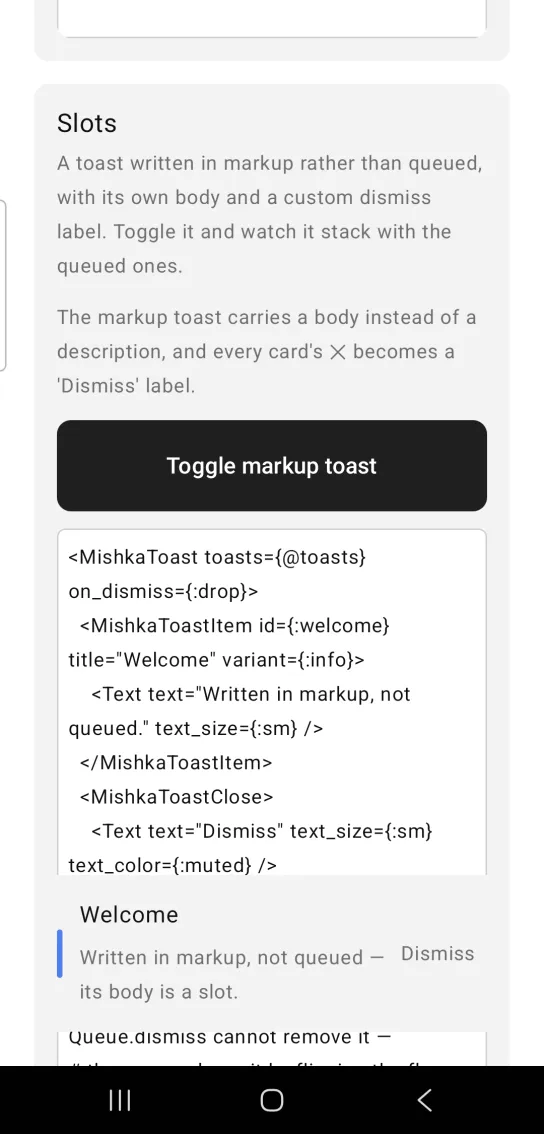
Left: the example as it loads. Right: after a tap. A toast written in markup can carry its own body and dismiss label.
<MishkaToast toasts={@toasts} on_dismiss={:drop}>
  <MishkaToastItem id={:welcome} title="Welcome" variant={:info}>
    <Text text="Written in markup, not queued." text_size={:sm} />
  </MishkaToastItem>
  <MishkaToastClose>
    <Text text="Dismiss" text_size={:sm} text_color={:muted} />
  </MishkaToastClose>
</MishkaToast>

# A static item is not in @toasts, so Queue.dismiss cannot remove it —
# the screen drops it by flipping the flag that renders the markup.
def handle({:drop, :welcome}, socket),
  do: Mob.Socket.assign(socket, :static?, false)

def handle({:drop, id}, socket),
  do: Mob.Socket.assign(socket, :toasts, Queue.dismiss(socket.assigns.toasts, id))
Auto-dismiss toasts
Stamp each toast with :at, a monotonic time in milliseconds, and schedule a sweep with Process.send_after/3. Each sweep calls Queue.expire/3 with a default duration in milliseconds. A toast's own :duration wins over that default.
A toast with duration: 0, or with no :at, never expires. This matches duration: 0 in the web engine, which turns auto-dismiss off.
Auto-dismiss toasts
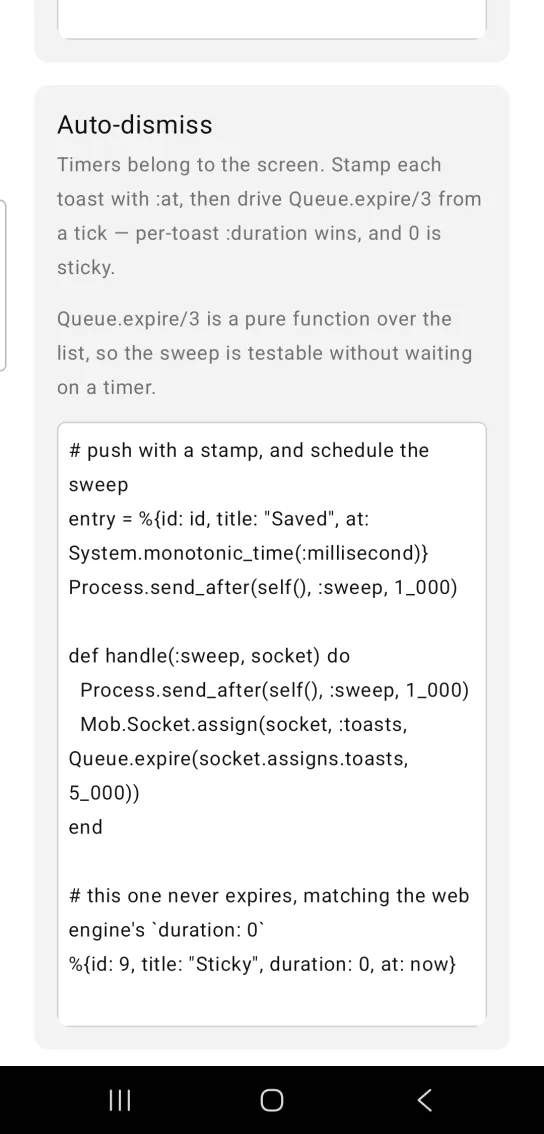
# push with a stamp, and schedule the sweep
entry = %{id: id, title: "Saved", at: System.monotonic_time(:millisecond)}
Process.send_after(self(), :sweep, 1_000)

def handle(:sweep, socket) do
  Process.send_after(self(), :sweep, 1_000)
  Mob.Socket.assign(socket, :toasts, Queue.expire(socket.assigns.toasts, 5_000))
end

# this one never expires, matching the web engine's `duration: 0`
%{id: 9, title: "Sticky", duration: 0, at: now}
Props
| Prop | Type | Default | Description |
|---|---|---|---|
toasts | list of maps | [] | The toasts to show, as maps with the keys listed below. |
position | :top or :bottom | :bottom | Which edge to stack against. |
on_dismiss | event tag | None | The tag sent as {:tap, {tag, toast_id}} when you tap a toast's ✕. Without it, no dismiss control is drawn. |
padding | spacing token or number | :space_lg | Padding around the stack. |
space | number | 10 | Gap between toasts. |
close_icon | string | "✕" | Glyph for the dismiss control. |
<MishkaToastItem> | slot | None | A toast written in markup. Its attributes match a toast map and its children are the body. It is not in the queue, so it cannot dismiss itself. |
<MishkaToastClose> | slot | None | Content for every card's dismiss control, replacing close_icon. |
Queue.push/3, Queue.dismiss/2, Queue.expire/3 | helpers | None | Limit, deduplication and auto-dismiss, driven by the screen. |
Toast keys
Each toast is a map. <MishkaToastItem> accepts id, title, description, variant and duration as attributes, and its children become content.
| Key | Description |
|---|---|
id | Identifies the toast. It comes back with the dismiss event and is matched by Queue.dismiss/2. |
title | Heading text, a string. |
description | Supporting text, a string. |
variant | Accent bar color: :info (the default), :success, :warning or :danger. |
duration | Milliseconds before Queue.expire/3 drops this toast. It overrides the default passed to expire/3, and 0 means the toast stays. |
content | A list of nodes rendered as the body. With a title or description, they sit below it. |
at | A monotonic millisecond stamp that Queue.expire/3 reads. A toast without it never expires. |
Events
on_dismiss takes an event tag. When you tap a toast's dismiss control, your screen receives {:tap, {tag, toast_id}}, where toast_id is the id of that toast. Pass an atom as the tag, as in on_dismiss={:drop}.
def handle_info({:tap, {:drop, id}}, socket) do
  {:noreply, Mob.Socket.assign(socket, :toasts, Queue.dismiss(socket.assigns.toasts, id))}
end
Differences from the web component
- Limiting, deduplication and auto-dismiss are
Queuefunctions that your screen drives, not options on the component. - The layered stack that peeks out behind the front toast is a stylesheet in the web showcase. It needs scale and opacity, which Mob's renderer does not offer on ordinary nodes, so toasts stack as a plain vertical list.
- Expanding the stack on hover or focus is not ported. Mob has no hover, and no focus outside text inputs.
- The
*_classattributes andclose_label(anaria-label) are not ported. - There is no
aria-liveregion, because Mob has no live-region concept to announce into. - The
<:trigger>slot is not ported. The viewport is an overlay over the whole page, so a button inside it would sit under an invisible box. Put the trigger on the page instead.
Attributes
| Name | Type | Default | Values | Required | Description |
|---|---|---|---|---|---|
toasts
|
list of maps
|
[]
| — | No | `%{id:, title:, description:, variant:, duration:, content:}`. |
position
|
:top :bottom
|
:bottom
| — | No | Which edge to stack against. |
on_dismiss
|
event tag (atom)
| — | — | No | Sent as `{:tap, {tag, toast_id}}` from a toast's ✕. |
close_icon
|
string
|
"✕"
| — | No | Glyph for the dismiss control. |
padding
|
spacing token / number
|
:space_lg
| — | No | Padding around the stack. |
space
|
number
|
10
| — | No | Gap between toasts. |
Options
Each option takes one or more of its values, separated by commas.
| Option | Values |
|---|---|
--type
|
toast
|
--module
| A module name of your own |
What it generates
mix mishka.ui.gen.mob toast