Mishka CMS 0.0.3: A Stable Editor and Smarter Phoenix LiveView Admin
The visual editor reaches its first stable release, the admin shows what needs you, the blog gets feeds and analytics, and old links keep working. Built with Elixir, Phoenix LiveView and Ash.

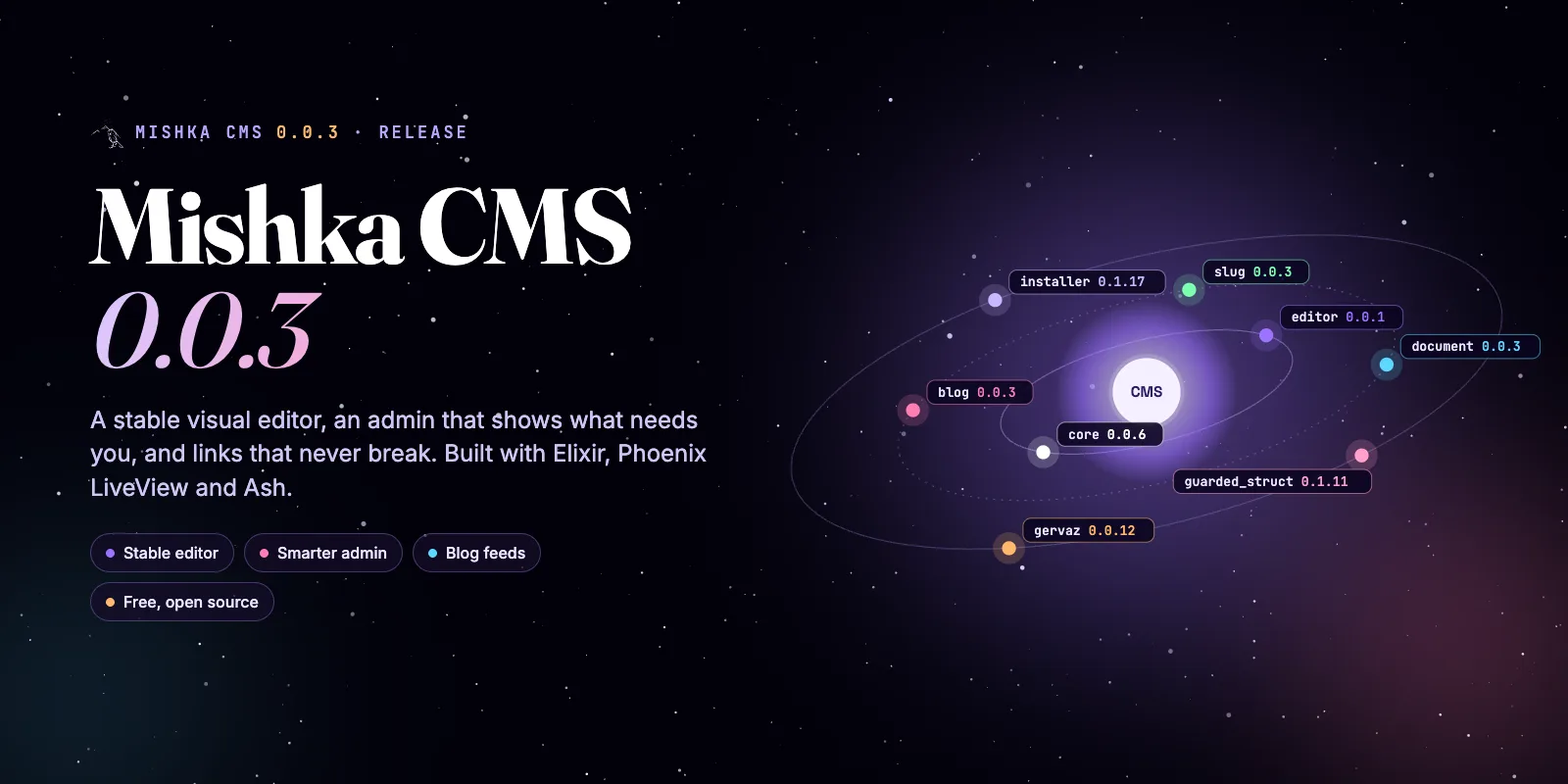
Mishka CMS 0.0.3 is out, three weeks after 0.0.2. The visual editor reaches its first stable release, the admin now tells you what needs your attention, and old links keep working when an address changes.
Phoenix LiveView apps are fast and live by default, yet a team that wanted a real CMS on them had two choices: build one from scratch, or run a second stack beside the app. Mishka CMS closes that gap. Pages, a blog, versioned docs and a visual editor live inside one Phoenix app and change while it runs, with no redeploy. It is open source under Apache 2.0 and free, for one site or many.
Free software still runs on someone's time.
Eleven packages moved forward in three weeks, each one written, tested and documented by a small team. Elixir has great libraries, but few products a whole team can run a website on. If you want Mishka CMS to become that product, a founding seat is how you keep it moving.
If you are new here, start with Introducing Mishka CMS: How We Built a Runtime CMS on Phoenix LiveView, then Mishka CMS 0.0.2: Visual Editor Package and Faster Previews. This post covers what changed since then, in plain words first and code second.
Mishka CMS releases. Once a month.
New Mishka CMS releases, Elixir and Phoenix patterns, and case studies from the team. No spam, unsubscribe anytime.
What is new in Mishka CMS 0.0.3
Mishka CMS 0.0.3 updates every package the CMS is made of and adds one new package. Here is the release on one screen.
mishka_slugSign in with Google, GitHub, Slack and Discord are at 0.0.3 too.
The visual editor is stable
The visual editor has its first stable release, 0.0.1 (see the Mishka CMS Builder documentation). It now checks your page while you work, so a mistake shows up before a visitor sees it.
A red dot in the top bar counts what would stop a Publish: a required field left empty, a missing slot, markup that will not compile. Click it and you get the list, element by element.
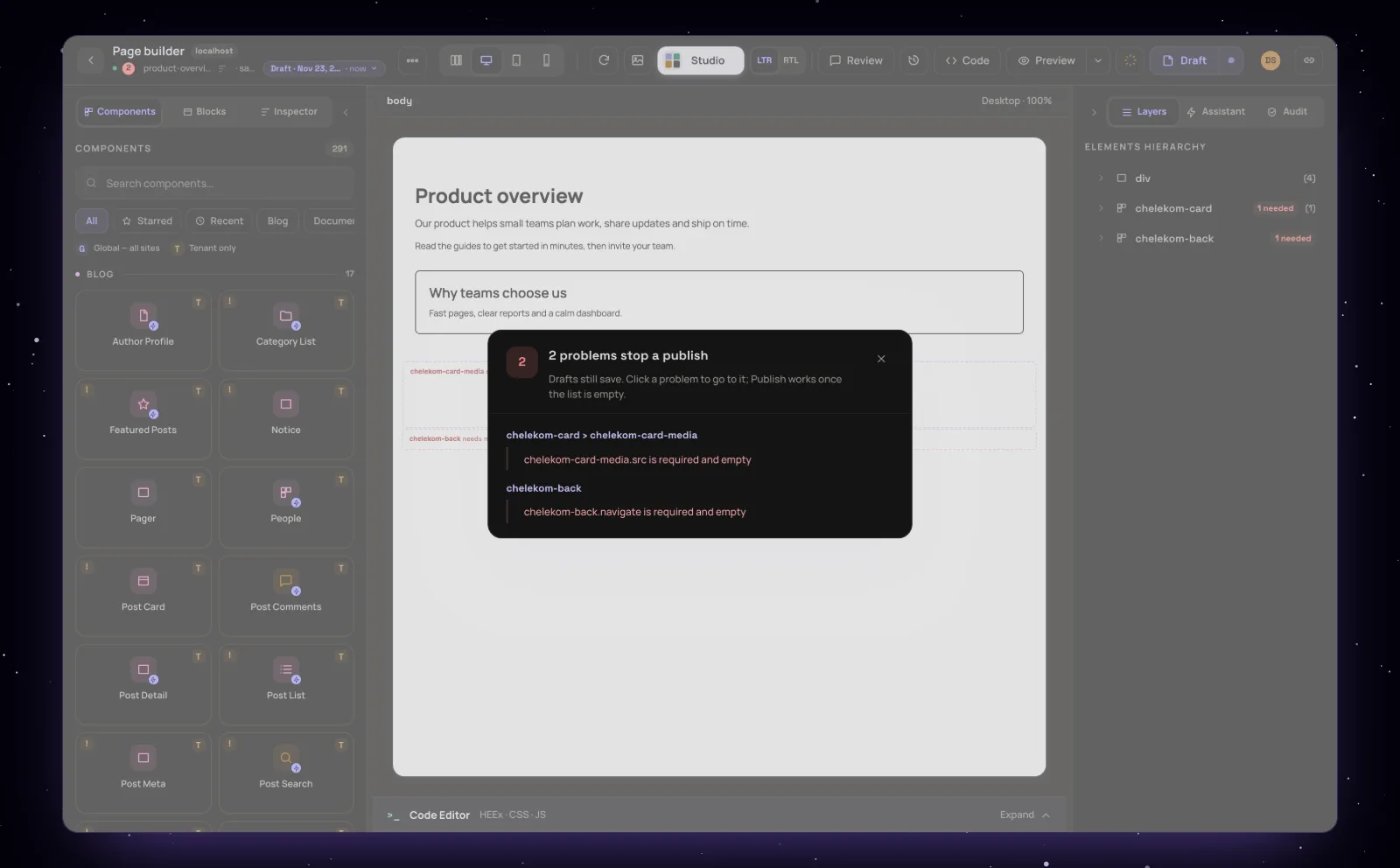
The red dot lists what would stop a Publish, before you press it.
The editor also refuses markup the browser would quietly rewrite. Drag a form onto a paragraph and the paragraph turns red, with the rule written on it. The same check runs when you apply code by hand, and it gives the line and the column.
Drag a form onto a paragraph, and the editor says why it cannot go there.
</span> does not close <div>" at the right line, in place of a stack trace.} or an unknown @apply class is refused before it can break the site's stylesheet.Two guides cover the editor end to end: Build a page in the visual editor and Visual editor keys, commands, blocks and starters.
An admin that tells you what needs you
The admin now tells you how the site is doing without you going to look. The bottom of the sidebar shows what the CMS checked a minute ago: all green, a note, or an issue with its worst line.
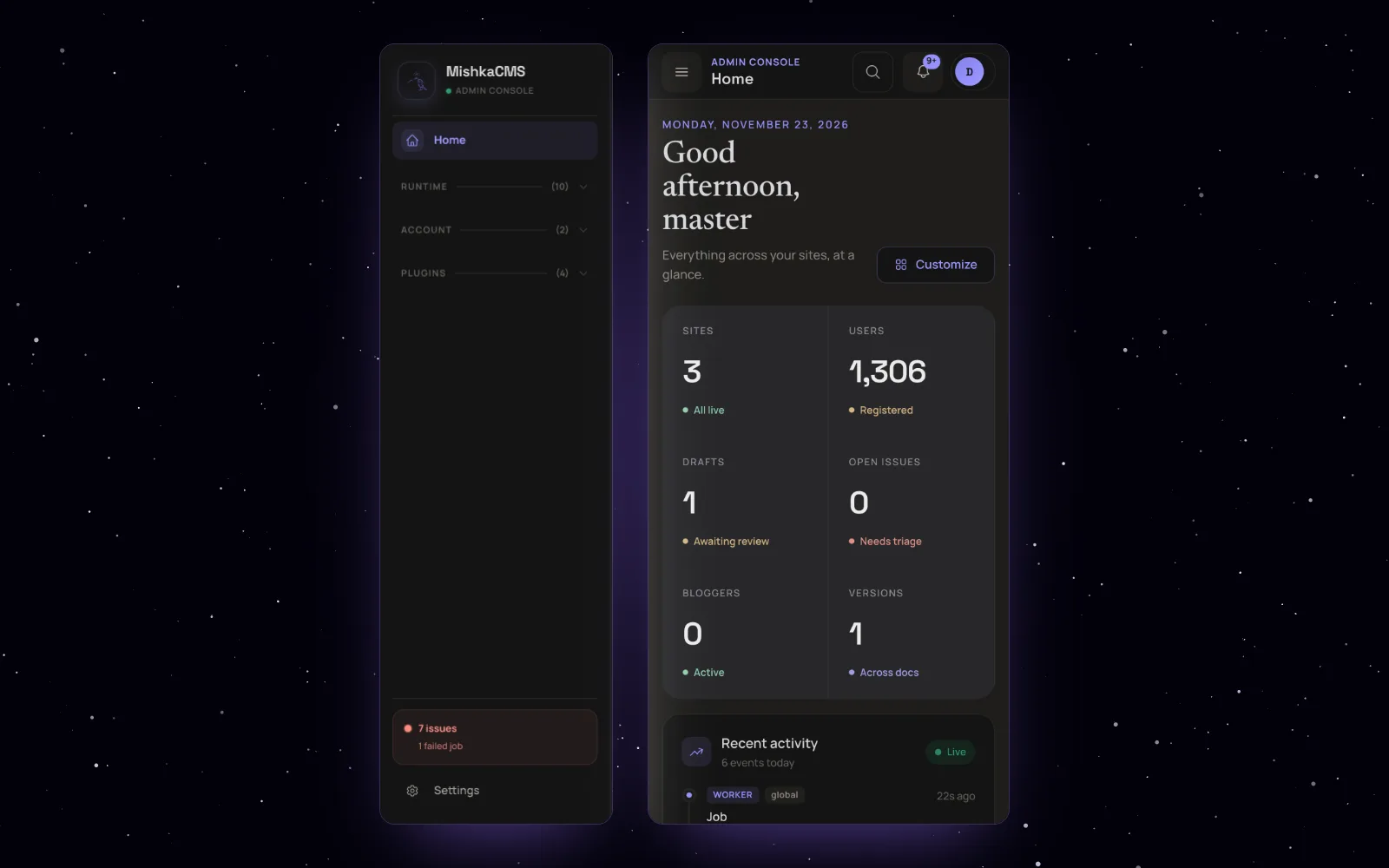
Left: the sidebar card says what the CMS checked. Right: the admin on a phone.
- One search box for every extension. The top bar asks each installed extension as you type and lists their answers in groups, and it is all keyboard friendly.
- What needs you. The bell lists the things waiting for you, such as a background job that failed, above your notifications.
- Skip a failed job. Mark it skipped with a reason, and bring it back later if you need to.
- An admin for your phone. A phone top bar, a full-screen search and a sidebar that shows one level at a time.
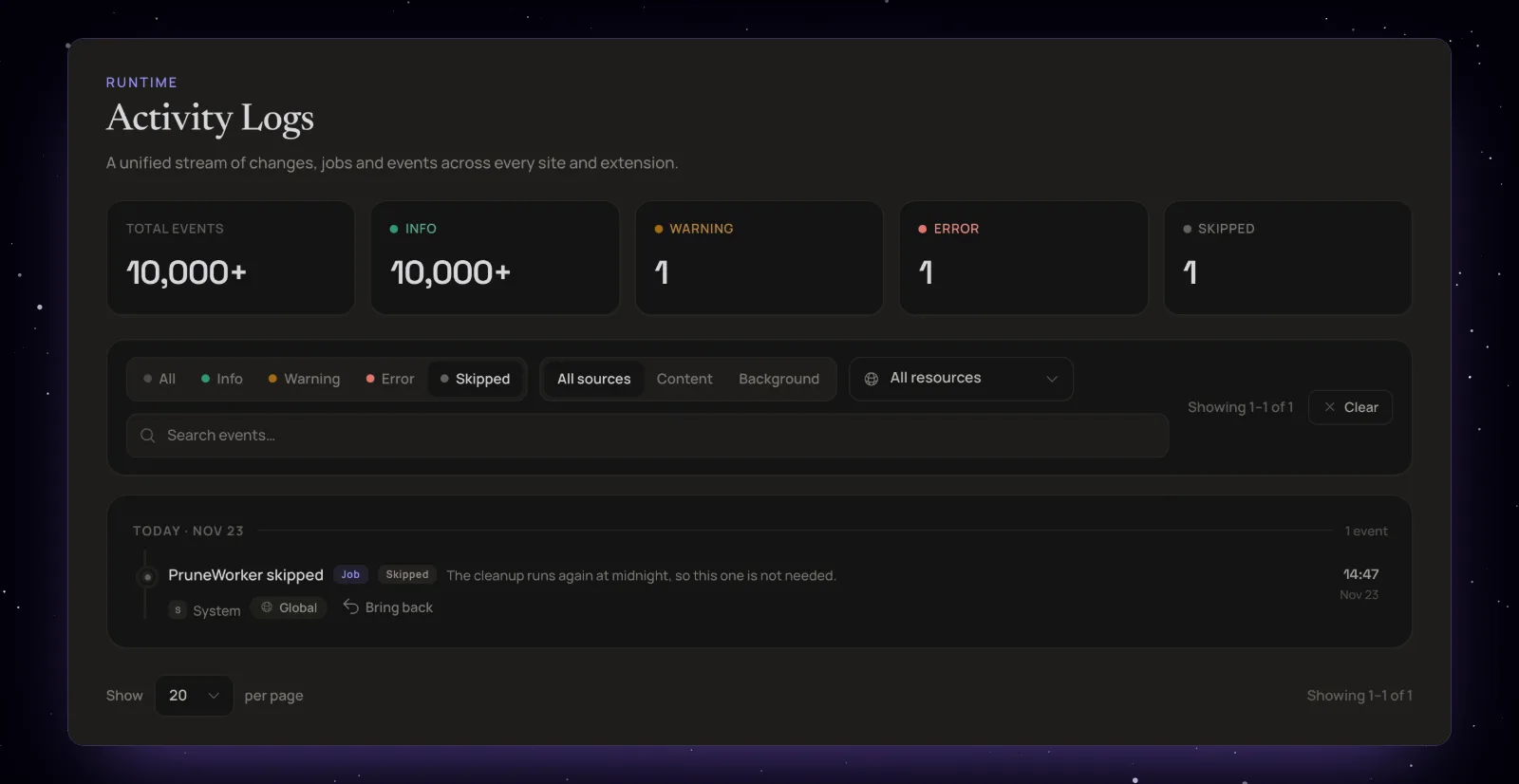
A failed job skipped with a reason, ready to bring back.
Read The admin console: sidebar and top bar for every part of it, and Check the activity log for failed and skipped jobs.
The blog grows up
Mishka Blog 0.0.3 fills in what a working blog needs. A scheduled post now goes out on time, readers can follow the blog in their feed reader, and the analytics page shows real numbers.
/blog/post or /blog/category/post, one setting.
One click, and every new post reaches your feed reader.
Follow this blog in your feed reader
Click a feed, or paste https://mishka.tools/feed into Feedly, Inoreader, NetNewsWire or any reader you use.
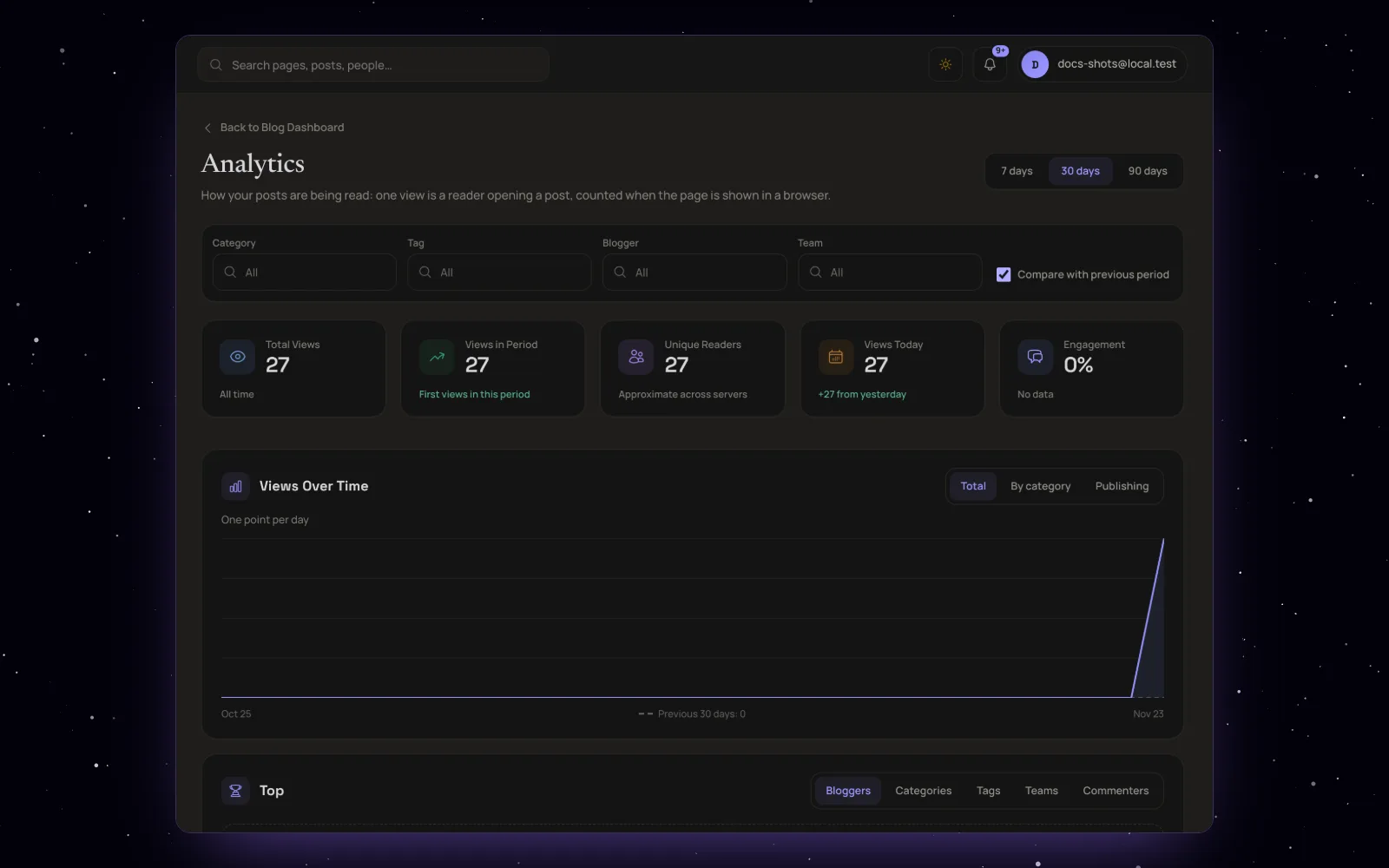
Blog analytics with real numbers and filters.
Views are counted without a database write for each view, and a bot that runs no JavaScript is never counted. Editors also get control: a writer without the "Can Publish Directly" right saves a draft for an editor instead of publishing.
The new guides are Blog feeds, Choose where posts are read and Read the blog analytics. For the search side of a blog, read Blog SEO in Elixir: Structured Data, Sitemaps and Redirects with Mishka Blog.
Old links never break
When a page moves, the people and search engines that knew the old address still find it. Mishka CMS 0.0.3 finishes the redirect work we started in 0.0.2 and adds the parts a site moving from WordPress needs.
A visitor asks for an old address, say /2019/04/hello-world.
A redirect rule matches and does one of four things: sends a 301, shows another page at the same address (rewrite), answers 410 Gone, or answers 404. A rule can also match a query string.
Or the post moved inside the blog. When a post, category, tag or author changes its address, the CMS wrote a 301 rule for you at save time.
Nothing matches. The next page the address fits is tried, and then the visitor gets a real 404 with your error page.
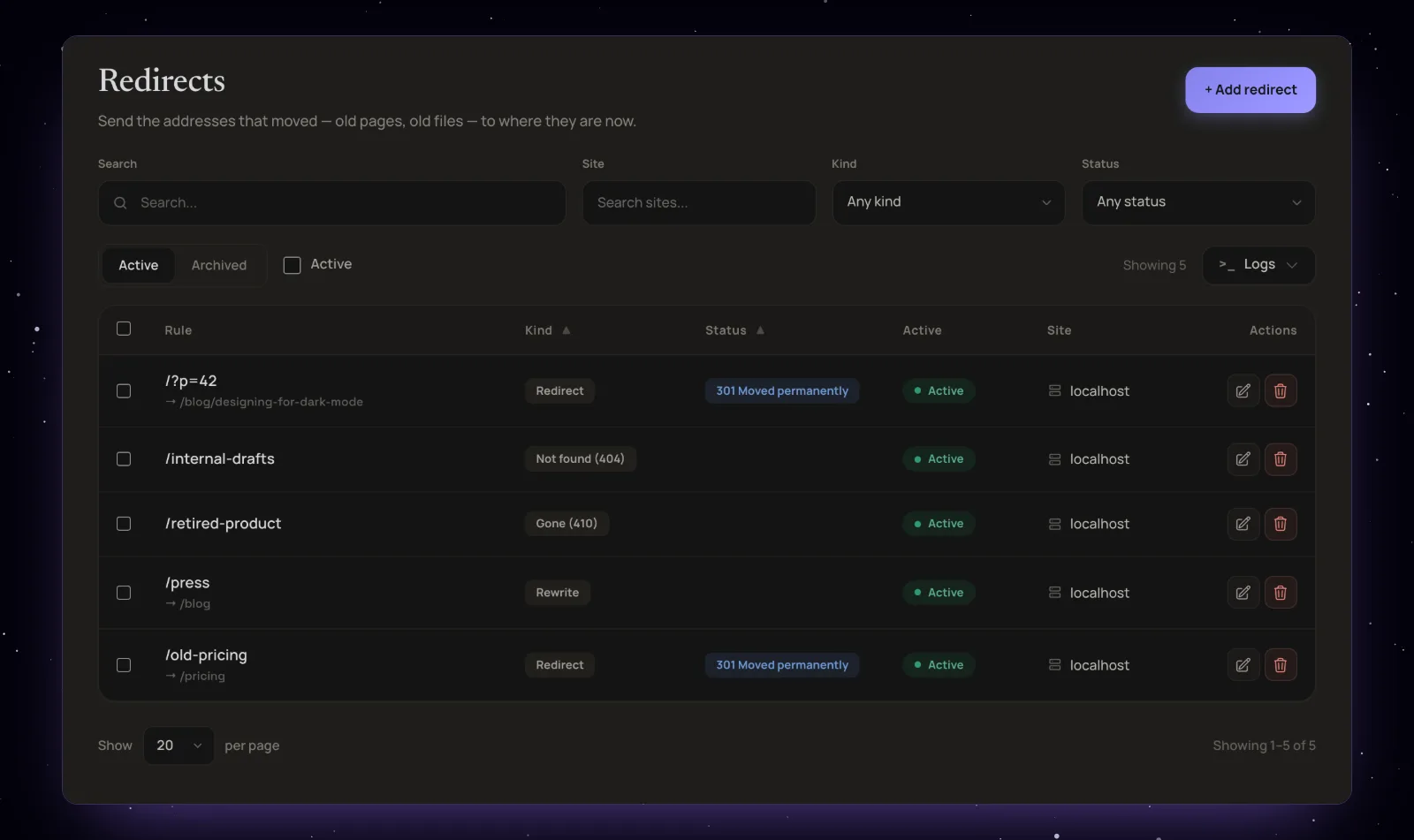
A redirect rule can send, rewrite, or answer 410 or 404.
A site can also keep WordPress address shapes such as /:year/:monthnum/:slug or /archives/:post_id. The companion extension Mishka CMS Migration 0.0.4 uses that: a WordPress import can keep every post at its old address and redirect only what moved, including comment pages.
Start with Redirect an old address and Import a WordPress site. The full move is in How to Move WordPress to Phoenix LiveView with Mishka CMS.
Analytics and verification tags, safely
A site admin can now add analytics, site verification and font tags to the public pages from the admin, with no code change. Open Pages, then Head code, and choose all pages, some pages, or all but some.
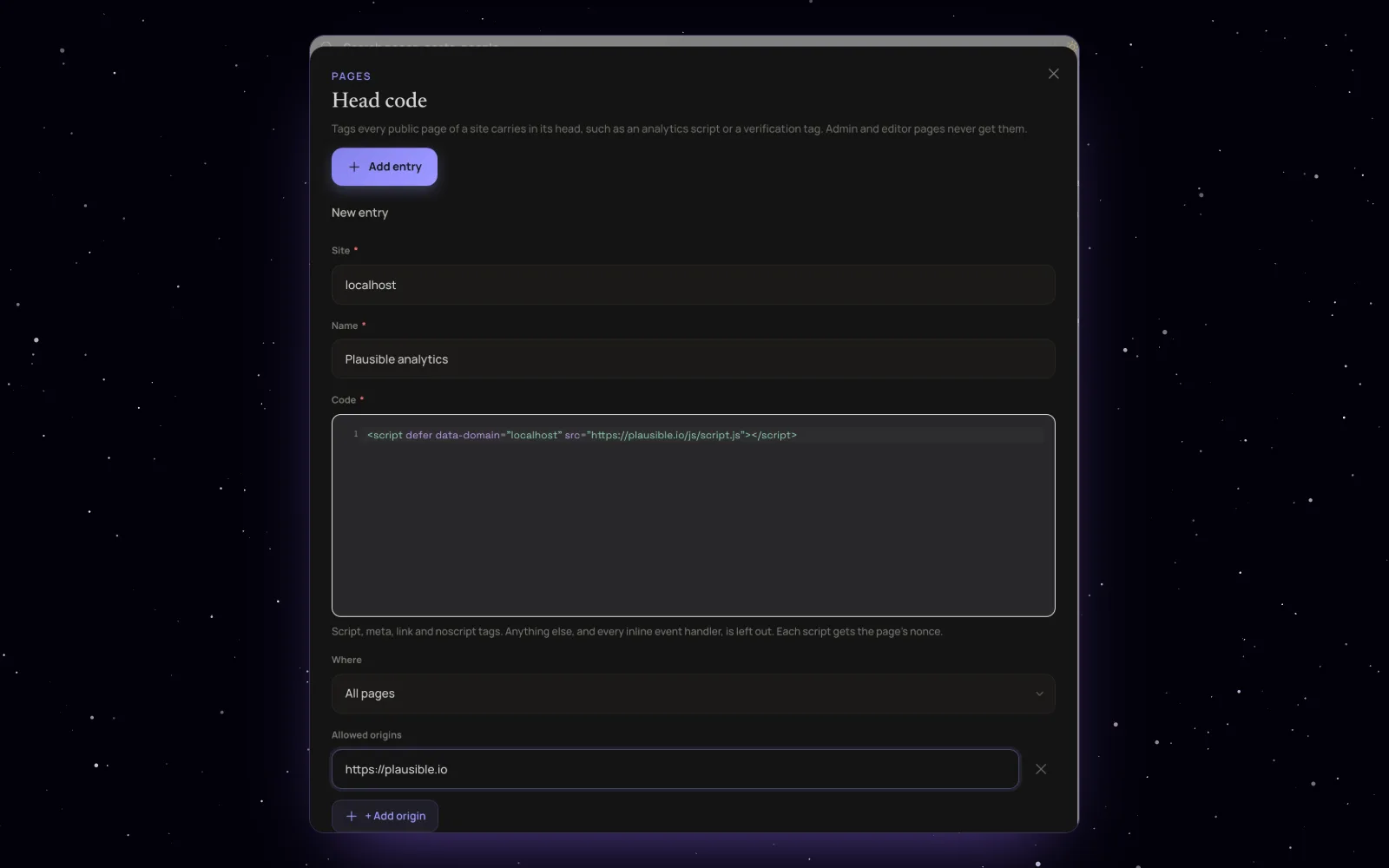
Head code: analytics and verification tags, without a deploy.
Head code is parsed, never trusted. Only script, meta, link and noscript are kept, inline handlers are removed, and every script gets the page's nonce. The admin and the editor never load it. Read Add head code to public pages.
Smaller SEO fixes came with it: a site tagline you can use in titles, a post's own SEO title now wins over the layout's, and a site with no favicon serves the Mishka mark in place of a 404. See Set a page's SEO and share card.
Addresses in every language
The new package Mishka Slug (see the Mishka Slug documentation) makes web addresses that keep the reader's own alphabet. Latin text is cleaned the way WordPress does it, and other scripts stay as written. We ran these through MishkaSlug.slugify/2:
| Title | Language | Slug |
|---|---|---|
| Café au lait: 10 recipes | English | cafe-au-lait-10-recipes |
| नमस्ते दुनिया | Hindi | नमस्ते-दुनिया |
| 東京の天気 | Japanese | 東京の天気 |
| Привет, мир! | Russian | привет-мир |
The Blog, Mishka Document and the WordPress import all use it now. The story behind it is in Unicode Slugs in Elixir, and the package has its own docs at Mishka Slug.
Error pages and production
A site can now have one Default error page for every status it has no page of its own for, and the visitor still gets the real status code. A broken error page can no longer take the site down: it falls back to a plain message and one log line.
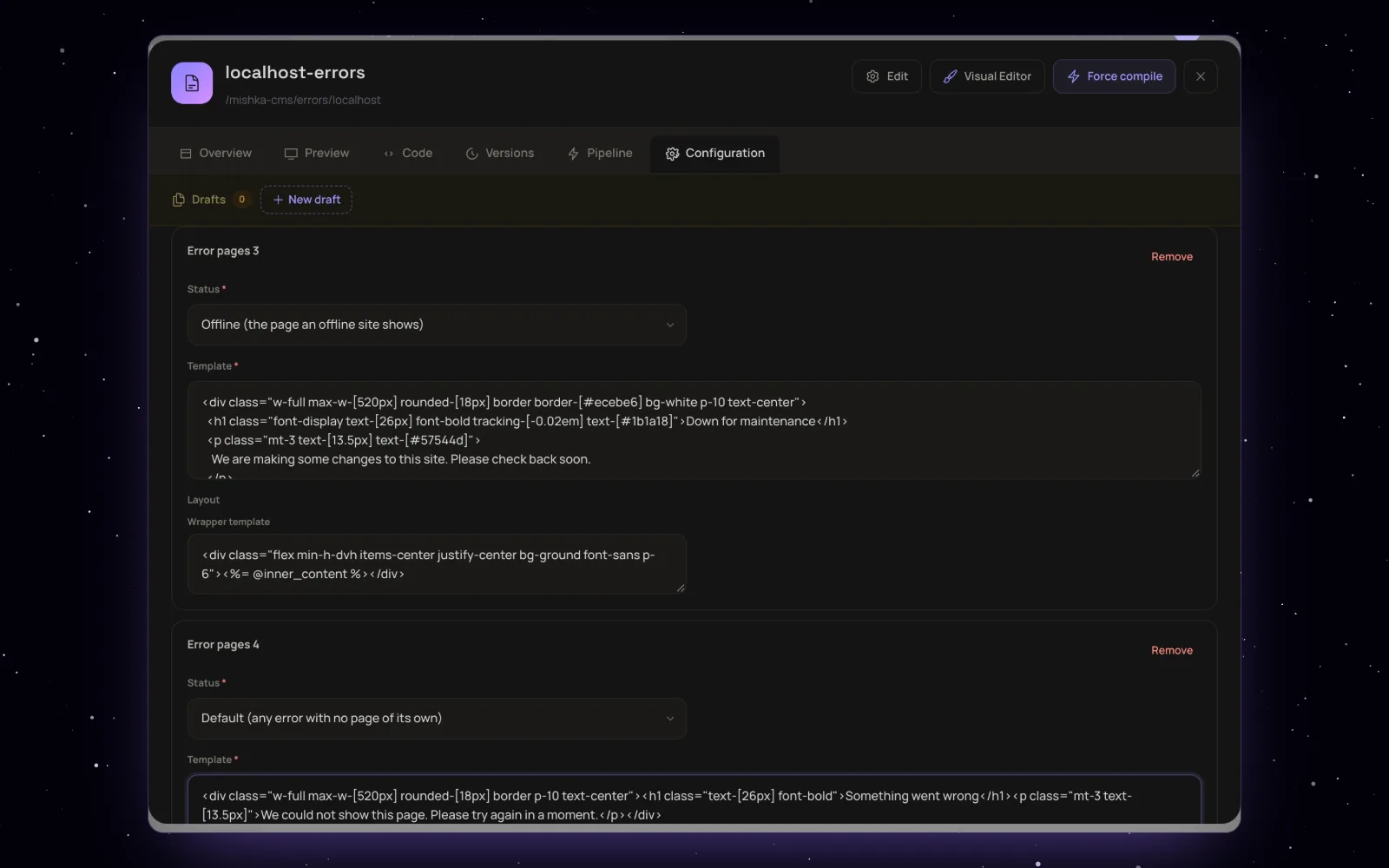
One Default error page for every status without its own.
For deploys, GET /_health answers ok only when the CMS is really ready: every site's CSS and JS built, the extensions answering and the database up. Your deploy tool can wait on it before it sends traffic. The guides are Customize error pages and Deploy Mishka CMS to production.
Two changes we promised in the 0.0.2 post are now finished in released packages: a page with no layout is drawn exactly as its author wrote it, and the draft preview builds its stylesheet on every open under a strict Content-Security-Policy.
Docs keep every version
Mishka Document 0.0.3 keeps a version of every edit to a page, a note and their drafts. Open a page's history, look at any version and restore it.
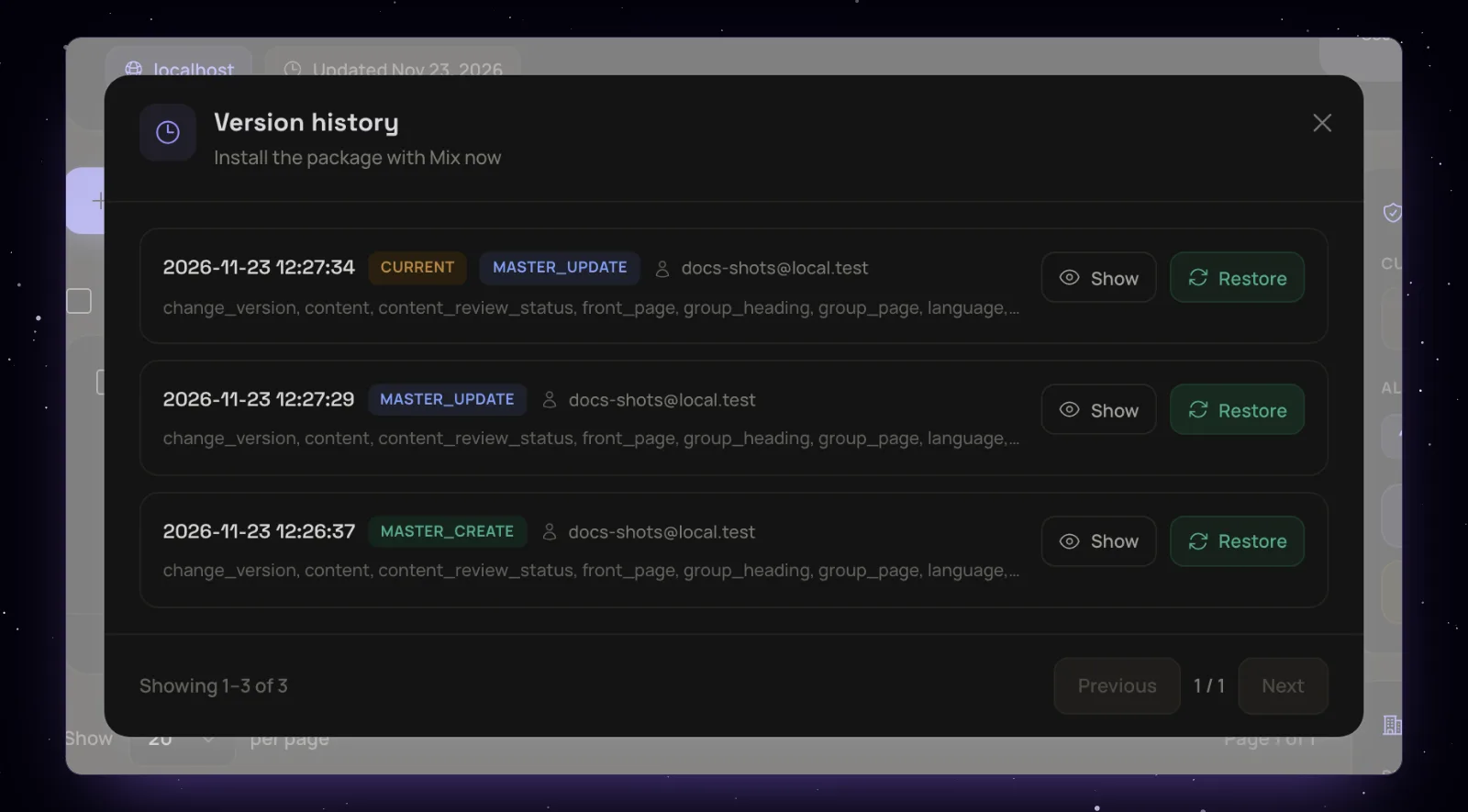
Every edit of a docs page is kept, and any version can come back.
The Document admin page also does far less work: it reads its figures in one query per page in place of two per card. See Write pages and notes, and for the bigger picture, Versioned Docs in Phoenix LiveView with Mishka Document.
Security
- Input sanitizers in GuardedStruct now fail closed: a sanitizer that raises no longer lets the raw value through.
- An extension's API routes cannot take the CMS's own addresses such as
/adminor/auth; the router refuses to compile. - A site's name can no longer leave its folder in the generated JavaScript entry.
An extra lock on page code: CODE_SIGNING_KEY
Set one environment variable, CODE_SIGNING_KEY, and code that did not come through the CMS will not run on your site. Mishka CMS pages can hold Elixir, and that code lives in the database. The signing key makes sure only code the CMS itself saved is ever executed.
Why it matters: if an attacker ever writes to your database, through a bug, a leaked password or a tampered backup, the code they slip in is not signed. The page still renders, but their code does nothing. Without the key, such a write could run code on your server.
The lock has been there since an early core release, but it had a bug: with the key set, page handlers lost their signature, so buttons such as Sign in did nothing. A user reported it in mishka_cms#72, and 0.0.3 fixes it with a test that writes every kind of stored code and reads its signature back.
0.0.3 also tells you when stored code cannot be checked, for example after you restore a backup from another server with another key. The boot log counts the unsigned snippets once and names the fix: sign them again on the running node, or run mix mishka.resign_code in development. Never re-sign a database someone edited by hand.
bin/mishka_cms rpc 'MishkaCmsCore.Runtime.Authoring.CodeAudit.resign()'For Elixir developers
The libraries under Mishka CMS are open source on their own, and each one moved forward in this release.
Mishka Gervaz 0.0.12, the admin kit for Ash, opens a row in a drawer, a phone sheet or a window, asks its confirm questions in a server-drawn window, and shows toasts with Undo. It also has choice cards, segmented controls and named table views. Start with Open a row in a drawer, Ask before an action and Show a toast, or read Mishka Gervaz: Build an Ash Admin with Tables and Forms.
GuardedStruct 0.1.11 refuses a nested value of the wrong shape, takes doc: on fields and writes a table into the generated type's docs. See Document a struct and its types and Validate and Sanitize Input in Elixir with GuardedStruct.
Mishka Installer 0.1.17 makes plugin events much faster. These are the numbers from its own benchmark on an Apple M4:
Build an event with 99 plugins
Read an event from the registry
Call a chain of 5 plugins
Shorter is faster. Bars are to scale within each row.
A plugin that raises no longer kills a request waiting inside it. The details are in Changes and upgrade notes, and the idea behind it in Runtime Plugins in Elixir: Add Features Without a Redeploy.
Everything else in 0.0.3, by package
The sections above are the highlights. Open a package to see the rest of what it added in this release.
Still young, and honest about it
Try Mishka CMS 0.0.3
The fastest way is the demo image, and Try Mishka CMS with the demo image shows how to run it:
docker pull ghcr.io/mishka-group/mishka_cms-demo:0.0.3To build on it, clone the repository and follow Install Mishka CMS and sign in.
Mishka CMS stays open source and free, today and after the offer. What the seat changes is how fast it grows: each one buys focused weeks on the editor, the extensions and the docs you just read about. Take yours while it is $250, down from $1,200, before the countdown ends.
You can also sponsor our open source work, or hire our team for a Phoenix LiveView project.
Mishka CMS releases. Once a month.
New Mishka CMS releases, Elixir and Phoenix patterns, and case studies from the team. No spam, unsubscribe anytime.
Questions people ask about Mishka CMS 0.0.3
Thank you
Mishka CMS stands on Elixir, Phoenix LiveView, Ash Framework, Oban, TipTap and Tailwind CSS, and on every package in its dependency list. Thank you to the people who build them, to everyone who opened an issue for this release, and to you for reading this far.
Shahryar Tavakkoli writes about Elixir and Phoenix LiveView: Mishka Chelekom releases, GuardedStruct validation, static sites, service workers and SEO.