Runtime Plugins in Elixir: Add Features Without a Redeploy
A hands-on guide to Mishka Installer: define an event, write plugins, call the event, install a pre-built library into a running node with https and a checksum, and remove it cleanly.

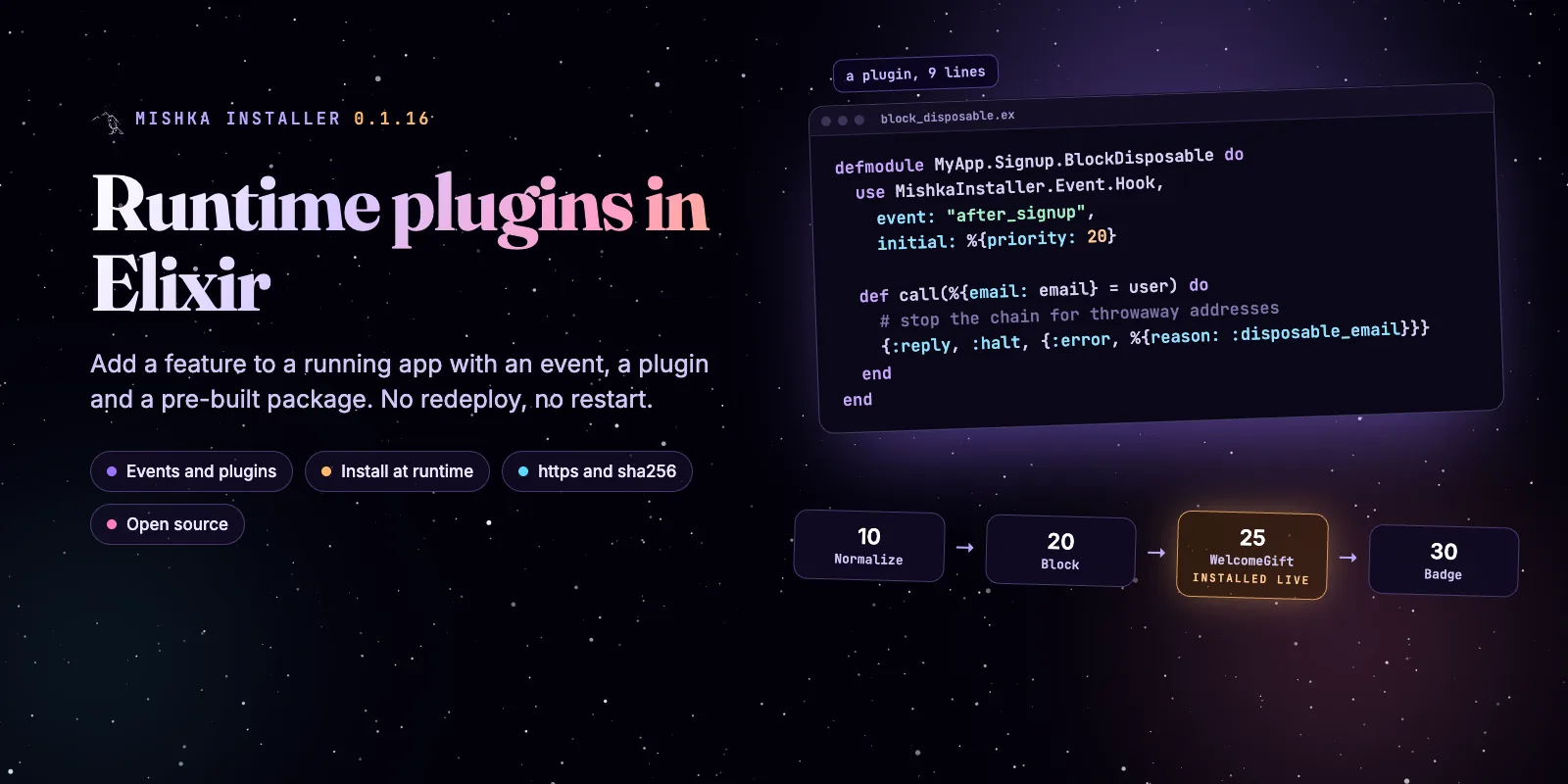
You can add a feature to a running Elixir app without a redeploy. With Mishka Installer, a feature becomes an event, other code attaches plugins to it, and a pre-built library can arrive while the node runs. This guide builds that in six steps, and every sample ran against Mishka Installer 0.1.16.
Mishka Installer is free and open source. A founding seat pays for the time we spend on it and on the Mishka CMS extensions that use it, and it gives you lifetime access, priority support and every paid extension we release.
You need Elixir 1.17 or newer and a Mix project. The plugin code needs nothing else. The install part also needs a second small Mix project that builds the package, and we show it in step 5.
Here is what you will build: a signup event with three plugins, a fourth plugin that arrives from a tarball while the app runs, and a clean removal. The Mishka CMS 0.0.2 post shows the same idea in a bigger product, where the CMS and its editor talk through plugin events.
Mishka releases. Once a month.
New Mishka CMS releases, Elixir and Phoenix patterns, and case studies from the team. No spam, unsubscribe anytime.
The six steps at a glance
mix.exs, one config block for production.What a runtime plugin is
A runtime plugin is a module that runs when an event is called, and that you can add, switch off or remove while the app runs. An event is only a name, such as "after_signup". A plugin names the event it belongs to and a priority. Hook.call/3 runs the plugins of that event from the smallest priority to the largest, and each plugin gets the answer of the one before it.
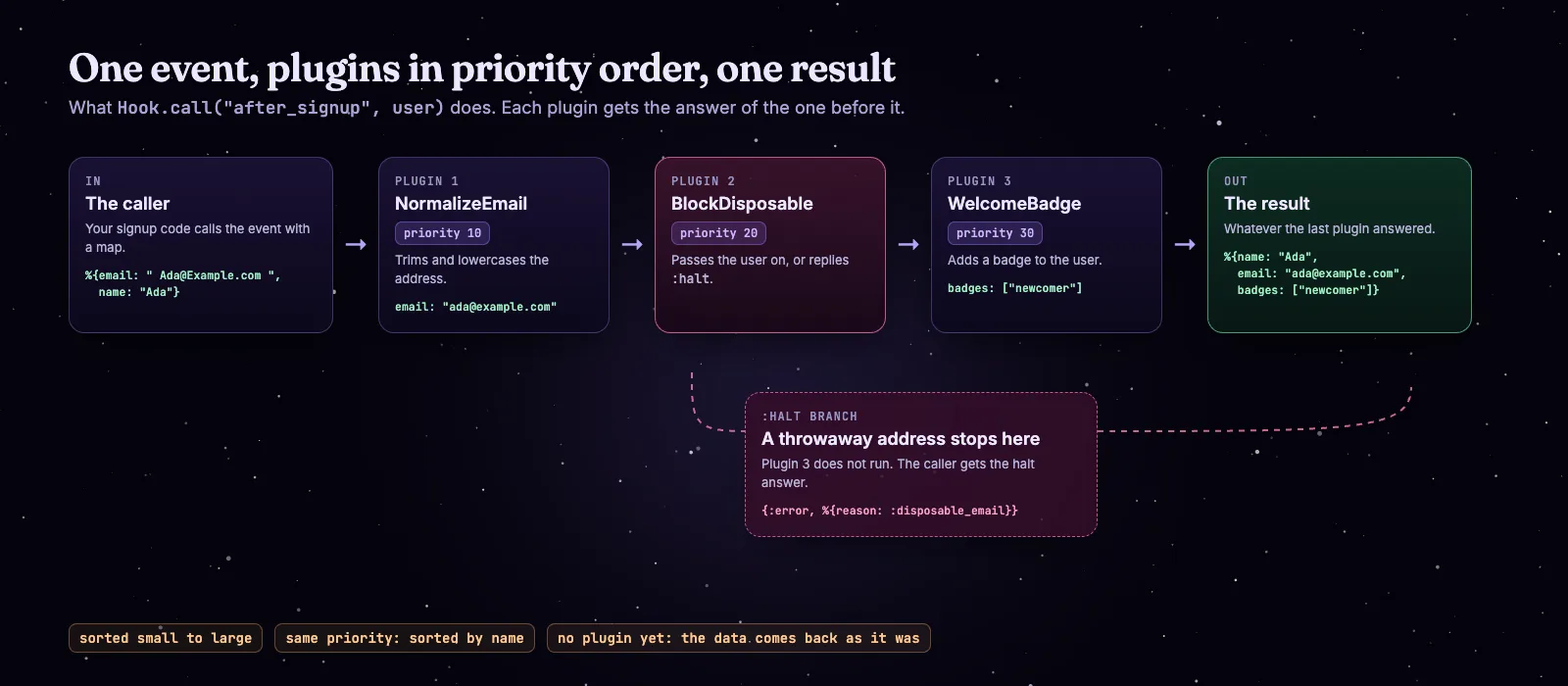
One event, plugins in priority order, one result. A halt reply stops the chain.
A plugin can also reply :halt to stop the chain. If no plugin exists for an event yet, Hook.call/3 gives your data back unchanged, so a call is safe to add before any plugin is written.
Each event compiles to a module, so a call is a direct function call with no GenServer and no database read on the way. That is where the 38 ns above comes from.
Step 1: Add Mishka Installer
Add the package to mix.exs. Its supervision tree starts by itself outside the test environment, so you need no extra child for it.
# mix.exs
defp deps do
  [
    {:mishka_installer, "~> 0.1.16"}
  ]
end
In production, an installed library is a folder of compiled files on disk and a record in Mnesia, and both are put back on every boot. So both must live on a volume that survives a deploy. These are the settings, with /data as the mounted volume:
# config/runtime.exs  (/data is a mounted volume that survives a deploy)
config :mishka_installer,
  project_path: "/data",
  extensions_path: "/data/extensions"

config :mishka_installer, MishkaInstaller.MnesiaRepo,
  mnesia_dir: "/data/mnesia",
essential: [MishkaInstaller.Event.Event, MishkaInstaller.Installer.Installer]Want to try it first without a project? The file below runs as a single script. Paste the three plugins from step 2 where the comment says.
# try.exs  (run it with: elixir try.exs)
Mix.install(
  [{:mishka_installer, "== 0.1.16"}],
  config: [
    mishka_installer: [
      project_path: "/tmp/rp",
      extensions_path: "/tmp/rp/extensions",
      "Elixir.MishkaInstaller.MnesiaRepo": [mnesia_dir: "/tmp/rp/mnesia"]
    ]
  ]
)

# ... the three plugins from step 2 go here ...

alias MishkaInstaller.Event.Hook

for plugin <- [MyApp.Signup.NormalizeEmail, MyApp.Signup.BlockDisposable, MyApp.Signup.WelcomeBadge] do
  {:ok, _pid} = plugin.start_link()
end

Process.sleep(1500)
IO.inspect(Hook.call("after_signup", %{email: " [email protected] ", name: "Ada"}))
Step 2: Write three plugins
A plugin is a module with use MishkaInstaller.Event.Hook, an event name and a call/1 function. The priority in initial sets its place in the chain. We build a signup flow: clean the email, block throwaway addresses, add a badge.
defmodule MyApp.Signup.NormalizeEmail do
  use MishkaInstaller.Event.Hook,
    event: "after_signup",
    initial: %{priority: 10}

  @impl true
  def call(user) do
    {:reply, %{user | email: user.email |> String.trim() |> String.downcase()}}
  end
end

defmodule MyApp.Signup.BlockDisposable do
  use MishkaInstaller.Event.Hook,
    event: "after_signup",
    initial: %{priority: 20}

  @impl true
  def call(%{email: email} = user) do
    if String.ends_with?(email, "@mailinator.com") do
      {:reply, :halt, {:error, %{reason: :disposable_email}}}
    else
      {:reply, user}
    end
  end
end

defmodule MyApp.Signup.WelcomeBadge do
  use MishkaInstaller.Event.Hook,
    event: "after_signup",
    initial: %{priority: 30}

  @impl true
  def call(user), do: {:reply, Map.put(user, :badges, ["newcomer"])}
end
The reply decides what happens next. {:reply, state} passes the state to the next plugin. {:reply, :halt, state} stops the chain and returns that state as the answer.
To start the plugins with your app, put them in your supervision tree. PluginSupervisor runs them as one group with its own restart budget, so a burst of plugin crashes stops only that group and the rest of your tree keeps running.
# lib/my_app/application.ex
children = [
  MyApp.Repo,
  MyAppWeb.Endpoint,
  {MishkaInstaller.Event.PluginSupervisor,
   name: MyApp.Plugins,
   plugins: [
     MyApp.Signup.NormalizeEmail,
     MyApp.Signup.BlockDisposable,
     MyApp.Signup.WelcomeBadge
   ]}
]
Plain module names work in the children list too. Each plugin registers itself, stores its record in Mnesia and joins the compiled chain when it starts.
Step 3: Call the event
Call the event where the feature belongs, and pass the data the plugins will change. In a signup function it is one line, and the raised: option says what the call answers if a plugin raises.
defmodule MyApp.Accounts do
  alias MishkaInstaller.Event.Hook

  def register(params) do
    case Hook.call("after_signup", params, raised: {:error, %{reason: :signup_check_failed}}) do
      {:error, reason} -> {:error, reason}
      user -> insert_user(user)
    end
  end

  defp insert_user(user), do: {:ok, user}
end
Here is the same call in a shell, with the plugins started, for %{email: " [email protected] ", name: "Ada"}:
%{name: "Ada", email: "[email protected]", badges: ["newcomer"]}The email is clean and the badge is there. These options change the answer. We ran private:, return: and raised: for the output below:
private:adds data to the result that the plugins never see.return: trueruns the plugins and gives back the data you passed in.raised:is the answer when a plugin raises. The plugins after it do not run, and the error is logged with its stacktrace.cannot_run:is the answer when a started plugin is not loaded, so the event cannot run.meta:passes read-only context to plugins that definecall/2.
# a throwaway address
{:error, %{reason: :disposable_email}}

# private: %{request_id: "r-42"}
%{name: "Ada", email: "[email protected]", badges: ["newcomer"], request_id: "r-42"}

# return: true
%{name: "Ada", email: " [email protected] "}

# Hook.profile("after_signup", ada)
{:ok,
 [
   %{microseconds: 5, plugin: MyApp.Signup.NormalizeEmail},
   %{microseconds: 2, plugin: MyApp.Signup.BlockDisposable},
   %{microseconds: 1, plugin: MyApp.Signup.WelcomeBadge}
]}Step 4: Stop and enable a plugin
You can switch a plugin off while the app runs and switch it on again. stop/0 disables it and the choice survives a restart. enable/0 is the only way back. A plugin that other plugins list in depends holds them too while it is stopped.
iex> MyApp.Signup.BlockDisposable.stop()
{:ok, %MishkaInstaller.Event.Event{status: :stopped, ...}}

iex> Hook.call("after_signup", bot)
%{name: "Bot", email: "[email protected]", badges: ["newcomer"]}

iex> MyApp.Signup.BlockDisposable.enable()
{:ok, %MishkaInstaller.Event.Event{...}}

iex> Hook.call("after_signup", bot)
{:error, %{reason: :disposable_email}}
The second call let the throwaway address through, because the blocking plugin was off. That is what you want in an incident, and it is why a stopped plugin is a decision someone made, not a crash. The Manage plugins while the app runs guide shows more, and Plugin statuses and dependencies explains depends.
Step 5: Install a library at runtime
You can install a pre-built library into the running node, and its plugins join the chain without a restart. The installer loads compiled files only. It never compiles at runtime, because a production release has no Mix and no source to compile with.
Build the package. The library is a normal Mix project whose application starts its plugin. Here is signup_perks, with one plugin that has priority 25, between the blocker and the badge:
# signup_perks/mix.exs
defmodule SignupPerks.MixProject do
  use Mix.Project

  def project do
    [app: :signup_perks, version: "0.1.0", elixir: "~> 1.17", deps: deps()]
  end

  def application do
    [extra_applications: [:logger], mod: {SignupPerks.Application, []}]
  end

  defp deps, do: [{:mishka_installer, "~> 0.1.16"}]
end# signup_perks/lib/signup_perks/welcome_gift.ex
defmodule SignupPerks.WelcomeGift do
use MishkaInstaller.Event.Hook,
event: "after_signup",
initial: %{priority: 25}
@impl true
def call(user), do: {:reply, Map.put(user, :gift, "free month")}
end
# signup_perks/lib/signup_perks/application.ex
defmodule SignupPerks.Application do
use Application
@impl true
def start(_type, _args) do
Supervisor.start_link([SignupPerks.WelcomeGift],
strategy: :one_for_one,
name: SignupPerks.Supervisor
)
end
endCompile it with the same Erlang/OTP and Elixir as the node that will load it, pack the ebin folder and print its sha256:
cd signup_perks
MIX_ENV=prod mix deps.get
MIX_ENV=prod mix compile
tar -czf signup_perks-0.1.0-ebin.tar.gz -C _build/prod/lib/signup_perks ebin
shasum -a 256 signup_perks-0.1.0-ebin.tar.gz0d1ee290c5e17aa22a1f92686761094ee93ae7d462d27df91c2c116cddde4dd6 signup_perks-0.1.0-ebin.tar.gzUpload the tarball to an https address, such as a GitHub release asset. The hash above is the one from our build, and yours will differ.
Allow the source. The installer is closed by default. A remote install works only for hosts you list, and require_checksum: true refuses an install without a hash.
# config/runtime.exs
config :mishka_installer, :allowlist,
  url_hosts: ["artifacts.example.com"],
  require_checksum: true
Install it. Call this from trusted code, such as an admin task or a remote console:
alias MishkaInstaller.Installer.Installer

Installer.install(%{
  app: "signup_perks",
  version: "0.1.0",
  type: :url,
  path: "https://artifacts.example.com/signup_perks-0.1.0-ebin.tar.gz",
  checksum: "0d1ee290c5e17aa22a1f92686761094ee93ae7d462d27df91c2c116cddde4dd6"
}){:ok, %{dir: ".../extensions/signup_perks-0.1.0", extension: %MishkaInstaller.Installer.Installer{app: "signup_perks", version: "0.1.0", type: :url, ...}}}
iex> Hook.call("after_signup", ada)
%{name: "Ada", email: "[email protected]", badges: ["newcomer"], gift: "free month"}The new plugin is in the chain, in its priority place, and nothing restarted. Here is the whole run in a few seconds:
The whole process in seven steps: call, install, new plugin in the chain, same call with a new answer, then a clean removal.
Each of these mistakes is refused before anything runs. These are the real answers:
# an empty allowlist
%{message: "Blocked by url_hosts policy: \"artifacts.example.com\".", action: :allowlist, field: :app}

# an http:// URL
%{message: "Blocked by url_scheme policy: \"http://artifacts.example.com/signup_perks-0.1.0-ebin.tar.gz\".", action: :allowlist, field: :app}

# no checksum, with require_checksum: true
%{message: "Blocked by require_checksum policy: \"https://artifacts.example.com/signup_perks-0.1.0-ebin.tar.gz\".", action: :allowlist, field: :app}

# a wrong checksum
%{message: "The downloaded artifact does not match the expected sha256 checksum.", action: :verify_checksum, field: :checksum}

# the same version again
%{message: "In the path of installed apps, there is an app of the same name with the same or higher version.", action: :compare_version_with_installed_app, field: :app}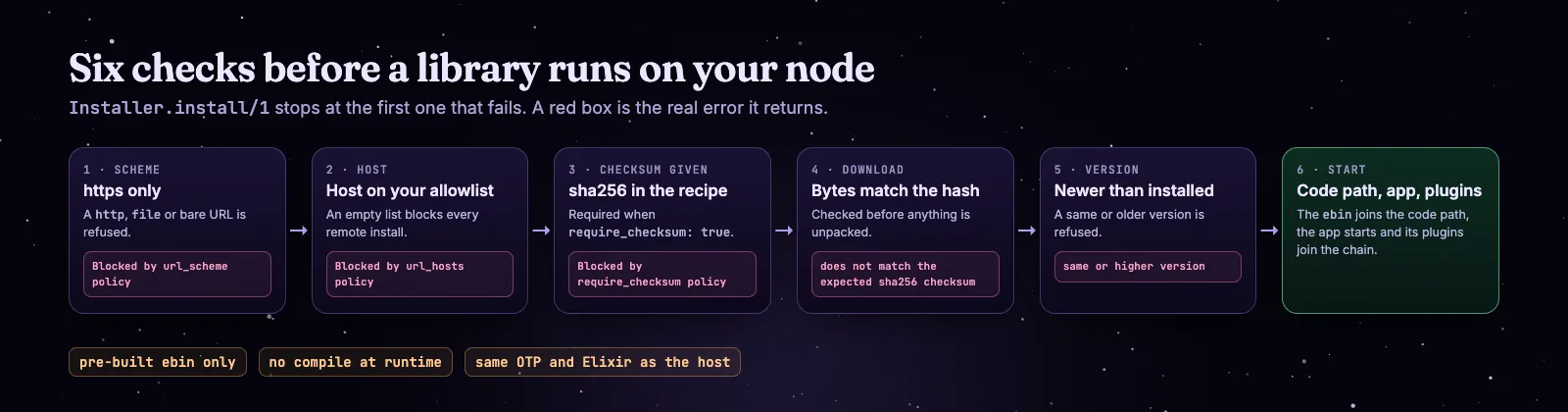
The six checks. Each red box is the error the installer returns.
Step 6: Remove it cleanly
To remove a library, unregister its plugins first and then uninstall it. The installer stops the application and deletes the package, but it does not touch the plugin registry.
alias MishkaInstaller.Event.Event
alias MishkaInstaller.Installer.Installer

for plugin <- Event.get(:extension, :signup_perks) do
  {:ok, _record} = Event.unregister(:name, plugin.name, false)
end

:ok = Installer.uninstall(%{app: "signup_perks", version: "0.1.0"})
If you uninstall first, the plugin records stay in the registry and their modules stay loaded. After the next restart the event cannot run, and every call answers its cannot_run: value or your data unchanged. We saw the clean order work: the chain went back to three plugins and the install record was gone. The guide Ship and remove plugins with a runtime-installed library also shows how to repair a registry after a bad uninstall.
Safety checklist
- Use https URLs only. The installer refuses anything else.
- List the hosts you trust in
url_hosts, and keep the list short. - Set
require_checksum: trueand pass the sha256 of every artifact. - Build with the same Erlang/OTP and Elixir as the host.
- Keep
mishka_installerinprotected_apps. It is protected by default, so a package cannot overwrite it. - Give the volume to Mnesia and the extensions folder, so restarts replay installs.
- Pass
raised:andcannot_run:to any call that makes a decision.
When it fits, and when it does not
It fits when other people, or later you, add behavior to a product you have already shipped: a CMS, an admin tool, a platform with extensions. It is a poor fit for logic that never changes, where a plain function is simpler.
Where to go next
The Installer docs follow the same steps in more detail. Start with the page that matches what you are building.
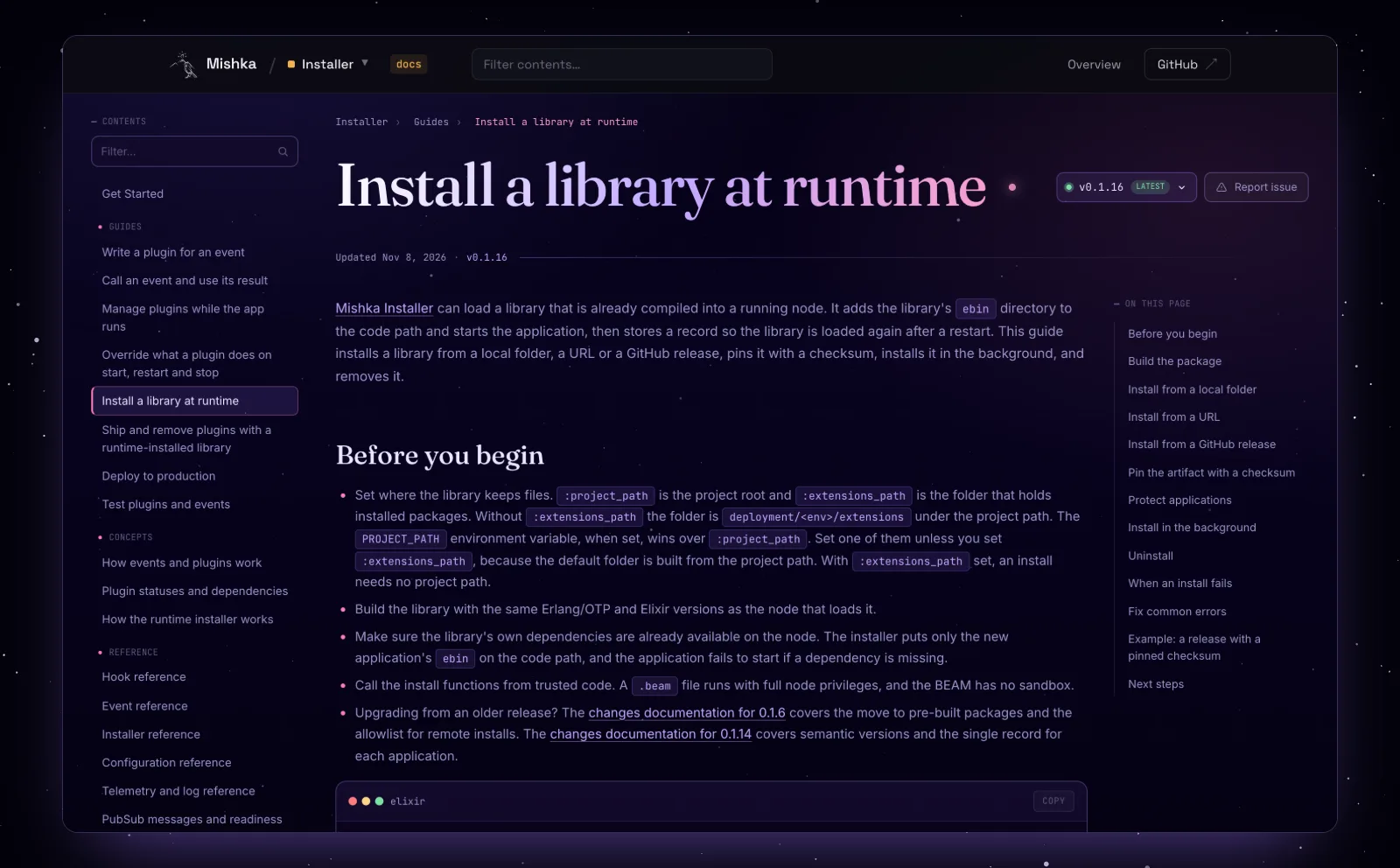
The Install a library at runtime guide in the Installer docs.
Try Mishka Installer
Start with the Mishka Installer page and the documentation, or read the source and the Hex package. Mishka CMS builds its extensions on it.
A small team builds this. If you want to help us work on it full time, a founding seat gives you lifetime access, priority support and every paid extension we release.
You can also sponsor our open source work, or hire our team for an Elixir or Phoenix LiveView project.
Mishka releases. Once a month.
New Mishka CMS releases, Elixir and Phoenix patterns, and case studies from the team. No spam, unsubscribe anytime.
Questions people ask about runtime plugins in Elixir
Thank you
Mishka Installer stands on Elixir, the BEAM and Mnesia, and on the libraries in its dependency list. Thank you to everyone who builds them, and to you for reading this far.
Shahryar Tavakkoli writes about Elixir and Phoenix LiveView: Mishka Chelekom releases, GuardedStruct validation, static sites, service workers and SEO.