Versioned Docs in Phoenix LiveView with Mishka Document
A practical guide to versions, clones, pages and the two-stage review of Mishka Document, with the Elixir code that ran against the released library.

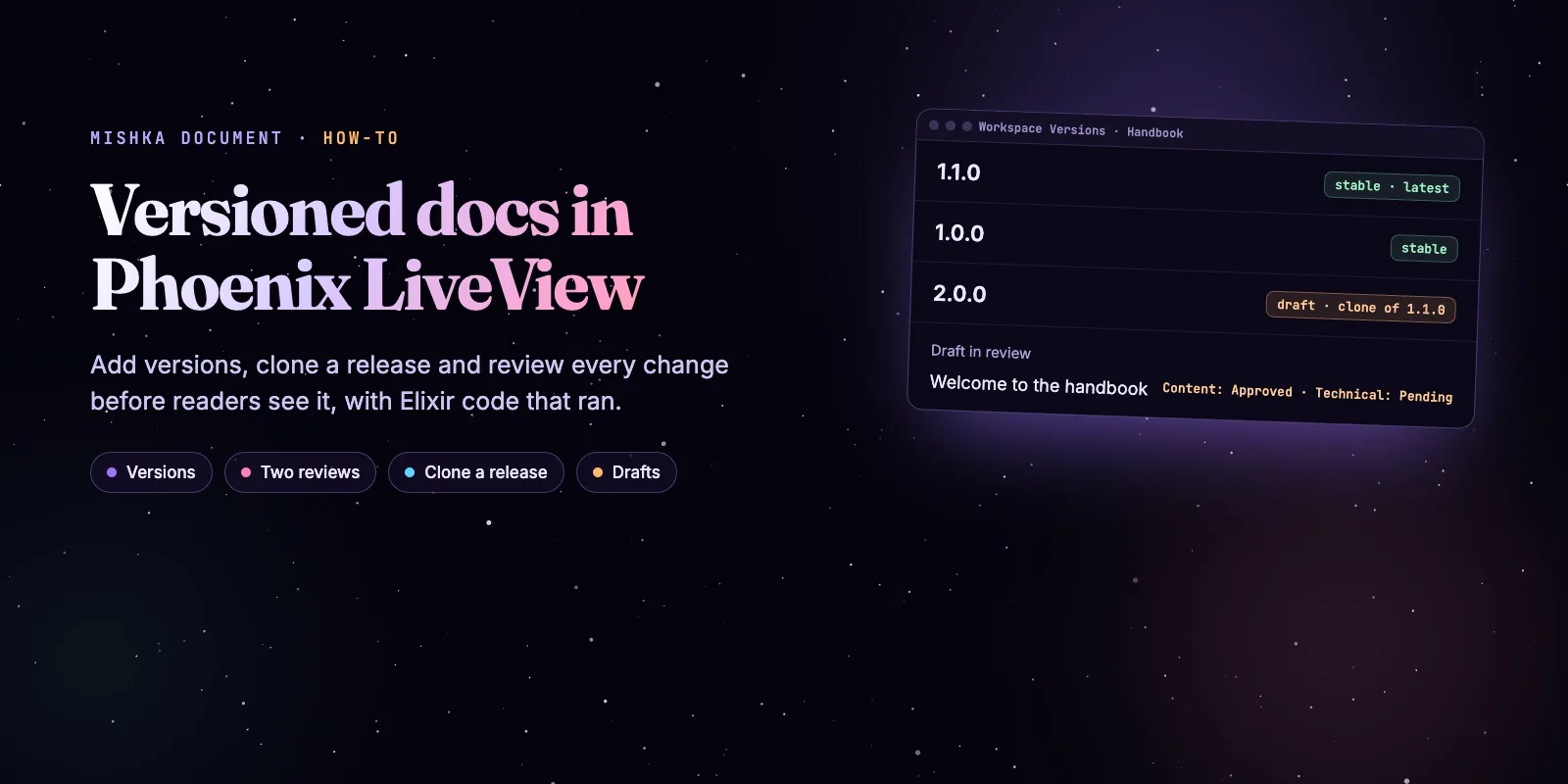
Mishka Document stores documentation as records: a document has versions, a version has a tree of pages, and a page has notes. Readers see a page only after two reviews approve it, and you ship a new release of your docs by cloning a version. This guide builds a small versioned handbook from Elixir and walks it through a review.
Mishka CMS stays free. A founding seat pays for the time we spend on it and on its extensions, and it gives you lifetime access, priority support and every paid extension we release.
Every step below ran against Mishka Document 0.0.3-alpha.2, the latest release on Hex, and the output you see is real. The behavior and the admin screens come from the Mishka Document docs, which this post links as it goes.
You need a Mishka CMS site with Documentation installed, and about fifteen minutes. See Set up documents on a site if you have not done that yet. By the end you have a handbook with two versions and one reviewed change.
Mishka CMS releases. Once a month.
New Mishka CMS releases, Elixir and Phoenix patterns, and case studies from the team. No spam, unsubscribe anytime.
The short answer
Create a document, add a version, write pages, and clone the version when the next release starts. A page reaches readers when its document is Active, its version is Alpha, Beta, Rc or Stable, and both of its reviews are Approved.
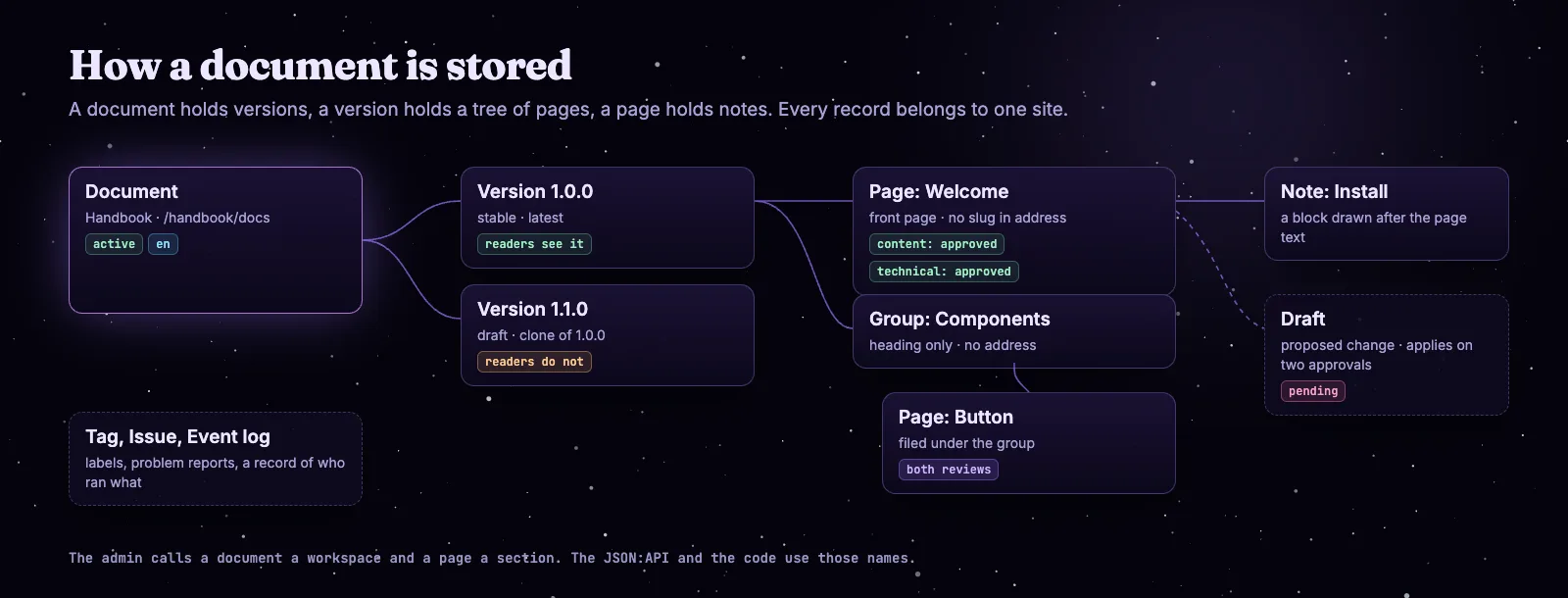
One document, its versions, its tree of pages, a note and a draft.
The admin calls a document a workspace and a page a section, and so does the code. The How documents are organized page lists every part, including tags, issues and the event log.
Step 1: Create a document
A master writes with the master_create action and names the site. A site account uses create with a tenant instead. I ran the steps in the extension's own test setup, with a master user and a site from its factories. In your host app, master is a real master account and site is yours.
alias MishkaDocument.{Note, Section, SectionDraft, Workspace, WorkspaceVersion}

# master: a user with no site, such as one holding "*". site: the site that owns the document.
opts = [actor: master]

document =
  Workspace
  |> Ash.Changeset.for_create(
    :master_create,
    %{
      name: "Handbook",
      slug: "handbook",
      path: "/handbook/docs",
      status: :active,
      language: "en",
      site_id: site.id
    },
    opts
  )
  |> Ash.create!()
The address is checked and stored in its normal form, and the site pages that answer at it are written for you. In the admin the same step is the Documents screen. See Create a document.
Step 2: Add a version
A version is one release of the documents. Give it a semantic version number and a status, and mark it latest if readers should land on it.
version =
  WorkspaceVersion
  |> Ash.Changeset.for_create(
    :master_create,
    %{
      workspace_id: document.id,
      site_id: site.id,
      version_number: "1.0.0",
      status: :stable,
      is_latest_for_version: true,
      published_at: DateTime.utc_now()
    },
    opts
  )
  |> Ash.create!()
A Stable version needs a published_at that is not in the future. Marking a version as latest unmarks the document's other versions.
| Status | Readers see the version |
|---|---|
| Draft | No |
| Alpha, Beta, Rc | Yes |
| Stable | Yes, with a published date that is not in the future |
| Archived | No |
Step 3: Write a page and a note
A page is a title, a slug and a text, filed under a parent. A note is a titled block drawn after the page. Set both reviews to :approved here, or readers do not see the page.
page =
  Section
  |> Ash.Changeset.for_create(
    :master_create,
    %{
      workspace_version_id: version.id,
      site_id: site.id,
      language: "en",
      title: "Welcome",
      slug: "welcome",
      content: "<p>Start here.</p>",
      order_position: 0,
      content_review_status: :approved,
      technical_review_status: :approved
    },
    opts
  )
  |> Ash.create!()

Note
|> Ash.Changeset.for_create(
  :master_create,
  %{
    section_id: page.id,
    site_id: site.id,
    title: "Install",
    content: "<p>Add the dependency.</p>",
    order_position: 0,
    content_review_status: :approved,
    technical_review_status: :approved
  },
  opts
)
|> Ash.create!()
Give a page a parent with parent_section_id. Mark a version's front page with front_page: true and a heading over other pages with group_heading: true. A group and the front page leave their slug out of the address, so the address matches what a reader sees. The Write pages and notes guide shows the admin route.
Step 4: Clone the version for the next release
A clone copies every page, note and tag of a version into a new draft version of the same document, in one transaction. If anything fails, nothing is written.
next =
  WorkspaceVersion
  |> Ash.Changeset.for_create(
    :master_clone,
    %{version_number: "1.1.0", source_version_id: version.id},
    opts
  )
  |> Ash.create!()

{next.status, next.is_latest_for_version, next.__metadata__.cloned}
#=> {:draft, false, %{from: "1.0.0", tags: 0, pages: 1, notes: 1}}
The clone records its source and is neither latest nor visible, because its status is Draft. Drafts of pages and notes are not copied. Readers keep reading 1.0.0 while you edit 1.1.0.
From a stable 1.0.0 to a reviewed 1.1.0, in six steps.
Deleting a source deletes the versions cloned from it. To keep a clone when its source goes, use Make independent in the admin. The Add, clone and publish versions guide covers it.
Step 5: Propose a change and review it
Editing an approved page in place changes what readers see the moment you save. A draft is the other route: it holds a proposed page and waits for a Content Review and a Technical Review. When both are Approved it writes itself into the page.
First find the copy of the page in 1.1.0.
copy =
  Section
  |> Ash.Query.filter(workspace_version_id == ^next.id)
  |> Ash.read!(actor: master, action: :master_read, page: [limit: 50])
  |> Map.get(:results)
  |> hd()
Then add the draft. A field you leave out keeps the page's value, and applying the draft writes only the fields it changes.
draft =
  SectionDraft
  |> Ash.Changeset.for_create(
    :master_create,
    %{
      workspace_version_id: next.id,
      site_id: site.id,
      source_section_id: copy.id,
      title: "Welcome to the handbook",
      slug: "welcome",
      language: "en",
      change_version: "1.1.0",
      version_increment_type: :minor
    },
    opts
  )
  |> Ash.create!()

{draft.content_review_status, draft.technical_review_status, draft.applied_at}
#=> {:pending, :pending, nil}
Approve the two reviews one at a time. The page changes only after the second.
review = [actor: master, tenant: site.id]

draft
|> Ash.Changeset.for_update(:update, %{content_review_status: :approved}, review)
|> Ash.update!()
# the page still reads "Welcome"

draft
|> Ash.Changeset.for_update(:update, %{technical_review_status: :approved}, review)
|> Ash.update!()

Ash.get!(Section, copy.id, actor: master, action: :master_read).title
#=> "Welcome to the handbook"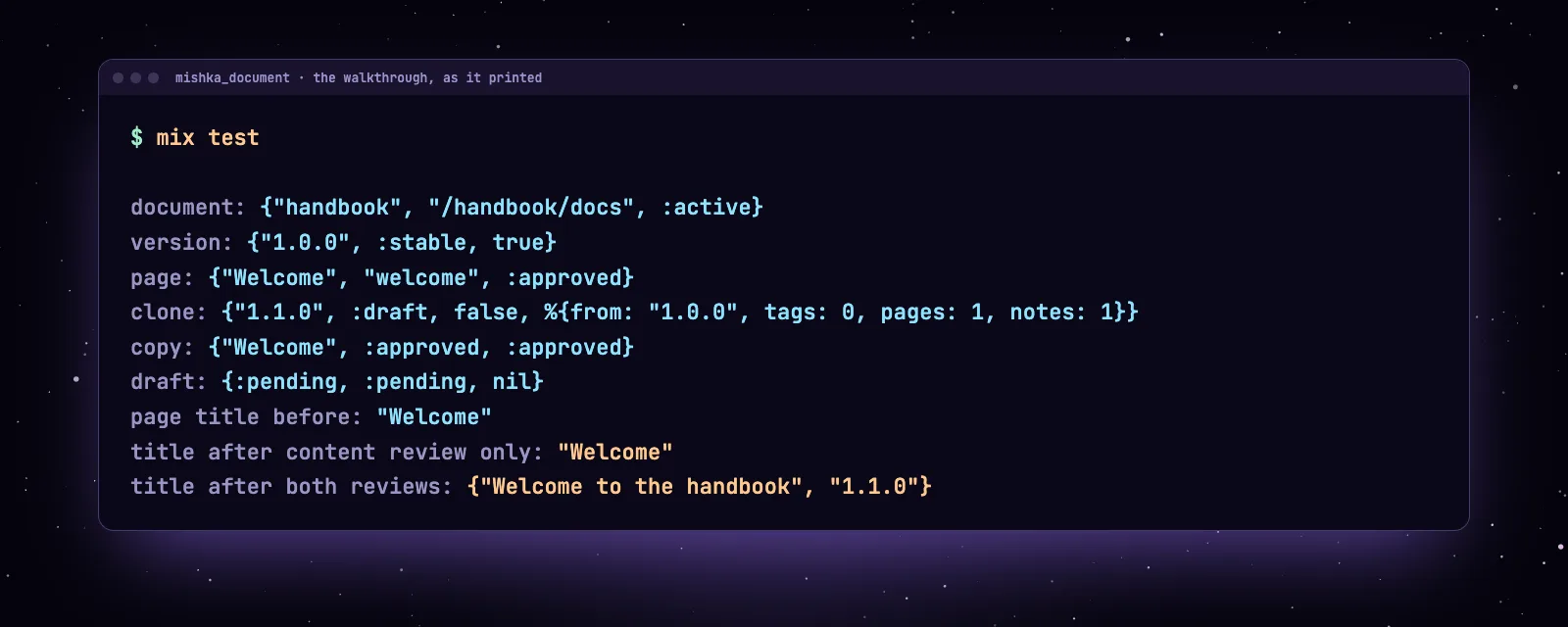
What the walkthrough printed. The title changes after the second review.
Who sees what
A reader sees a page only when every record above it allows it. Four checks decide: the document, the version, the page's two reviews and the permissions that lock a record.
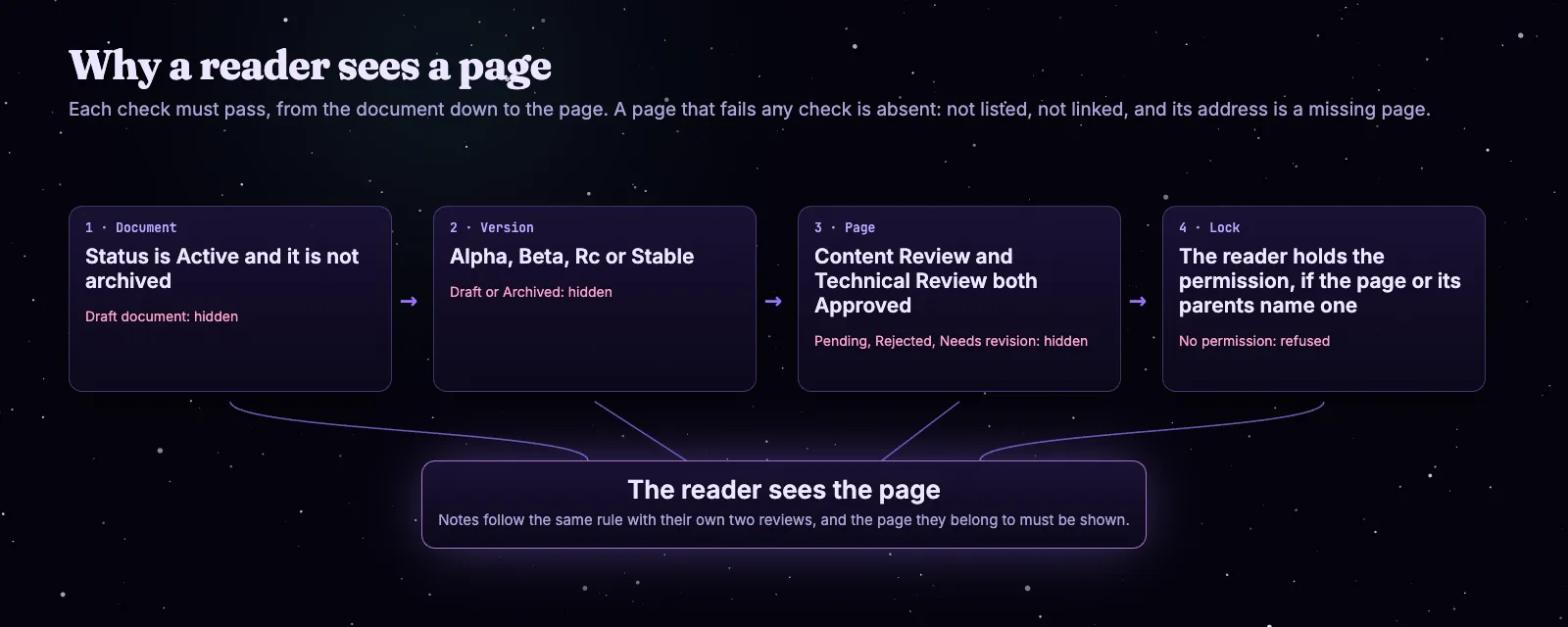
Four checks, and a page that fails one is absent.
A document and a page can each carry a list of permission names. A page that names its own lock opens for the readers of that lock, even inside a document locked to other names. Review, status and who can read a page has a worked example.
How readers pick a version
A document opens on the version marked latest. With none marked, it opens on the newest published one. The latest version has no ?v= in its address, and the version switcher adds it for any other version.
The Mishka Chelekom docs on this site work that way. Open the Mishka Chelekom docs for the latest version and the Mishka Chelekom 0.0.9 docs for the older 0.0.9. Its 0.0.10 was created from 0.0.9, so each page keeps its history and the switcher leads from one to the other.
Next steps
Read the how-to guides for the admin side of each step, and Write documents from code for a script you can run twice. Details of the extension are on the Mishka Document page.
If you want the story behind it, read Mishka Document 0.0.1: Versioned Docs Engine for Phoenix LiveView. To read your documents from another app, see Headless or coupled.
Mishka CMS is free, and a small team builds it. If you want to help us work on it full time, a founding seat gives you lifetime access, priority support and every paid extension we release.
You can also sponsor our open source work, or hire our team for a Phoenix LiveView project.
Mishka CMS releases. Once a month.
New Mishka CMS releases, Elixir and Phoenix patterns, and case studies from the team. No spam, unsubscribe anytime.
Questions people ask about Mishka Document
Thank you
Mishka Document stands on Elixir, Phoenix LiveView and Ash Framework. Thank you to everyone who builds them, and to you for reading this far.
Shahryar Tavakkoli writes about Elixir and Phoenix LiveView: Mishka Chelekom releases, GuardedStruct validation, static sites, service workers and SEO.