Mishka Document 0.0.1: Versioned Docs Engine for Phoenix LiveView
The open source documentation engine of Mishka CMS, built with Elixir, Phoenix LiveView and Ash: versions you clone per release, pages in every language, a two-stage review, live Mishka Chelekom examples and plugin events, and the story of the mishka.tools docs that run on it every day.

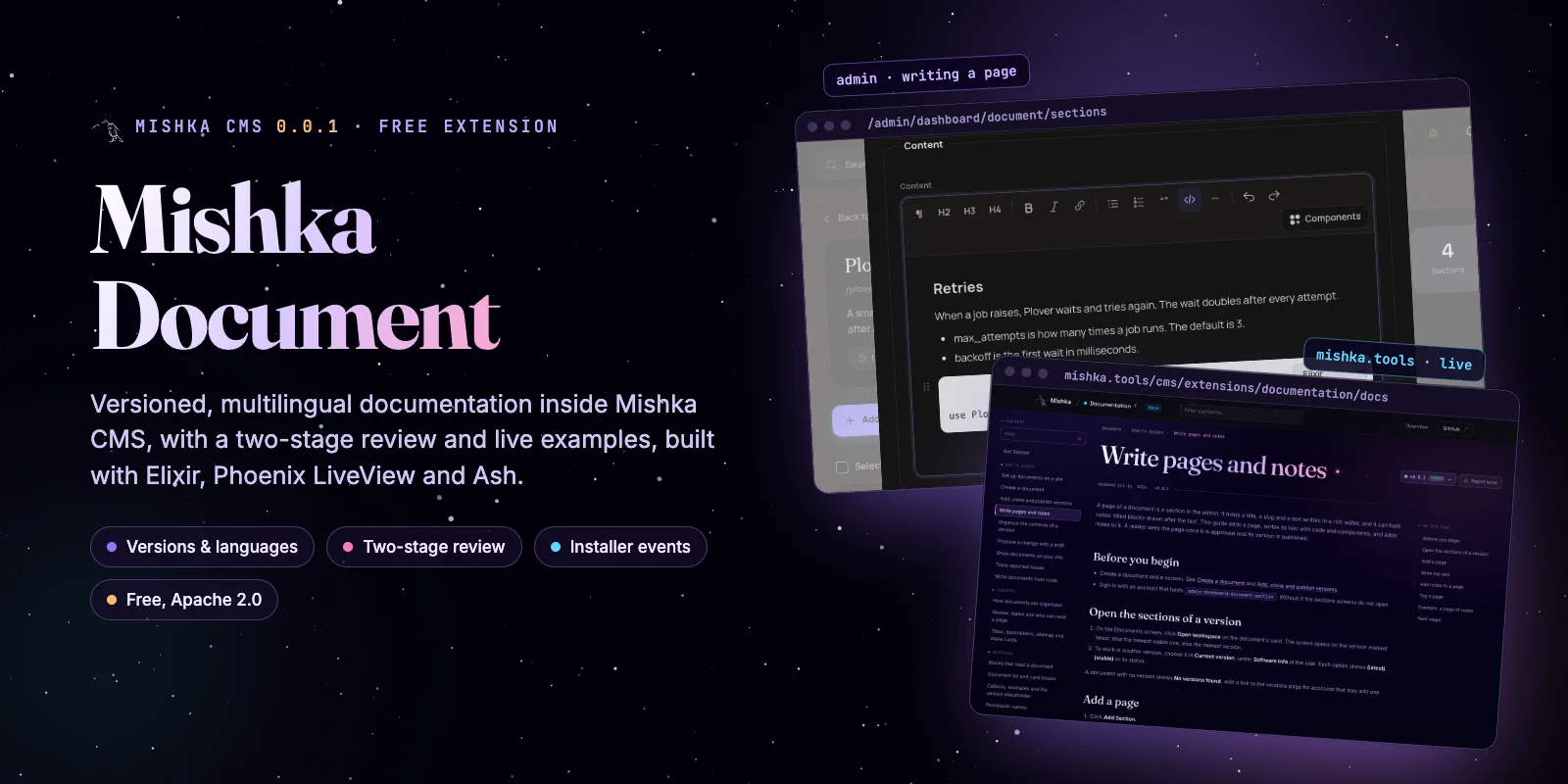
Mishka Document is the free, open source documentation engine of Mishka CMS 0.0.1, built with Elixir, Phoenix LiveView and Ash. It holds documents with several versions, pages nested inside each other, translations, and a two-stage review before a change reaches readers. Every docs page on mishka.tools runs on it, from the Mishka Chelekom docs to the guides of Mishka Document itself.
We told the story of the CMS in Introducing Mishka CMS and opened up its blog engine in the Mishka Blog introduction. The product page, Mishka Document: Versioned Docs Engine, lists what it does. This post shows how it works and why we built it, with screenshots from our own docs, and it says plainly what version 0.0.1 does not do yet.
What Mishka Document is
Mishka Document is an extension of Mishka CMS that gives a site its documentation. A document (the code calls it a workspace) has versions, each version has a tree of pages, and each page holds notes: the text, the code and the components a reader sees. A change can wait for two reviews before it goes live, and every document and page can have editions in other languages.
It is open source under the Apache 2.0 license and ships with Mishka CMS, which is free too. Version 0.0.1 reached Hex on 25 October 2026, the same day as the first Mishka CMS release. It is young, and a section near the end lists what is missing.
The whole extension is built with Ash, Phoenix and Phoenix LiveView. Each one has its own job:
| Part of the stack | What it does in Mishka Document |
|---|---|
| Ash Framework | 15 resources on PostgreSQL with their policies, multitenancy by site, soft deletes (AshArchival), the audit trail (AshEvents) and 206 JSON:API routes (AshJsonApi) |
| Phoenix | The routes, the controller behind live example previews, and Phoenix PubSub, which carries every change to the admin |
| Phoenix LiveView | The admin screens, the page blocks readers see, and the move from one page of a document to the next without a reload |
| Mishka CMS core | Runtime pages, the visual editor, sites, permissions, sitemaps and share cards |
| Mishka Installer | The events that Document answers and that your plugins listen to |
| Mishka Gervaz | The admin tables and forms, declared on the Ash resources |
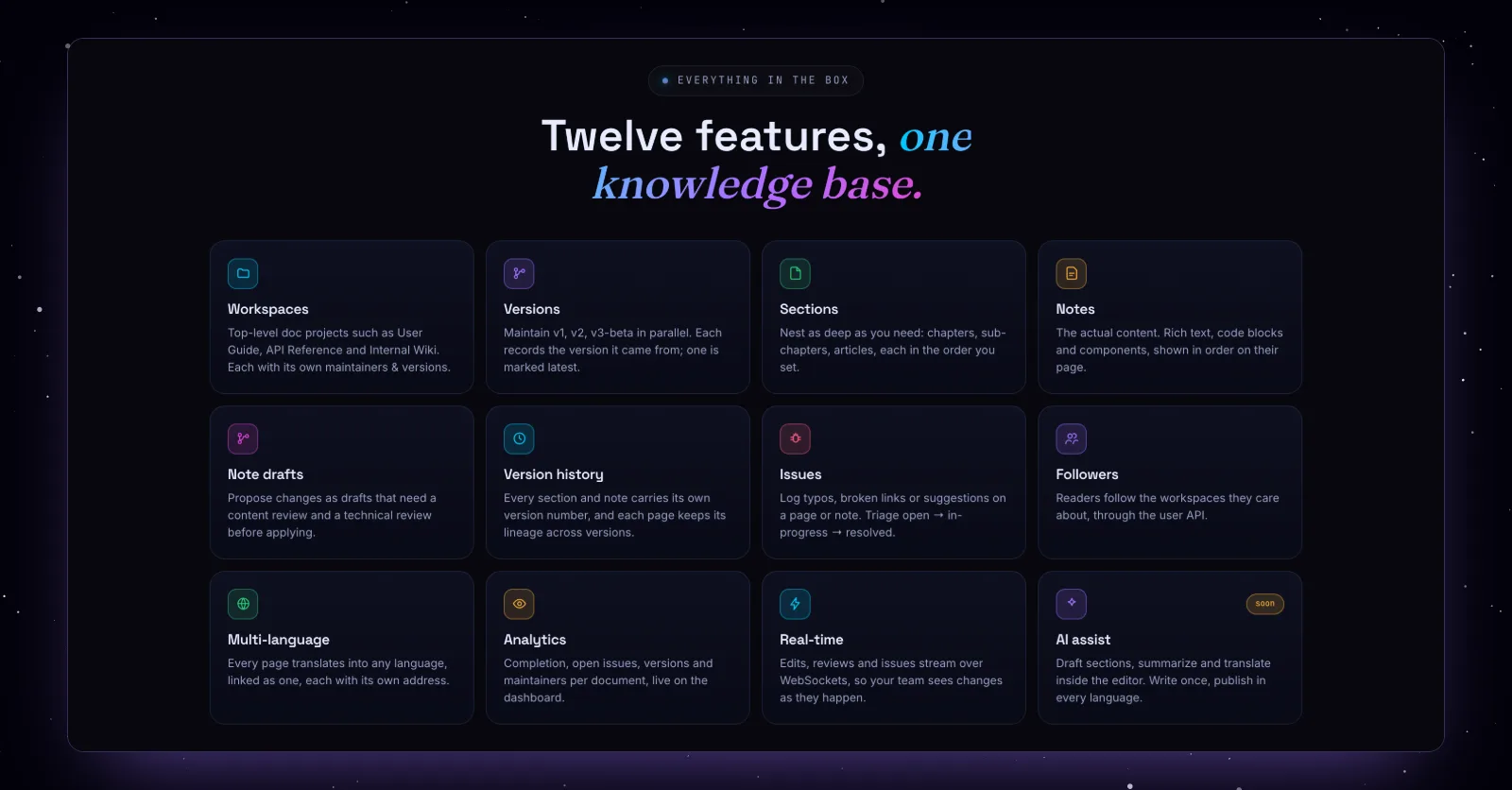
The twelve features on the Mishka Document page. This post separates what 0.0.1 ships from what is still coming.
Why we built Mishka Document
We built Mishka Document because our own docs had outgrown code. Until October 2026 every page of mishka.tools was its own Phoenix LiveView module, and fixing one sentence meant a commit and a deploy.
One module per page
The site started on 29 September 2024 as a hand-written Phoenix LiveView app. The Mishka Chelekom docs arrived a month later, and each docs page was a module with its own HEEx template. By July 2026 the docs folder held 115 modules and 114 templates, about 113,700 lines, behind 121 routes: 114 Chelekom pages and 7 other pages of the site. Blog posts were Markdown files compiled into the app.
Everything around the pages lived somewhere else. Git and a redeploy did the job of drafts, versions and rollback. The sitemap and the share images came from two mix tasks, one of which took screenshots in a headless browser. GuardedStruct kept its guide in a Livebook on GitHub and Mishka Installer kept its guide in a README. A reader who wanted the docs of an older Chelekom release had no page to go to.
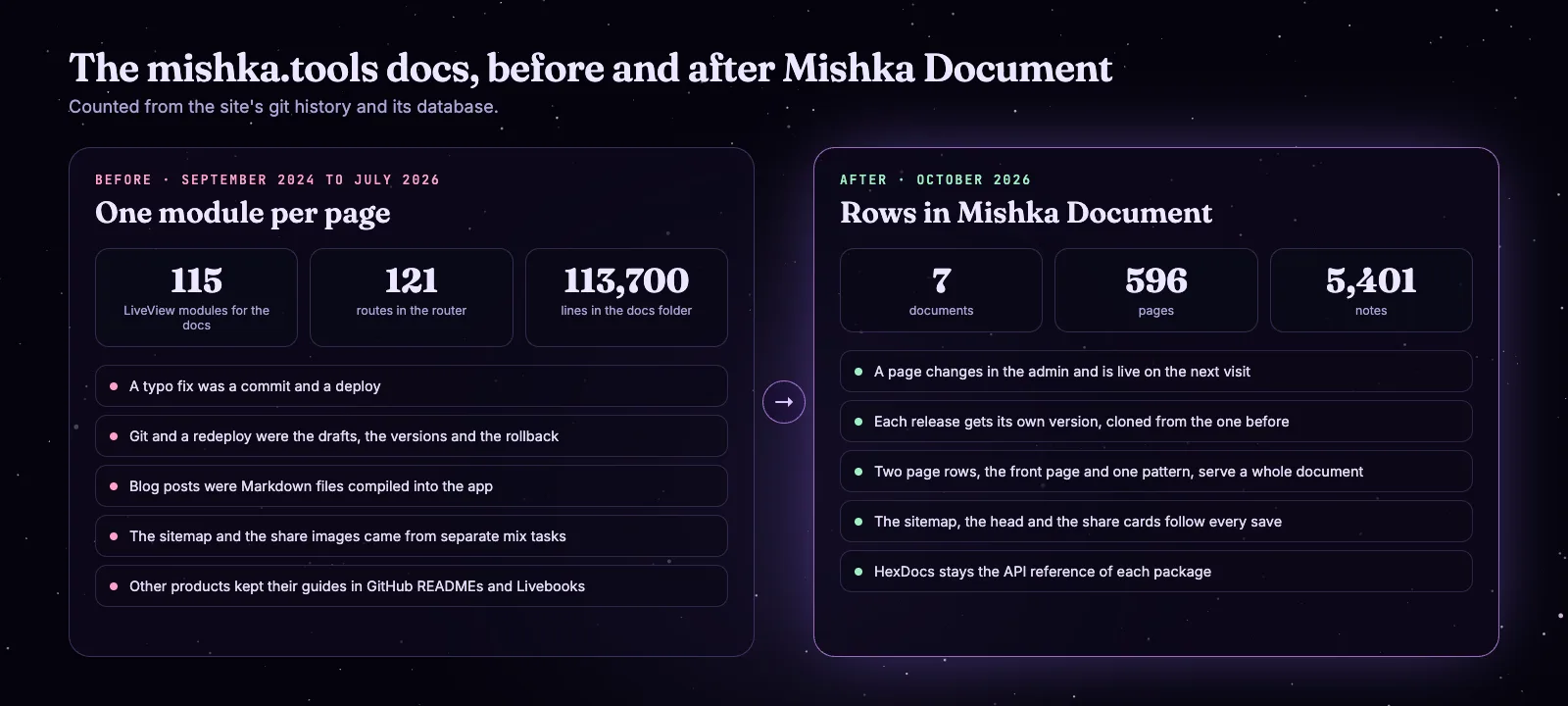
Counted from the site's git history and its database.
Why HexDocs was not enough
HexDocs is still the API reference of every package we publish, Mishka Document included. It builds static pages for each package, which is right for function docs. Our guides needed more. A Chelekom page shows the component working: the old rating page held a real form with an Ecto changeset, and more than 20 docs modules handled LiveView events. We also wanted a version of the docs for each release with a menu to switch between them, Props and CLI tabs read from each release, and one design across every product on the site.
Ten days of data, a year of screens
Mishka Document began on 24 October 2025 inside the private repository where we built Mishka CMS. The data model came first, and quickly. In ten days it had versioned documents with language editions, a record of which version was cloned from which, nested pages, notes, drafts with two reviews, issues with comments, reader bookmarks and follows, and a JSON:API.
The screens took longer: the admin LiveViews started in December 2025 and the dashboard widgets in June 2026. In September 2026 we made the decision the rest of the design follows. A documentation page is made of components a site installs, stored as data, and no longer of code.
Moving mishka.tools onto it
On 6 October 2026 the code moved to its own public repository, with the test suite passing as it had in the monorepo. The same day the site deleted its old app, 662 files and 206,139 lines, and started running on Mishka CMS.
Then we checked our own claims. We read the Mishka Document page against the code and corrected it: it no longer promised a rollback. Between 11 and 14 October the Chelekom docs moved onto Mishka Document at their own address, /chelekom/docs. The 114 pages of the old sidebar were converted from one manifest and split into notes, 57 pages for headless components were added, and the docs of every other product followed in the same design. Version cloning landed on 14 October, and two days later Chelekom 0.0.10 started as a copy of the 0.0.9 docs.
Pages written as code
mishka.tools is a Phoenix LiveView app, and each docs page is a module of its own: 115 of them by the end.
The data model
Mishka Document begins inside the private Mishka CMS repository: documents, versions, pages, notes, drafts and issues in ten days.
Pages made of components
Docs pages become components a site installs, with a set up that never overwrites what an author changed.
The switch
A public repository, and mishka.tools runs on Mishka CMS.
Our docs move in
The Chelekom docs and every other product on Mishka Document, and a version for each release.
Released
Mishka Document 0.0.1 on Hex, the same day as Mishka CMS.
Decisions we made on the way
- The docs UI is data. Each block is a component row an admin can edit, and set up only adds what is missing, so nothing an author touched is written over.
- A page's text is in the first HTTP response. The page block draws at once, because a crawler that gets a loading skeleton gets nothing.
- Locks live inside the read. A list leaves out what the reader may not open, and a locked page asked for by address answers the same 404 as a missing one.
- Events instead of forks. When our site needed badges and tabs on Chelekom pages, Document got an event for them, and any site can answer it.
- The event log is an audit trail. It records who changed what and when, and it does not replay history, which is one reason there is no rollback yet.
We use Mishka Document every day on mishka.tools
mishka.tools is our biggest Mishka Document site and our test bench. It holds 7 documents, 10 versions, 596 pages and 5,401 notes, and its event log recorded 88,412 changes between 9 and 24 October 2026, the weeks we moved our docs onto it.
Much of 0.0.1 was shaped there. When something on our own docs was slow, missing or wrong, we fixed it in Mishka Document, released it and moved the site to the new version, often on the same day.
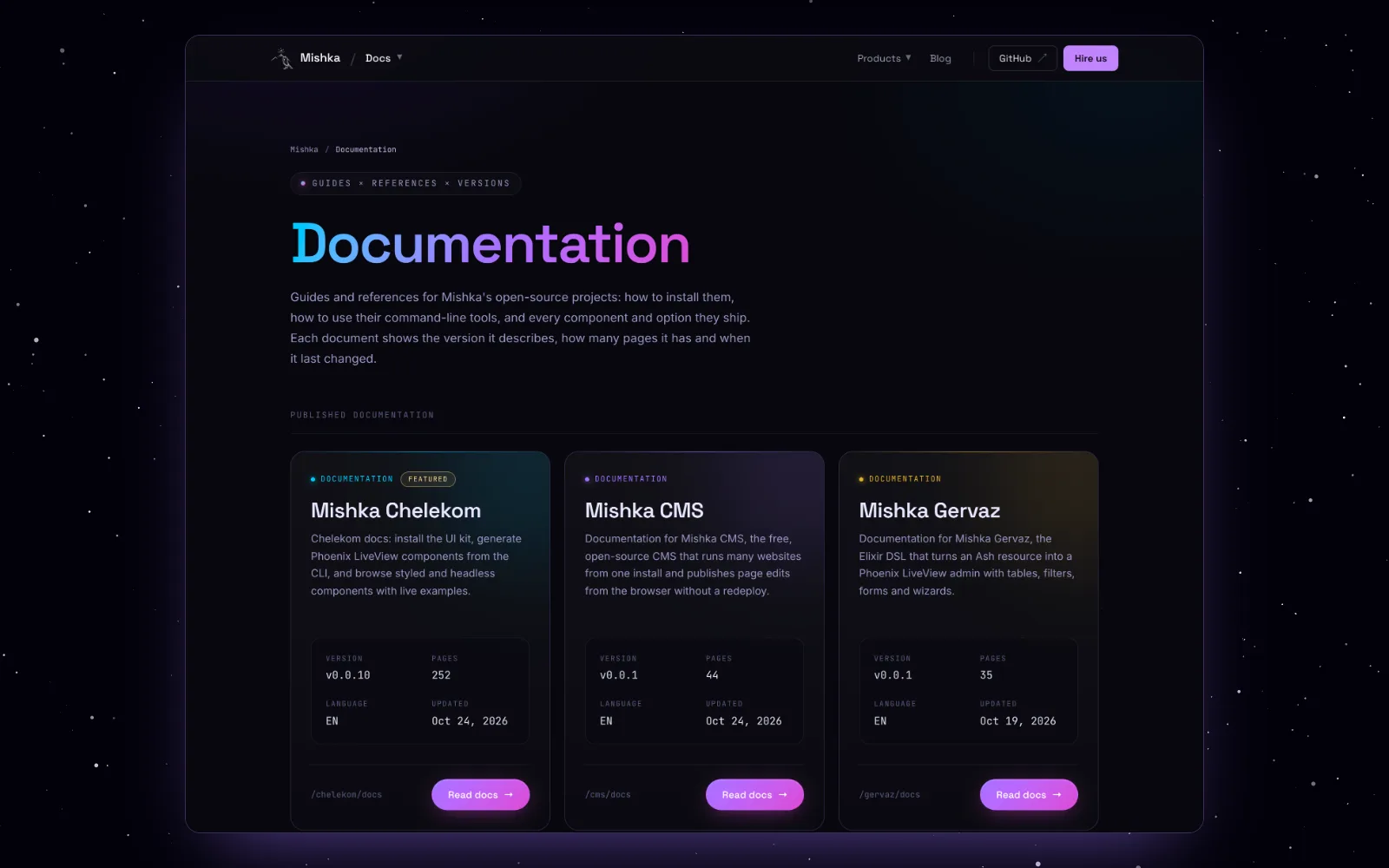
The docs index on mishka.tools: every document with its version, page count, language and last update.
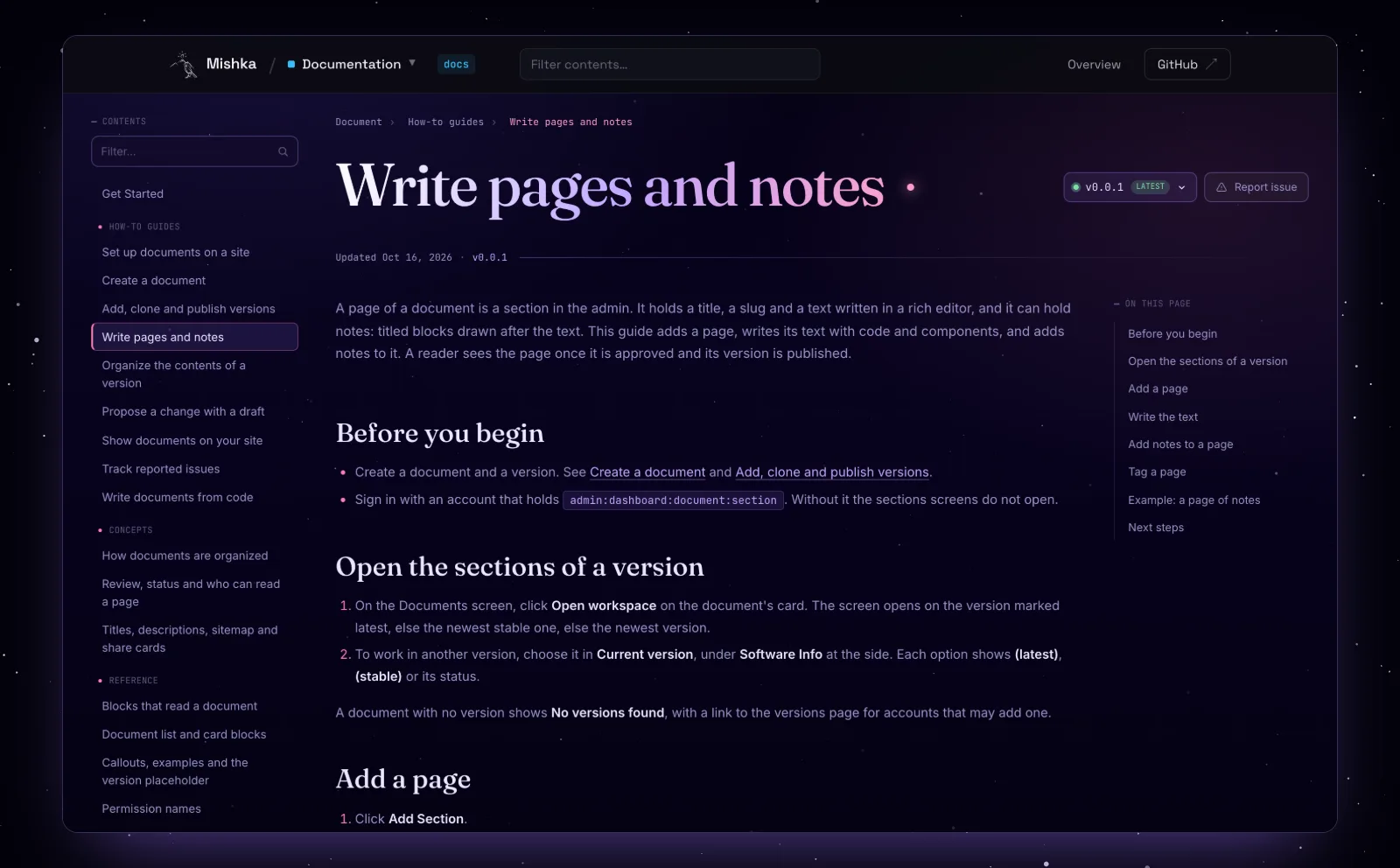
A page of the Mishka Document guides, drawn by the doc-sidebar, doc-section and doc-toc blocks.
What our own docs changed
A document at its own address. Front pages, groups and addresses such as /chelekom/docs were built for the Chelekom move, where Get Started is the document's own address.
Real pages are long. A page's text was capped at 2,000 characters, and our pages of 4 to 9 KB were refused. The cap went, and code is now highlighted when a page is saved.
Notes kept their colours. Code in notes lost its highlighting while we split the Chelekom pages into notes. Notes now store code the way pages do.
CSS for what the text writes. /chelekom/docs/headless/slider showed a bare white box. Tailwind classes written inside docs text now reach the site's stylesheet.
Lighter live examples. Across 120 Chelekom pages the HTML fell from 63.5 MB to 50.2 MB, and the example preview became a live page where dropdowns and toasts work.
The version in the text. The install line had to be typed by hand in each version of the Chelekom docs. {{doc.version}} now fills in the version being read.
Fewer queries. /chelekom/docs/button went from 39 database queries to 33, a click in the Chelekom sidebar from 20 to 7, and one page of a document now asks the database 8 times where it asked 27.
An event, not a fork. Our Chelekom pages needed badges, an install command and Props and CLI tabs. Mishka Document got the document:page:extras event, and the site answers it.
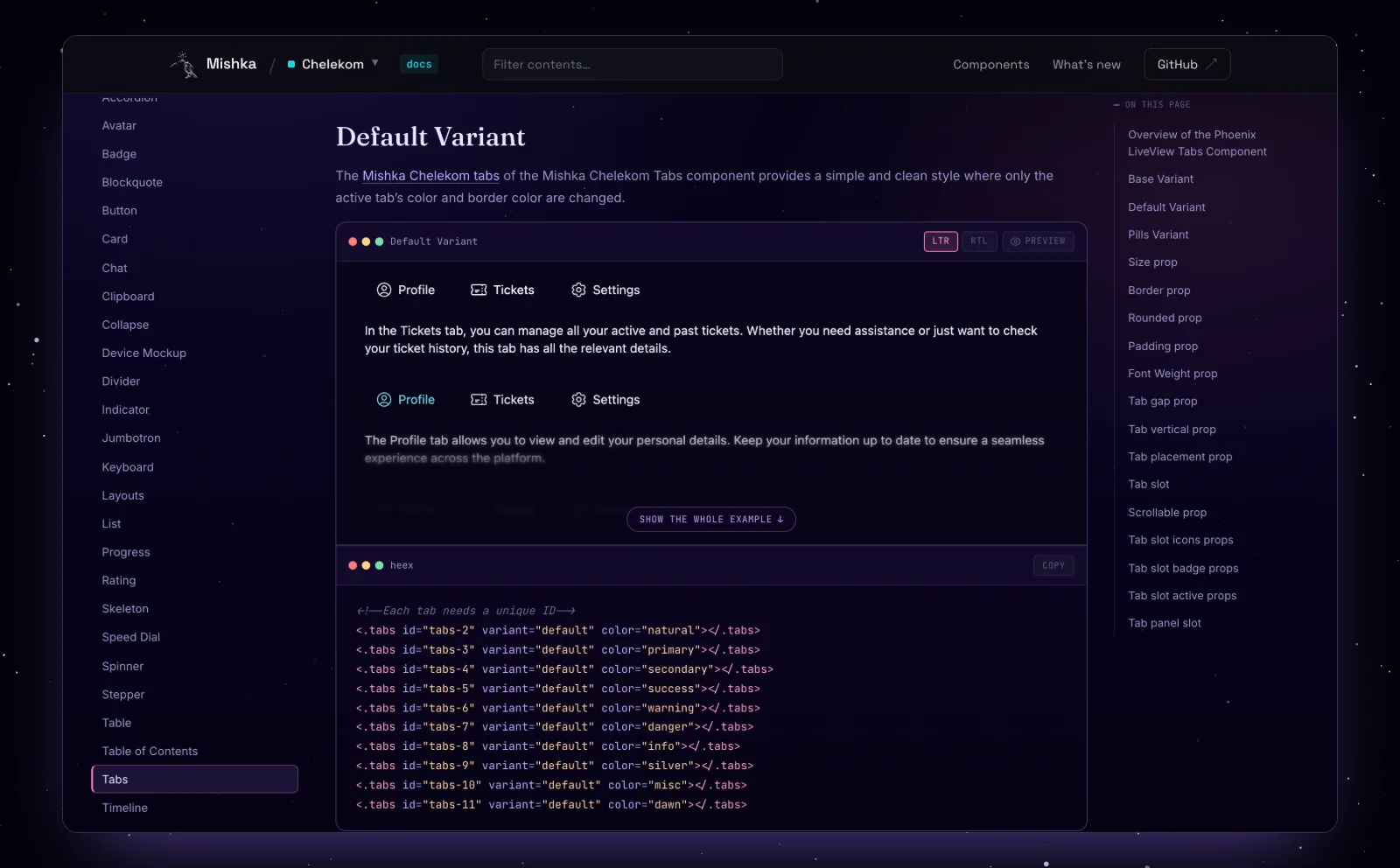
A Chelekom page: a live example you can click, with LTR, RTL and Preview, and its HEEx code.
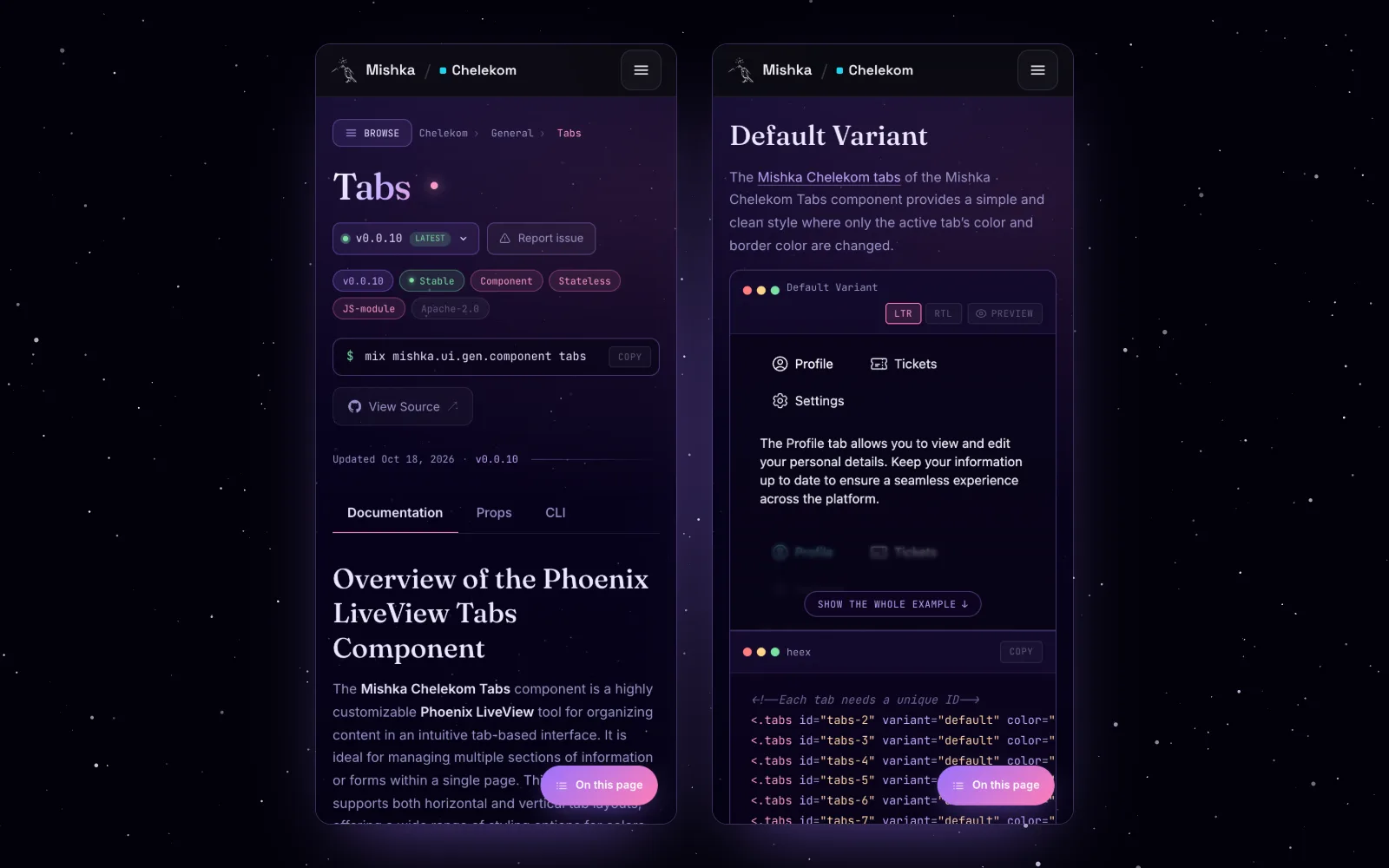
The same page on a phone.
We do not use every feature yet. mishka.tools has no drafts, issues, tags or locked pages today: our team edits pages directly and takes bug reports on GitHub. Those parts are covered by the test suite, and the sections below describe them from the code.
How Mishka Document fits inside Mishka CMS
Mishka Document talks to the Mishka CMS core only through Mishka Installer events. The core asks what a page shows, what its head says and what goes into the sitemap, and Document answers for documentation pages. Any other extension can plug in the same way.
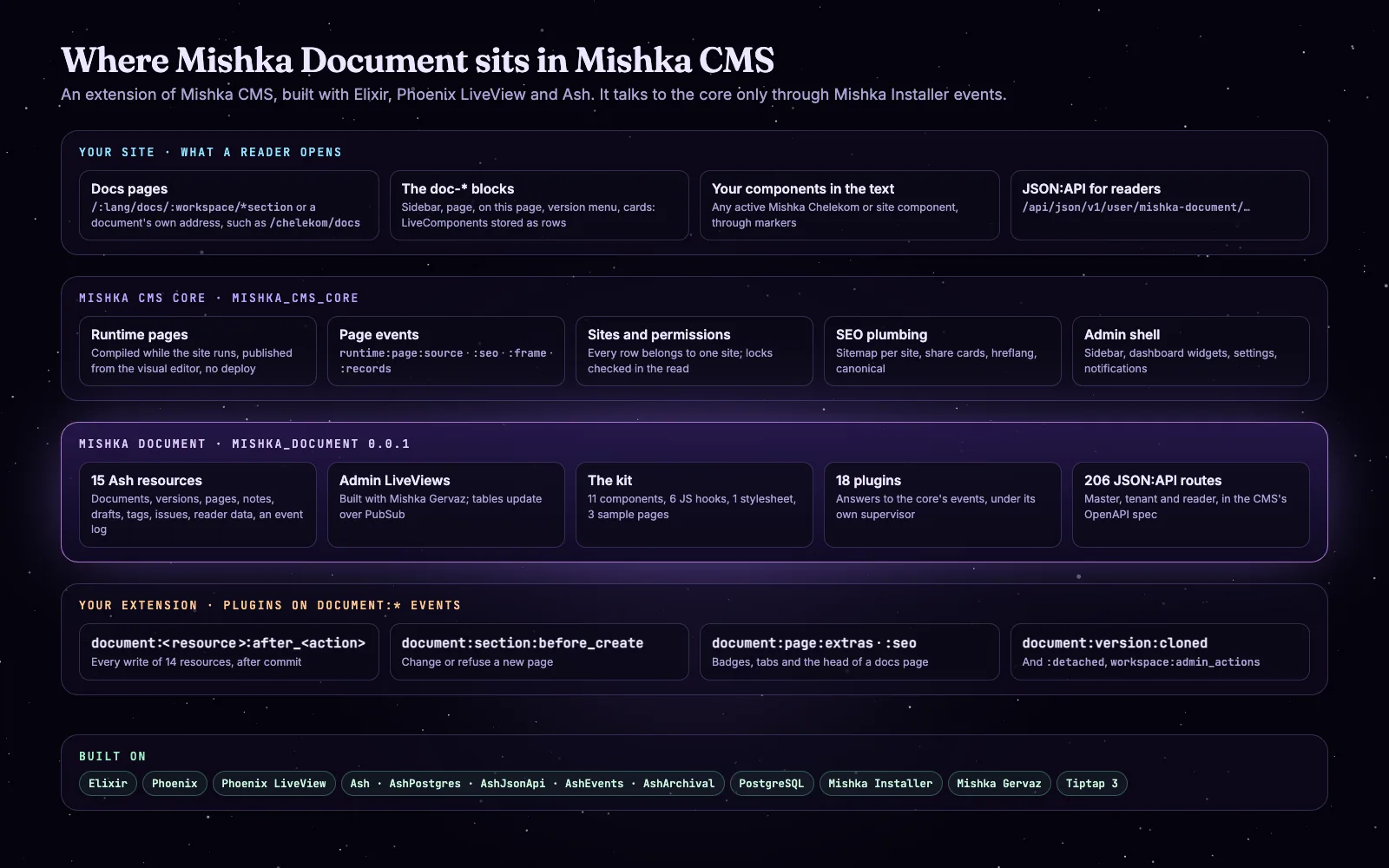
Mishka Document between the Mishka CMS core and your own plugins.
Here is what happens when someone opens a page of the Chelekom docs:
A request arrives for mishka.tools/chelekom/docs/button.
Mishka CMS finds the page /chelekom/docs/*section, compiled while the site runs, whose record kind is a documentation page.
The core fires runtime:page:source. Document reads the document, the version (the one in ?v=, or the latest) and the page once, as this visitor, with its locks.
That one read feeds everything: the page's head, the site's frame (the language menu and the docs bar) and every doc-* block on the page.
The text is in the first response. LiveView then takes over, and the next page of the document arrives as a LiveView patch, without a reload.
Documents, versions, pages and notes
A document has versions, a version has a tree of pages, and a page holds notes. That is the part readers see. Drafts, issues, tags, reader data and an event log sit around it, in 15 Ash resources.
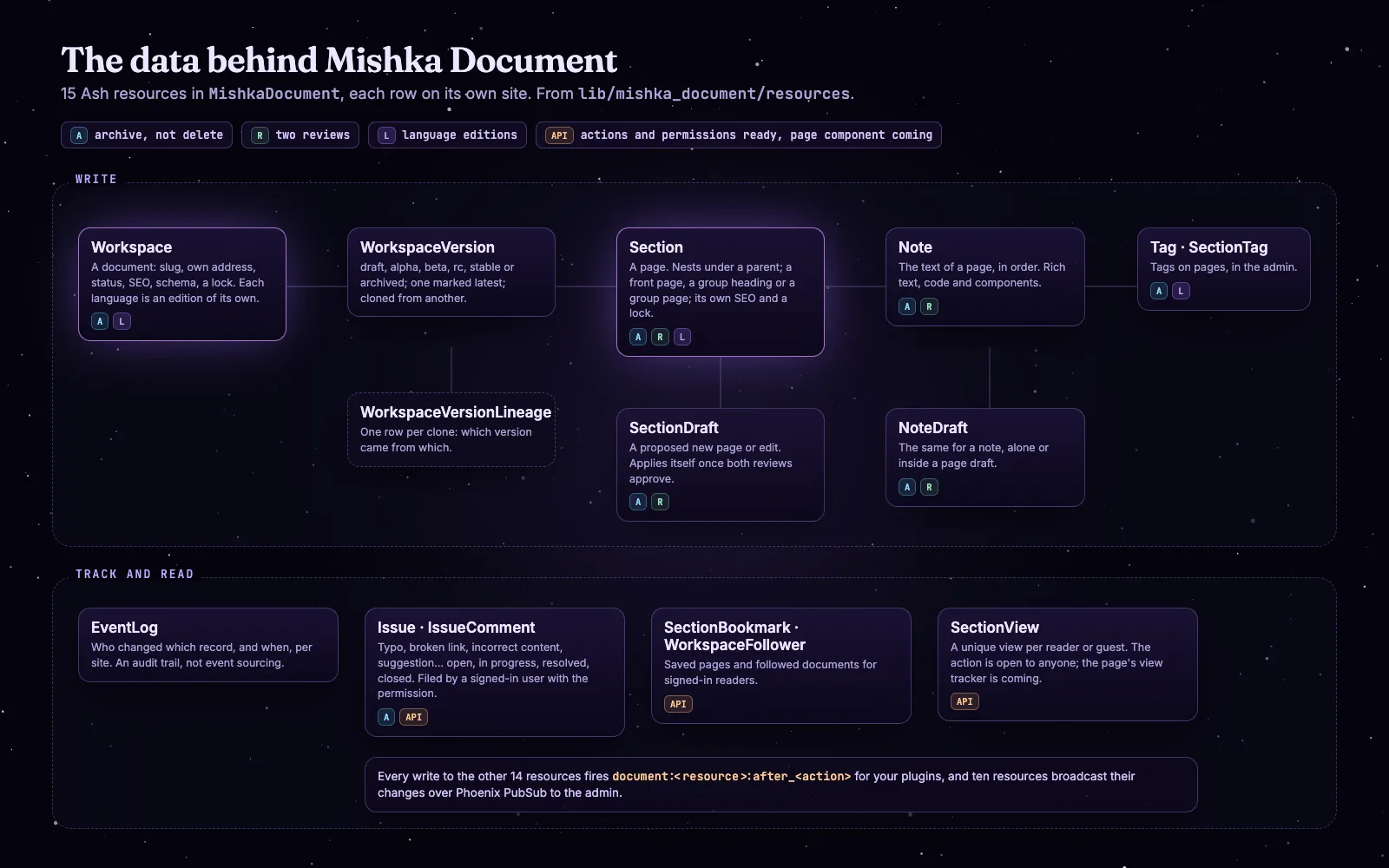
The data model, drawn from lib/mishka_document/resources.
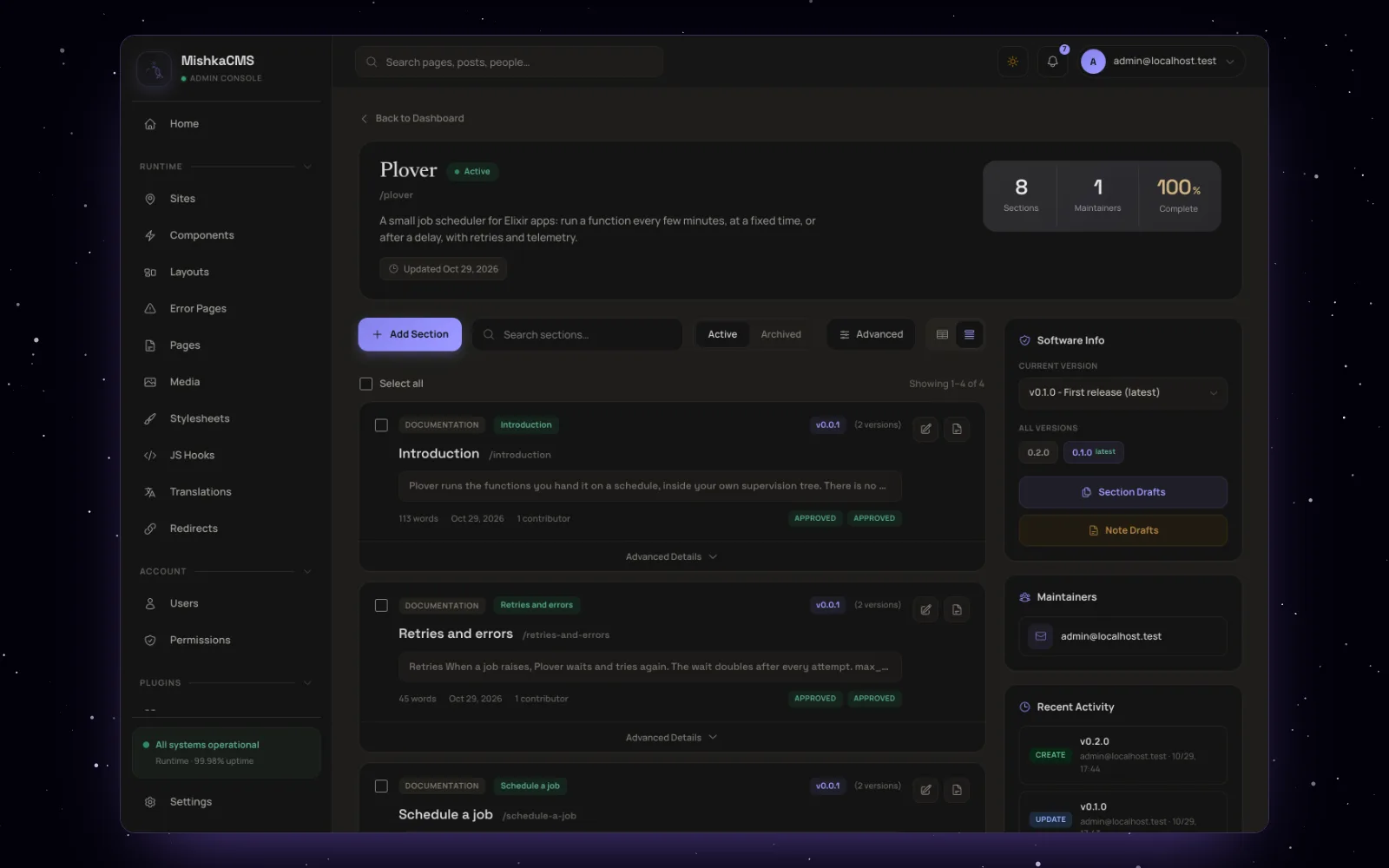
A document in the admin: its pages with their review badges, and its versions, drafts and recent activity on the side.
Versions
A version has one of six statuses: draft, alpha, beta, rc, stable or archived. Readers see alpha, beta, rc and stable versions; draft and archived ones stay in the admin. One version of each document is marked latest, and readers land on it, or on the newest published one when none is marked. Older versions stay readable at the same address with ?v=, for example ?v=0.0.9, and the version menu takes a reader to the same page in another version.
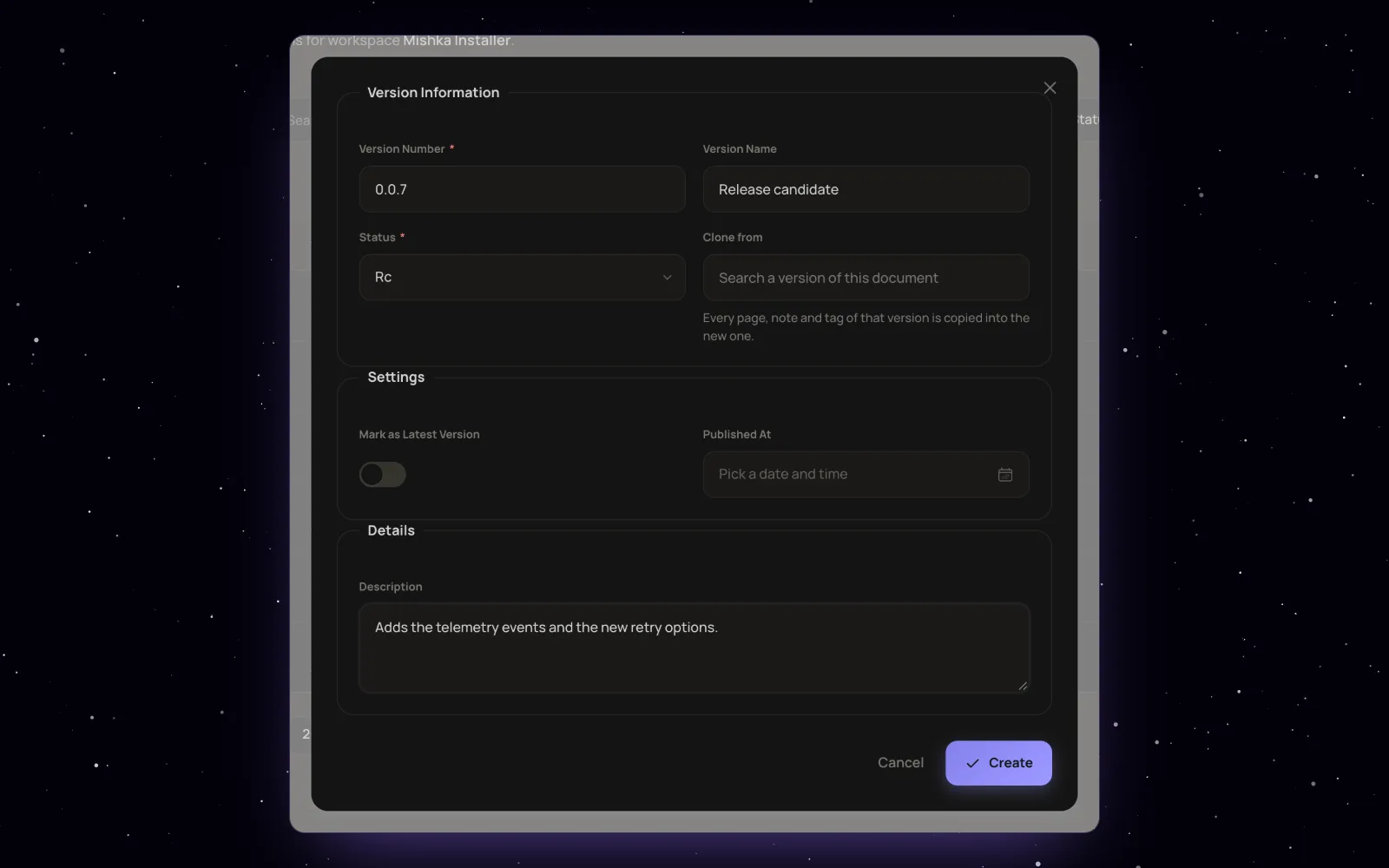
Adding a version: its number and name, its status, Clone from, the latest switch and the published date.

Publishing a version: with only a draft version the document has no public pages; set to Stable and latest in the version form, its pages appear.
A new release starts as a clone. Clone copies every page of a version with its tree, notes, tags and language groups in one transaction, so a copy that fails leaves nothing behind. The new version records where it came from, and each page keeps a lineage id that ties it to the same page in other versions. "Make independent" cuts a version loose from its source, and the latest version cannot be deleted.
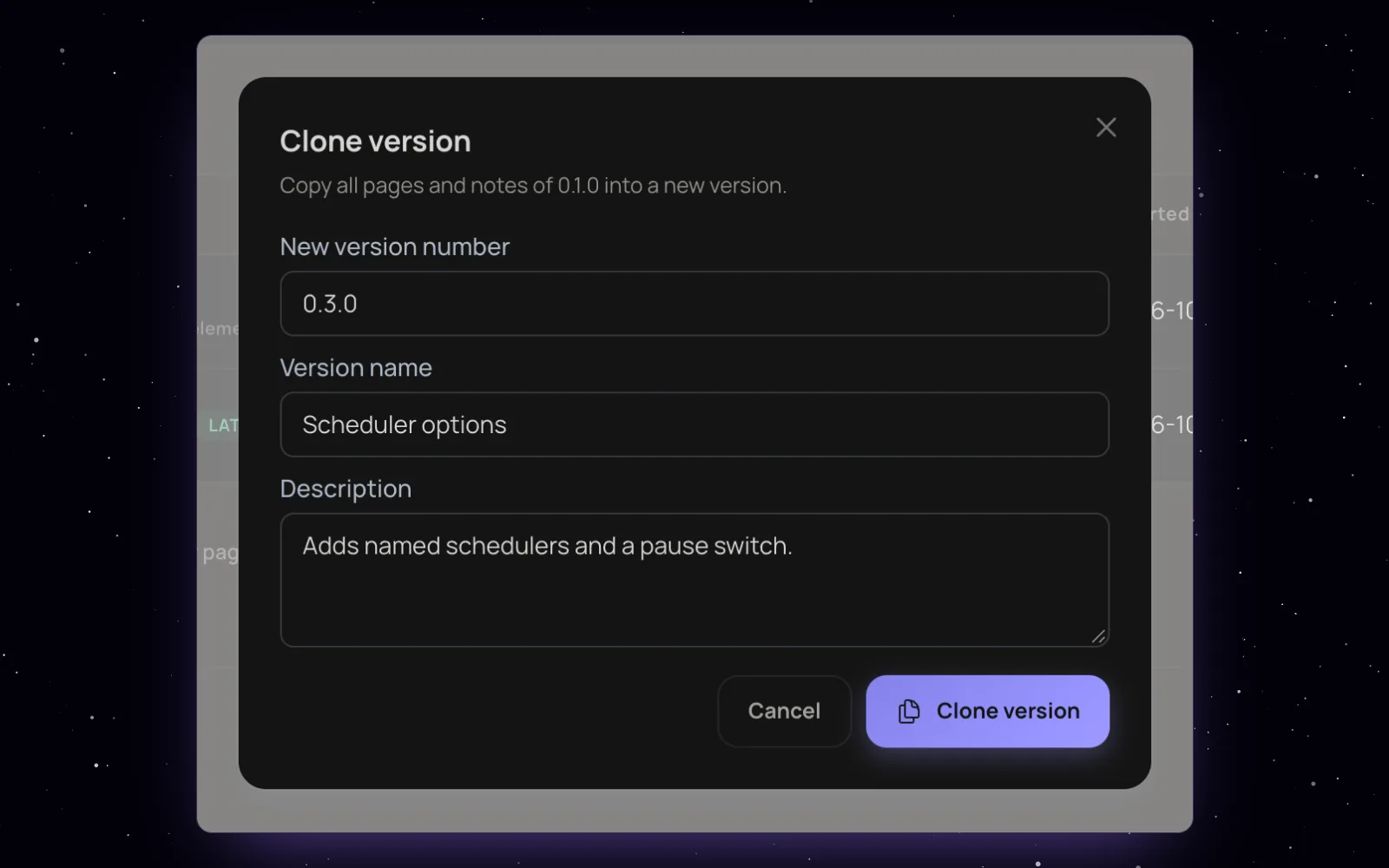
Clone copies every page and note of a version into a new one, which starts as a draft.
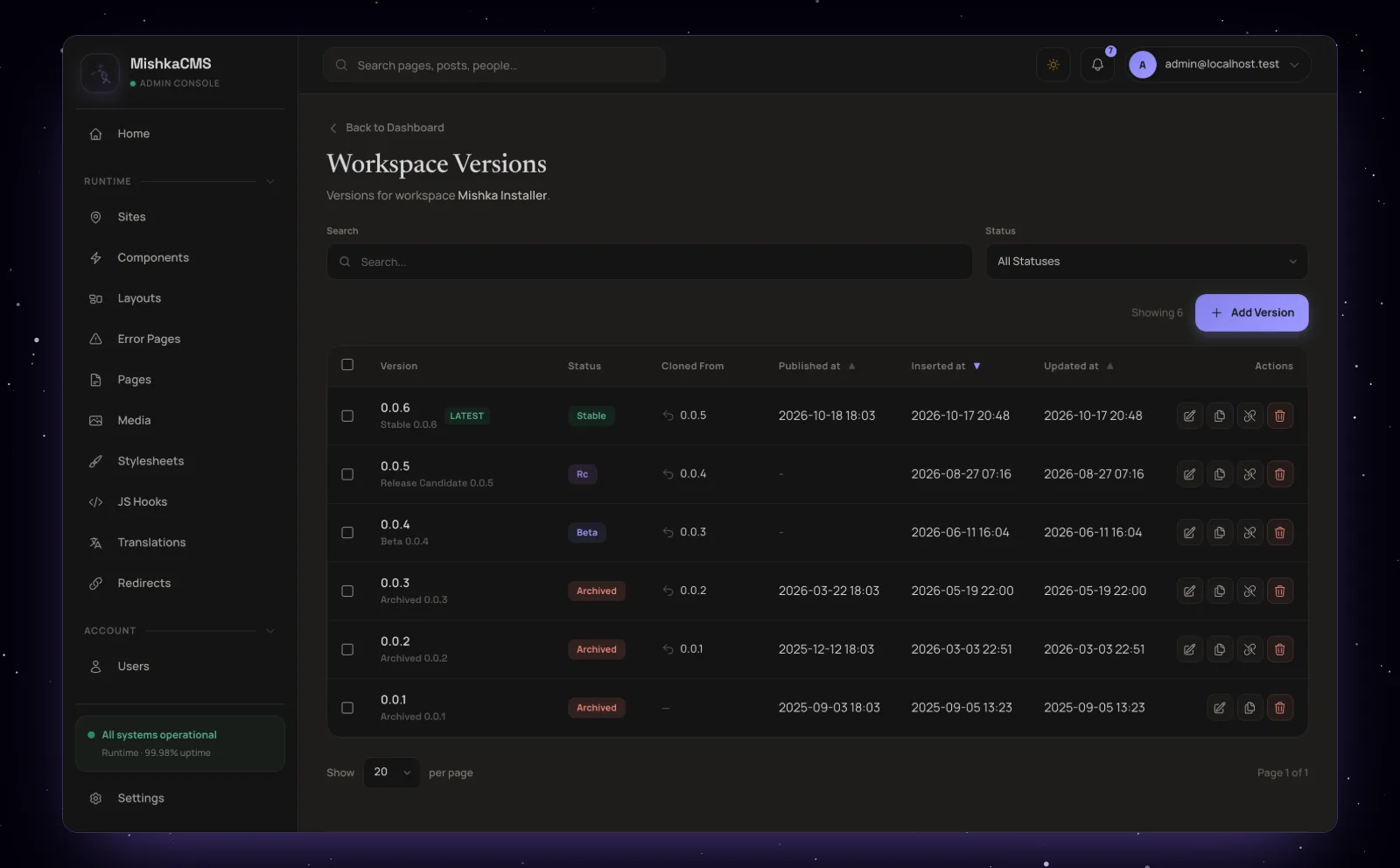
The versions of a document, each with the version it was cloned from.
Pages and notes
Pages nest under parents. A version can have one front page, drawn at the document's own address. A group heading is a title in the contents with no page of its own, and a group page is a heading that has one. Inside a page, notes are shown in the order you set. Write {{doc.version}} in the text, in a code block or in a component's attributes, and readers see the version they are reading, so an install line never goes out of date.
Two reviews before a change goes live
In Mishka Document a change to a page or a note can be proposed as a draft that needs a content review and a technical review. Once both approve, the draft applies itself to the live page and writes only the fields it changed.
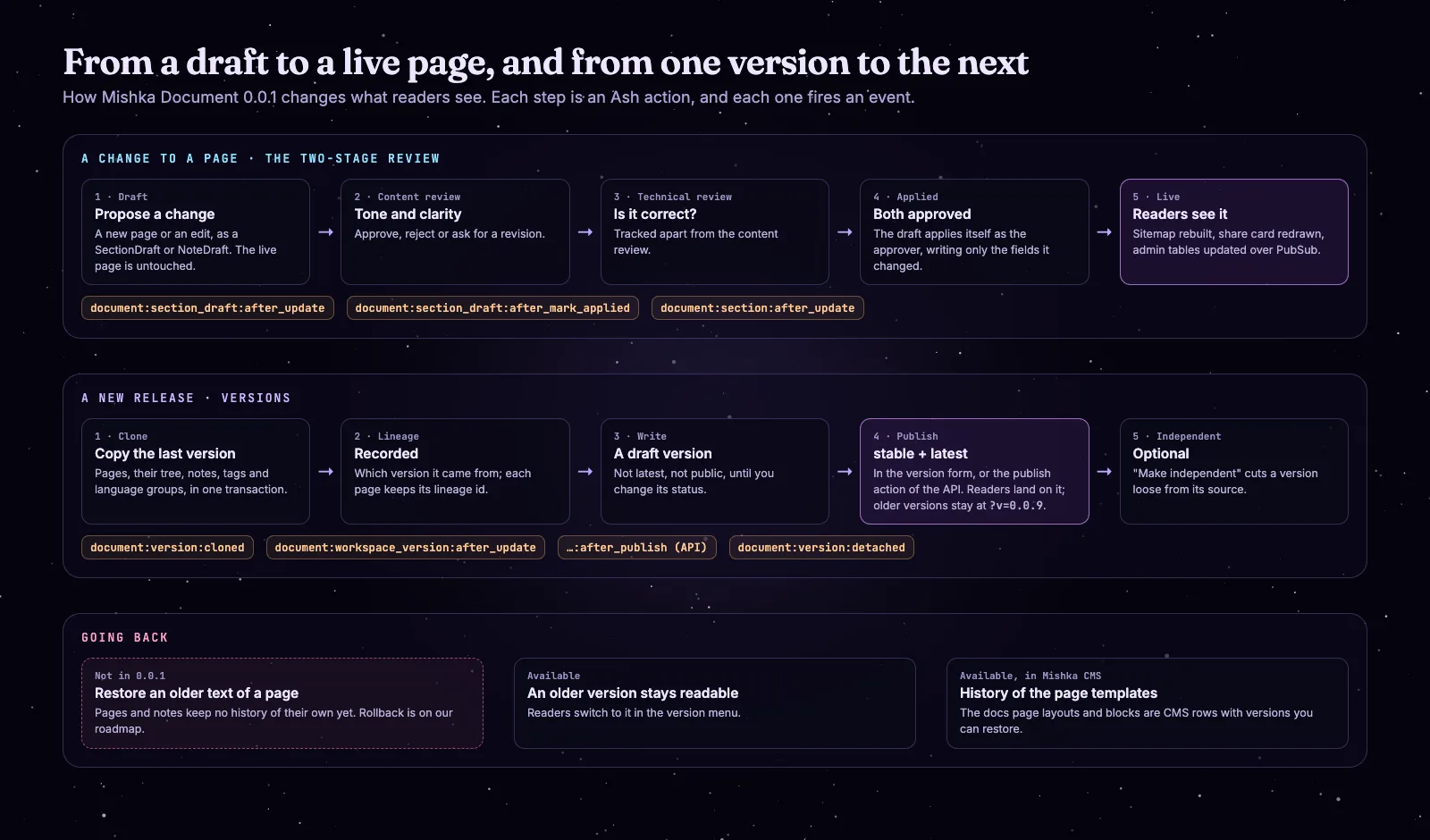
A change to a page, a new release, and going back, with the events each step fires.
A draft is a new page, an edit of one, or a note on its own or inside a page draft. Each review can approve, reject or ask for a revision, and the two are tracked apart, so an editor can check the wording while an engineer checks the code. The live page does not change while a draft waits. When the second approval lands, the draft is applied as the person who approved it, and the sitemap, the share card and everyone else's admin screens follow.
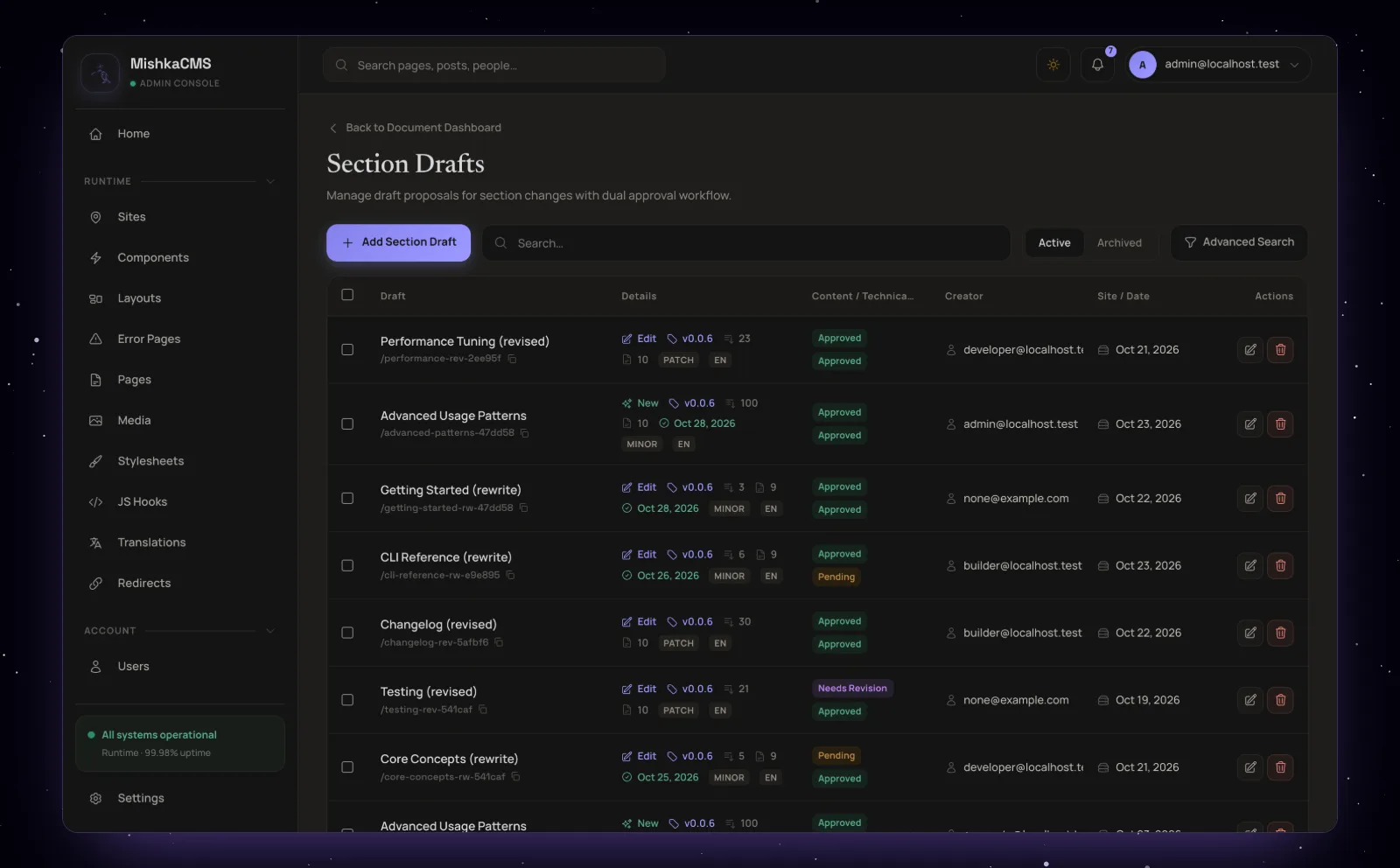
Section drafts, each with its content review and technical review.
The review is young. One permission, admin:dashboard:document:section, covers both reviews, and nothing stops an author from approving their own draft. A section admin can also edit a live page directly, which is how we work on mishka.tools today. A draft can say whether it is a major, minor or patch change, but nothing acts on that field yet.
Issues and the event log sit around the pages. An issue belongs to a page or a note. It has a type (typo, broken link, incorrect content, suggestion, review feedback or other), a status that runs from open to in progress, resolved or closed, and a comment thread. Filing one is ready in 0.0.1: the create action takes the reporter from the signed-in user, a permission decides who may file, and the site's JSON:API has the route. What is still coming is the form on a docs page that calls it, so for now the Report issue button on mishka.tools opens GitHub. The event log records who changed which record and when, for each site. The Documents home shows a site's totals (documents, contributors, completion and the last update), and four dashboard widgets list recent documents, version activity, open issues and a summary of the documents.
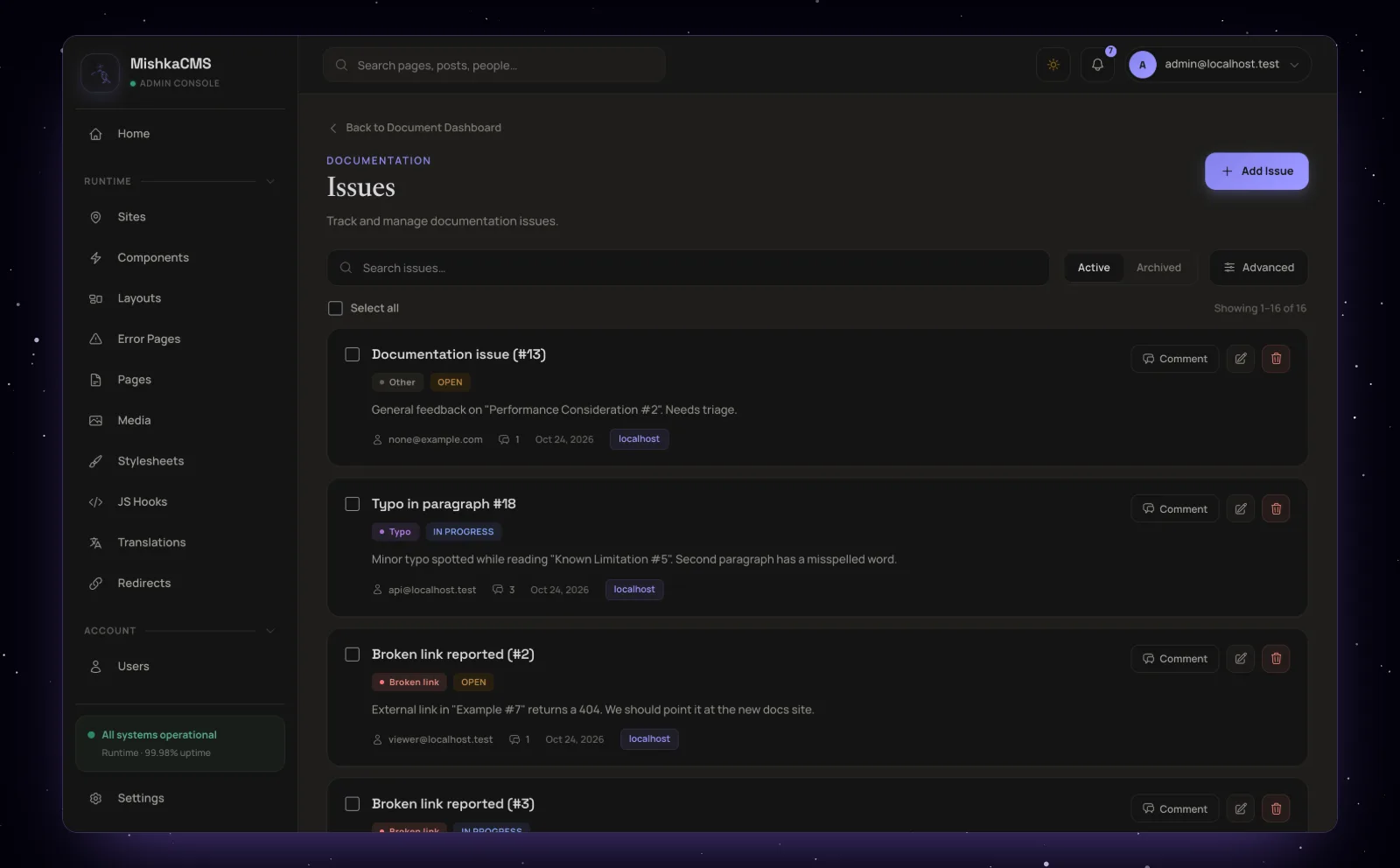
The Issues screen: each issue with its type, its status and its comments.
Writing a page with Tiptap and every Chelekom component

Pages and notes are written in Mishka Chelekom's headless editor, which runs on Tiptap 3 and ProseMirror. Its Components button opens every active component of your site, so a page can hold any Mishka Chelekom component you installed, right next to the text.

Writing a note: a heading, a paragraph, a list and an Elixir code block.
The toolbar has three heading levels, bold, italic, links, lists, quotes, code blocks, a divider, undo and redo. A code block takes one of twelve languages, from Elixir and HEEx to SQL and Shell. Each block finds its own text direction, so a Persian paragraph and an English one can share a page, while code always runs left to right.
Every component your site has
The Components button is where Mishka Document meets Mishka Chelekom. The picker lists the site's own active components and the global ones, so on a site with the Chelekom kits it holds every styled and headless Chelekom component you installed (245 on mishka.tools), plus Document's own blocks. Pick one, set its attributes, inner content and slots in a side drawer, and it lands in the text. You can also drag a card from the picker into the page.
Adding a Mishka Chelekom component from the Components picker while writing a page.
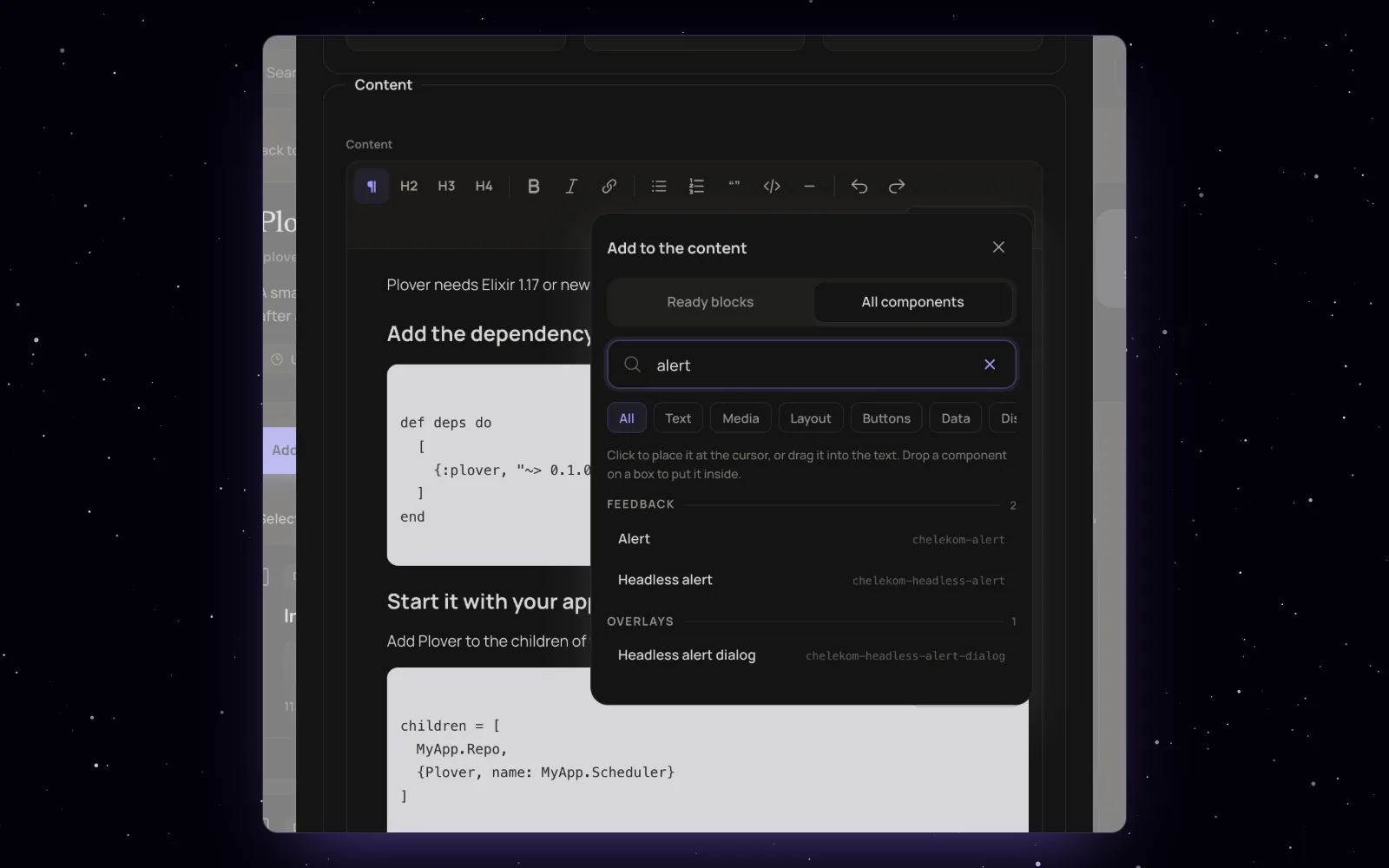
The Components dialog: every active component of the site, by category, with a search.
Two kinds are left out of the picker: components that draw rich content themselves, such as doc-section, and components whose attributes must be lists or maps. A plugin can narrow or extend the list on the runtime:content:editor_palette event.
In the stored page, a component is a short marker:
[[component doc-callout tone="tip"]]
  <p>Run mix deps.get after you add the dependency.</p>
[[/component]]
Markers nest eight levels deep and carry slots. When the page is saved, Mishka Document cleans the HTML, highlights the code with Makeup and records which components, icons and Tailwind classes the text uses, so the site's stylesheet carries them.
Live examples inside the docs
doc-example is the block that makes the Chelekom docs interactive. Components placed inside it render on the page itself, with their hooks, events and popups working. A toolbar switches the example between left to right and right to left, and Preview opens it alone in a sandboxed frame, light or dark, at desktop, tablet or phone width. On mishka.tools, 2,441 pages and notes hold one. Next to it, doc-callout draws a note, info, tip, success, warning or danger box, and doc-section-cards lists the pages filed under a page as cards.
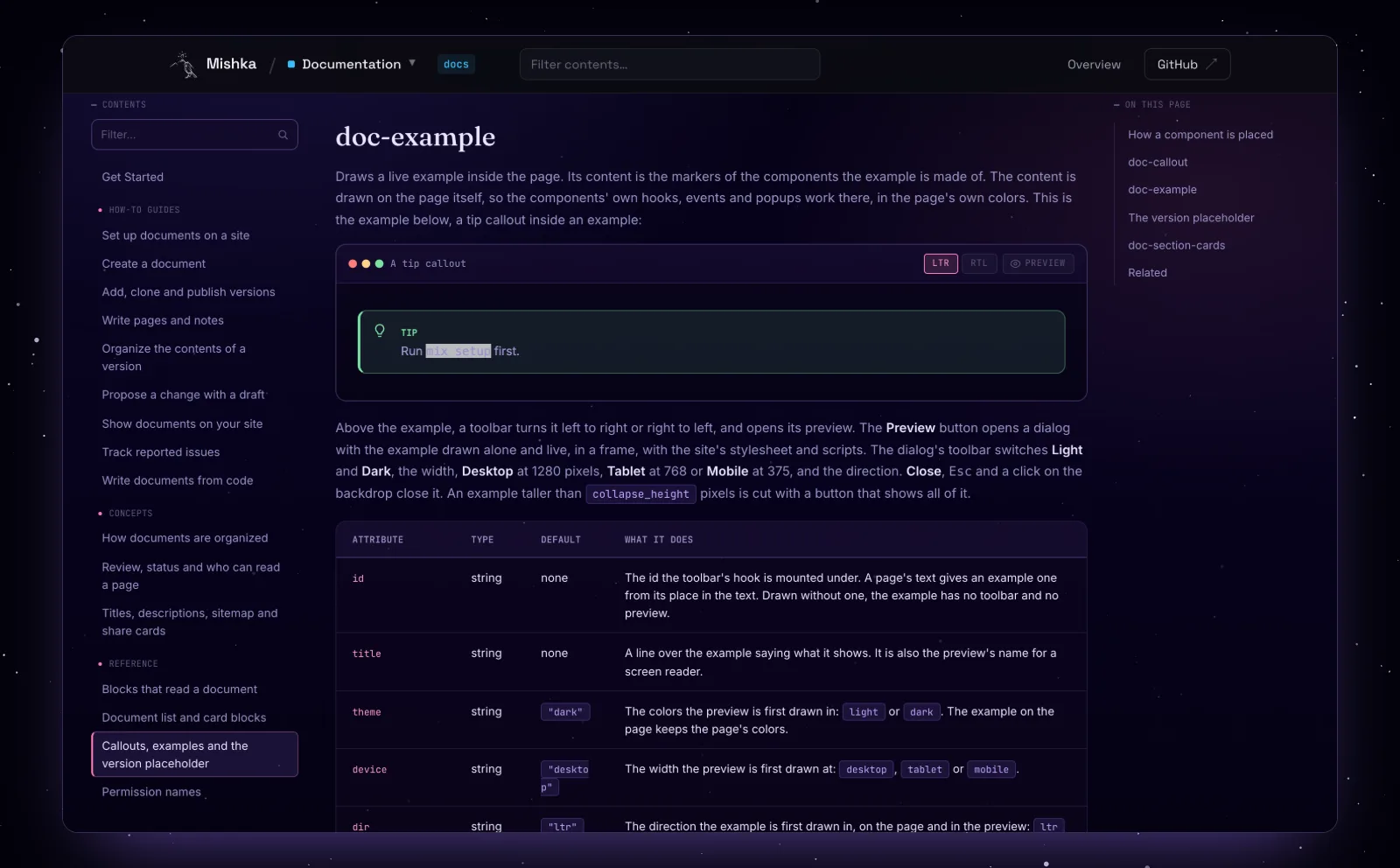
Mishka Document's own reference: a doc-example window and its attributes.
Docs pages in the visual editor
The page around the text is an ordinary Mishka CMS page, so you design it in the same visual editor as the rest of the site. Mishka Document's blocks sit in the editor's palette under Documentation, and a docs page publishes like any other page, compiled while the site runs, with no deploy.
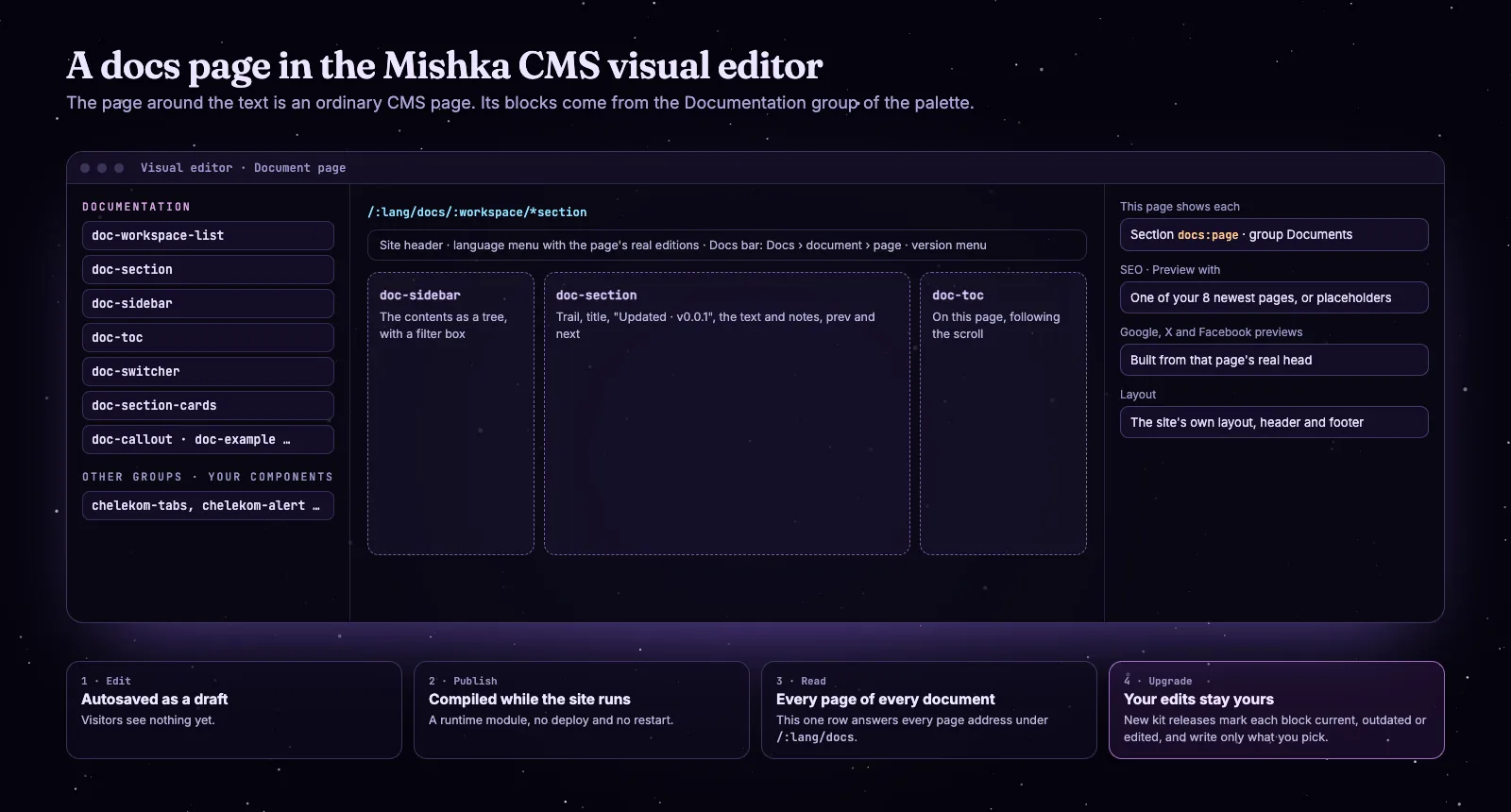
How a docs page is built, published and upgraded in the visual editor.
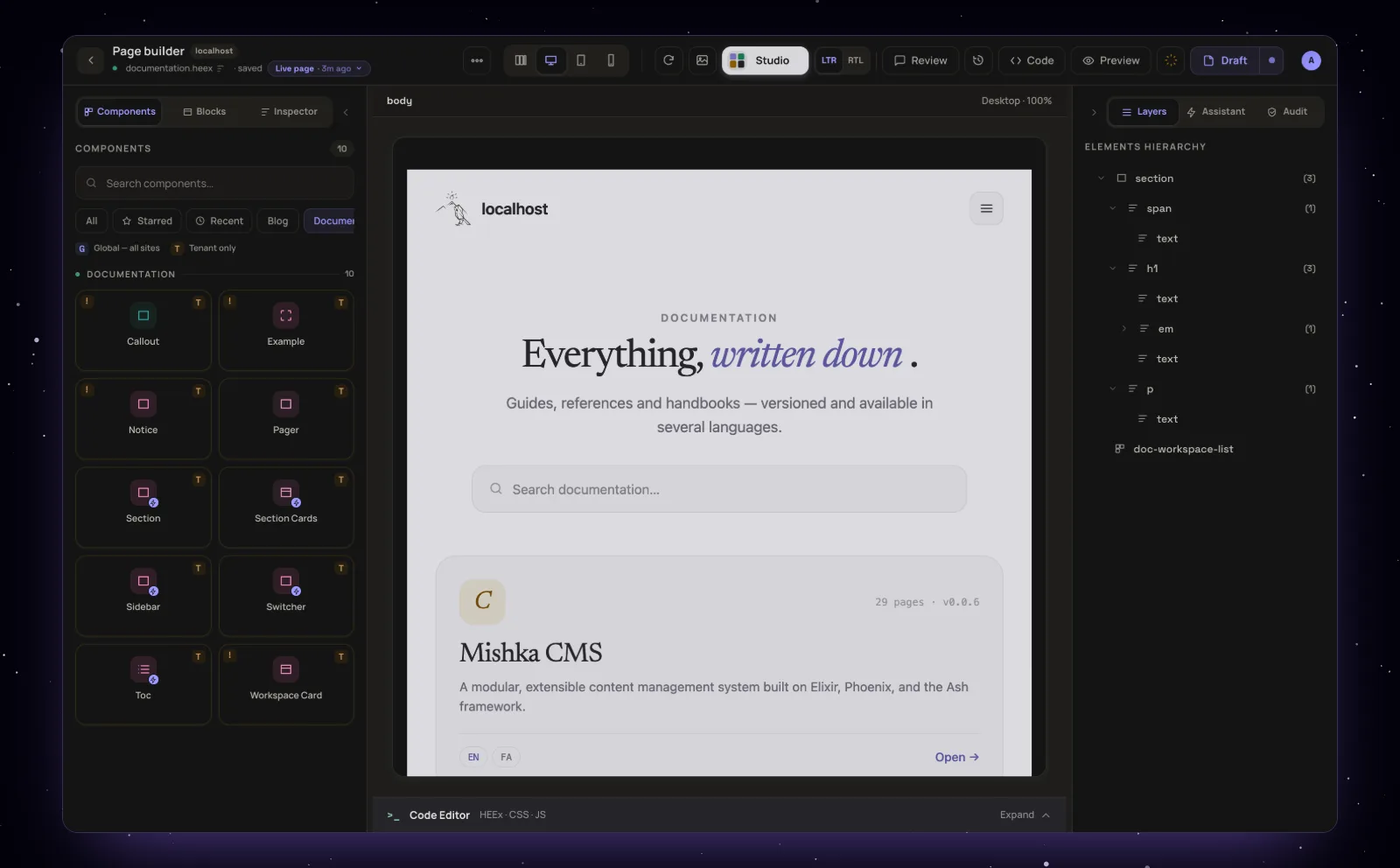
The Documentation sample page in the visual editor: the Documentation group of the palette, the page drawn live, and its layers.

Placing a Callout from the Documentation group and setting it in the Inspector.
Set up writes three sample pages: /:lang/docs, the list of documents; /:lang/docs/:workspace, a document's front page; and /:lang/docs/:workspace/*section, any page of a document. The two document pages share one template, with doc-sidebar on the left (a drawer on small screens), doc-section in the middle and doc-toc on the right. Give a document its own address, such as /chelekom/docs, and Document writes the two pages for it, while the old /docs/<slug> address answers with a 301.
The page form's "This page shows each" field tells the editor which kind of record the page shows, Workspace or Section, and the SEO tab can then preview its Google, X and Facebook cards with one of your eight newest documents or pages. On the live site the page sits inside the site's own layout, and Document fills in the header's language menu and a bar under the header with the trail and the version menu.
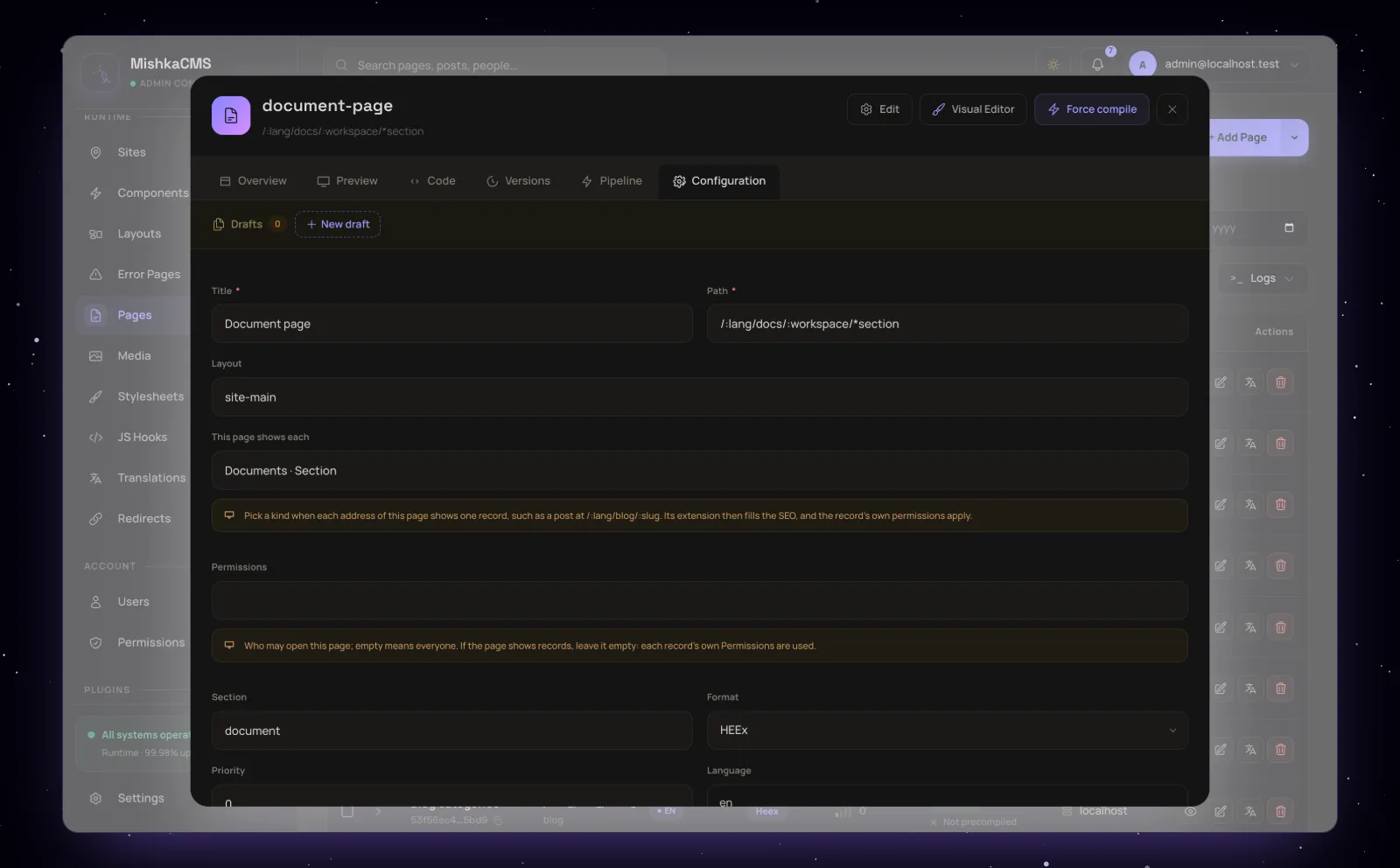
The Document page sample: one page row, set to show each Section, draws every page of every document.
A new release of the kit never writes over your design. The documentation card on the Documents dashboard compares each block with the new bundle, marks it up to date, ready to update or edited here since install, and writes only the ones you pick. An outdated sample page comes back as a draft of itself, to look at in the editor before you publish it. mishka.tools runs its own restyled doc-* blocks, and they stay its own.
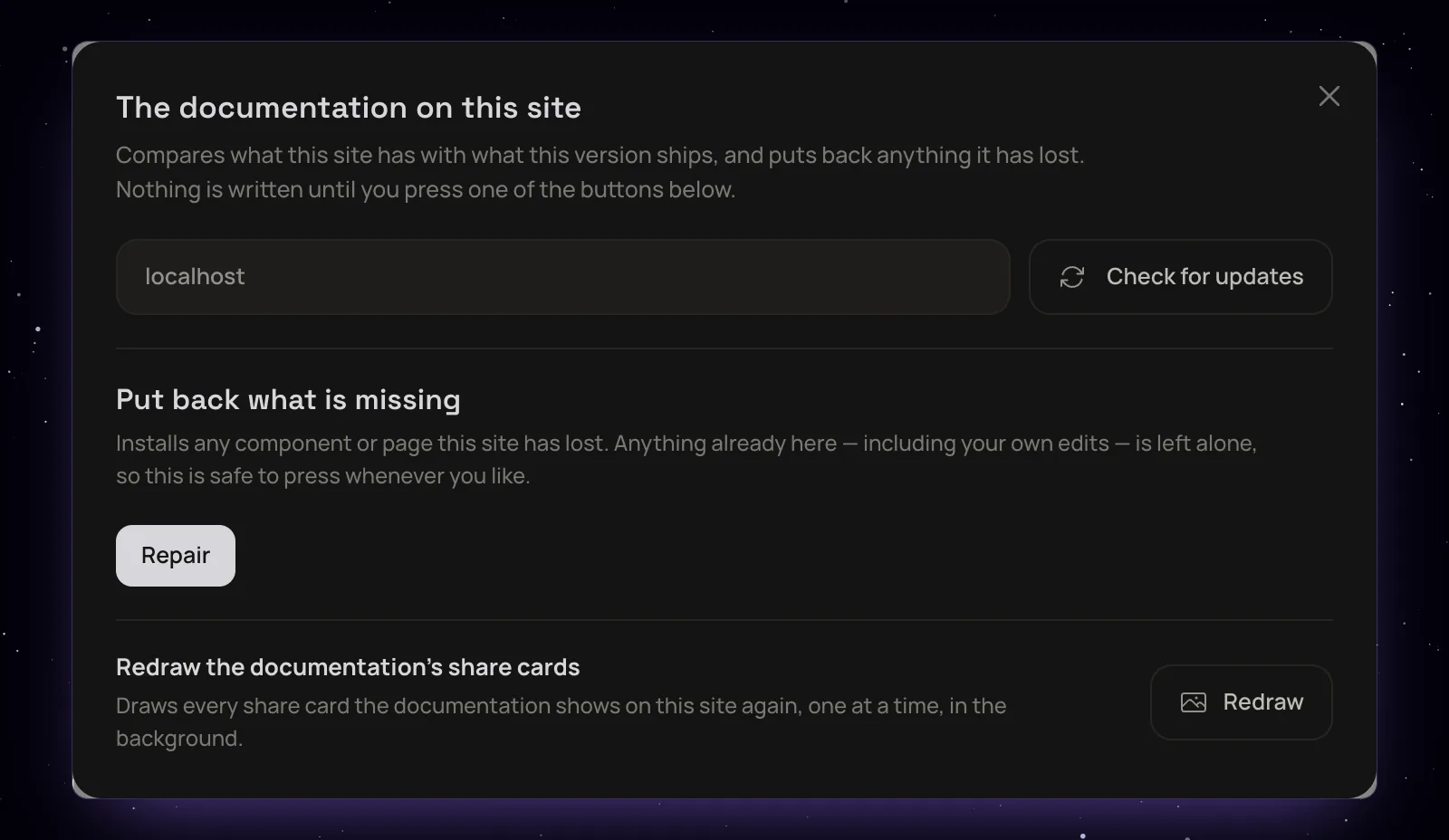
The documentation components panel: check for updates and write only what you choose.
Install Mishka Document and set it up
Mishka Document ships with Mishka CMS, so on a Mishka CMS install you only set it up on a site. A host app of your own adds the package and registers it in three places first.
# mix.exs of your Mishka CMS app
{:mishka_document, "~> 0.0.1"}
Mishka CMS loads __extensions/mishka_document instead when that folder exists, which is how we work on the extension next to the site. The mishka_cms app already has the three registrations:
# config/config.exs
config :mishka_cms,
  ash_domains: [MishkaDocument, MishkaBlog, MishkaCmsCore.Runtime, ...]

config :mishka_cms_core,
  extensions: [MishkaCmsCoreWeb, MishkaBlogWeb, MishkaDocumentWeb]

# lib/mishka_cms_web/ash_json_api_router.ex
@domains [MishkaCmsCore.Runtime, MishkaCmsCore.Accounts, MishkaBlog, MishkaDocument]
Then set it up on a site. Tick Documentation in the install wizard, or open Documents in the admin of a site that has no docs yet and press Set up. Both run the same step. It writes six permissions, the eleven components, the three sample pages, a "Latest documents" snippet you can drop on a home page, and the words of the docs bar into the site's translations. You can press it again at any time: it adds only what is missing.
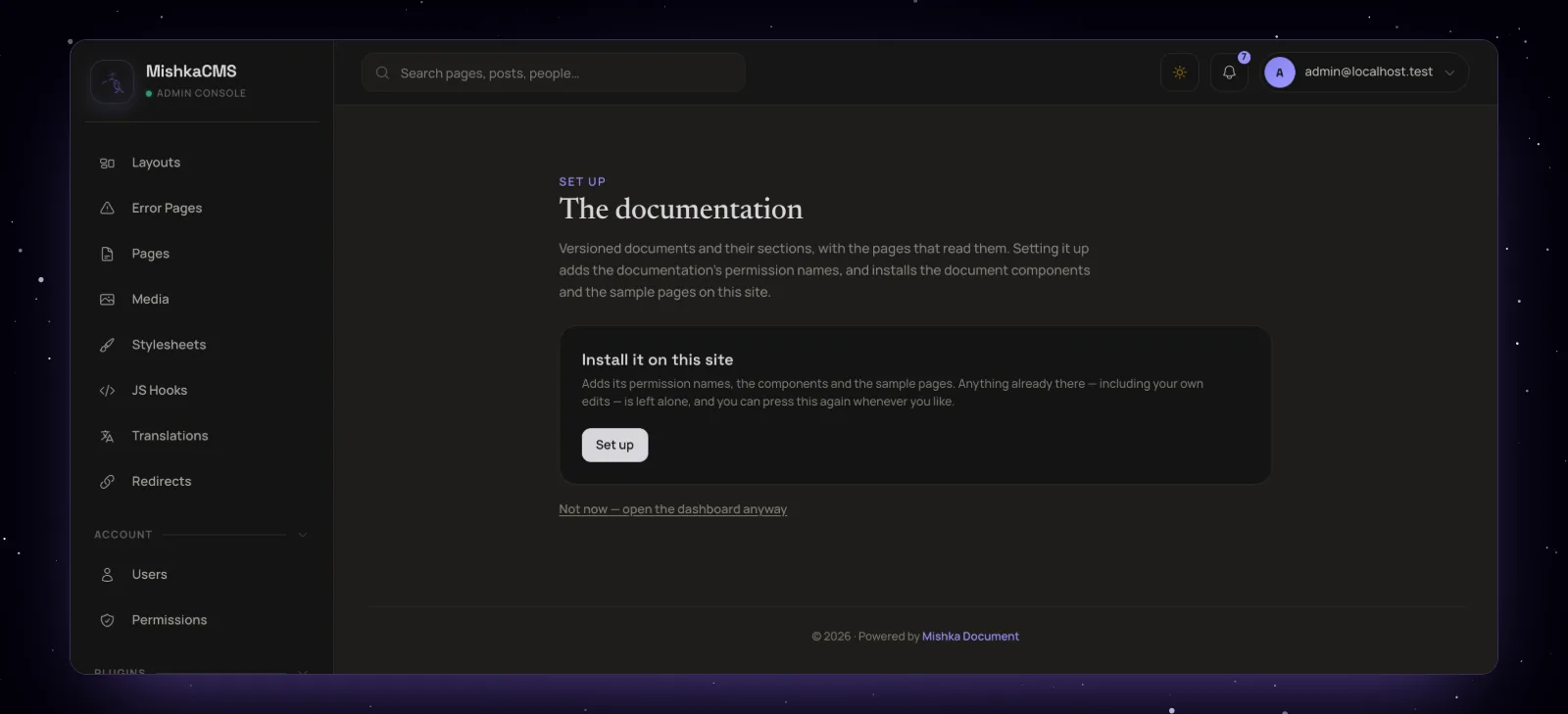
Set up, on a site with no docs yet. Screenshots of the admin come from a local demo install.
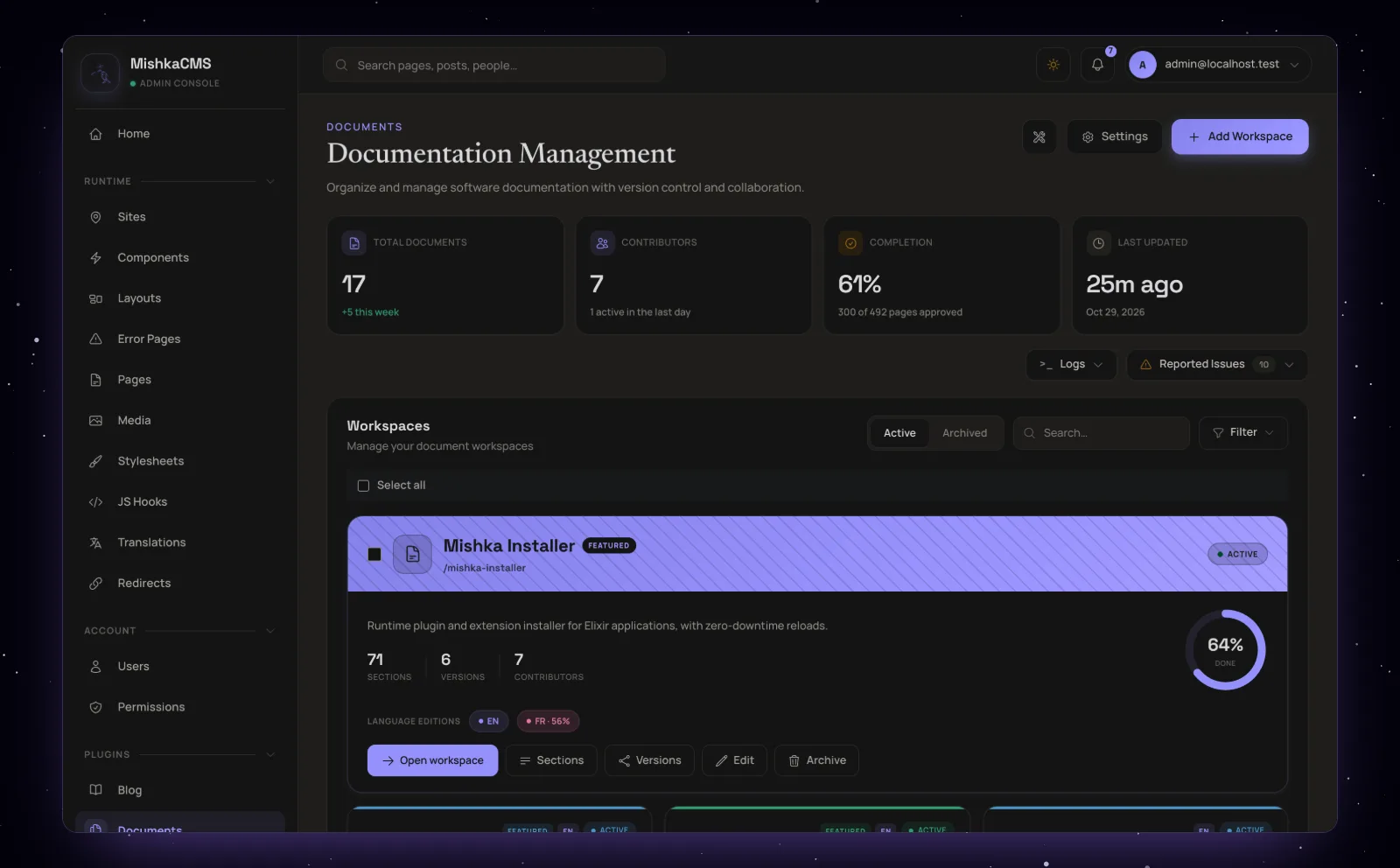
The Documents home of a site: its totals, then a card for each document.
The permissions cover two areas. admin:dashboard:document:workspace covers documents, versions and their lineage, and admin:dashboard:document:section covers pages, notes, drafts, tags and issues. Each has an admin:api: twin for the JSON:API, and the * names grant both areas. Cloning a version needs both. For sample documents, versions and issues in development, run mix run priv/repo/dev_seeds.exs in mishka_cms.
Every language, every site
Each document, page and tag can have editions in other languages, linked as one group, and every row belongs to one site. So one Mishka CMS install can run documentation in several languages for many sites.
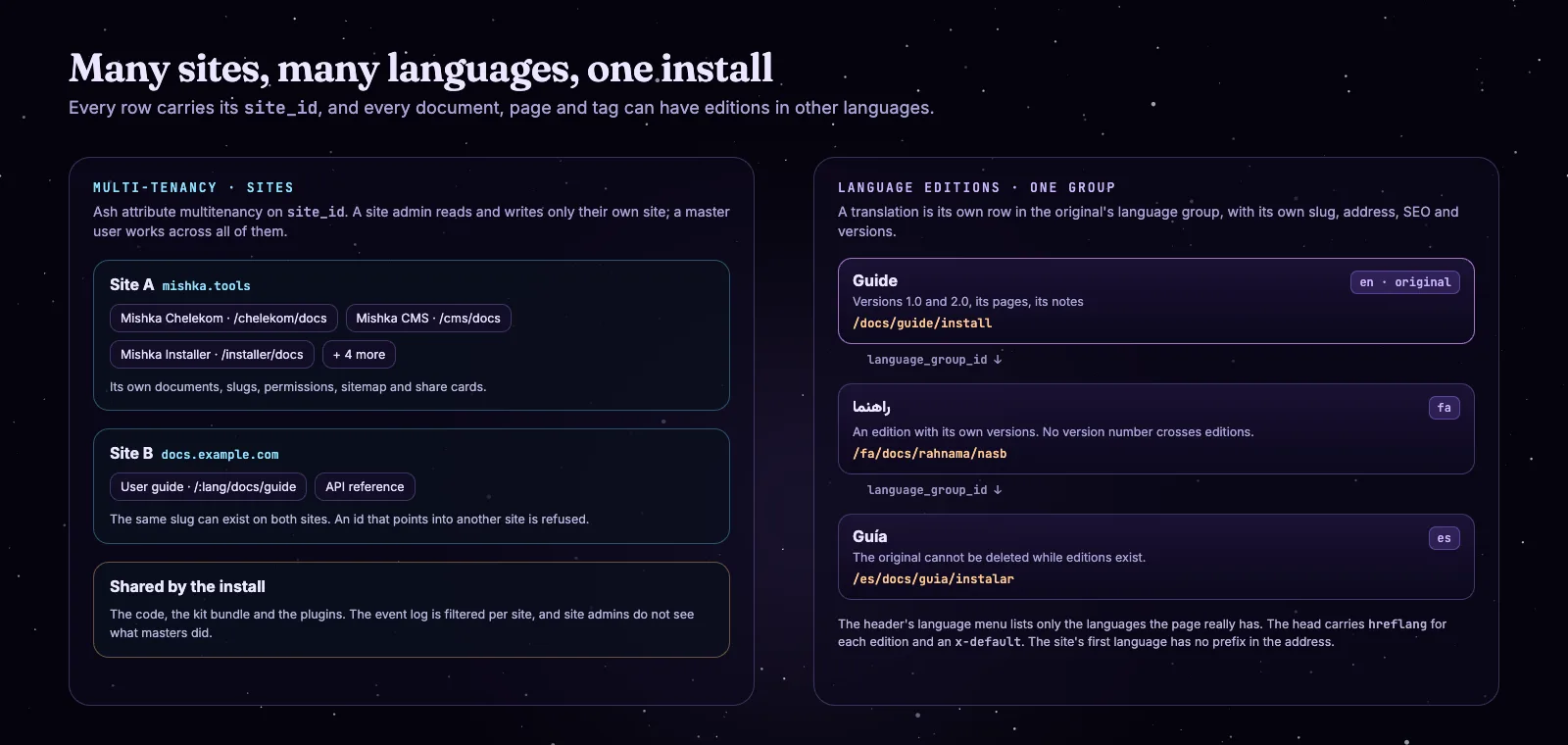
Sites and language editions.
A translation is its own row in the original's language group, with its own slug, address and SEO. A document's editions even keep their own versions, since no version number crosses from one edition to another. The admin shows one row per document with a chip for each edition. On the page, the header's language menu lists only the languages that page exists in, each at its own address, and the head carries hreflang links with an x-default. The original cannot be deleted while translations of it exist.
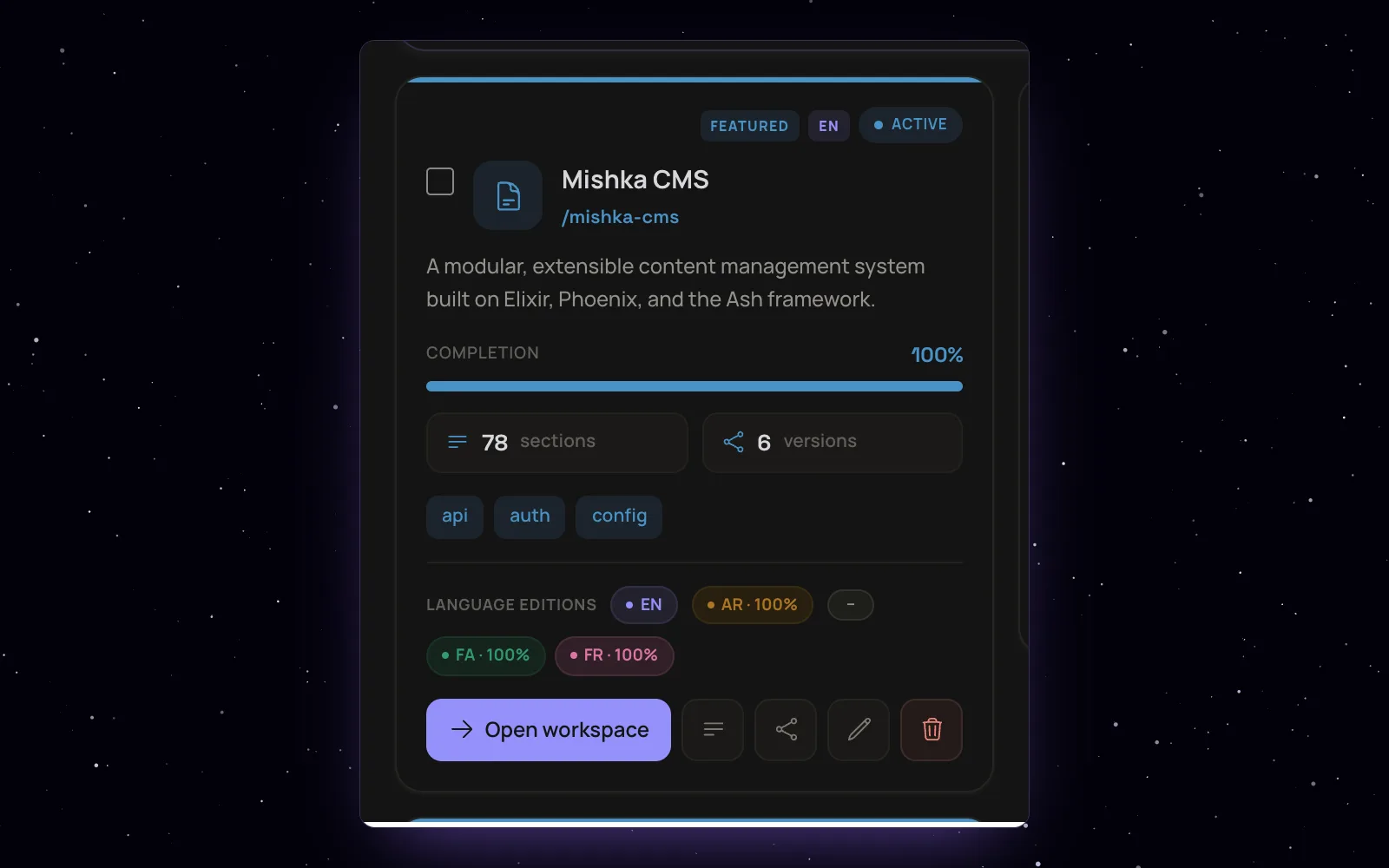
A document and its editions in other languages, each with its own completion.
Multi-tenancy is Ash's attribute strategy on site_id. A site admin works inside their own site, and a master user works across all of them. Slugs are unique per site, an id that points into another site is refused, each site gets its own sitemap and share cards, and the event log shows a site admin only their own site's events. mishka.tools itself is one site with English docs today, so this part rests on the test suite more than on our daily use.
What real time means in Mishka Document
Mishka Document runs on Phoenix LiveView and Phoenix PubSub, so the admin updates while people work. When someone saves a page, a note, a draft, a version or an issue, everyone looking at that list sees the change without refreshing.
Every change is broadcast. Ten resources publish each create, update and delete on Phoenix PubSub, on a topic per site: documents, versions, pages, notes, both kinds of draft, tags, issues, comments and the event log.
The admin listens. The tables of documents, versions, pages, drafts, tags, issues and the event log update in place, and the Documents home redraws its cards and reported issues.
Public pages wait for slow data. A plugin can say it is still fetching something. The page shows a skeleton, listens on the topic the plugin names and draws the data when it arrives. That is how a Chelekom page gets its badges and Props tab from GitHub release data.
No deploy. The doc-* blocks are components compiled while the site runs, and the text is data read on each visit, so an approved change is live on the next page view.
Two people on one page. In the visual editor, admins on the same page see each other through Phoenix Presence. Edits apply element by element, the last one wins, and an element can be locked so nobody changes it.
Some things are not real time yet. A reader who already has a page open sees an edit only after loading or opening the page again, and the page and note editor has no presence or shared editing.
Who can read what: permissions and locks
Any document or page can be locked to permissions. A locked page opens only for a signed-in reader who holds one of its permissions, and everyone else gets the same 404 as a page that does not exist.
A page takes its own lock, or its nearest parent's, or its document's, and an empty lock everywhere means public. The check runs inside the database read, so a list leaves out what the reader may not open and its counts match what they see. Unpublished content, such as an inactive document or a draft version, opens for nobody. Locked pages never reach the sitemap, which is built as a signed-out visitor, and their head says noindex. Notes have no lock of their own and follow their page.
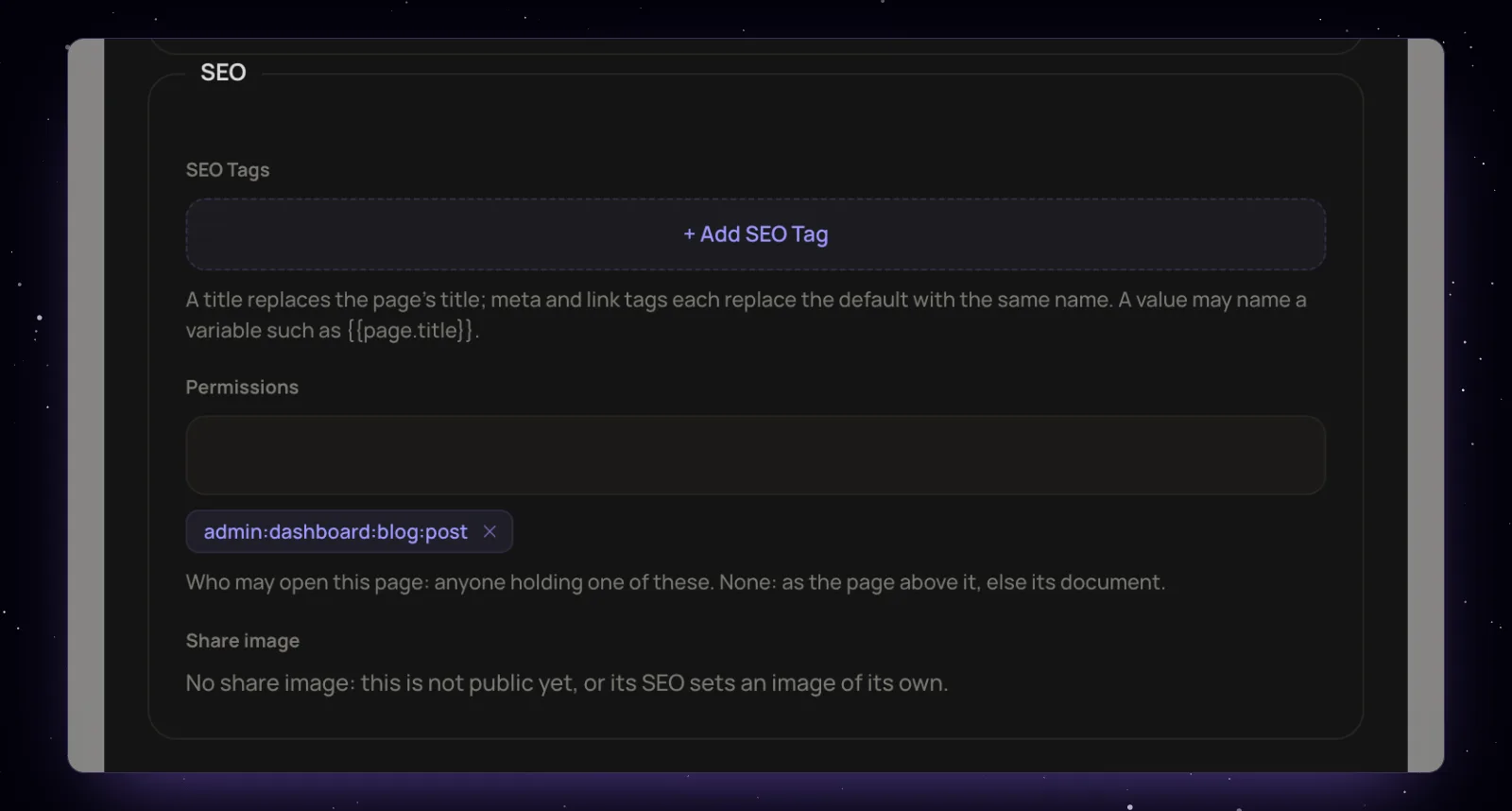
A page's own Permissions field. Left empty, the page above it decides, and then the document.
These locks are about reading. For editing, the only lock today is the visual editor's lock on an element; pages and notes have no edit lock yet.
SEO and AI search for documentation
Every document and page gets its own head without anyone typing it: a title and a description, a canonical address, TechArticle and BreadcrumbList JSON-LD, a place in the sitemap and a share card. Search engines and AI assistants that read the page are pointed at the version readers land on.
The TechArticle names the author, the publisher and the date the page last changed, and the breadcrumb runs from Documentation to the document to the page. A page's own SEO tags and schema, typed in the admin, replace the defaults, and a page marked noindex gets no TechArticle. The canonical address is the document's own address without ?v=, so versions do not compete with each other. The sitemap lists each document's front page and every page of the version readers land on. Older versions, drafts and pages in review never appear, and the last-modified date counts the page's notes. Saving a page rebuilds the sitemap and redraws its share card in the background.
Plugins can rewrite the head on the document:page:seo event. What Document does not have yet is a search inside pages (the library's search matches document names and descriptions) or any content and keyword analysis.
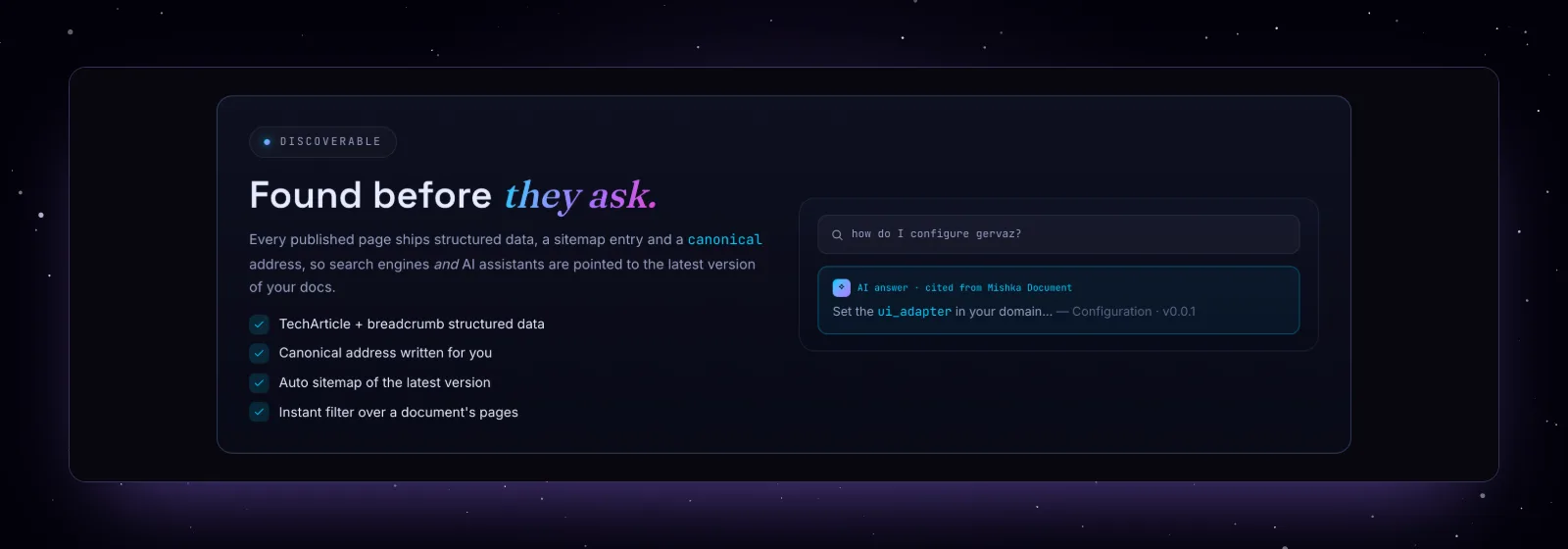
The SEO part of the Mishka Document page.
Build plugins for Mishka Document on Mishka Installer events
Every write in Mishka Document fires a Mishka Installer event, and a plugin is an Elixir module that listens to one. Plugins can react to a change, refuse a new page, narrow what readers see, add badges and tabs to a page or rewrite its head, with no fork of Document and no change to the core.
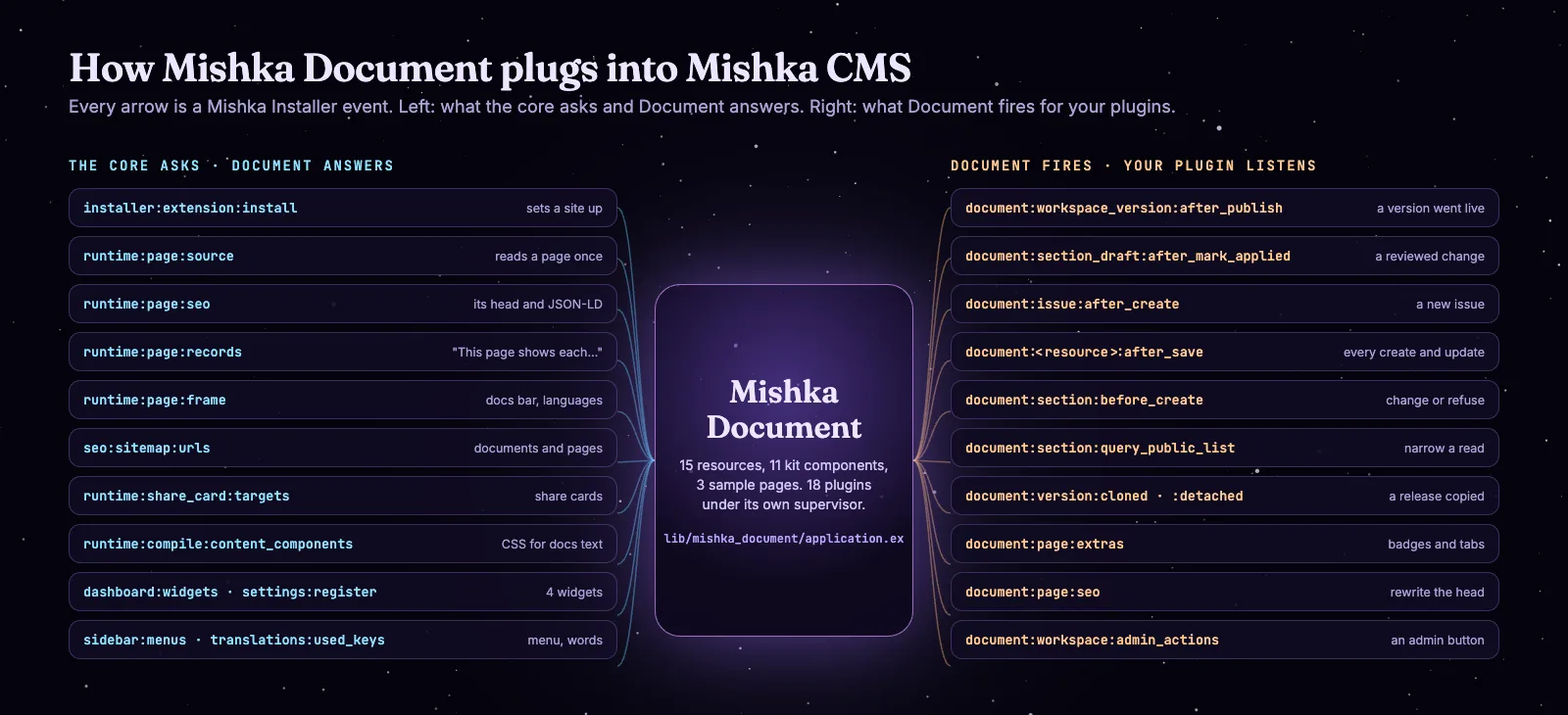
Left, the core events Document answers. Right, the events your plugins can listen to.
How an event reaches your plugin
A plugin uses MishkaInstaller.Event.Hook with the event's name and a priority from 0 to 100. Lower numbers run first, and the default is 100. Its call/2 gets the data and a read-only meta map, and call/1 works when you need no meta. It replies {:reply, data} to pass the data on, or {:reply, :halt, data} to stop the chain there. A plugin runs once you add it to your application's supervision tree. Mishka Installer then registers it and compiles the event's chain while the app runs.
# lib/my_docs/application.ex
children = [
  # ...your repo, endpoint and the rest
  MyDocs.Plugins.AnnounceAppliedDraft,
  MyDocs.Plugins.BlockPlaceholderPages,
  MyDocs.Plugins.AlertMaintainersOnIssue
]
Always reply with one of those two tuples. Anything else, or an exception, is logged, the caller gets its original data back, and the rest of the chain is skipped, including Document's own plugins that would run after yours.
The events Mishka Document fires
| Event | When it fires | What your plugin gets |
|---|---|---|
document:<resource>:after_<action> | After any create, update or destroy action of 14 resources commits | The record; meta holds the actor and the site id |
document:<resource>:after_save | After every create and update | The record |
document:section:before_create | Before a new page is written, including one from an approved draft | The changeset; add an error to refuse it |
document:section:query_public_list | When readers list pages | The Ash query, to narrow |
document:version:cloned | After a clone commits | The ids, and the counts of pages, notes and tags |
document:version:detached | After "Make independent" | The ids and the page count |
document:page:extras | When a docs page or a page card is drawn | Header facts and tabs to add to |
document:page:seo | When a docs page's head is built | The head, to change |
document:workspace:admin_actions | When a version's pages screen opens in the admin | Buttons to add, each with its own LiveComponent |
The 14 resources are workspace, workspace_version, workspace_version_lineage, section, note, section_draft, note_draft, tag, section_tag, issue, issue_comment, section_bookmark, section_view and workspace_follower. So document:section_draft:after_mark_applied fires when a reviewed draft goes live, document:issue:after_create when an issue is filed, and document:workspace_version:after_publish when a version is published through the API (the admin's version form fires after_update). A master user's writes go through the master_ twin of each action and fire their own event, such as document:issue:after_master_create. The pages copied inside a clone do not fire one event each; the clone announces itself once with document:version:cloned.
Five plugins you can copy
Each example below ran against Mishka Document's own test suite, with warnings treated as errors. MyDocs.Slack stands for your own code.
Tell a channel when a reviewed change goes live. PluginHook.event_name/2 builds the event name from the resource and the action, so a typo cannot slip in.
defmodule MyDocs.Plugins.AnnounceAppliedDraft do
  @moduledoc "Tells the docs channel when an approved draft goes live on its page."
  alias MishkaCmsCore.Runtime.Resources.Notifiers.PluginHook

  use MishkaInstaller.Event.Hook,
    event: PluginHook.event_name(MishkaDocument.SectionDraft, :mark_applied),
    initial: %{priority: 50}

  @impl true
  def call(draft, meta) do
    MyDocs.Slack.post_later(%{
      site_id: draft.site_id,
      page_id: draft.source_section_id,
      title: draft.title,
      applied_at: draft.applied_at,
      approved_by: meta.actor && meta.actor.id
    })

    {:reply, draft}
  end
end
Refuse a placeholder page. The one before hook receives the changeset. Halting with an error stops the write and returns your message as an error on the title field.
defmodule MyDocs.Plugins.BlockPlaceholderPages do
  @moduledoc "Refuses a new documentation page whose title still says TODO."
  use MishkaInstaller.Event.Hook,
    event: "document:section:before_create",
    initial: %{priority: 50}

  @impl true
  def call(%Ash.Changeset{} = changeset, _meta) do
    title = Ash.Changeset.get_attribute(changeset, :title) || ""

    if String.contains?(String.downcase(title), "todo") do
      {:reply, :halt,
       Ash.Changeset.add_error(changeset,
         field: :title,
         message: "Finish the page first: its title still says TODO."
       )}
    else
      {:reply, changeset}
    end
  end
end
Keep internal pages out of public lists. The query hook narrows what readers can list; the page itself can still be opened by its address.
defmodule MyDocs.Plugins.HideInternalPages do
  @moduledoc "Keeps pages whose slug starts with internal- out of public page lists."
  use MishkaInstaller.Event.Hook,
    event: "document:section:query_public_list",
    initial: %{priority: 50}

  require Ash.Query

  @impl true
  def call(%Ash.Query{} = query, _meta) do
    {:reply, Ash.Query.filter(query, not contains(slug, "internal-"))}
  end
end
Tell the maintainers when an issue is filed. MishkaCmsCore.Notify.deliver/2 puts the notice in the admin's notification bell for everyone who may open the issues screen, except the person who filed it. An issue a master user opens fires document:issue:after_master_create, so a second plugin on that event covers it.
defmodule MyDocs.Plugins.AlertMaintainersOnIssue do
  @moduledoc "Puts a reader's documentation issue in the maintainers' notification bell."
  alias MishkaCmsCore.Runtime.Resources.Notifiers.PluginHook

  use MishkaInstaller.Event.Hook,
    event: PluginHook.event_name(MishkaDocument.Issue, :create),
    initial: %{priority: 50}

  alias MishkaCmsCore.Notify

  # Whoever may open /admin/dashboard/document/issues.
  @maintainers ["admin:dashboard:document:section"]

  @impl true
  def call(issue, meta) do
    reporter = meta.actor

    Notify.deliver(
      %{
        type: "document:issue:reported",
        title: "New documentation issue",
        body: issue.title,
        icon: "hero-flag",
        link: "/admin/dashboard/document/issues",
        source: "my_docs",
        metadata: %{"issue_id" => issue.id, "issue_type" => to_string(issue.issue_type)}
      },
      tenant_permissions: @maintainers,
      master_permissions: @maintainers,
      site_id: issue.site_id,
      actor: reporter,
      except: reporter && reporter.id
    )

    {:reply, issue}
  end
end
Add an "Edit on GitHub" link to every page of one document. document:page:extras hands over the header and the tabs of the page being drawn.
defmodule MyDocs.Plugins.EditOnGitHub do
  @moduledoc "Adds an Edit on GitHub link under the title of every page of the handbook."
  use MishkaInstaller.Event.Hook, event: "document:page:extras", initial: %{priority: 50}

  @repo "https://github.com/acme/handbook/edit/main/docs/"

  @impl true
  def call(%{document: %{slug: "handbook"}, page: %{path: path}, header: header} = state) do
    link = %{kind: :link, label: "Source", href: @repo <> path <> ".md", text: "Edit on GitHub"}
    {:reply, %{state | header: header ++ [link]}}
  end

  def call(state), do: {:reply, state}
end
How mishka.tools uses these events
Our own site runs three plugins on Mishka Document events. ChelekomDocsPage answers document:page:extras for the Chelekom document: each component page gets its version, license and tag badges, its mix command with a copy button, a link to its source on GitHub, and Props and CLI tabs read from that release. ChelekomVersions answers document:workspace:admin_actions with a "Chelekom versions" button in the admin, where each release's data can be downloaded again. DocumentShareCard answers document:page:seo and draws the share card of every docs page.
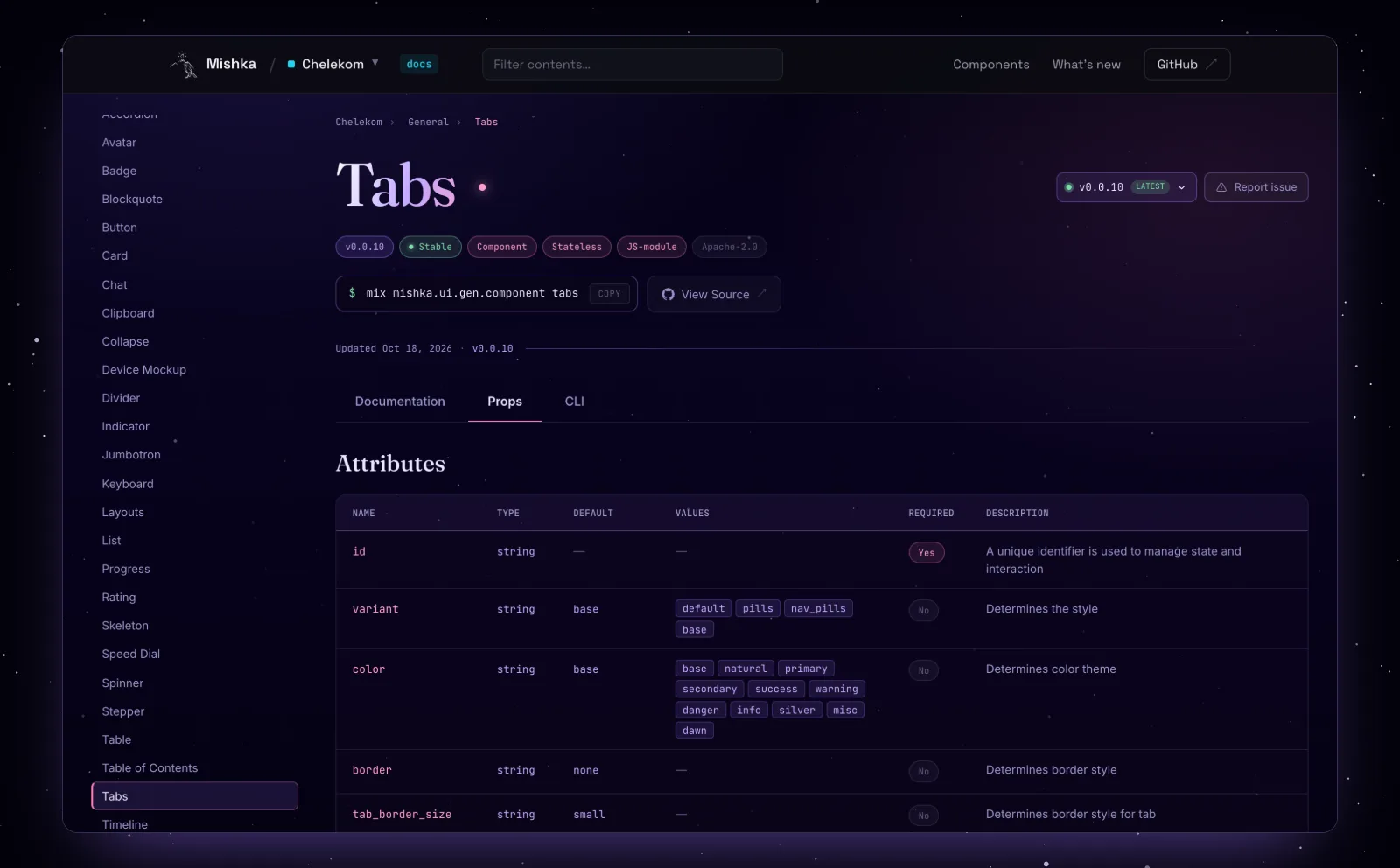
Badges, the install command, View Source and the Props tab come from the site's own plugin on document:page:extras.
What Mishka Document 0.0.1 has, and what is coming
Version 0.0.1 has the whole path described above, from writing and reviewing a page to versions, languages, locks, SEO and plugins. Some parts are implemented, with their actions, permissions and API, and wait only for the component that puts them on a docs page. A few are started in the code, and some are planned.
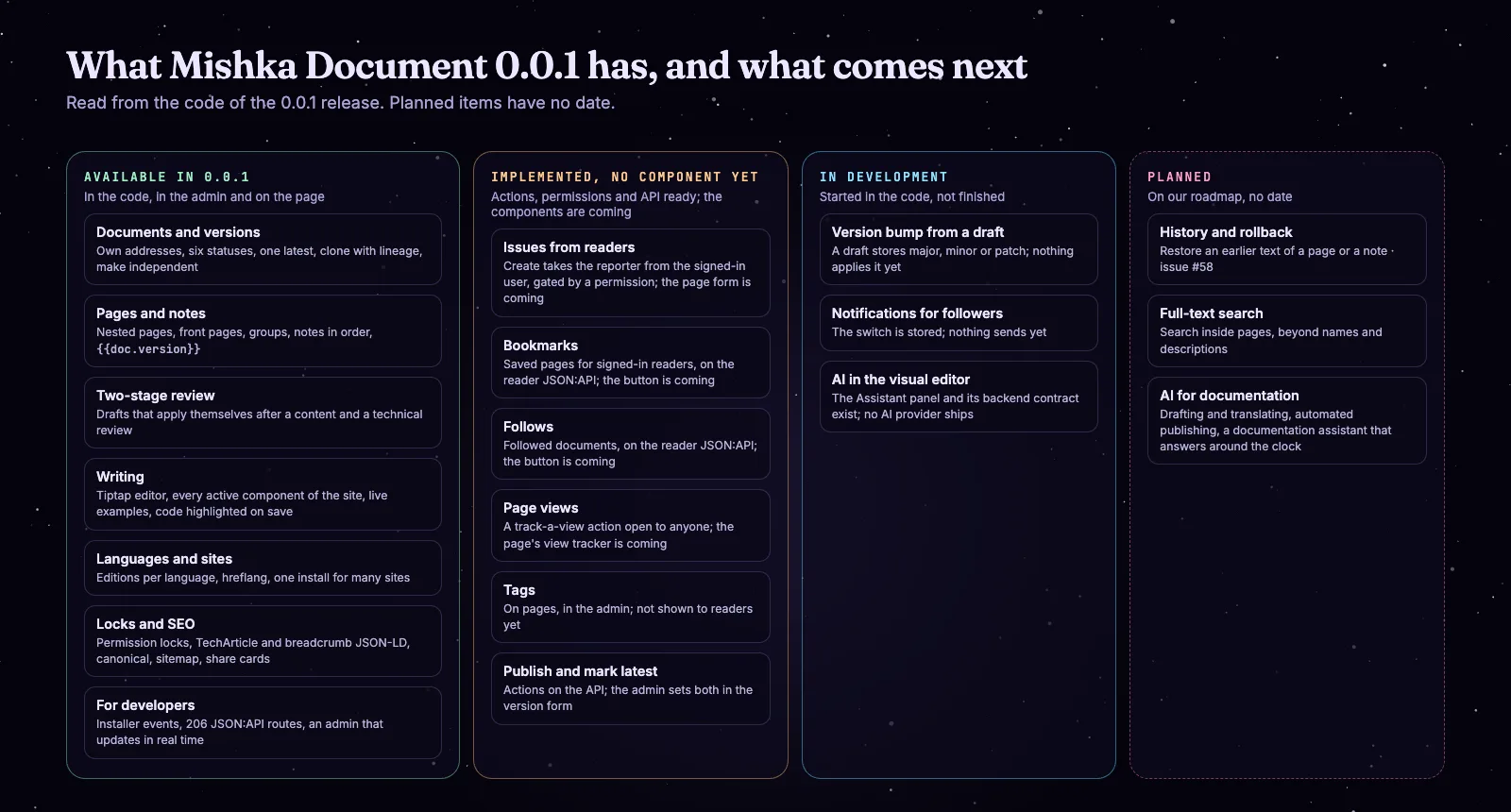
From the code of the 0.0.1 release. Planned items have no date.
You will find other bugs. When you do, please open an issue on GitHub.
Where we take it next: AI for documentation
Mishka Document has no AI in 0.0.1. Our direction is to connect it to the AI features coming to Mishka CMS, so a docs team can manage, write, publish and answer questions about its documentation with an assistant at its side.
Documentation management
Help a docs team keep track of its documents: which pages changed, which wait for a review, which translation is behind.
Content creation
Draft a page, a note or a translation from what you give it, as a draft that goes through the same two reviews as a person's.
Automated publishing
Take approved changes and new versions live without someone pressing each button.
A documentation assistant, around the clock
An assistant that answers readers' questions from your own docs at any hour.
What exists today is the path to it. The Mishka CMS visual editor has an Assistant panel that talks to a backend module you name in one config line; its default backend answers that no AI is configured. An assistant's changes go through the same undoable editing session as a person's, marked as made by AI, and the builder:ai:before_ask hook can rewrite or refuse a prompt. For documentation, the drafts and the two reviews are the natural gate: an assistant's page would wait for a person's approval like anyone else's.
An early release that grows with its users
Mishka Document is at its first release, and it will keep changing with the bugs people report, the features they ask for, the code they contribute and the sponsors who give us time to build. Every change in the feedback list above came from one site, ours. Yours will find other problems, and we want to hear about them.
Open an issue or a feature request on GitHub, send a pull request, or tell us how you use it. To try it, start with the Mishka CMS page and the Mishka CMS docs, then read Mishka Document: Versioned Docs Engine and the Mishka Document documentation, which is still being written. The package is on Hex.
Mishka CMS is free, and a small team builds it. If you want to help us work on it full time, a founding seat gives you lifetime access, priority support and every paid extension we release.
You can also sponsor our open source work, read about the seat in the founding seat post, or hire our team for a documentation site or a Phoenix LiveView project.
Questions people ask about Mishka Document
Thank you
Mishka Document stands on Elixir, Phoenix, Phoenix LiveView and Ash Framework, with AshEvents for its audit trail, AshArchival for soft deletes, AshJsonApi for its API, Tiptap and ProseMirror under its editor, Makeup for code highlighting and HtmlSanitizeEx for safe content. Thank you to everyone who builds them, and to you for reading this far.
Mishka CMS releases. Once a month.
New Mishka CMS releases, Elixir and Phoenix patterns, and case studies from the team. No spam, unsubscribe anytime.
The docs pages a site gets out of the box
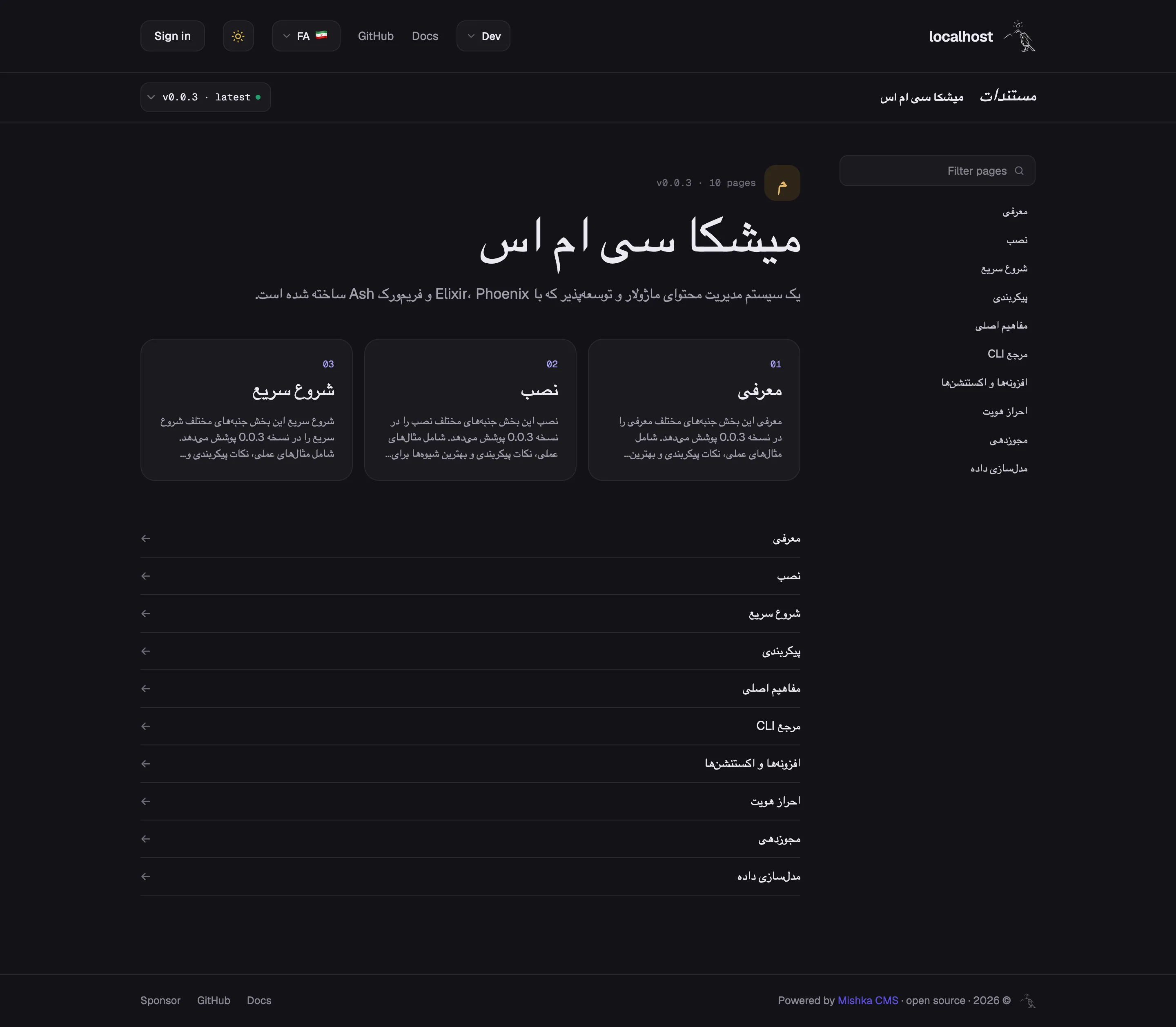
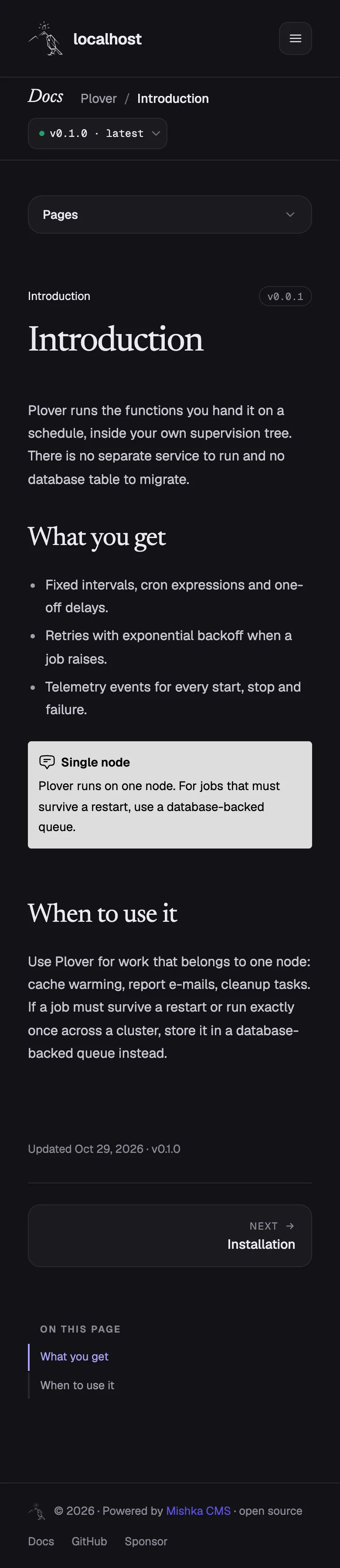
These are the pages Mishka Document gives a Mishka CMS site before anyone designs anything: the library, a document, its pages, the version menu, a Persian edition and the phone layout. They come from a local demo install, seen signed out, the way a reader sees them.
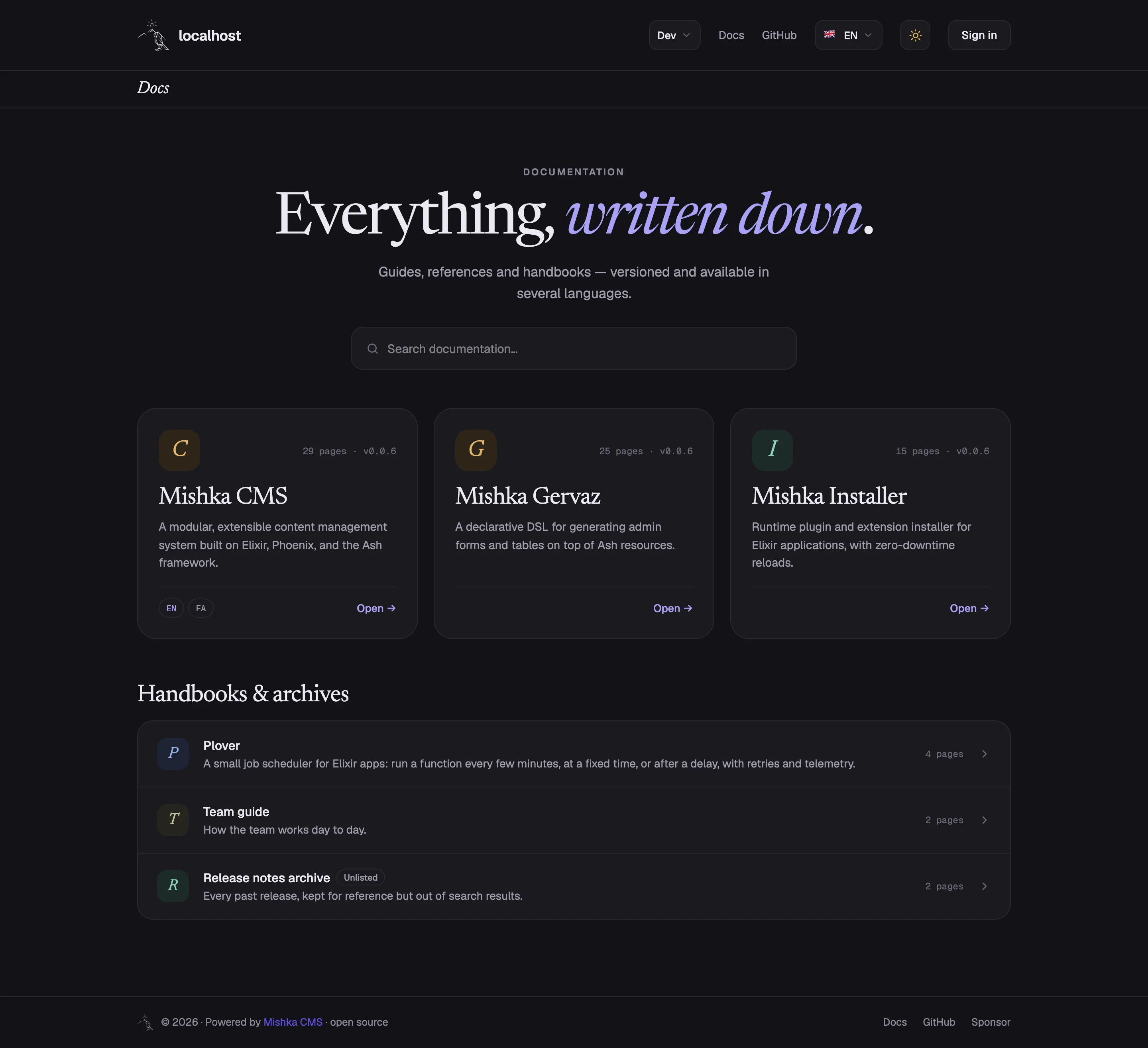
The library at /docs: every published document as a card, with search.
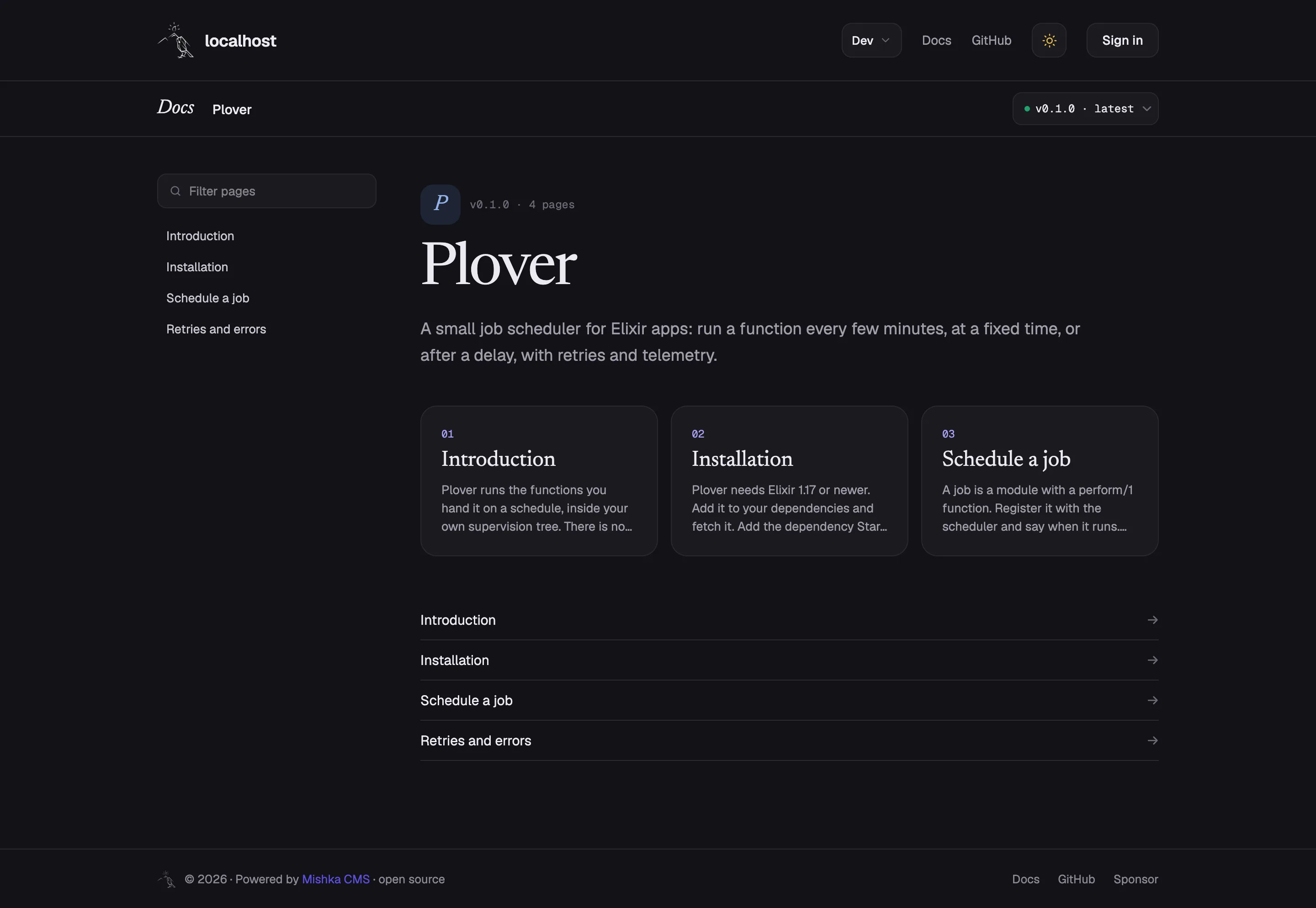
A document's front page: its contents, the version menu and a card per page.
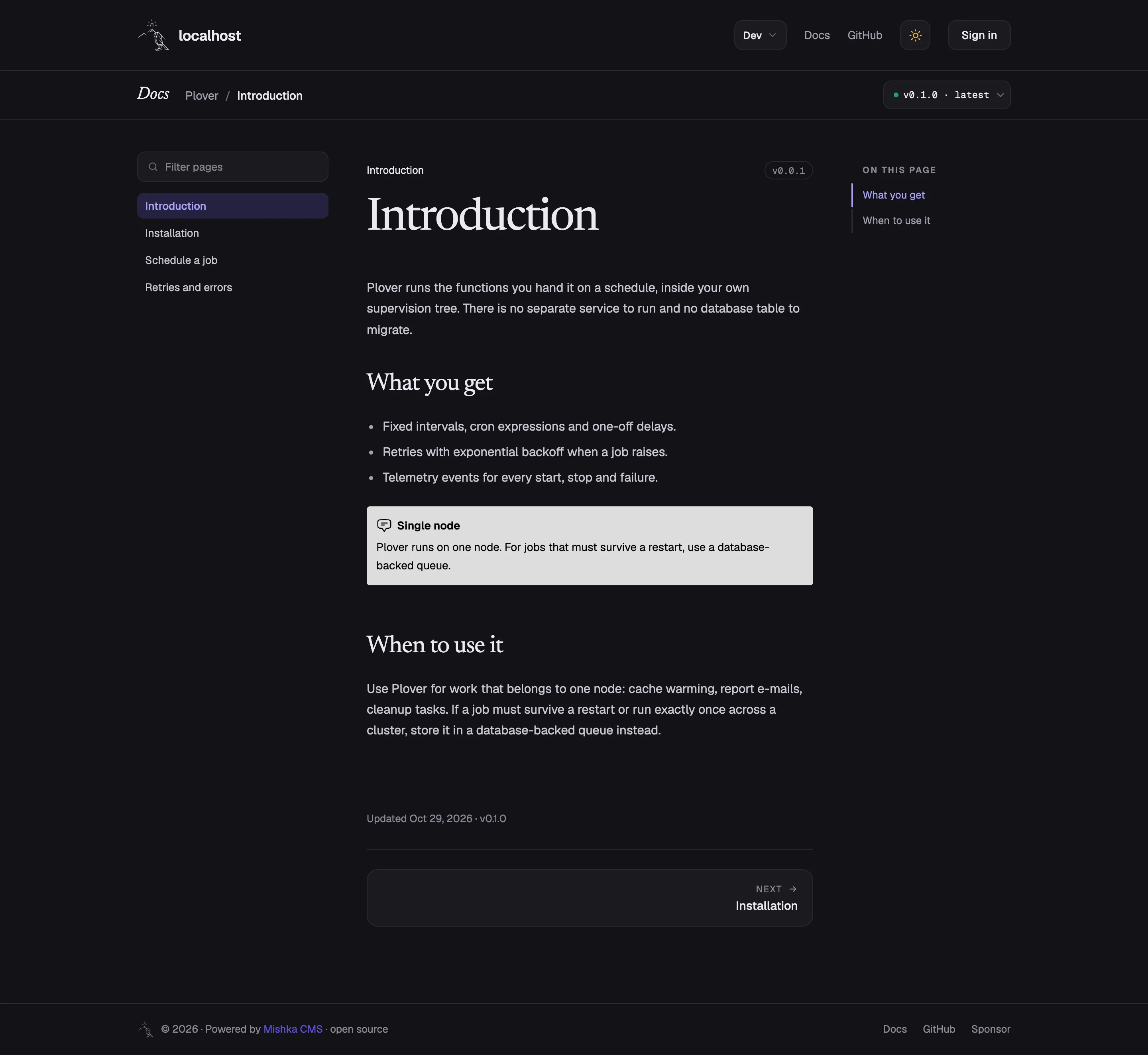
A page with its contents, On this page and a Chelekom alert in the text.
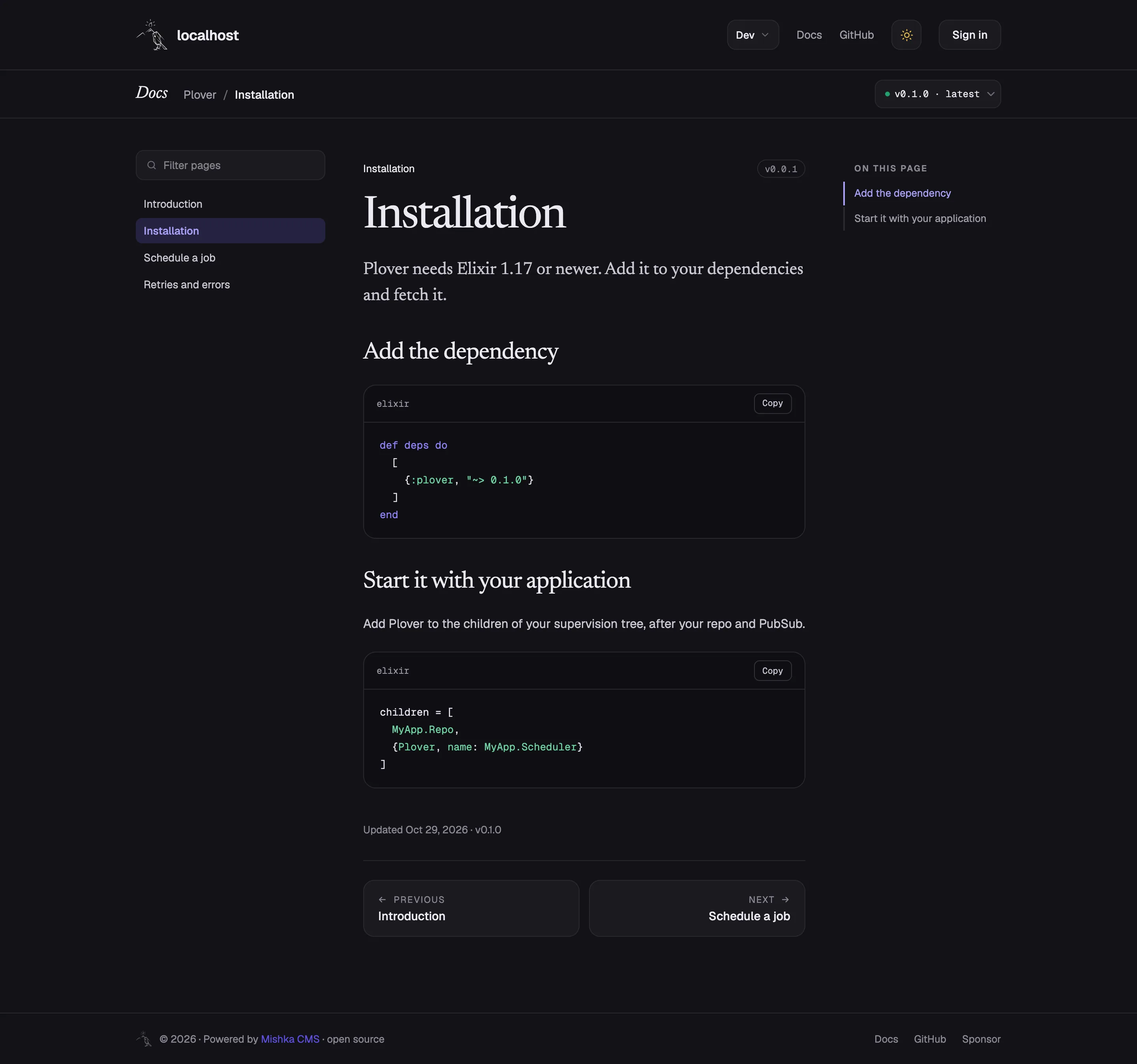
Code highlighted when the page is saved, each block with a Copy button.
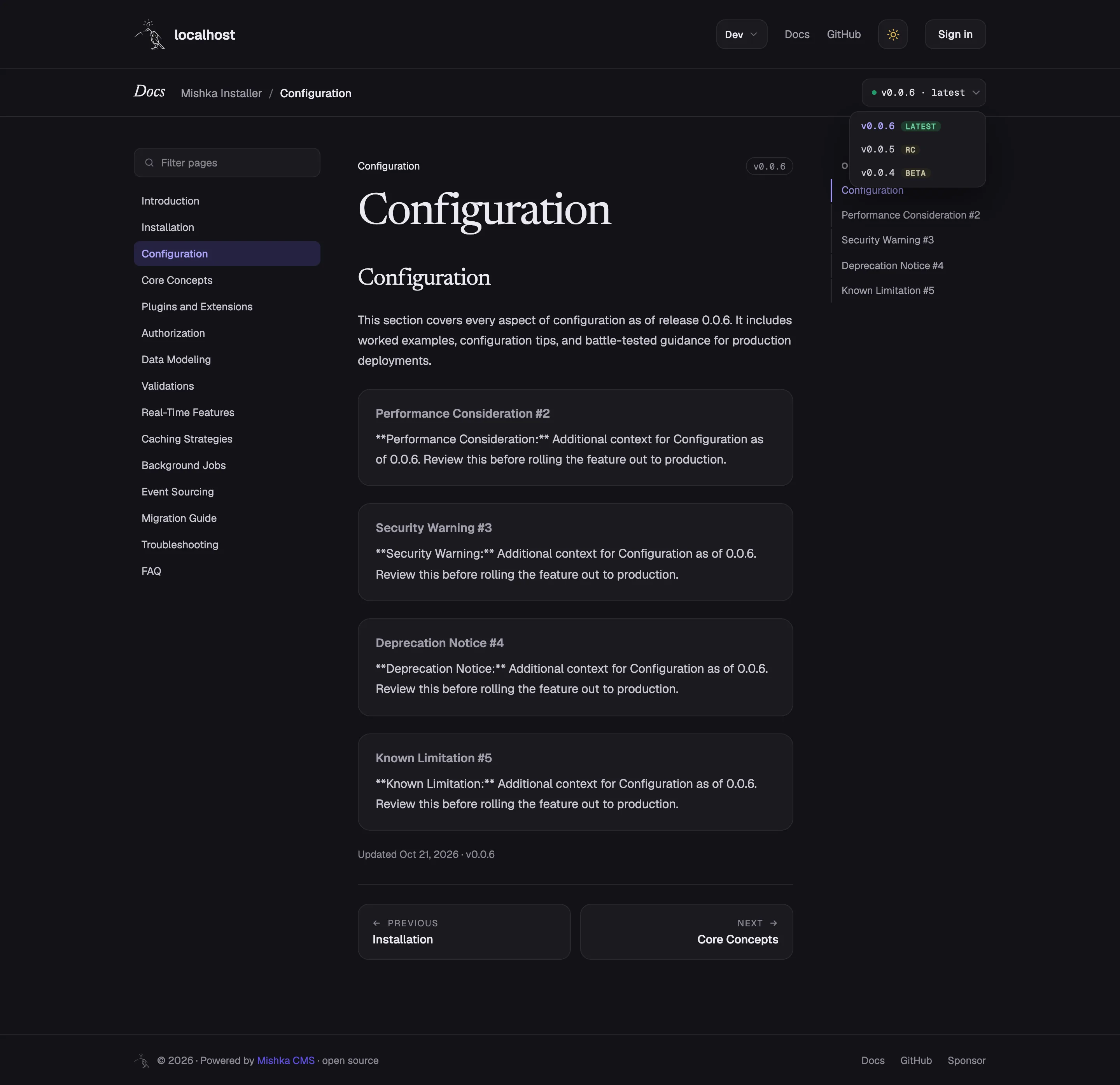
The version menu: the latest version and the older ones a reader can switch to.
The Persian edition of a document, right to left, at its own address.
The same kind of page on a phone.
On a phone the contents fold into a Pages drawer with a filter.

Shahryar Tavakkoli writes about Elixir and Phoenix LiveView: Mishka Chelekom releases, GuardedStruct validation, static sites, service workers and SEO.