Headless or Coupled? Serve Mishka CMS Content as JSON:API
A practical guide to the three site modes of Mishka CMS, and to reading posts, pages and documents over the JSON:API from curl, JavaScript and Elixir.

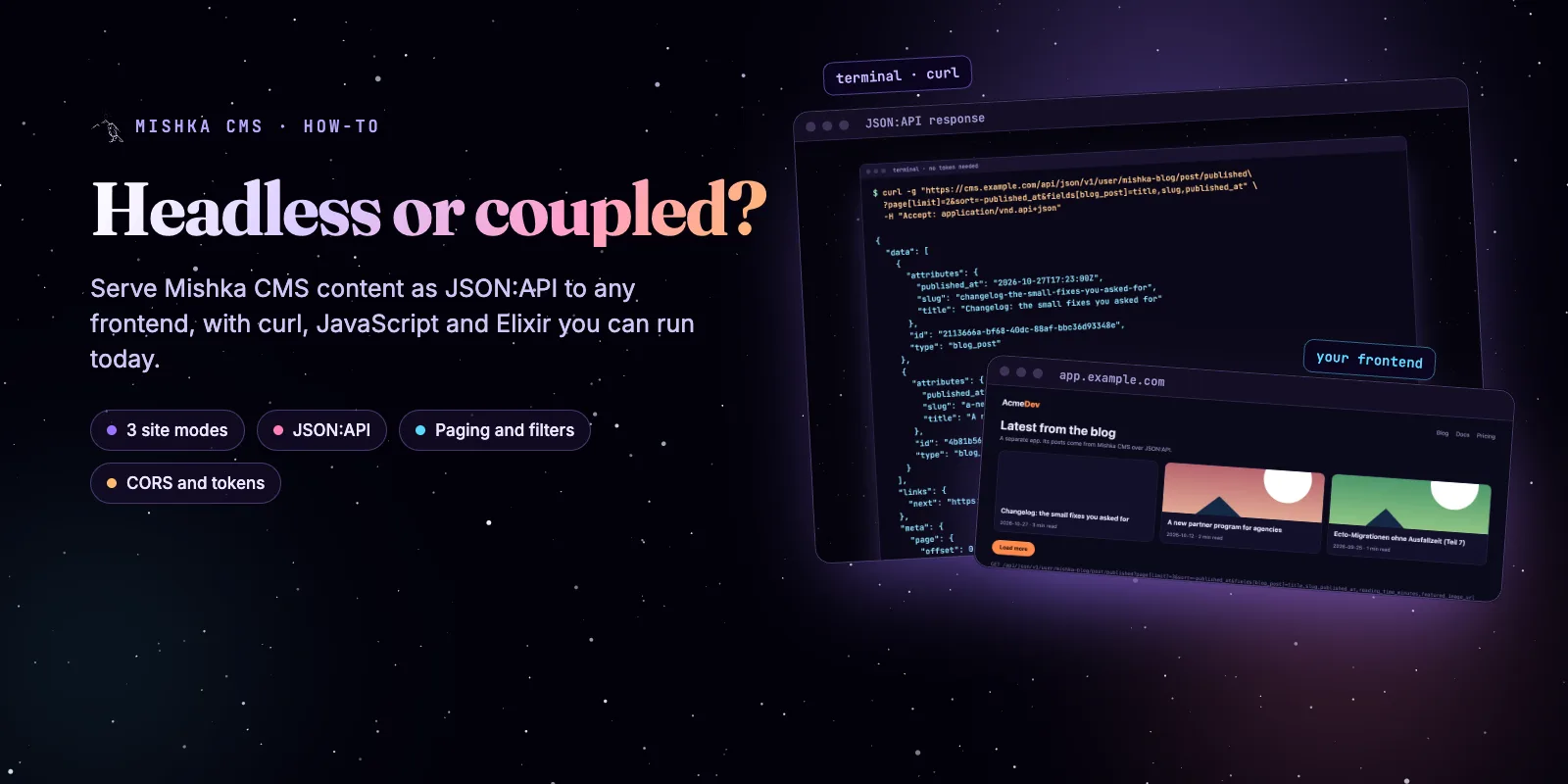
A Mishka CMS site can draw its own pages, serve its content as JSON to another app, or do both. If another app draws your pages, set the site to API Only. If the CMS draws them, keep Phoenix Only or the default Hybrid. This guide shows how to choose and then read your Mishka CMS posts with curl, JavaScript and Elixir.
Mishka CMS stays free. A founding seat pays for the time we spend on it and on its extensions, and it gives you lifetime access, priority support and every paid extension we release.
Everything below ran against a local Mishka CMS host while we wrote it, and the output you see is real. The route and permission details come from the CMS docs, which this post links as it goes.
You need about ten minutes and a terminal. By the end you have a small frontend that lists posts from the CMS and loads more on a click.
Mishka CMS releases. Once a month.
New Mishka CMS releases, Elixir and Phoenix patterns, and case studies from the team. No spam, unsubscribe anytime.
The short answer
Use coupled when the CMS should draw the website, and headless when a separate app should. Mishka CMS lets each site pick one of three modes, and the same content serves both.
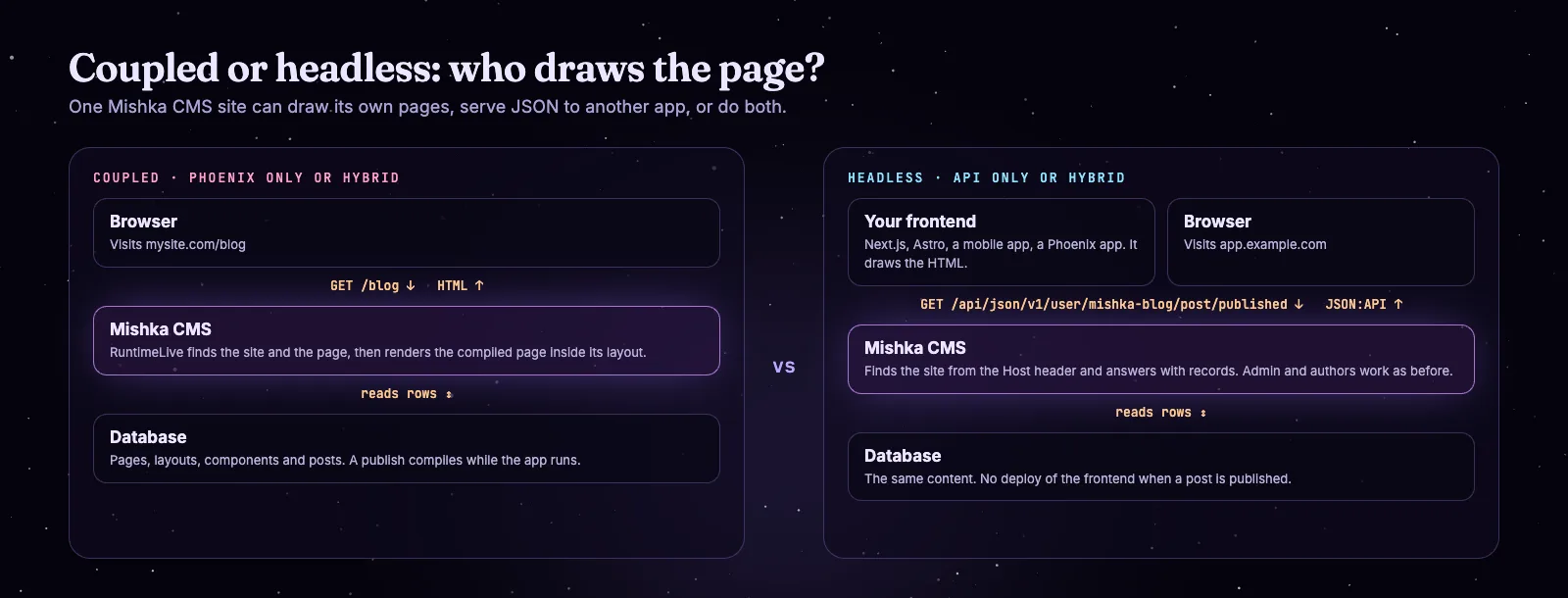
Coupled: the CMS draws the page. Headless: your app draws it from JSON.
Coupled is the easy path. A route at the end of the host's router sends every unclaimed path to one LiveView, which finds the site from the host name, finds the page and renders it inside its layout. Pages, layouts and components are database rows, so a publish compiles while the app runs and nothing is redeployed. Headless or coupled in the docs explains it in full.
Headless keeps your own frontend. The CMS holds the content and the admin, and your app reads the JSON:API under /api/json.
Pick the mode in two questions
Every site has a Mode on the Sites screen, under Runtime in the sidebar, and only a master can change it. The default is Hybrid.
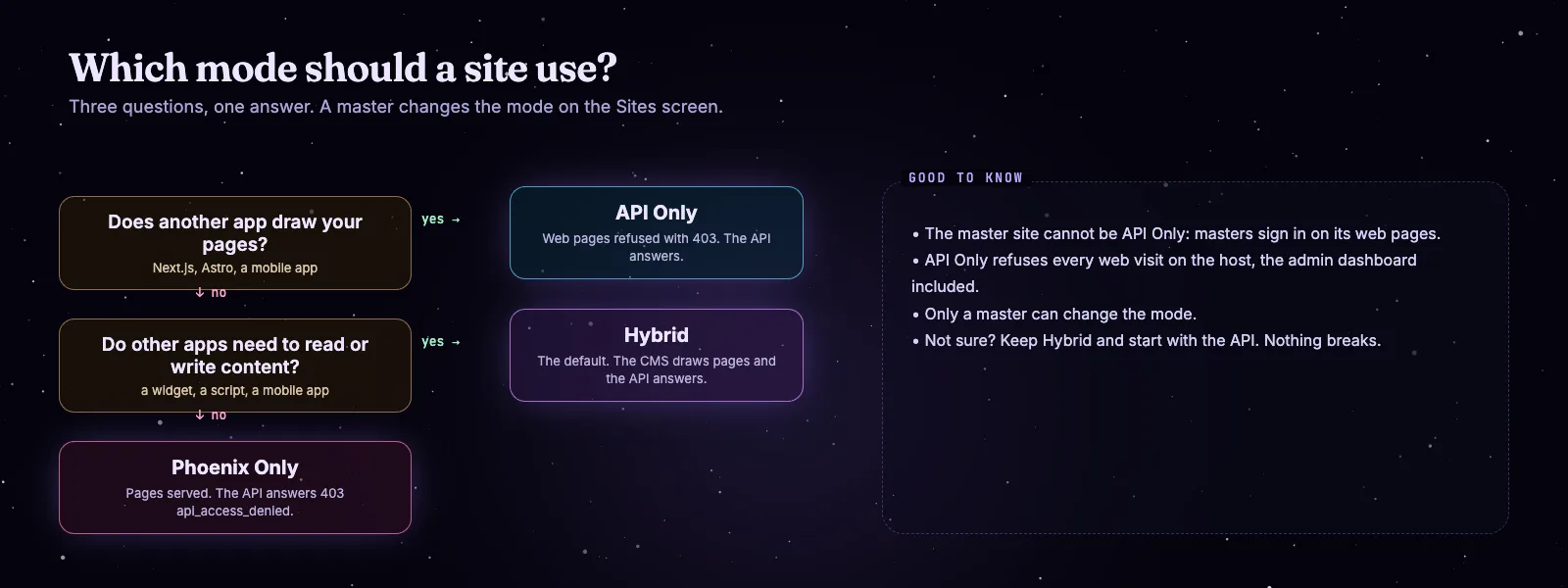
Two questions pick the mode.
| Mode | Web pages | JSON:API | Use it for |
|---|---|---|---|
| Hybrid | Served | Served | The default: the CMS draws pages and other apps still read and write |
| Phoenix Only | Served | Refused | A website that needs no API |
| API Only | Refused | Served | A site whose frontend is a separate app |
A Phoenix Only site answers an API request with status 403 and the code api_access_denied. An API Only site answers a web visit with a 403 page that reads Web Access Not Allowed.
Read posts with one request
Published posts need no token. Send Accept: application/vnd.api+json and the Host of your site, and you get the posts as JSON:API blog_post resources.
curl -g "https://cms.example.com/api/json/v1/user/mishka-blog/post/published?page[limit]=2&sort=-published_at&fields[blog_post]=title,slug,published_at" \
  -H "Accept: application/vnd.api+json"
The -g flag stops curl from reading the brackets as a range. This is the real answer from a local host. Each record also carries a relationships block, which we left out here.
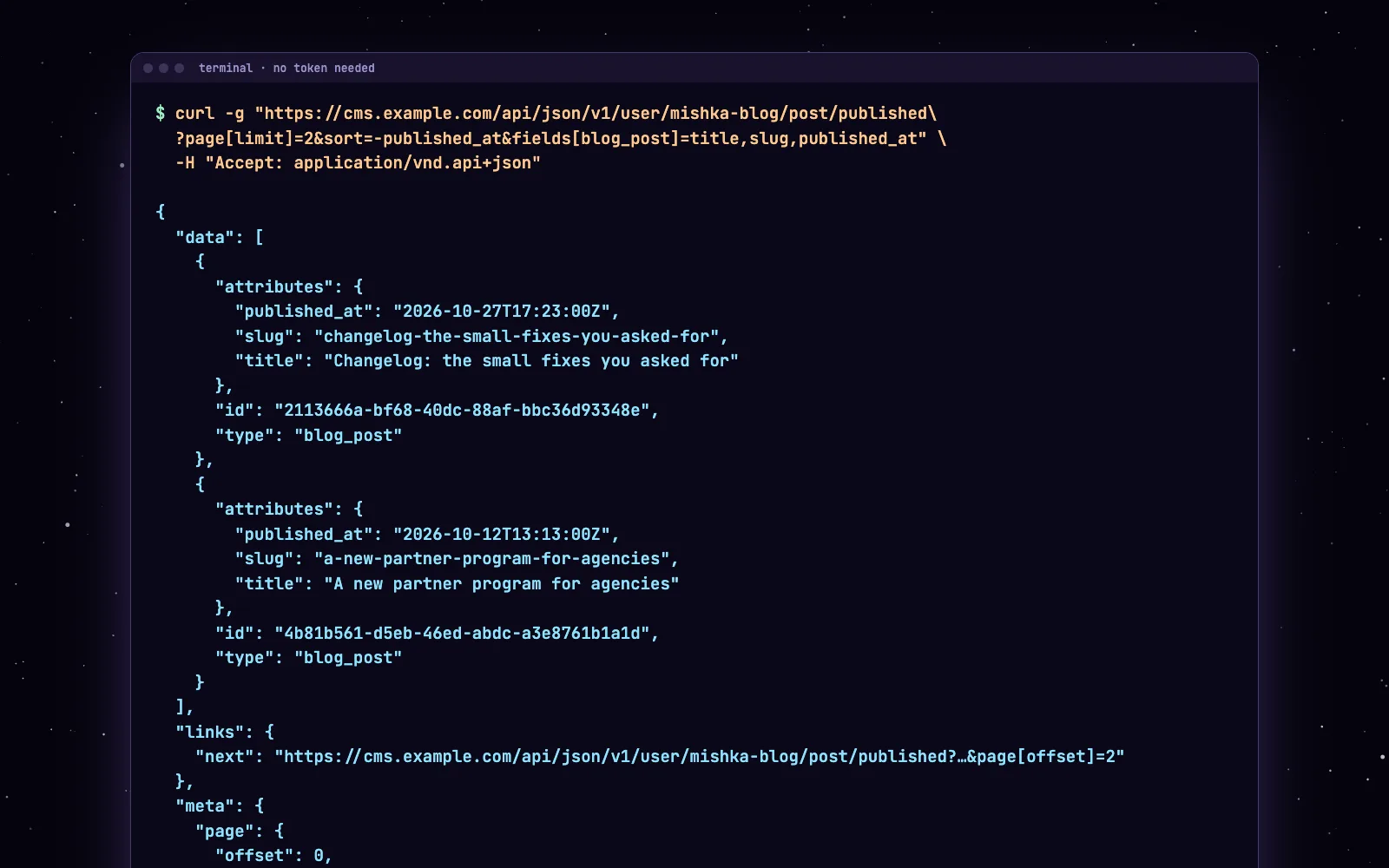
The answer of a real local Mishka CMS host. Each record also carries a relationships block, left out here.
The request finds its site from the Host header. That is why the same address can serve many sites, and why an unknown host answers 404 with the code domain_not_found.
One request, one answer, one page. The titles are real answers from a local demo host; the new post is an illustration.
Page, sort, filter and pick fields
Lists page by offset: 20 records by default and 100 at most. Ask for more and the CMS returns 100 and stops. We asked for page[limit]=500 and got 100 back.
Four query parameters cover most frontends. We ran each one against the local host.
# Page 2 of 2 posts each, newest first, with the total count
curl -g "https://cms.example.com/api/json/v1/user/mishka-blog/post/published?page[limit]=2&page[offset]=2&page[count]=true&sort=-published_at&fields[blog_post]=title,published_at" \
  -H "Accept: application/vnd.api+json"

# One post by its slug
curl -g "https://cms.example.com/api/json/v1/user/mishka-blog/post/published?filter[slug]=changelog-the-small-fixes-you-asked-for&fields[blog_post]=title" \
  -H "Accept: application/vnd.api+json"

# Posts of one language, or with a word in the title
curl -g "https://cms.example.com/api/json/v1/user/mishka-blog/post/published?filter[language]=en&filter[title][contains]=Phoenix&fields[blog_post]=title" \
  -H "Accept: application/vnd.api+json"
With page[count]=true the answer carries the total next to the offset, and a links.next address when another page exists:
{"page": {"offset": 2, "total": 303, "limit": 2}}Your total will differ. Follow links.next until it is null, and you have read every post.
Build a small frontend
This script reads three posts and prints a line for each. It needs Node 18 or newer and no packages.
JavaScript
// Node 18+ : node posts.mjs
const base = "https://cms.example.com/api/json/v1/user/mishka-blog";
const query = "page[limit]=3&sort=-published_at&fields[blog_post]=title,slug,published_at";

const res = await fetch(`${base}/post/published?${query}`, {
  headers: { accept: "application/vnd.api+json" },
});
if (!res.ok) throw new Error(`CMS answered ${res.status}`);

const { data, links } = await res.json();
for (const { attributes: p } of data) {
  console.log(`${p.published_at.slice(0, 10)}  ${p.title}  -> /blog/${p.slug}`);
}
console.log("next page:", links.next ? "yes" : "no");
We ran it against the local host and it printed:
2026-10-27  Changelog: the small fixes you asked for  -> /blog/changelog-the-small-fixes-you-asked-for
2026-10-12  A new partner program for agencies  -> /blog/a-new-partner-program-for-agencies
2026-09-25  Ecto-Migrationen ohne Ausfallzeit (Teil 7)  -> /blog/ecto-migrationen-ohne-ausfallzeit-7
next page: yes
Elixir
The same request from Elixir, with Req. Run it with elixir posts.exs.
Mix.install([{:req, "~> 0.5"}])

base = "https://cms.example.com/api/json/v1/user/mishka-blog"

resp =
  Req.get!("#{base}/post/published",
    headers: [accept: "application/vnd.api+json"],
    params: [
      "page[limit]": 3,
      sort: "-published_at",
      "fields[blog_post]": "title,slug,published_at"
    ]
  )

for %{"attributes" => p} <- resp.body["data"] do
  IO.puts("#{String.slice(p["published_at"], 0, 10)}  #{p["title"]}  -> /blog/#{p["slug"]}")
end
It printed the same three lines. Put the same two parameters into a LiveView, a Next.js page or a mobile app, and you have a frontend. Ours is a plain HTML page of about forty lines with a Load more button that follows links.next.
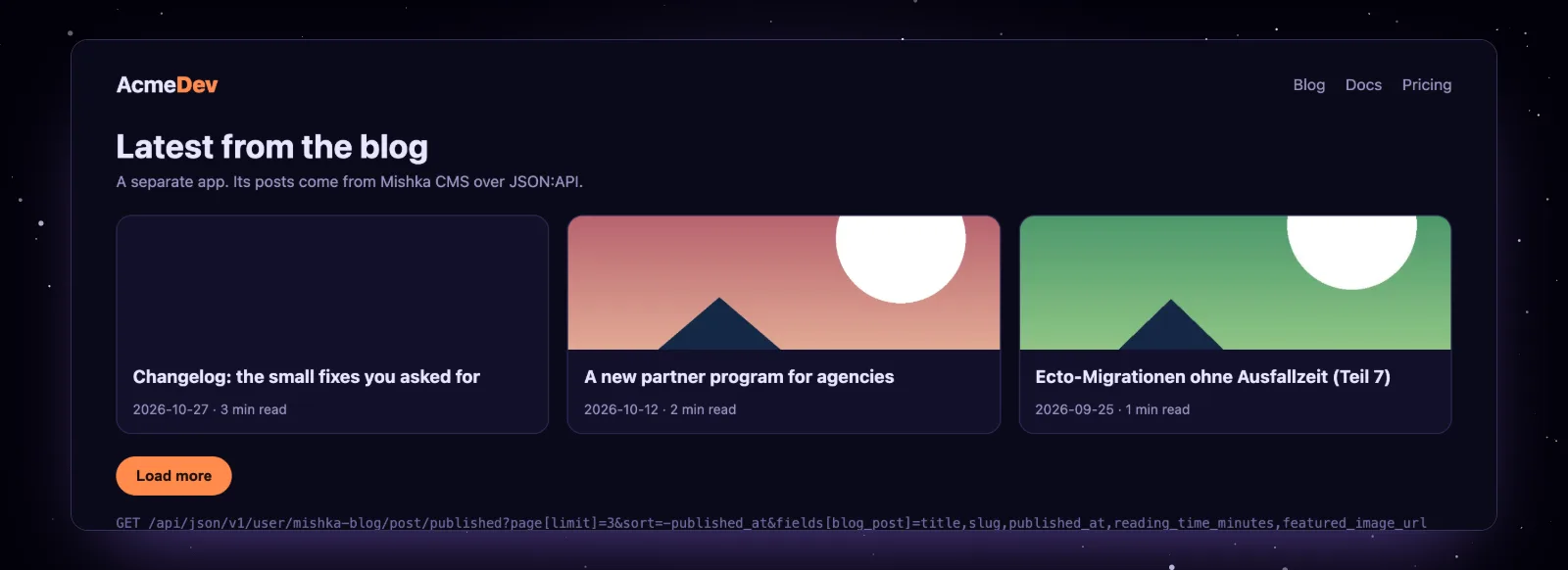
The 40-line frontend from this post, reading a local Mishka CMS host.
Now compare it with the same site in coupled mode, where the CMS draws the blog itself.
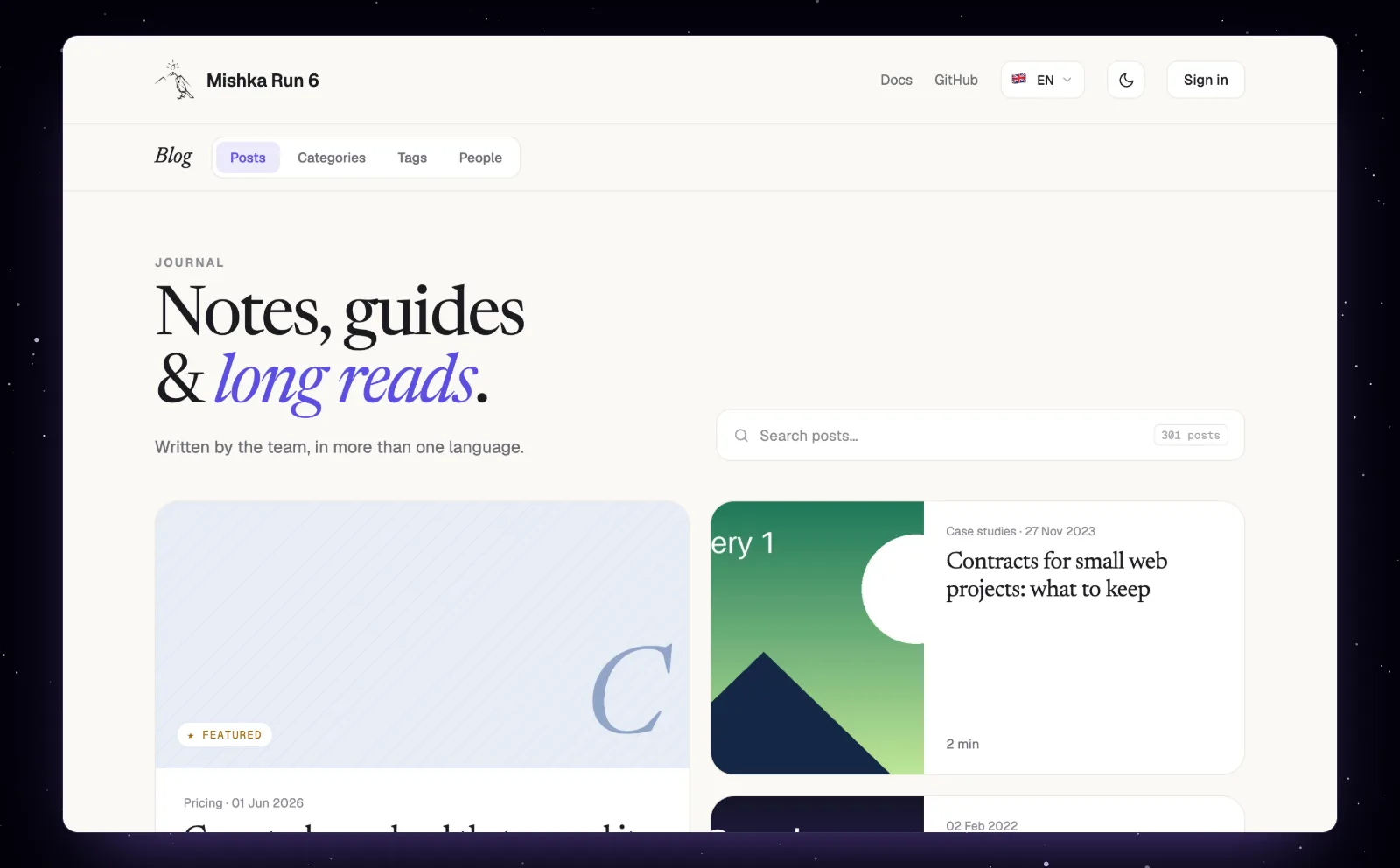
The same site in coupled mode: the CMS draws the blog.
Sign in for admin routes
Reading public content needs no token. Reading drafts, pages and layouts, or writing anything, needs one. The routes fall into four families, and the ladder runs from open to master.
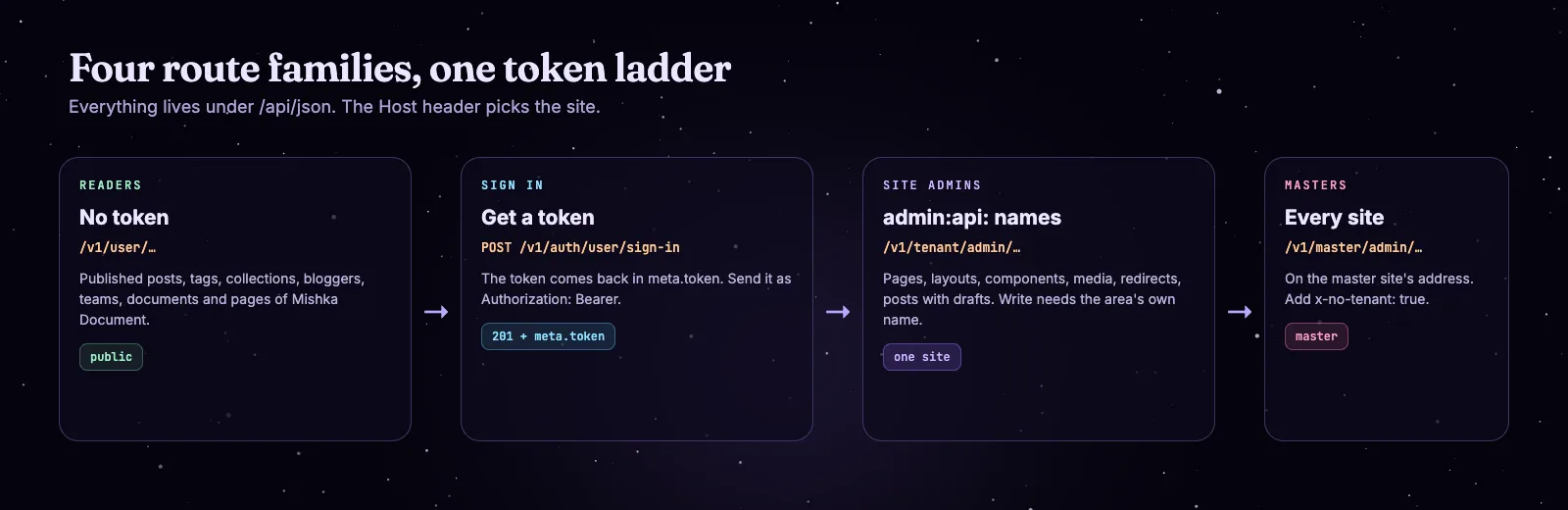
Reader routes need no token. Admin routes need an admin:api: name.
Sign in with a POST. A 201 answer holds the account in data and the token in meta.token. Send it as Authorization: Bearer on later requests.
curl -X POST "https://cms.example.com/api/json/v1/auth/user/sign-in" \
  -H "Accept: application/vnd.api+json" \
  -H "Content-Type: application/vnd.api+json" \
  -d '{"data": {"type": "user", "attributes": {"email": "[email protected]", "password": "your-password"}}}'
# The token is in the answer: {"meta": {"token": "..."}}

curl -g "https://cms.example.com/api/json/v1/tenant/admin/runtime/page?fields[page]=title,path" \
  -H "Accept: application/vnd.api+json" \
  -H "Authorization: Bearer $TOKEN"
Admin routes check names that start with admin:api:. A name such as admin:dashboard:* opens nothing on the API. Reading takes any name under admin:api, and writing takes the area's own name, such as admin:api:runtime:page for pages. The page Permission names lists them all.
Without a token, an admin route answers 403 with the code forbidden. We checked both failures on the local host:
$ curl -g -i "http://localhost:4030/api/json/v1/tenant/admin/runtime/page" -H "Accept: application/vnd.api+json"
HTTP/1.1 403 Forbidden
{"errors":[{"code":"forbidden","status":"403","title":"Forbidden","detail":"forbidden"}],"jsonapi":{"version":"1.0"}}

$ curl -i "http://localhost:4030/api/json/v1/user/mishka-blog/post/published" -H "Host: nope.example.com"
HTTP/1.1 404 Not Found
{"error":{"code":"domain_not_found","message":"Domain not found","status":404,...}}
Call the API from a browser on another domain
A browser frontend works only after you allow its origin. The CMS sends CORS headers when the request's origin is the site's own host, the site's Frontend Domain, or a host listed under Allowed Origins. It compares hosts and ignores ports.
- A master signs in at
/auth?master_user=trueand opens Sites under Runtime. - Click Edit on the site's row. A dialog opens on its Configuration tab.
- Enter the frontend's host in Frontend Domain, or click Add Origin and enter an address under Allowed Origins.
- Submit the form.
A preflight from an allowed origin gets a 204 with these headers. This is the answer of our local host for the origin http://localhost:3000:
HTTP/1.1 204 No Content
access-control-allow-origin: http://localhost:3000
access-control-allow-credentials: true
access-control-allow-methods: GET, POST, PUT, PATCH, DELETE, OPTIONS
access-control-allow-headers: Accept, Authorization, Content-Type, X-Requested-With, x-no-tenant
access-control-max-age: 86400
An origin that is not on the list gets the 204 with no CORS headers, so the browser blocks the call. Request headers the API accepts are Accept, Authorization, Content-Type, X-Requested-With and x-no-tenant.
Blog, documents and pages share one shape
Each extension mounts its records under the same /api/json prefix, with the same three surfaces: readers, site admins and masters.
The Blog reference Blog JSON:API lists every route and has an example that signs in, creates a post and schedules it. JSON:API routes does the same for documents. A locked record the caller cannot open is left out of lists and answers 404 when asked for by id.
The CMS also serves its own spec. /api/json/open_api and /api/json/swaggerui list every route, filter and field, and both open for an account that holds a name under admin:api. Without one they answer 403.
When to pick which
Next steps
Start with the Read content over the JSON:API guide, and keep Headless or coupled open while you decide. The extension pages are Mishka Blog and Mishka Document.
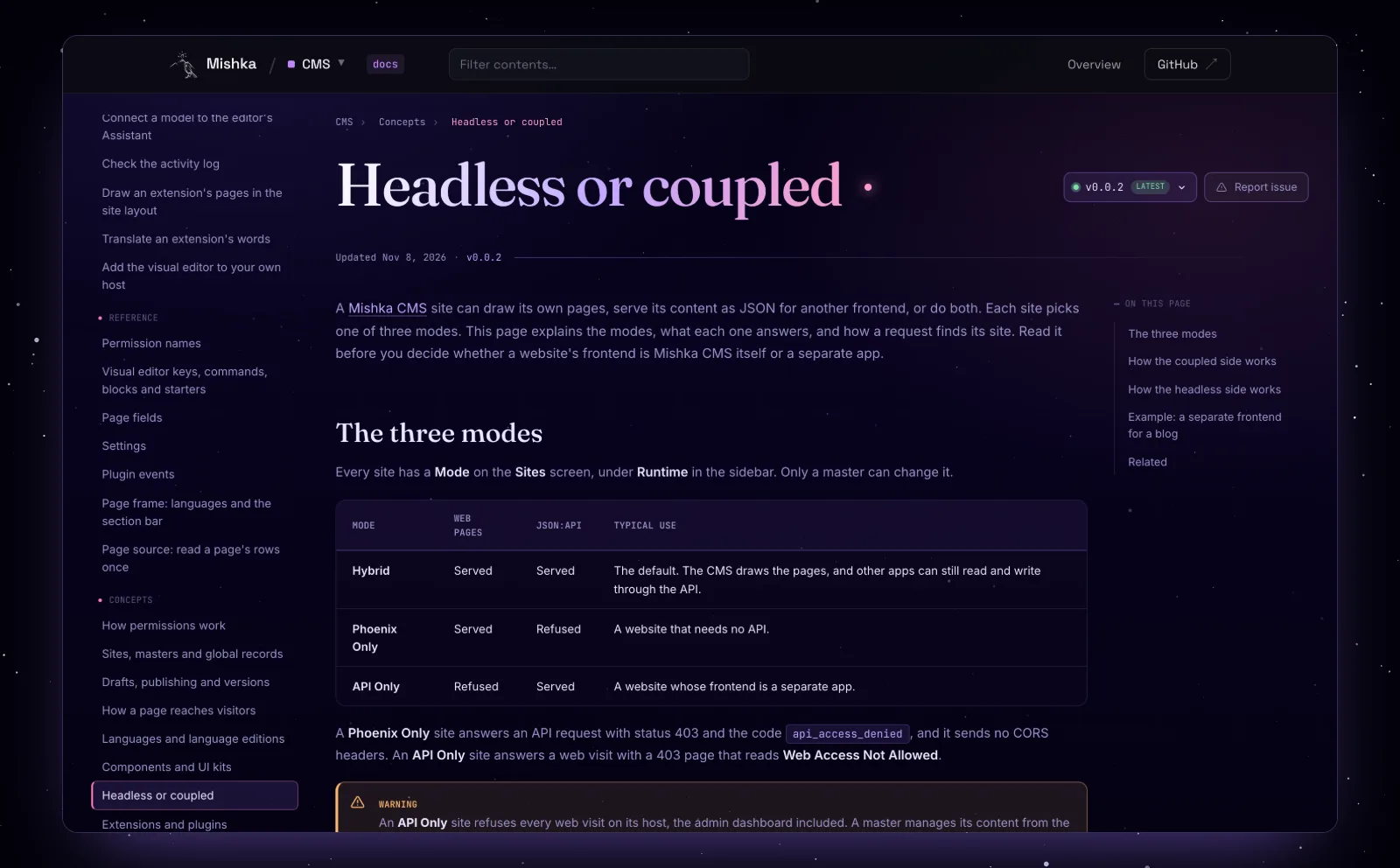
The concept page for the three modes, in the 0.0.2 docs.
If you want to see how we ship the CMS, read what changed in Mishka CMS 0.0.2 and the first story, how we built a runtime CMS on Phoenix LiveView.
Mishka CMS is free, and a small team builds it. If you want to help us work on it full time, a founding seat gives you lifetime access, priority support and every paid extension we release.
You can also sponsor our open source work, or hire our team for a Phoenix LiveView project.
Mishka CMS releases. Once a month.
New Mishka CMS releases, Elixir and Phoenix patterns, and case studies from the team. No spam, unsubscribe anytime.
Questions people ask about headless Mishka CMS
Thank you
Mishka CMS stands on Elixir, Phoenix LiveView and Ash Framework, and the JSON:API stands on the Ash packages that serve it. Thank you to everyone who builds them, and to you for reading this far.
Shahryar Tavakkoli writes about Elixir and Phoenix LiveView: Mishka Chelekom releases, GuardedStruct validation, static sites, service workers and SEO.